

werr


A simple, opinionated, python project task runner.
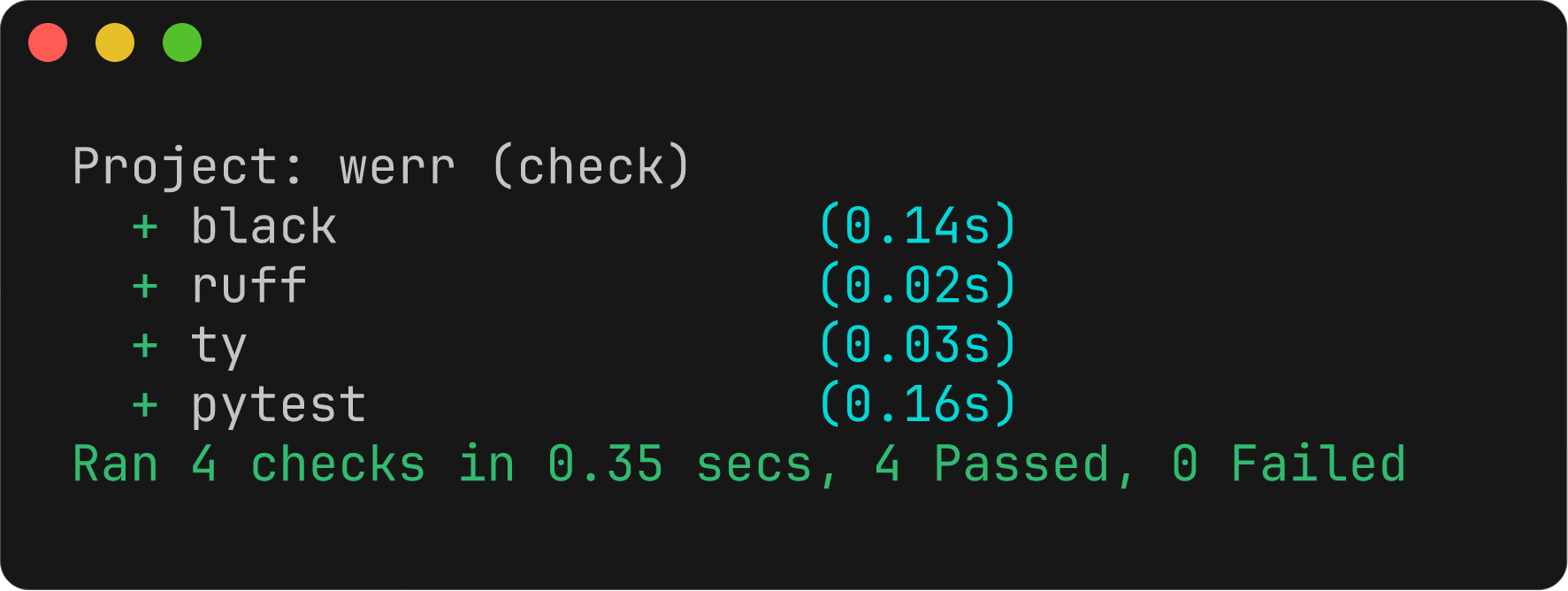
A task is a configured sequence of commands to run.
[project]
name = "appletree"
version = "0.1.0"
dependencies = [
    "pysunlight==24.1",
]

[tool.werr]
# The first defined task is the default task if `werr` is run with no arguments.
task.check = [
    "black --check .",
    "isort --check .",
    "ruff check",
    "mypy .",
    "pytest",
]
task.fix = [
    "black .",
    "isort .",
    "ruff check --fix",
]
In this example:
- Running
werrexecutes eachcheckcommand in sequence at the project root, printing which failed and how. - Running
werr fixexecutes eachfixcommand in sequence.
All commands are run using uv (the only dependency of this project), andt he tool returns a non-zero exit code if any command fails.
Installation
The simplest method of installation is:
uv tool install werr
Command Variables
Variables to use in task commands can be defined under the variable key:
[tool.werr]
variable.packages = "werrlib/ tests/"
task.check = [
    "black --check {packages}",
    ...
]
- define:
variable.packages = "werrlib/ tests/" - use:
ruff check {packages}
Structured Output
werr         # interactive human readable output (default)
werr --json  # emit lines of JSON representing the result of each command
werr --xml   # print Junit XML for CI
The --json output results in a line of JSON being emitted as soon as a command finishes:
> werr --json | jq
{
  "task": "black",
  "command": "black --check {project}/werrlib",
  "duration": 0.10738483420573175,
  "output": "All done! ✨ 🍰 ✨\n8 files would be left unchanged.\n",
  "success": true
}
{
  "task": "ruff",
  "command": "ruff check {project}/werrlib",
  "duration": 0.016670041950419545,
  "output": "All checks passed!\n",
  "success": true
}
{
  "task": "ty",
  "command": "ty check {project}/werrlib",
  "duration": 0.03577654203400016,
  "output": "All checks passed!\n",
  "success": true
}
{
  "task": "pytest",
  "command": "pytest --config-file {project}/pyproject.toml",
  "duration": 0.13576683308929205,
  "output": "============================= test session starts ==============================\nplatform darwin -- Python 3.14.0rc1, pytest-9.0.2, pluggy-1.6.0\nrootdir: /Users/joe/repos/werr\nconfigfile: pyproject.toml\ntestpaths: tests\ncollected 7 items\n\ntests/test_config.py .......                                             [100%]\n\n============================== 7 passed in 0.01s ===============================\n",
  "success": true
}
Custom Tasks
Define a custom task with task.<name> = [ ... ]
[tool.werr]
# ...
task.docs = [
    "sphinx-build -b html .",
]
Running werr docs will build the documentation.
New Project
A suggested workflow for creating a new project is:
uv inituv add --dev black ruff ty pytest- add tasks to
[tool.werr] uvx werror add todevgroup and in venv justwerr
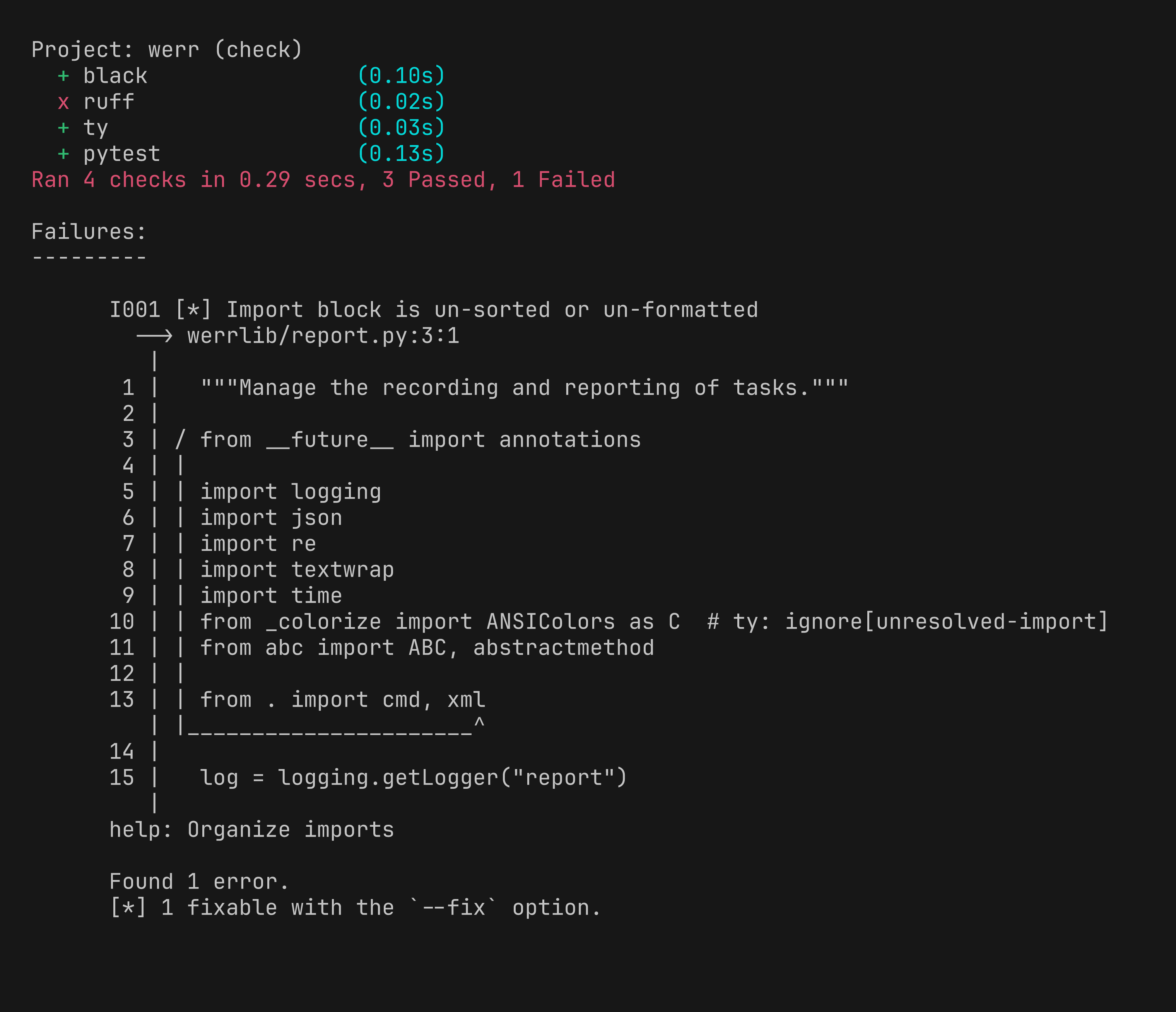
Failing Example
1 maintainer

Metadata
1 maintainer
Release files for werr 0.5.0
For a detailed explanation of source distributions (sdists) and built distributions (wheels), please see the package formats documentation.
Source distribution (sdist)
| File | Size | Uploaded | Provenance | |
|---|---|---|---|---|
| werr-0.5.0.tar.gz | 18.3 kB | Without provenance | Details |
Built distribution (wheel)
| File | Interpreter | ABI | Platform | Reset |
|---|---|---|---|---|
| werr-0.5.0-py3-none-any.whl | Python 3 | none | any | Details |
Total release size: 32.5 kB
Release files / werr-0.5.0.tar.gz
| Download URL | werr-0.5.0.tar.gz |
|---|---|
| Size | 18.3 kB |
| Tags | Source |
|
SHA-256 checksum How to use checksums |
547a96b1febae3f7e925de89080e16ba73a66610cfd1f86c23f91463dd6fa3ff
|
|
BLAKE2b-256 checksum How to use checksums |
77165cad255d2355734a561b0005d57dbbd8cab9ce247802b94897d9fb1c07b4
|
| Upload date | |
|
Uploaded using Trusted Publishing? What is trusted publishing? |
No |
| Uploaded via |
uv/0.10.0 {"installer":{"name":"uv","version":"0.10.0","subcommand":["publish"]},"python":null,"implementation":{"name":null,"version":null},"distro":{"name":"macOS","version":null,"id":null,"libc":null},"system":{"name":null,"release":null},"cpu":null,"openssl_version":null,"setuptools_version":null,"rustc_version":null,"ci":null}
|
Release files / werr-0.5.0-py3-none-any.whl
| Download URL | werr-0.5.0-py3-none-any.whl |
|---|---|
| Size | 14.2 kB |
| Tags | Python 3 |
|
SHA-256 checksum How to use checksums |
b1cf23cc51b0c0a24c0c1a1d1dd8a9f71a90d35a39fe4f9be01016d1ce8337c5
|
|
BLAKE2b-256 checksum How to use checksums |
324ce60e78bc01c0a1c011df61c14fc06fc42a80e732a7eed4dbf80a835701e9
|
| Upload date | |
|
Uploaded using Trusted Publishing? What is trusted publishing? |
No |
| Uploaded via |
uv/0.10.0 {"installer":{"name":"uv","version":"0.10.0","subcommand":["publish"]},"python":null,"implementation":{"name":null,"version":null},"distro":{"name":"macOS","version":null,"id":null,"libc":null},"system":{"name":null,"release":null},"cpu":null,"openssl_version":null,"setuptools_version":null,"rustc_version":null,"ci":null}
|
Security for werr 0.5.0
Provenance
Provenance describes where a file came from. On PyPI, provenance is shared via attestations, which provide a verifiable record of the build or publishing details. View details, limitations and caveats.
No provenance found
None of the files in this release were uploaded with provenance metadata.
A note on package security
PyPI is a repository for distributing packages, not a service for auditing them. While third-party security researchers and our staff do their best to detect and remove malicious packages, PyPI cannot guarantee the quality, security or suitability of any given package.
To learn more about protecting yourself from malicious actors, visit our package security documentation.














