
A python project task runner

Project description

werr


A simple, opinionated, python project task runner.
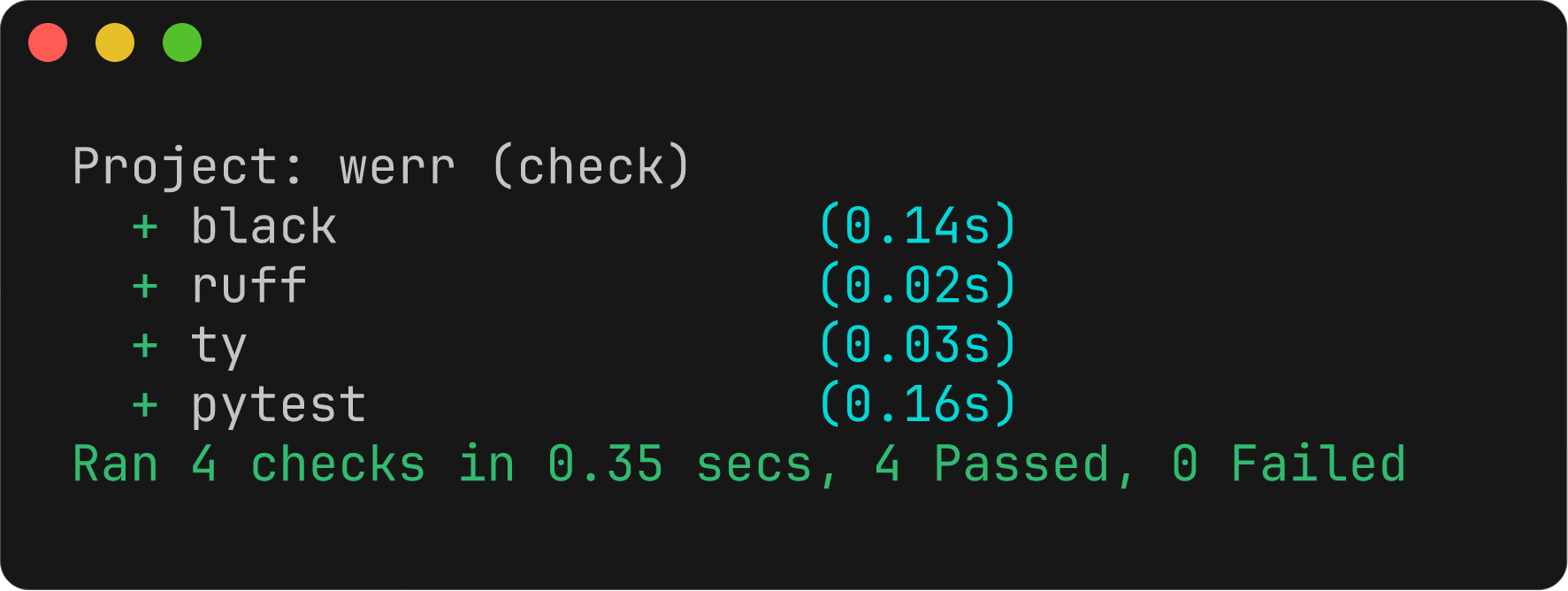
A task is a configured sequence of commands to run.
[project]
name = "appletree"
version = "0.1.0"
dependencies = [
    "pysunlight==24.1",
]

[tool.werr]
# 'check' is the default task if `werr` is run with no arguments.
task.check = [
    "black --check {project}",
    "isort --check {project}",
    "ruff check {project}",
    "mypy {project}",
    "pytest",
]
task.fix = [
    "black {project}",
    "isort {project}",
    "ruff fix {project}",
]
Running werr executes each check command in sequence, printing which failed and how.
The tool returns a non-zero exit code if any command fails.
Running werr fix executes each fix command in sequence.
NOTE: All commands are run using uv (the only dependency of this project).
Command Variables
The following {...} variables are provided by werr to be used in task commands:
{project}- the absolute path to the directory containing thepyproject.tomlfile
Structured Output
werr         # interactive human readable output (default)
werr --json  # emit lines of JSON representing the result of each command
werr --xml   # print Junit XML for CI
The --json output results in a line of JSON being emitted as soon as a command finishes:
> werr --json | jq
{
  "task": "black",
  "command": "black --check {project}/werrlib",
  "duration": 0.10738483420573175,
  "output": "All done! ✨ 🍰 ✨\n8 files would be left unchanged.\n",
  "success": true
}
{
  "task": "ruff",
  "command": "ruff check {project}/werrlib",
  "duration": 0.016670041950419545,
  "output": "All checks passed!\n",
  "success": true
}
{
  "task": "ty",
  "command": "ty check {project}/werrlib",
  "duration": 0.03577654203400016,
  "output": "All checks passed!\n",
  "success": true
}
{
  "task": "pytest",
  "command": "pytest --config-file {project}/pyproject.toml",
  "duration": 0.13576683308929205,
  "output": "============================= test session starts ==============================\nplatform darwin -- Python 3.14.0rc1, pytest-9.0.2, pluggy-1.6.0\nrootdir: /Users/joe/repos/werr\nconfigfile: pyproject.toml\ntestpaths: tests\ncollected 7 items\n\ntests/test_config.py .......                                             [100%]\n\n============================== 7 passed in 0.01s ===============================\n",
  "success": true
}
Custom Tasks
Define a custom task with task.<name> = [ ... ]
[tool.werr]
# ...
task.docs = [
    "sphinx-build -b html {project}",
]
Running werr docs will build the documentation.
New Project
A suggested workflow for creating a new project is:
uv inituv add --dev black ruff ty pytest- add tasks to
[tool.werr] uvx werror add todevgroup and in venv justwerr
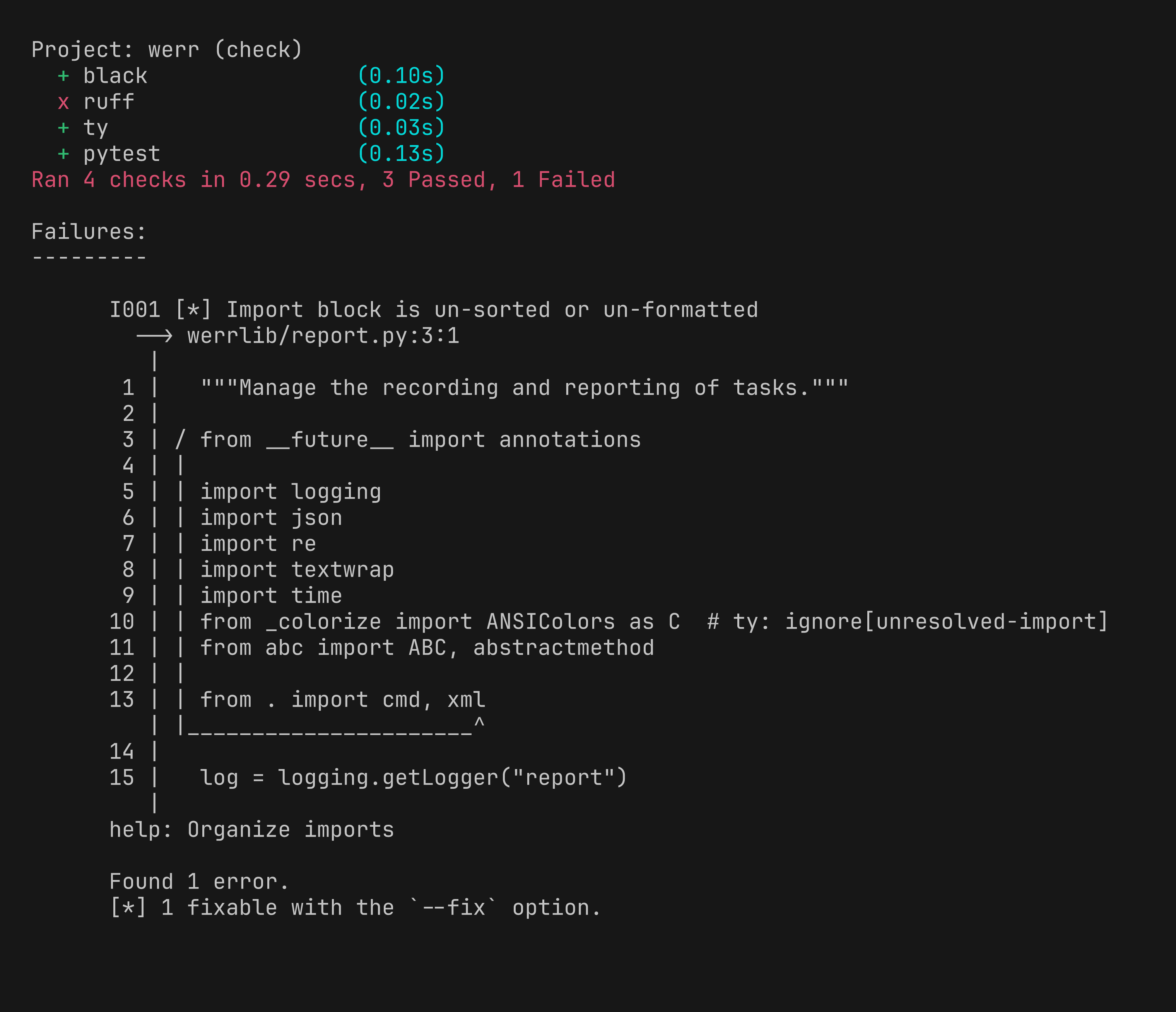
Failing Example


Download files
Download the file for your platform. If you're not sure which to choose, learn more about installing packages.
Source Distribution
Built Distribution
Filter files by name, interpreter, ABI, and platform.
If you're not sure about the file name format, learn more about wheel file names.
Copy a direct link to the current filters
File details
Details for the file werr-0.2.0.tar.gz.
File metadata
- Download URL: werr-0.2.0.tar.gz
- Upload date:
- Size: 10.9 kB
- Tags: Source
- Uploaded using Trusted Publishing? No
- Uploaded via: uv/0.8.8
File hashes
| Algorithm | Hash digest | |
|---|---|---|
| SHA256 |
2b0a166e19c06410c82e4bce3ab0ce335a3f73911421e6f723099609a7dd5f31
|
|
| MD5 |
6d1afd16b660d0a50bd5310f33ed1ec7
|
|
| BLAKE2b-256 |
0a936246c7b2614fac2fc415cefcf6df82650b34fc8003f411f5bdf674e31504
|
File details
Details for the file werr-0.2.0-py3-none-any.whl.
File metadata
- Download URL: werr-0.2.0-py3-none-any.whl
- Upload date:
- Size: 11.9 kB
- Tags: Python 3
- Uploaded using Trusted Publishing? No
- Uploaded via: uv/0.8.8
File hashes
| Algorithm | Hash digest | |
|---|---|---|
| SHA256 |
a9a4057cee7539c34eb6d67fe899dc9962a041e5c61e42369f9078537d55882b
|
|
| MD5 |
ec1c3e40158e272aa4d67e0e832275fe
|
|
| BLAKE2b-256 |
5312c204fb8d28d141b889500fe3acb51088f0409978a338f5de800b9dfedefe
|






