
WFDB for Python
Read, write, plot, and process physiologic waveforms and annotations with Python. WFDB works with local files and records hosted on PhysioNet, so you can move from a published dataset to NumPy arrays in a few lines of code.


Install
WFDB requires Python 3.11 or newer. Install it from PyPI:
pip install wfdb
If you use uv, run uv add wfdb instead. On
some systems, the soundfile dependency also needs a separate installation
of libsndfile; see the
soundfile installation notes.
Quick start
Read ten seconds of ECG and its beat annotations from the MIT-BIH Arrhythmia Database:
import wfdb

record = wfdb.rdrecord("100", pn_dir="mitdb", sampto=3600)
annotation = wfdb.rdann("100", "atr", pn_dir="mitdb", sampto=3600)

print(record.fs)  # Sampling frequency: 360 Hz
print(record.sig_name)  # ['MLII', 'V5']
print(record.p_signal.shape)  # (3600, 2): samples x channels
print(annotation.sample[:5])  # Sample positions of the first five annotations

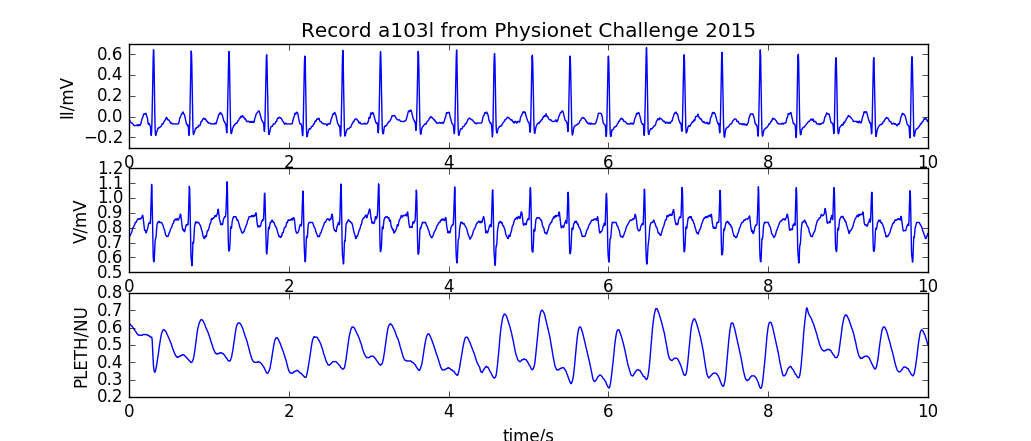
wfdb.plot_wfdb(record=record, annotation=annotation, title="Record 100")
The pn_dir argument downloads data from PhysioNet. For files already on
your computer, pass the path without its .hea or .dat extension instead:
record = wfdb.rdrecord("path/to/record")
annotation = wfdb.rdann("path/to/record", "atr")
record.p_signal is a NumPy array of signals in physical units. Use
physical=False with rdrecord to read digital values in record.d_signal.
Annotations provide sample positions, symbols, and other label information.
Write a record
Create a WFDB header and signal file from a NumPy array:
import numpy as np
import wfdb

signal = np.array([0.0, 0.2, 0.0, -0.2])[:, None]
wfdb.wrsamp(
    "example",
    fs=250,
    units=["mV"],
    sig_name=["ECG"],
    p_signal=signal,
    fmt=["16"],
)
This writes example.hea and example.dat in the current directory. See
wrann
to write annotations.
What else can you do?
- Work with remote data: Read PhysioNet records with
pn_diror aphysionet://URI. Supported cloud URIs includes3://andgs://when the correspondingfsspecbackend is installed. - Use WFDB archives: Read local
.wfdbarchives containing a record and its annotations. See the archive documentation. - Analyze signals: Use the processing tools for tasks such as resampling and QRS detection.
- Convert formats: See the conversion guide for supported waveform formats.
WFDB-Python follows the open WFDB specifications. It is inspired by the original WFDB Software Package, but its Python API is documented separately. The WFDB project website introduces the format and the other WFDB implementations.
Documentation and help
The documentation covers the full I/O API, plotting, and processing. The demo notebook shows more examples. Report bugs or request features in the issue tracker.
Contributing and citing
See DEVELOPING.md for setup, testing, and contribution guidance. If you use WFDB-Python in research, please cite its PhysioNet publication.
4 maintainers


Metadata
4 maintainers
Release files for wfdb 5.3.0
For a detailed explanation of source distributions (sdists) and built distributions (wheels), please see the package formats documentation.
Source distribution (sdist)
| File | Size | Uploaded | Provenance | Actions |
|---|---|---|---|---|
| wfdb-5.3.0.tar.gz | 190.9 kB | With provenance | Details for wfdb-5.3.0.tar.gz |
Built distribution (wheel)
| File | Interpreter | ABI | Platform | Actions Reset |
|---|---|---|---|---|
| wfdb-5.3.0-py3-none-any.whl | Python 3 | none | any | Details for wfdb-5.3.0-py3-none-any.whl |
Total release size: 394.4 kB
Release files / wfdb-5.3.0.tar.gz
| Download URL | wfdb-5.3.0.tar.gz |
|---|---|
| Size | 190.9 kB |
| Tags | Source |
|
SHA-256 checksum How to use checksums |
0f88a6e68b848fac157e8a4a7193b59b068f3a21c8454a84954911d8cd6576c8
|
|
BLAKE2b-256 checksum How to use checksums |
fb7f97c8018dbb2b30aa8f66199464ae5043541e60a224881cac3516c4d94de7
|
| Upload date | |
|
Uploaded using Trusted Publishing? What is trusted publishing? |
Yes |
| Uploaded via |
twine/7.0.0 CPython/3.13.16
|
Provenance
Provenance describes where a file came from. On PyPI, provenance is shared via attestations, which provide a verifiable record of the build or publishing details. View details, limitations and caveats.


PyPI Publish Attestation
PyPI verified that this artifact, at this checksum, originated from the publisher listed below.
Signed by GitHub Actions, verified by PyPI on Nov 25, 2026.
Transparency logRelease files / wfdb-5.3.0-py3-none-any.whl
| Download URL | wfdb-5.3.0-py3-none-any.whl |
|---|---|
| Size | 203.5 kB |
| Tags | Python 3 |
|
SHA-256 checksum How to use checksums |
ab7d71c9c7270e92af26861077b7df917f19804969400e6d2983648134d2235b
|
|
BLAKE2b-256 checksum How to use checksums |
239de9c585a45f978e4f06c18e71366d006e9deb503faf6dbf1505d8069bab19
|
| Upload date | |
|
Uploaded using Trusted Publishing? What is trusted publishing? |
Yes |
| Uploaded via |
twine/7.0.0 CPython/3.13.16
|
Provenance
Provenance describes where a file came from. On PyPI, provenance is shared via attestations, which provide a verifiable record of the build or publishing details. View details, limitations and caveats.
PyPI Publish Attestation
PyPI verified that this artifact, at this checksum, originated from the publisher listed below.
Signed by GitHub Actions, verified by PyPI on Nov 25, 2026.
Transparency logSecurity for wfdb 5.3.0
Provenance
Provenance describes where a file came from. On PyPI, provenance is shared via attestations, which provide a verifiable record of the build or publishing details. View details, limitations and caveats.
Full provenance
Both files in this release have been uploaded with provenance metadata.
Attestation for wfdb-5.3.0.tar.gz
PyPI Publish Attestation
PyPI verified that this artifact, at this checksum, originated from the publisher listed below.
Signed by GitHub Actions, verified by PyPI on Nov 25, 2026.
Transparency logA note on package security
PyPI is a repository for distributing packages, not a service for auditing them. While third-party security researchers and our staff do their best to detect and remove malicious packages, PyPI cannot guarantee the quality, security or suitability of any given package.
To learn more about protecting yourself from malicious actors, visit our package security documentation.














