
A beginner-friendly CLI for preprocessing tabular ML datasets with replayable recipes.
Verified details
These details have been verified by PyPIProject links
GitHub Statistics
Maintainers

Project description





WizCraft - CLI-Based Dataset Preprocessing Tool
WizCraft is a beginner-friendly Command Line Interface (CLI) tool for preparing tabular datasets for machine learning. It helps you inspect a CSV, handle missing values, encode categorical columns, scale numeric features, save a cleaned dataset, and export replayable preprocessing recipes.
Check out the Contribution Guide if you want to contribute to this project
Table of Contents
Features
- Load and preprocess your dataset effortlessly through a Command Line Interface (CLI).
- View dataset statistics, null value counts, and perform data imputation.
- Encode categorical variables using one-hot encoding.
- Normalize and standardize numerical features for better model performance.
- Download the preprocessed dataset with your desired modifications.
- Save preprocessing recipes and replay them on future CSV files.
Getting Started
Installation
Install WizCraft from PyPI:
pip install wiz-craft
Start the interactive CLI with a CSV file:
wizcraft dataset.csv
You can also launch WizCraft and choose a CSV from the current directory:
wizcraft
WizCraft can still be used from Python:
from wizcraft.preprocess import Preprocess

wiz_obj = Preprocess(csv_file="dataset.csv")
wiz_obj.start()
Follow the on-screen prompts to select the target variable and perform preprocessing tasks.
Replay a saved recipe on another CSV:
wizcraft apply new-data.csv --recipe cleaned.recipe.json --out new-data-clean.csv
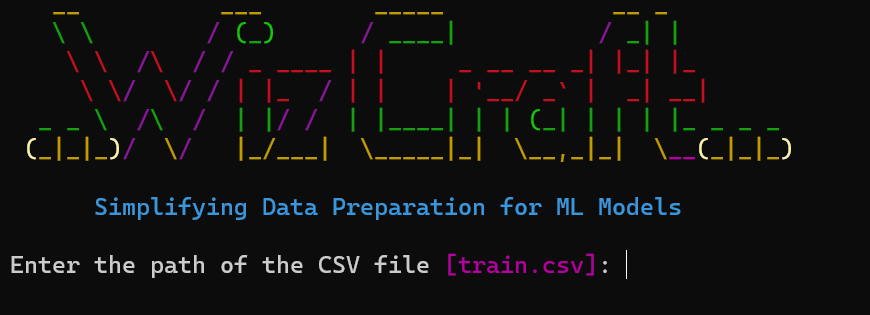
Features Available
Data Description
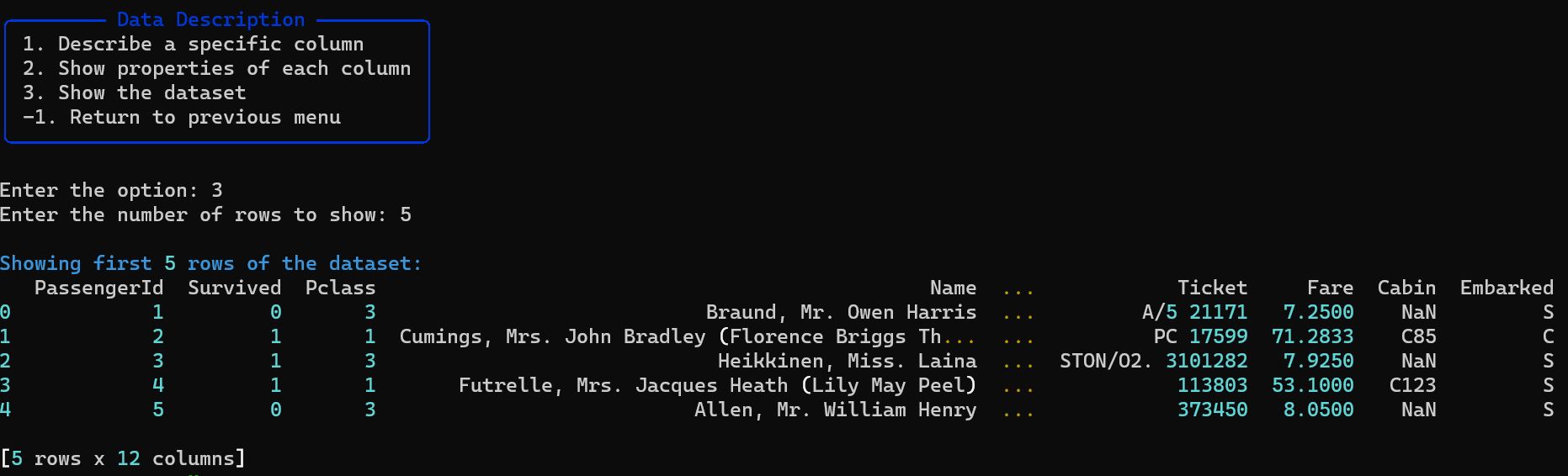
- View statistics and properties of numeric columns.
- Explore unique values and statistics of categorical columns.
- Display a snapshot of the dataset.
Handle Null Values
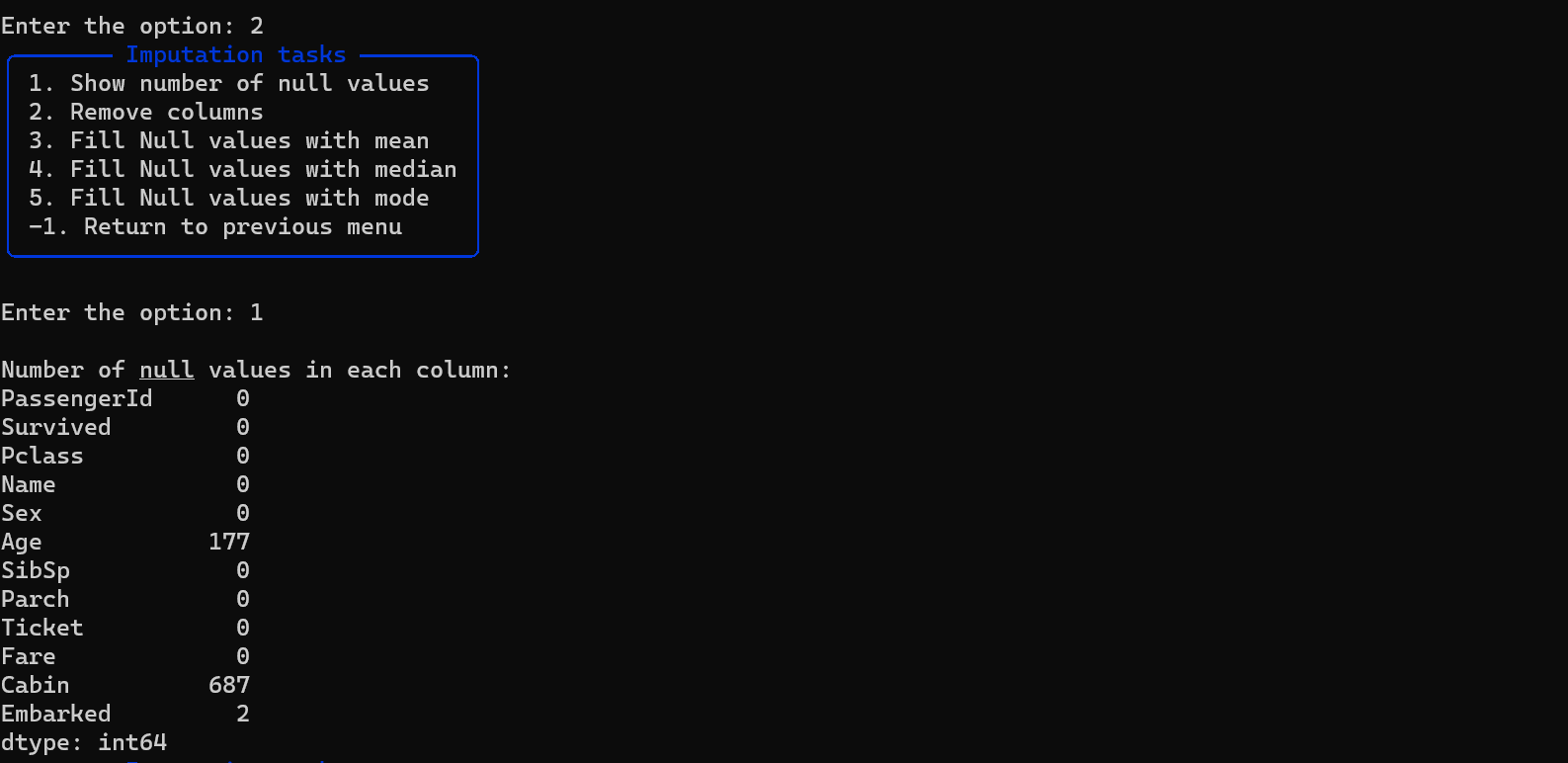
- Show NULL value counts in each column.
- Remove specific columns or fill NULL values with mean, median, mode, or K-nearest neighbors.
Encode Categorical Values
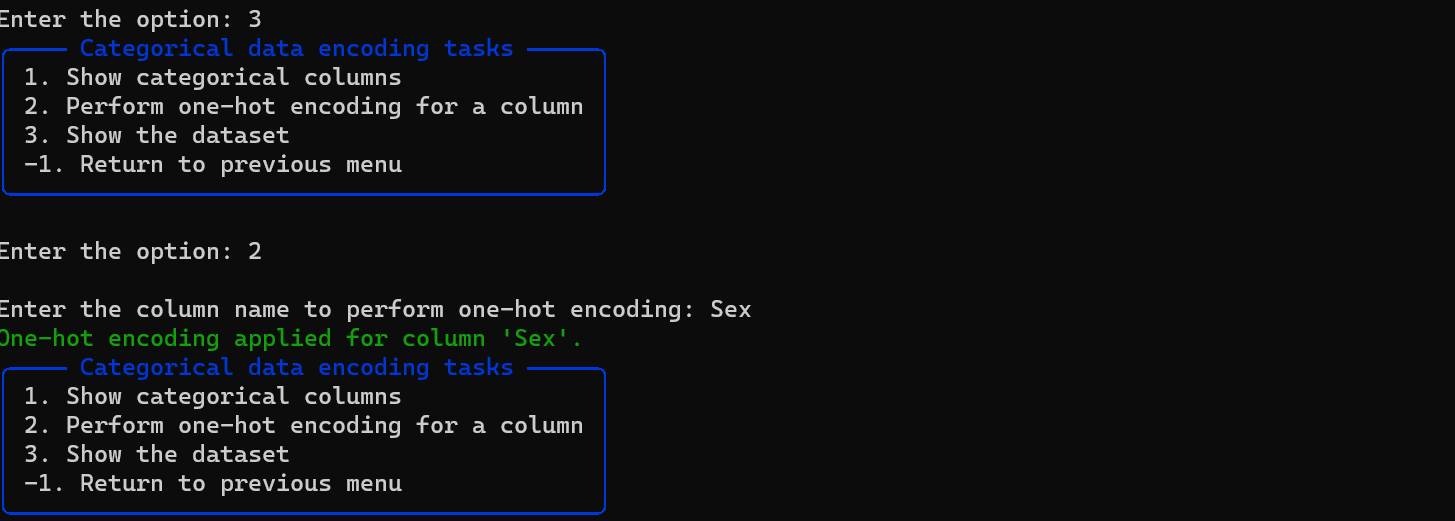
- Identify and list categorical columns.
- Perform one-hot encoding on categorical columns.
Feature Scaling
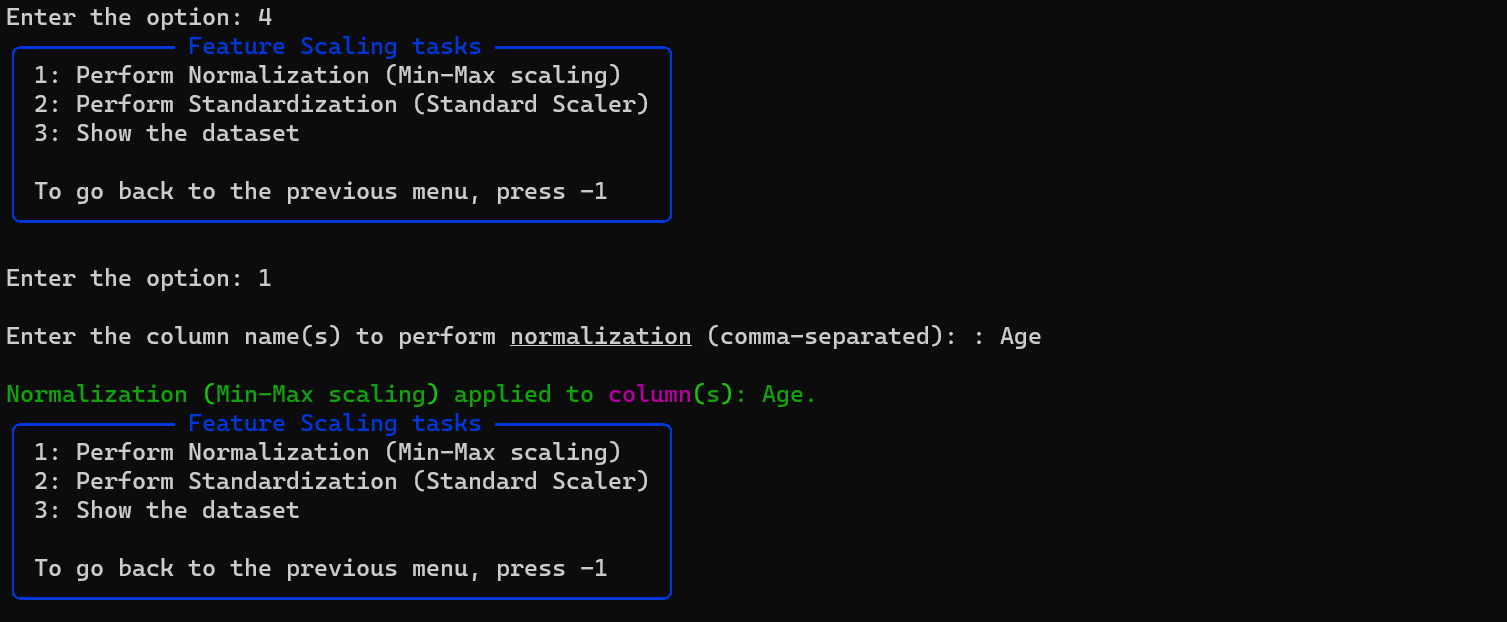
- Normalize (Min-Max scaling) or standardize (Standard Scaler) numerical columns.
Save Preprocessed Dataset
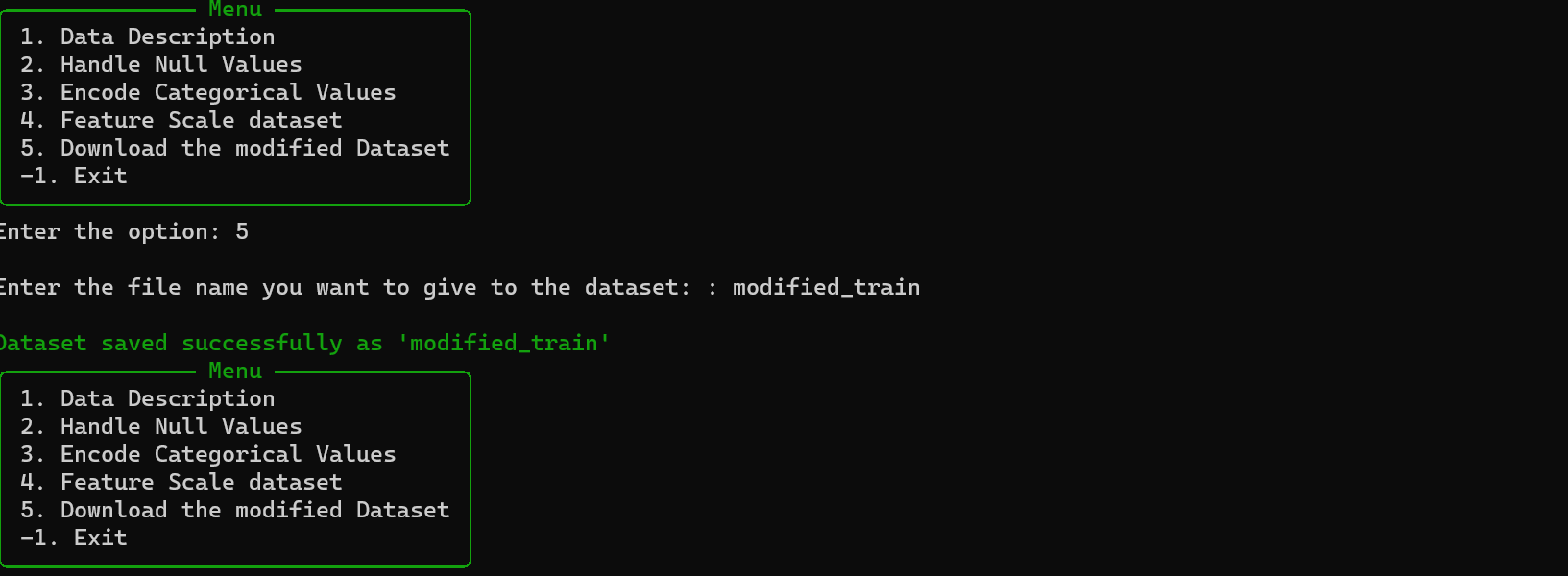
- Download the modified dataset with applied preprocessing steps.
- Save a replayable
.recipe.jsonfile for the same preprocessing flow.
Replayable Recipes
WizCraft can now save the preprocessing steps you perform interactively. A recipe is a small JSON file that can be applied again later:
wizcraft apply raw-data.csv --recipe cleaned.recipe.json --out cleaned-data.csv
Recipes currently support:
- Removing columns
- Filling null values with mean, median, mode, or K-nearest neighbors
- One-hot encoding categorical columns
- Normalizing or standardizing numeric columns
Roadmap
WizCraft is being rebuilt around two ideas: a friendly first-time CLI and repeatable preprocessing recipes.
Current priorities:
- Non-interactive commands for automation and notebooks.
- Dataset health reports for nulls, duplicates, types, cardinality, and target balance.
- Exportable scikit-learn preprocessing pipelines.
- Cleaner terminal tables, validation, and error messages.
- Example datasets, tutorials, and good first issues for new contributors.
See ROADMAP.md for the full direction.
Contributing to the Project
Check out the Contribution Guide if you want to contribute to this project
Project details
Verified details
These details have been verified by PyPIProject links
GitHub Statistics
Maintainers
Release history Release notifications | RSS feed


Download files
Download the file for your platform. If you're not sure which to choose, learn more about installing packages.
Source Distribution
Built Distribution
Filter files by name, interpreter, ABI, and platform.
If you're not sure about the file name format, learn more about wheel file names.
Copy a direct link to the current filters
File details
Details for the file wiz_craft-1.2.1.tar.gz.
File metadata
- Download URL: wiz_craft-1.2.1.tar.gz
- Upload date:
- Size: 14.4 kB
- Tags: Source
- Uploaded using Trusted Publishing? Yes
- Uploaded via: twine/6.1.0 CPython/3.13.12
File hashes
| Algorithm | Hash digest | |
|---|---|---|
| SHA256 |
118461c6a4ec458878af0702905d7487fc2c755bc056ecbe44310675f2d9a094
|
|
| MD5 |
2265f6cbbe8b17823c351df6151f2adc
|
|
| BLAKE2b-256 |
a2180a2c59bc6adb2c501e719920e316c565960df7c85e255903e06c184160b0
|
Provenance
The following attestation bundles were made for wiz_craft-1.2.1.tar.gz:
Publisher:
python-publish.yml on Pinak-Datta/wiz-craft
-
Statement:
-
Statement type:
https://in-toto.io/Statement/v1 -
Predicate type:
https://docs.pypi.org/attestations/publish/v1 -
Subject name:
wiz_craft-1.2.1.tar.gz -
Subject digest:
118461c6a4ec458878af0702905d7487fc2c755bc056ecbe44310675f2d9a094 - Sigstore transparency entry: 1953682091
- Sigstore integration time:
-
Permalink:
Pinak-Datta/wiz-craft@7aa5c451dd9ba71b4d1ea46911cd79a9bb7d6826 -
Branch / Tag:
refs/heads/main - Owner: https://github.com/Pinak-Datta
-
Access:
public
-
Token Issuer:
https://token.actions.githubusercontent.com -
Runner Environment:
github-hosted -
Publication workflow:
python-publish.yml@7aa5c451dd9ba71b4d1ea46911cd79a9bb7d6826 -
Trigger Event:
workflow_dispatch
-
Statement type:
File details
Details for the file wiz_craft-1.2.1-py3-none-any.whl.
File metadata
- Download URL: wiz_craft-1.2.1-py3-none-any.whl
- Upload date:
- Size: 16.8 kB
- Tags: Python 3
- Uploaded using Trusted Publishing? Yes
- Uploaded via: twine/6.1.0 CPython/3.13.12
File hashes
| Algorithm | Hash digest | |
|---|---|---|
| SHA256 |
334107408c2ce03758b8f9d40aa8bec329153a14f0d74ab2fd70fc0433b54589
|
|
| MD5 |
8ab9608f569007f8d237577d34d91af0
|
|
| BLAKE2b-256 |
e639bc3f2ea76de593af611afad8730c3a3ed1330aab60eb4a21852677ea589c
|
Provenance
The following attestation bundles were made for wiz_craft-1.2.1-py3-none-any.whl:
Publisher:
python-publish.yml on Pinak-Datta/wiz-craft
-
Statement:
-
Statement type:
https://in-toto.io/Statement/v1 -
Predicate type:
https://docs.pypi.org/attestations/publish/v1 -
Subject name:
wiz_craft-1.2.1-py3-none-any.whl -
Subject digest:
334107408c2ce03758b8f9d40aa8bec329153a14f0d74ab2fd70fc0433b54589 - Sigstore transparency entry: 1953682244
- Sigstore integration time:
-
Permalink:
Pinak-Datta/wiz-craft@7aa5c451dd9ba71b4d1ea46911cd79a9bb7d6826 -
Branch / Tag:
refs/heads/main - Owner: https://github.com/Pinak-Datta
-
Access:
public
-
Token Issuer:
https://token.actions.githubusercontent.com -
Runner Environment:
github-hosted -
Publication workflow:
python-publish.yml@7aa5c451dd9ba71b4d1ea46911cd79a9bb7d6826 -
Trigger Event:
workflow_dispatch
-
Statement type:






