
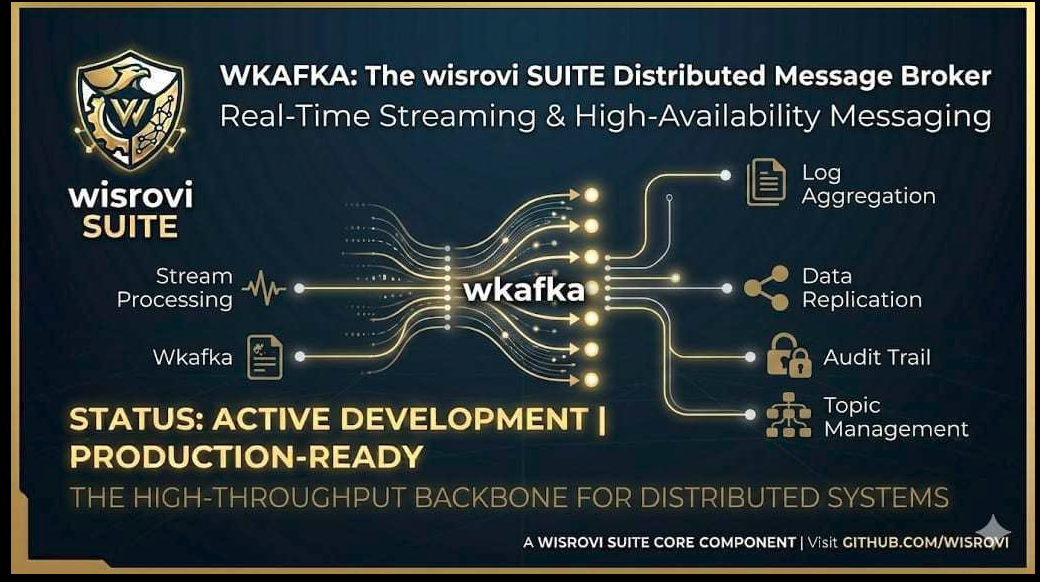
🔌 WKafka Model Context Protocol (MCP) Server


An advanced Model Context Protocol (MCP) server designed to enable AI coding assistants (like Gemini, Claude, Cursor, OpenCode, and Antigravity) to design, build, test, and adapt high-performance event-driven microservices based on WKafka (the standard Kafka orchestrator suite).
🎯 Why This MCP Server Exists
Building streaming pipelines and microservices with Kafka often requires complex configuration, custom serialization patterns, error-handling logic, and safety contexts (like SASL and SSL).
This MCP server acts as an expert assistant interface for AI agents. It equips them with the tools and domain-specific knowledge to:
- Instantly Scaffold production-ready Kafka services adhering to strict architectural structures.
- Generate clean code for JSON, raw images, and video stream consumers and producers.
- Adapt existing scripts automatically to run under Kafka message triggers.
- Validate Kafka connection configs to prevent hardcoded credentials or missing settings.
🛠️ Technologies and Ecosytem Libraries Used
This component is built using the following core technologies:
- Python (>=3.10): Core programming language.
- FastMCP: High-productivity framework for building Model Context Protocol servers in Python.
- MCP CLI/SDK: Protocol implementations supporting integration with AI environments.
- Pydantic (v2): Advanced data validation and settings schema definitions.
- Pytest & Pytest-Cov: Testing framework and coverage reports.
- Docker: For sandboxed unit test execution.
🚀 Installation & Setup
1. Install the Package
Install wkafka-mcp via PyPI:
pip install wkafka-mcp
2. Configure in your AI Agent Config
OpenCode Configuration
Add to your ~/.config/opencode/opencode.jsonc inside the "mcp" block:
    "wkafka-mcp": {
      "type": "local",
      "command": [
        "python",
        "-m",
        "wkafka_mcp.server",
        "run"
      ],
      "enabled": true
    }
Antigravity (agy) / Gemini CLI Configuration
Add to your global ~/.gemini/antigravity/mcp_config.json:
{
  "mcpServers": {
    "wkafka-mcp": {
      "command": "python",
      "args": [
        "-m",
        "wkafka_mcp.server",
        "run"
      ]
    }
  }
}
⚙️ Detailed MCP Tools List
The server exposes the following MCP tools to your agent:
| Tool Name | Arguments | Description |
|---|---|---|
get_wkafka_architect_blueprints |
None | Returns production-ready consumer and producer patterns (JSON, images, video streaming, and SASL configuration). |
get_wkafka_architect_manual |
None | Returns the master manual covering project structure rules, module map, and monolith refactoring steps. |
search_wkafka_pattern |
query: str |
Searches the catalog database for specific streaming patterns. |
deploy_wkafka_scaffolding |
target_dir: str, project_name: str, scaffold_type: str |
Deploys a complete directory structure matching the requested scaffold (standard, vision_pipeline, or full_service). |
generate_from_pattern |
pattern_name: str, target_dir: str |
Generates a project tailored from a specific catalog pattern name. |
validate_kafka_config |
config_code: str |
Scans a configuration snippet for missing credentials or unsafe defaults. |
generate_wkafka_consumer |
topic: str, format: str, key_filter: str, target_file: str |
Generates a custom worker trigger template. |
generate_wkafka_producer |
topic: str, format: str, target_file: str |
Generates a custom producer message dispatcher template. |
adapt_code_to_wkafka |
source_code: str, topic: str, value_type: str, group_id: str |
Automatically wraps any Python script (with or without main()) inside a WKafka consumer trigger. |
🧪 Running the Tests
To ensure code stability and API contracts are preserved, a comprehensive unit test suite is included.
Run Locally (pytest)
# Install development dependencies
make install

# Execute the test suite
make test
Coverage Reports
To run the tests and calculate code coverage, execute the provided script:
./run_coverage.sh
Sandboxed Testing with Docker
To run the test suite in an isolated Python 3.13 environment container (independent of local packages):
./run_tests_docker.sh
Generated by WKafka MCP by wisrovi
1 maintainer

Download files
Download the file for your platform. If you're not sure which to choose, learn more about installing packages.
Source Distribution
Built Distribution
Filter files by name, interpreter, ABI, and platform.
If you're not sure about the file name format, learn more about wheel file names.
Copy a direct link to the current filters
File details
Details for the file wkafka_mcp-0.2.1.tar.gz.
File metadata
- Download URL: wkafka_mcp-0.2.1.tar.gz
- Upload date:
- Size: 25.1 kB
- Tags: Source
- Uploaded using Trusted Publishing? No
- Uploaded via:
twine/6.2.0 CPython/3.13.5
File hashes
| Algorithm | Hash digest | |
|---|---|---|
| SHA256 |
ac10f93cb54045c1eecf5b32fb9b5dc268f1a259a4d97472cb566b45901dc36f
|
|
| MD5 |
0d5a7b3c6169ddfb06ce02986a649329
|
|
| BLAKE2b-256 |
5ca717ad2cbf240391f9dd71b30c35b537ae9036f3142df1425a18df2840fe2d
|
File details
Details for the file wkafka_mcp-0.2.1-py3-none-any.whl.
File metadata
- Download URL: wkafka_mcp-0.2.1-py3-none-any.whl
- Upload date:
- Size: 19.5 kB
- Tags: Python 3
- Uploaded using Trusted Publishing? No
- Uploaded via:
twine/6.2.0 CPython/3.13.5
File hashes
| Algorithm | Hash digest | |
|---|---|---|
| SHA256 |
a59308453882f9b686f75ecc18cb16f2af3437af011c015f6898c1a7e5169a82
|
|
| MD5 |
e84a9a8eb462650823444dbbb3b61bae
|
|
| BLAKE2b-256 |
4e1772f2e9e85b66bda194eb6d620438a8c13a7495af3b644f9d38d22898dc35
|














