
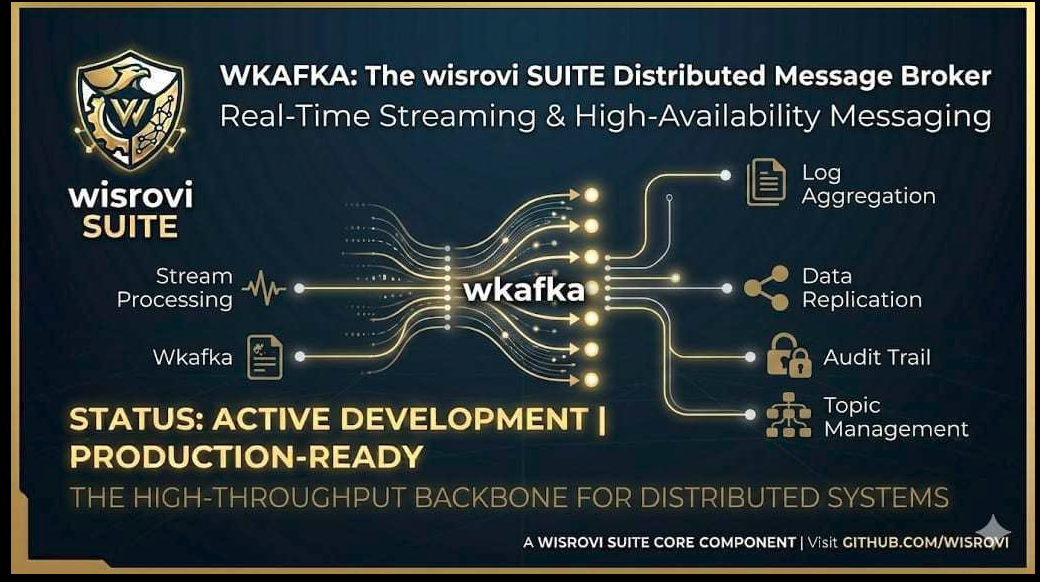
🔌 WKafka Model Context Protocol (MCP) Server


An advanced Model Context Protocol (MCP) server designed to enable AI coding assistants (like Gemini, Claude, Cursor, OpenCode, and Antigravity) to design, build, test, and adapt high-performance event-driven microservices based on WKafka (the standard Kafka orchestrator suite).
🎯 Why This MCP Server Exists
Building streaming pipelines and microservices with Kafka often requires complex configuration, custom serialization patterns, error-handling logic, and safety contexts (like SASL and SSL).
This MCP server acts as an expert assistant interface for AI agents. It equips them with the tools and domain-specific knowledge to:
- Instantly Scaffold production-ready Kafka services adhering to strict architectural structures.
- Generate clean code for JSON, raw images, and video stream consumers and producers.
- Adapt existing scripts automatically to run under Kafka message triggers.
- Validate Kafka connection configs to prevent hardcoded credentials or missing settings.
🛠️ Technologies and Ecosytem Libraries Used
This component is built using the following core technologies:
- Python (>=3.10): Core programming language.
- FastMCP: High-productivity framework for building Model Context Protocol servers in Python.
- MCP CLI/SDK: Protocol implementations supporting integration with AI environments.
- Pydantic (v2): Advanced data validation and settings schema definitions.
- Pytest & Pytest-Cov: Testing framework and coverage reports.
- Docker: For sandboxed unit test execution.
🚀 Installation & Setup
1. Install the Package
Install wkafka-mcp via PyPI:
pip install wkafka-mcp
2. Configure in your AI Agent Config
OpenCode Configuration
Add to your ~/.config/opencode/opencode.jsonc inside the "mcp" block:
    "wkafka-mcp": {
      "type": "local",
      "command": [
        "python",
        "-m",
        "wkafka_mcp.server",
        "run"
      ],
      "enabled": true
    }
Antigravity (agy) / Gemini CLI Configuration
Add to your global ~/.gemini/antigravity/mcp_config.json:
{
  "mcpServers": {
    "wkafka-mcp": {
      "command": "python",
      "args": [
        "-m",
        "wkafka_mcp.server",
        "run"
      ]
    }
  }
}
⚙️ Detailed MCP Tools List
The server exposes the following MCP tools to your agent:
| Tool Name | Arguments | Description |
|---|---|---|
get_wkafka_architect_blueprints |
None | Returns production-ready consumer and producer patterns (JSON, images, video streaming, and SASL configuration). |
get_wkafka_architect_manual |
None | Returns the master manual covering project structure rules, module map, and monolith refactoring steps. |
search_wkafka_pattern |
query: str |
Searches the catalog database for specific streaming patterns. |
deploy_wkafka_scaffolding |
target_dir: str, project_name: str, scaffold_type: str |
Deploys a complete directory structure matching the requested scaffold (standard, vision_pipeline, or full_service). |
generate_from_pattern |
pattern_name: str, target_dir: str |
Generates a project tailored from a specific catalog pattern name. |
validate_kafka_config |
config_code: str |
Scans a configuration snippet for missing credentials or unsafe defaults. |
generate_wkafka_consumer |
topic: str, format: str, key_filter: str, target_file: str |
Generates a custom worker trigger template. |
generate_wkafka_producer |
topic: str, format: str, target_file: str |
Generates a custom producer message dispatcher template. |
adapt_code_to_wkafka |
source_code: str, topic: str, value_type: str, group_id: str |
Automatically wraps any Python script (with or without main()) inside a WKafka consumer trigger. |
chain_topics_pipeline |
source_topic: str, target_topic: str, value_type: str, transform_logic: str |
Generates a pipeline worker that links a consumer from source_topic to a producer forwarding to target_topic. |
suggest_serializers |
sample_data: str |
Analyzes raw data payload structures to suggest the optimal serialization type. |
💡 MCP Usage Examples
Here are some typical requests you can make to your AI assistant to leverage this MCP server's full capabilities:
Example 1: Create a basic consumer
- User request: "Crea un consumidor de kafka para el topico orders_stream"
- Agent action: The agent asks whether the payload is JSON or an image, and if a custom
group_idis required. Then it callsgenerate_wkafka_consumerand outputs the callback code structure.
Example 2: Adapt an existing script to run as a trigger
- User request: "Toma este script.py y adaptalo para que la funcion prueba1() se lance por trigger de kafka en el topico orders"
- Agent action: The agent calls
adapt_code_to_wkafka, automatically appending the execution logic inside the callback wrapper soprueba1(data)receives the message payload upon event ingestion.
Example 3: Create a secure SASL producer
- User request: "Haz un productor seguro para enviar eventos de autenticacion a secure_events con SASL"
- Agent action: The agent retrieves SASL blueprint configurations from
get_wkafka_architect_blueprintsand writes a producer utilizingWKafkaalong with standard PLAIN/SCRAM security credentials.
Example 4: Chain two topics in a streaming pipeline
- User request: "Crea un pipeline que reciba de raw_events, filtre los que tengan status 'active', y los envie a clean_events"
- Agent action: The agent calls
chain_topics_pipelinewith the appropriate transformation filter, generating a pipeline worker code utilizing the context manager producer inside the consumer callback.
Example 5: Ask for serialization recommendations
- User request: "Qué serializacion debo usar si tengo este modelo de Pydantic: class User(BaseModel): id: int, name: str"
- Agent action: The agent calls
suggest_serializerspassing the data structure representation, and returns the recommendation (JSON) along with producer/consumer snippets.
Example 6: Audit and lint WKafka code
- User request: "Audita este codigo y dime si sigue las buenas practicas: [pega codigo]"
- Agent action: The agent calls
lint_wkafka_code, checking for direct vs controller imports, raw producer connection leaks, and mixed serialization parameter names.
Example 7: Generate a unit test suite for a consumer
- User request: "Genera los tests unitarios para mi consumidor process_video"
- Agent action: The agent calls
generate_wkafka_teststo build a mock-readypytestfile with stubs representing theMessageclass and event loop triggers.
💬 Interactive Questions Flow
When requesting new consumer configurations, the assistant will automatically present you with options to select:
- Payload Type: JSON (Structured data/dict) vs Image (cv2 frames) vs Video streams.
- Security: Plain local configuration vs SASL Authenticated context.
- Consumer Group: Optional choice to specify a custom
group_idor default to dynamic group generators.
🧪 Running the Tests
To ensure code stability and API contracts are preserved, a comprehensive unit test suite is included.
Run Locally (pytest)
# Install development dependencies
make install

# Execute the test suite
make test
Coverage Reports
To run the tests and calculate code coverage, execute the provided script:
./run_coverage.sh
Sandboxed Testing with Docker
To run the test suite in an isolated Python 3.13 environment container (independent of local packages):
./run_tests_docker.sh
Generated by WKafka MCP by wisrovi
1 maintainer

Download files
Download the file for your platform. If you're not sure which to choose, learn more about installing packages.
Source Distribution
Built Distribution
Filter files by name, interpreter, ABI, and platform.
If you're not sure about the file name format, learn more about wheel file names.
Copy a direct link to the current filters
File details
Details for the file wkafka_mcp-0.2.3.tar.gz.
File metadata
- Download URL: wkafka_mcp-0.2.3.tar.gz
- Upload date:
- Size: 30.2 kB
- Tags: Source
- Uploaded using Trusted Publishing? No
- Uploaded via:
twine/6.2.0 CPython/3.13.5
File hashes
| Algorithm | Hash digest | |
|---|---|---|
| SHA256 |
0bbf4e13177f8149bff7103af79607e3ce7bff1cf3bd474805ba3e28954dde6d
|
|
| MD5 |
89929ab641af52181cd80491a2c4e48d
|
|
| BLAKE2b-256 |
83276687befc10ed8c11171e8c5d64d27a06552d1461476f4dba50e39860ee0e
|
File details
Details for the file wkafka_mcp-0.2.3-py3-none-any.whl.
File metadata
- Download URL: wkafka_mcp-0.2.3-py3-none-any.whl
- Upload date:
- Size: 22.6 kB
- Tags: Python 3
- Uploaded using Trusted Publishing? No
- Uploaded via:
twine/6.2.0 CPython/3.13.5
File hashes
| Algorithm | Hash digest | |
|---|---|---|
| SHA256 |
f6826bcefeee4e1d13a03070393807cc3af7aaae178ddb78d5230dac03d69445
|
|
| MD5 |
4793c91c1bf3a4625b767829dd3ffa19
|
|
| BLAKE2b-256 |
450884fed87be3b8925ea5276388fb1fb3e20024f1669e1afa16763af1ccb91b
|














