


wppkg is a package I developed for my daily work.
🔥About Me
Installation
Environment Setup
Step 1: Set up a python environment
We recommend creating a virtual Python environment with Anaconda:
- Required version:
python >= 3.10
conda create -n wppkg python=3.10
conda activate wppkg
Step 2: Install pytorch
Install PyTorch based on your system configuration. Refer to PyTorch installation instructions
For the exact command, for example:
- You may choose any version to install, but make sure the PyTorch version is not too old.
- We recommend
torch ≥ 2.6.
# Installation Example: torch v2.8.0
# CUDA 12.6
pip install torch==2.8.0 torchvision==0.23.0 torchaudio==2.8.0 --index-url https://download.pytorch.org/whl/cu126
# CUDA 12.8
pip install torch==2.8.0 torchvision==0.23.0 torchaudio==2.8.0 --index-url https://download.pytorch.org/whl/cu128
# CUDA 12.9
pip install torch==2.8.0 torchvision==0.23.0 torchaudio==2.8.0 --index-url https://download.pytorch.org/whl/cu129
Step 3: Install deepspeed (optional)
Install DeepSpeed based on your system configuration. Refer to DeepSpeed installation instructions
For the exact command, for example:
pip install deepspeed
Step 4: Install wppkg and dependencies
To install wppkg, run:
pip install wppkg
Or install from github:
git clone https://github.com/Peg-Wu/wppkg
cd wppkg
pip install [-e] .

# w/o dependencies
pip install [-e] . --no-deps
Update wppkg
If you want to update all dependencies of wppkg except torch, you can run the following command:
pip install -U $(pip show wppkg | sed -n 's/^Requires: //p' | tr ',' ' ' | xargs -n1 | grep -vi '^torch$')
Trainer Tips
- Early stopping does not currently support resuming training. If training is forcibly resumed, the early stopping callback will be reinitialized.
- If you enable early stopping, ensure that
eval_every_n_epochsandcheckpointing_stepsare aligned, as the Trainer does not automatically save the best model. - The final model is always saved at the end of training, even if early stopping is triggered.
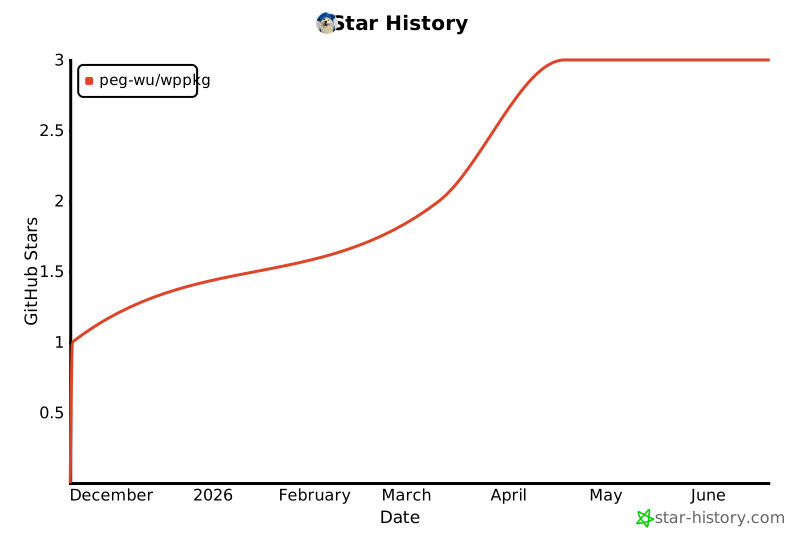
Star History
1 maintainer

Metadata
1 maintainer
Release files for wppkg 0.1.4
For a detailed explanation of source distributions (sdists) and built distributions (wheels), please see the package formats documentation.
Source distribution (sdist)
| File | Size | Uploaded | |
|---|---|---|---|
| wppkg-0.1.4.tar.gz | 4.0 MB | Details |
Built distribution (wheel)
| File | Interpreter | ABI | Platform | Reset |
|---|---|---|---|---|
| wppkg-0.1.4-py3-none-any.whl | Python 3 | none | any | Details |
Total release size: 4.1 MB
Release files / wppkg-0.1.4.tar.gz
| Download URL | wppkg-0.1.4.tar.gz |
|---|---|
| Size | 4.0 MB |
| Tags | Source |
|
SHA-256 checksum How to use checksums |
0d1f7402ca415db101c47c58aa40e962fbd6d22892332cafcbe4480908ba7e39
|
|
BLAKE2b-256 checksum How to use checksums |
b3d6a7fbc80aa6d41f269f15611e672774cd0e830040580ebaa5fb05aa2c2859
|
| Upload date | |
|
Uploaded using Trusted Publishing? What is trusted publishing? |
No |
| Uploaded via |
twine/6.2.0 CPython/3.12.8
|
Release files / wppkg-0.1.4-py3-none-any.whl
| Download URL | wppkg-0.1.4-py3-none-any.whl |
|---|---|
| Size | 34.5 kB |
| Tags | Python 3 |
|
SHA-256 checksum How to use checksums |
58b9a2da36e5f553ea6b48909fab001aeab196e14924e5f1af1b178b0e1def5a
|
|
BLAKE2b-256 checksum How to use checksums |
ad81126f9c5b4d4f27c9989fcbe294d8ac888e40c2d73185c2392b39bda30905
|
| Upload date | |
|
Uploaded using Trusted Publishing? What is trusted publishing? |
No |
| Uploaded via |
twine/6.2.0 CPython/3.12.8
|














