
xpln 🛠️
xpln is a python package made available as a CLI tool that explains terminal commands for you to understand what they do before you execute them.
📦Installation
xpln is available on PyPI under the package name xpln2me. It can be installed by running
pip install xpln2me
At this point, xpln should be globally accessible from the terminal!
📌 Usage
Basic Usage
Run xpln on the terminal to begin, or xpln --help to get the available commands
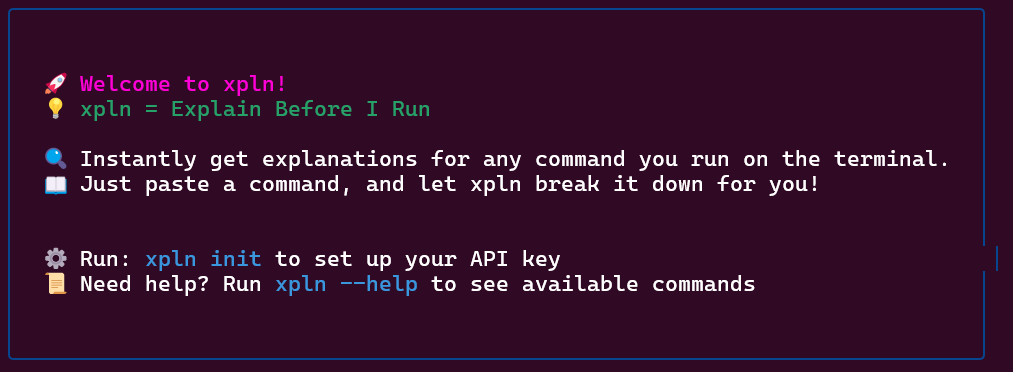
xpln is powered by Google AI Studio, hence requires an an API Key to initialize and an internet connection to use.
Once you have an API Key, initialize the CLI by running xpln init and following the instructions.
This key can be updated at any time by running xpln init with the --update / -u option
Alternatively, an API Key can be directly specified by including the --key / -k option
xpln init --key <API KEY>
xpln init --update --key <UPDATED API KEY>
Once initialized, use the this command to get explanations of different commands
xpln this <COMMAND>
Example Usage
There are 2 ways of using xpln:
- Directly pasting commands into
xpln this
xpln this ls -al

- Piping the input into
xpln this
cat script.sh | xpln this

⚙️ Technical Details
Tools Used
- Python 3.12 - Core language
- Poetry - Dependency & package management
- Click/Typer - CLI framework
- GitHub Actions - CI/CD automation
How xpln2me is Packaged
-
Python CLI tools can be packaged as:
- sdist [Source Distribution] - Requires building before installation
- Wheel (.whl) [Built Distribution] - Prebuilt, faster to install
-
This project uses Poetry to build and distribute both formats.
Versioning & Automated Releases
- Uses Semantic Versioning:
MAJOR.MINOR.PATCH - On PR merge, GitHub Actions:
- Bumps the version
This is done by including special indicators in PR titles (commit messages to main)
- #major - bumps the major version
- #minor - bumps the minor version
- Failure to include one of these bumps the patch version
- Creates a Git tag
- Publishes to PyPI the new version
- Bumps the version
1 maintainer

Metadata
1 maintainer
Release files for xpln2me 1.0.2
For a detailed explanation of source distributions (sdists) and built distributions (wheels), please see the package formats documentation.
Source distribution (sdist)
| File | Size | Uploaded | Provenance | Actions |
|---|---|---|---|---|
| xpln2me-1.0.2.tar.gz | 6.8 kB | Without provenance | Details for xpln2me-1.0.2.tar.gz |
Built distribution (wheel)
| File | Interpreter | ABI | Platform | Actions Reset |
|---|---|---|---|---|
| xpln2me-1.0.2-py3-none-any.whl | Python 3 | none | any | Details for xpln2me-1.0.2-py3-none-any.whl |
Total release size: 15.8 kB
Release files / xpln2me-1.0.2.tar.gz
| Download URL | xpln2me-1.0.2.tar.gz |
|---|---|
| Size | 6.8 kB |
| Tags | Source |
|
SHA-256 checksum How to use checksums |
e11014e61414ba643a5261c2898ba2612b07f988a8260dc29e096e6ba9c5b5be
|
|
BLAKE2b-256 checksum How to use checksums |
3a6f057693602c7a32471f59c77d351bcad6f29b1fcd8cb5c2c479d0582b9bf3
|
| Upload date | |
|
Uploaded using Trusted Publishing? What is trusted publishing? |
No |
| Uploaded via |
poetry/2.1.1 CPython/3.12.9 Linux/6.8.0-1021-azure
|
Release files / xpln2me-1.0.2-py3-none-any.whl
| Download URL | xpln2me-1.0.2-py3-none-any.whl |
|---|---|
| Size | 8.9 kB |
| Tags | Python 3 |
|
SHA-256 checksum How to use checksums |
d93beeeb8f775222c90556238b528af495a65dcfbdcd5ad194f7687d4d0a0c6d
|
|
BLAKE2b-256 checksum How to use checksums |
60dc5bd8c17ebb9ee4c97f73ff101160d9a1655d3a0a6cc2280f17f8970284c1
|
| Upload date | |
|
Uploaded using Trusted Publishing? What is trusted publishing? |
No |
| Uploaded via |
poetry/2.1.1 CPython/3.12.9 Linux/6.8.0-1021-azure
|
Security for xpln2me 1.0.2
Provenance
Provenance describes where a file came from. On PyPI, provenance is shared via attestations, which provide a verifiable record of the build or publishing details. View details, limitations and caveats.
No provenance found
None of the files in this release were uploaded with provenance metadata.
A note on package security
PyPI is a repository for distributing packages, not a service for auditing them. While third-party security researchers and our staff do their best to detect and remove malicious packages, PyPI cannot guarantee the quality, security or suitability of any given package.
To learn more about protecting yourself from malicious actors, visit our package security documentation.














