

Yet Another AI Monitoring — because the existing ones didn't fit and building your own seemed like a good idea at the time.
Documentation · Getting Started · Server Setup · Deployment
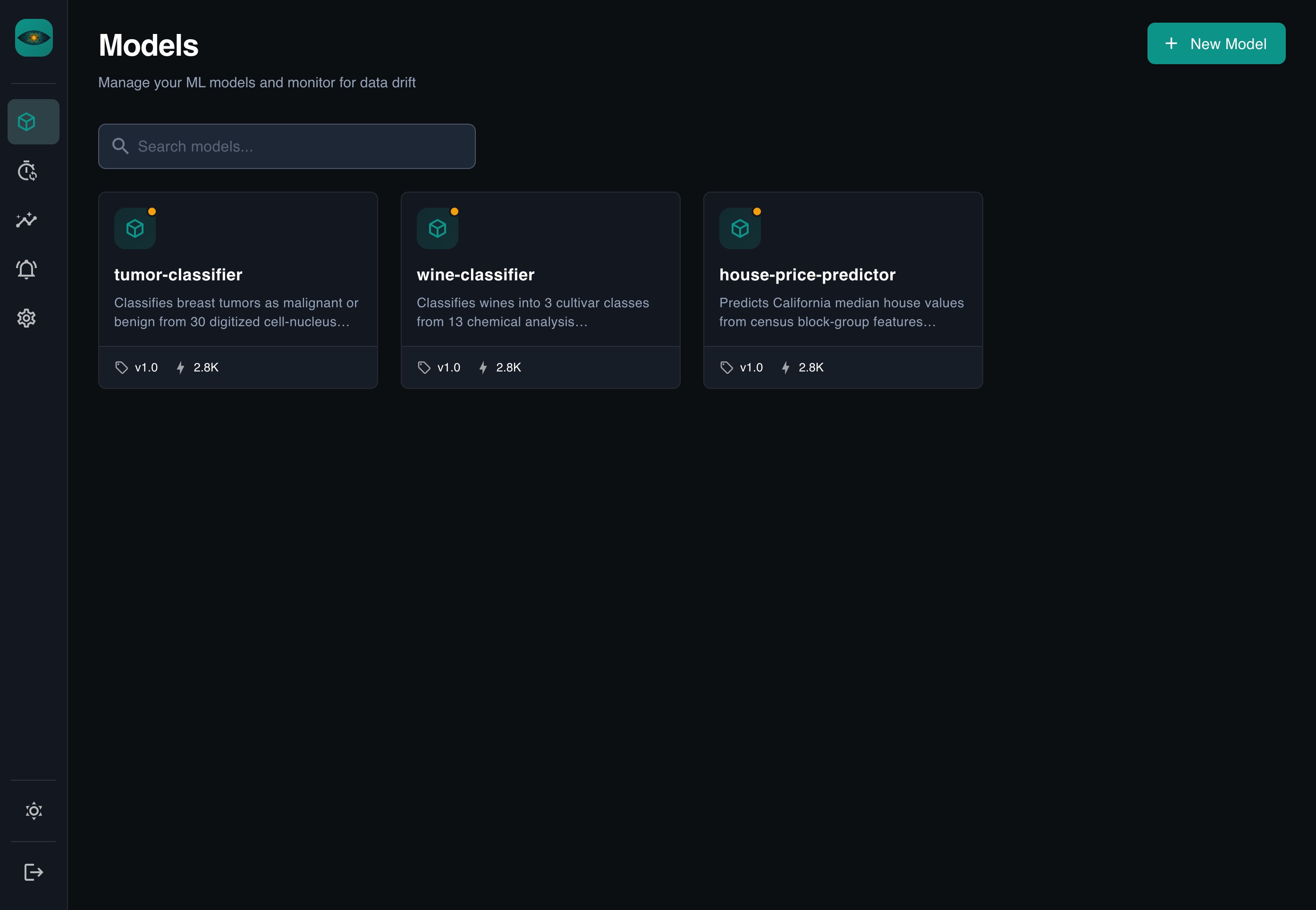
Why This Exists
Most ML monitoring tools make you configure dashboards by hand, wire up custom pipelines, and learn their specific way of thinking before you see any value. YAAI takes a different approach:
- REST-based — send JSON, done
- Auto-everything — dashboards, drift detection, comparisons generated from your schema
- Zero config — no YAML files, no property mappings, no pipeline integrations
Define your fields once (or let YAAI guess them), send data, get insights.
Quick Start
git clone https://github.com/Maxl94/yaai.git
cd yaai
cp .env.example .env
docker compose up -d
Open http://localhost:8000 — the server and frontend are ready.
Default login: admin / the generated initial password is stored in a file readable only by the server user (never logged): docker compose exec backend cat /home/appuser/admin-initial-password.txt. Or set BOOTSTRAP_ADMIN_PASSWORD (min. 12 characters) in .env before the first start.
For detailed setup instructions, see the Server Setup Guide (development) or the Deployment Guide (production).
Installation
pip install yaai-monitoring              # SDK only (httpx + pydantic)
pip install "yaai-monitoring[server]"    # Full server
pip install "yaai-monitoring[server,gcp]" # Server + Google Cloud support
SDK Example
import asyncio
from yaai import YaaiClient
from yaai.schemas.model import SchemaFieldCreate


async def main():
    async with YaaiClient("http://localhost:8000/api/v1", api_key="yaam_...") as client:
        model = await client.create_model("fraud-detector")
        version = await client.create_model_version(
            model_id=model.id,
            version="v1.0",
            schema_fields=[
                SchemaFieldCreate(field_name="amount", direction="input", data_type="numerical"),
                SchemaFieldCreate(field_name="country", direction="input", data_type="categorical"),
                SchemaFieldCreate(field_name="is_fraud", direction="output", data_type="categorical"),
            ],
        )
        await client.add_inferences(
            model_version_id=version.id,
            records=[
                {"inputs": {"amount": 42.0, "country": "US"}, "outputs": {"is_fraud": "false"}},
                {"inputs": {"amount": 9001.0, "country": "NG"}, "outputs": {"is_fraud": "true"}},
            ],
        )


asyncio.run(main())
Screenshots
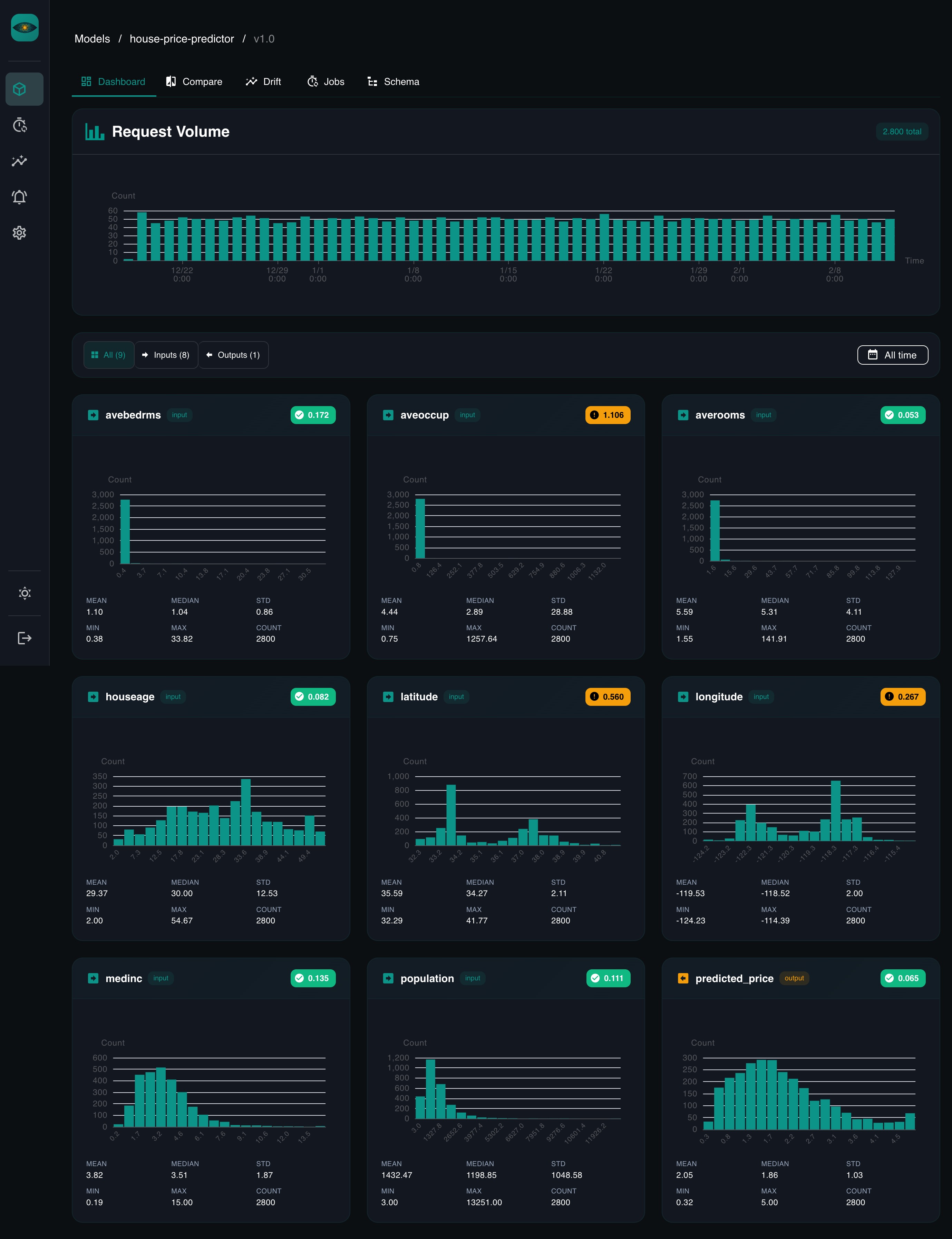
Dashboard
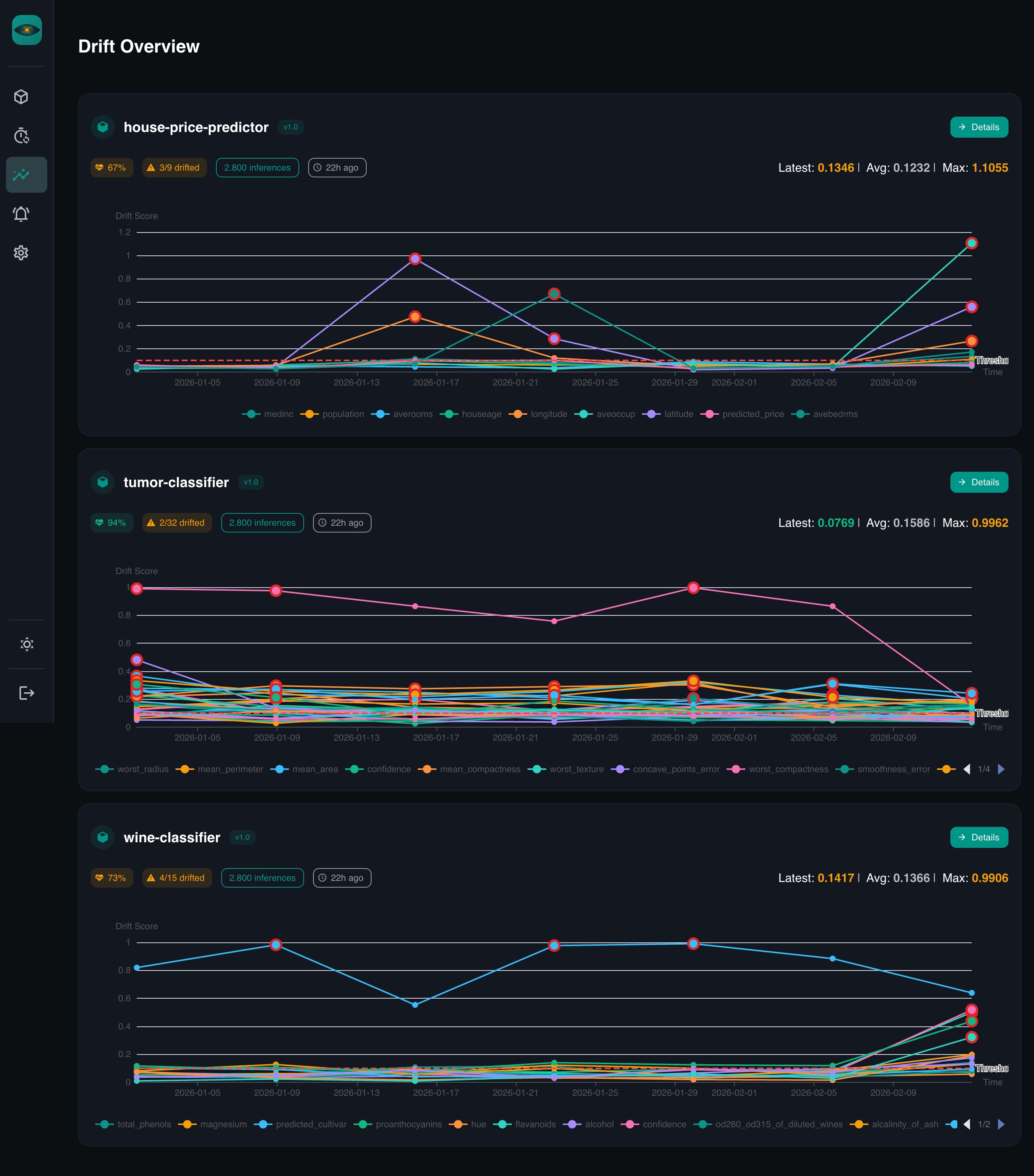
Drift Detection
Features
- Schema-driven — define fields once, everything else is automatic
- Drift detection — PSI, KS test, Chi-squared, Jensen-Shannon divergence
- Scheduled jobs — cron-based checks with configurable windows
- Auto-dashboards — per-feature distribution charts
- Time comparisons — compare any two periods side by side
- Auth — local accounts, Google OAuth, API keys, Google service accounts
- Cloud SQL support — IAM-authenticated connections to Google Cloud SQL
Documentation
Full documentation is available at maxl94.github.io/yaai.
- Getting Started — from zero to dashboards in five minutes
- Server Setup — local development with PostgreSQL, env vars, authentication
- Deployment — Docker Compose, pip install, Google Cloud SQL
- Core Concepts — models, versions, schemas, drift detection
- Drift Detection Guide — deep dive into the four drift metrics
- LLM & Agent Monitoring — metadata-only drift monitoring for LLM apps
- REST API Reference — full OpenAPI spec
- Python SDK Reference — async client docs
Development
# Start database
docker compose up db -d

# Install dependencies
uv sync
cd frontend && npm ci && cd ..

# Apply database migrations (required on first run and after every upgrade)
cp .env.example .env
uv run python -m yaai.server.migrate

# Start backend (hot-reload)
uv run uvicorn yaai.server.main:app --reload --reload-dir yaai --host 0.0.0.0 --port 8000

# Start frontend (separate terminal, hot-reload)
cd frontend && npm run dev
# Run tests
uv run pytest
cd frontend && npm run type-check
See CONTRIBUTING.md for commit conventions and PR guidelines.
License
1 maintainer

Metadata
1 maintainer
Release files for yaai-monitoring 1.0.0
For a detailed explanation of source distributions (sdists) and built distributions (wheels), please see the package formats documentation.
Source distribution (sdist)
| File | Size | Uploaded | Provenance | |
|---|---|---|---|---|
| yaai_monitoring-1.0.0.tar.gz | 6.6 MB | With provenance | Details |
Built distribution (wheel)
| File | Interpreter | ABI | Platform | Reset |
|---|---|---|---|---|
| yaai_monitoring-1.0.0-py3-none-any.whl | Python 3 | none | any | Details |
Total release size: 9.7 MB
Release files / yaai_monitoring-1.0.0.tar.gz
| Download URL | yaai_monitoring-1.0.0.tar.gz |
|---|---|
| Size | 6.6 MB |
| Tags | Source |
|
SHA-256 checksum How to use checksums |
d9068175153f8feca03b1c37b5546b7fb07dbf5378ce06a953cfde5ccab2690b
|
|
BLAKE2b-256 checksum How to use checksums |
6ed09eb9e1b59cea1d1b3596d1598c345017aab743c98ed0c9f334f6a7ff9e15
|
| Upload date | |
|
Uploaded using Trusted Publishing? What is trusted publishing? |
Yes |
| Uploaded via |
twine/7.0.0 CPython/3.13.14
|
Provenance
Provenance describes where a file came from. On PyPI, provenance is shared via attestations, which provide a verifiable record of the build or publishing details. View details, limitations and caveats.


PyPI Publish Attestation
PyPI verified that this artifact, at this checksum, originated from the publisher listed below.
Signed by GitHub Actions, verified by PyPI on Oct 17, 2026.
Transparency logRelease files / yaai_monitoring-1.0.0-py3-none-any.whl
| Download URL | yaai_monitoring-1.0.0-py3-none-any.whl |
|---|---|
| Size | 3.1 MB |
| Tags | Python 3 |
|
SHA-256 checksum How to use checksums |
55b4e2630514b03923c585d8e308e91e29d27318efbcfbd4687116872642bc65
|
|
BLAKE2b-256 checksum How to use checksums |
7b49536b5e567699b162ce69d78f19bfaad146afe3eb239ab68d1ce5789c88b0
|
| Upload date | |
|
Uploaded using Trusted Publishing? What is trusted publishing? |
Yes |
| Uploaded via |
twine/7.0.0 CPython/3.13.14
|
Provenance
Provenance describes where a file came from. On PyPI, provenance is shared via attestations, which provide a verifiable record of the build or publishing details. View details, limitations and caveats.
PyPI Publish Attestation
PyPI verified that this artifact, at this checksum, originated from the publisher listed below.
Signed by GitHub Actions, verified by PyPI on Oct 17, 2026.
Transparency logSecurity for yaai-monitoring 1.0.0
Provenance
Provenance describes where a file came from. On PyPI, provenance is shared via attestations, which provide a verifiable record of the build or publishing details. View details, limitations and caveats.
Full provenance
All 2 files in this release have been uploaded with provenance metadata.
Attestation for yaai_monitoring-1.0.0.tar.gz
PyPI Publish Attestation
PyPI verified that this artifact, at this checksum, originated from the publisher listed below.
Signed by GitHub Actions, verified by PyPI on Oct 17, 2026.
Transparency logA note on package security
PyPI is a repository for distributing packages, not a service for auditing them. While third-party security researchers and our staff do their best to detect and remove malicious packages, PyPI cannot guarantee the quality, security or suitability of any given package.
To learn more about protecting yourself from malicious actors, visit our package security documentation.














