
Yark
YouTube archiving made simple.
Installation
To install Yark, simply download Python 3.9+ and FFmpeg (optional), then run the following:
$ pip3 install yark
Managing your Archive
Once you've installed Yark, think of a name for your archive (e.g., "foobar") and copy the target's url:
$ yark new foobar https://www.youtube.com/channel/UCSMdm6bUYIBN0KfS2CVuEPA
Now that you've created the archive, you can tell Yark to download all videos and metadata using the refresh command:
$ yark refresh foobar
Once everything has been downloaded, Yark will automatically give you a status report of what's changed since the last refresh:
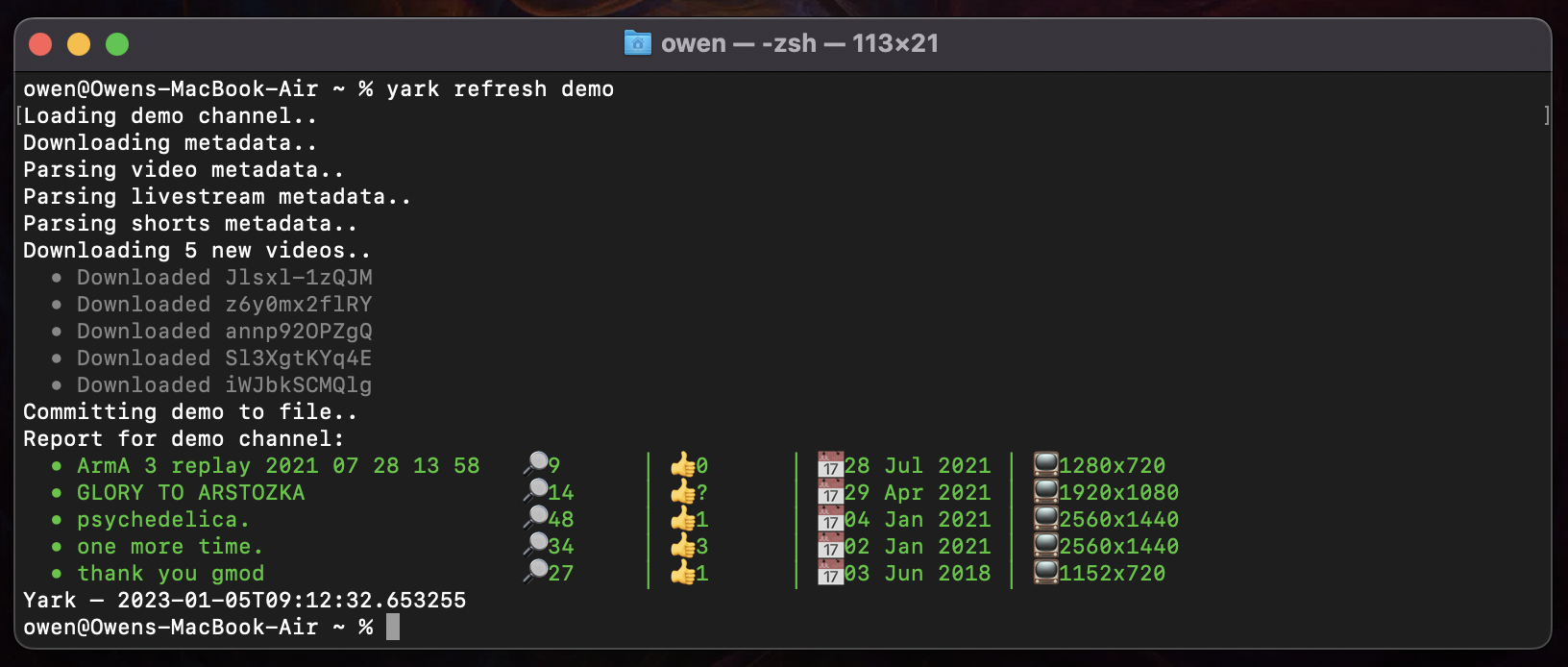
Viewing your Archive
Viewing you archive is easy, just type view with your archives name:
$ yark view foobar
This will pop up an offline website in your browser letting you watch all videos 🚀
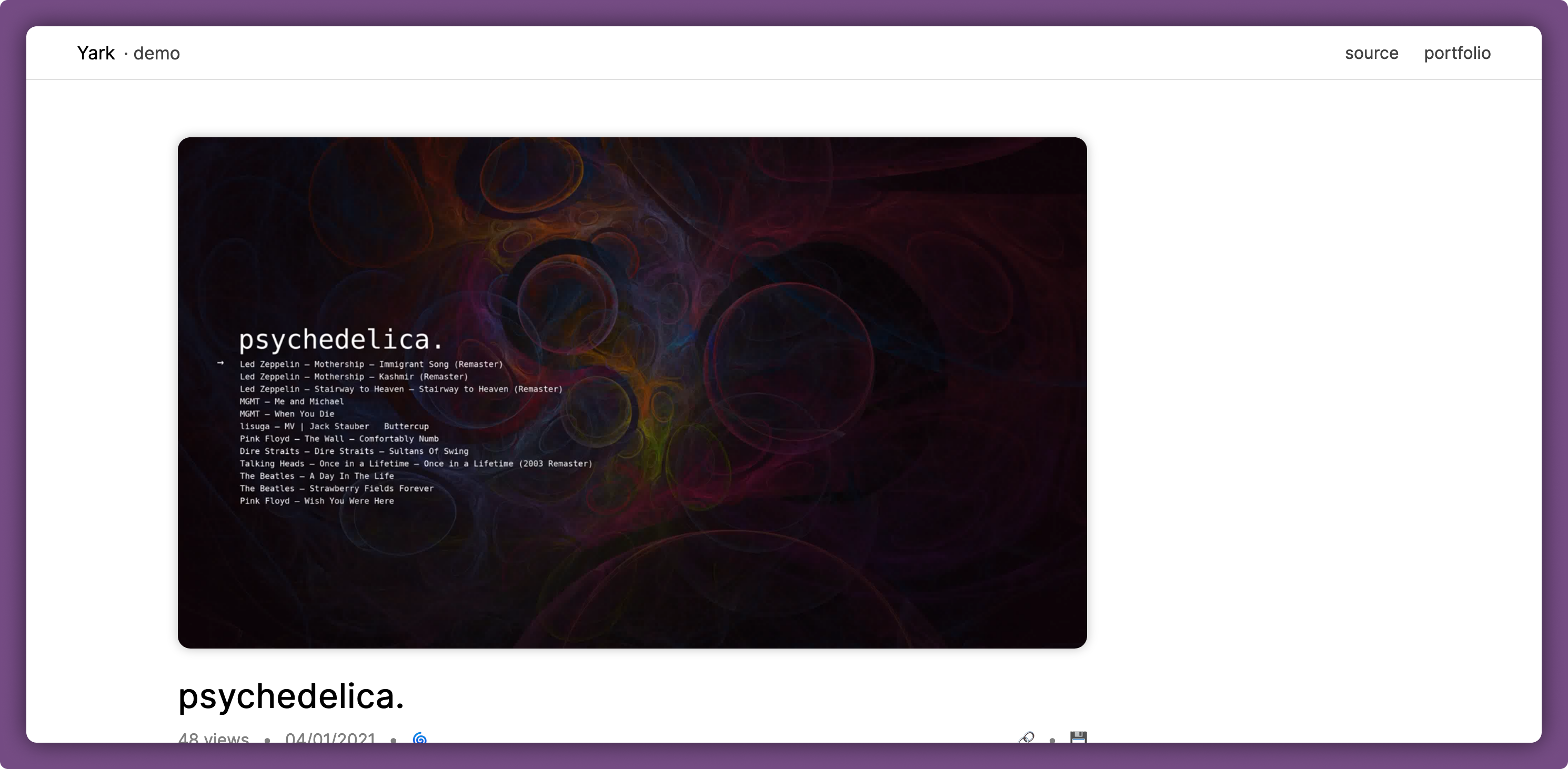
Under each video is a rich history report filled with timelines and graphs, as well as a noting feature which lets you add timestamped and permalinked comments 👐
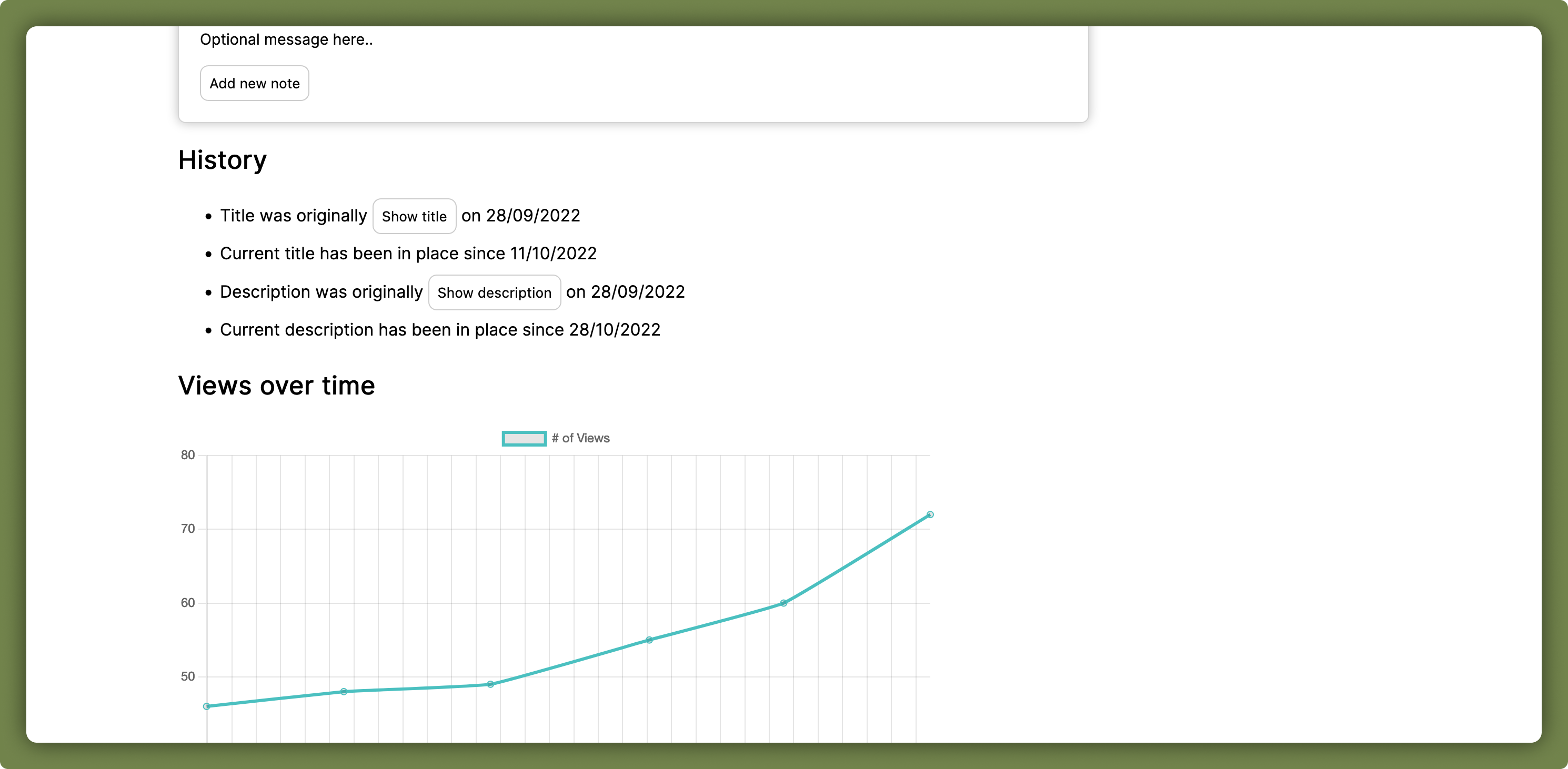
Light and dark modes are both available and automatically apply based on the system's theme.
Details
Here are some things to keep in mind when using Yark; the good and the bad:
- Don't create a new archive again if you just want to update it, Yark accumulates all new metadata for you via timestamps
- Feel free to suggest new features via the issues tab on this repository
- Scheduling isn't a feature just yet, please use
cronor something similar!
Archive Format
The archive format itself is simple and consists of a directory-based structure with a core metadata file and all thumbnail/video data in their own directories as typical files:
[name]/– Your self-contained archiveyark.json– Archive file with all metadatayark.bak– Backup archive file to protect against data damagevideos/– Directory containing all known videos[id].*– Files containing video data for YouTube videos
thumbnails/– Directory containing all known thumbnails[hash].png– Files containing thumbnails with its hash
It's best to take a few minutes to familiarize yourself with your archive by looking at files which look interesting to you in it, everything is quite readable.
1 maintainer

Release files for yark 1.2.12
For a detailed explanation of source distributions (sdists) and built distributions (wheels), please see the package formats documentation.
Source distribution (sdist)
| File | Size | Uploaded | |
|---|---|---|---|
| yark-1.2.12.tar.gz | 32.1 kB | Details |
Built distribution (wheel)
| File | Interpreter | ABI | Platform | Reset |
|---|---|---|---|---|
| yark-1.2.12-py3-none-any.whl | Python 3 | none | any | Details |
Total release size: 70.3 kB
Release files / yark-1.2.12.tar.gz
| Download URL | yark-1.2.12.tar.gz |
|---|---|
| Size | 32.1 kB |
| Tags | Source |
|
SHA-256 checksum How to use checksums |
2bae8b0bf1e16a300c09653b3cf7f192868af3890b94071c6001f9157a1cfb21
|
|
BLAKE2b-256 checksum How to use checksums |
8e234ace3017b569078c2c08ba49671ca750d706dfff1ef2a2b1f01d7934c412
|
| Upload date | |
|
Uploaded using Trusted Publishing? What is trusted publishing? |
No |
| Uploaded via |
poetry/1.3.2 CPython/3.11.9 Darwin/23.4.0
|
Release files / yark-1.2.12-py3-none-any.whl
| Download URL | yark-1.2.12-py3-none-any.whl |
|---|---|
| Size | 38.2 kB |
| Tags | Python 3 |
|
SHA-256 checksum How to use checksums |
89fab20ba921708dd97b2ee5ec1a6d4aa646cde41132acaa824123ee0883dbf5
|
|
BLAKE2b-256 checksum How to use checksums |
09e6481688167ae5333eea28a5066350d5ceb903574c355601a53d3d6359004b
|
| Upload date | |
|
Uploaded using Trusted Publishing? What is trusted publishing? |
No |
| Uploaded via |
poetry/1.3.2 CPython/3.11.9 Darwin/23.4.0
|














