
YouTube archiving made simple.

Project description
Yark
YouTube archiving made simple.
Installation
To install Yark, simply download Python 3.9+ and FFmpeg (optional), then run the following:
$ pip3 install yark
Managing your Archive
Once you've installed Yark, think of a name for your archive (e.g., "foobar") and copy the target's url:
$ yark new foobar https://www.youtube.com/channel/UCSMdm6bUYIBN0KfS2CVuEPA
Now that you've created the archive, you can tell Yark to download all videos and metadata using the refresh command:
$ yark refresh foobar
Once everything has been downloaded, Yark will automatically give you a status report of what's changed since the last refresh:
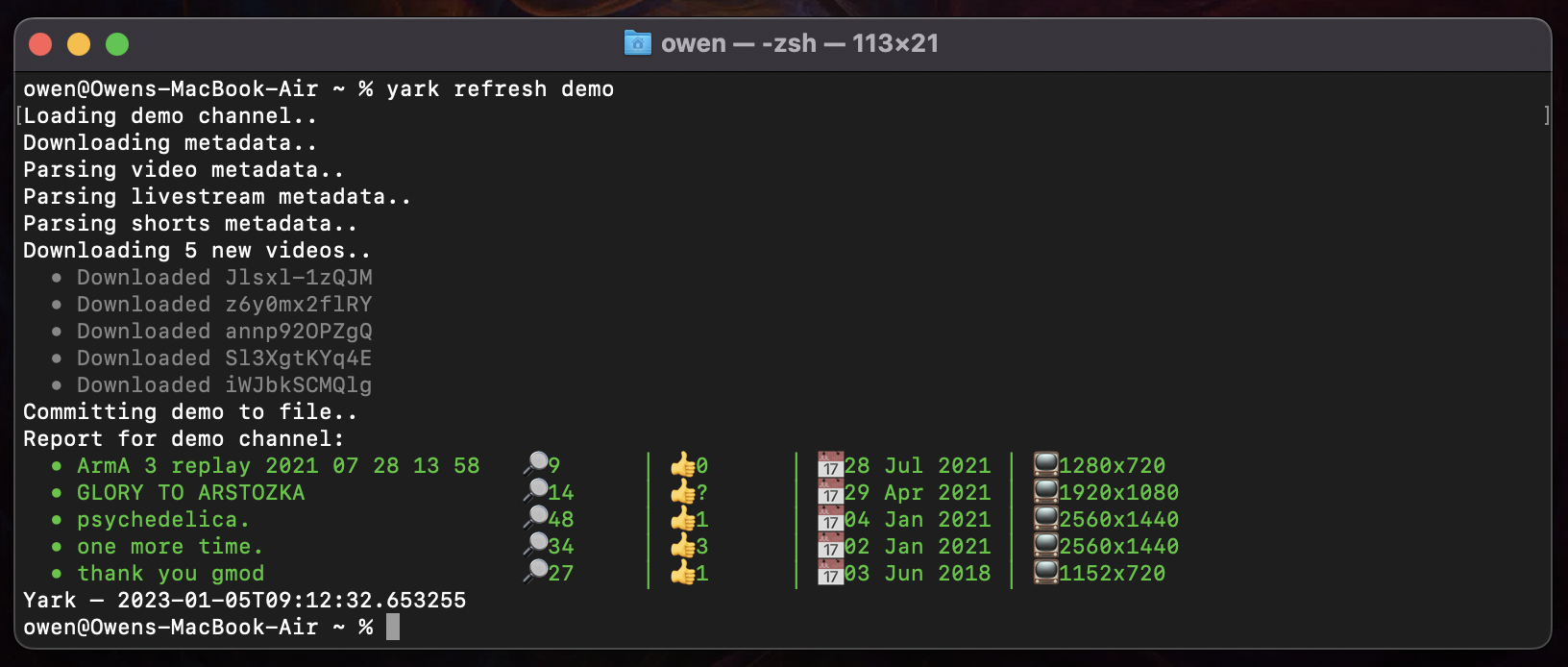
Viewing your Archive
Viewing you archive is easy, just type view with your archives name:
$ yark view foobar
This will pop up an offline website in your browser letting you watch all videos 🚀
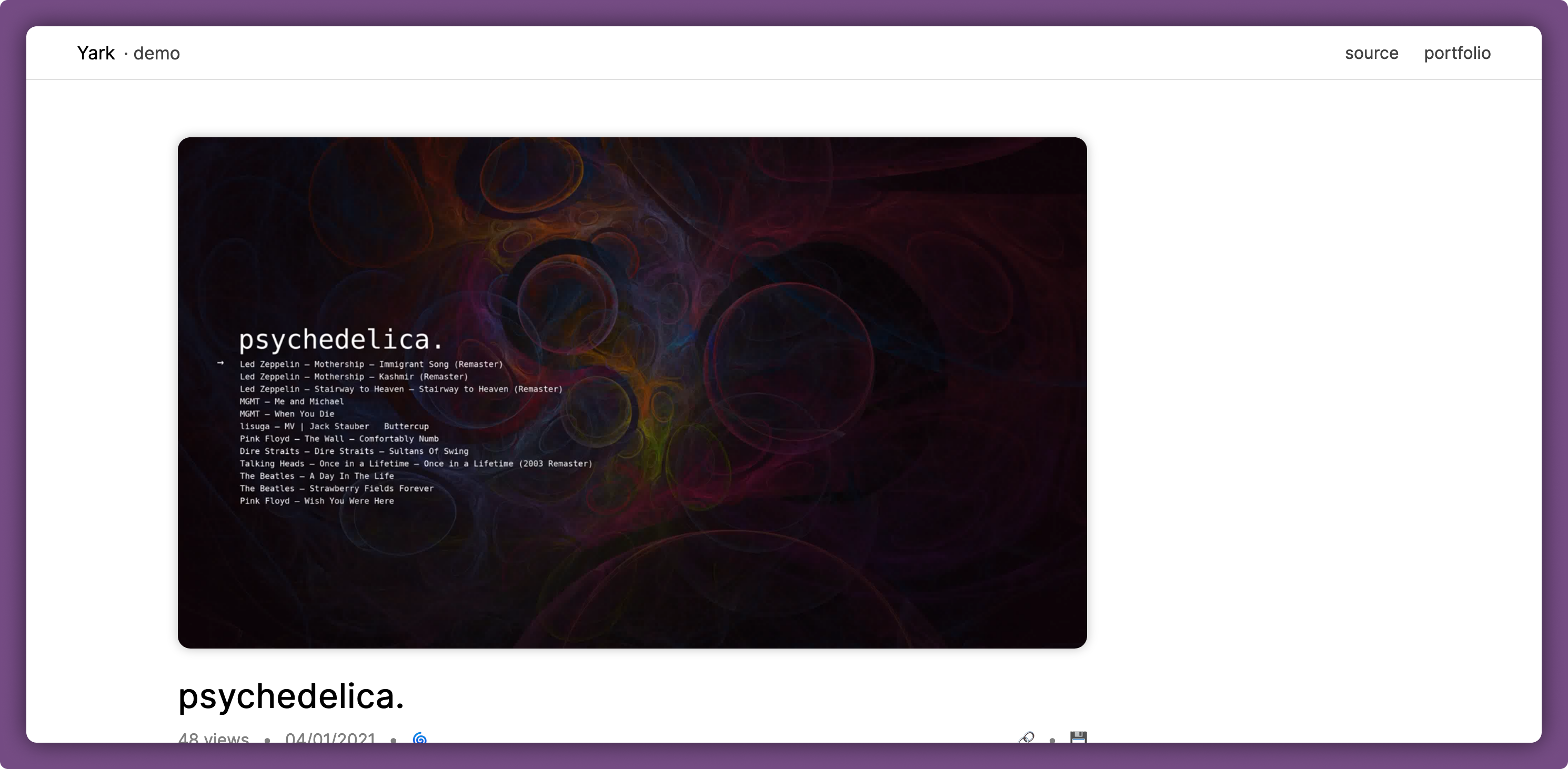
Under each video is a rich history report filled with timelines and graphs, as well as a noting feature which lets you add timestamped and permalinked comments 👐
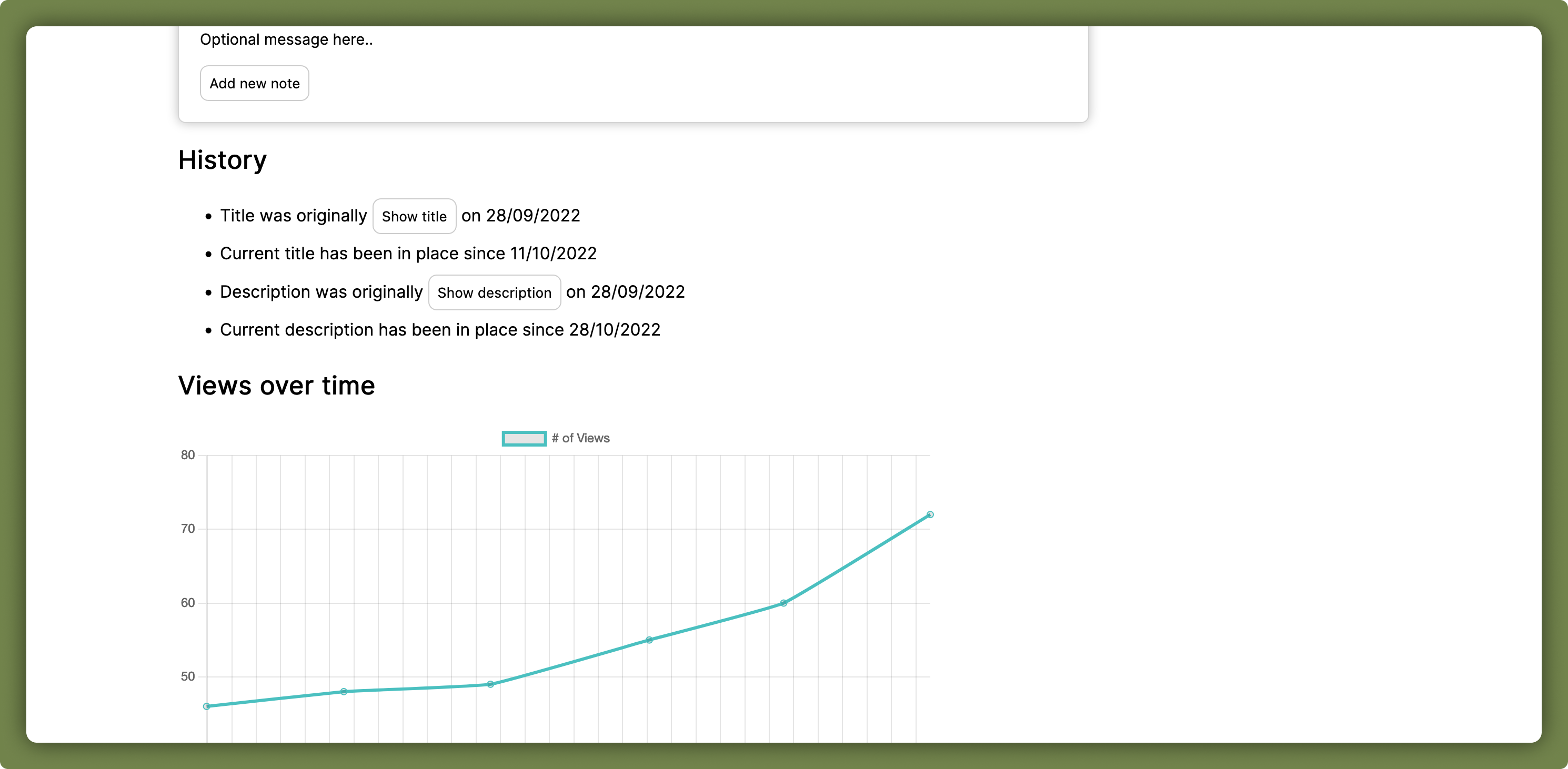
Light and dark modes are both available and automatically apply based on the system's theme.
Details
Here are some things to keep in mind when using Yark; the good and the bad:
- Don't create a new archive again if you just want to update it, Yark accumulates all new metadata for you via timestamps
- Feel free to suggest new features via the issues tab on this repository
- Scheduling isn't a feature just yet, please use
cronor something similar!
Archive Format
The archive format itself is simple and consists of a directory-based structure with a core metadata file and all thumbnail/video data in their own directories as typical files:
[name]/– Your self-contained archiveyark.json– Archive file with all metadatayark.bak– Backup archive file to protect against data damagevideos/– Directory containing all known videos[id].*– Files containing video data for YouTube videos
thumbnails/– Directory containing all known thumbnails[hash].png– Files containing thumbnails with its BLAKE2 hash
It's best to take a few minutes to familiarize yourself with your archive by looking at files which look interesting to you in it, everything is quite readable.
Release history Release notifications | RSS feed


Download files
Download the file for your platform. If you're not sure which to choose, learn more about installing packages.
Source Distribution
Built Distribution
Filter files by name, interpreter, ABI, and platform.
If you're not sure about the file name format, learn more about wheel file names.
Copy a direct link to the current filters
File details
Details for the file yark-1.2.8.tar.gz.
File metadata
- Download URL: yark-1.2.8.tar.gz
- Upload date:
- Size: 31.3 kB
- Tags: Source
- Uploaded using Trusted Publishing? No
- Uploaded via: poetry/1.3.2 CPython/3.11.1 Darwin/21.6.0
File hashes
| Algorithm | Hash digest | |
|---|---|---|
| SHA256 |
157809ff2f2a37b16447b9e1a4d80fbd41ff110830f1c81116a500f4a88928a3
|
|
| MD5 |
5a4e2af6126ee4771f29b9d59a816caf
|
|
| BLAKE2b-256 |
79f1e6bb6480c7d1cbe25556b3515369194c4eab56de02212cdaa502f4cc834d
|
File details
Details for the file yark-1.2.8-py3-none-any.whl.
File metadata
- Download URL: yark-1.2.8-py3-none-any.whl
- Upload date:
- Size: 37.5 kB
- Tags: Python 3
- Uploaded using Trusted Publishing? No
- Uploaded via: poetry/1.3.2 CPython/3.11.1 Darwin/21.6.0
File hashes
| Algorithm | Hash digest | |
|---|---|---|
| SHA256 |
1983a1fb7b0e5c76fbc47cfb963d5e0f0a7ad20587c8da8a563464b987ceebfe
|
|
| MD5 |
6940ccfb53142d9233d41856ba3a37b9
|
|
| BLAKE2b-256 |
5b68d1ff1d1b6bfb23950c2ba9adaafd60a1c8b596c1f5255434213d2a140dda
|






