
Your Turn
Your agents are fast. You're the queue.


Your inbox · Quick start · Privacy · Why install the handoff · Docs
When Codex, Claude Code, and Cursor run side by side, the slow part is your attention. The chat blocked on you sits in a window you are not looking at, and every answer is a long log.
Your inbox
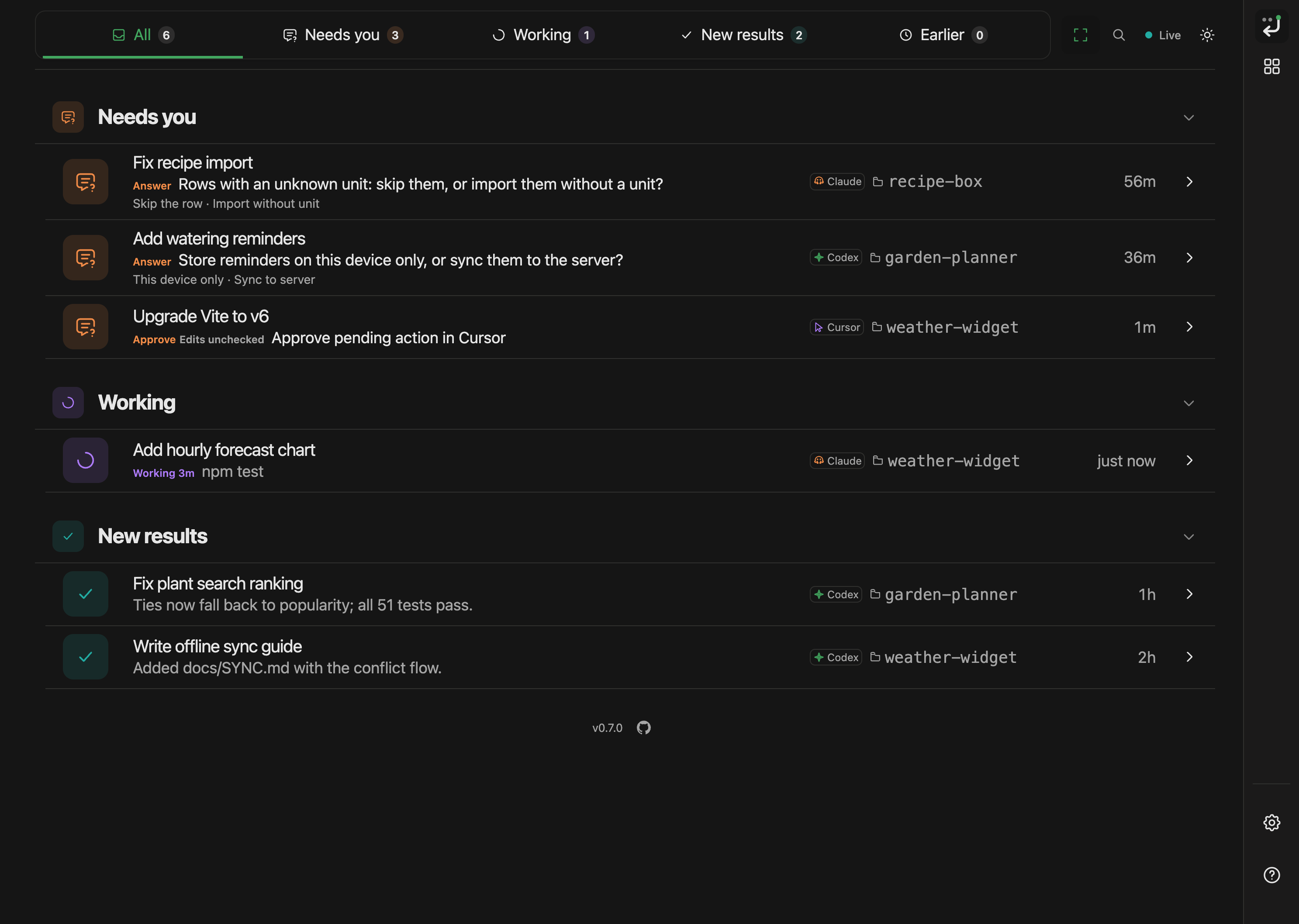
Made-up demo chats from make screenshots, not real session data.
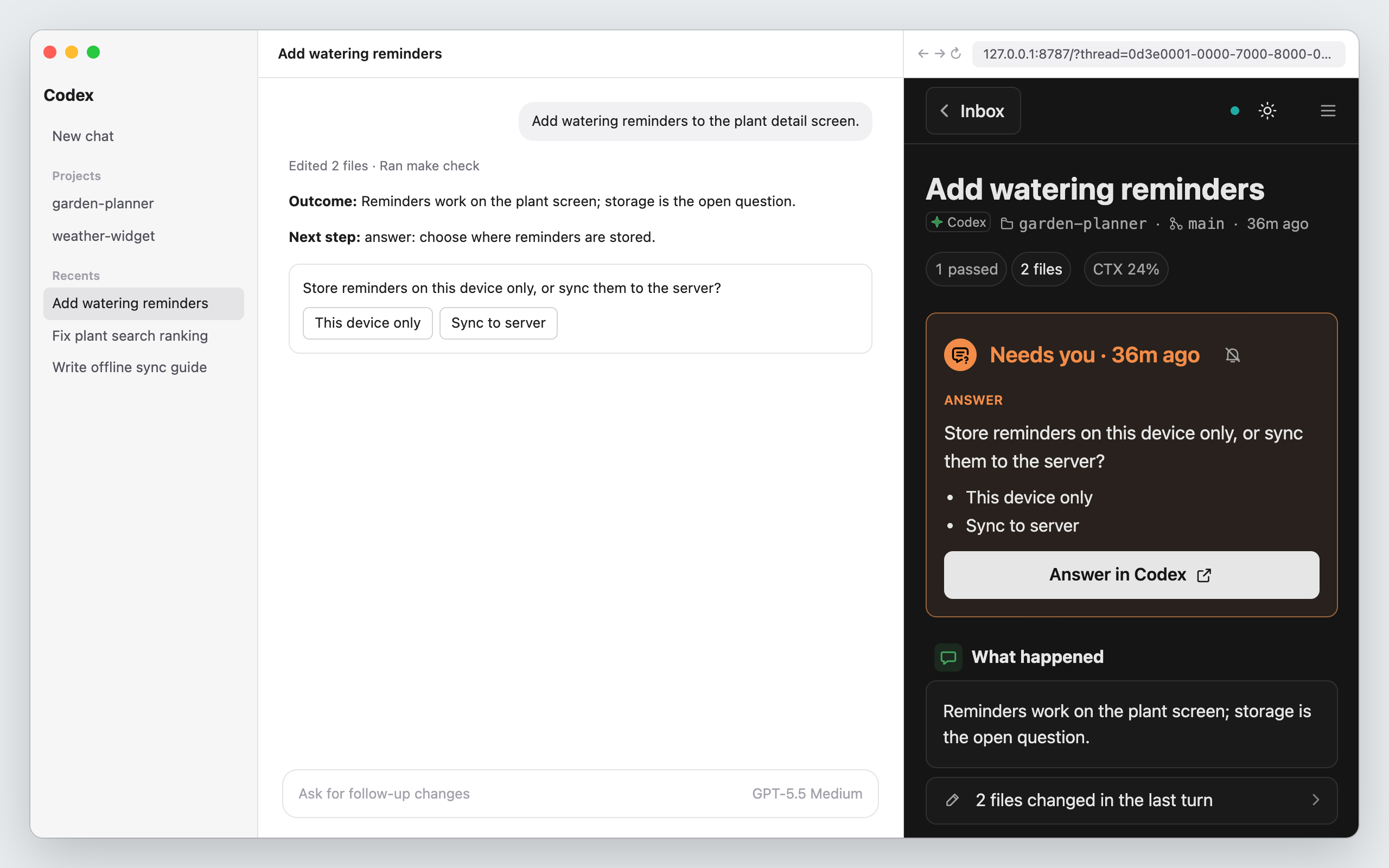
See the inbox beside a chat
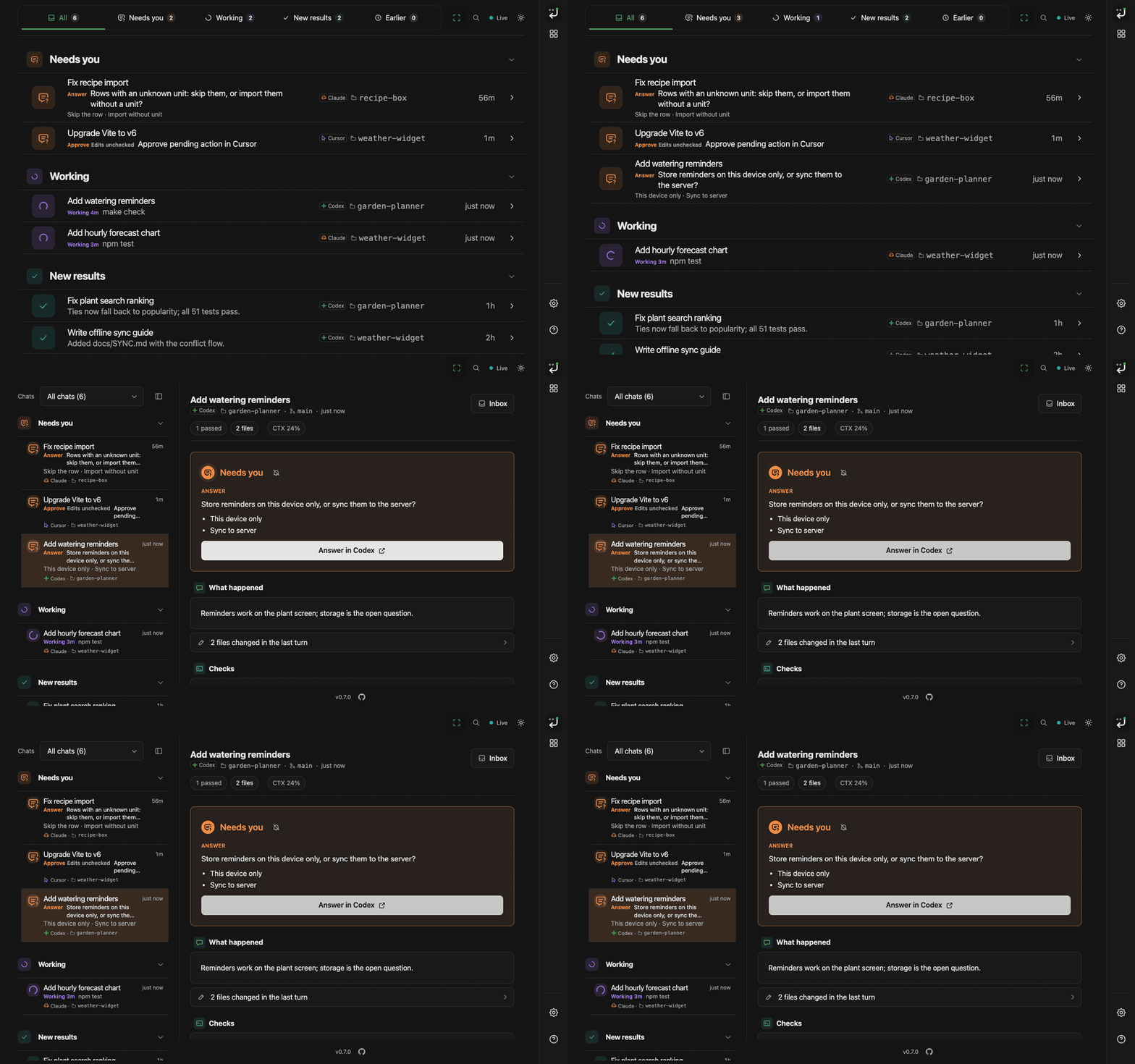
Watch a chat move into Needs you
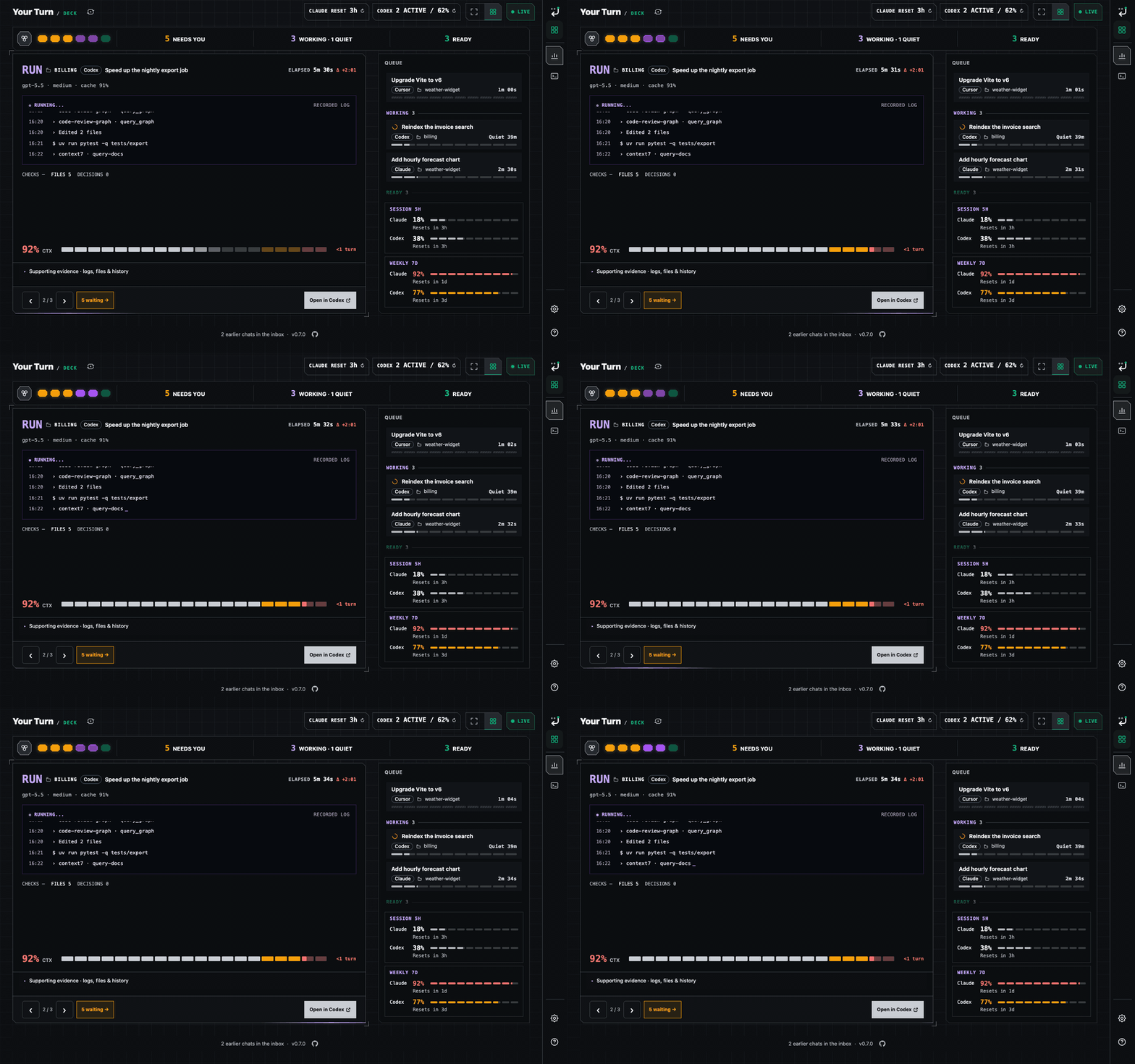
See the Deck on a second screen or tablet
Your Turn is not another orchestrator, IDE wrapper, or cloud dashboard. It is a read-only, zero-config local inbox on localhost:8787. It reads the JSONL logs your agents already write and the local Cursor chat database. It answers three questions at a glance:
- ⏳ Who is waiting on you?
Questions, pending approvals, and unreviewed results, ordered by how long they have waited. - ✅ Can you trust the result without reading the log?
Check failedandEdits uncheckedbadges tied to the latest code edit. - ➡️ What is the exact next step?
One line per chat, with one click to open or resume it in its app.
Your Turn runs on your machine. It does not take over agent processes, run a background service, or send chat data to the cloud. It uses no cloud account or extra agent permissions. From a phone or tablet, "Open in Codex" and "Open in Cursor" ask your Mac to open that chat's own link, the same as clicking it there.
Quick start
You need uv and Codex, Claude Code, or Cursor. uv downloads Python 3.11 or newer if you do not have it. Without uv, install it first with brew install uv or uv's installer.
To see which files install would write, run uvx your-turn@latest doctor first; it changes nothing. Then run:
uvx your-turn@latest install
install adds the Your Turn handoff instructions to the agent apps it finds, then starts the inbox. Restart those agent apps, then open http://localhost:8787.
To start the inbox later, run:
uvx your-turn@latest serve
The server binds to loopback only (127.0.0.1). To remove the handoff, run uvx your-turn@latest uninstall.
Check where a release comes from, or pin one
uvx your-turn@latest runs the newest PyPI release, which GitHub Actions builds from a Git tag and PyPI shows with its attestation. Without @latest, uv keeps reusing the release it downloaded first. To pin a version, use uvx your-turn@0.6.0, or install straight from its tag with uvx --from git+https://github.com/martin-gomola/your-turn@v0.6.0 your-turn.
Run with Nix instead
The repository is a flake, with dependencies pinned in flake.lock. This starts the inbox without changing any agent app:
nix run github:martin-gomola/your-turn
Only install and uninstall change agent app folders. To see what install would touch, run nix run github:martin-gomola/your-turn -- doctor first. To skip it, add the handoff by hand from docs/agents-snippet.md, or print the Cursor rule with nix run github:martin-gomola/your-turn -- cursor-rule. nix profile install github:martin-gomola/your-turn puts your-turn on your PATH. To pin a release, use github:martin-gomola/your-turn/v0.6.0.
Privacy
- Local only. The server binds to
127.0.0.1. It does not send session data anywhere. - Read-only session access. Your Turn reads agent logs and Cursor's local chat database. It never edits them, starts or answers chats, or approves actions.
- Small local state file.
~/.your-turn/state.jsonstores seen results and dismissed reminders so they stay in sync across browsers. The browser keeps a local backup. - No account or setup file. Your Turn finds existing chats and leaves out sub-agents, headless runs, and abandoned chats.
Why install the handoff?
See how the handoff keeps finished chats out of Needs you
Agents often end with a polite question such as “Would you like me to update the docs?” Your Turn can read that as a question waiting on you, even when the work is done. The handoff asks the agent to end with an Outcome and a Next step, so the inbox can show a clear result.
Without the handoff:
I refactored the token refresh logic and ran pytest. All 12 tests passed.
Would you like me to update the docs or commit the changes?
With the handoff:
I refactored the token refresh logic and ran pytest. All 12 tests passed.

**Outcome:** Token refresh is refactored and all 12 tests pass.

**Next step:** none
If an agent needs a decision, answer, review, or approval, Next step names it. See the full format in docs/configuration.md.
Docs
| Guide | What it covers |
|---|---|
| docs/harnesses.md | Data sources by OS, supported apps, inbox states, checks, and limits |
| docs/configuration.md | CLI commands and flags, app setup, handoff format, and development |
| DESIGN.md | UI design contract and references |
| docs/agents-snippet.md | Handoff format to add to agent instructions by hand |
Run from a clone
git clone https://github.com/martin-gomola/your-turn.git
cd your-turn
make install
make install sets up the handoff from this checkout and starts the inbox. Open http://localhost:8787. Later, from the same folder:
make up        # start the inbox in the background
make down      # stop it
make doctor    # check the handoff without changing it
make test      # run the test suite
make demo      # made-up chats in every Deck state at http://127.0.0.1:8790/deck, for design QA
See docs/configuration.md for all make targets and API routes.
License
MIT. Third-party icons and artwork are listed in THIRD_PARTY_NOTICES.md.
1 maintainer

Metadata
1 maintainer
Release files for your-turn 0.6.0
For a detailed explanation of source distributions (sdists) and built distributions (wheels), please see the package formats documentation.
Source distribution (sdist)
| File | Size | Uploaded | Provenance | Actions |
|---|---|---|---|---|
| your_turn-0.6.0.tar.gz | 577.8 kB | With provenance | Details for your_turn-0.6.0.tar.gz |
Built distribution (wheel)
| File | Interpreter | ABI | Platform | Actions Reset |
|---|---|---|---|---|
| your_turn-0.6.0-py3-none-any.whl | Python 3 | none | any | Details for your_turn-0.6.0-py3-none-any.whl |
Total release size: 1.1 MB
Release files / your_turn-0.6.0.tar.gz
| Download URL | your_turn-0.6.0.tar.gz |
|---|---|
| Size | 577.8 kB |
| Tags | Source |
|
SHA-256 checksum How to use checksums |
a2cf4861adf408d20c42ca4bab8ad28c673c47403c3286eddb8d9dca55938dd3
|
|
BLAKE2b-256 checksum How to use checksums |
334334b79ccc890c043244733f5f72fde2c2b144a3df95172a5182c888b022fc
|
| Upload date | |
|
Uploaded using Trusted Publishing? What is trusted publishing? |
Yes |
| Uploaded via |
twine/7.0.0 CPython/3.13.16
|
Provenance
Provenance describes where a file came from. On PyPI, provenance is shared via attestations, which provide a verifiable record of the build or publishing details. View details, limitations and caveats.


PyPI Publish Attestation
PyPI verified that this artifact, at this checksum, originated from the publisher listed below.
Signed by GitHub Actions, verified by PyPI on Nov 10, 2026.
Transparency logRelease files / your_turn-0.6.0-py3-none-any.whl
| Download URL | your_turn-0.6.0-py3-none-any.whl |
|---|---|
| Size | 503.8 kB |
| Tags | Python 3 |
|
SHA-256 checksum How to use checksums |
d6d783f0cb3e4030d09a66adc2a873bf35e428699c727258309a453975bb48fb
|
|
BLAKE2b-256 checksum How to use checksums |
83d1c55affc01dafc8251b8de517508cbd563df9439fe9eb8df23b5fdd5a6bbc
|
| Upload date | |
|
Uploaded using Trusted Publishing? What is trusted publishing? |
Yes |
| Uploaded via |
twine/7.0.0 CPython/3.13.16
|
Provenance
Provenance describes where a file came from. On PyPI, provenance is shared via attestations, which provide a verifiable record of the build or publishing details. View details, limitations and caveats.
PyPI Publish Attestation
PyPI verified that this artifact, at this checksum, originated from the publisher listed below.
Signed by GitHub Actions, verified by PyPI on Nov 10, 2026.
Transparency logSecurity for your-turn 0.6.0
Provenance
Provenance describes where a file came from. On PyPI, provenance is shared via attestations, which provide a verifiable record of the build or publishing details. View details, limitations and caveats.
Full provenance
Both files in this release have been uploaded with provenance metadata.
Attestation for your_turn-0.6.0.tar.gz
PyPI Publish Attestation
PyPI verified that this artifact, at this checksum, originated from the publisher listed below.
Signed by GitHub Actions, verified by PyPI on Nov 10, 2026.
Transparency logA note on package security
PyPI is a repository for distributing packages, not a service for auditing them. While third-party security researchers and our staff do their best to detect and remove malicious packages, PyPI cannot guarantee the quality, security or suitability of any given package.
To learn more about protecting yourself from malicious actors, visit our package security documentation.














