
youtube-to-docs

Click on the image below to see a demo of YouTube to docs:
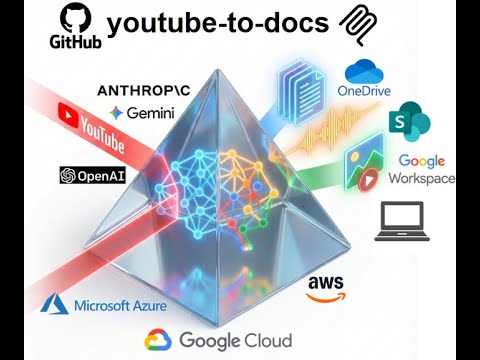
Convert YouTube videos into structured docs, summaries, audio, and visual assets for easier discovery.
View all available CLI options:
uvx youtube-to-docs --help
Optional Features
To keep the installation light, some features are optional. You can enable them by specifying "extras":
audio: Required for downloading audio and video from YouTube (usesyt-dlp, withyt-dlp-ejsand Deno to solve YouTube's challenges).video: Required for video generation (usesstatic-ffmpeg).workspace: Required for Google Drive integration.m365: Required for Microsoft SharePoint/OneDrive integration.huggingface: Required for storing artifacts to a Hugging Face dataset (useshuggingface_hub).aws: AWS Bedrock support.azure: Required for Azure OpenAI models.gcp: Required for Google Gemini, Vertex AI models, and GCP Cloud TTS (usesgoogle-genaiand google-cloud libs).app: Web app with browser-based UI (usesfastapi,uvicorn).all: Installs everything.
Example: Run with audio and video support
uvx --with "youtube-to-docs[audio,video]" youtube-to-docs ...
Example: Run with everything
uvx --with "youtube-to-docs[all]" youtube-to-docs ...
Note: The commands above require uv. You can install it via:
- macOS/Linux:
curl -LsSf https://astral.sh/uv/install.sh | sh - Windows:
powershell -ExecutionPolicy ByPass -c "irm https://astral.sh/uv/install.ps1 | iex"
Install as a Gemini CLI extension:
gemini extensions install https://github.com/DoIT-Artificial-Intelligence/youtube-to-docs.git
Install as a Claude Code plugin:
/plugin marketplace add DoIT-Artificial-Intelligence/youtube-to-docs
/plugin install youtube-to-docs@youtube-to-docs
Run as a web app:
uvx --from "youtube-to-docs[all]" youtube-to-docs-app
Then open http://localhost:8000 in your browser. See the Web App docs for details.
Install as an MCP server for Claude Code:
claude mcp add youtube-to-docs -- uvx --with "youtube-to-docs[all]" python -m youtube_to_docs.mcp_server
Created with the help of AI. All artifacts have been checked and work as expected.
1 maintainer

Metadata
1 maintainer
Release files for youtube-to-docs 0.0.123
For a detailed explanation of source distributions (sdists) and built distributions (wheels), please see the package formats documentation.
Source distribution (sdist)
| File | Size | Uploaded | |
|---|---|---|---|
| youtube_to_docs-0.0.123.tar.gz | 768.0 kB | Details |
Built distribution (wheel)
| File | Interpreter | ABI | Platform | Reset |
|---|---|---|---|---|
| youtube_to_docs-0.0.123-py3-none-any.whl | Python 3 | none | any | Details |
Total release size: 1.5 MB
Release files / youtube_to_docs-0.0.123.tar.gz
| Download URL | youtube_to_docs-0.0.123.tar.gz |
|---|---|
| Size | 768.0 kB |
| Tags | Source |
|
SHA-256 checksum How to use checksums |
0e0895d82c0ac76490207bb3d0964af90e63dd8f56f8979645d10ba0d8829611
|
|
BLAKE2b-256 checksum How to use checksums |
42aae0523a3585e5667e7b19afeb455ef71083774dfc4852fcb76deac5e4aa53
|
| Upload date | |
|
Uploaded using Trusted Publishing? What is trusted publishing? |
No |
| Uploaded via |
twine/7.0.0 CPython/3.13.14
|
Release files / youtube_to_docs-0.0.123-py3-none-any.whl
| Download URL | youtube_to_docs-0.0.123-py3-none-any.whl |
|---|---|
| Size | 722.5 kB |
| Tags | Python 3 |
|
SHA-256 checksum How to use checksums |
917cbebf184c7d90c980b3d1ce28bd5eca29392e520bce07bbc469c8e5ae5e17
|
|
BLAKE2b-256 checksum How to use checksums |
3f2d641bb4463f48232c3e3e0b73d7c5dfd2e1d3a9352fabb9193d527eaa6acb
|
| Upload date | |
|
Uploaded using Trusted Publishing? What is trusted publishing? |
No |
| Uploaded via |
twine/7.0.0 CPython/3.13.14
|














