
ocal: Program for the calculation of orbital tail fraction (OTF) and participation ratio (PR) for organic semiconductor molecules



English / 日本語
Overview
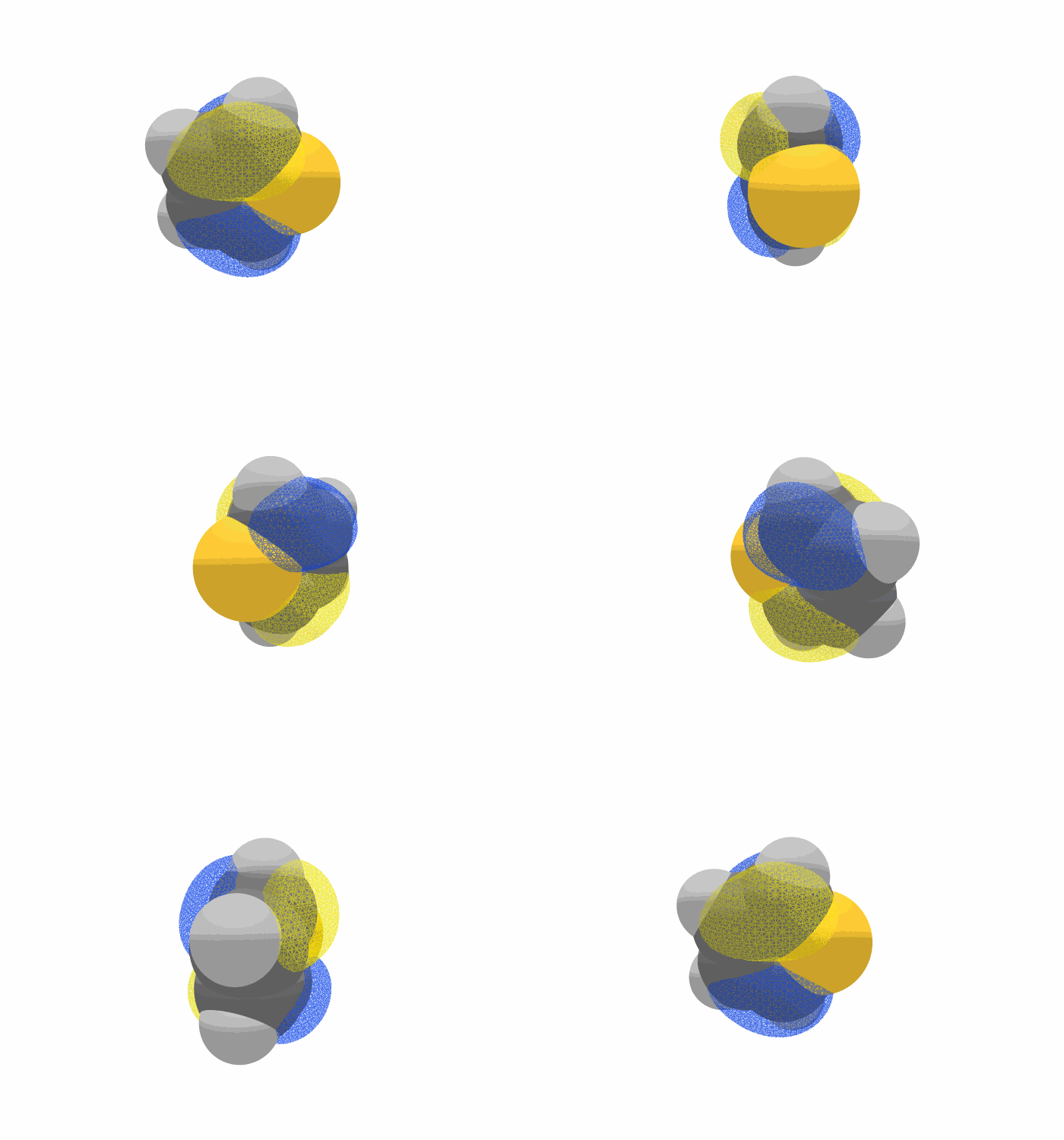
ocal is a tool for calculating the orbital tail fraction (OTF) and the participation ratio (PR) of a single organic semiconductor molecule. Starting from a molecular or crystal structure file, it generates a Gaussian input, runs a geometry optimization, converts the checkpoint file, and generates molecular-orbital cube files for the four frontier orbitals (NLUMO, LUMO, HOMO, NHOMO). It then computes the OTF and the PR for each orbital, together with the supplementary PR/V.
The OTF quantifies how much of a frontier orbital spills out of the molecular van der Waals volume, i.e. how much of it is available for intermolecular overlap. PR has the dimension of volume and expresses the volume the orbital effectively occupies, i.e. how widely the orbital is delocalized. As a supplementary quantity, ocal also reports the dimensionless PR/V, which normalizes PR by the molecular volume V.
Definitions
The OTF is the integral of the squared absolute value of the wavefunction over the region outside the van der Waals radii of the atoms:
\mathrm{OTF} = \int_{\mathbf{r} \notin V_\mathrm{vdW}} |\psi(\mathbf{r})|^2 \, d\mathbf{r}
The participation ratio PR (in ų) and the PR/V are defined as
\mathrm{PR} = \frac{\left(\int |\psi(\mathbf{r})|^2 \, d\mathbf{r}\right)^2}{\int |\psi(\mathbf{r})|^4 \, d\mathbf{r}},
\qquad
\mathrm{PR/V} = \frac{\mathrm{PR}}{V}
where
ψis the normalized molecular orbital,V_vdWis the union of the van der Waals spheres of all atoms (a point lies outside it when its distance to every atom exceeds that atom's van der Waals radius), andVis the volume ofV_vdW.
Requirements
- Python 3.11 or newer
- NumPy 2.0.2 or newer
- Pandas 2.3.3 or newer
Quantum Chemistry Calculation Tools
The following is required:
- Gaussian 16 (the
g16,formchk, andcubegenexecutables must be on$PATH)
Important notice
- The path of the Gaussian executable must be set.
ocalinvokesg16,formchk, andcubegenas subprocesses. - The molecule is always treated as a neutral closed-shell singlet. Charge and spin multiplicity are fixed to
0 1; any charge/spin information contained in the input file is ignored. - The functional and basis set are fixed to B3LYP/6-31G(d,p) so that OTF and PR values remain comparable with previously published results. This is not exposed as a command-line option.
- The molecular volume
Vused for the supplementary PR/V is always integrated on a cubic grid with a fixed spacing of 0.2 Å, so that PR/V values remain comparable as well. This is not exposed as a command-line option either. - Structure-file inputs are always geometry-optimized with
Opt=Tightbefore the cube files are generated.
Installation
ocal is distributed on PyPI under the name yu-ocal (the import name and the command name are both ocal).
pip install yu-ocal
NumPy and Pandas are installed automatically. Gaussian 16 is not included and must be installed separately.
Verify Installation
After installation, you can verify by running:
ocal --help
ocal Usage Manual
Basic Usage
ocal <filename> [options]
Required Arguments
file: Path to the input file.
ocal accepts three classes of input and enters the pipeline at the corresponding stage:
| Input | Extensions | Pipeline stages executed |
|---|---|---|
| Structure file | .gjf, .com, .xyz, .mol, .mol2, .cif |
gjf generation → Gaussian (Opt=Tight) → formchk → cubegen → OTF, PR |
| Formatted checkpoint | .fchk |
cubegen → OTF, PR |
| Cube file | .cube |
OTF, PR only |
For .fchk and .cube input, -s, --skip-gaussian is required; conversely it is rejected for structure-file input.
Note: A
.cubeinput must be a GaussiancubegenMO cube with a Bohr-unit (positive voxel counts), orthogonal grid. Å-unit grids, non-orthogonal grids, and cubes whose number of voxel values does not match the header are rejected, and neither OTF nor PR is computed.
Note: For a
.cifinput, only the first unique molecule (index 0) is used. If the cell contains more than one unique molecule (Z' > 1), a message is printed to that effect.
Basic Examples
# Full run from a molecular structure
ocal xxx.xyz

# Start from an existing Gaussian formatted checkpoint file
ocal xxx.fchk -s

# Compute OTF and PR for a single cube file that already exists
ocal xxx_HOMO.cube -s
Options
Calculation Settings
-c, --cpu <number>
Specify the number of CPUs used by Gaussian and cubegen.
- Default:
4 - Example:
ocal xxx.xyz -c 8
-m, --mem <memory>
Specify the amount of memory in GB used by Gaussian.
- Default:
10 - Example:
ocal xxx.xyz -m 16
Calculation Control
-s, --skip-gaussian
Skip the Gaussian calculation and reuse existing results. Required when the input is .fchk or .cube, and invalid for any other input type.
- Default: off
- Example:
ocal xxx.fchk -s
Practical Usage Examples
Basic Calculations
# Default run (Gaussian 16, B3LYP/6-31G(d,p), Opt=Tight)
ocal xxx.xyz

# Use 8 CPUs and 16 GB memory
ocal xxx.mol -c 8 -m 16

# Take the first unique molecule out of a crystal structure
ocal xxx.cif
Reusing Results
# Re-generate the cube files from an existing fchk and recompute OTF and PR
ocal xxx.fchk -s

# Recompute OTF and PR from a single existing cube file
ocal xxx_LUMO.cube -s
Output
Standard Output
ocal prints the input file name, timestamps, and every external command it runs, followed by a table of results:
-----------------------------------------------------------------------------------
 orbital               OTF           PR/V       PR(ų)        V(ų)    density_sum
-----------------------------------------------------------------------------------
 NLUMO        0.0276865261   0.1736069229    47.359969   272.800000   1.0000249449
 LUMO         0.0273449721   0.1708050014    46.595604   272.800000   0.9999917497
 HOMO         0.0240639347   0.1545847566    42.170722   272.800000   0.9999913246
 NHOMO        0.0259225568   0.1807090746    49.297436   272.800000   1.0000218010
-----------------------------------------------------------------------------------
OTF: the orbital tail fraction, i.e. the sum of the normalized probability density over voxels whose distance to the nearest atom exceeds that atom's van der Waals radius.PR/V: the participation ratio divided by the molecular volume (dimensionless).PR(ų): the participation ratio itself, i.e. the volume the orbital effectively occupies.V(ų): the union volume of the van der Waals spheres of all atoms, integrated on a cubic grid with a fixed spacing of 0.2 Å. In the four-orbital run the volume computed for the first orbital is reused for the remaining three, since they describe the same molecule.density_sum: the total normalized density integrated over the whole cube grid. It should be close to1.0; a value far from unity indicates that the cube grid is too small or too coarse to contain the orbital, and the OTF, PR, and PR/V from that cube should not be trusted.
When the input is a single .cube file, the row is labelled with the cube file stem instead of an orbital name.
Generated Files
All generated files are written next to the input file, sharing its base name:
<input dir>/
├── <NAME>.gjf          # Generated Gaussian input (Opt=Tight, B3LYP/6-31G(d,p))
├── <NAME>.log          # Gaussian output (.out on the Windows build)
├── <NAME>.chk          # Gaussian checkpoint file
├── <NAME>.fchk         # Formatted checkpoint file (formchk)
├── <NAME>_NLUMO.cube   # Molecular-orbital cube files (cubegen)
├── <NAME>_LUMO.cube
├── <NAME>_HOMO.cube
└── <NAME>_NHOMO.cube
Output file naming
For .gjf / .com input, the base name becomes <NAME>_ocal so that the input file is never overwritten. The cube files are named after the base name with the orbital appended: <NAME>_NLUMO, <NAME>_LUMO, <NAME>_HOMO, <NAME>_NHOMO.
The MO indices passed to cubegen are derived from the number of alpha electrons na in the fchk: NLUMO = na+2, LUMO = na+1, HOMO = na, NHOMO = na-1.
Notes
- Calculation Time: Almost all of the runtime is the Gaussian geometry optimization; it grows quickly with the number of atoms.
- Memory Usage: Ensure sufficient memory for large molecules (
-m). - Gaussian Installation: Gaussian 16 is required.
formchkandcubegenship with Gaussian and must also be callable. - Cube Grid: The cube files are generated with
cubegen's-2(fine) grid and header optionh. Always checkdensity_sumbefore using an OTF or PR value. - Molecular Volume:
Vis a grid approximation of the union of hard van der Waals spheres; the grid spacing is fixed to 0.2 Å so that the supplementary PR/V values are always obtained under the same discretization.
Troubleshooting
Failed to execute g16 / formchk / cubegen / Gaussian did not terminate normally
The executable was not found, or the Gaussian calculation did not terminate normally.
- Executable not found: Make sure the Gaussian environment is loaded (e.g. by sourcing the Gaussian profile script) so that
g16,formchk, andcubegenare on$PATH. - Gaussian did not terminate normally: For
g16, this is typically an SCF convergence or geometry optimization failure. Check the.log(.outon Windows) file in the working directory, fix the underlying problem, and re-run. For.gjf/.cominput, the log file is namedxxx_ocal.log.
Å-unit cube grids ... are not supported / non-orthogonal grid vectors / expected N voxel values, got M
The cube file is not a supported Gaussian cubegen MO cube, or it is truncated. Re-generate it with cubegen (e.g. by running ocal xxx.fchk -s).
If a structure file cannot be read
Structure files come in various formats, and some may not be readable by ocal. Please try the following:
- Convert the format using another software: Use software such as Mercury or Open Babel to re-export the file, which may resolve the issue.
- Contact us: If you send the unreadable file to us by email, we will work on adding support for it. Please contact us at the email address listed below.
Note: For
.gjf/.cominput only the plainsymbol x y zCartesian format is supported. Atomic numbers instead of symbols, freeze flags, Z-matrices, and ONIOM layers are rejected.
Authors
Matsui Laboratory, Research Center for Organic Electronics (ROEL), Yamagata University
Tomoharu Okada, Koki Ozawa, Hiroyuki Matsui
Email: h-matsui[at]yz.yamagata-u.ac.jp
Please replace [at] with @
2 maintainers


Metadata
2 maintainers
Release files for yu-ocal 0.2.1
For a detailed explanation of source distributions (sdists) and built distributions (wheels), please see the package formats documentation.
Source distribution (sdist)
| File | Size | Uploaded | Provenance | Actions |
|---|---|---|---|---|
| yu_ocal-0.2.1.tar.gz | 36.0 kB | With provenance | Details for yu_ocal-0.2.1.tar.gz |
Built distribution (wheel)
| File | Interpreter | ABI | Platform | Actions Reset |
|---|---|---|---|---|
| yu_ocal-0.2.1-py3-none-any.whl | Python 3 | none | any | Details for yu_ocal-0.2.1-py3-none-any.whl |
Total release size: 69.9 kB
Release files / yu_ocal-0.2.1.tar.gz
| Download URL | yu_ocal-0.2.1.tar.gz |
|---|---|
| Size | 36.0 kB |
| Tags | Source |
|
SHA-256 checksum How to use checksums |
30c3d66e2d909c0dac396438c8a538262a474a7c7205b9b585404cd378813b69
|
|
BLAKE2b-256 checksum How to use checksums |
e5a60b4cc9c9e5c01516db0a59f8a80685026d1e988554cdbda84c6941073054
|
| Upload date | |
|
Uploaded using Trusted Publishing? What is trusted publishing? |
Yes |
| Uploaded via |
twine/7.0.0 CPython/3.13.16
|
Provenance
Provenance describes where a file came from. On PyPI, provenance is shared via attestations, which provide a verifiable record of the build or publishing details. View details, limitations and caveats.


PyPI Publish Attestation
PyPI verified that this artifact, at this checksum, originated from the publisher listed below.
Signed by GitHub Actions, verified by PyPI on Nov 20, 2026.
Transparency logRelease files / yu_ocal-0.2.1-py3-none-any.whl
| Download URL | yu_ocal-0.2.1-py3-none-any.whl |
|---|---|
| Size | 33.9 kB |
| Tags | Python 3 |
|
SHA-256 checksum How to use checksums |
5938684f654afc564ecc3907ee650d92d4d9cc482a1d45d677cc95d0c4f98cb7
|
|
BLAKE2b-256 checksum How to use checksums |
2718ab1ed1be63b32f7c4a1e49201729178e821ce49344e57ee6414bc72470ad
|
| Upload date | |
|
Uploaded using Trusted Publishing? What is trusted publishing? |
Yes |
| Uploaded via |
twine/7.0.0 CPython/3.13.16
|
Provenance
Provenance describes where a file came from. On PyPI, provenance is shared via attestations, which provide a verifiable record of the build or publishing details. View details, limitations and caveats.
PyPI Publish Attestation
PyPI verified that this artifact, at this checksum, originated from the publisher listed below.
Signed by GitHub Actions, verified by PyPI on Nov 20, 2026.
Transparency logSecurity for yu-ocal 0.2.1
Provenance
Provenance describes where a file came from. On PyPI, provenance is shared via attestations, which provide a verifiable record of the build or publishing details. View details, limitations and caveats.
Full provenance
Both files in this release have been uploaded with provenance metadata.
Attestation for yu_ocal-0.2.1.tar.gz
PyPI Publish Attestation
PyPI verified that this artifact, at this checksum, originated from the publisher listed below.
Signed by GitHub Actions, verified by PyPI on Nov 20, 2026.
Transparency logA note on package security
PyPI is a repository for distributing packages, not a service for auditing them. While third-party security researchers and our staff do their best to detect and remove malicious packages, PyPI cannot guarantee the quality, security or suitability of any given package.
To learn more about protecting yourself from malicious actors, visit our package security documentation.














