
Top-down zombie survival game built with pygame.

Project description
Zombie Escape
The city is overrun with zombies! You fled the horde, taking refuge in an abandoned factory.
Inside, it's a maze. They won't get in easily. But you have no weapons. Night has fallen. The power's out, plunging the factory into darkness.
Your only tool: a single flashlight. A car... somewhere inside... it's your only hope.
Pierce the darkness and find the car! Then, escape this nightmare city!
Overview
This game is a simple 2D top-down action game where the player aims to escape by finding and driving a car out of a large building infested with zombies. The player must evade zombies, break through walls to find a path, and then escape the building in a car.
Controls
- Player/Car Movement:
W/↑(Up),A/←(Left),S/↓(Down),D/→(Right) - Enter Car: Overlap the player with the car.
- Pause:
P/Start orESC/Select - Quit Game:
ESC/Select (from pause) - Restart:
Rkey (on Game Over/Clear screen) - Window/Fullscreen (title/settings only):
[to shrink,]to enlarge,Fto toggle fullscreen - Time Acceleration: Hold either
Shiftkey orR1to run the entire world 4x faster; release to return to normal speed.
Title Screen
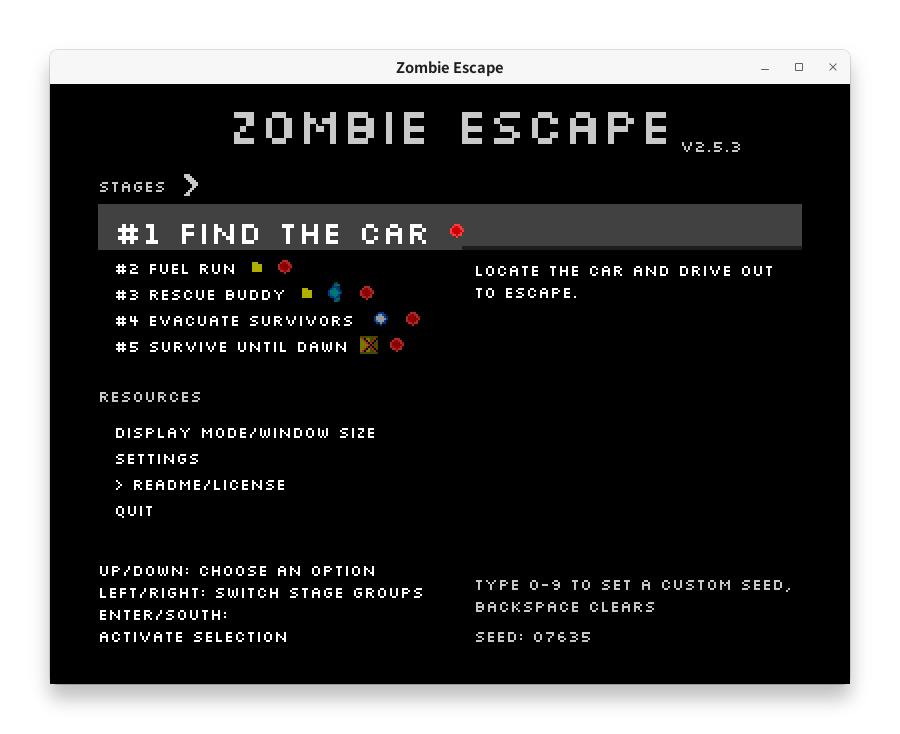
Stages
At the title screen you can pick a stage:
- Stage 1: Find the Car — locate the car and drive out (you already start with fuel).
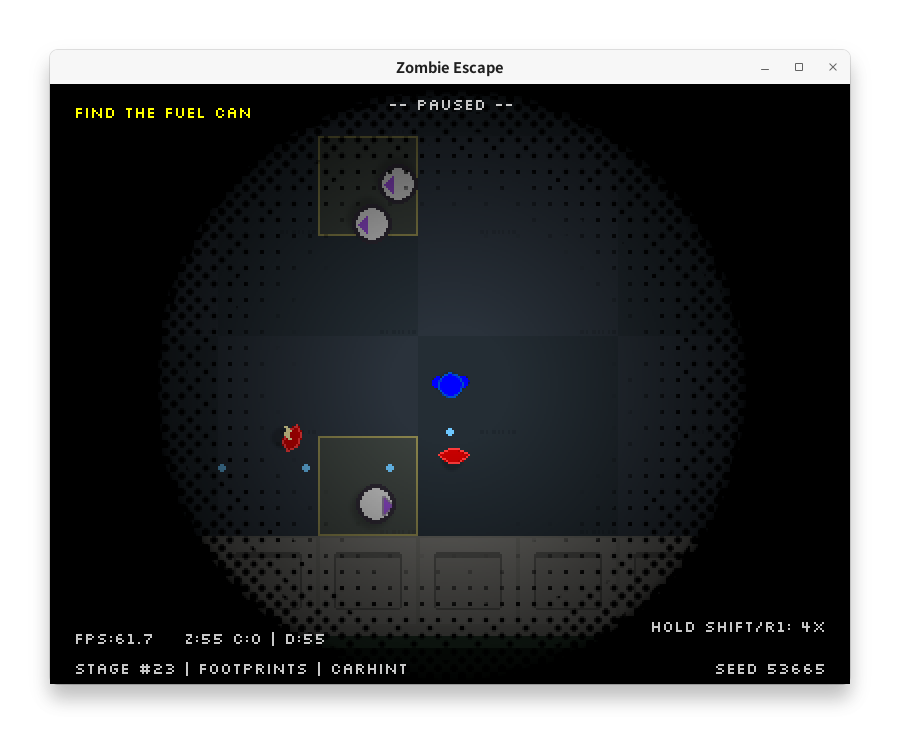
- Stage 2: Fuel Run — you start with no fuel; find a fuel can first, pick it up, then find the car and escape.
- Stage 3: Rescue Buddy — same fuel hunt as Stage 2 (you begin empty) plus grab your buddy, pick them up with the car, then escape together.
- Stage 4: Evacuate Survivors — start fueled, find the car, gather nearby civilians, and escape before zombies reach them. Stage 4 sprinkles extra parked cars across the map; slamming into one while already driving fully repairs your current ride and adds five more safe seats.
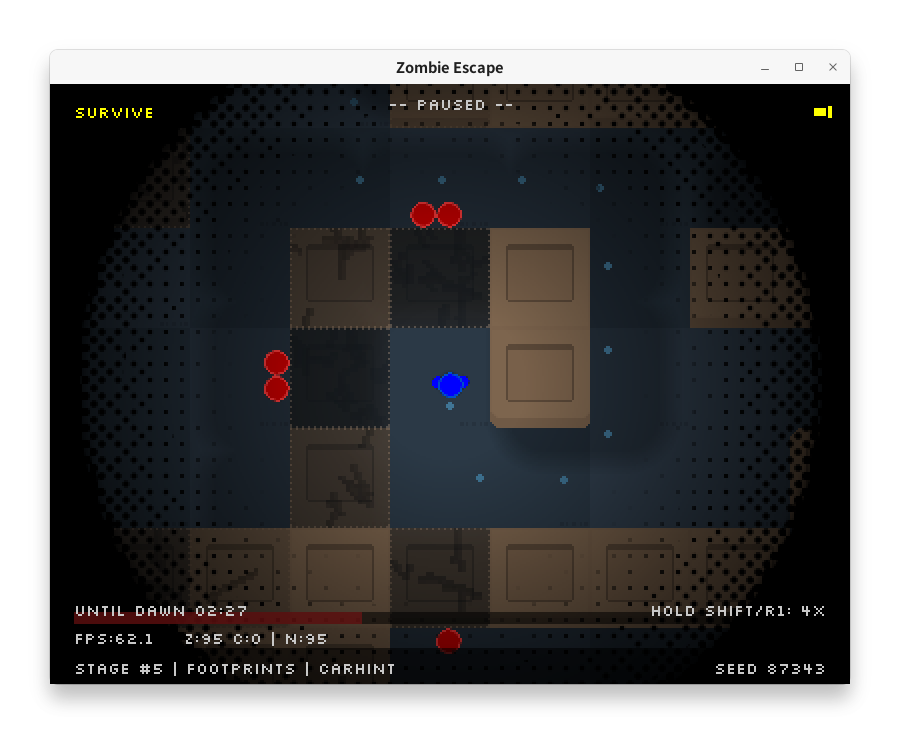
- Stage 5: Survive Until Dawn — every car is bone-dry. Endure until the sun rises while the horde presses in from every direction. Once dawn hits, outdoor zombies carbonize and you must walk out through an existing exterior gap to win; cars remain unusable.
Stage names are red until cleared and turn white after at least one clear.
An objective reminder is shown at the top-left during play.
Shared Seeds
The title screen also lets you enter a numeric seed. Type digits (or pass --seed <number> on the CLI) to lock the procedural layout, wall placement, and pickups; share that seed with a friend and you will both play the exact same stage even on different machines. The current seed is shown at the bottom right of the title screen and in-game HUD. Backspace reverts to an automatically generated value so you can quickly roll a fresh challenge.
Settings Screen
Open Settings from the title to toggle gameplay assists:
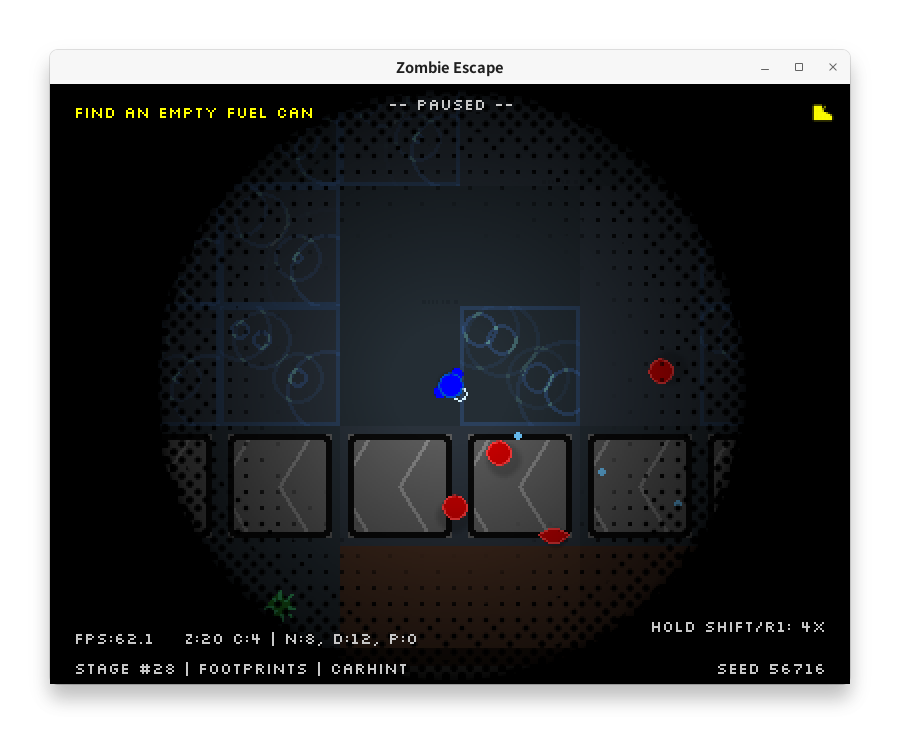
- Footprints: Leave breadcrumb trails so you can backtrack in the dark.
- Fast zombies: Allow faster zombie variants; each zombie rolls a random speed between the normal and fast ranges.
- Car hint: After a delay, show a small triangle pointing toward the fuel (Stage 2 before pickup) or the car.
- Steel beams: Adds tougher single-cell obstacles (5% density) that block movement; hidden when stacked with an inner wall until that wall is destroyed.
Game Rules
Characters/Items
- Player: A blue circle with small hands. Controlled with the WASD or arrow keys. When carrying fuel a tiny yellow square appears near the sprite so you can immediately see whether you're ready to drive.
- Zombie: A red circle. Will chase the player (or car) once detected.
- When out of sight, the zombie's movement mode will randomly switch every certain time (moving horizontally/vertically only, side-to-side movement, random movement, etc.).
- Variants with different behavior have been observed.
- Car: A yellow rectangle. The player can enter by making contact with it.
- The car has durability. Durability decreases when colliding with internal walls or hitting zombies.
- If durability reaches 0, the car is destroyed and you are dumped on foot; you must track down another parked car hidden in the level.
- When you're already driving, ramming a parked car instantly restores your current car's health. On Stage 4 this also increases the safe passenger limit by five.
- After roughly 5 minutes of play, a small triangle near the player points toward the objective: fuel first (Stage 2 before pickup), car after fuel is collected (Stage 2/3), or car directly (Stage 1/4).
- Walls: Outer walls are gray; inner walls are beige.
- Outer Walls: Walls surrounding the stage that are nearly indestructible. Each side has at least three openings (exits).
- Inner Walls: Beige walls randomly placed inside the building. Inner wall segments each have durability. The player can break these walls by repeatedly colliding with a segment to reduce its durability; when it reaches 0, the segment is destroyed and disappears. Zombies can also wear down walls, but far more slowly. The car cannot break walls.
- Flashlight: Each pickup expands your visible radius by about 20% (grab two to reach the max boost).
- Steel Beam (optional): A square post with crossed diagonals; same collision as inner walls but with triple durability. Spawns independently of inner walls (may overlap them). If an inner wall covers a beam, the beam appears once the wall is destroyed.
- Fuel Can (Stages 2 & 3): A yellow jerrycan that only spawns on the fuel-run stages. Pick it up before driving the car; once collected the on-player indicator appears until you refuel the car.
- Buddy (Stage 3): A green circle survivor with small hands and a blue outline who spawns somewhere in the building and waits.
- Zombies only choose to pursue the buddy if they are on-screen; otherwise they ignore them.
- If a zombie tags the buddy off-screen, the buddy quietly respawns somewhere else instead of ending the run.
- Touch the buddy on foot to make them follow you (at 70% of player speed). Touch them while driving to pick them up.
- If you bash an inner wall or steel beam, the buddy will drift toward that spot and help chip away at it.
- Survivors (Stage 4): Pale gray civilians with a blue outline, scattered indoors.
- They stand still until you get close, then shuffle toward you at about one-third of player speed.
- Zombies can convert them if both are on-screen; the survivor shouts a line and turns instantly.
- They only board the car; your safe capacity starts at five but grows by five each time you sideswipe a parked car while already driving. Speed loss is based on how full the car is relative to that capacity, so extra slots mean quicker getaways.
Win/Lose Conditions
- Win Condition: Escape the stage (level) boundaries while inside the car.
- Stage 1 and Stage 4 follow the base rule: find the car (already fueled) and drive out.
- Stage 2 also requires that you have collected the fuel can before driving out.
- Stage 3 requires both fuel and having picked up your buddy with the car before driving out.
- Stage 5 has no working cars; survive until dawn, then walk out through an exterior opening on foot.
- Lose Condition:
- The player is touched by a zombie while not inside a car.
- In Stage 3, if your buddy is caught (when visible), it's game over.
- (Note: In the current implementation, the game does not end immediately when the car is destroyed. The player can search for another car and continue trying to escape.)
How to Run
Requirements: Python 3.10 or higher
Install using pipx:
pipx install zombie-escape
Alternatively, you can install using pip in a virtual environment:
pip install zombie-escape
Launch using the following command line:
zombie-escape
License
This project is licensed under the MIT License - see the LICENSE.txt file for details.
This project depends on pygame-ce (repository: https://github.com/pygame-community/pygame-ce), which is licensed under GNU LGPL version 2.1.
The bundled Silkscreen-Regular.ttf font follows the license terms of its original distribution. Please refer to the upstream website for details: https://fonts.google.com/specimen/Silkscreen
The bundled misaki_gothic.ttf font (Misaki font by Num Kadoma) follows the license terms provided by Little Limit. Please refer to the official site for details: https://littlelimit.net/misaki.htm
Acknowledgements
Significant assistance for many technical implementation and documentation aspects of this game's development was received from Google's large language model, Gemini (accessed during development), and from OpenAI's GPT-5. This included generating Python/Pygame code, suggesting rule adjustments, providing debugging support, and creating this README. Their rapid coding capabilities and contributions to problem-solving are greatly appreciated.
Thanks to Jason Kottke, the author of the Silkscreen-Regular.ttf font used in the game. Thanks to Num Kadoma, the author of the Misaki font (misaki_gothic.ttf) distributed via Little Limit.
Release history Release notifications | RSS feed


Download files
Download the file for your platform. If you're not sure which to choose, learn more about installing packages.
Source Distribution
Built Distribution
Filter files by name, interpreter, ABI, and platform.
If you're not sure about the file name format, learn more about wheel file names.
Copy a direct link to the current filters
File details
Details for the file zombie_escape-1.12.3.tar.gz.
File metadata
- Download URL: zombie_escape-1.12.3.tar.gz
- Upload date:
- Size: 353.9 kB
- Tags: Source
- Uploaded using Trusted Publishing? No
- Uploaded via: Hatch/1.16.3 cpython/3.12.3 HTTPX/0.28.1
File hashes
| Algorithm | Hash digest | |
|---|---|---|
| SHA256 |
1a7fa51eb87fe7dbc2f29996cf7eb1a219d8affcbd0e3e648eceef9dc91695a8
|
|
| MD5 |
93682d63f7ae3348101711b0af76ed8a
|
|
| BLAKE2b-256 |
9a8bc3c45b9c28246024759782c1238b908f911f172d37285df67d5c7f125f7b
|
File details
Details for the file zombie_escape-1.12.3-py3-none-any.whl.
File metadata
- Download URL: zombie_escape-1.12.3-py3-none-any.whl
- Upload date:
- Size: 381.3 kB
- Tags: Python 3
- Uploaded using Trusted Publishing? No
- Uploaded via: Hatch/1.16.3 cpython/3.12.3 HTTPX/0.28.1
File hashes
| Algorithm | Hash digest | |
|---|---|---|
| SHA256 |
3ee54648a20672a2484814a0974c689a5025ac26e59c8fe1983e22fc3e0b2182
|
|
| MD5 |
d003fda43e781604f633f8f3cefeb95d
|
|
| BLAKE2b-256 |
dec05ccf9ca5c83b506b8ca28619bc442ab08244e67909755b580a9aad59af85
|






