
Zonix
Call simply. Chain deeply. Trace everything.
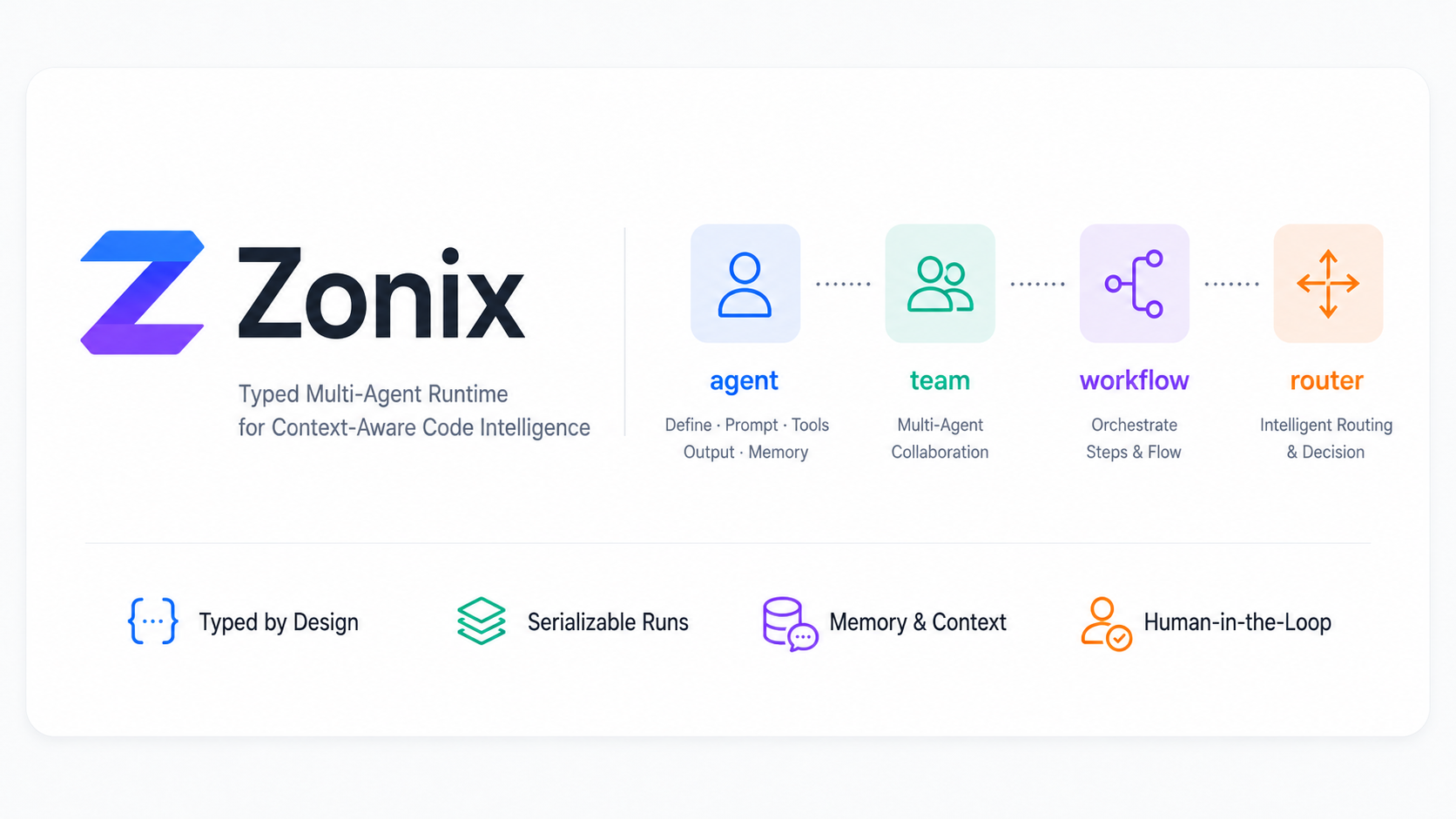
Zonix is a Python AI workflow framework with explicit agents and one shared
execution model. It borrows the clarity of pydantic-ai's Agent, then adds first
class workflow, team, and router primitives on top of one execution model.
The taste is deliberately practical: a beginner should be able to call one object and get a useful answer, while an advanced user can turn on reasoning, usage accounting, raw provider responses, graph export, and frontend streaming without changing the shape of their business code.
Zonix has a few deliberately personal design choices:
- Simple first:
await agent(task)is the happy path. - Chainable when needed: reasoning, thinking budgets, output limits, and provider quirks are small method calls instead of scattered dictionaries.
- Inspectable by default:
.run()keeps trace, usage, model calls, messages, raw upstream payloads, and live approval continuation state together. - Flow should be visible: workflow and team graphs can be exported as Mermaid, DOT, SVG, PNG, or PDF.
The core idea:
plan = await planner("add captcha to the login page", ctx=ctx)
result = await planner.run("add captcha to the login page", ctx=ctx)

async for event in planner.stream("add captcha to the login page", ctx=ctx):
    print(event)
__call__ returns the structured output. .run() returns the full trace, usage,
messages, model calls, raw upstream responses, scratch state, and approval state.
.stream() returns typed events that can be mapped to frontend protocols such
as the Vercel AI SDK data stream.
Install
pip install zonix
For local development from this repository:
pip install -e .
Optional model providers:
pip install "zonix[openai]"
pip install "zonix[anthropic]"
pip install "zonix[gemini]"
pip install "zonix[viz]"
OpenAI-compatible and Anthropic-compatible endpoints
Provider objects accept base_url, so OpenAI-compatible gateways and
Anthropic-compatible gateways stay explicit and typed:
import os

from zonix.models import Anthropic, OpenAI

openai_model = OpenAI(
    model=os.environ["ZONIX_MODEL"],
    api_key=os.environ["ZONIX_API_KEY"],
    base_url=os.environ["ZONIX_BASE_URL"],
)

anthropic_model = Anthropic(
    model=os.environ["ZONIX_MODEL"],
    api_key=os.environ["ZONIX_API_KEY"],
    base_url=os.environ["ZONIX_BASE_URL"],
)
For OpenAI-compatible providers such as DeepSeek, keep the same adapter and only change the endpoint and model:
deepseek_model = OpenAI(
    model="deepseek-v4-flash",
    api_key=os.environ["DEEPSEEK_API_KEY"],
    base_url="https://api.deepseek.com/v1",
)
Newer model-specific controls stay chainable, so the common path remains readable:
from zonix.models import Anthropic, Gemini, OpenAI

planner_model = (
    OpenAI("gpt-5.5")
    .responses()
    .reasoning("low", summary="auto")
    .verbosity("low")
    .max_output(8000)
)

claude_model = (
    Anthropic("claude-sonnet-4-6")
    .thinking("adaptive")
    .effort("medium")
    .max_output(16000)
)

gemini_model = (
    Gemini("gemini-3-pro")
    .thinking_budget(4096)
    .include_thoughts()
    .max_output(8000)
)
OpenAI's Responses API is opt-in with .responses() so existing
OpenAI-compatible gateways that only implement Chat Completions can keep using
the default adapter path.
Run the real provider example:
export ZONIX_API_KEY="..."
export ZONIX_PROVIDER="openai"
export ZONIX_BASE_URL="https://your-openai-compatible-host/v1"
export ZONIX_MODEL="your-model"
python examples/real_provider_case.py
Single agent
from pydantic import BaseModel

from zonix import agent
from zonix.models import OpenAI


class Plan(BaseModel):
    goal: str
    files: list[str]
    steps: list[str]


planner = (
    agent(
        "planner",
        role="Plan code work",
        model=OpenAI("gpt-5.5", temperature=0.2).responses().reasoning("low"),
        output=Plan,
    )
    .use(read_tree, search_code)
    .prompt(
        "Split the user request into a code plan. "
        "Return only JSON that matches the Plan schema."
    )
)

plan = await planner("add captcha to the login page", ctx=project_ctx)
An agent definition keeps the important pieces in one place:
nameandrolefor trace readability.modelas a typed object, not a provider string.outputas a Pydantic model or Python type.depsthroughctx.- tools via
.use(...)or@agent.tool. - static or dynamic prompts via
.prompt(...).
Tools
Tool schemas are generated from type hints and docstrings.
coder = agent("coder", output=Patch, deps=ProjectCtx).use(read_file)


@coder.tool(approval=True)
async def write_file(ctx, path: str, content: str) -> bool:
    """Write content to a repository file."""
    return ctx.deps.repo.write(path, content)
If a tool takes ctx as its first parameter, Zonix passes a ToolContext with
deps, shared usage, the current run state, and the owning agent.
Tools can require approval before execution. Register the approval handler with the tools that share the same approval flow, so the run loop does not need a large central router.
def review_tool_call(pending):
    print(pending.tool, pending.input)
    return True


assistant = agent("assistant").use(send_email, approval=review_tool_call)
run = await assistant.run("send the draft")
Middleware is for more involved interception, such as blocking a call, rewriting
parsed input, or requiring approval only under specific runtime conditions.
Without a registered approval handler, run() returns a paused RunResult that
can be resumed later while the originating process remains alive.
Three call levels
output = await planner(task, ctx=ctx)
run = await planner.run(task, ctx=ctx)

async for event in planner.stream(task, ctx=ctx):
    ...
All three calls use the same run engine. The engine owns prompt assembly, model calls, tool execution, output validation, usage aggregation, spans, and event emission.
Synchronous callers can use the explicit blocking facade:
output = planner.call_sync(task, ctx=ctx)
run = planner.run_sync(task, ctx=ctx)

for event in planner.stream_sync(task, ctx=ctx):
    print(event)
The async engine remains the source of truth; the sync facade bridges it for scripts, CLIs, notebooks, and other non-async entry points.
.run() is the inspection layer:
run = await planner.run(task, ctx=ctx)

print(run.output)
print(run.usage.reasoning_tokens)
print(run.model_calls[-1].raw_request)
print(run.model_calls[-1].raw_response)
That raw-response escape hatch is intentional. Zonix keeps the beginner API small, but it should never hide the provider payload when you need to debug a token spike, a refusal, a tool-call mismatch, or a gateway quirk.
Manual message history
You can pass an explicit prior transcript when you want to replay or continue history that was stored outside Zonix:
from zonix import (
    ToolCall,
    assistant_message,
    assistant_tool_call_message,
    tool_message,
    user_message,
)

call = ToolCall(call_id="call_1", tool="lookup_user", input={"email": "a@example.com"})

history = [
    user_message("Find this user."),
    assistant_tool_call_message(call),
    tool_message("call_1", "lookup_user", {"id": "user_123"}),
    assistant_message("The user exists."),
]

answer = await assistant("Continue from there.", message_history=history)
message_history accepts Message objects or dicts with the same shape. The
same parameter is available on agent.run, agent.stream, workflow.solve,
workflow.run, team.solve, and team.run.
Workflow
from zonix import workflow

code_flow = (
    workflow("code_team")
    .start(planner)
    .then(coder)
    .then(reviewer)
    .build()
)

review = await code_flow.solve("add captcha to login", ctx=ctx)
workflow compiles ordered steps into a node. The output of one node becomes
the input of the next node, while ctx, usage, trace, scratch, and stream events
are automatically carried through the run.
The builder also supports parallel, join, branch, and loop:
flow = (
    workflow("review")
    .start(planner)
    .parallel(security_review, perf_review)
    .join(merge_reviews)
    .branch(lambda review: review.risk == "high", then=human_gate, else_=auto_apply)
    .loop(coder, until=lambda patch: patch.tests_pass, max_iters=3)
    .build()
)
Workflow graphs can be exported for review or documentation:
flow.graph().save("review.mmd")
flow.graph().save("review.png")  # requires zonix[viz] and Graphviz
print(flow.to_mermaid())
Team and router
from zonix import router, team
from zonix.types import Route


def choose(task, state) -> Route:
    if "review" in str(task).lower():
        return Route(next="reviewer")
    return Route(next="coder")


code_team = (
    team("code_team")
    .add(planner, coder, reviewer)
    .route(router("rule_router", choose))
    .build(max_steps=6)
)

answer = await code_team.solve("review the auth changes", ctx=ctx)
A router can be a rule function, another agent, or any node that returns
Route(next=..., done=..., input=...).
Teams expose the same graph API:
code_team.graph().save("code_team.svg")
Memory
from zonix.memory import Session, Summarize, Vector, Window

session = Session(memory=[Window(size=20), Vector(store=my_store)])
assistant = agent("assistant", memory=[Summarize(over=170_000, keep=20)])

answer = await assistant("continue from last time", ctx=ctx, session=session)
Memory strategies are typed and composable. They transform prior session history before the current run is assembled.
Streaming events
Zonix streams typed Python events:
TextStart,TextDelta,TextEndReasoningDeltaToolInputStart,ToolInputDelta,ToolInputAvailableToolOutputAvailableApprovalRequiredErrorEvent,Finish
Frontend protocols are adapters. For Vercel AI SDK data streams:
from zonix.wire.ai_sdk import to_ai_sdk

async for chunk in to_ai_sdk(agent.stream(task, ctx=ctx)):
    yield chunk
HTTP responses should include:
x-vercel-ai-ui-message-stream: v1
content-type: text/event-stream
Human approval and resume
Tools can pause the run before execution:
run = await coder.run("edit the login page", ctx=ctx)

if run.paused:
    print(run.pending)
    run = await run.resume(approve=True)
run.dump() returns a JSON-safe snapshot with output, usage, trace, messages,
scratch, and pending approval metadata. The dump is diagnostic state, not a
serializable coroutine: a loaded snapshot cannot resume work after process
restart. If a live paused result will not be resumed, release it explicitly:
await run.cancel()  # asynchronous runs
run.close()         # paused results created by run_sync()
Tracing integrations
Zonix exposes vendor-neutral tracing hooks without depending on a collector or
observability backend. A tracing package registers a SpanProcessor, and every
call can override its project, tags, metadata, or enabled state:
from zonix import TraceOptions
from zonix_observe import configure

configure(project="code-assistant")

run = await planner.run(
    task,
    trace=TraceOptions(tags=["development"], metadata={"user_id": "user_1"}),
)
The built-in span tree covers workflows, teams, agents, routers, model calls,
and tool calls. RunResult.trace remains available even when remote export is
disabled. Install the separate zonix-observe package for the local collector,
SQLite storage, live API, and browser UI.
Architecture
zonix/
  spec.py       agent()/team()/workflow()/router() factories
  engine.py     Agent model/tool execution
  runtime.py    __call__/run/stream driver shared by every node
  graph.py      workflow/team graph specs, Mermaid, DOT, and image export
  memory/       Window, Summarize, Vector, Session
  multi/        Workflow, Team, Router nodes
  hitl.py       snapshot persistence and approval keys
  models/       complete/stream model adapters
  wire/         event-to-wire protocol adapters
  tracing.py    vendor-neutral span lifecycle and processor hooks
Zonix is intentionally explicit: business code should say what it means, and the run engine should make every step inspectable.
Tutorials
1 maintainer

Download files
Download the file for your platform. If you're not sure which to choose, learn more about installing packages.
Source Distribution
Built Distribution
Filter files by name, interpreter, ABI, and platform.
If you're not sure about the file name format, learn more about wheel file names.
Copy a direct link to the current filters
File details
Details for the file zonix-0.4.0.tar.gz.
File metadata
- Download URL: zonix-0.4.0.tar.gz
- Upload date:
- Size: 1.0 MB
- Tags: Source
- Uploaded using Trusted Publishing? Yes
- Uploaded via: twine/7.0.0 CPython/3.13.14
File hashes
| Algorithm | Hash digest | |
|---|---|---|
| SHA256 |
09537b95eef5375c1ac04c0891a3b7606ea296b967e834ccca9f4d99b3a789c6
|
|
| MD5 |
811ade73ea5037da11c653ebaee96c9d
|
|
| BLAKE2b-256 |
241ce172c14ff1a3342a82d334ea4ae1095ea290b427a4971a2fead09119359e
|
Provenance
The following attestation bundles were made for zonix-0.4.0.tar.gz:
Publisher:
publish.yml on zongxi1115/zonix
-
Statement:
-
Statement type:
https://in-toto.io/Statement/v1 -
Predicate type:
https://docs.pypi.org/attestations/publish/v1 -
Subject name:
zonix-0.4.0.tar.gz -
Subject digest:
09537b95eef5375c1ac04c0891a3b7606ea296b967e834ccca9f4d99b3a789c6 - Sigstore transparency entry: 2394384816
- Sigstore integration time:
-
Permalink:
zongxi1115/zonix@6df20c1872a4a8d105f9fee7332f34e96c6cb064 -
Branch / Tag:
refs/tags/v0.4.0 - Owner: https://github.com/zongxi1115
-
Access:
public
-
Token Issuer:
https://token.actions.githubusercontent.com -
Runner Environment:
github-hosted -
Publication workflow:
publish.yml@6df20c1872a4a8d105f9fee7332f34e96c6cb064 -
Trigger Event:
push
-
Statement type:
File details
Details for the file zonix-0.4.0-py3-none-any.whl.
File metadata
- Download URL: zonix-0.4.0-py3-none-any.whl
- Upload date:
- Size: 54.5 kB
- Tags: Python 3
- Uploaded using Trusted Publishing? Yes
- Uploaded via: twine/7.0.0 CPython/3.13.14
File hashes
| Algorithm | Hash digest | |
|---|---|---|
| SHA256 |
c6a614e193c84f70e9bf5bb8f0be61e41bf0fbf5ca14e219a9f87410d85e4de0
|
|
| MD5 |
0ee1415794e94222347864e6fa0e873e
|
|
| BLAKE2b-256 |
769e6e9d6bd371b94924021455a32040497b8fc767d6a1ebfc9483b61b809350
|
Provenance
The following attestation bundles were made for zonix-0.4.0-py3-none-any.whl:
Publisher:
publish.yml on zongxi1115/zonix
-
Statement:
-
Statement type:
https://in-toto.io/Statement/v1 -
Predicate type:
https://docs.pypi.org/attestations/publish/v1 -
Subject name:
zonix-0.4.0-py3-none-any.whl -
Subject digest:
c6a614e193c84f70e9bf5bb8f0be61e41bf0fbf5ca14e219a9f87410d85e4de0 - Sigstore transparency entry: 2394385587
- Sigstore integration time:
-
Permalink:
zongxi1115/zonix@6df20c1872a4a8d105f9fee7332f34e96c6cb064 -
Branch / Tag:
refs/tags/v0.4.0 - Owner: https://github.com/zongxi1115
-
Access:
public
-
Token Issuer:
https://token.actions.githubusercontent.com -
Runner Environment:
github-hosted -
Publication workflow:
publish.yml@6df20c1872a4a8d105f9fee7332f34e96c6cb064 -
Trigger Event:
push
-
Statement type:







