
Transparent desktop sky viewer with stars, planets, eclipses, and optional real-time satellite cloud overlay.

Project description
zstarview
Transparent desktop sky viewer with stars, planets, eclipses, optional real-time satellite cloud overlay, optional terrain horizon overlay, optional urban outline overlay, and an optional nearby-aircraft overlay.
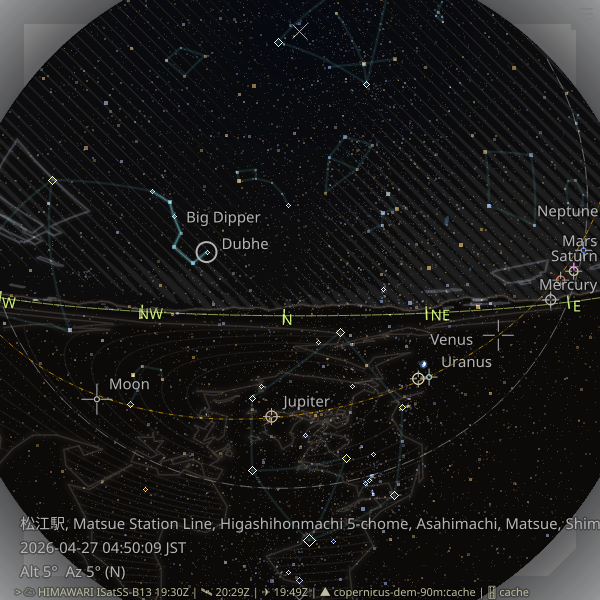
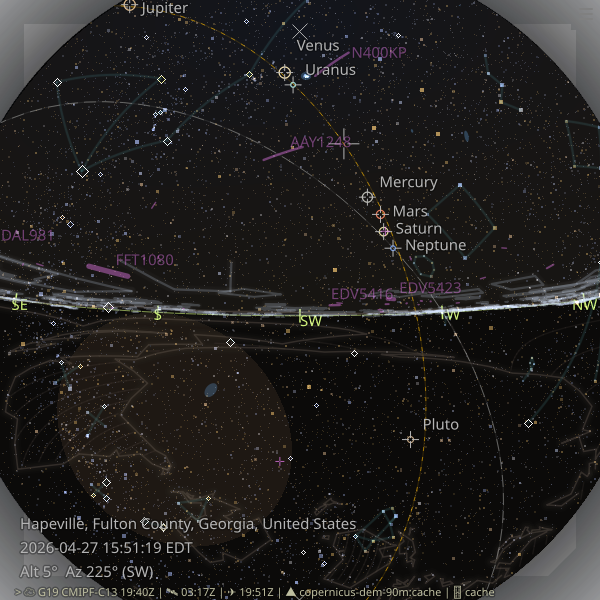
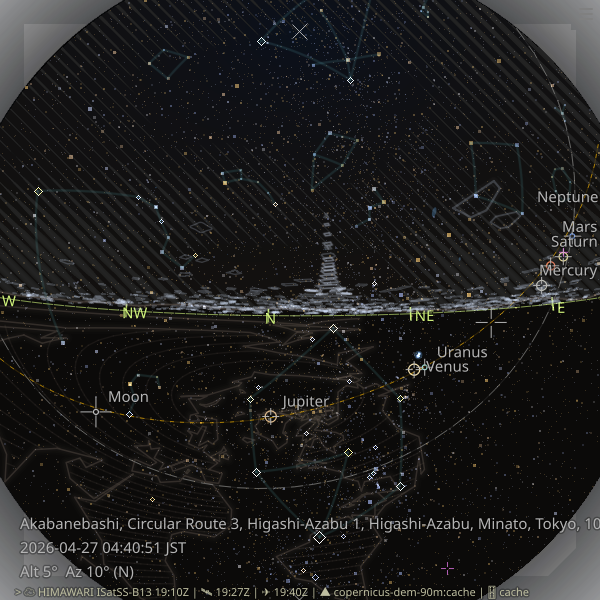
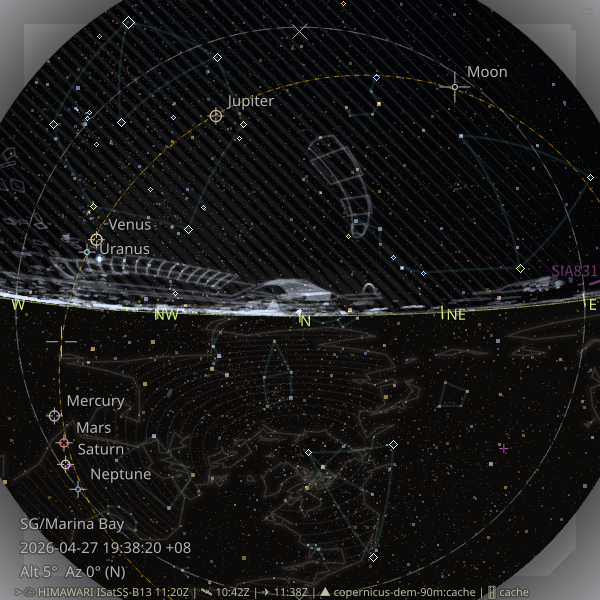
Urban outline examples from several cities worldwide:
 |
 |
 |
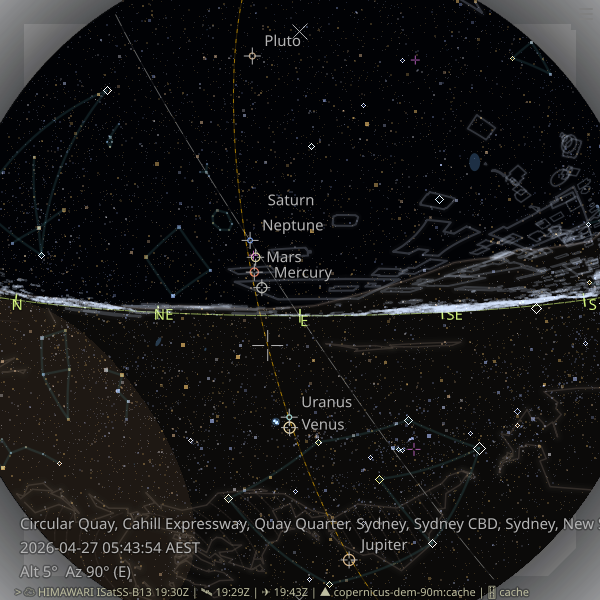 |
| Near Tokyo Tower, Tokyo | Downtown Dubai | Marina Bay, Singapore | Circular Quay, Sydney |
Install
Recommended:
Prerequisite for the urban outline overlay: install the overturemaps CLI separately.
Installation: https://pypi.org/project/overturemaps/
Confirm it with:
overturemaps --help
pipx install zstarview
Or with pip:
pip install zstarview
Note: Windows on Arm64 is currently not supported for installation. As of 2026-03-15, native dependencies such as
shapelycan fail there because they may require a source build.
Quick Start
zstarview [options] [location]
Examples:
zstarview Tokyo
zstarview "Tokyo Skytree"
zstarview "35.68;139.76"
zstarview --place "Matsue Station" --place-countrycode jp
zstarview -Z E -A 25 Tokyo
Highlights
- Deep-sky objects: named galaxies/open clusters/globular clusters are shown as soft blue extents.
- Asterism overlay: popular line patterns rather than formal IAU constellation boundaries are shown as dim ambient lines.
- Solar-system bodies: supports Sun, Moon, and major planets.
- Flexible location input: specify the observer location through the CLI argument using a city name, tower name, mountain name, direct latitude/longitude input, or online place/station search via Nominatim.
- Adjustable view center: adjust the view center with CLI options
-Aand-Z, or with the arrow keys. - Never-rises region: the celestial region that never rises above the horizon for the observer's latitude is shown in a red tint.
- Satellite cloud imagery: real-time Himawari/GOES satellite data are downloaded and rendered as a stylized hatched overlay.
- Terrain horizon and ground fill: Copernicus DEM data can be downloaded to render the local terrain skyline and ground region below the horizon.
- Urban outline overlay: major rooflines are drawn as a white overlay for the current viewpoint. In some skyscraper-heavy cities, distant skyscrapers can also be added from within a 10km radius.
- Aircraft overlay: nearby aircraft from OpenSky can be drawn as purple predicted-motion polylines, with startup opacity control and cached reuse when the layer is hidden and shown again.
- Python support: routinely tested on CPython 3.10, 3.11, 3.12, and 3.13.
Common Options
--place QUERY--place-countrycode CODE--place-lang LANG--sky-opacity 0.0..1.0--cloud-opacity 0.0..1.0--cloud-missing-tint-opacity 0.0..1.0--terrain-horizon-opacity 0.0..1.0--ground-tint-opacity 0.0..1.0--urban-outline-opacity 0.0..1.0-a, --aircraft-opacity 0.0..1.0--observer-height-m METERS--datetime "YYYY-MM-DD HH[:MM[:SS]] [TZ]"
Notes:
--placeuses the public OpenStreetMap Nominatim search service and sends a single request with a User-Agent andAccept-Language.- Satellite cloud rendering downloads Himawari/GOES data from public S3 buckets.
- Terrain horizon rendering downloads Copernicus DEM tiles on first use and reuses cached data later.
- Aircraft rendering uses OpenSky state data when enabled;
-a 0disables both aircraft queries and drawing for that run.
Code, Data Licenses, and Credits
- Code: MIT License. See
LICENSE. - Bundled and runtime-fetched data may be subject to their own licenses, attribution rules, or service terms.
- See the main project README for the full credits and third-party data notes.
Links
- Homepage: https://github.com/tos-kamiya/zstarview
- Documentation: https://github.com/tos-kamiya/zstarview#readme
- Issues: https://github.com/tos-kamiya/zstarview/issues
Release history Release notifications | RSS feed


Download files
Download the file for your platform. If you're not sure which to choose, learn more about installing packages.
Source Distribution
Built Distribution
Filter files by name, interpreter, ABI, and platform.
If you're not sure about the file name format, learn more about wheel file names.
Copy a direct link to the current filters
File details
Details for the file zstarview-1.1.1.tar.gz.
File metadata
- Download URL: zstarview-1.1.1.tar.gz
- Upload date:
- Size: 44.5 MB
- Tags: Source
- Uploaded using Trusted Publishing? No
- Uploaded via: Hatch/1.16.5 cpython/3.12.3 HTTPX/0.28.1
File hashes
| Algorithm | Hash digest | |
|---|---|---|
| SHA256 |
e13958f304fc402378e266d1435f0a7ab53db850691ee8c9867bc768ce647bb0
|
|
| MD5 |
49deb71098b14f42d10ab77a544843a1
|
|
| BLAKE2b-256 |
39de38f5ad7537947cf368fe7f66fc752808fe9b8a9653b6ff78ba0ff1eb0f12
|
File details
Details for the file zstarview-1.1.1-py3-none-any.whl.
File metadata
- Download URL: zstarview-1.1.1-py3-none-any.whl
- Upload date:
- Size: 42.6 MB
- Tags: Python 3
- Uploaded using Trusted Publishing? No
- Uploaded via: Hatch/1.16.5 cpython/3.12.3 HTTPX/0.28.1
File hashes
| Algorithm | Hash digest | |
|---|---|---|
| SHA256 |
a0d1f09b9528c36771fb12c83c3439660db5dcab219491602d6a1ecf1d6de1d4
|
|
| MD5 |
d93c9585bfa5e213ffd6b1740936da86
|
|
| BLAKE2b-256 |
103d3f25c30be9ef8476342b57fbf685166f73f4bba6cf690c72e5fb02bb1797
|






