
Open-source visual management tool for Zvec embedded vector database

Project description
English | 中文
Visual management tool for the Zvec embedded vector database
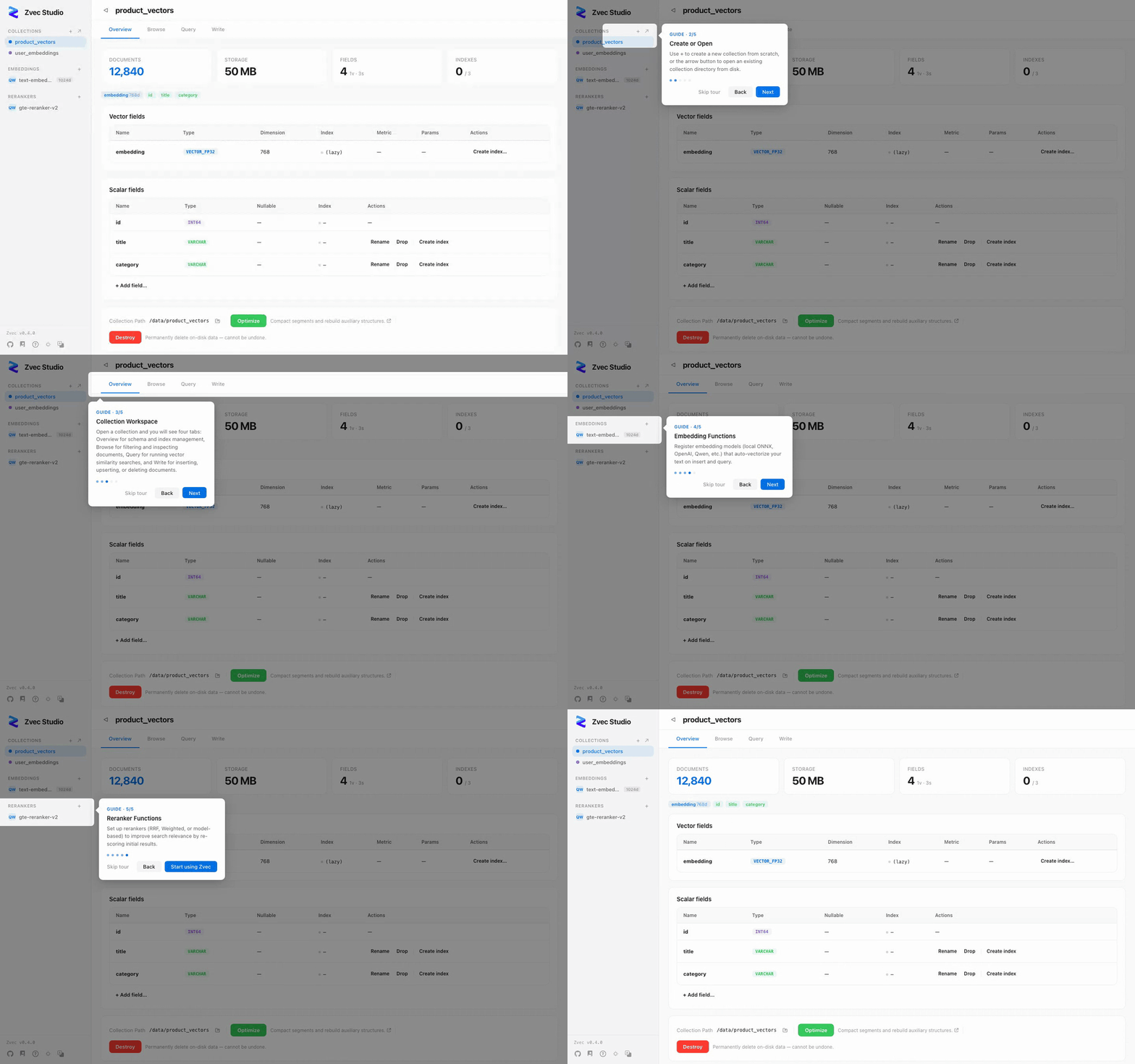
Browse data, test queries, and manage schemas — without writing code.




📦 Installation
Option 1: pip (recommended for developers)
Requires Python 3.10 – 3.14.
pip install zvec-studio
zvec-studio
Opens http://127.0.0.1:7860 in your browser.
Need embedding & reranking? Install with the
[ai]extra to enable built-in embedding & reranking functions:pip install zvec-studio[ai]
Option 2: Desktop download (experimental)
Grab the installer for your platform from GitHub Releases:
| Platform | Architectures | Installer |
|---|---|---|
| macOS | Apple Silicon (arm64) | .dmg |
| Linux | x86_64, arm64 | .deb / .AppImage |
| Windows | x86_64 | .msi / .exe |
Double-click to run — no Python needed.
Option 3: From source
git clone https://github.com/zvec-ai/zvec-studio.git
cd zvec-studio
make install    # install Node deps + backend uv environment
make dev        # starts backend + frontend dev servers
Need embedding & reranking?
make installdoes NOT install AI runtime dependencies (sentence-transformers,dashscope, etc.) to keep CI fast. Runmake install.aiinstead if you want to use built-in functions likelocal-dense,bm25, ordashscope.
Prerequisites: Node.js ≥ 20, pnpm ≥ 9, Python ≥ 3.10, uv, Rust (desktop only). See Contributing for the full dev setup guide.
⚡ Quick Start
- Create a collection — Collections → Create. Define vector and scalar fields.
- Insert data — Paste JSON documents in the Write tab.
- Vector search — Paste a query vector in the Query tab, set TopK, hit Search.
- AI search — Register an embedding model, then search by typing text directly.
Full walkthrough → Getting Started
📖 Documentation
| Getting Started | 10-minute walkthrough from install to first search |
| Architecture | Request flow, module map, code index |
| API Reference | REST endpoints, request/response formats, error codes |
| Testing | Test strategy, self-verification loop, performance baselines |
| Packaging | PyInstaller + Tauri cross-platform packaging |
| Contributing | Dev setup, code style, commit workflow |
🗺️ Roadmap
| Version | Focus |
|---|---|
| v0.1.x (current) | Collection CRUD, schema evolution, document ops, vector search, AI extension, i18n, desktop app |
| v0.2.x | Data import/export, virtual scrolling, batch operations, advanced search |
| v0.3.x | Vector visualization (UMAP/t-SNE), clustering, AI Agent, SDK code generation |
| v0.4.x | VS Code extension, API Playground, webhooks & notifications |
🤝 Contributing
Contributions welcome! See CONTRIBUTING.md for details.
make dev        # Start dev servers
make verify     # Lint + typecheck + tests
📄 License
Release history Release notifications | RSS feed


Download files
Download the file for your platform. If you're not sure which to choose, learn more about installing packages.
Source Distributions
Built Distribution
Filter files by name, interpreter, ABI, and platform.
If you're not sure about the file name format, learn more about wheel file names.
Copy a direct link to the current filters
File details
Details for the file zvec_studio-0.1.8-py3-none-any.whl.
File metadata
- Download URL: zvec_studio-0.1.8-py3-none-any.whl
- Upload date:
- Size: 249.5 kB
- Tags: Python 3
- Uploaded using Trusted Publishing? No
- Uploaded via: twine/6.2.0 CPython/3.10.20
File hashes
| Algorithm | Hash digest | |
|---|---|---|
| SHA256 |
0e0bdfd1bd1b0e03f20a6e26567d075f89f819378dcf3956cb2ffeceb1e3c845
|
|
| MD5 |
e0250d1e2eef8018f2bc612475e76541
|
|
| BLAKE2b-256 |
c80d8316d58364539a19100cac073aecec0d4d5e086231d2dce2258ab039333c
|






