
http-faker
介绍
灵活又简单的mock服务



gitee地址: https://gitee.com/guojongg/http-faker
httpfaker基于faker和flask库,提供强大的逻辑处理能力;通过对配置文件(yaml/json)的描述,可返回想要的任意数据。
支持反向代理模式,只需要设置一个目标服务器地址,即可变成一个反向代理服务器;当匹配到mock规则时返回mock数据;未命中时做代理请求并返回请求结果。
httpfaker针对返回数据的规则编写灵活,简单。除了可以满足传统的接口mock外,还支持处理业务逻辑,可实现真正的业务功能。
适用于:
- 前端人员: 前后端分离开发,无需等到后台接口实现即可开始进行页面请求
- 测试人员: 提前进行接口测试代码编写;服务未至,用例先行
- 其他需要写一个简单api的人员: 通过yaml文件配置,可减少开发代码;无需关注请求处理部分,只需关注自己的业务逻辑即可。
简单使用
# 安装
pip install httpfaker

# 简单使用
httpfaker init
cd httpfaker-project
httpfaker --proxy http://example.com # 指定代理地址时,将作为代理服务器对未命中的请求自动转发到指定的服务器中
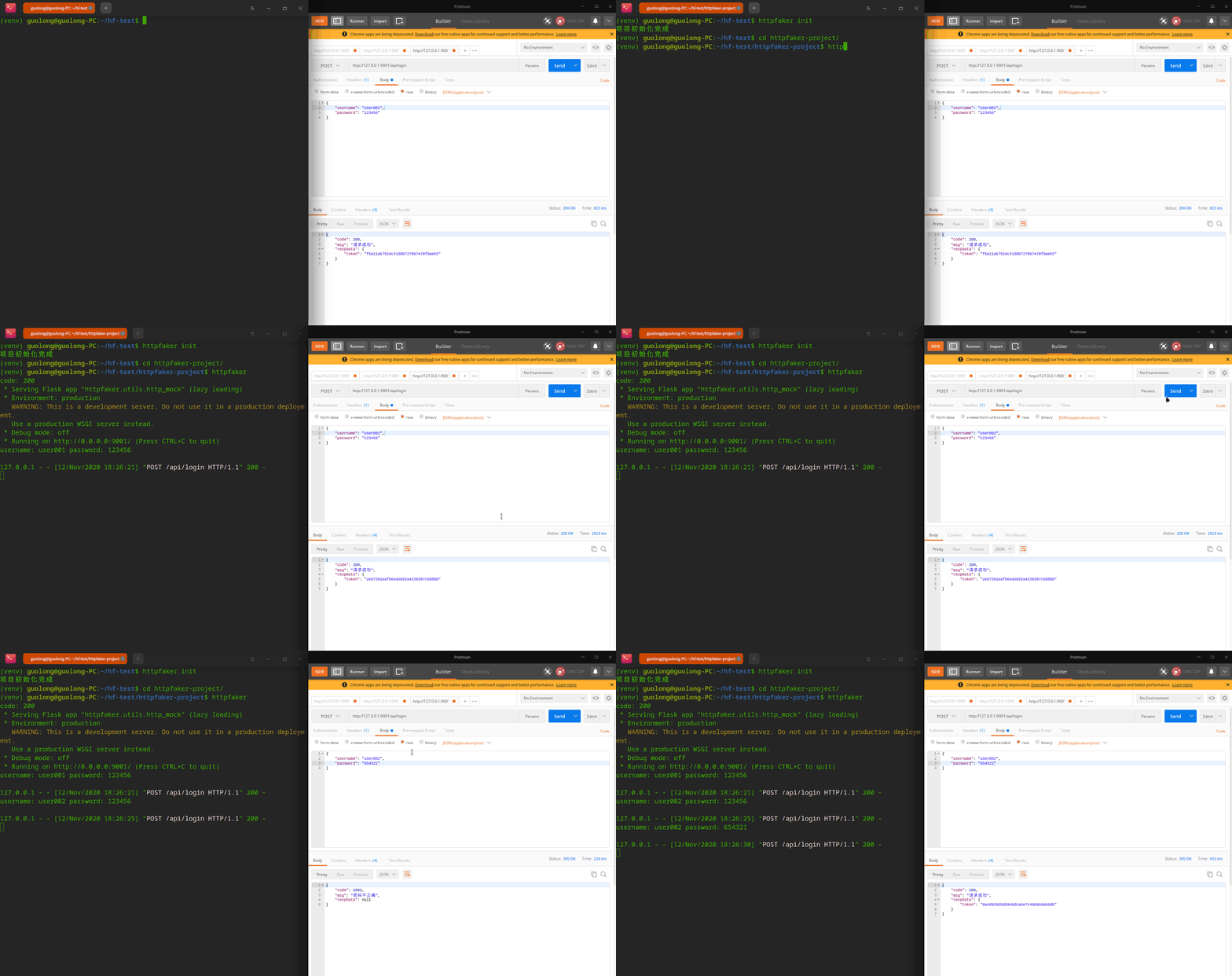
上面例子中使用httpfaker init预生成了一个 example.yml 文件,yaml文件中描述了一个登录的场景:
-
前端通过
post方法调用/api/login这个地址,并在请求body中传来了username和password两个参数。 -
httpfaker接收到请求后会按照logic中描述的逻辑进行业务处理:先打印了请求参数,再调用verify_accont方法, 来验证用户名和密码是否匹配;然后调用gen_token方法,生成token。 (verify_account和gen_token方法已经注册到httpfaker调用函数中了,注册方法见自定义方法的注册) -
在逻辑处理完成后,httpfaker按照
response中描述的内容进行字段返回,headers中引用了在env中定义的content_type;body中的code、msg、data等字段直接引用logic中已经生成的结果。
在上述流程中完成了用户登录到返回数据的一个完整流程,包含了业务处理部分,使mock服务不仅仅只是mock,还可以包括真实的业务逻辑。
配套工具
- http2api: httpfaker支持录入接口数据,使用http2api,只需要在前端进行请求,可以自动将请求内容转换为httpfaker可读的模板。
- swagger2api: 支持将swagger格式的接口数据直接转换为httpfaker可读的模板。
其它
1 maintainer

Metadata
1 maintainer
Release files for httpfaker 0.0.11
For a detailed explanation of source distributions (sdists) and built distributions (wheels), please see the package formats documentation.
Source distribution (sdist)
| File | Size | Uploaded | Provenance | |
|---|---|---|---|---|
| httpfaker-0.0.11.tar.gz | 27.6 kB | Without provenance | Details |
Release files / httpfaker-0.0.11.tar.gz
| Download URL | httpfaker-0.0.11.tar.gz |
|---|---|
| Size | 27.6 kB |
| Tags | Source |
|
SHA-256 checksum How to use checksums |
07f3479b8f813c94c4285ad2f782dcecfeb7c6768b8de2e7ec2f9ca8c6083105
|
|
BLAKE2b-256 checksum How to use checksums |
5d891bb6efe51b8665f03a93902558d6938103cbcb81a9ff0f7ab09e389cb2f3
|
| Upload date | |
|
Uploaded using Trusted Publishing? What is trusted publishing? |
No |
| Uploaded via |
twine/4.0.1 CPython/3.9.13
|
Security for httpfaker 0.0.11
Provenance
Provenance describes where a file came from. On PyPI, provenance is shared via attestations, which provide a verifiable record of the build or publishing details. View details, limitations and caveats.
No provenance found
None of the files in this release were uploaded with provenance metadata.
A note on package security
PyPI is a repository for distributing packages, not a service for auditing them. While third-party security researchers and our staff do their best to detect and remove malicious packages, PyPI cannot guarantee the quality, security or suitability of any given package.














