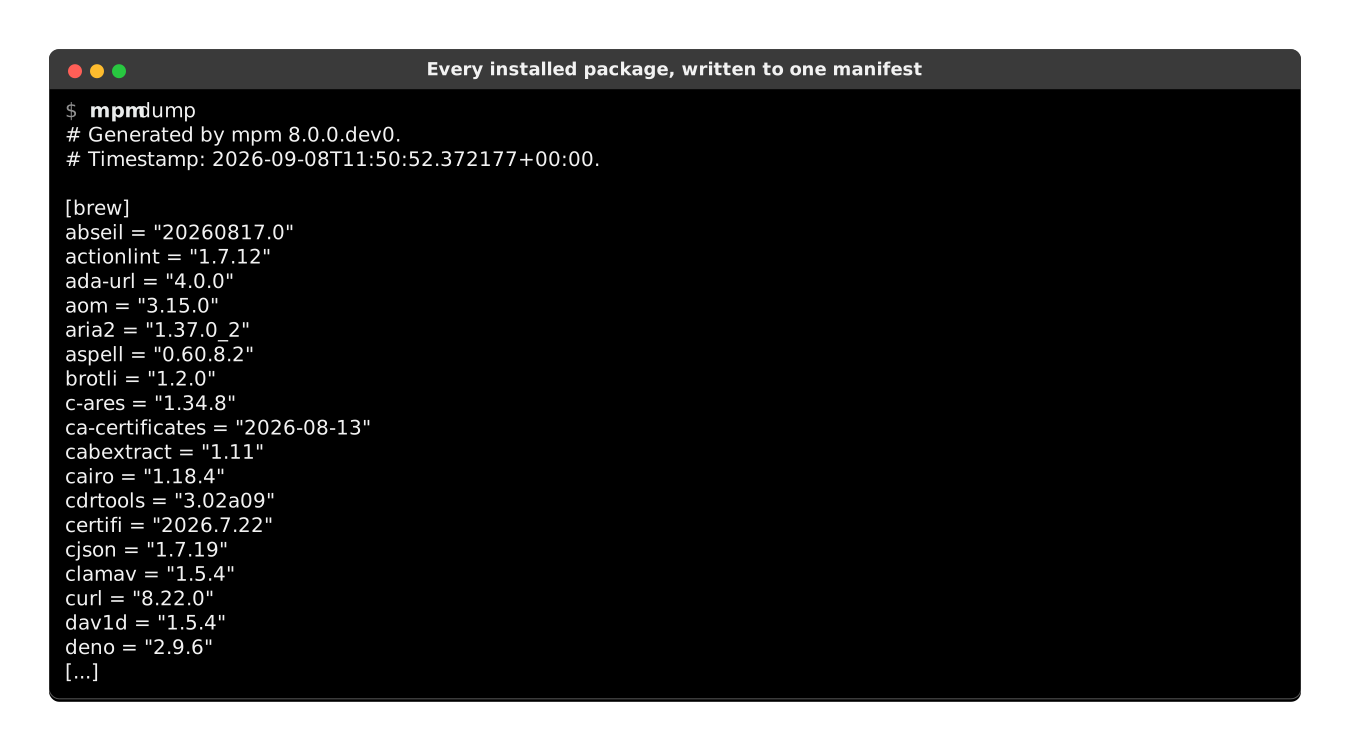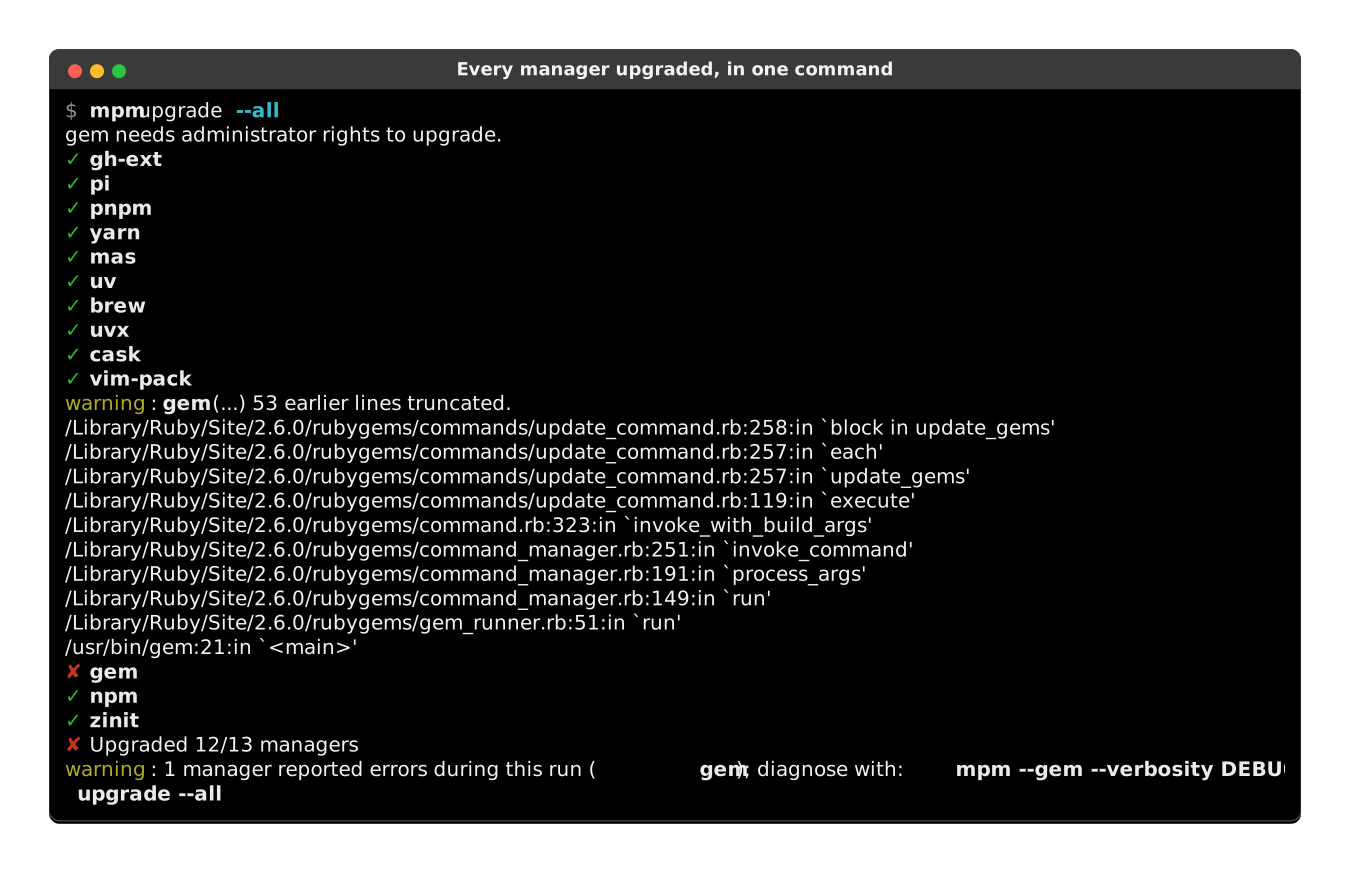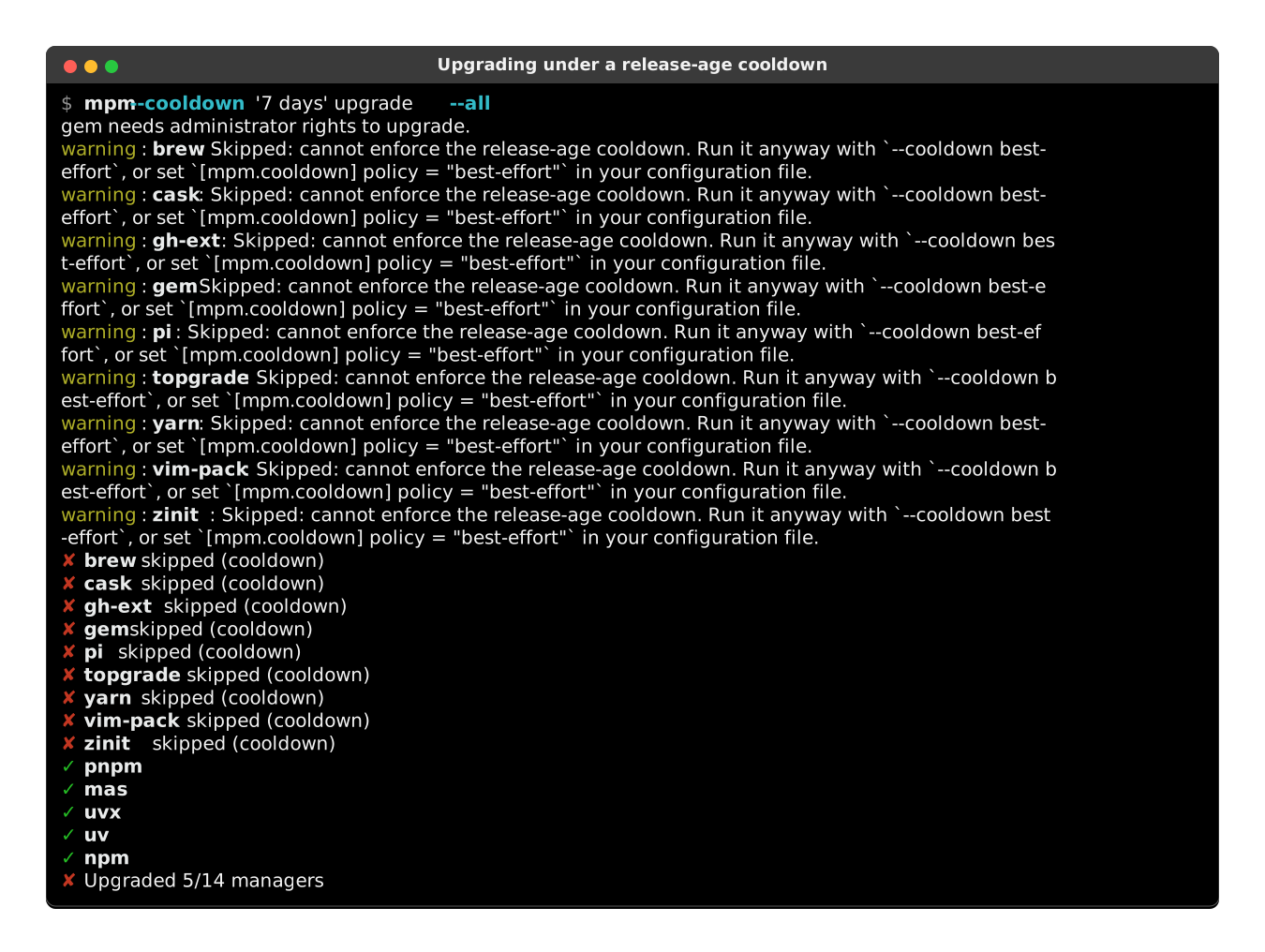




๐ŸŽ wraps all package managers with a unifying CLI

Project description

Meta Package Manager

Last release Python versions Downloads Unittests status Coverage status Documentation status DOI

What is Meta Package Manager?


Quick start

Thanks to uv, you can run mpm on any platform in one command, without installation or venv:

$ uvx meta-package-manager

Features

Supported package managers

One CLI to rule them all:

---
config: {"sankey": {"showValues": false, "width": 800, "height": 400}}
---
sankey-beta

Meta Package Manager,apk,1
Meta Package Manager,apm,1
Meta Package Manager,apt,1
Meta Package Manager,apt-mint,1
Meta Package Manager,brew,1
Meta Package Manager,cargo,1
Meta Package Manager,cask,1
Meta Package Manager,choco,1
Meta Package Manager,composer,1
Meta Package Manager,cpan,1
Meta Package Manager,deb-get,1
Meta Package Manager,dnf,1
Meta Package Manager,dnf5,1
Meta Package Manager,emerge,1
Meta Package Manager,eopkg,1
Meta Package Manager,flatpak,1
Meta Package Manager,fwupd,1
Meta Package Manager,gem,1
Meta Package Manager,guix,1
Meta Package Manager,macports,1
Meta Package Manager,mas,1
Meta Package Manager,nix,1
Meta Package Manager,npm,1
Meta Package Manager,opkg,1
Meta Package Manager,pacaur,1
Meta Package Manager,pacman,1
Meta Package Manager,pacstall,1
Meta Package Manager,paru,1
Meta Package Manager,pip,1
Meta Package Manager,pipx,1
Meta Package Manager,pkg,1
Meta Package Manager,ports,1
Meta Package Manager,scoop,1
Meta Package Manager,sdkman,1
Meta Package Manager,sfsu,1
Meta Package Manager,snap,1
Meta Package Manager,steamcmd,1
Meta Package Manager,stew,1
Meta Package Manager,uv,1
Meta Package Manager,uvx,1
Meta Package Manager,vscode,1
Meta Package Manager,vscodium,1
Meta Package Manager,winget,1
Meta Package Manager,xbps,1
Meta Package Manager,yarn,1
Meta Package Manager,yarn-berry,1
Meta Package Manager,yay,1
Meta Package Manager,yum,1
Meta Package Manager,zerobrew,1
Meta Package Manager,zypper,1

Metadata and operations

Package manager Version BSD[^bsd] Linux[^linux] macOS Unix[^unix] Windows installed outdated search install upgrade upgrade_all remove sync cleanup
apk >=2.10.0 ๐Ÿง โœ“ โœ“ โœ“ โœ“ โœ“ โœ“ โœ“ โœ“ โœ“
apm โš ๏ธ >=1.0.0 ๐Ÿ…ฑ๏ธ ๐Ÿง ๐ŸŽ ๐ŸชŸ โœ“ โœ“ โœ“ โœ“ โœ“ โœ“ โœ“ โœ“
apt >=1.0.0 ๐Ÿ…ฑ๏ธ ๐Ÿง โจ‚ โœ“ โœ“ โœ“ โœ“ โœ“ โœ“ โœ“ โœ“ โœ“
apt-mint >=1.0.0 ๐Ÿ…ฑ๏ธ ๐Ÿง โจ‚ โœ“ โœ“ โœ“ โœ“ โœ“ โœ“ โœ“ โœ“ โœ“
brew >=2.7.0 ๐Ÿง ๐ŸŽ โœ“ โœ“ โœ“ โœ“ โœ“ โœ“ โœ“ โœ“ โœ“
cargo >=1.0.0 ๐Ÿ…ฑ๏ธ ๐Ÿง ๐ŸŽ โจ‚ ๐ŸชŸ โœ“ โœ“ โœ“ โœ“
cask >=2.7.0 ๐ŸŽ โœ“ โœ“ โœ“ โœ“ โœ“ โœ“ โœ“ โœ“ โœ“
choco >=2.0.0 ๐ŸชŸ โœ“ โœ“ โœ“ โœ“ โœ“ โœ“ โœ“
composer >=1.4.0 ๐Ÿ…ฑ๏ธ ๐Ÿง ๐ŸŽ โจ‚ ๐ŸชŸ โœ“ โœ“ โœ“ โœ“ โœ“ โœ“ โœ“ โœ“
cpan >=1.64 ๐Ÿ…ฑ๏ธ ๐Ÿง ๐ŸŽ โจ‚ ๐ŸชŸ โœ“ โœ“ โœ“ โœ“ โœ“
deb-get ๐Ÿง โœ“ โœ“ โœ“ โœ“ โœ“ โœ“ โœ“ โœ“ โœ“
dnf >=4.0.0 ๐Ÿ…ฑ๏ธ ๐Ÿง โจ‚ โœ“ โœ“ โœ“ โœ“ โœ“ โœ“ โœ“ โœ“ โœ“
dnf5 >=5.0.0 ๐Ÿ…ฑ๏ธ ๐Ÿง โจ‚ โœ“ โœ“ โœ“ โœ“ โœ“ โœ“ โœ“ โœ“ โœ“
emerge >=3.0.0 ๐Ÿ…ฑ๏ธ ๐Ÿง โจ‚ โœ“ โœ“ โœ“ โœ“ โœ“ โœ“ โœ“ โœ“ โœ“
eopkg >=3.2.0 ๐Ÿง โœ“ โœ“ โœ“ โœ“ โœ“ โœ“ โœ“ โœ“ โœ“
flatpak >=1.2.0 ๐Ÿ…ฑ๏ธ ๐Ÿง โจ‚ โœ“ โœ“ โœ“ โœ“ โœ“ โœ“ โœ“ โœ“
fwupd >=1.9.5 ๐Ÿง โœ“ โœ“ โœ“ โœ“ โœ“ โœ“
gem >=2.5.0 ๐Ÿ…ฑ๏ธ ๐Ÿง ๐ŸŽ โจ‚ ๐ŸชŸ โœ“ โœ“ โœ“ โœ“ โœ“ โœ“ โœ“ โœ“ โœ“
guix ๐Ÿง โœ“ โœ“ โœ“ โœ“ โœ“ โœ“ โœ“ โœ“ โœ“
macports >=2.0.0 ๐ŸŽ โœ“ โœ“ โœ“ โœ“ โœ“ โœ“ โœ“ โœ“ โœ“
mas >=1.8.7 ๐ŸŽ โœ“ โœ“ โœ“ โœ“ โœ“ โœ“ โœ“
nix >=2.0.0 ๐Ÿง ๐ŸŽ โœ“ โœ“ โœ“ โœ“ โœ“ โœ“ โœ“ โœ“ โœ“
npm >=4.0.0 ๐Ÿ…ฑ๏ธ ๐Ÿง ๐ŸŽ โจ‚ ๐ŸชŸ โœ“ โœ“ โœ“ โœ“ โœ“ โœ“ โœ“ โœ“
opkg >=0.2.0 ๐Ÿ…ฑ๏ธ ๐Ÿง โจ‚ โœ“ โœ“ โœ“ โœ“ โœ“ โœ“ โœ“ โœ“
pacaur >=4.0.0 ๐Ÿ…ฑ๏ธ ๐Ÿง โจ‚ โœ“ โœ“ โœ“ โœ“ โœ“ โœ“ โœ“ โœ“ โœ“
pacman >=5.0.0 ๐Ÿ…ฑ๏ธ ๐Ÿง โจ‚ โœ“ โœ“ โœ“ โœ“ โœ“ โœ“ โœ“ โœ“ โœ“
pacstall >=6.0.0 ๐Ÿง โœ“ โœ“ โœ“ โœ“ โœ“ โœ“ โœ“ โœ“
paru >=1.9.3 ๐Ÿ…ฑ๏ธ ๐Ÿง โจ‚ โœ“ โœ“ โœ“ โœ“ โœ“ โœ“ โœ“ โœ“ โœ“
pip >=10.0.0 ๐Ÿ…ฑ๏ธ ๐Ÿง ๐ŸŽ โจ‚ ๐ŸชŸ โœ“ โœ“ โœ“ โœ“ โœ“ โœ“ โœ“
pipx >=1.0.0 ๐Ÿ…ฑ๏ธ ๐Ÿง ๐ŸŽ โจ‚ ๐ŸชŸ โœ“ โœ“ โœ“ โœ“ โœ“ โœ“
pkg >=1.11 โœ“ โœ“ โœ“ โœ“ โœ“ โœ“ โœ“ โœ“ โœ“
ports โœ“ โœ“ โœ“ โœ“ โœ“ โœ“ โœ“ โœ“
scoop >=0.2.4 ๐ŸชŸ โœ“ โœ“ โœ“ โœ“ โœ“ โœ“ โœ“ โœ“ โœ“
sdkman >=5.0.0 ๐Ÿง ๐ŸŽ โœ“ โœ“ โœ“ โœ“ โœ“ โœ“ โœ“ โœ“
sfsu >=1.16.0 ๐ŸชŸ โœ“ โœ“ โœ“ โœ“ โœ“ โœ“ โœ“ โœ“ โœ“
snap >=2.0.0 ๐Ÿ…ฑ๏ธ ๐Ÿง โจ‚ โœ“ โœ“ โœ“ โœ“ โœ“ โœ“ โœ“
steamcmd ๐Ÿ…ฑ๏ธ ๐Ÿง ๐ŸŽ โจ‚ ๐ŸชŸ โœ“
stew >=0.3.0 ๐Ÿง ๐ŸŽ ๐ŸชŸ โœ“ โœ“ โœ“ โœ“ โœ“
uv >=0.5.0 ๐Ÿ…ฑ๏ธ ๐Ÿง ๐ŸŽ โจ‚ ๐ŸชŸ โœ“ โœ“ โœ“ โœ“ โœ“ โœ“ โœ“
uvx >=0.10.10 ๐Ÿ…ฑ๏ธ ๐Ÿง ๐ŸŽ โจ‚ ๐ŸชŸ โœ“ โœ“ โœ“ โœ“ โœ“ โœ“
vscode >=1.60.0 ๐Ÿ…ฑ๏ธ ๐Ÿง ๐ŸŽ โจ‚ ๐ŸชŸ โœ“ โœ“ โœ“
vscodium >=1.60.0 ๐Ÿ…ฑ๏ธ ๐Ÿง ๐ŸŽ โจ‚ ๐ŸชŸ โœ“ โœ“ โœ“
winget >=1.28.190 ๐ŸชŸ โœ“ โœ“ โœ“ โœ“ โœ“ โœ“ โœ“ โœ“
xbps >=0.59 ๐Ÿง โœ“ โœ“ โœ“ โœ“ โœ“ โœ“ โœ“ โœ“ โœ“
yarn >=1.20.0,<2.0.0 ๐Ÿ…ฑ๏ธ ๐Ÿง ๐ŸŽ โจ‚ ๐ŸชŸ โœ“ โœ“ โœ“ โœ“ โœ“ โœ“ โœ“ โœ“
yarn-berry >=2.0.0 ๐Ÿ…ฑ๏ธ ๐Ÿง ๐ŸŽ โจ‚ ๐ŸชŸ โœ“ โœ“
yay >=11.0.0 ๐Ÿ…ฑ๏ธ ๐Ÿง โจ‚ โœ“ โœ“ โœ“ โœ“ โœ“ โœ“ โœ“ โœ“ โœ“
yum >=4.0.0 ๐Ÿ…ฑ๏ธ ๐Ÿง โจ‚ โœ“ โœ“ โœ“ โœ“ โœ“ โœ“ โœ“ โœ“ โœ“
zerobrew >=0.2.0 ๐Ÿง ๐ŸŽ โœ“ โœ“ โœ“ โœ“
zypper >=1.14.0 ๐Ÿ…ฑ๏ธ ๐Ÿง โจ‚ โœ“ โœ“ โœ“ โœ“ โœ“ โœ“ โœ“ โœ“ โœ“

[!NOTE] If your favorite manager is missing or does not support an operation, you can influence its implementation: open a ticket to document its output or read the contribution guide and submit a pull request.

You can help if you purchase business support ๐Ÿค or sponsor the project ๐Ÿซถ.

Installation

All installation methods are available in the documentation. Below are the most popular ones:

macOS

mpm is part of the official Homebrew default tap, so you can install it with:

$ brew install meta-package-manager

Windows

mpm is available in the main repository of Scoop, so you just need to:

> scoop install main/meta-package-manager

Executables

Standalone binaries of mpm latest version are available as direct downloads for several platforms and architectures:

Platform arm64 x86_64
Linux Download mpm-linux-arm64.bin Download mpm-linux-x64.bin
macOS Download mpm-macos-arm64.bin Download mpm-macos-x64.bin
Windows Download mpm-windows-arm64.exe Download mpm-windows-x64.exe

No need to install Python or uv. Useful for CI/CD pipelines running on minimal images, or old platforms where dependency management is painful.

Quickstart

List installed packages

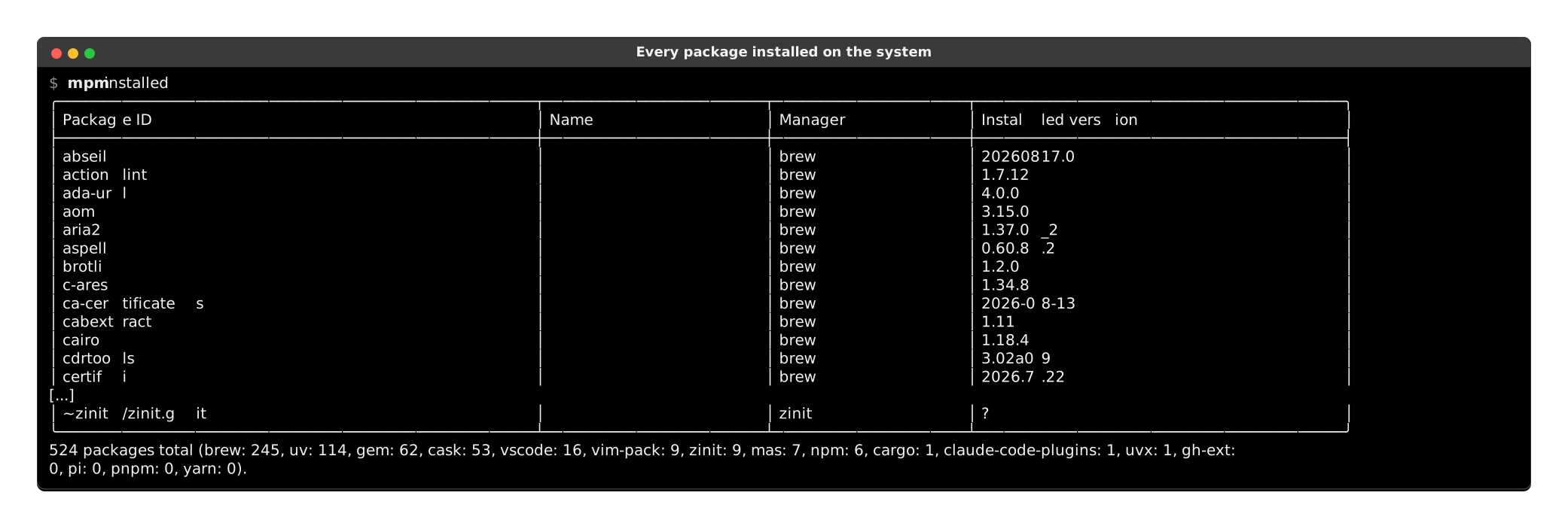
List all packages installed on current system:

$ mpm installed
โ•ญโ”€โ”€โ”€โ”€โ”€โ”€โ”€โ”€โ”€โ”€โ”€โ”€โ”€โ”€โ”€โ”€โ”€โ”€โ”€โ”€โ”€โ”€โ”€โ”€โ”€โ”€โ”€โ”€โ”€โ”ฌโ”€โ”€โ”€โ”€โ”€โ”€โ”€โ”€โ”€โ”€โ”€โ”€โ”€โ”€โ”€โ”€โ”€โ”€โ”€โ”€โ”€โ”€โ”€โ”€โ”€โ”€โ”€โ”€โ”€โ”ฌโ”€โ”€โ”€โ”€โ”€โ”€โ”€โ”€โ”€โ”ฌโ”€โ”€โ”€โ”€โ”€โ”€โ”€โ”€โ”€โ”€โ”€โ”€โ”€โ”€โ”€โ”€โ”€โ”€โ”€โ”€โ•ฎ
โ”‚ Package name                โ”‚ ID                          โ”‚ Manager โ”‚ Installed version  โ”‚
โ”œโ”€โ”€โ”€โ”€โ”€โ”€โ”€โ”€โ”€โ”€โ”€โ”€โ”€โ”€โ”€โ”€โ”€โ”€โ”€โ”€โ”€โ”€โ”€โ”€โ”€โ”€โ”€โ”€โ”€โ”ผโ”€โ”€โ”€โ”€โ”€โ”€โ”€โ”€โ”€โ”€โ”€โ”€โ”€โ”€โ”€โ”€โ”€โ”€โ”€โ”€โ”€โ”€โ”€โ”€โ”€โ”€โ”€โ”€โ”€โ”ผโ”€โ”€โ”€โ”€โ”€โ”€โ”€โ”€โ”€โ”ผโ”€โ”€โ”€โ”€โ”€โ”€โ”€โ”€โ”€โ”€โ”€โ”€โ”€โ”€โ”€โ”€โ”€โ”€โ”€โ”€โ”ค
โ”‚ github                      โ”‚ github                      โ”‚ apm     โ”‚ 0.36.9             โ”‚
โ”‚ update-package-dependencies โ”‚ update-package-dependencies โ”‚ apm     โ”‚ 0.13.1             โ”‚
โ”‚ rust                        โ”‚ rust                        โ”‚ brew    โ”‚ 1.55.0             โ”‚
โ”‚ x264                        โ”‚ x264                        โ”‚ brew    โ”‚ r3060              โ”‚
โ”‚ atom                        โ”‚ atom                        โ”‚ cask    โ”‚ 1.58.0             โ”‚
โ”‚ visual-studio-code          โ”‚ visual-studio-code          โ”‚ cask    โ”‚ 1.52.0             โ”‚
โ”‚ nokogiri                    โ”‚ nokogiri                    โ”‚ gem     โ”‚ x86_64-darwin      โ”‚
โ”‚ rake                        โ”‚ rake                        โ”‚ gem     โ”‚ 13.0.3             โ”‚
โ”‚ iMovie                      โ”‚ 408981434                   โ”‚ mas     โ”‚ 10.2.5             โ”‚
โ”‚ Telegram                    โ”‚ 747648890                   โ”‚ mas     โ”‚ 8.1                โ”‚
โ”‚ npm                         โ”‚ npm                         โ”‚ npm     โ”‚ 7.24.0             โ”‚
โ”‚ raven                       โ”‚ raven                       โ”‚ npm     โ”‚ 2.6.4              โ”‚
โ”‚ jupyterlab                  โ”‚ jupyterlab                  โ”‚ pip     โ”‚ 3.1.14             โ”‚
โ”‚ Sphinx                      โ”‚ Sphinx                      โ”‚ pip     โ”‚ 4.2.0              โ”‚
โ”‚ ms-python.python            โ”‚ ms-python.python            โ”‚ vscode  โ”‚ 2021.10.1317843341 โ”‚
โ”‚ ms-toolsai.jupyter          โ”‚ ms-toolsai.jupyter          โ”‚ vscode  โ”‚ 2021.9.1001312534  โ”‚
โ•ฐโ”€โ”€โ”€โ”€โ”€โ”€โ”€โ”€โ”€โ”€โ”€โ”€โ”€โ”€โ”€โ”€โ”€โ”€โ”€โ”€โ”€โ”€โ”€โ”€โ”€โ”€โ”€โ”€โ”€โ”ดโ”€โ”€โ”€โ”€โ”€โ”€โ”€โ”€โ”€โ”€โ”€โ”€โ”€โ”€โ”€โ”€โ”€โ”€โ”€โ”€โ”€โ”€โ”€โ”€โ”€โ”€โ”€โ”€โ”€โ”ดโ”€โ”€โ”€โ”€โ”€โ”€โ”€โ”€โ”€โ”ดโ”€โ”€โ”€โ”€โ”€โ”€โ”€โ”€โ”€โ”€โ”€โ”€โ”€โ”€โ”€โ”€โ”€โ”€โ”€โ”€โ•ฏ
16 packages total (brew: 2, pip: 2, apm: 2, gem: 2, cask: 2, mas: 2, vscode: 2, npm: 2, composer: 0).

List outdated packages

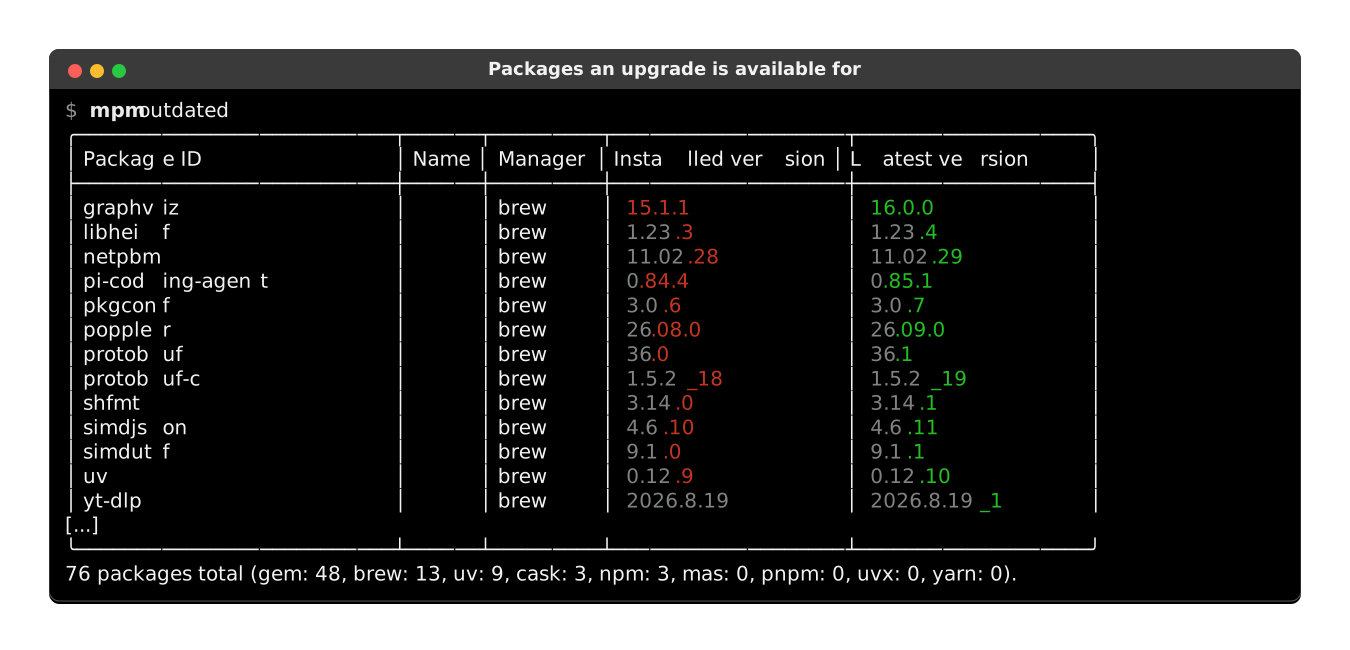
List all packages installed for which an upgrade is available:

$ mpm outdated
โ•ญโ”€โ”€โ”€โ”€โ”€โ”€โ”€โ”€โ”€โ”€โ”€โ”€โ”€โ”€โ”ฌโ”€โ”€โ”€โ”€โ”€โ”€โ”€โ”€โ”€โ”€โ”€โ”€โ”€โ”ฌโ”€โ”€โ”€โ”€โ”€โ”€โ”€โ”€โ”€โ”ฌโ”€โ”€โ”€โ”€โ”€โ”€โ”€โ”€โ”€โ”€โ”€โ”€โ”€โ”€โ”€โ”€โ”€โ”€โ”€โ”ฌโ”€โ”€โ”€โ”€โ”€โ”€โ”€โ”€โ”€โ”€โ”€โ”€โ”€โ”€โ”€โ”€โ•ฎ
โ”‚ Package name โ”‚ ID          โ”‚ Manager โ”‚ Installed version โ”‚ Latest version โ”‚
โ”œโ”€โ”€โ”€โ”€โ”€โ”€โ”€โ”€โ”€โ”€โ”€โ”€โ”€โ”€โ”ผโ”€โ”€โ”€โ”€โ”€โ”€โ”€โ”€โ”€โ”€โ”€โ”€โ”€โ”ผโ”€โ”€โ”€โ”€โ”€โ”€โ”€โ”€โ”€โ”ผโ”€โ”€โ”€โ”€โ”€โ”€โ”€โ”€โ”€โ”€โ”€โ”€โ”€โ”€โ”€โ”€โ”€โ”€โ”€โ”ผโ”€โ”€โ”€โ”€โ”€โ”€โ”€โ”€โ”€โ”€โ”€โ”€โ”€โ”€โ”€โ”€โ”ค
โ”‚ curl         โ”‚ curl        โ”‚ brew    โ”‚ 7.79.1            โ”‚ 7.79.1_1       โ”‚
โ”‚ git          โ”‚ git         โ”‚ brew    โ”‚ 2.33.0            โ”‚ 2.33.0_1       โ”‚
โ”‚ openssl@1.1  โ”‚ openssl@1.1 โ”‚ brew    โ”‚ 1.1.1l            โ”‚ 1.1.1l_1       โ”‚
โ”‚ rake         โ”‚ rake        โ”‚ gem     โ”‚ 13.0.3            โ”‚ 13.0.6         โ”‚
โ”‚ Telegram     โ”‚ 747648890   โ”‚ mas     โ”‚ 8.1               โ”‚ 8.1.3          โ”‚
โ”‚ npm          โ”‚ npm@8.0.0   โ”‚ npm     โ”‚ 7.24.0            โ”‚ 8.0.0          โ”‚
โ”‚ pip          โ”‚ pip         โ”‚ pip     โ”‚ 21.2.4            โ”‚ 21.3           โ”‚
โ”‚ regex        โ”‚ regex       โ”‚ pip     โ”‚ 2021.9.30         โ”‚ 2021.10.8      โ”‚
โ•ฐโ”€โ”€โ”€โ”€โ”€โ”€โ”€โ”€โ”€โ”€โ”€โ”€โ”€โ”€โ”ดโ”€โ”€โ”€โ”€โ”€โ”€โ”€โ”€โ”€โ”€โ”€โ”€โ”€โ”ดโ”€โ”€โ”€โ”€โ”€โ”€โ”€โ”€โ”€โ”ดโ”€โ”€โ”€โ”€โ”€โ”€โ”€โ”€โ”€โ”€โ”€โ”€โ”€โ”€โ”€โ”€โ”€โ”€โ”€โ”ดโ”€โ”€โ”€โ”€โ”€โ”€โ”€โ”€โ”€โ”€โ”€โ”€โ”€โ”€โ”€โ”€โ•ฏ
8 packages total (brew: 3, pip: 2, gem: 1, mas: 1, npm: 1, apm: 0, cask: 0, composer: 0).

List managers

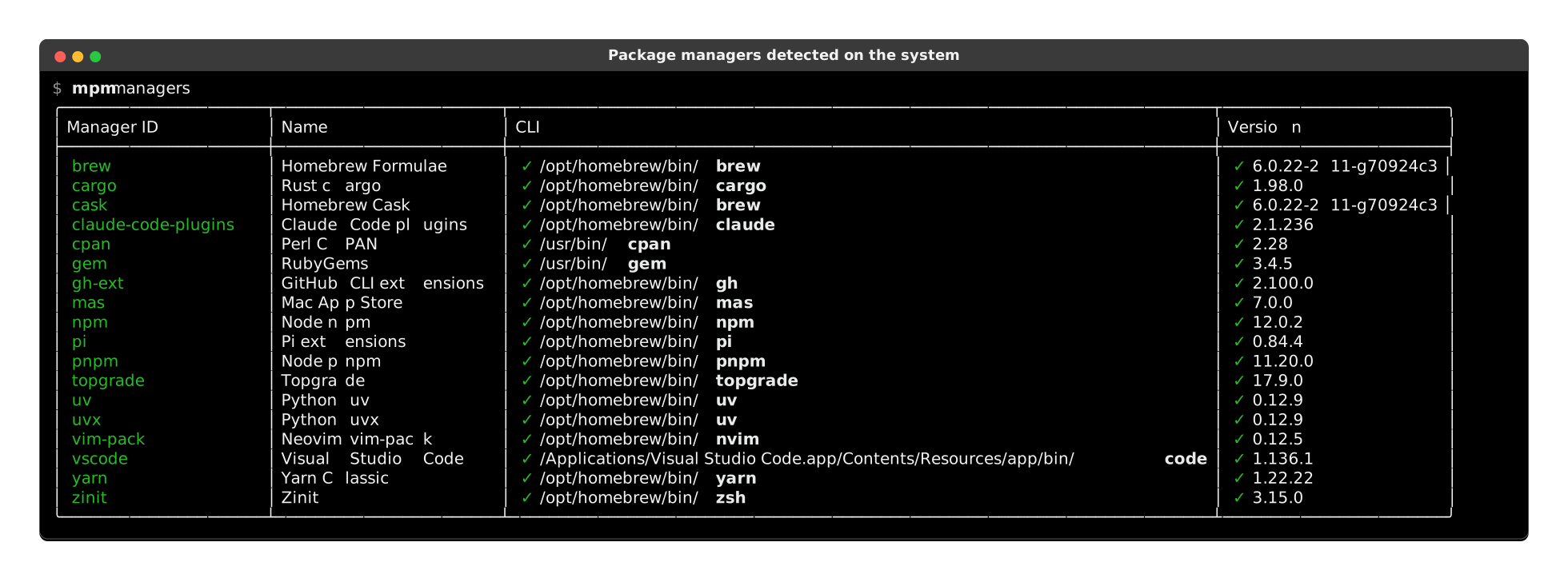
If you wonder why your package manager doesn't seems to be identified, you can list all those recognized by mpm with:

$ mpm --all-managers managers
โ•ญโ”€โ”€โ”€โ”€โ”€โ”€โ”€โ”€โ”€โ”€โ”€โ”€โ”ฌโ”€โ”€โ”€โ”€โ”€โ”€โ”€โ”€โ”€โ”€โ”€โ”€โ”€โ”€โ”€โ”€โ”€โ”€โ”€โ”€โ”ฌโ”€โ”€โ”€โ”€โ”€โ”€โ”€โ”€โ”€โ”€โ”€โ”€โ”€โ”€โ”€โ”€โ”ฌโ”€โ”€โ”€โ”€โ”€โ”€โ”€โ”€โ”€โ”€โ”€โ”€โ”€โ”€โ”€โ”€โ”€โ”€โ”€โ”€โ”€โ”€โ”€โ”€โ”€โ”€โ”€โ”€โ”€โ”€โ”ฌโ”€โ”€โ”€โ”€โ”€โ”€โ”€โ”€โ”€โ”€โ”€โ”€โ”ฌโ”€โ”€โ”€โ”€โ”€โ”€โ”€โ”€โ”€โ”€โ”€โ•ฎ
โ”‚ Manager ID โ”‚ Name               โ”‚ Supported      โ”‚ CLI                          โ”‚ Executable โ”‚ Version   โ”‚
โ”œโ”€โ”€โ”€โ”€โ”€โ”€โ”€โ”€โ”€โ”€โ”€โ”€โ”ผโ”€โ”€โ”€โ”€โ”€โ”€โ”€โ”€โ”€โ”€โ”€โ”€โ”€โ”€โ”€โ”€โ”€โ”€โ”€โ”€โ”ผโ”€โ”€โ”€โ”€โ”€โ”€โ”€โ”€โ”€โ”€โ”€โ”€โ”€โ”€โ”€โ”€โ”ผโ”€โ”€โ”€โ”€โ”€โ”€โ”€โ”€โ”€โ”€โ”€โ”€โ”€โ”€โ”€โ”€โ”€โ”€โ”€โ”€โ”€โ”€โ”€โ”€โ”€โ”€โ”€โ”€โ”€โ”€โ”ผโ”€โ”€โ”€โ”€โ”€โ”€โ”€โ”€โ”€โ”€โ”€โ”€โ”ผโ”€โ”€โ”€โ”€โ”€โ”€โ”€โ”€โ”€โ”€โ”€โ”ค
โ”‚ apm        โ”‚ Atom's apm         โ”‚ โœ“              โ”‚ โœ˜ apm not found              โ”‚            โ”‚           โ”‚
โ”‚ apt        โ”‚ APT                โ”‚ โœ˜ Linux only   โ”‚ โœ“ /usr/bin/apt               โ”‚ โœ“          โ”‚ โœ˜         โ”‚
โ”‚ apt-mint   โ”‚ Linux Mint's apt   โ”‚ โœ˜ Linux only   โ”‚ โœ“ /usr/bin/apt               โ”‚ โœ“          โ”‚ โœ˜         โ”‚
โ”‚ brew       โ”‚ Homebrew Formulae  โ”‚ โœ“              โ”‚ โœ“ /opt/homebrew/bin/brew     โ”‚ โœ“          โ”‚ โœ“ 3.6.3   โ”‚
โ”‚ cargo      โ”‚ Rust's cargo       โ”‚ โœ“              โ”‚ โœ“ /opt/homebrew/bin/cargo    โ”‚ โœ“          โ”‚ โœ“ 1.64.0  โ”‚
โ”‚ cask       โ”‚ Homebrew Cask      โ”‚ โœ“              โ”‚ โœ“ /opt/homebrew/bin/brew     โ”‚ โœ“          โ”‚ โœ“ 3.6.3   โ”‚
โ”‚ choco      โ”‚ Chocolatey         โ”‚ โœ˜ Windows only โ”‚ โœ˜ choco not found            โ”‚            โ”‚           โ”‚
โ”‚ composer   โ”‚ PHP's Composer     โ”‚ โœ“              โ”‚ โœ“ /opt/homebrew/bin/composer โ”‚ โœ“          โ”‚ โœ“ 2.4.2   โ”‚
โ”‚ dnf        โ”‚ DNF                โ”‚ โœ˜ Linux only   โ”‚ โœ˜ dnf not found              โ”‚            โ”‚           โ”‚
โ”‚ emerge     โ”‚ Emerge             โ”‚ โœ˜ Linux only   โ”‚ โœ˜ emerge not found           โ”‚            โ”‚           โ”‚
โ”‚ flatpak    โ”‚ Flatpak            โ”‚ โœ˜ Linux only   โ”‚ โœ˜ flatpak not found          โ”‚            โ”‚           โ”‚
โ”‚ gem        โ”‚ Ruby Gems          โ”‚ โœ“              โ”‚ โœ“ /usr/bin/gem               โ”‚ โœ“          โ”‚ โœ“ 3.0.3.1 โ”‚
โ”‚ mas        โ”‚ Mac AppStore       โ”‚ โœ“              โ”‚ โœ“ /opt/homebrew/bin/mas      โ”‚ โœ“          โ”‚ โœ“ 1.8.6   โ”‚
โ”‚ npm        โ”‚ Node's npm         โ”‚ โœ“              โ”‚ โœ“ /opt/homebrew/bin/npm      โ”‚ โœ“          โ”‚ โœ“ 8.19.2  โ”‚
โ”‚ opkg       โ”‚ OPKG               โ”‚ โœ˜ Linux only   โ”‚ โœ˜ opkg not found             โ”‚            โ”‚           โ”‚
โ”‚ pacman     โ”‚ Pacman             โ”‚ โœ˜ Linux only   โ”‚ โœ˜ pacman not found           โ”‚            โ”‚           โ”‚
โ”‚ pacstall   โ”‚ Pacstall           โ”‚ โœ˜ Linux only   โ”‚ โœ˜ pacstall not found         โ”‚            โ”‚           โ”‚
โ”‚ paru       โ”‚ Paru               โ”‚ โœ˜ Linux only   โ”‚ โœ˜ paru not found             โ”‚            โ”‚           โ”‚
โ”‚ pip        โ”‚ Pip                โ”‚ โœ“              โ”‚ โœ“ ~/.pyenv/shims/python3     โ”‚ โœ“          โ”‚ โœ“ 22.2.2  โ”‚
โ”‚ pipx       โ”‚ Pipx               โ”‚ โœ“              โ”‚ โœ“ /opt/homebrew/bin/pipx     โ”‚ โœ“          โ”‚ โœ“ 1.1.0   โ”‚
โ”‚ scoop      โ”‚ Scoop              โ”‚ โœ˜ Windows only โ”‚ โœ˜ scoop not found            โ”‚            โ”‚           โ”‚
โ”‚ sdkman     โ”‚ SDKMAN             โ”‚ โœ“              โ”‚ โœ˜ sdkman-init.sh not found   โ”‚            โ”‚           โ”‚
โ”‚ snap       โ”‚ Snap               โ”‚ โœ˜ Linux only   โ”‚ โœ˜ snap not found             โ”‚            โ”‚           โ”‚
โ”‚ steamcmd   โ”‚ Valve Steam        โ”‚ โœ“              โ”‚ โœ˜ steamcmd not found         โ”‚            โ”‚           โ”‚
โ”‚ vscode     โ”‚ Visual Studio Code โ”‚ โœ“              โ”‚ โœ“ /opt/homebrew/bin/code     โ”‚ โœ“          โ”‚ โœ“ 1.71.2  โ”‚
โ”‚ yarn       โ”‚ Yarn Classic       โ”‚ โœ“              โ”‚ โœ“ /opt/homebrew/bin/yarn     โ”‚ โœ“          โ”‚ โœ“ 1.22.19 โ”‚
โ”‚ yarn-berry โ”‚ Yarn Berry         โ”‚ โœ“              โ”‚ โœ“ /opt/homebrew/bin/yarn     โ”‚ โœ“          โ”‚ โœ— 1.22.19 โ”‚
โ”‚ yay        โ”‚ Yay                โ”‚ โœ˜ Linux only   โ”‚ โœ˜ yay not found              โ”‚            โ”‚           โ”‚
โ”‚ yum        โ”‚ YUM                โ”‚ โœ˜ Linux only   โ”‚ โœ˜ yum not found              โ”‚            โ”‚           โ”‚
โ”‚ zypper     โ”‚ Zypper             โ”‚ โœ˜ Linux only   โ”‚ โœ˜ zypper not found           โ”‚            โ”‚           โ”‚
โ•ฐโ”€โ”€โ”€โ”€โ”€โ”€โ”€โ”€โ”€โ”€โ”€โ”€โ”ดโ”€โ”€โ”€โ”€โ”€โ”€โ”€โ”€โ”€โ”€โ”€โ”€โ”€โ”€โ”€โ”€โ”€โ”€โ”€โ”€โ”ดโ”€โ”€โ”€โ”€โ”€โ”€โ”€โ”€โ”€โ”€โ”€โ”€โ”€โ”€โ”€โ”€โ”ดโ”€โ”€โ”€โ”€โ”€โ”€โ”€โ”€โ”€โ”€โ”€โ”€โ”€โ”€โ”€โ”€โ”€โ”€โ”€โ”€โ”€โ”€โ”€โ”€โ”€โ”€โ”€โ”€โ”€โ”€โ”ดโ”€โ”€โ”€โ”€โ”€โ”€โ”€โ”€โ”€โ”€โ”€โ”€โ”ดโ”€โ”€โ”€โ”€โ”€โ”€โ”€โ”€โ”€โ”€โ”€โ•ฏ

If your favorite manager is not supported yet, you can help! See the contribution guide.

Used in

Check these projects to get real-life examples of mpm usage:

  • GitHub stars Dotfiles - macOS dotfiles for Python developers, using mpm to manage system packages.

Feel free to send a PR to add your project in this list if you are relying on mpm in any way.

Usage

Other subcommands and options are documented in:

[^bsd]: BSD: DragonFly BSD, FreeBSD, MidnightBSD, NetBSD, OpenBSD, SunOS.

[^linux]: Linux: Alpine Linux, ALT Linux, Amazon Linux, Android, Arch Linux, Buildroot, CachyOS, CentOS, CloudLinux OS, Debian, Exherbo Linux, Fedora, Generic Linux, Gentoo Linux, Guix System, IBM PowerKVM, Kali Linux, KVM for IBM z Systems, Linux Mint, Mageia, Mandriva Linux, Manjaro Linux, NixOS, Nobara, openSUSE, openSUSE Tumbleweed, OpenWrt, Oracle Linux, Parallels, Pidora, Raspbian, RedHat Enterprise Linux, Rocky Linux, Scientific Linux, Slackware, SUSE Linux Enterprise Server, Tuxedo OS, Ubuntu, Ultramarine, Void Linux, Windows Subsystem for Linux v1, Windows Subsystem for Linux v2, XenServer.

[^unix]: Unix: Cygwin, GNU/Hurd, Haiku, IBM AIX, illumos, Solaris.

Project details


Release history Release notifications | RSS feed

This version

6.4.1

Download files

Download the file for your platform. If you're not sure which to choose, learn more about installing packages.

Source Distribution

meta_package_manager-6.4.1.tar.gz (156.1 kB view details)

Uploaded Source

Built Distribution

If you're not sure about the file name format, learn more about wheel file names.

meta_package_manager-6.4.1-py3-none-any.whl (206.2 kB view details)

Uploaded Python 3

File details

Details for the file meta_package_manager-6.4.1.tar.gz.

File metadata

  • Download URL: meta_package_manager-6.4.1.tar.gz
  • Upload date:
  • Size: 156.1 kB
  • Tags: Source
  • Uploaded using Trusted Publishing? No
  • Uploaded via: uv/0.11.8 {"installer":{"name":"uv","version":"0.11.8","subcommand":["publish"]},"python":null,"implementation":{"name":null,"version":null},"distro":{"name":"Ubuntu","version":"24.04","id":"noble","libc":null},"system":{"name":null,"release":null},"cpu":null,"openssl_version":null,"setuptools_version":null,"rustc_version":null,"ci":true}

File hashes

Hashes for meta_package_manager-6.4.1.tar.gz
Algorithm Hash digest
SHA256 18b78e18ad3676a7769a91ab359574024c9a18946084e33ae370a4e4f4a60fe6
MD5 07d0d3ade90d32936f0190c97df357d8
BLAKE2b-256 72d3d8cf8f6597ba5e14d5c9c6888bc980426bb3edbbf3b4afab41b8bd988efc

See more details on using hashes here.

File details

Details for the file meta_package_manager-6.4.1-py3-none-any.whl.

File metadata

  • Download URL: meta_package_manager-6.4.1-py3-none-any.whl
  • Upload date:
  • Size: 206.2 kB
  • Tags: Python 3
  • Uploaded using Trusted Publishing? No
  • Uploaded via: uv/0.11.8 {"installer":{"name":"uv","version":"0.11.8","subcommand":["publish"]},"python":null,"implementation":{"name":null,"version":null},"distro":{"name":"Ubuntu","version":"24.04","id":"noble","libc":null},"system":{"name":null,"release":null},"cpu":null,"openssl_version":null,"setuptools_version":null,"rustc_version":null,"ci":true}

File hashes

Hashes for meta_package_manager-6.4.1-py3-none-any.whl
Algorithm Hash digest
SHA256 dc8d5e053bf4e151d31fa94f5723ba036806112f453584f6f0c2fed9f03686e3
MD5 f10f9469281186014cd10452a5ebda80
BLAKE2b-256 ccd88f4c7ab526d46c0715701f8d6c412eea54de3d2a9e90c2ef7e14de75b570

See more details on using hashes here.

Supported by

AWS Cloud computing and Security Sponsor Datadog Monitoring Depot Continuous Integration Fastly CDN Google Download Analytics Pingdom Monitoring Sentry Error logging StatusPage Status page