
Pervane | Demo | Install & Run | Wiki | Discuss


Pervane is a plain text file based note taking and knowledge base building tool. It doubles as simple file server to render given directories files in web browser while it can be used as a cloud IDE too with awesome code highlighting. It's like python's built-in SimpleHTTPServer but a little bit feature richer like WYSIWYG note taking experience, sidebar with infinite number of nesting, blazing fast text search, file moving, creating from the browser etc.
Main use case is to create, edit, serve and search the markdown notes in combination with example source files.
If you are using plain text based note taking, this can be helpful for adhoc mediums like operating systems which don't have large desktop app ecosystem like ChromeOS or mobile OS like Android and iOS.
Features
- Completely private, your files, your computer, no database, no installation (apart from some general python packages). There is no statistic collection through any medium. (I only check pypi stats)
- Self hosted (working on a managed version if anyone is interested, drop a messsage!)
- Notes are stored as plain text files with the names given by yourself. Pervane doesn't rename automatically.
- Extremely fast UI with quick note switches.
- Tabbed UI.
- No added metadata files etc. Just globs your files, caches for N seconds and creates the file tree.
- Source of truth is your own file system so you can use your favorite markdown editor to modify your notes: QOwnNotes, VSCode, Sublime Text etc.
- Ignore some files in order not to be shown on the sidebar.
- Flask based server, totally hackable, just modify, it's all yours.
- Minimal dependencies, single binary.
- Uses silver searcher (ag) for searching in an instant throughout the whole folder.
- Thanks to ag, no indexing or prework is done for search. You can just start using Pervane with one line command.
- File tree with proper infinite number of nesting, works well for hierarchical note taking and knowledge base building.
- Cookie based authentication.
- No stats collection, all private.
- Rich text editing experience thanks to editor.md.
- Spell checker
- Find an replace within the editor.
- Hide/show preview
- Full screen editing mode with F11 or toolbar
- Hide/show toolbar
- Lots of themes thanks to editor.md
- Move files in between directories with drag & drop functionality.
- Keyboard shortcuts
- Quick fuzzy file name search
- Edit code notes directly
- Drag & Drop file upload in anywhere in the page
- Image/Video rendering in case you they are in the directory.
- Directory browser with breadcrumb paths.
- TeX/KaTeX, emoji, task list support.
- WYSIWYG editor
- Toggle-able sidebar.
- Dark mode by default with many themes like monokai, solarized etc.
- Side-by-side markdown preview with sync scroll.
- Full screen Zen mode for writing.
- Autosave.
Screenshots
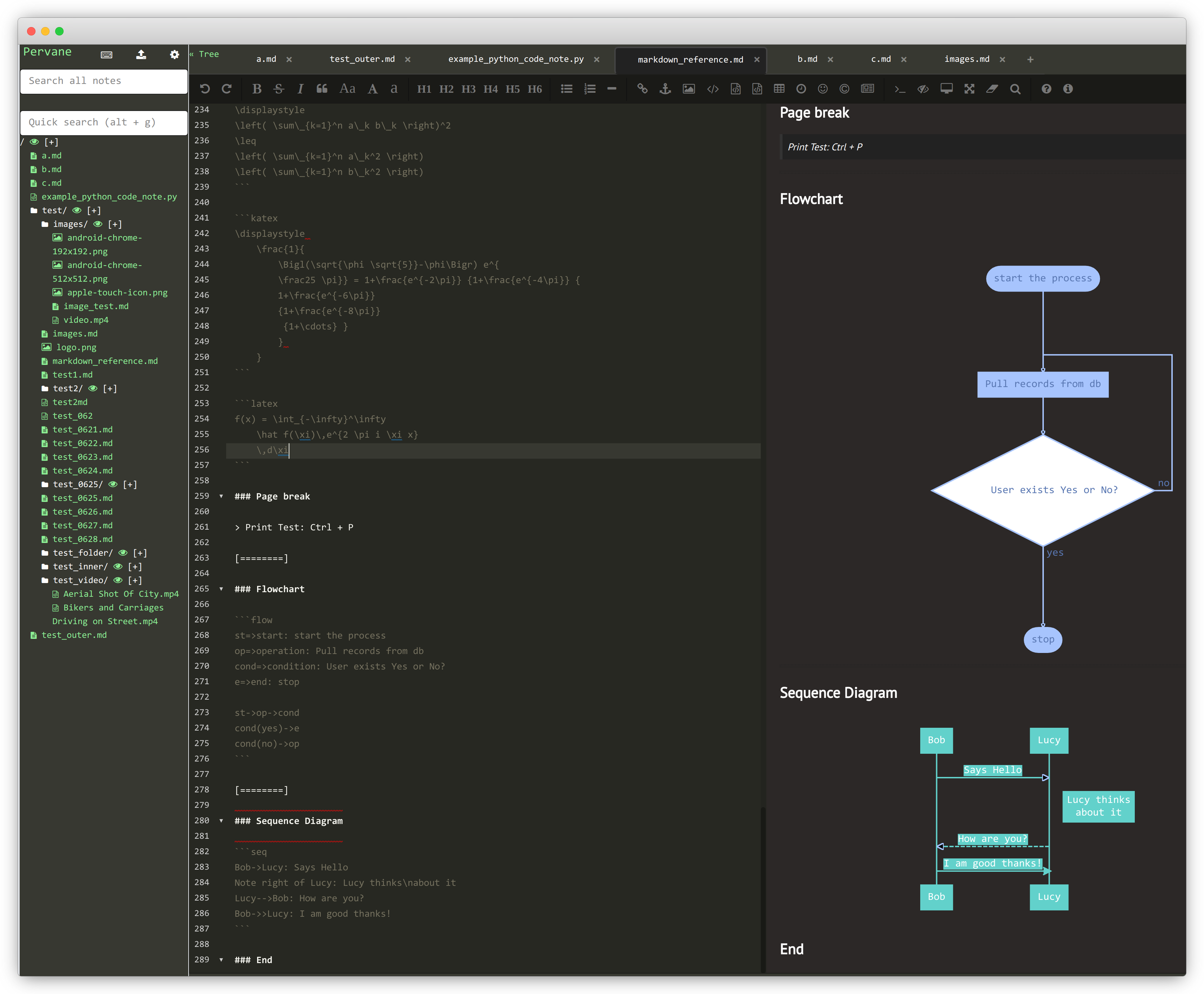
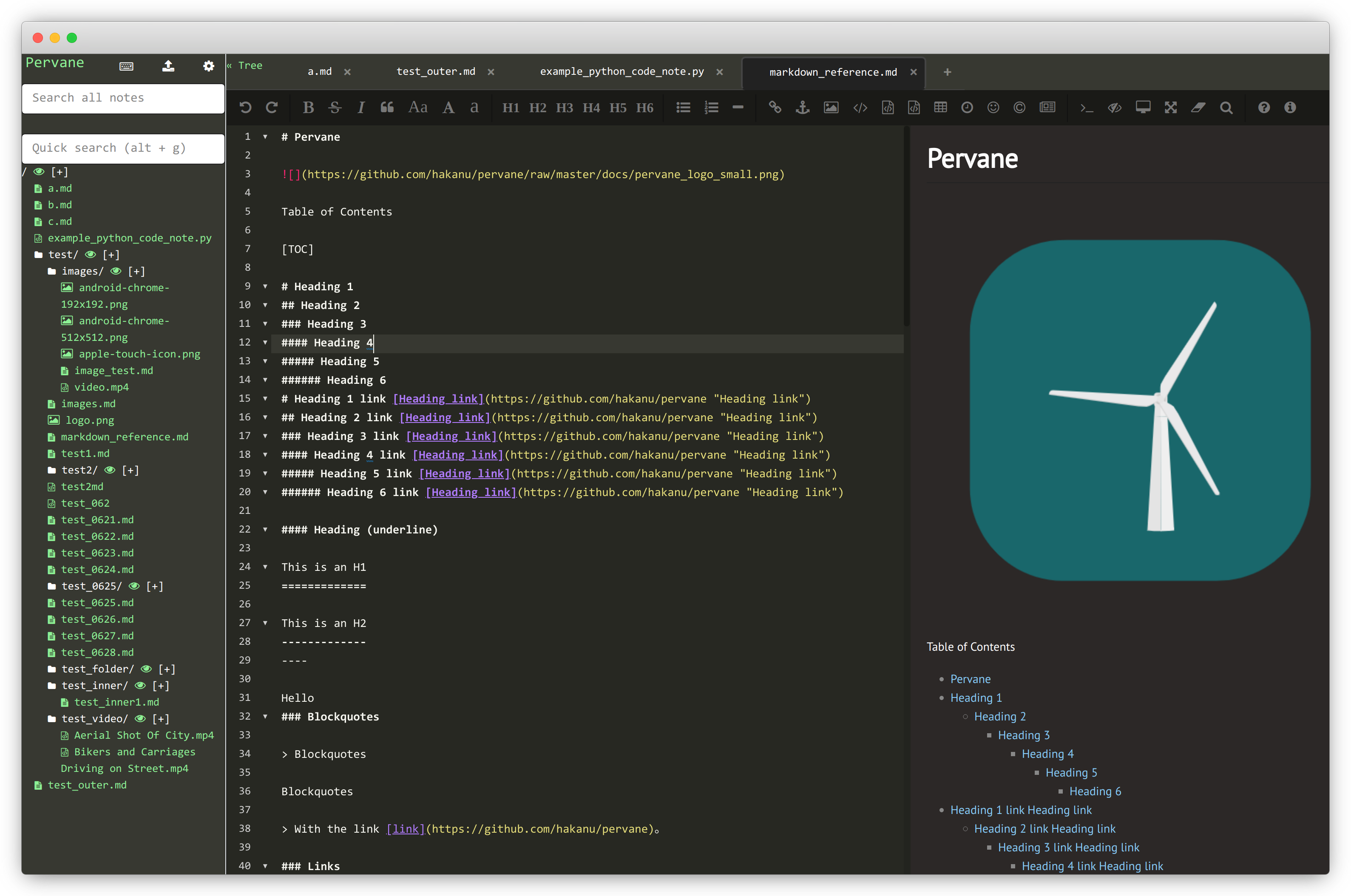
All of the screenshots and more video are located in Pervane Wiki.
Install via pip
screen
pip install pervane

# First make sure you create the admin user
pervane --mode=init

# Then run the app for reals.
# You can login with your recently created credentials.
pervane --dir=example/
When you go to localhost:5000, Pervane only accepts 1 user. So your notes will only be visible by this single user.
⚠️ If you see a server error, delete your cookies and retry.
If you are upgrading from a version before 0.0.9
You will probably see errors about user is not existing. You need to run pervane --mode=init first.
I've changed user auth mode again (had to, because flask-user is deprecated). Sorry about it.
Package details here: https://pypi.org/project/pervane/
You can run Pervane also with Docker or build it from source. Please visit Pervane Wiki for more installation options.
Contribute
Please and thank you :)
# Init:
git clone https://github.com/hakanu/pervane.git && cd pervane

# Set up local env.
virtualenv -p python3 env
source env/bin/activate
pip install -r requirements.txt

# Run
python3 pervane/serve.py --debug=true
1 maintainer

Metadata
1 maintainer
Release files for pervane 0.1.10
For a detailed explanation of source distributions (sdists) and built distributions (wheels), please see the package formats documentation.
Source distribution (sdist)
| File | Size | Uploaded | Provenance | Actions |
|---|---|---|---|---|
| pervane-0.1.10.tar.gz | 1.3 MB | Without provenance | Details for pervane-0.1.10.tar.gz |
Built distribution (wheel)
| File | Interpreter | ABI | Platform | Actions Reset |
|---|---|---|---|---|
| pervane-0.1.10-py3-none-any.whl | Python 3 | none | any | Details for pervane-0.1.10-py3-none-any.whl |
Total release size: 2.8 MB
Release files / pervane-0.1.10.tar.gz
| Download URL | pervane-0.1.10.tar.gz |
|---|---|
| Size | 1.3 MB |
| Tags | Source |
|
SHA-256 checksum How to use checksums |
2284c9ae961a05cc5707c853a36af96b52607aa1bd38132b71d7f3323b9a984a
|
|
BLAKE2b-256 checksum How to use checksums |
4ed1ae92e8428eec10e3444e3074b1d62bd044609f9195ce6810fc5d30f4a791
|
| Upload date | |
|
Uploaded using Trusted Publishing? What is trusted publishing? |
No |
| Uploaded via |
twine/4.0.2 CPython/3.11.4
|
Release files / pervane-0.1.10-py3-none-any.whl
| Download URL | pervane-0.1.10-py3-none-any.whl |
|---|---|
| Size | 1.4 MB |
| Tags | Python 3 |
|
SHA-256 checksum How to use checksums |
a542e97d8fe39aa018acbf495c4514e38aa94f27c6b8b6062aab17cdace58bc1
|
|
BLAKE2b-256 checksum How to use checksums |
be76af43caa416864c84075622de66bc1a61b5fe91a6b9c69216d46c2294c901
|
| Upload date | |
|
Uploaded using Trusted Publishing? What is trusted publishing? |
No |
| Uploaded via |
twine/4.0.2 CPython/3.11.4
|
Security for pervane 0.1.10
Provenance
Provenance describes where a file came from. On PyPI, provenance is shared via attestations, which provide a verifiable record of the build or publishing details. View details, limitations and caveats.
No provenance found
None of the files in this release were uploaded with provenance metadata.
A note on package security
PyPI is a repository for distributing packages, not a service for auditing them. While third-party security researchers and our staff do their best to detect and remove malicious packages, PyPI cannot guarantee the quality, security or suitability of any given package.
To learn more about protecting yourself from malicious actors, visit our package security documentation.














