
Graphinate. Data to Graphs.

| Package |


|
| Code |


|
| Tools |


|
| CI/CD |





|
| Scans |


|
| Mentions |


|
| Badge |

|
Table of Contents
Introduction
Meet Graphinate
Graphinate turns your data into Graphs. Effortlessly.
It is a Python library designed to streamline the pipeline from raw data to structured Graph representations. With Graphinate, you can easily map complex data hierarchies and payloads directly to nodes and edges, creating an efficient retrieval system.
Whether you need to visualize relationships, analyze structure, or serve data via an API, Graphinate provides the tools to bring your graph to life.
Graphinate uses and builds upon the excellent NetworkX.
Library at a Glance
📐 The Architect (graphinate.modeling)
Define the blueprint of your graph by decorating simple functions that yield your data as nodes and edges.
🏗️ The Construction Crew (graphinate.builders)
Takes your graph blueprint and constructs various outputs, whether it's a queryable NetworkX object, a Mermaid diagram, or a GraphQL schema.
🎨 The Artists (graphinate.renderers)
A suite of tools to visualize your graphs, from matplotlib plots to interactive Mermaid diagrams.
📡 The Broadcaster (graphinate.server)
Instantly serve your graph data as an interactive GraphQL API, ready for consumption by web applications.
⌨️ The Command Center (graphinate.cli)
A handy command-line tool to manage and interact with your graph definitions without writing boilerplate code.
Links
- Website (including documentation): https://erivlis.github.io/graphinate
- Source: https://github.com/erivlis/graphinate
- Package: https://pypi.org/project/graphinate
Quick Start
Install
Graphinate is available on PyPI:
pip install graphinate
or
uv add graphinate
To install with server support
pip install graphinate[server]
or
uv add graphinate[server]
Graphinate officially supports Python >= 3.11.
Example
import graphinate

N: int = 8

# First Define a GraphModel instance.
# It will be used to hold the graph definitions
graph_model: graphinate.GraphModel = graphinate.model(name="Octagonal Graph")


# Register in the Graph Model the edges' supplier generator function
@graph_model.edge()
def edge():
    for i in range(N):
        yield {'source': i, 'target': i + 1}
    yield {'source': N, 'target': 0}


# Use the NetworkX Builder
builder = graphinate.builders.NetworkxBuilder(graph_model)

# build the NetworkX GraphRepresentation
# the output in this case is a nx.Graph instance
graph = builder.build()

# this supplied plot method uses matplotlib to display the graph
graphinate.matplotlib.plot(graph, with_edge_labels=True)

# or use the Mermaid Builder
builder = graphinate.builders.MermaidBuilder(graph_model)

# to create a Mermaid diagram
diagram: str = builder.build()

# and get Markdown or single page HTML to display it
mermaid_markdown: str = graphinate.mermaid.markdown(diagram)
mermaid_html: str = graphinate.mermaid.html(diagram, title=graph_model.name)

# or use the GraphQL Builder
builder = graphinate.builders.GraphQLBuilder(graph_model)

# to create a Strawberry GraphQL schema
schema = builder.build()

# and serve it using Uvicorn web server
graphinate.graphql.server(schema)
CLI
For detailed information on the command-line interface, please see the CLI Usage Guide in the official documentation.
Gallery
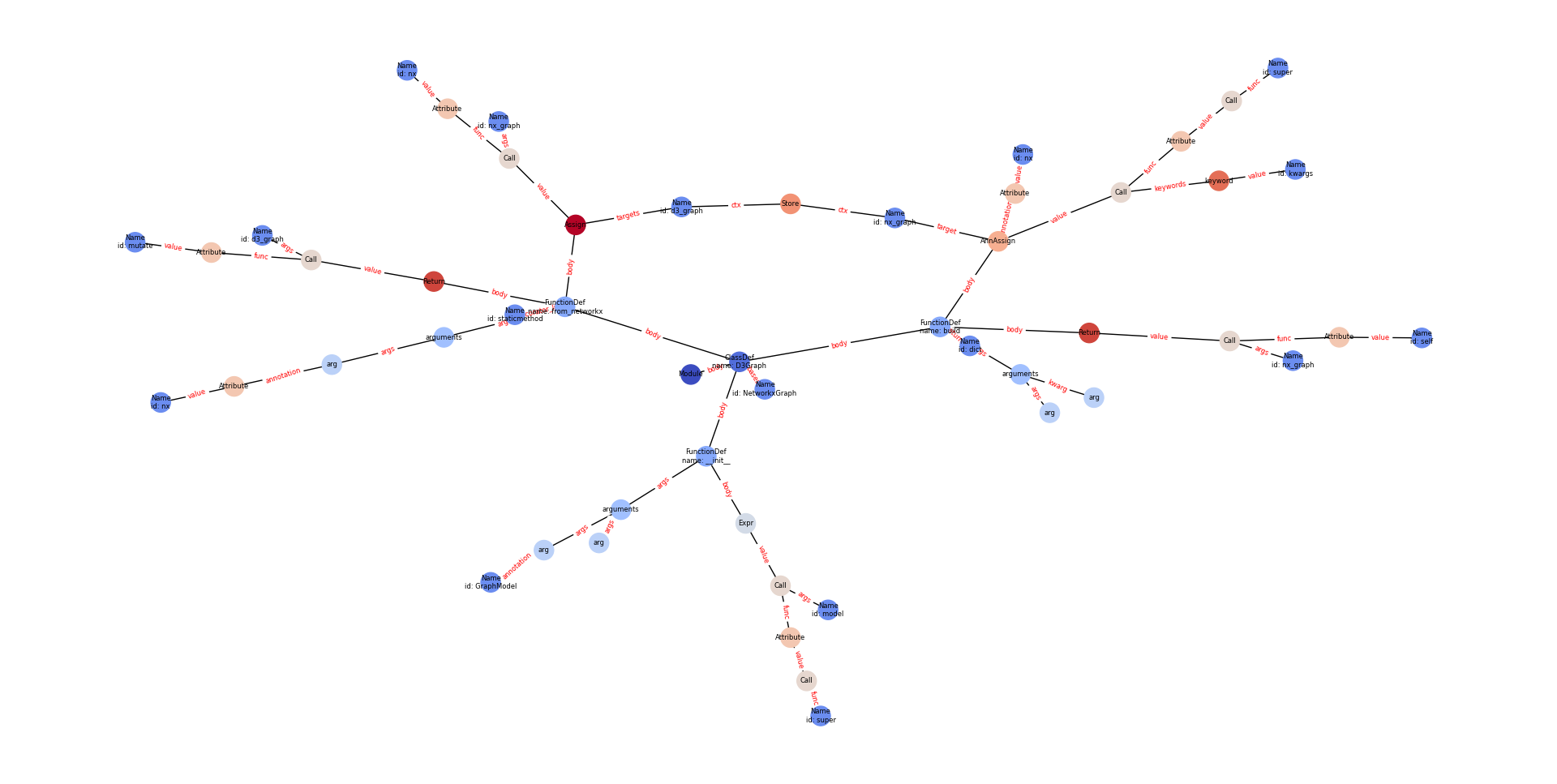
Python Class AST
matplotlib
3D Force-Directed Animation
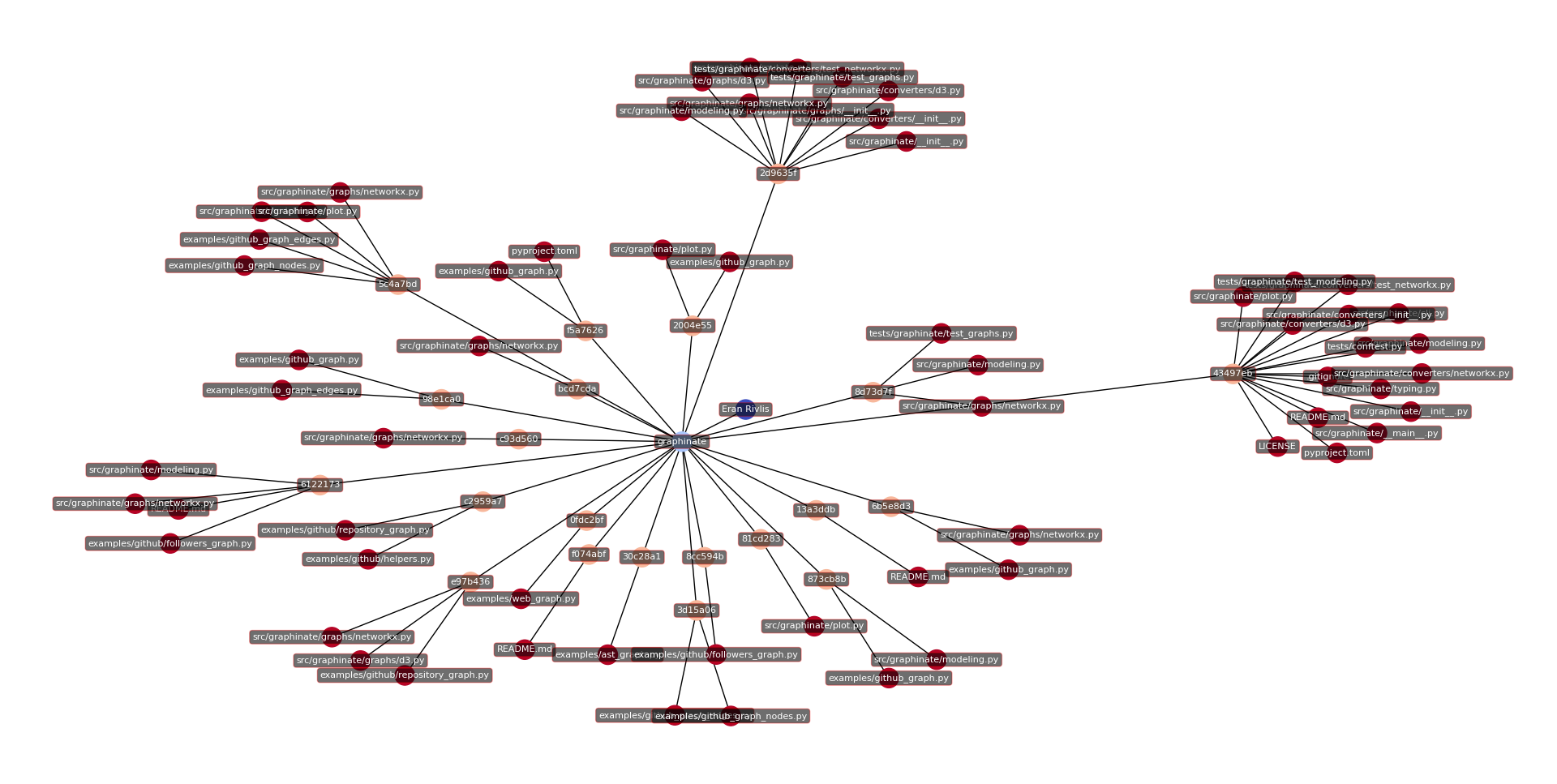
GitHub Repository
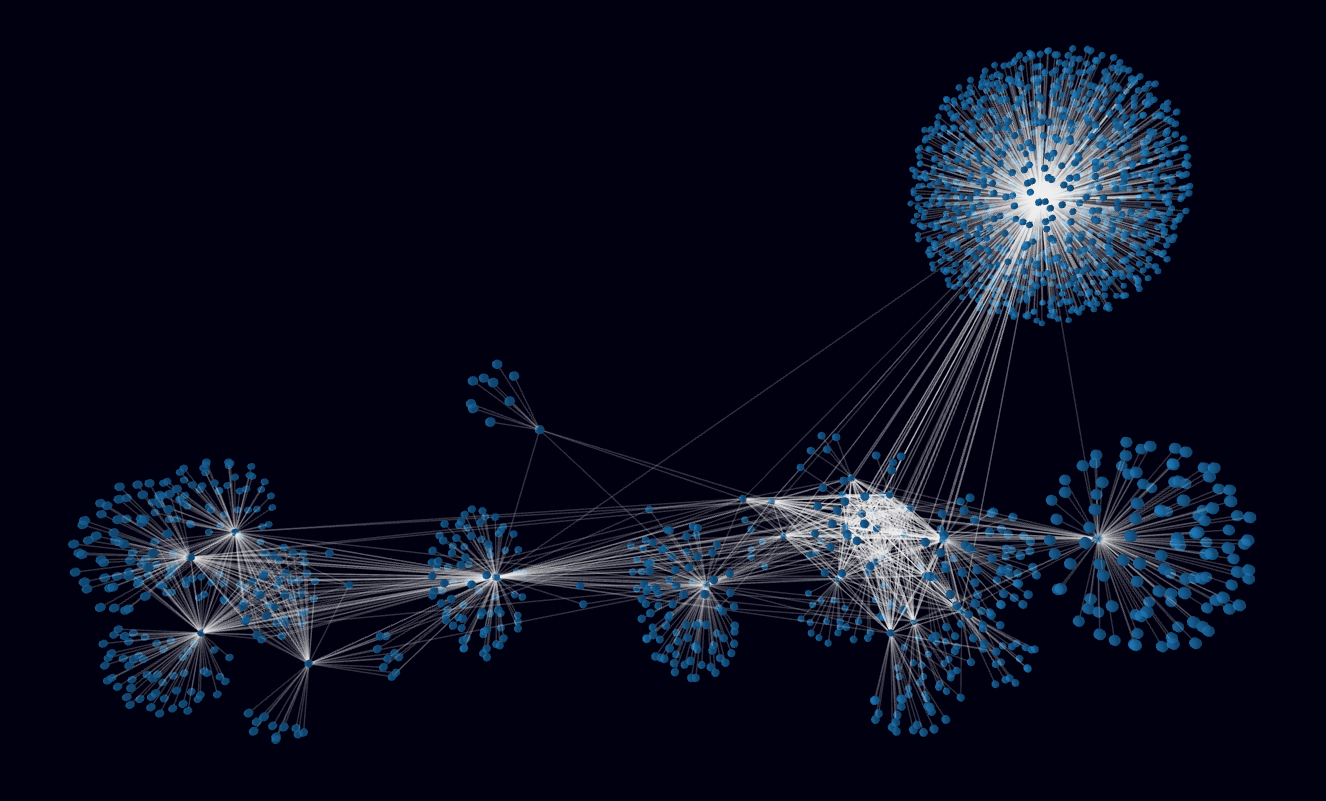
Web Links
Development
For instructions on how to set up your development environment, run tests, and contribute to the project, please see the Development Guide in the official documentation.
Acknowledgements
For a list of the dependencies and tools that make Graphinate possible, please see the Acknowledgements page in the official documentation.


Copyright © 2023-2026 Eran Rivlis
1 maintainer

Metadata
1 maintainer
Release files for Graphinate 0.17.1
For a detailed explanation of source distributions (sdists) and built distributions (wheels), please see the package formats documentation.
Source distribution (sdist)
| File | Size | Uploaded | Provenance | Actions |
|---|---|---|---|---|
| graphinate-0.17.1.tar.gz | 3.5 MB | Without provenance | Details for graphinate-0.17.1.tar.gz |
Built distribution (wheel)
| File | Interpreter | ABI | Platform | Actions Reset |
|---|---|---|---|---|
| graphinate-0.17.1-py3-none-any.whl | Python 3 | none | any | Details for graphinate-0.17.1-py3-none-any.whl |
Total release size: 4.3 MB
Release files / graphinate-0.17.1.tar.gz
| Download URL | graphinate-0.17.1.tar.gz |
|---|---|
| Size | 3.5 MB |
| Tags | Source |
|
SHA-256 checksum How to use checksums |
1c2b750821f1f204dc7df435a712421fe009d749a8deccca4196a84bdd426ab3
|
|
BLAKE2b-256 checksum How to use checksums |
2ce30fa616da610fda7a96424b1ad6140ad84036155ab33dfd6abd0cb9ff5666
|
| Upload date | |
|
Uploaded using Trusted Publishing? What is trusted publishing? |
Yes |
| Uploaded via |
uv/0.13.5 {"installer":{"name":"uv","version":"0.13.5","subcommand":["publish"]},"python":null,"implementation":{"name":null,"version":null},"distro":{"name":"Ubuntu","version":"24.04","id":"noble","libc":null},"system":{"name":null,"release":null},"cpu":null,"openssl_version":null,"setuptools_version":null,"rustc_version":null,"ci":true}
|
Release files / graphinate-0.17.1-py3-none-any.whl
| Download URL | graphinate-0.17.1-py3-none-any.whl |
|---|---|
| Size | 782.8 kB |
| Tags | Python 3 |
|
SHA-256 checksum How to use checksums |
cbdba2d50792205d213a3d5872db49f375f84aebf4a25fa90df6742508d5d566
|
|
BLAKE2b-256 checksum How to use checksums |
63cc13708f71ec37e719afecb6bfacad6d444bee8f343d175514259c9a017b57
|
| Upload date | |
|
Uploaded using Trusted Publishing? What is trusted publishing? |
Yes |
| Uploaded via |
uv/0.13.5 {"installer":{"name":"uv","version":"0.13.5","subcommand":["publish"]},"python":null,"implementation":{"name":null,"version":null},"distro":{"name":"Ubuntu","version":"24.04","id":"noble","libc":null},"system":{"name":null,"release":null},"cpu":null,"openssl_version":null,"setuptools_version":null,"rustc_version":null,"ci":true}
|
Security for Graphinate 0.17.1
Provenance
Provenance describes where a file came from. On PyPI, provenance is shared via attestations, which provide a verifiable record of the build or publishing details. View details, limitations and caveats.
No provenance found
None of the files in this release were uploaded with provenance metadata.
A note on package security
PyPI is a repository for distributing packages, not a service for auditing them. While third-party security researchers and our staff do their best to detect and remove malicious packages, PyPI cannot guarantee the quality, security or suitability of any given package.
To learn more about protecting yourself from malicious actors, visit our package security documentation.














