







Subsearch is a Windows subtitle downloader with File Explorer integration, a PySide6 desktop UI, and a Subtitle Workspace for searching, reviewing, downloading, and post-processing subtitles.
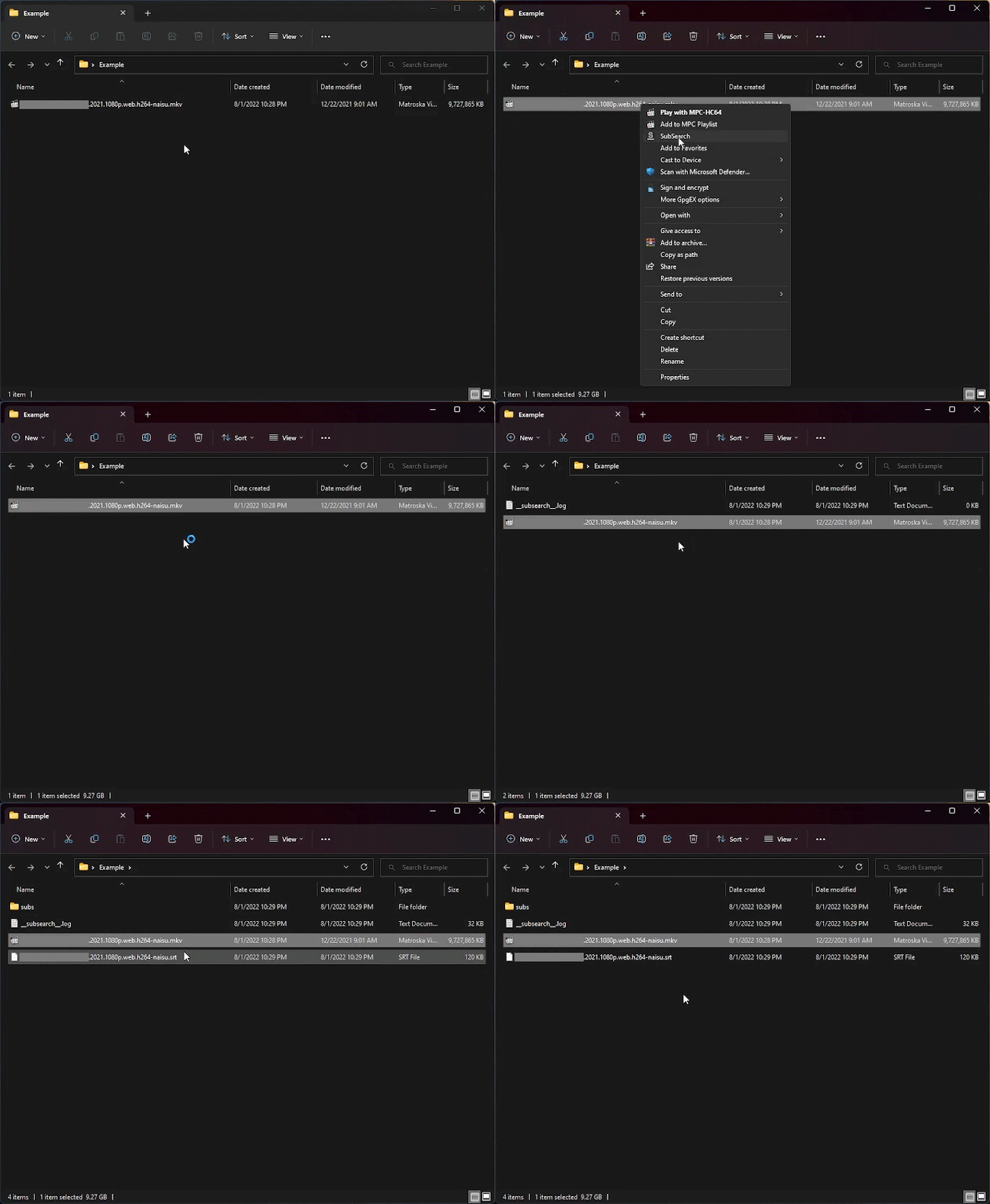
Use it as a quiet right-click workflow, a fully manual download manager, or a mix of both. Subsearch tries to download the best match automatically and opens the workspace only when you need to choose one yourself.
Highlights
- Right-click video files in File Explorer, drag files into the app, or search by title from the workspace
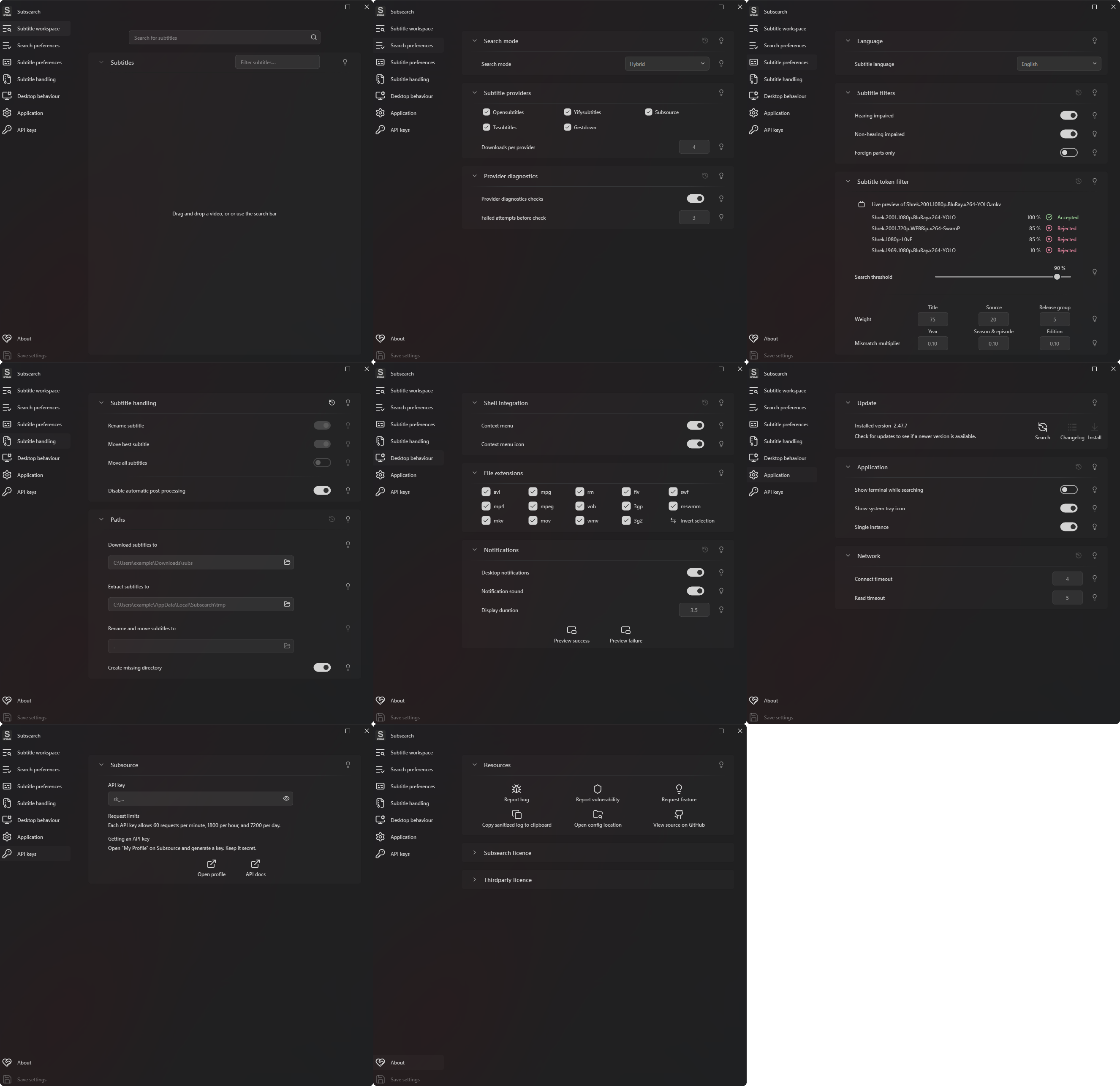
- Manual, hybrid, and automatic search modes
- Providers: OpenSubtitles, YIFY Subtitles, Subsource, TVsubtitles, and Gestdown
- 115 subtitle languages, with provider compatibility handled for each language
- Movie and TV matching with IMDb title suggestions and season and episode selection
- Adjustable filename scoring for title, source, release group, year, season/episode, and edition mismatches
- Filters for hearing-impaired, non-HI, and foreign-parts-only subtitles
- Post-processing to extract, rename, and move the best subtitle or every downloaded subtitle
- Configurable download, extraction, and destination paths, including relative paths next to the video
- Windows notifications, system tray support, single-instance mode, update checks, crash logs, and provider diagnostics
- Available as a Windows MSI installer, a PyPI package, or a source install
Preview
Installation
Windows installer
Requires Windows 10 or 11. It may also work on Windows 8.
- Download the installer from the releases page.
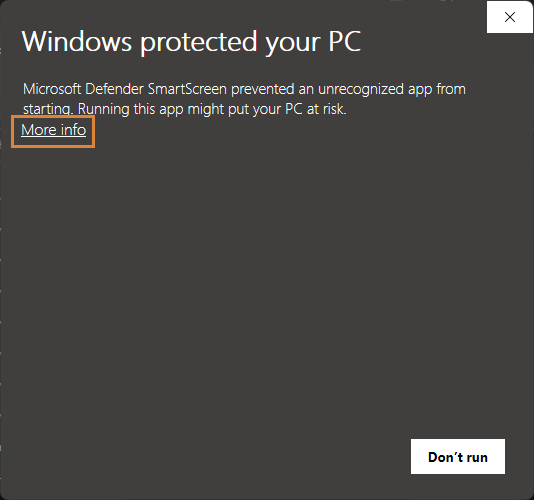
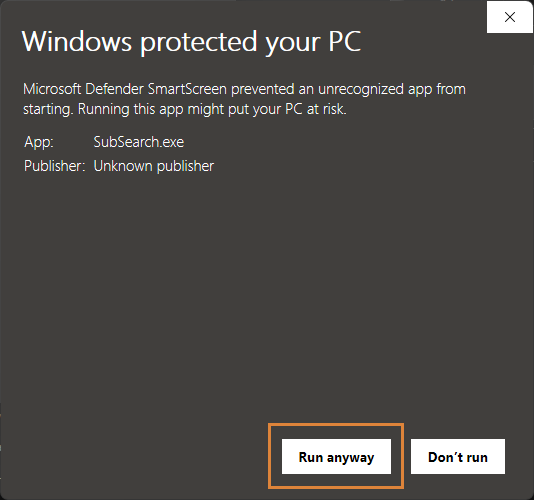
- Run the installer. If a SmartScreen or PUA warning appears, select More info, then Run anyway. (More information)
- Launch Subsearch once to register its File Explorer context-menu entries.
PUA warning screenshots
Install from PyPI
pip install subsearch
subsearch
Clone from GitHub
git clone https://github.com/vagabondHustler/subsearch.git
cd subsearch
pip install -e .
To install the optional development dependencies, run:
pip install -e .[build,lint,tests,tools,type]
Build the MSI with cx_Freeze:
python .github/workflows/scripts/jobs.py make_msi
License
- Subsearch is licensed under the GNU General Public License v3.0 or later. See
LICENSEfor the full text. - Third-party notices are listed in
THIRD-PARTY-LICENSES.md.
1 maintainer

Metadata
1 maintainer
Release files for Subsearch 3.1.0
For a detailed explanation of source distributions (sdists) and built distributions (wheels), please see the package formats documentation.
Source distribution (sdist)
| File | Size | Uploaded | |
|---|---|---|---|
| subsearch-3.1.0.tar.gz | 160.5 kB | Details |
Built distribution (wheel)
| File | Interpreter | ABI | Platform | Reset |
|---|---|---|---|---|
| subsearch-3.1.0-py3-none-any.whl | Python 3 | none | any | Details |
Total release size: 374.6 kB
Release files / subsearch-3.1.0.tar.gz
| Download URL | subsearch-3.1.0.tar.gz |
|---|---|
| Size | 160.5 kB |
| Tags | Source |
|
SHA-256 checksum How to use checksums |
e6ca9e922156033bedf9617ac3d50de545d102ce73beeb9b94b23f5aba293083
|
|
BLAKE2b-256 checksum How to use checksums |
57ffe975ecf568a8e989205b1da785021cbdb348b57ed6bb14a7b8a9b46567f9
|
| Upload date | |
|
Uploaded using Trusted Publishing? What is trusted publishing? |
No |
| Uploaded via |
twine/6.2.0 CPython/3.14.6
|
Release files / subsearch-3.1.0-py3-none-any.whl
| Download URL | subsearch-3.1.0-py3-none-any.whl |
|---|---|
| Size | 214.1 kB |
| Tags | Python 3 |
|
SHA-256 checksum How to use checksums |
bc467e07dfeb0b027ca9a3b4e037eb27a9ff09340637c1e49b18a3d090923c74
|
|
BLAKE2b-256 checksum How to use checksums |
885e101b811e7cfb035e32b53d97c29fdb0f06d04ce04f72ef345dff518a837f
|
| Upload date | |
|
Uploaded using Trusted Publishing? What is trusted publishing? |
No |
| Uploaded via |
twine/6.2.0 CPython/3.14.6
|














