
Abraia Python SDK

Project description



Abraia Vision SDK
The Abraia Vision SDK helps developers create, customize, and deploy edge-ready vision applications. It unifies image processing, model training, and inference so you can transform visual data into production-ready solutions, including real-time video analysis and object tracking.
Install the Abraia SDK and CLI on Windows, Mac, or Linux:
python -m pip install -U abraia
With Abraia DeepLab, you can annotate images, train custom classification, detection, and segmentation models, and export them for use in this Python SDK.
People monitoring
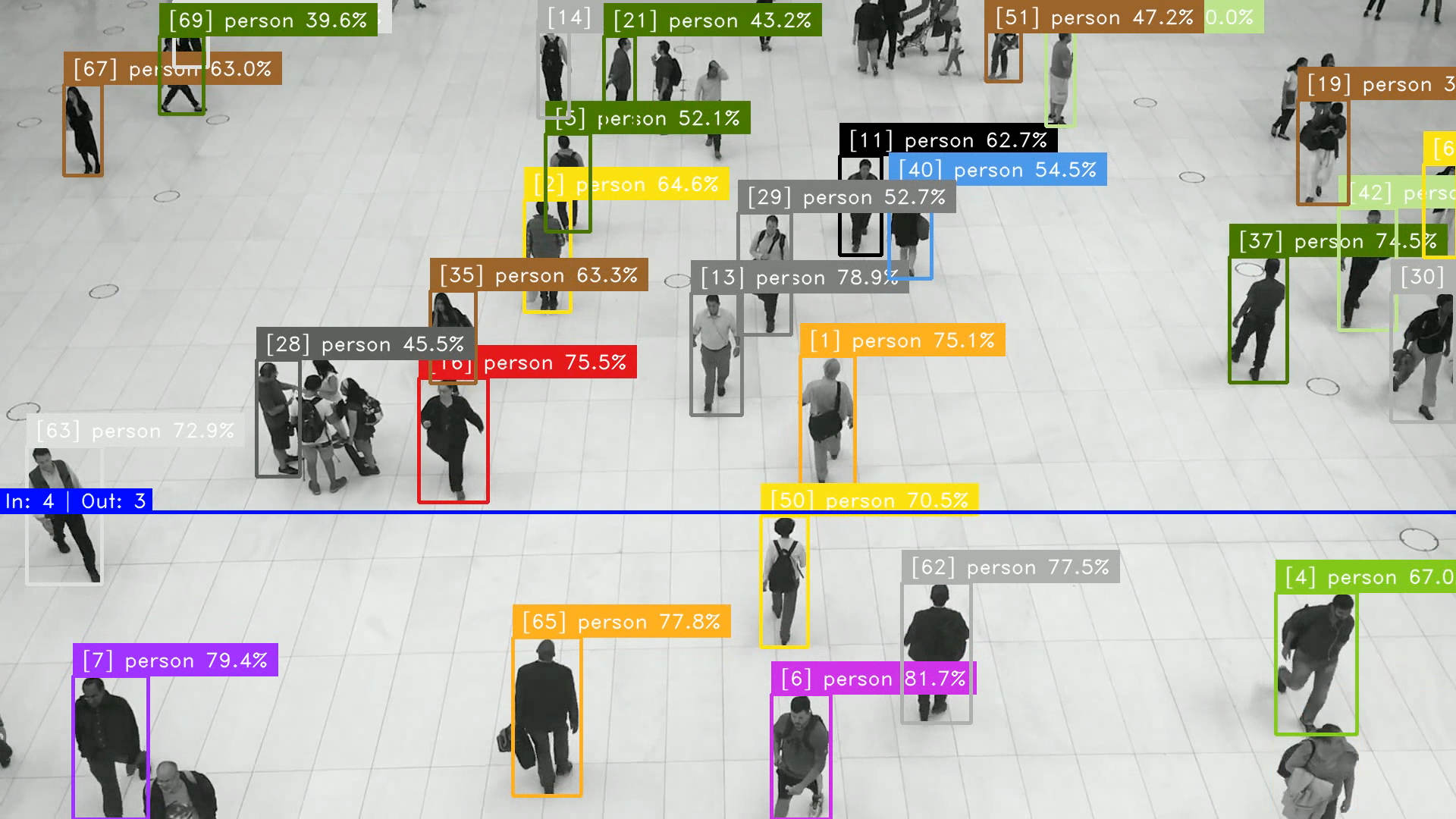
Abraia SDK provides a set of tools to monitor people flow and waiting time in public spaces or commercial areas. You can easily implement queue monitoring or flow counting applications using the specialized tools available in the abraia.inference.tools module.
from abraia.inference import Model, Tracker
from abraia.inference.tools import LineCounter, RegionTimer
from abraia.utils import Video, render_results, render_counter, render_region

model = Model("multiple/models/yolov8n.onnx")
video = Video('people-walking.mp4')
tracker = Tracker(frame_rate=video.frame_rate)
line_counter = LineCounter([(0, 650), (1920, 650)])
region_timer = RegionTimer([(10, 600), (1690, 600), (1690, 700), (10, 700)])

for k, frame in enumerate(video):
    results = model.run(frame, labels=['person'])
    results = tracker.update(results)
    in_count, out_count = line_counter.update(results)
    in_objects, out_objects = region_timer.update(results, k / video.frame_rate)
    frame = render_counter(frame, line_counter.line, f"In: {in_count} | Out: {out_count}")
    frame = render_region(frame, region_timer.region, f"Count: {len(in_objects)}")
    frame = render_results(frame, in_objects)
    video.show(frame)
Face recognition
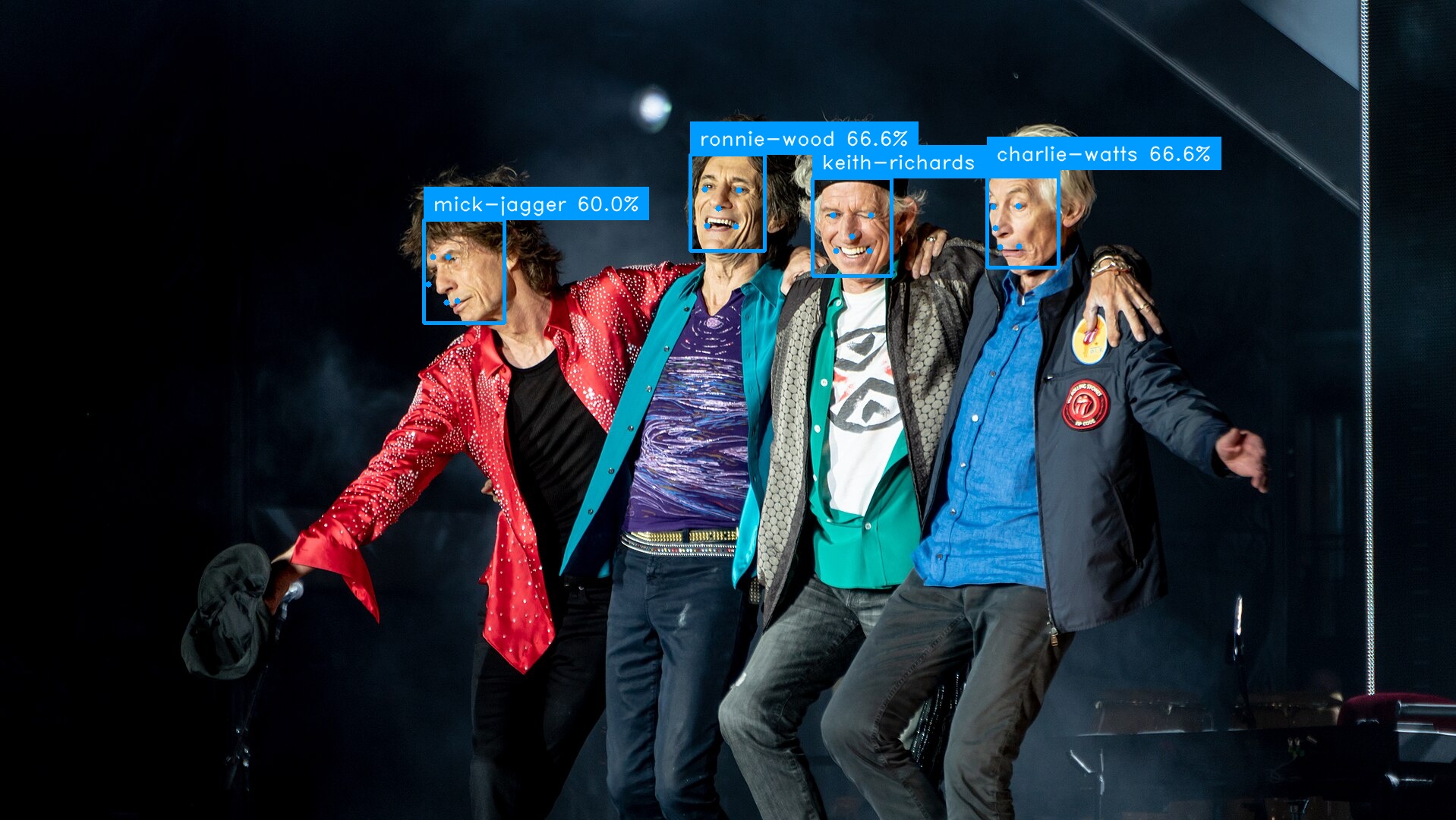
Identify people on images with face recognition as shown bellow.
import os

from abraia.inference import FaceRecognizer
from abraia.utils import load_image, save_image, render_results

img = load_image('images/rolling-stones.jpg')
out = img.copy()

recognition = FaceRecognizer()

index = []
for src in ['mick-jagger.jpg', 'keith-richards.jpg', 'ronnie-wood.jpg', 'charlie-watts.jpg']:
    img = load_image(f"images/{src}")
    rslt = recognition.identify_faces(img)[0]
    index.append({'name': os.path.splitext(src)[0], 'vector': rslt['vector']})

results = recognition.identify_faces(results, index)
render_results(out, results)
save_image(out, 'images/rolling-stones-identified.jpg')
License plates recognition
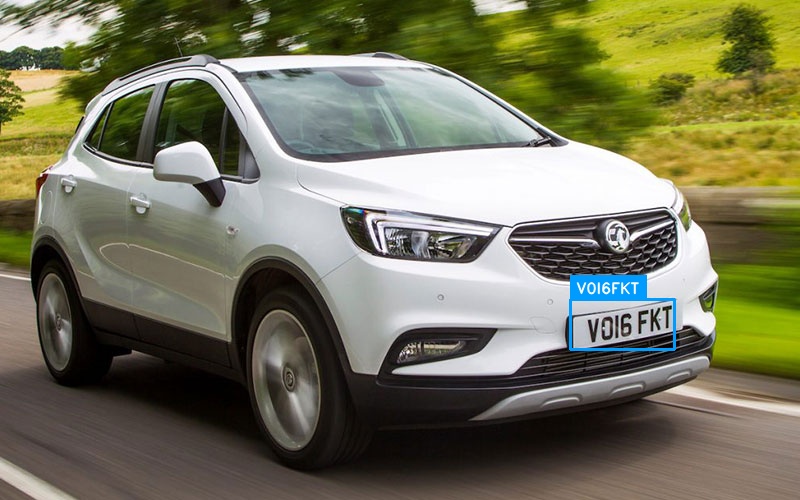
Automatically recognize car license plates in images and video streams.
from abraia.inference import PlateRecognizer
from abraia.utils import load_image, show_image, render_results

alpr = PlateRecognizer()

img = load_image('images/car.jpg')
results = alpr.recognize(img)
frame = render_results(img, results)
show_image(img)
Semantic search
Search on images with embeddings.
from tqdm import tqdm
from glob import glob
from abraia.utils import load_image
from abraia.inference.clip import Clip
from abraia.inference.ops import search_vector

clip_model = Clip()

image_paths = glob('images/*.jpg')
image_index = [{'vector': clip_model.get_image_embeddings([load_image(image_path)])[0]} for image_path in tqdm(image_paths)]

text_query = "full body person"
vector = clip_model.get_text_embeddings([text_query])[0]

idxs, scores = search_vector(vector, image_index)
print(f"Similarity score is {scores[0]} for image {image_paths[idxs[0]]}")
Hyperspectral imaging
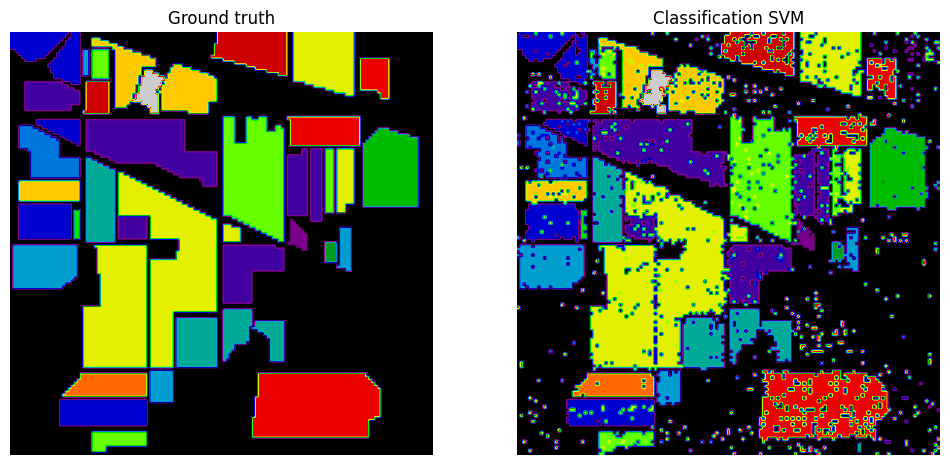
The abraia.multiple module simplifies working with multispectral and hyperspectral images, offering HSI analysis and classification workflows.
Hyperspectral data contains many spectral bands, so it cannot be shown directly as a standard RGB image. Instead, extract a few bands and plot them as grayscale images, or apply PCA to generate a 3-channel pseudo-RGB image from the first three principal components.
Use the available Colab notebook to start experimenting with the multispectral tools:

License
This software is licensed under the MIT License. View the license.
Release history Release notifications | RSS feed


Download files
Download the file for your platform. If you're not sure which to choose, learn more about installing packages.
Source Distribution
Built Distribution
Filter files by name, interpreter, ABI, and platform.
If you're not sure about the file name format, learn more about wheel file names.
Copy a direct link to the current filters
File details
Details for the file abraia-0.27.0.tar.gz.
File metadata
- Download URL: abraia-0.27.0.tar.gz
- Upload date:
- Size: 83.6 kB
- Tags: Source
- Uploaded using Trusted Publishing? No
- Uploaded via: twine/6.1.0 CPython/3.13.12
File hashes
| Algorithm | Hash digest | |
|---|---|---|
| SHA256 |
56718e3820eb348aed4f6bafdfdeb21dcd445b59c6cbfcdeee79a3820137f15c
|
|
| MD5 |
1d68e15470cb9c241c771ac6341f3cc6
|
|
| BLAKE2b-256 |
32489b6a2a576e092385e558b1bd2c30ec9af7bc2f680eeabd6b2d63a0cab6d5
|
File details
Details for the file abraia-0.27.0-py3-none-any.whl.
File metadata
- Download URL: abraia-0.27.0-py3-none-any.whl
- Upload date:
- Size: 1.5 MB
- Tags: Python 3
- Uploaded using Trusted Publishing? No
- Uploaded via: twine/6.1.0 CPython/3.13.12
File hashes
| Algorithm | Hash digest | |
|---|---|---|
| SHA256 |
3e4587e21b1db2fbfa5d49672b568c206dba99c288f5e3e478e3be4e9c9fc6a3
|
|
| MD5 |
aaa8bce7a4ff2046c07e783aa35e1c3e
|
|
| BLAKE2b-256 |
899dc309d1e67eac692d0b8a8adfb3a4d7fe57b6d9321c18f22d1431942b7dc6
|






