
AI Ledger
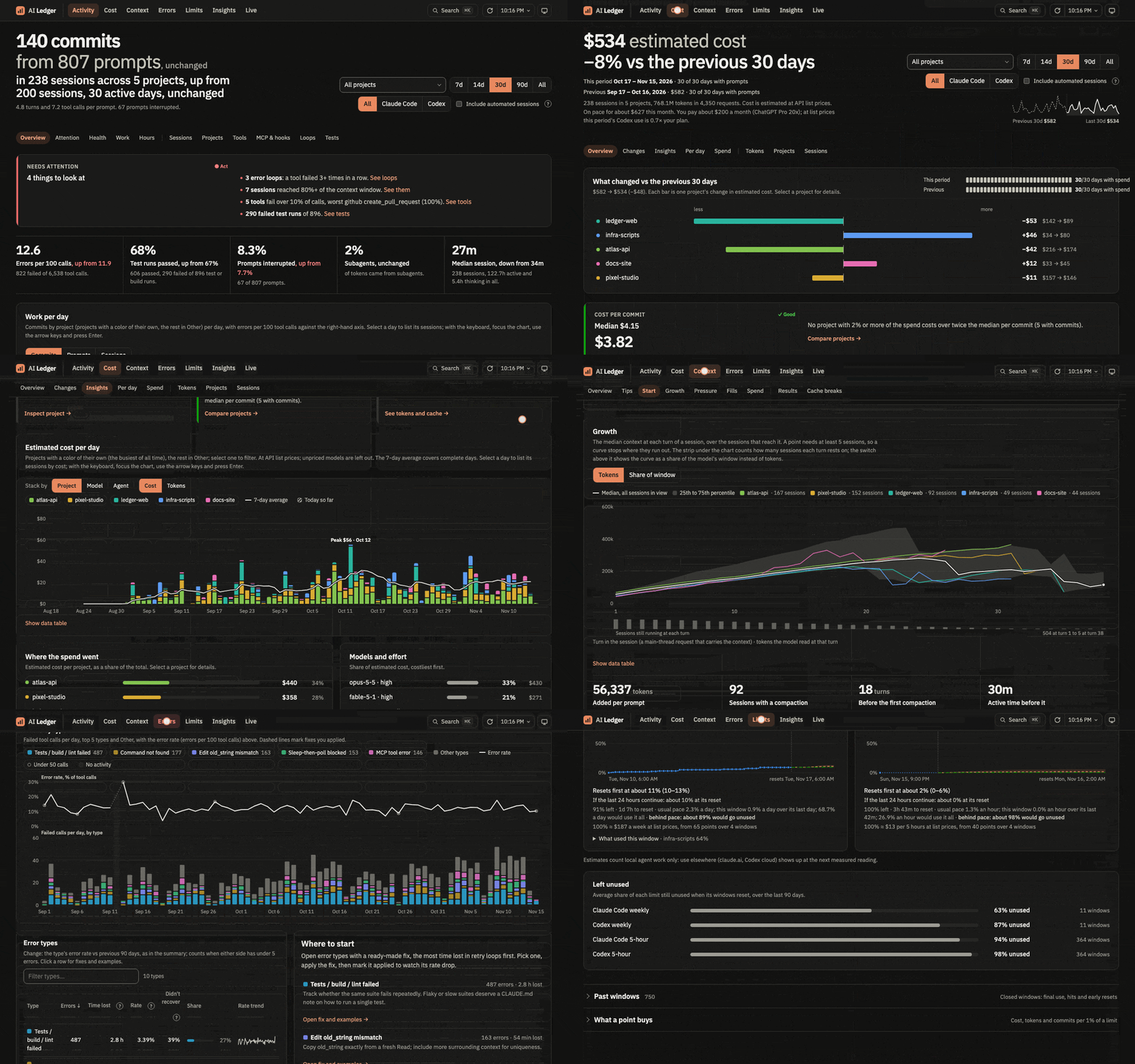
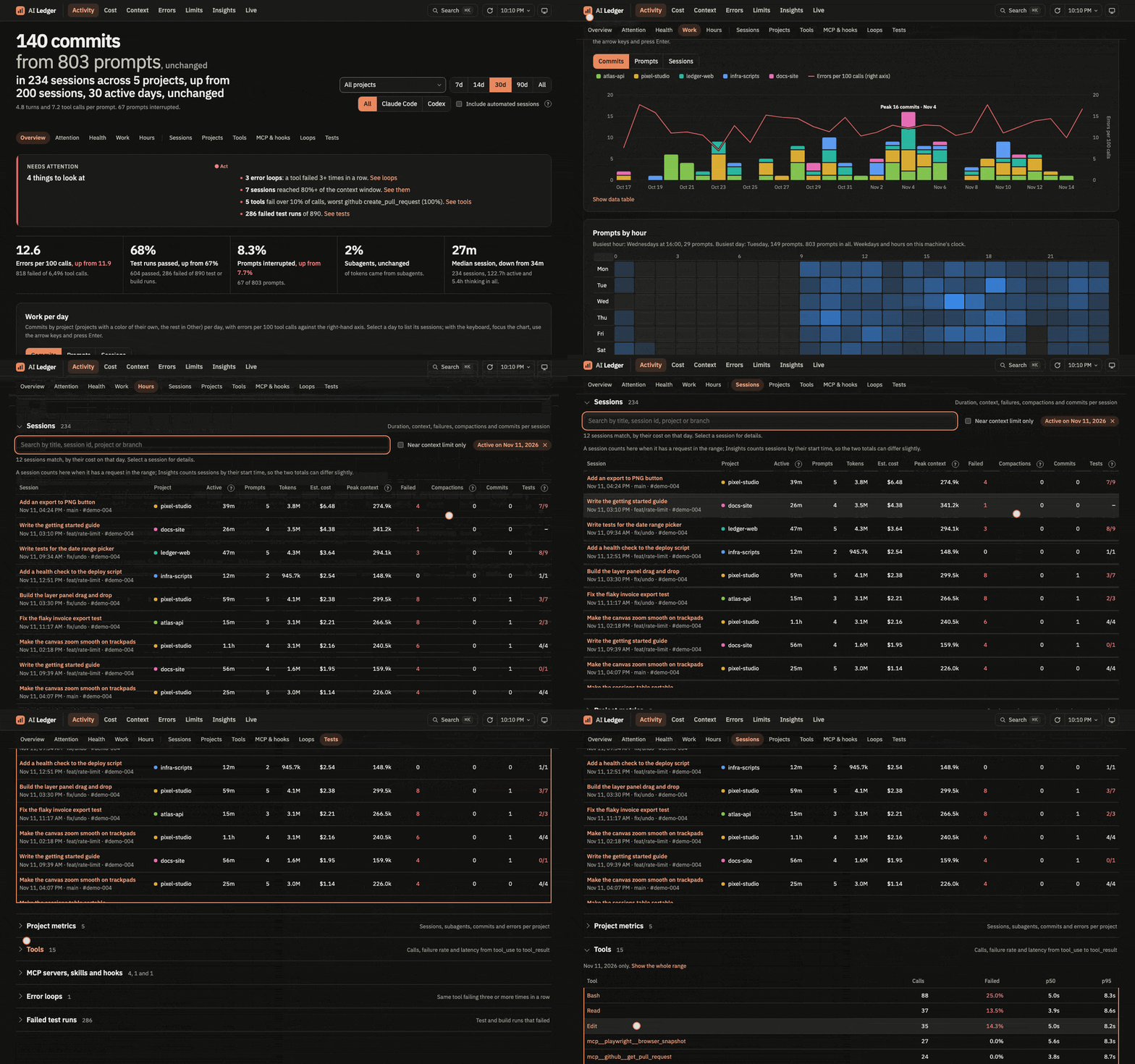
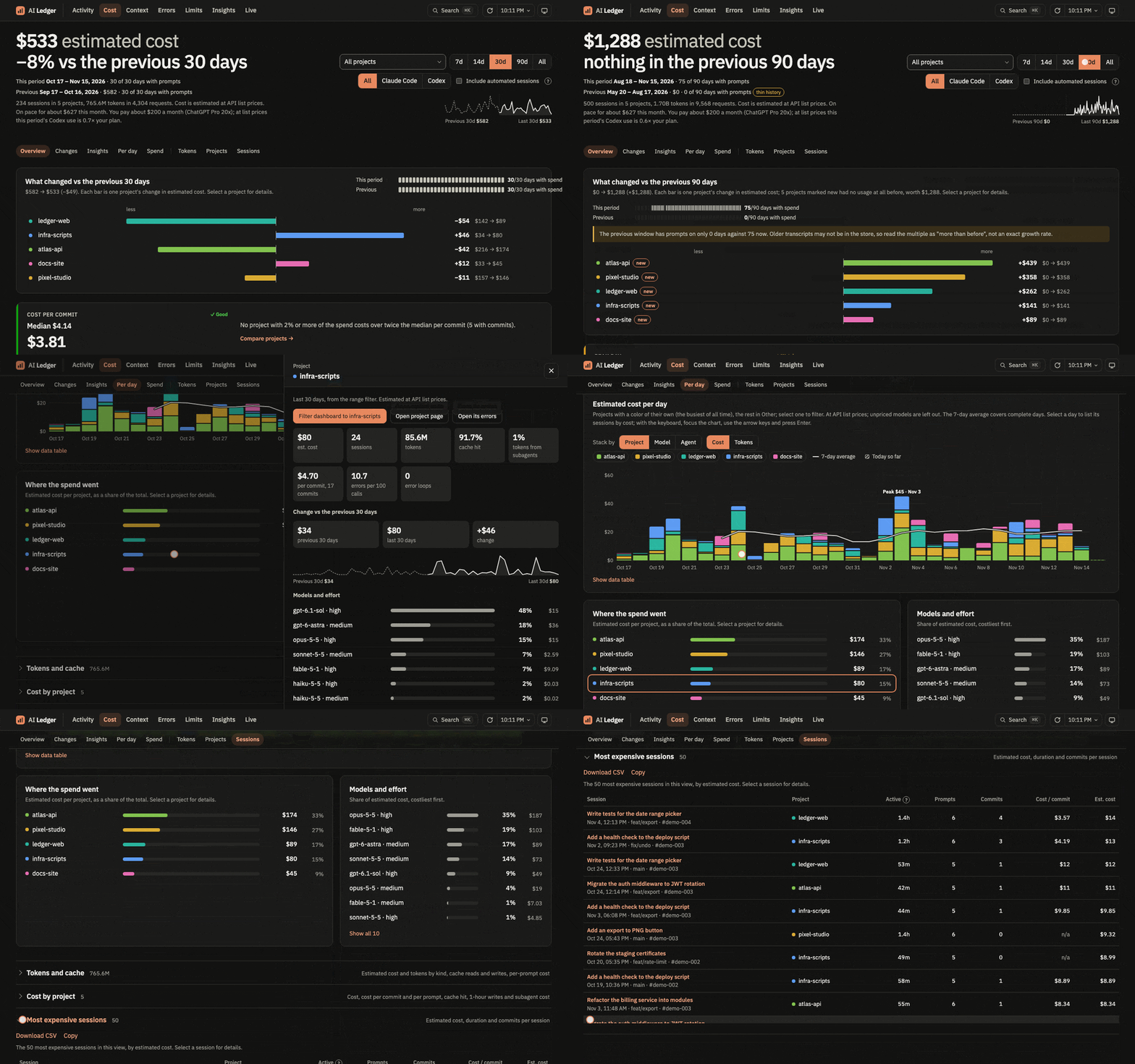
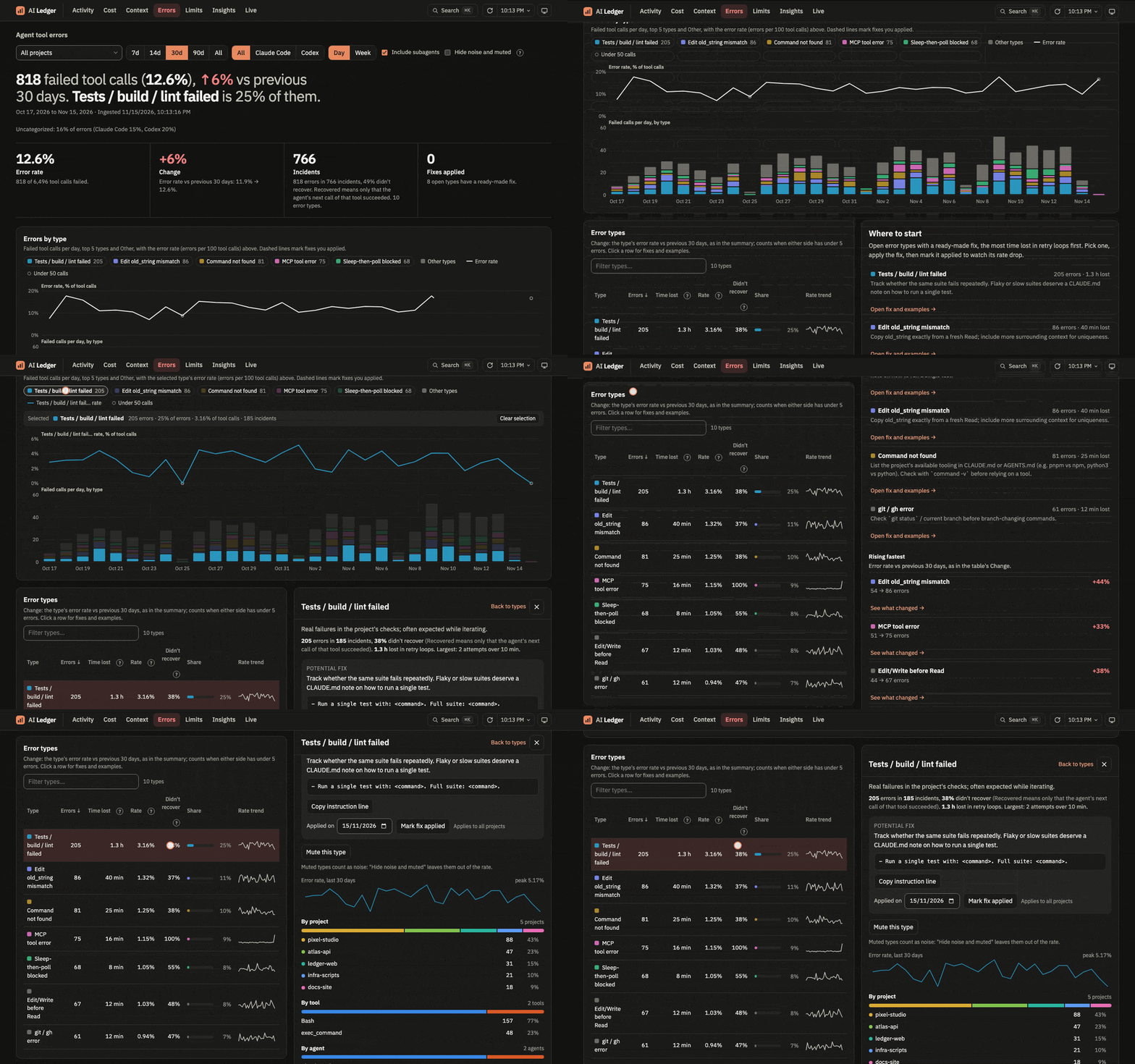
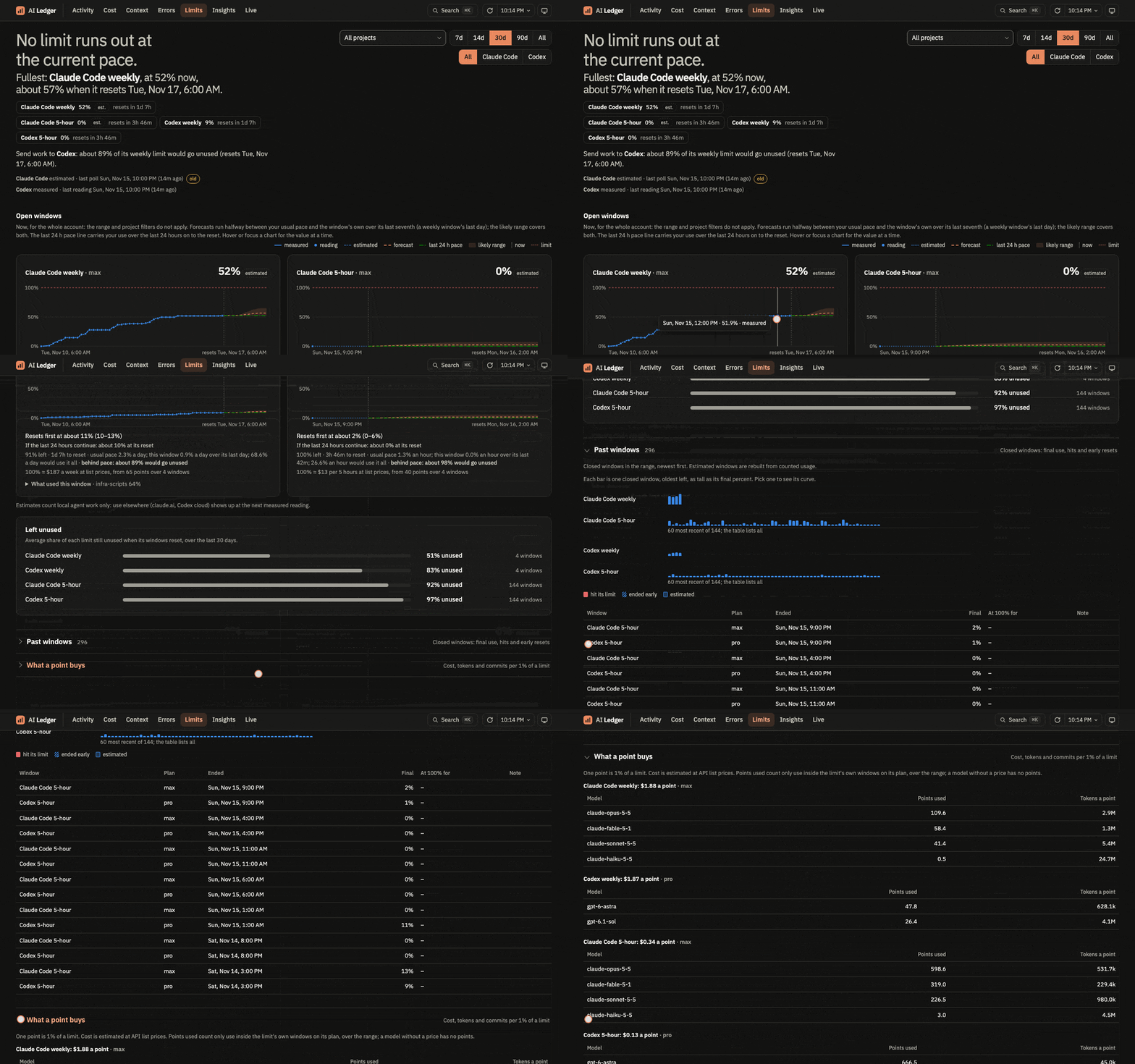
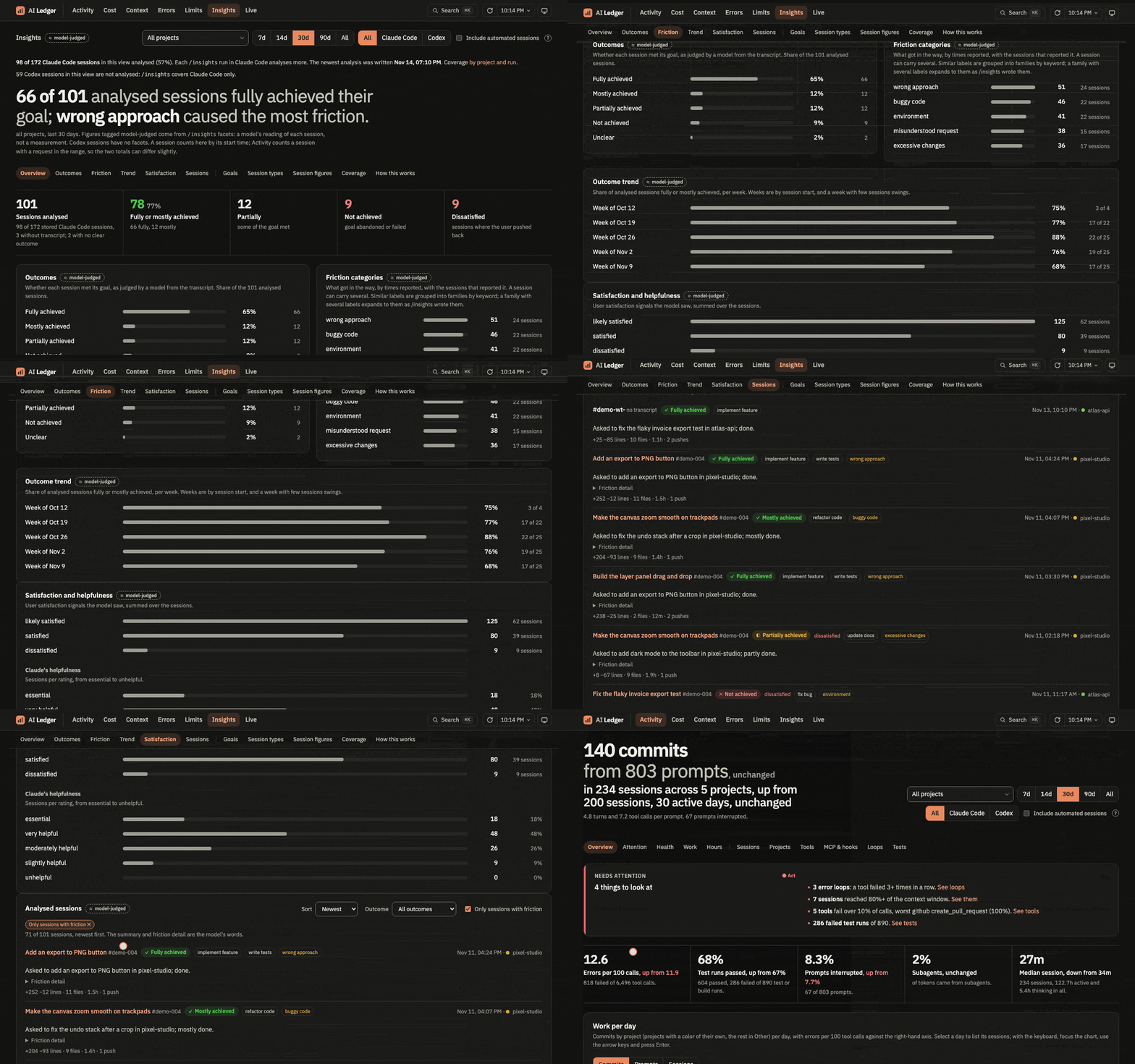
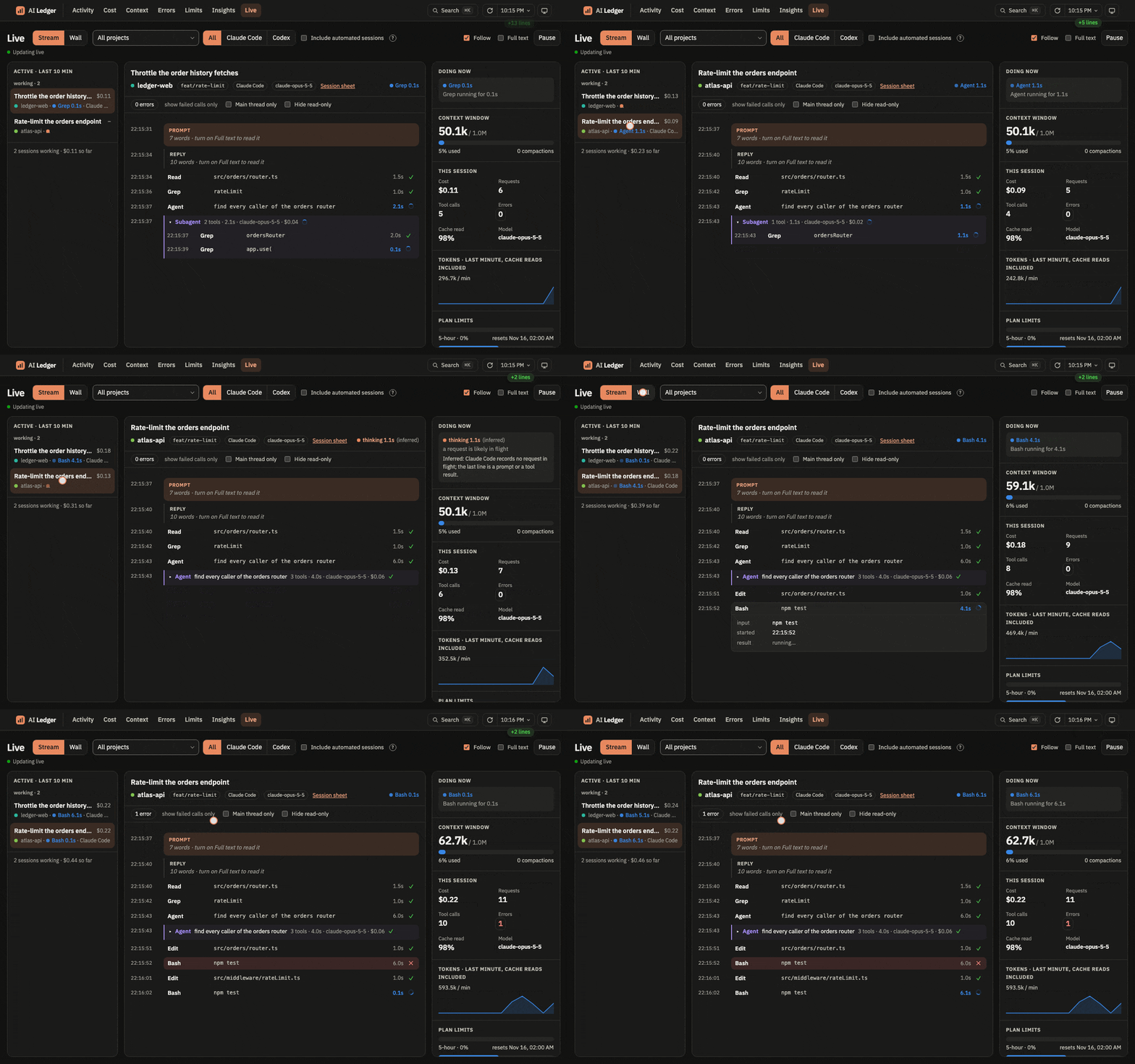
See what your coding agents did, what it cost, and where they got stuck. AI Ledger turns your Claude Code and Codex transcripts into six local dashboards.
uvx ai-ledger # opens http://127.0.0.1:8765/ in your browser
Needs uv. macOS and Linux. Nothing leaves your machine except the Limits check under Privacy.
What you get
- Activity: what got done per day, session and tool, and what needs attention.
- Cost: estimated spend at API list prices, per project, model and session, against the period before.
- Errors: failed tool calls by type, with a fix to paste into
CLAUDE.md. - Limits: each plan limit window, with a forecast to its reset.
- Insights: how Claude Code's
/insightsjudged your sessions. - Live: every active session as it runs: prompts, tool calls, subagents, context and cost.
Your agents delete old transcripts. AI Ledger keeps every line, so the history stays. Press Cmd+K to jump anywhere: >errors #myproject #7d.
 |  |
 |  |
 |  |
Install
uv tool install ai-ledger
ai-ledger                   # serve on http://127.0.0.1:8765/ and open it
uv tool upgrade ai-ledger   # new version and new prices
The app opens Activity in your browser; --no-open skips it. The first start reads every transcript, about 4 minutes for 3.4 GB. After that the app picks up new lines every 60 seconds.
| Option | Default |
|---|---|
--port |
8765 |
--no-open |
off |
--projects |
~/.claude/projects |
--codex |
~/.codex |
--usage-data |
~/.claude/usage-data |
--db |
~/Library/Application Support/ai-ledger/ai-ledger.duckdb (macOS), ~/.local/share/ai-ledger/ai-ledger.duckdb (Linux) |
With the app stopped, ai-ledger ingest reads new lines once and ai-ledger rebuild recomputes the derived tables.
Privacy
- The server listens on
127.0.0.1only. - The store keeps every transcript line, including any secrets that appeared in a session. Only your user can read it. Do not share it.
- On macOS, the Limits page sends your Claude Code OAuth token from the Keychain to Anthropic's undocumented usage endpoint every 5 minutes. The token goes nowhere else and is never stored or logged. Off macOS, Limits estimates from transcripts.
- Live shows word counts by default. Full text puts transcript content on screen, secrets included: turn it off before you share your screen.
- Your browser loads the font from Google Fonts. No transcript data goes with it.
Contributing
Needs uv and Node.
uv sync
uv run ai-ledger --db <copy> --port 8766   # run on a copy of the store
uv run python -m unittest discover -s tests
cd web && npm install && npm run dev       # http://127.0.0.1:5173, /api proxied to the app
cd web && npm run check                    # run before committing
Commit the build in src/ai_ledger/web/ with every web/src change. tools/demo/ records the GIFs from synthetic data. Maintainer notes, including releases, are in AGENTS.md.
License
1 maintainer

Metadata
1 maintainer
Release files for ai-ledger 0.1.2
For a detailed explanation of source distributions (sdists) and built distributions (wheels), please see the package formats documentation.
Source distribution (sdist)
| File | Size | Uploaded | Provenance | Actions |
|---|---|---|---|---|
| ai_ledger-0.1.2.tar.gz | 212.6 kB | Without provenance | Details for ai_ledger-0.1.2.tar.gz |
Built distribution (wheel)
| File | Interpreter | ABI | Platform | Actions Reset |
|---|---|---|---|---|
| ai_ledger-0.1.2-py3-none-any.whl | Python 3 | none | any | Details for ai_ledger-0.1.2-py3-none-any.whl |
Total release size: 430.6 kB
Release files / ai_ledger-0.1.2.tar.gz
| Download URL | ai_ledger-0.1.2.tar.gz |
|---|---|
| Size | 212.6 kB |
| Tags | Source |
|
SHA-256 checksum How to use checksums |
7ad8c8297695bbcf1be42575bbce5d1f54375f011a617cd7b0bb498b17b54eff
|
|
BLAKE2b-256 checksum How to use checksums |
8aa33ff9adc79d7c515cf9bc9166507fa7ee1e424cb9a072f4d36a07350bde18
|
| Upload date | |
|
Uploaded using Trusted Publishing? What is trusted publishing? |
Yes |
| Uploaded via |
uv/0.13.7 {"installer":{"name":"uv","version":"0.13.7","subcommand":["publish"]},"python":null,"implementation":{"name":null,"version":null},"distro":{"name":"Ubuntu","version":"26.04","id":"resolute","libc":null},"system":{"name":null,"release":null},"cpu":null,"openssl_version":null,"setuptools_version":null,"rustc_version":null,"ci":true}
|
Release files / ai_ledger-0.1.2-py3-none-any.whl
| Download URL | ai_ledger-0.1.2-py3-none-any.whl |
|---|---|
| Size | 218.0 kB |
| Tags | Python 3 |
|
SHA-256 checksum How to use checksums |
6a51059d779aec1bb6cca7019af7ad29a171384aed9f2a67b8a1a6cb50972b67
|
|
BLAKE2b-256 checksum How to use checksums |
a10bf0a90619e08395b87a6be5495f608ed4ca1cea93d35795bb29ff46935873
|
| Upload date | |
|
Uploaded using Trusted Publishing? What is trusted publishing? |
Yes |
| Uploaded via |
uv/0.13.7 {"installer":{"name":"uv","version":"0.13.7","subcommand":["publish"]},"python":null,"implementation":{"name":null,"version":null},"distro":{"name":"Ubuntu","version":"26.04","id":"resolute","libc":null},"system":{"name":null,"release":null},"cpu":null,"openssl_version":null,"setuptools_version":null,"rustc_version":null,"ci":true}
|
Security for ai-ledger 0.1.2
Provenance
Provenance describes where a file came from. On PyPI, provenance is shared via attestations, which provide a verifiable record of the build or publishing details. View details, limitations and caveats.
No provenance found
None of the files in this release were uploaded with provenance metadata.
A note on package security
PyPI is a repository for distributing packages, not a service for auditing them. While third-party security researchers and our staff do their best to detect and remove malicious packages, PyPI cannot guarantee the quality, security or suitability of any given package.
To learn more about protecting yourself from malicious actors, visit our package security documentation.














