
Terminal-based AI curator that turns information noise into meaningful signal

Project description
AI Signal
Terminal-based AI curator that turns information noise into meaningful signal.
AI Signal is a powerful tool designed to help you regain control over your information diet in today's overwhelming digital landscape. While existing platforms and algorithms decide what content reaches you, AI Signal empowers you to define and implement your own content curation strategy.
By leveraging AI capabilities and your personal preferences, it transforms the constant stream of information into meaningful, relevant insights that matter to you. You define the categories, quality thresholds, and filtering criteria, ensuring that the content you consume aligns with your interests and goals.
Think of it as your personal content curator that works tirelessly to surface valuable information while filtering out noise, all running locally on your machine. With AI Signal, you're not just consuming content – you're actively shaping how information reaches you, making conscious choices about what deserves your attention.
Features
- 🤖 AI-powered content analysis and categorization
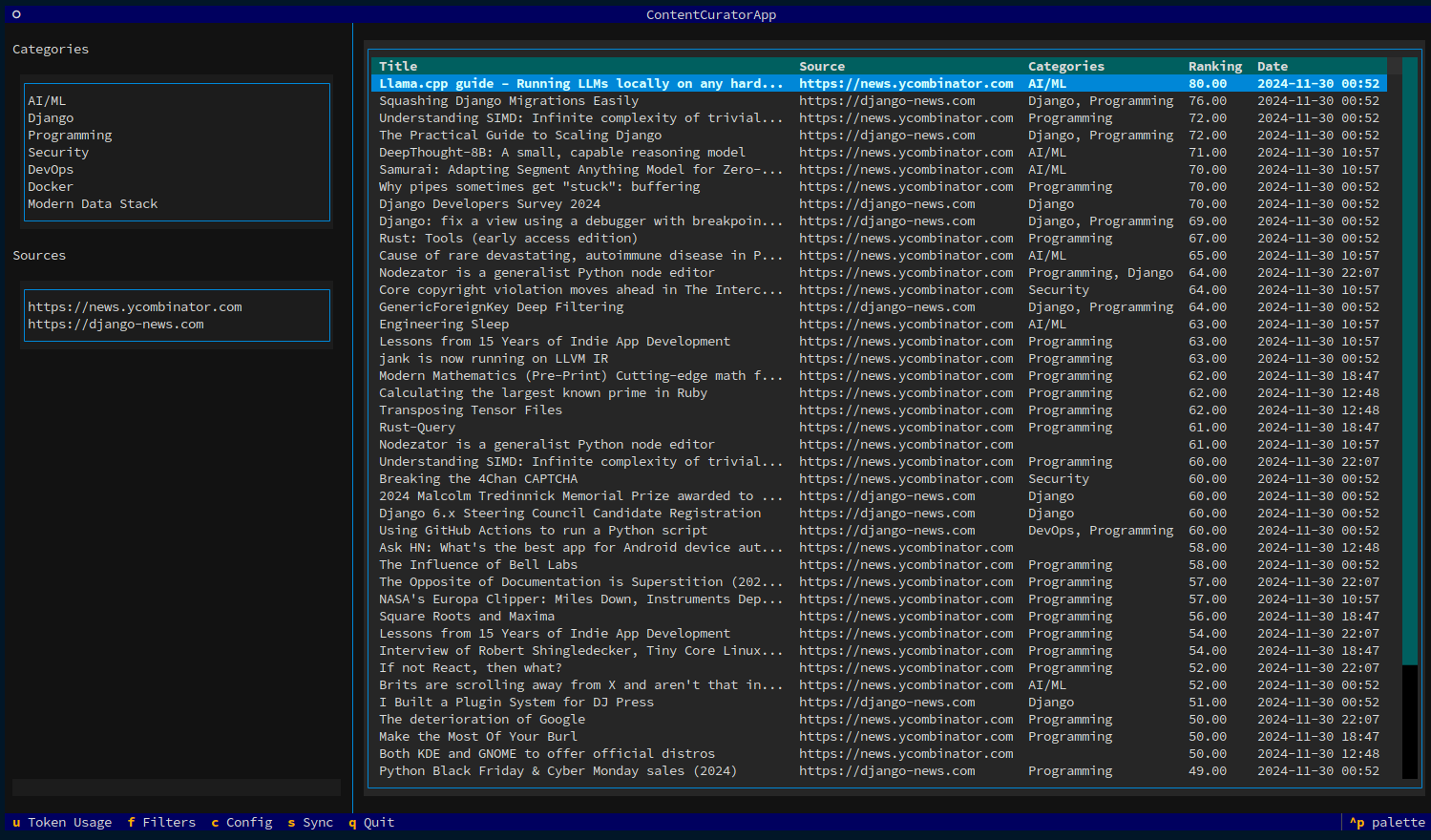
- 🔍 Smart filtering based on customizable categories and quality thresholds
- 📊 Advanced sorting by date, ranking, or combined criteria
- 🔄 Automatic content synchronization from multiple sources
- 🌐 Support for various content sources (YouTube, Medium, Reddit, Hacker News, RSS feeds)
- 📱 Share curated content directly to social media
- 📝 Export to Obsidian vault with customizable templates
- ⌨️ Fully keyboard-driven interface
- 🎨 Beautiful terminal UI powered by Textual
Installation
pip install ai-signal
or
pipx install ai-siganl
for global installation.
If using poetry:
poetry add ai-signal
poetry shell # enter the virtualenv
Quick Start
- Create a configuration file:
aisignal init
modify it, as described in the configuration guide:
- Run AI Signal:
aisignal run
Keyboard Shortcuts
For all views
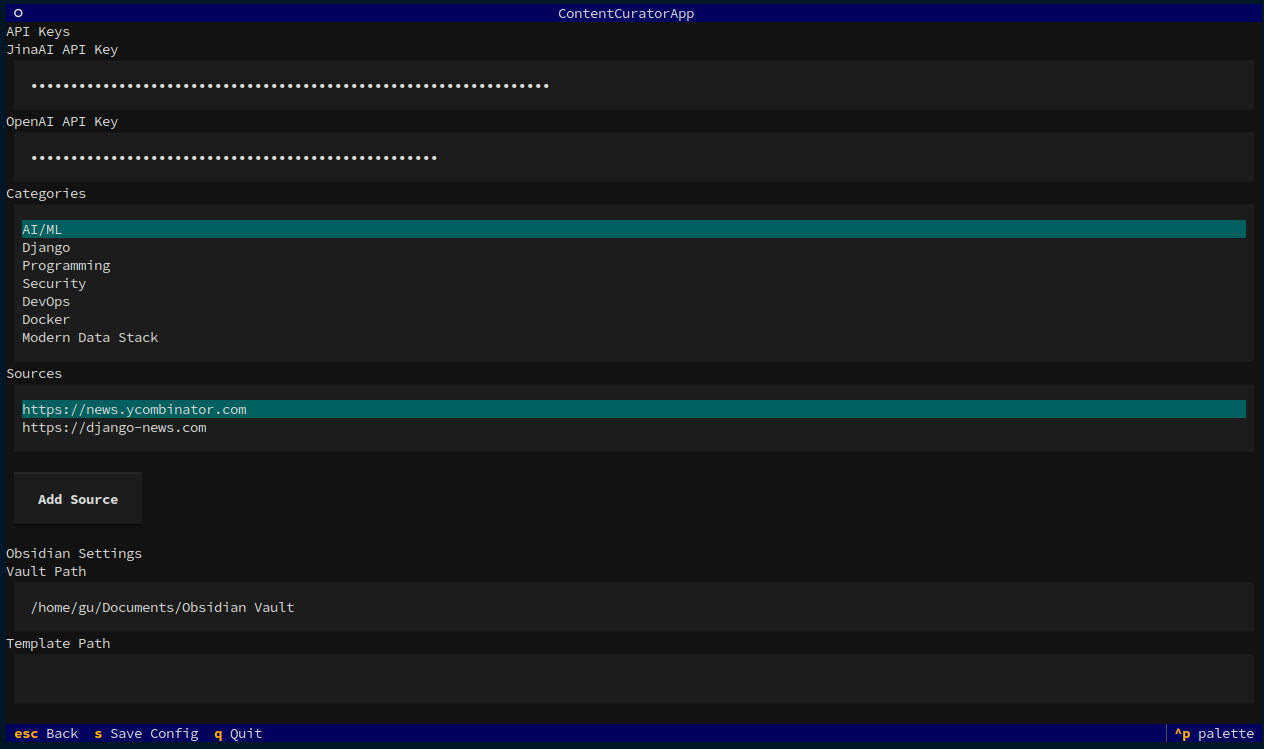
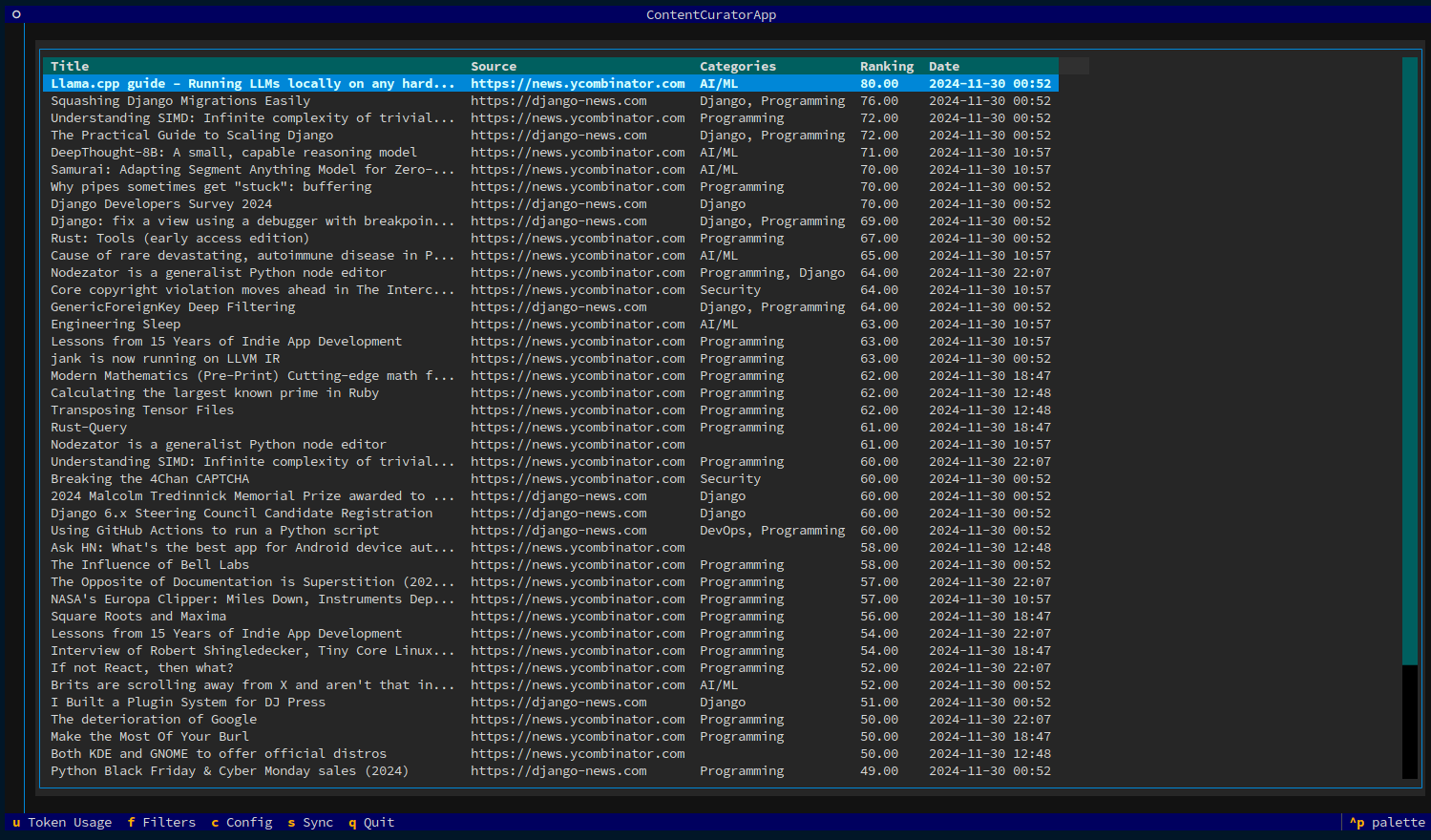
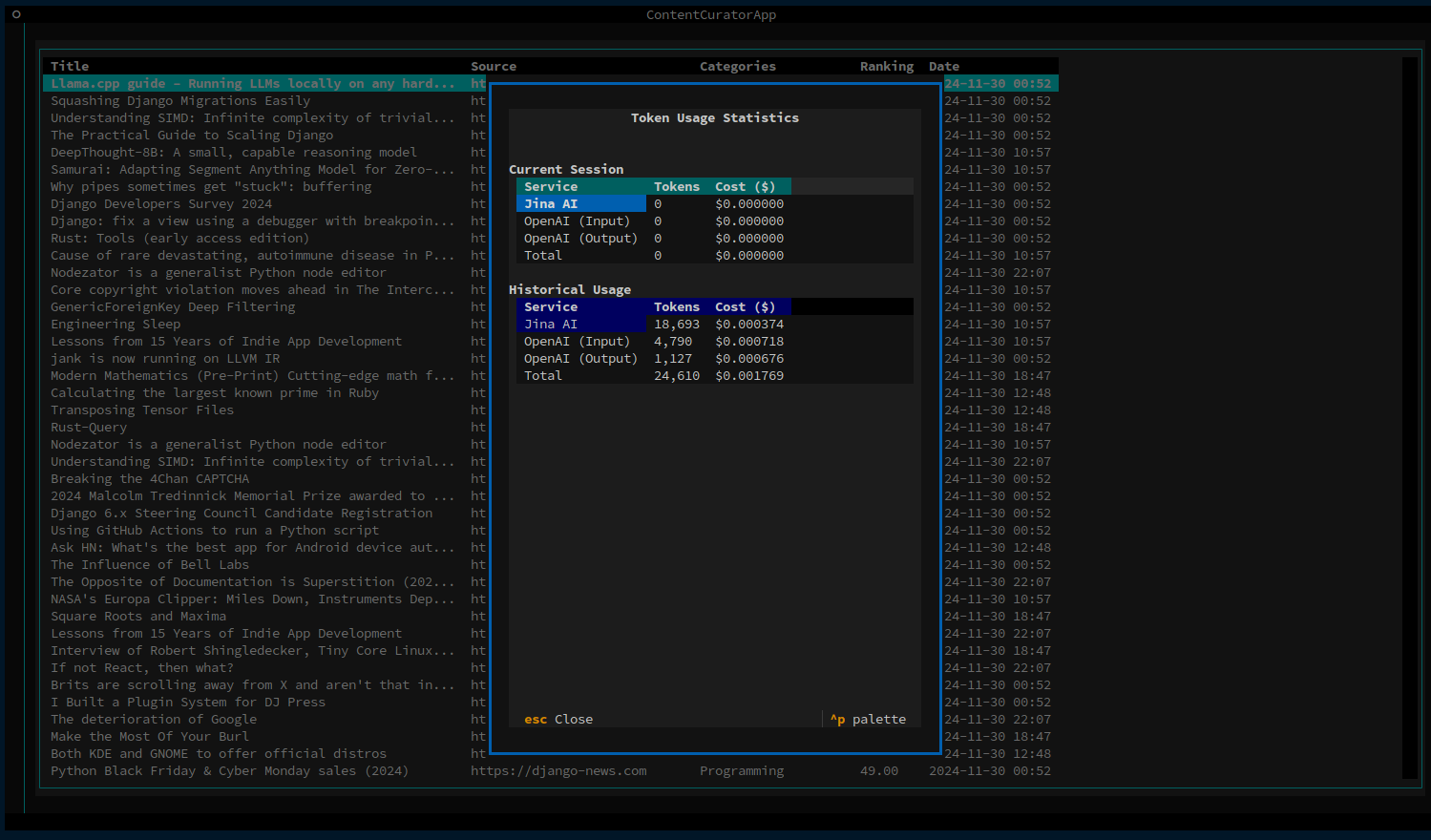
q: Quit applicationc: Toggle configuration panels: Force sync contentf: Toggle filters sidebaru: Show usage and costs modal
Within the items list
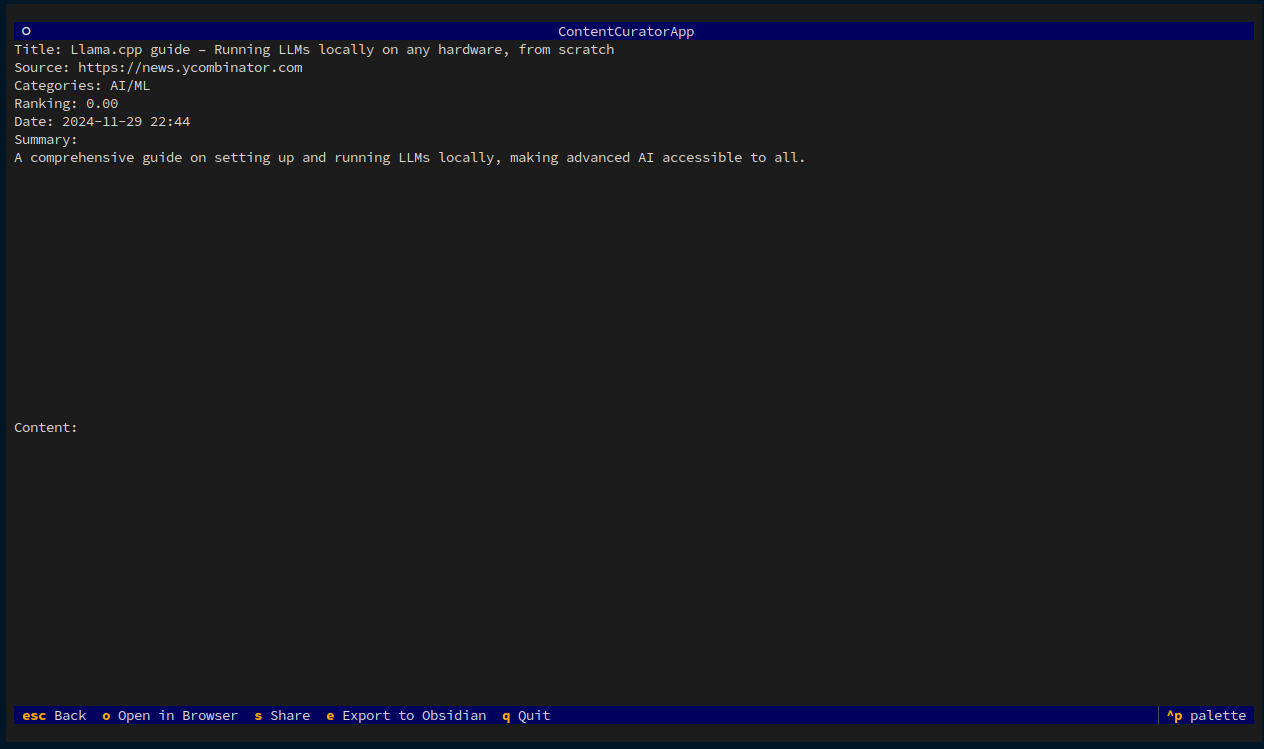
↑/↓: Navigate itemsenter: Show item detailso: Open in browsert: Share on Twitterl: Share on LinkedIne: Export to Obsidian
Screenshots
Main Interface
Configuration interface
Resource detail interface
Sidebar hidden
Tokens usage and costs
Project Status
Current Version: 0.8.1 (Alpha) Status: Active Development - RSS Integration Phase
AI Signal is a working prototype with core curation features implemented. The project is currently focused on adding native RSS/Atom feed support to reduce costs and improve performance.
What Works:
- ✅ Content fetching and analysis with AI (Jina AI + OpenAI)
- ✅ Customizable categories and quality thresholds
- ✅ Dual-threshold filtering system
- ✅ Terminal UI with keyboard-driven interface
- ✅ Export to Obsidian
- ✅ Token usage tracking and cost visibility
In Development:
- 🚧 RSS/Atom feed parsing (Issues #14-21)
- 🚧 Feed auto-discovery
- 🚧 Comprehensive test suite
Coming Soon:
- 📋 Resource notes and annotations
- 📊 Statistics dashboard
- 🤖 Multi-LLM support
As an open source initiative, contributors are welcome! See the Contributing Guide and VISION.md for strategic direction.
Development environment setup
# Clone the repository
git clone https://github.com/guglielmo/ai-signal.git
cd ai-signal


# Install dependencies
poetry install

# Run tests
poetry run pytest

# Run the application in development mode
poetry run aisignal version
or, entering the virtualenv:
poetry shell
aisignal version
Roadmap
See VISION.md for complete product vision and strategic direction.
Current Focus: RSS Integration (Q4 2025)
Native RSS/Atom feed support to dramatically reduce costs and improve performance:
- RSS Feed Parsing - Direct parsing of RSS/Atom feeds (no API costs)
- Auto-Discovery - Automatically find feeds from blog URLs
- Feed Metadata - Track feed type, entry count, last update
- Hybrid Approach - RSS for feeds, Jina AI fallback for HTML pages
- Comprehensive Testing - Unit and integration tests with real feeds
Why RSS First: Reduces content fetching costs by 50-80% and improves performance 10-100×, enabling affordable AI features downstream.
Status: Milestone defined with 9 issues (#14-21). Estimated 16 hours implementation. See detailed plan →
Phase 2: Core UX Improvements (Q1 2026)
- Resource Notes - Add personal notes and annotations to saved items
- Statistics Dashboard - Which sources and categories are most valuable?
- Better Sorting - Enhanced sort options (recency, category, source)
- UI Polish - Refinements based on real usage patterns
Phase 3: AI Intelligence Features (Q2 2026)
- Content Summarization - Generate summaries and key takeaways
- Wisdom Extraction - Pull out actionable insights from content
- Multi-LLM Support - Choose from OpenAI, Claude, Gemini, or local models
- Batch Optimization - Efficient grouping of source analysis
Phase 4: Learning & Personalization (Q3 2026+)
- Feedback Loop - Learn from your reading patterns and choices
- Category Suggestions - Discover new interests based on behavior
- Source Recommendations - Find relevant blogs and feeds
- YouTube Videos - Transcribe and analyze video content
- Content Archiving - Read/unread status, filtering, search
Future Considerations
- Multi-user and team features
- Public curations and sharing
- Podcast and audio content support
- Browser extension for saving pages
- Mobile companion app
Note: The roadmap is intentionally sequenced - RSS integration enables cost-effective AI features, which in turn make learning features viable. See technical analysis for detailed rationale.
License
This project is licensed under the MIT License - see the LICENSE file for details.
Documentation
- VISION.md - Product vision and strategic direction
- Configuration Guide - How to configure AI Signal
- Contributing Guide - How to contribute
- Technical Specification - Architecture details
- Project Analysis - Comprehensive analysis and roadmap rationale
Acknowledgments
Author
Guglielmo Celata
- GitHub: @guglielmo
- Mastodon: @guille@mastodon.uno
Release history Release notifications | RSS feed


Download files
Download the file for your platform. If you're not sure which to choose, learn more about installing packages.
Source Distribution
Built Distribution
Filter files by name, interpreter, ABI, and platform.
If you're not sure about the file name format, learn more about wheel file names.
Copy a direct link to the current filters
File details
Details for the file ai_signal-0.10.0.tar.gz.
File metadata
- Download URL: ai_signal-0.10.0.tar.gz
- Upload date:
- Size: 53.0 kB
- Tags: Source
- Uploaded using Trusted Publishing? No
- Uploaded via: poetry/2.2.1 CPython/3.9.25 Linux/6.11.0-1018-azure
File hashes
| Algorithm | Hash digest | |
|---|---|---|
| SHA256 |
545bb328f98cef4f6c375ce7949c7f9cfafbb6d2aa2226c2899958e5c2eb8923
|
|
| MD5 |
eb7d03dd8e9c6b273377bcf249ce4e67
|
|
| BLAKE2b-256 |
87d994b5f2c2668c8356a5924fd8ec215091bbacd4df9713c7b5cca31e847070
|
File details
Details for the file ai_signal-0.10.0-py3-none-any.whl.
File metadata
- Download URL: ai_signal-0.10.0-py3-none-any.whl
- Upload date:
- Size: 66.5 kB
- Tags: Python 3
- Uploaded using Trusted Publishing? No
- Uploaded via: poetry/2.2.1 CPython/3.9.25 Linux/6.11.0-1018-azure
File hashes
| Algorithm | Hash digest | |
|---|---|---|
| SHA256 |
51bf555e23b27e31cbc59cf80303c5c76435884ed72ce98a9e665909526c9dba
|
|
| MD5 |
44f0618a8f6672361942bb883ff765c6
|
|
| BLAKE2b-256 |
f21b41655fec086e4ae5b9d003bc7620d779c9d89adb7d22ed7c851001d5d082
|






