
Terminal-based AI curator that turns information noise into meaningful signal

Project description
AI Signal
Terminal-based AI curator that turns information noise into meaningful signal.
AI Signal is a powerful tool designed to help you regain control over your information diet in today's overwhelming digital landscape. While existing platforms and algorithms decide what content reaches you, AI Signal empowers you to define and implement your own content curation strategy.
By leveraging AI capabilities and your personal preferences, it transforms the constant stream of information into meaningful, relevant insights that matter to you. You define the categories, quality thresholds, and filtering criteria, ensuring that the content you consume aligns with your interests and goals.
Think of it as your personal content curator that works tirelessly to surface valuable information while filtering out noise, all running locally on your machine. With AI Signal, you're not just consuming content – you're actively shaping how information reaches you, making conscious choices about what deserves your attention.
Features
- 🤖 AI-powered content analysis and categorization
- 🔍 Smart filtering based on customizable categories and quality thresholds
- 📊 Advanced sorting by date, ranking, or combined criteria
- 🔄 Automatic content synchronization from multiple sources
- 🌐 Support for various content sources (YouTube, Medium, Reddit, Hacker News, RSS feeds)
- 📱 Share curated content directly to social media
- 📝 Export to Obsidian vault with customizable templates
- ⌨️ Fully keyboard-driven interface
- 🎨 Beautiful terminal UI powered by Textual
Installation
pip install ai-signal
or
pipx install ai-siganl
for global installation.
If using poetry:
poetry add ai-signal
poetry shell # enter the virtualenv
Quick Start
- Create a configuration file:
aisignal init
modify it, as described in the configuration guide:
- Run AI Signal:
aisignal run
Keyboard Shortcuts
For all views
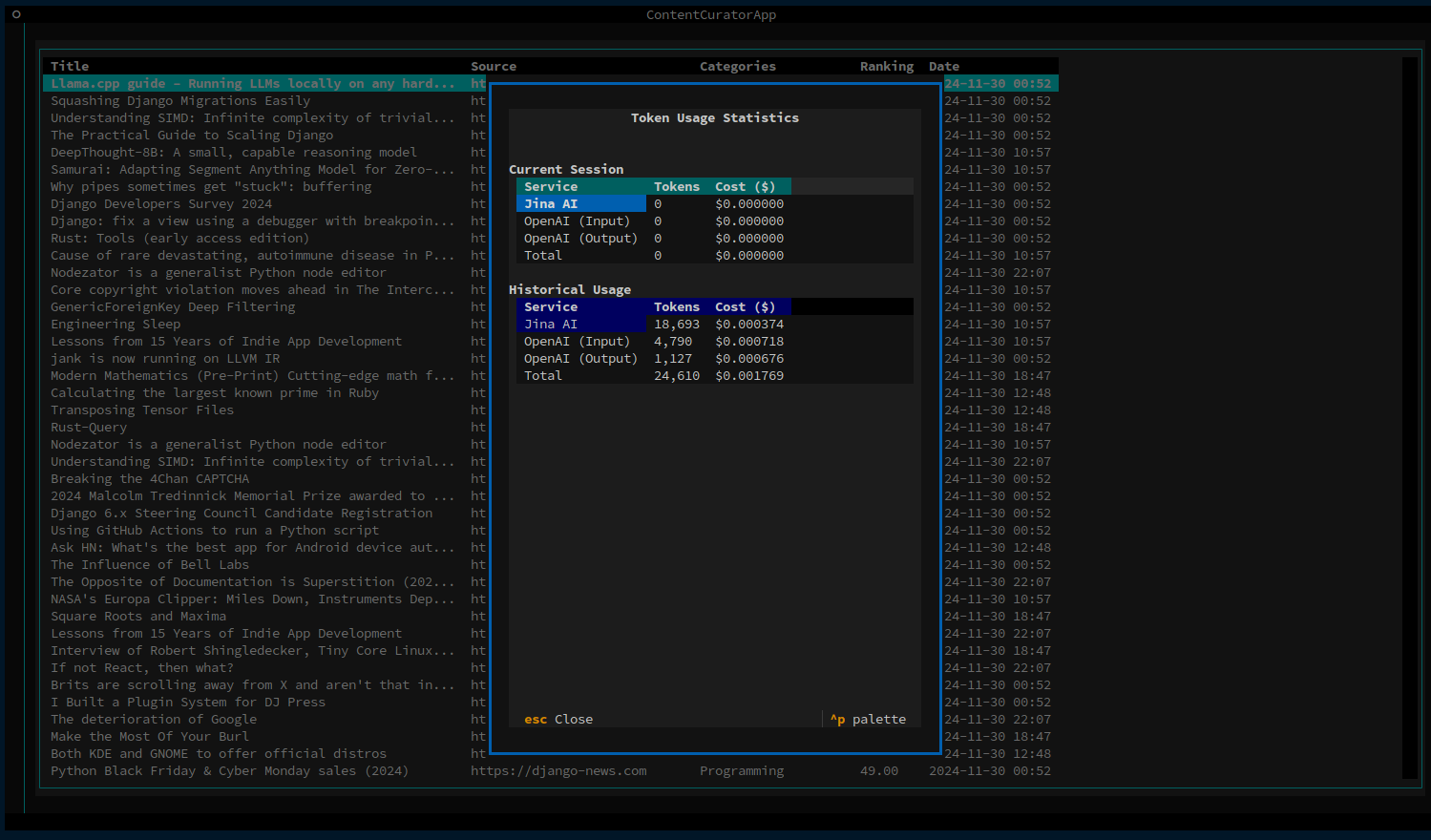
q: Quit applicationc: Toggle configuration panels: Force sync contentf: Toggle filters sidebaru: Show usage and costs modal
Within the items list
↑/↓: Navigate itemsenter: Show item detailso: Open in browsert: Share on Twitterl: Share on LinkedIne: Export to Obsidian
Screenshots
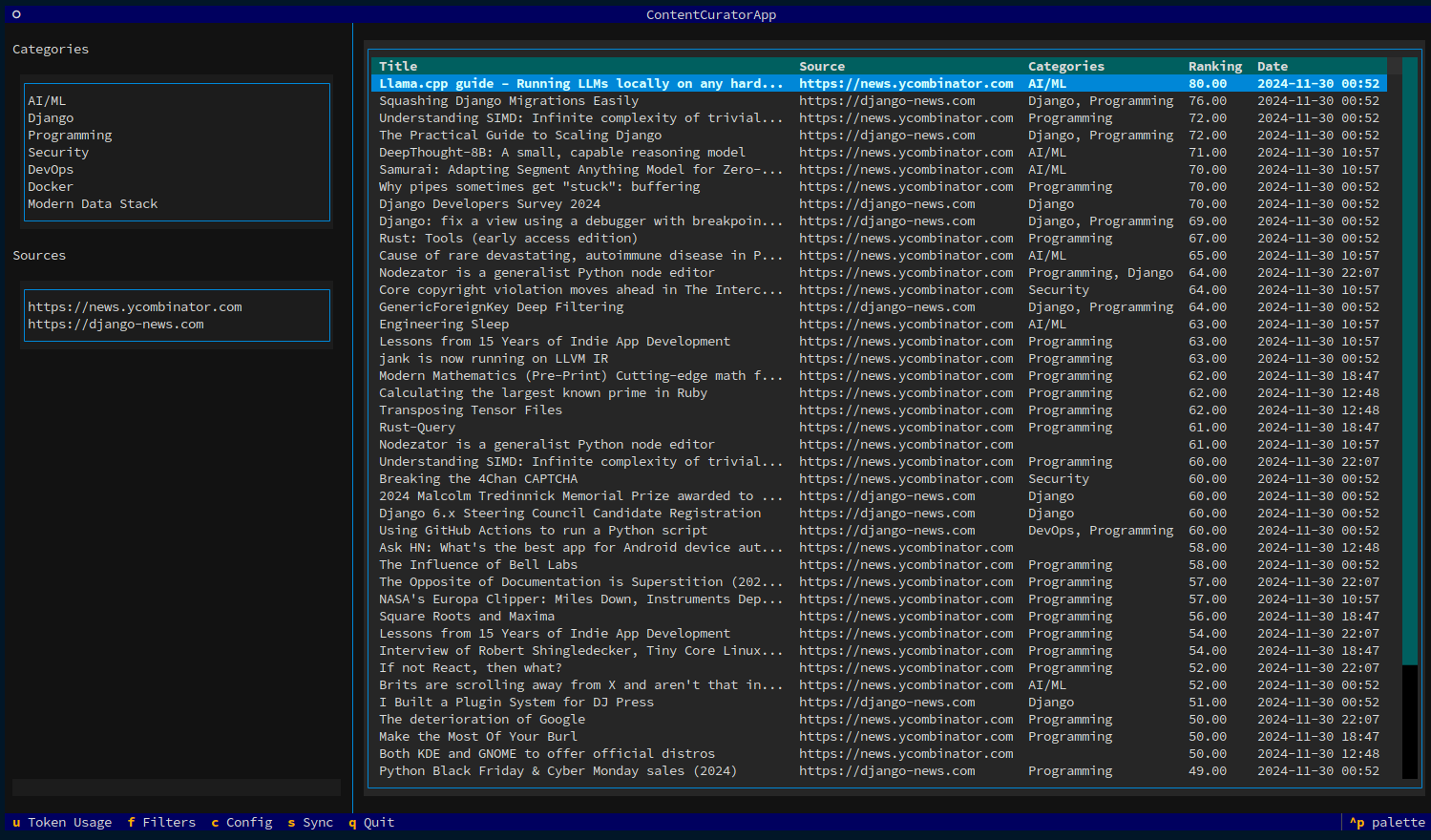
Main Interface
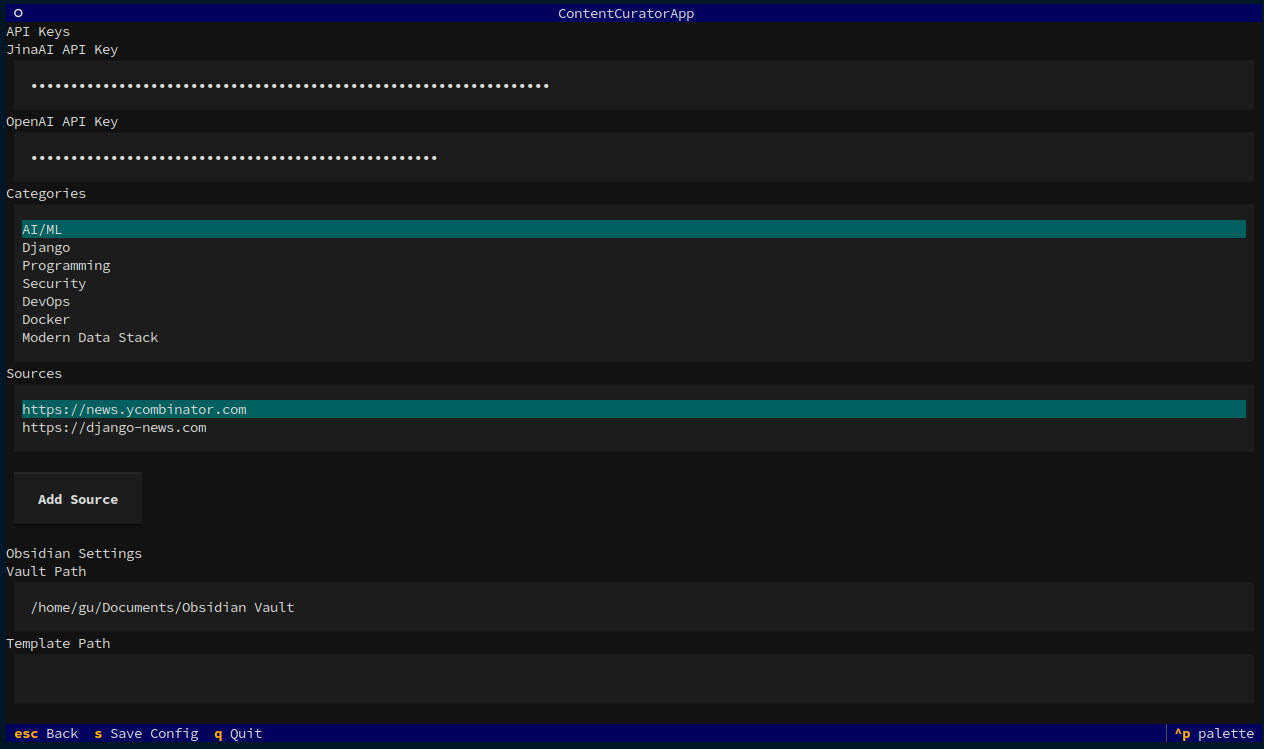
Configuration interface
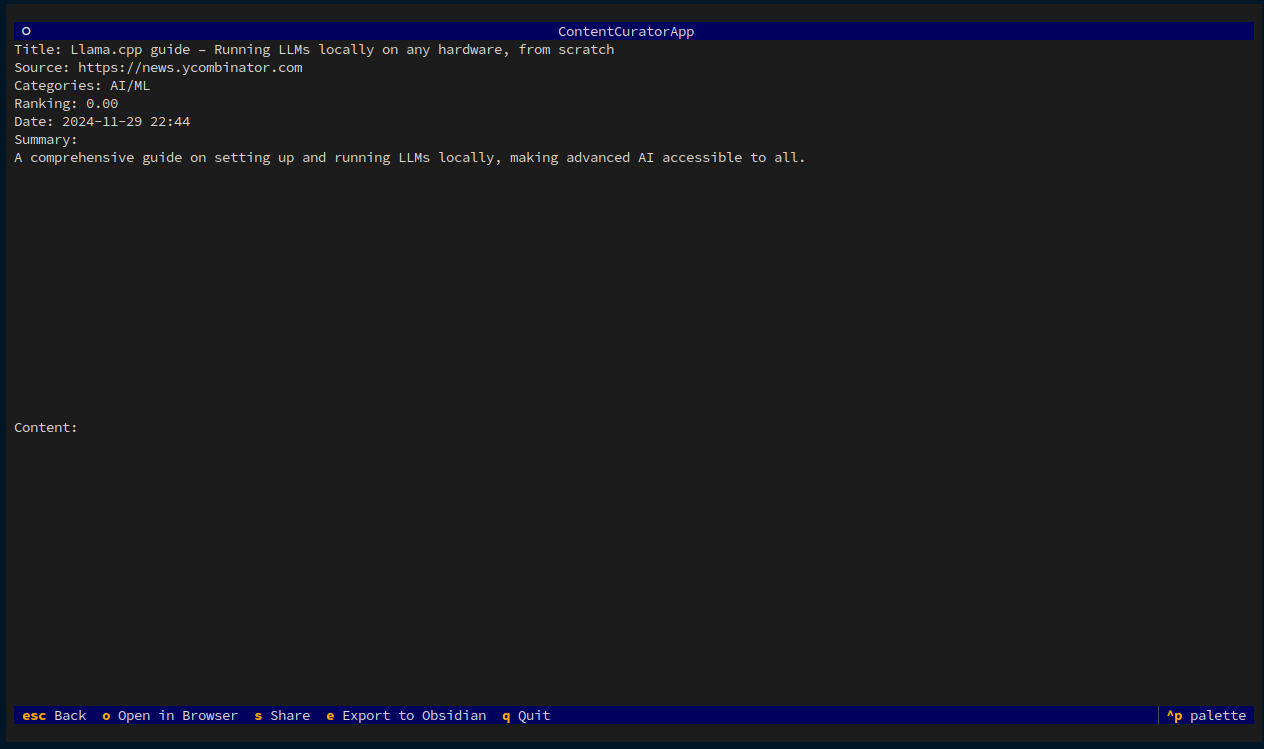
Resource detail interface
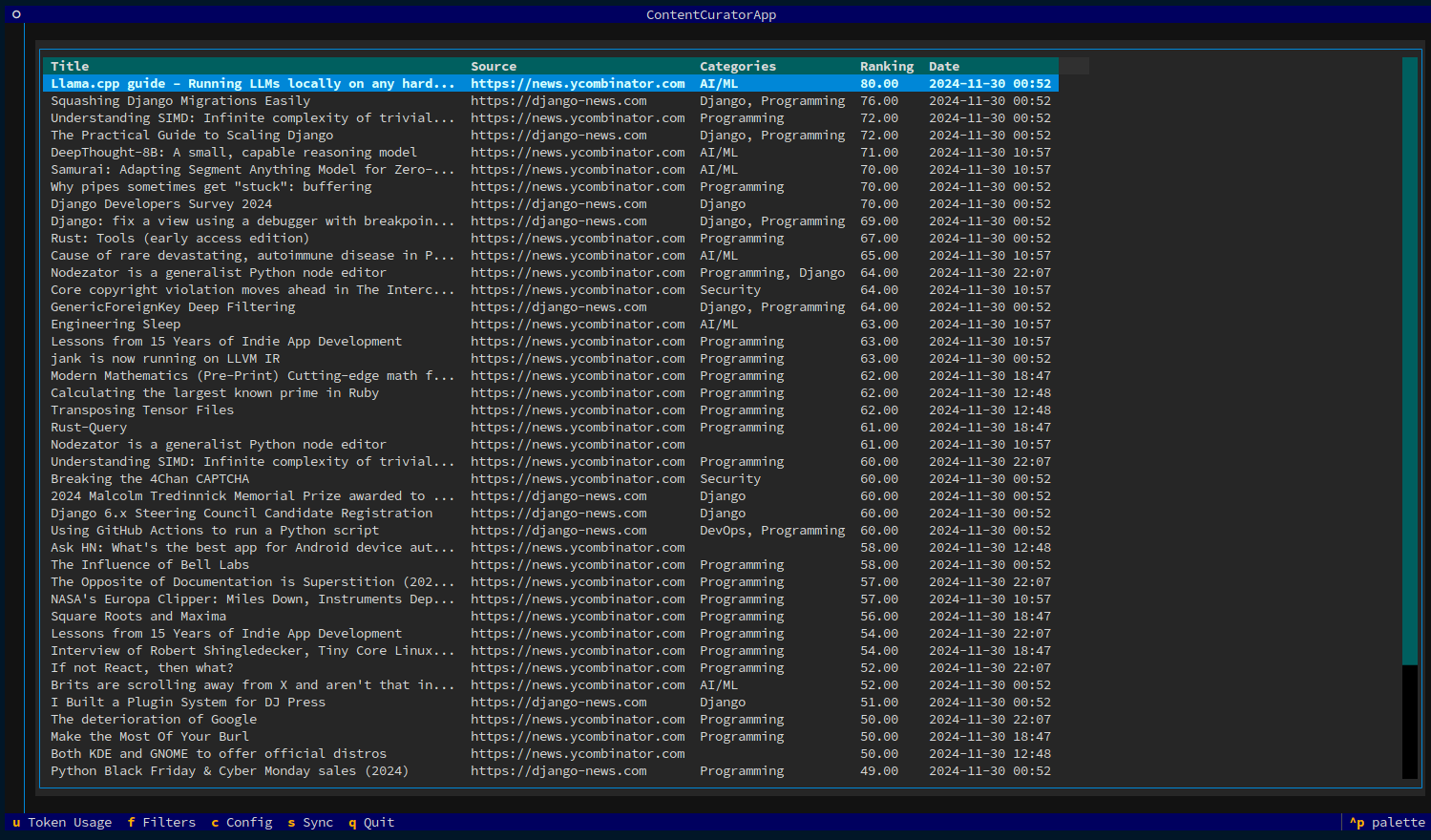
Sidebar hidden
Tokens usage and costs
Project Status
This project is in its early development stages. I am not yet ready to provide a working prototype. As an open source initiative, I welcome contributors who can help advance the project. Please read the Contributing Guide
Development environment setup
# Clone the repository
git clone https://github.com/guglielmo/ai-signal.git
cd ai-signal

# Install dependencies
poetry install

# Run tests
poetry run pytest

# Run the application in development mode
poetry run aisignal version
or, entering the virtualenv:
poetry shell
aisignal version
Roadmap
- Add support for more content sources (YT videos, podcasts, pdf)
- Add statistics on most used sources and categories
- which are the sources most interesting news come from?
- which are the categories with most news
- which are the trends
- Implement a double thresholds mechanism
- all below minimal threshold is not even added to the datatable
- all below maximum threshold is accepted as interesting
- all in between must be further evaluated, by you, with your keyboard
- y - accept
- n - refuse
- Implement feedback loop, based on your selections
- suggest other interests that you may have
- highlight waning interests
- Implement custom AI models (Anthropic, Ollama, Gemini, ...)
- Add content archiving
- read/unread items, filter by read/unread status
- remove items
- Enable custom prompts for sources
- Enable custom filtering rules
License
This project is licensed under the MIT License - see the LICENSE file for details.
Acknowledgments
Author
Guglielmo Celata
- GitHub: @guglielmo
- Mastodon: @guille@mastodon.uno
Release history Release notifications | RSS feed


Download files
Download the file for your platform. If you're not sure which to choose, learn more about installing packages.
Source Distribution
Built Distribution
Filter files by name, interpreter, ABI, and platform.
If you're not sure about the file name format, learn more about wheel file names.
Copy a direct link to the current filters
File details
Details for the file ai_signal-0.8.1.tar.gz.
File metadata
- Download URL: ai_signal-0.8.1.tar.gz
- Upload date:
- Size: 39.7 kB
- Tags: Source
- Uploaded using Trusted Publishing? No
- Uploaded via: poetry/2.1.3 CPython/3.9.22 Linux/6.11.0-1014-azure
File hashes
| Algorithm | Hash digest | |
|---|---|---|
| SHA256 |
7a13c30b301aef0246bf9d7737e67068311d7a2c302be3375c7b46430c645abb
|
|
| MD5 |
452b4f0b22d6a0e1e6d2a76eee54634c
|
|
| BLAKE2b-256 |
868ef19a51f7a8db8421f718ea33376e1b517cc68fd19bdb48b2915db38bd708
|
File details
Details for the file ai_signal-0.8.1-py3-none-any.whl.
File metadata
- Download URL: ai_signal-0.8.1-py3-none-any.whl
- Upload date:
- Size: 48.0 kB
- Tags: Python 3
- Uploaded using Trusted Publishing? No
- Uploaded via: poetry/2.1.3 CPython/3.9.22 Linux/6.11.0-1014-azure
File hashes
| Algorithm | Hash digest | |
|---|---|---|
| SHA256 |
b1083c46e0398bfee56d8180e6eedf922c17c991d1d9f18646ff8f4d99412b85
|
|
| MD5 |
72a30450f8cd74d0ac36c01ab18d6e61
|
|
| BLAKE2b-256 |
5a1ac05583b4d55c7fc1e8f557ee1559bc5634a58874920c9c9399fb8a1cf64b
|






