
Albumentations


- Great fast augmentations based on highly-optimized OpenCV library
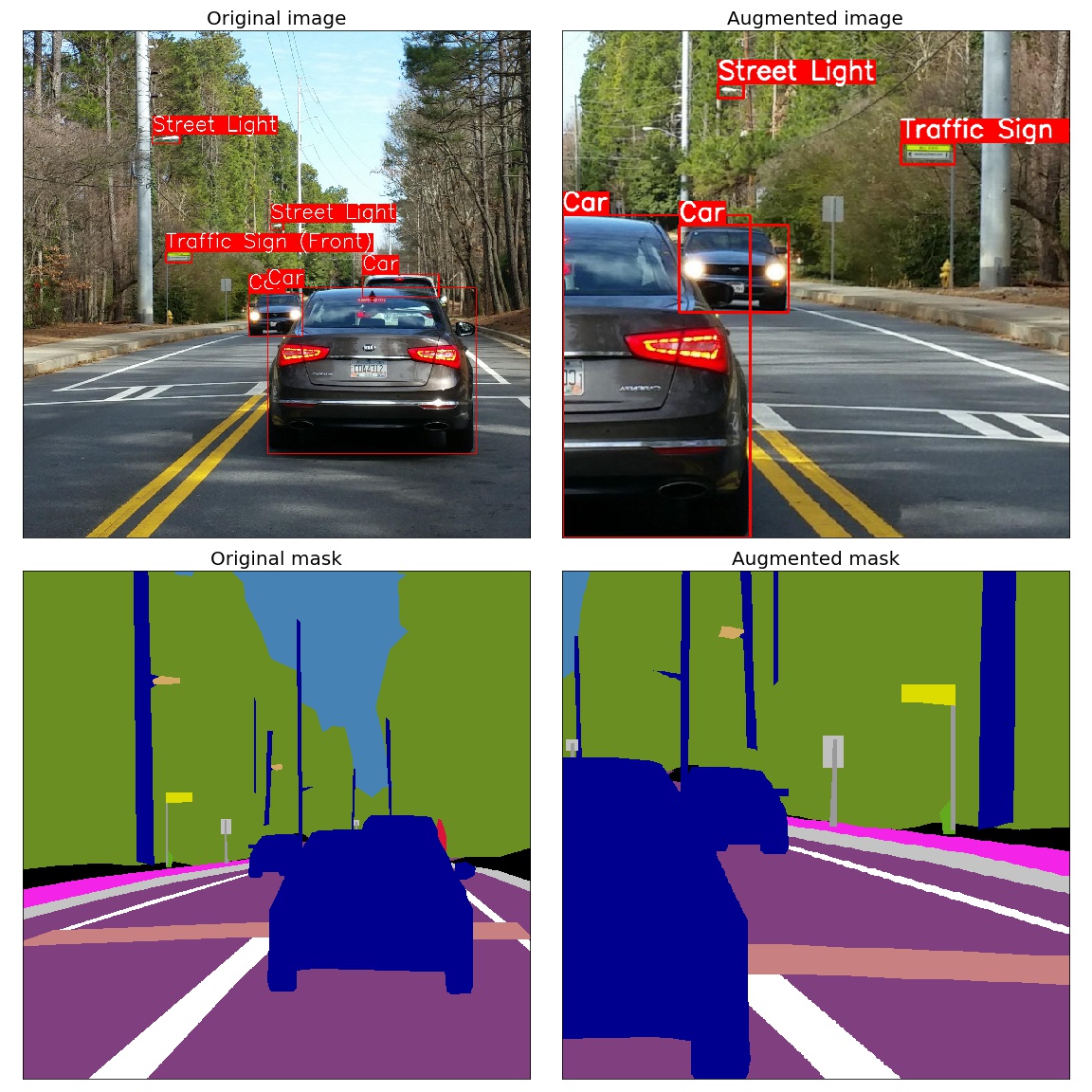
- Super simple yet powerful interface for different tasks like (segmentation, detection, etc.)
- Easy to customize
- Easy to add other frameworks
How to use
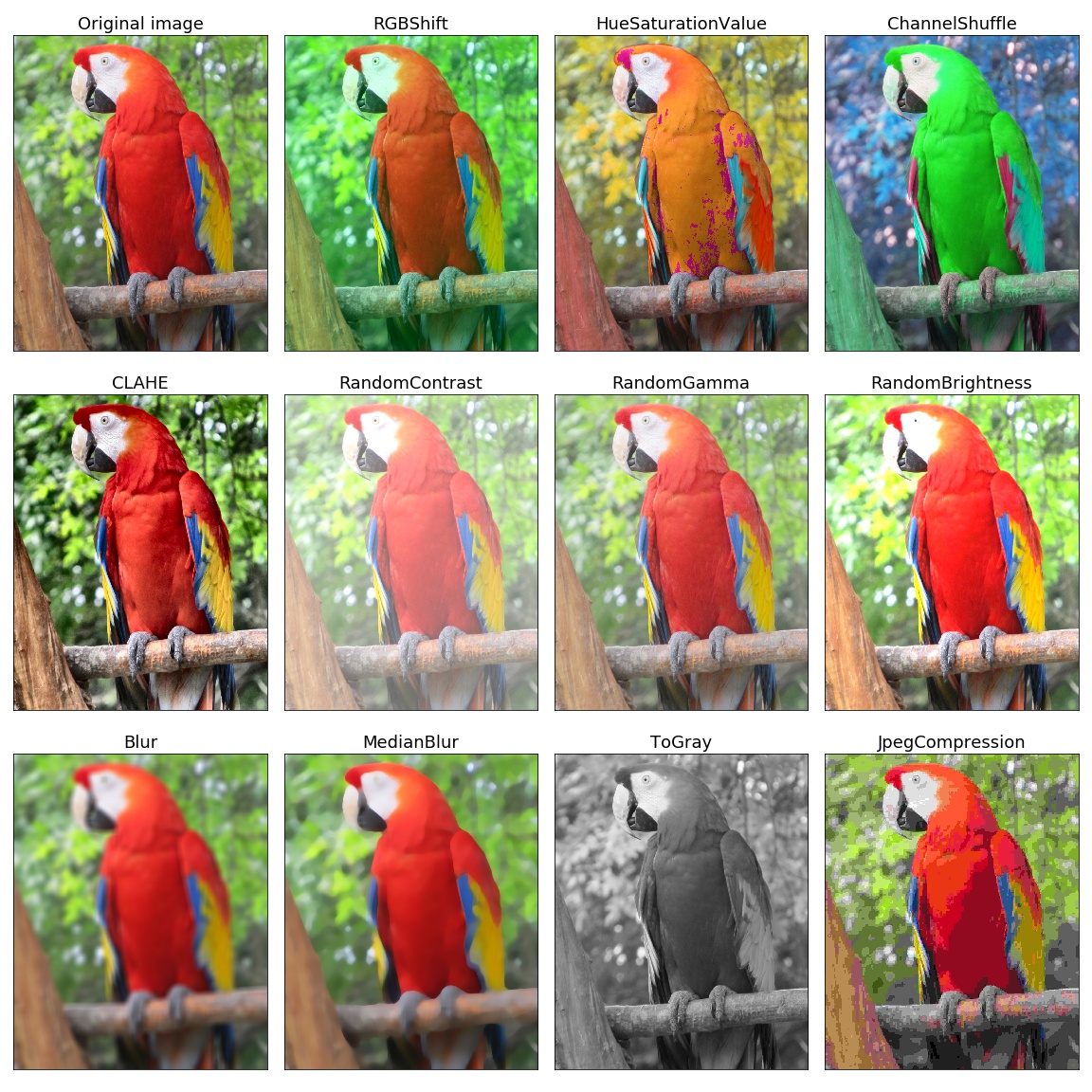
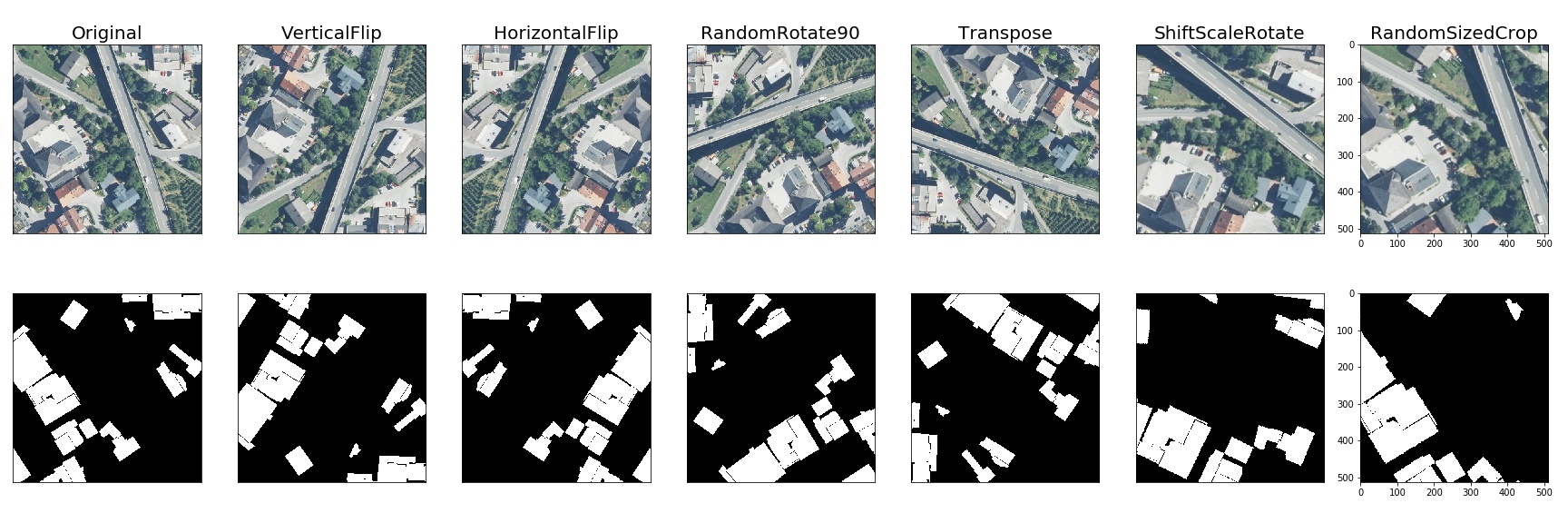
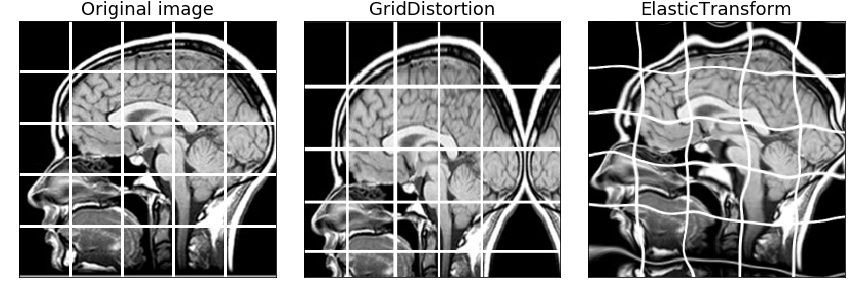
All in one showcase notebook - showcase.ipynb
Classification - example.ipynb
Object detection - example_bboxes.ipynb
Non-8-bit images - example_16_bit_tiff.ipynb
Image segmentation is also supported out of the box, notebook coming soon.
Custom tasks such as autoencoders, more then three channel images - custom_targets
You can use this Google Colaboratory notebook to adjust image augmentation parameters and see the resulting images.
Authors
Installation
You can use pip to install albumentations:
pip install albumentations
If you want to get the latest version of the code before it is released on PyPI you can install the library from GitHub:
pip install -U git+https://github.com/albu/albumentations
Documentation
The full documentation is available at albumentations.readthedocs.io.
Migrating from torchvision to albumentations
Migrating from torchvision to albumentations is simple - you just need to change a few lines of code.
Albumentations has equivalents for common torchvision transforms as well as plenty of transforms that are not presented in torchvision.
migrating_from_torchvision_to_albumentations.ipynb shows how one can migrate code from torchvision to albumentations.
Benchmarking results
To run the benchmark yourself follow the instructions in benchmark/README.md
Results for running the benchmark on first 2000 images from the ImageNet validation set using an Intel Core i7-7800X CPU. All times are in seconds, lower is better.
| albumentations | imgaug | torchvision (Pillow backend) |
torchvision (Pillow-SIMD backend) |
Keras | |
|---|---|---|---|---|---|
| RandomCrop64 | 0.0017 | - | 0.0182 | 0.0182 | - |
| PadToSize512 | 0.2413 | - | 2.493 | 2.3682 | - |
| HorizontalFlip | 0.7765 | 2.2299 | 0.3031 | 0.3054 | 2.0508 |
| VerticalFlip | 0.178 | 0.3899 | 0.2326 | 0.2308 | 0.1799 |
| Rotate | 3.8538 | 4.0581 | 16.16 | 9.5011 | 50.8632 |
| ShiftScaleRotate | 2.0605 | 2.4478 | 18.5401 | 10.6062 | 47.0568 |
| Brightness | 2.1018 | 2.3607 | 4.6854 | 3.4814 | 9.9237 |
| ShiftHSV | 10.3925 | 14.2255 | 34.7778 | 27.0215 | - |
| ShiftRGB | 2.6159 | 2.1989 | - | - | 3.0598 |
| Gamma | 1.4832 | - | 1.1397 | 1.1447 | - |
| Grayscale | 1.2048 | 5.3895 | 1.6826 | 1.2721 | - |
Contributing
- Clone the repository:
git clone git@github.com:albu/albumentations.git
cd albumentations
- Install the library in development mode:
pip install -e .[tests]
- Run tests:
pytest
- Run flake8 to perform PEP8 and PEP257 style checks and to check code for lint errors.
flake8
Building the documentation
- Go to
docs/directory
cd docs
- Install required libraries
pip install -r requirements.txt
- Build html files
make html
- Open
_build/html/index.htmlin browser.
Alternatively, you can start a web server that rebuilds the documentation
automatically when a change is detected by running make livehtml
Comments
In some systems, in the multiple GPU regime PyTorch may deadlock the DataLoader if OpenCV was compiled with OpenCL optimizations. Adding the following two lines before the library import may help. For more details https://github.com/pytorch/pytorch/issues/1355
cv2.setNumThreads(0)
cv2.ocl.setUseOpenCL(False)
Citing
If you find this library useful for your research, please consider citing:
@article{2018arXiv180906839B,
    author = {A. Buslaev, A. Parinov, E. Khvedchenya, V.~I. Iglovikov and A.~A. Kalinin},
     title = "{Albumentations: fast and flexible image augmentations}",
   journal = {ArXiv e-prints},
    eprint = {1809.06839},
      year = 2018
}
1 maintainer

Metadata
1 maintainer
Release files for albumentations 0.1.0
For a detailed explanation of source distributions (sdists) and built distributions (wheels), please see the package formats documentation.
Source distribution (sdist)
| File | Size | Uploaded | Provenance | Actions |
|---|---|---|---|---|
| albumentations-0.1.0.tar.gz | 40.7 kB | Without provenance | Details for albumentations-0.1.0.tar.gz |
Release files / albumentations-0.1.0.tar.gz
| Download URL | albumentations-0.1.0.tar.gz |
|---|---|
| Size | 40.7 kB |
| Tags | Source |
|
SHA-256 checksum How to use checksums |
0dbb23bf5eb38917baea035ef9881d502e27b53cbc511d062e3df4cfe7e6f8ae
|
|
BLAKE2b-256 checksum How to use checksums |
206fec662cf408786427a11204c29f7e1dd694010b3f57bd3577abae6daaf194
|
| Upload date | |
|
Uploaded using Trusted Publishing? What is trusted publishing? |
No |
| Uploaded via |
twine/1.11.0 pkginfo/1.4.2 requests/2.19.1 setuptools/39.2.0 requests-toolbelt/0.8.0 tqdm/4.23.3 CPython/3.6.6
|
Security for albumentations 0.1.0
Provenance
Provenance describes where a file came from. On PyPI, provenance is shared via attestations, which provide a verifiable record of the build or publishing details. View details, limitations and caveats.
No provenance found
None of the files in this release were uploaded with provenance metadata.
A note on package security
PyPI is a repository for distributing packages, not a service for auditing them. While third-party security researchers and our staff do their best to detect and remove malicious packages, PyPI cannot guarantee the quality, security or suitability of any given package.
To learn more about protecting yourself from malicious actors, visit our package security documentation.














