
Automated Japanese vocabulary mining from media with Anki integration
Verified details
These details have been verified by PyPIProject links
GitHub Statistics
Maintainers

Project description
 Anki Miner





Turn native Japanese content into Anki vocabulary cards.
Please leave a ⭐ star if Anki Miner helped you - it helps others find it :).
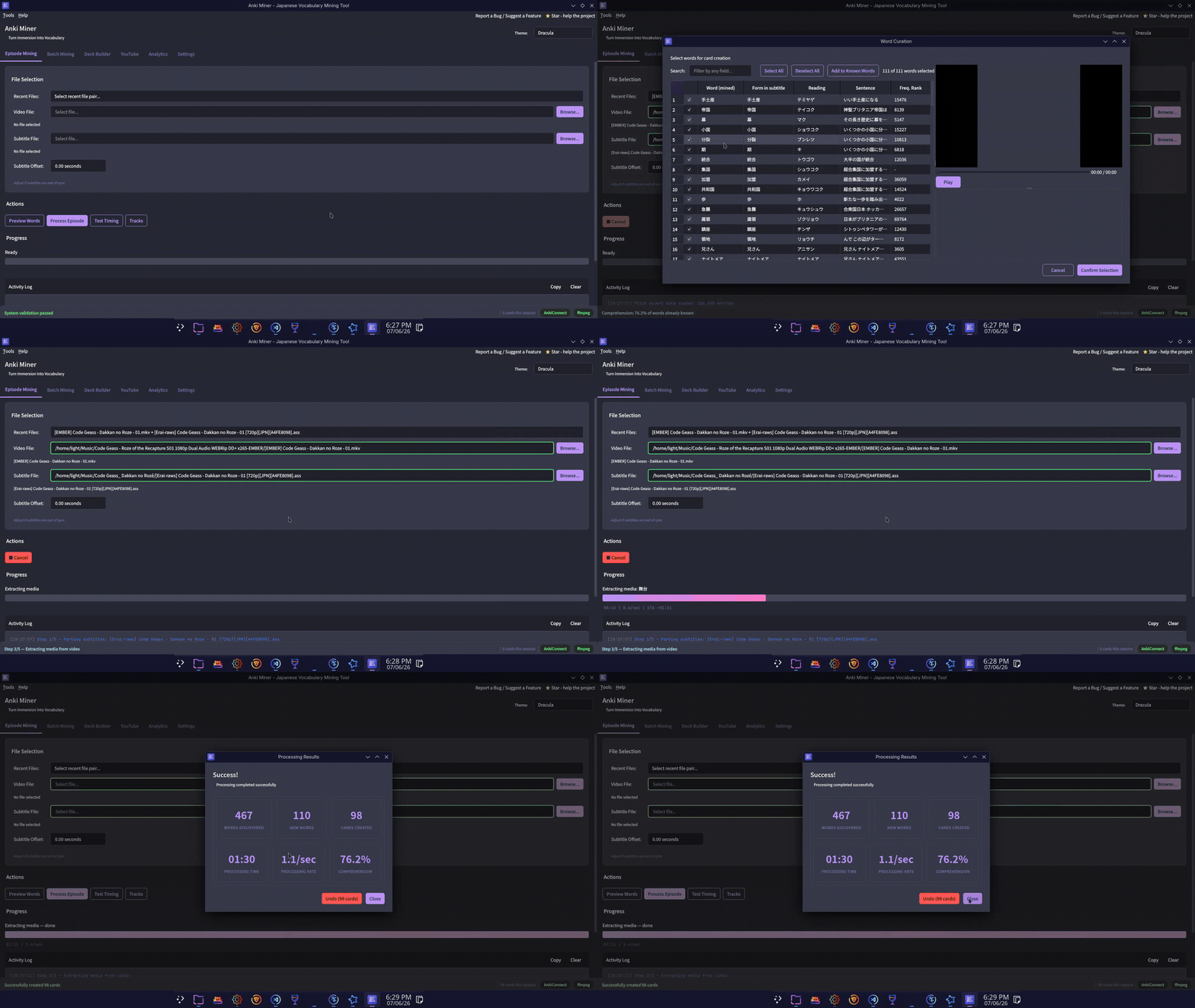
Mining Demo
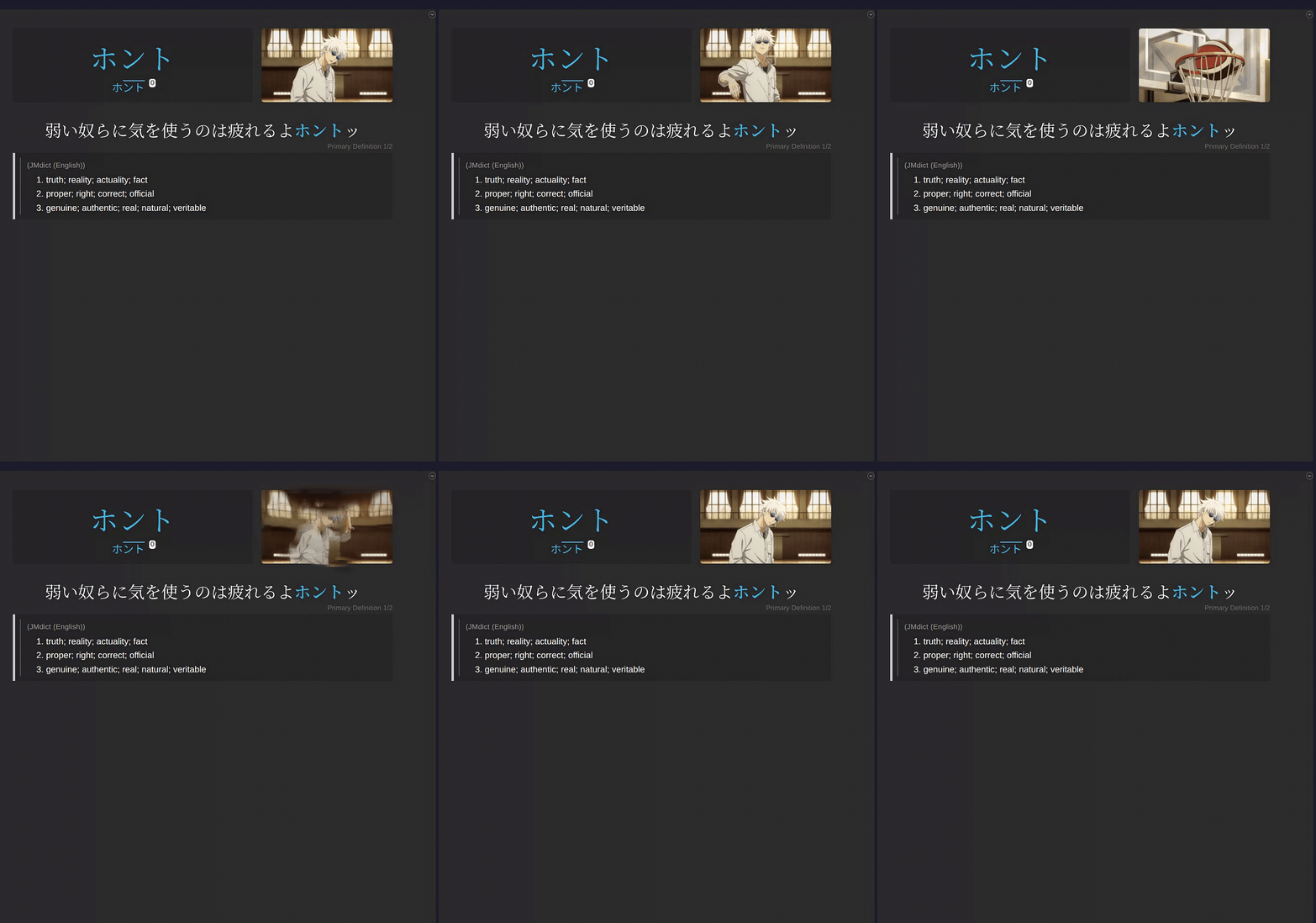
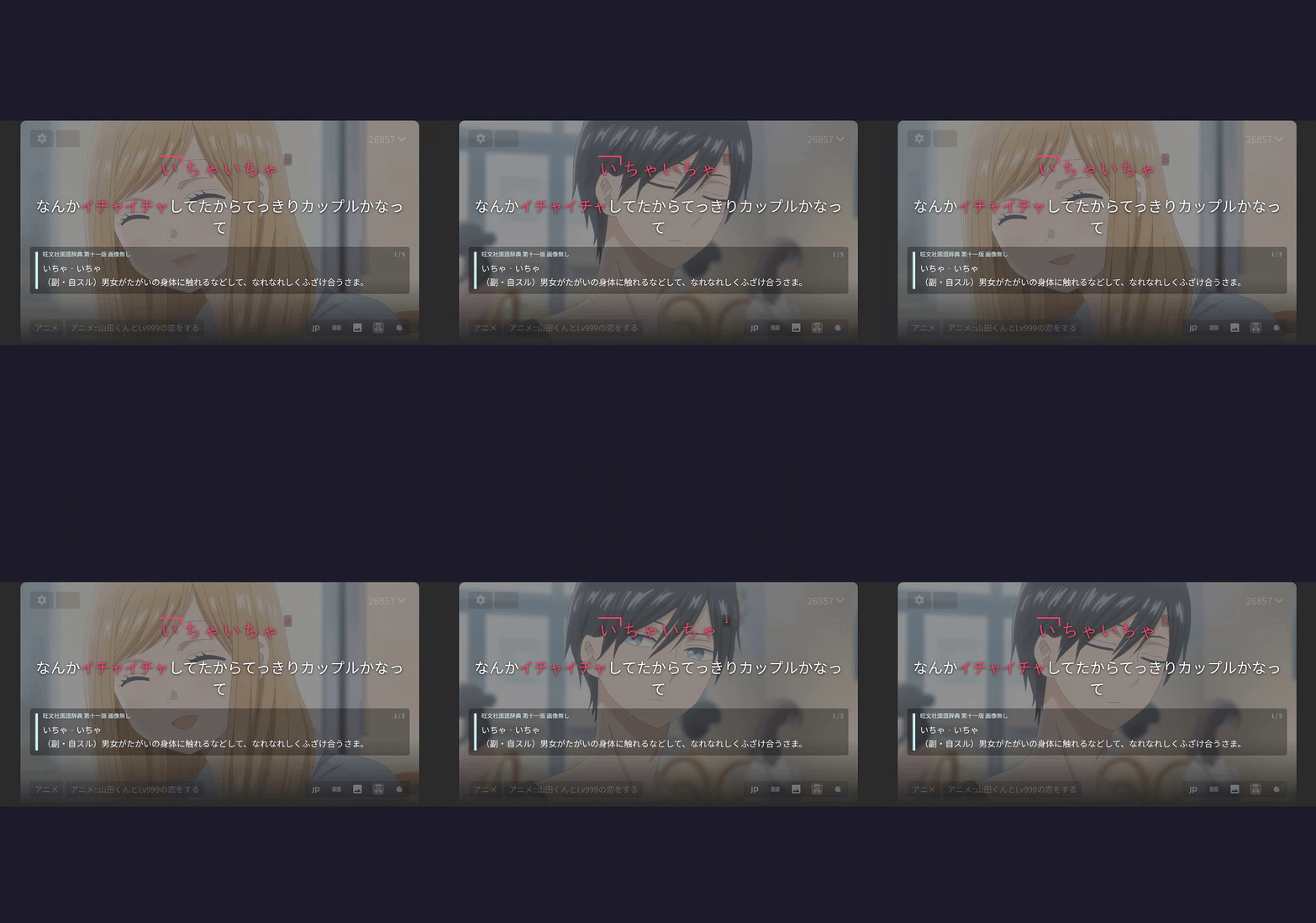
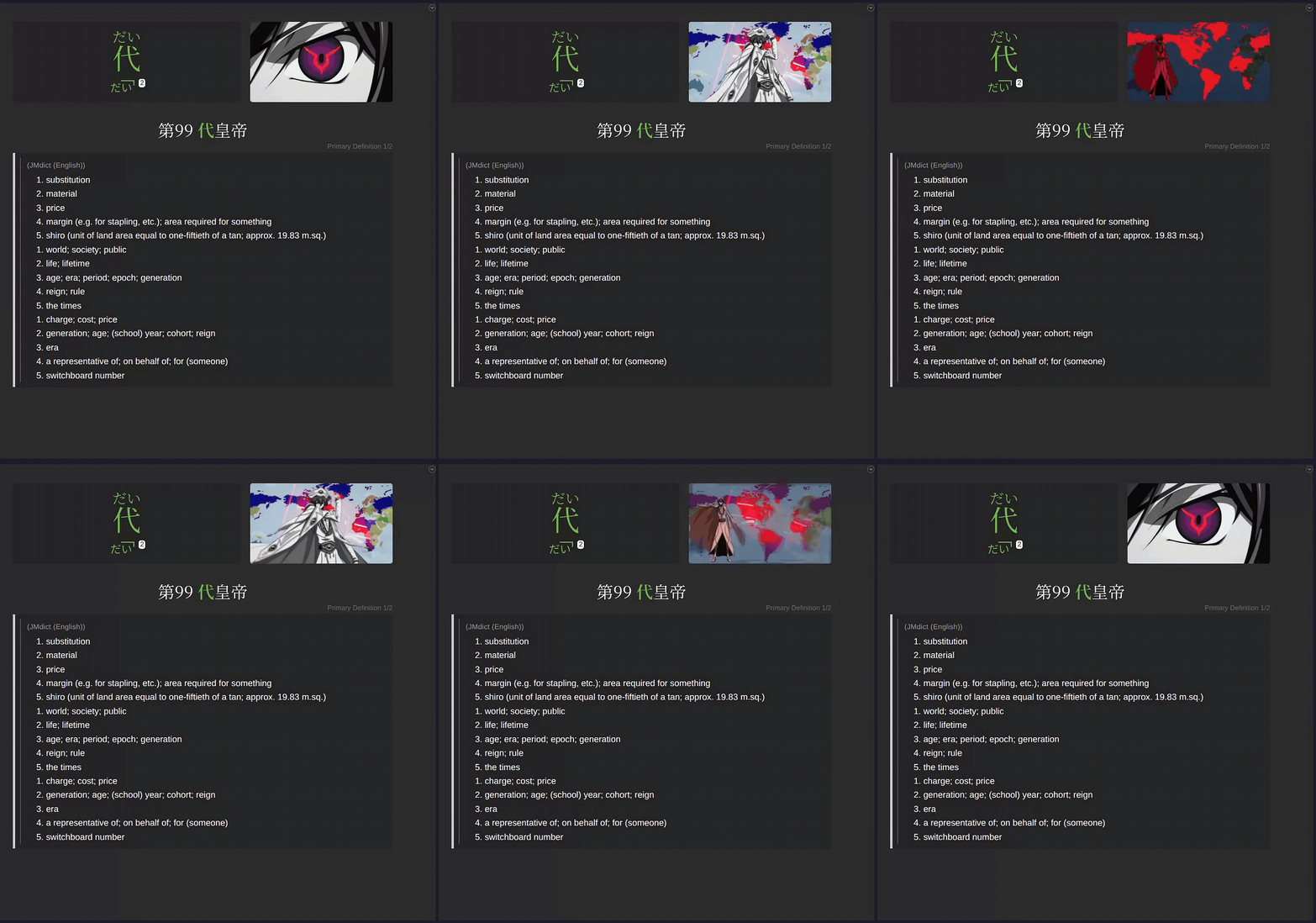
Example cards
 |
 |
 |
|---|---|---|
| ⬇️ MP4 (sound) | ⬇️ MP4 (sound) | ⬇️ MP4 (sound) |
Installation
Requirements
- ffmpeg only if installing from pip/pipx, .deb, or from source.
- alass (optional) for automatic subtitle retiming. Linux and Windows release builds bundle it. macOS users:
brew install alassor place it on PATH. - Anki with the AnkiConnect add-on. In Anki: Tools → Add-ons → Get Add-ons, paste code
2055492159, restart.
Download
Grab the download for your platform from the latest release:
| Platform | Download |
|---|---|
| Windows | AnkiMiner-*-Setup.exe |
| macOS (Apple Silicon / M1–M4) | AnkiMiner-macOS-arm64.tar.gz |
| macOS (Intel) | AnkiMiner-macOS-x86_64.tar.gz ¹ |
| Linux (Debian/Ubuntu) | anki-miner_*_amd64.deb |
| Linux (other) | AnkiMiner-*-Linux-x86_64.AppImage |
¹ The Intel macOS build excludes local Whisper speech-to-text (Subtitles->Generate) and AVIF animated screenshots - every other feature works. For full functionality on an Intel Mac, install via pip instead: pipx install "anki-miner[asr]".
macOS first-run (unsigned binary): macOS Gatekeeper will block the app because it is not notarised. Extract the archive first, then clear the quarantine flag on the extracted folder (clearing it on the .tar.gz does not carry over to the extracted files):
xattr -dr com.apple.quarantine AnkiMiner/
Windows first-run (SmartScreen): Windows SmartScreen may show "Windows protected your PC". Click More info, then Run anyway.
Windows Defender false positive: Defender may wrongly flag the unsigned .exe (it bundles yt-dlp/ffmpeg, common AV triggers). Restore it from Protection history or report it to Microsoft.
Install from PyPI (Python 3.11+)
pipx install anki-miner # or: pip install anki-miner
Install from source
git clone https://github.com/0xzerolight/anki_miner.git
cd anki_miner
pip install -e .
For full development setup, see CONTRIBUTING.md.
Tabs
- Episode Mining: mine one video/subtitle pair with word curation.
- Batch Mining: batch mine a folder of episode/subtitle pairs for sequential processing. Files are paired by episode number, so each folder / queue item should hold a single show (use Multi-Series Queue for mining multiple series at a time).
- Deck Builder: point at a folder of episode/subtitle pairs and mine the full series into one named deck. Ranked by frequency; pick how many to include (all, top N, or a coverage target) and preview before cards are created.
- YouTube: paste one or more URLs, then mine the queue.
- Audio: queue local audio + subtitle/transcript pairs (audiobooks, podcasts, radio, songs, lectures) and mine them audio-only; embedded cover art stands in for screenshots.
- Analytics: history, series difficulty rankings, milestones, undo.
- Subtitles: generate subtitles from speech with a local Whisper model (no GPU required; optional CUDA/VAD packs install in-app), or retime an out-of-sync subtitle file to your video with alass.
- Settings: Anki, Media, Dictionaries, Audio, Filtering, Frequency, Subtitles, YouTube, Themes. Saved to
~/.anki_miner/gui_config.json.
Other Features
- Extensive filtering options (i+1 filter, frequency limits, word blacklist, subtitle regex filtering, wordset filtering, and more).
- Offline Yomitan dictionary import (definitions, pitch accent, frequency data) with priority ordering.
- Multiple frequency lists chained together, each indexed separately and ordered by priority.
- Expression (word-level) audio on cards from local audio packs, JapanesePod101, or Google Translate TTS (opt-in, chained).
- Definition styling presets (like Yomitan) or custom CSS.
- Subtitle timing preview with adjustable offset.
- Animated screenshots (see example card gifs).
Built-in themes (29)
- Ayu — Light, Mirage, Dark
- Catppuccin — Latte (light); Frappé, Macchiato, Mocha (dark)
- Dracula — Dracula, Alucard
- Everforest — Light, Dark
- GitHub — Light; Dark, Dark Dimmed
- Gruvbox — Light Medium, Dark Medium
- Kanagawa — Lotus (light), Wave (dark)
- Rosé Pine — Dawn (light); Main, Moon (dark)
- Solarized — Light, Dark
- Standalone — Light, Dark, Sakura, Nord, One Dark, Tokyo Night
Theme licenses: LICENSE-THEMES.md. Want another theme added? Suggest in a GitHub Issue.
How It Works
- Read the subtitles and split Japanese into individual words.
- Filter to content words you don't already know.
- Grab a screenshot and audio clip from the video for each line.
- Look up definitions in your configured offline dictionaries, optionally falling back to Jisho online if enabled (slower, rate-limited).
- Send the finished cards to Anki.
Recommended Resources
| Type | Resource | What you get | Download | Add via |
|---|---|---|---|---|
| Dictionary | Jitendex | JMdict successor; structured formatting, examples, tags | Yomitan zip | Add Dictionary… |
| Dictionary | JMdict | Plain glosses; smaller, faster to index | Yomitan zip | Add Dictionary… |
| Dictionary | Bee's Character Dictionary | Character names from your AniList/VNDB lists, with roles and descriptions | Generated on site | Add Dictionary… |
| Pitch | Kanjium | ~124k patterns; drop-in TSV, no import step | TSV | Dictionary → Pitch Accent File |
| Pitch | アクセント辞典v2 | Richer NHK notation | Drive | Dictionary → Pitch Accent File |
| Frequency | JPDB v2.2 Kana | All-round default for media | Yomitan zip | Filtering → Frequency List File |
| Frequency | BCCWJ SUW+LUW | Balanced corpus; pairs well with news/novels | Yomitan zip | Filtering → Frequency List File |
Dictionaries are indexed once into ~/.anki_miner/dicts/ (drag to reorder the chain).
The pitch and frequency pickers accept a raw CSV/TSV or a Yomitan zip, auto-converted to ~/.anki_miner/pitch_accent.csv / frequency.csv on Save.
Bee's Character Dictionary builds a custom Yomitan dictionary from your AniList/VNDB media lists, so character names in the shows you mine resolve to real definitions; re-generate and re-import when your lists change.
Proper-noun filtering uses bundled name wordsets derived from JMnedict (JMdict/EDICT project, EDRDG, CC BY-SA 4.0).
Troubleshooting
| Issue | Solution |
|---|---|
| "Cannot connect to Anki" | Start Anki and ensure AnkiConnect is installed. |
| "Deck not found" | The deck is created automatically when mining starts; if you meant a different deck, update the name in Settings. |
| "Note type not found" | Configure your note type's field names in Settings → Anki. |
| "ffmpeg not found" | Install ffmpeg and add it to PATH. |
| No definitions found | Add a Yomitan dictionary in Settings → Add Dictionary… (recommended), or enable the Jisho fallback (slower, rate-limited). |
| Audio is wrong language | The tool tries Japanese audio tracks first, then falls back to the default. |
| Subtitles out of sync | Use the subtitle offset control in the GUI (range ±300 seconds). |
| AV1 won't preview | In-app AV1 preview needs a hardware AV1 decoder (RTX-30+/Tiger-Lake+). Without one, the pane shows an "AV1 can't be decoded for preview" notice. Mining is unaffected — screenshots are extracted by FFmpeg, not the preview. |
Roadmap
List of ideas for future versions of Anki Miner. Not in priority order. Feature requests take precedence.
-
Suggest a feature — Open an issue.
-
Discuss the roadmap — Discussions.
-
Features:
- UI language selection.
- Local subtitle creation tab: Opt-in tab to locally generate subtitles.
- Jimaku integration.
- Card modification tab: Modifying content in existing Anki cards.
- Media library: Expand Analytics tab to display local media library across all media forms.
- Reading tab: Mine manga and books.
-
Improvements:
- Improved user onboarding: automatic recommended resource fetching, easier setup.
-
Researching/Under consideration:
- Android port.
- Jellyfin integration.
-
Long-term:
- Beyond Japanese: Mining other languages.
Contributing
Contributions of any kind are welcome. If you want to support the project, please share it with others who may benefit from it.
- New here? Start with CONTRIBUTING.md.
- Architecture overview: ARCHITECTURE.md.
- Testing strategy: TESTING.md.
- Code of Conduct: CODE_OF_CONDUCT.md.
- Security: SECURITY.md.
Bug reports and feature requests → Issues. General questions and discussion → Discussions or Discord.
Special Thanks
Sincere thanks to people who made exceptional contributions to the project:
★ StyraxBenzoin - Brilliant feature suggestions, new release testing, community building
See CONTRIBUTORS.md for everyone who has made any kind of contribution to the project.
License
GNU General Public License v3.0. See LICENSE.
Project details
Verified details
These details have been verified by PyPIProject links
GitHub Statistics
Maintainers
Release history Release notifications | RSS feed


Download files
Download the file for your platform. If you're not sure which to choose, learn more about installing packages.
Source Distribution
Built Distribution
Filter files by name, interpreter, ABI, and platform.
If you're not sure about the file name format, learn more about wheel file names.
Copy a direct link to the current filters
File details
Details for the file anki_miner-2.7.8.tar.gz.
File metadata
- Download URL: anki_miner-2.7.8.tar.gz
- Upload date:
- Size: 3.7 MB
- Tags: Source
- Uploaded using Trusted Publishing? Yes
- Uploaded via: twine/6.1.0 CPython/3.13.13
File hashes
| Algorithm | Hash digest | |
|---|---|---|
| SHA256 |
ffd48d8e0c8775bc180c8194a655df74de21967589d351215b9b287c6b35e4bb
|
|
| MD5 |
965f2ca05a52b5968ffde77f9bff1353
|
|
| BLAKE2b-256 |
699c8e189d66fc583818e794a419f20c833197303c65bffdd11b2a56a997a347
|
Provenance
The following attestation bundles were made for anki_miner-2.7.8.tar.gz:
Publisher:
publish.yml on 0xzerolight/anki_miner
-
Statement:
-
Statement type:
https://in-toto.io/Statement/v1 -
Predicate type:
https://docs.pypi.org/attestations/publish/v1 -
Subject name:
anki_miner-2.7.8.tar.gz -
Subject digest:
ffd48d8e0c8775bc180c8194a655df74de21967589d351215b9b287c6b35e4bb - Sigstore transparency entry: 2071635022
- Sigstore integration time:
-
Permalink:
0xzerolight/anki_miner@acec5a69a9e5c23a33460a291944f88a2c568a38 -
Branch / Tag:
refs/tags/v2.7.8 - Owner: https://github.com/0xzerolight
-
Access:
public
-
Token Issuer:
https://token.actions.githubusercontent.com -
Runner Environment:
github-hosted -
Publication workflow:
publish.yml@acec5a69a9e5c23a33460a291944f88a2c568a38 -
Trigger Event:
push
-
Statement type:
File details
Details for the file anki_miner-2.7.8-py3-none-any.whl.
File metadata
- Download URL: anki_miner-2.7.8-py3-none-any.whl
- Upload date:
- Size: 3.9 MB
- Tags: Python 3
- Uploaded using Trusted Publishing? Yes
- Uploaded via: twine/6.1.0 CPython/3.13.13
File hashes
| Algorithm | Hash digest | |
|---|---|---|
| SHA256 |
fd7bed66334cd860355589aa9b17ca8cbabd88ff0e87ce3ce30c75da67a659ce
|
|
| MD5 |
3753c141918e1cd7a636836c93a578e4
|
|
| BLAKE2b-256 |
5045b45a2a94583e6836a997f154f2d49203f05c905c5923a138ebcb9fb1d567
|
Provenance
The following attestation bundles were made for anki_miner-2.7.8-py3-none-any.whl:
Publisher:
publish.yml on 0xzerolight/anki_miner
-
Statement:
-
Statement type:
https://in-toto.io/Statement/v1 -
Predicate type:
https://docs.pypi.org/attestations/publish/v1 -
Subject name:
anki_miner-2.7.8-py3-none-any.whl -
Subject digest:
fd7bed66334cd860355589aa9b17ca8cbabd88ff0e87ce3ce30c75da67a659ce - Sigstore transparency entry: 2071635038
- Sigstore integration time:
-
Permalink:
0xzerolight/anki_miner@acec5a69a9e5c23a33460a291944f88a2c568a38 -
Branch / Tag:
refs/tags/v2.7.8 - Owner: https://github.com/0xzerolight
-
Access:
public
-
Token Issuer:
https://token.actions.githubusercontent.com -
Runner Environment:
github-hosted -
Publication workflow:
publish.yml@acec5a69a9e5c23a33460a291944f88a2c568a38 -
Trigger Event:
push
-
Statement type:






