
 Anki Miner





English · 日本語 · Русский · Français · Español · Deutsch · Português (Brasil) · Bahasa Indonesia · Tiếng Việt · 简体中文 · 繁體中文 · Italiano
Turn native content in Japanese, Chinese, Korean, and eight European languages into Anki vocabulary cards.
Also on Android - Anki Miner for Android.
Please leave a ⭐ star if Anki Miner helped you - it helps others find it :).
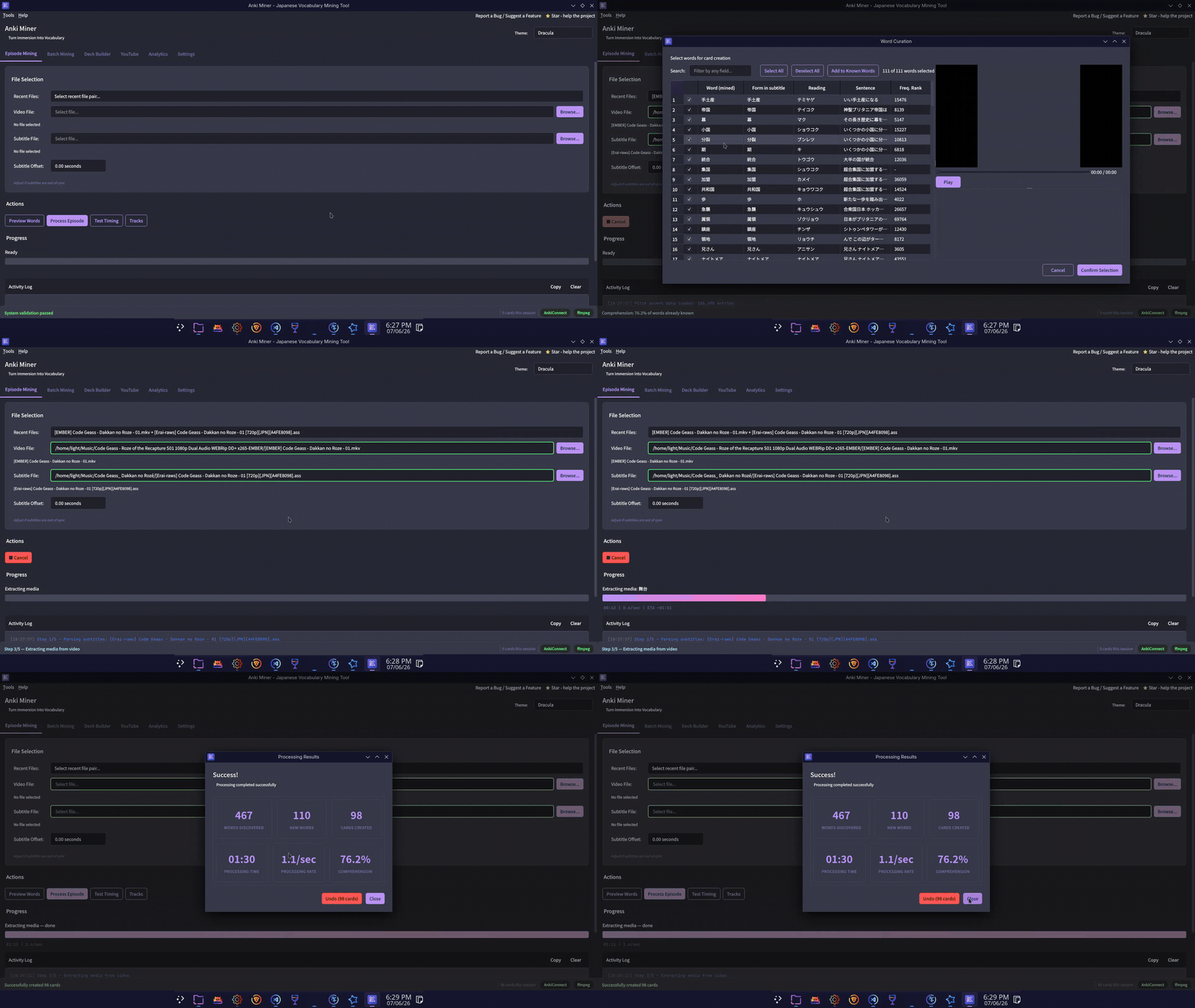
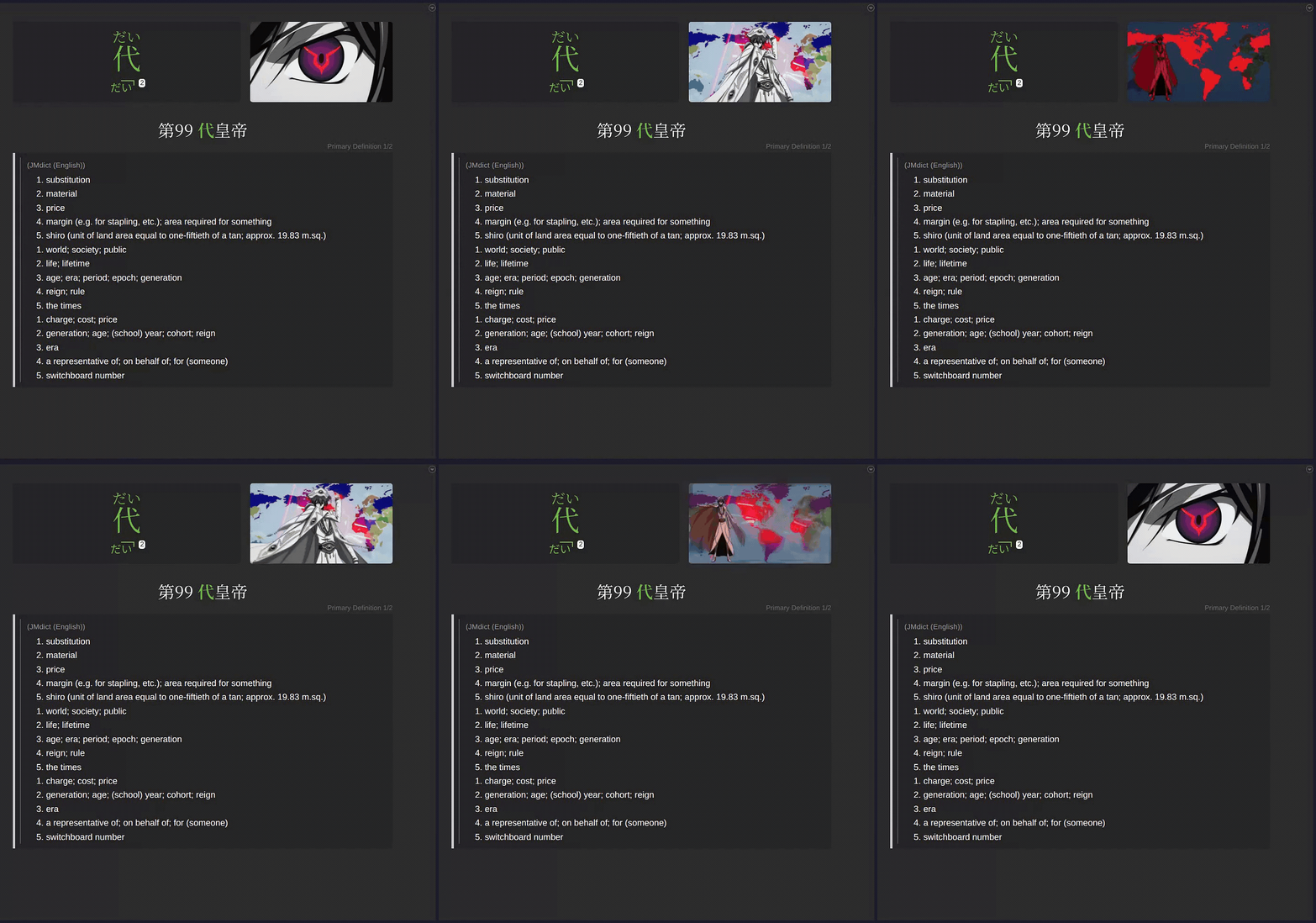
Mining Demo
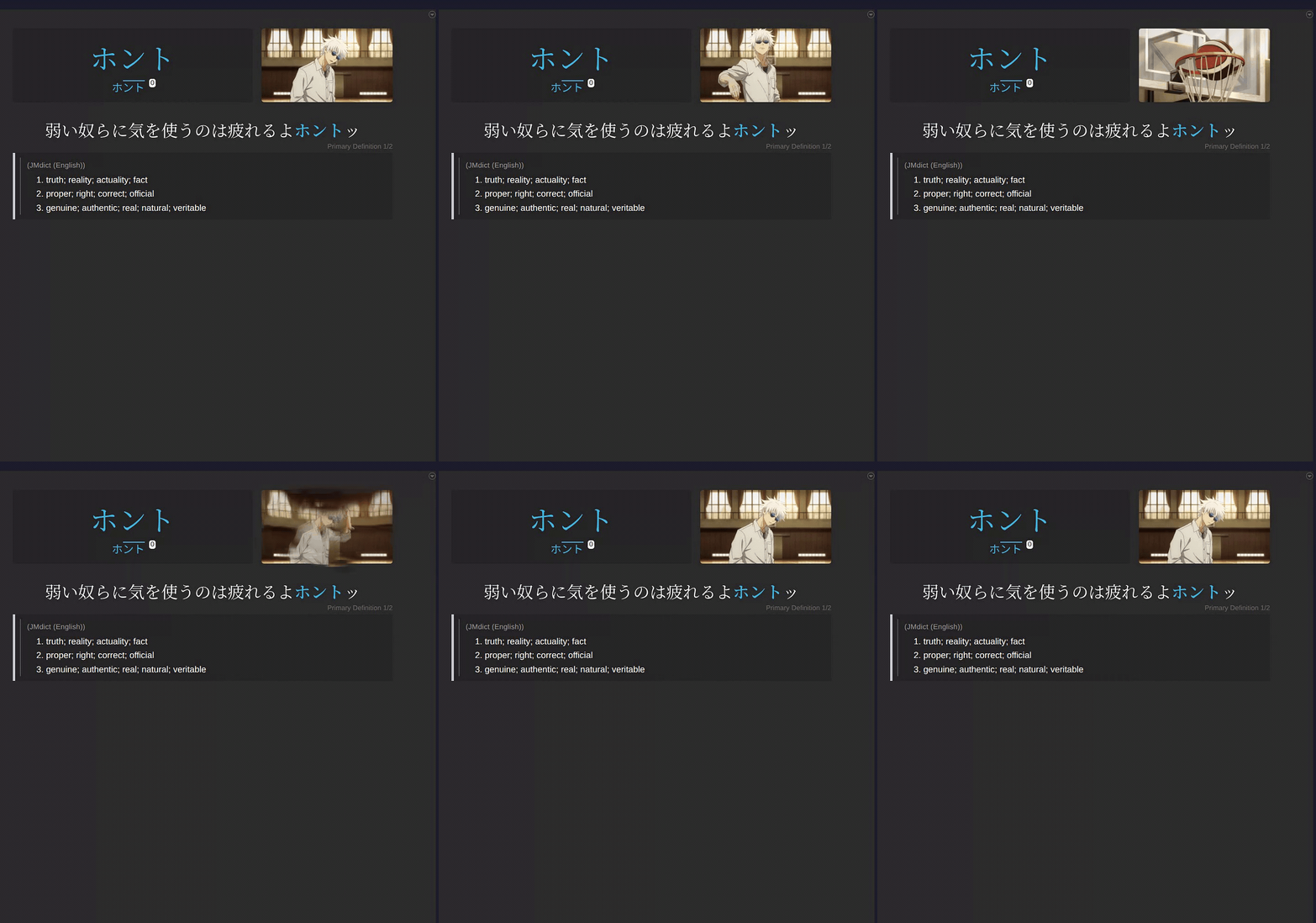
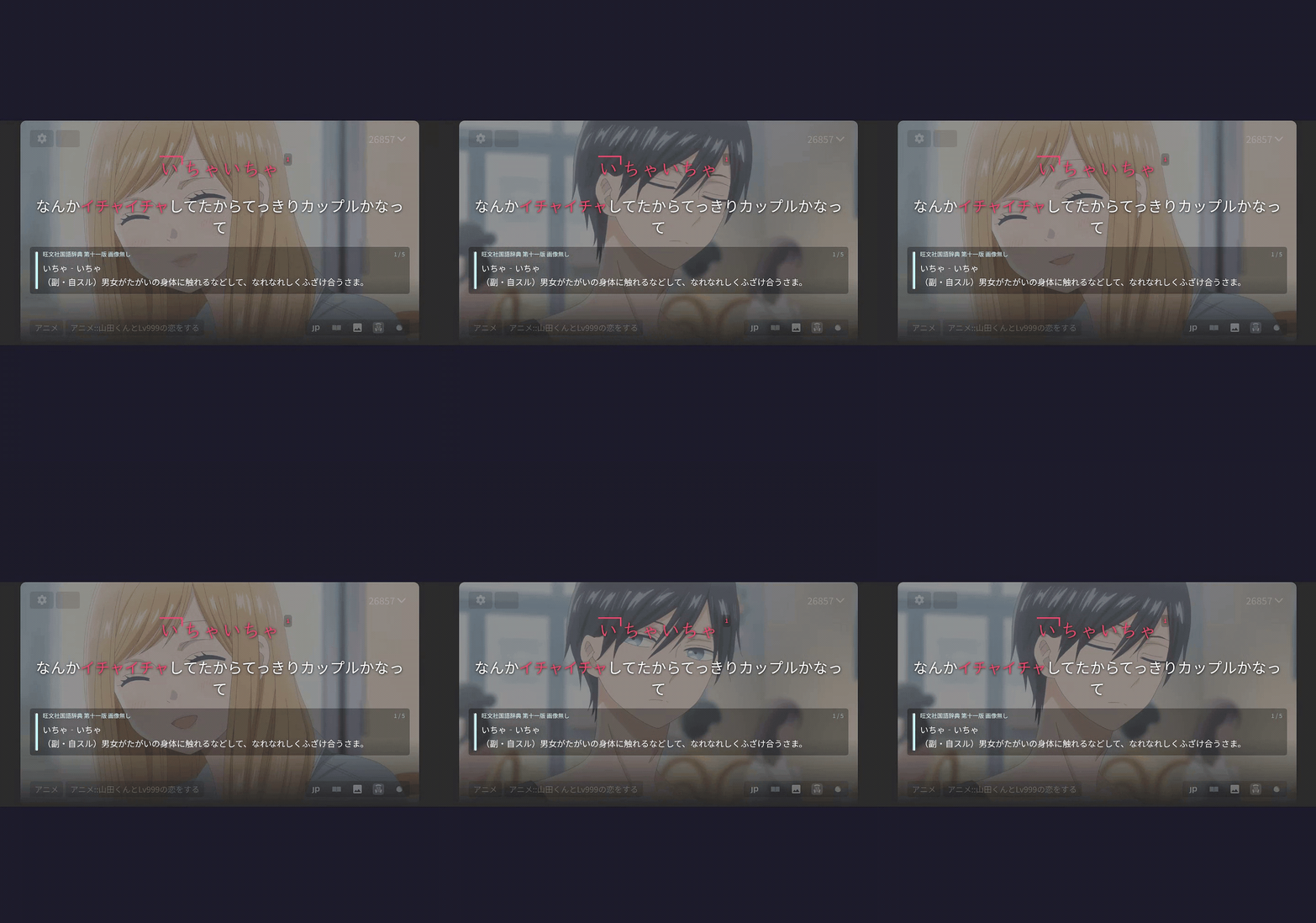
Example cards
 |
 |
 |
|---|---|---|
| ⬇️ MP4 (sound) | ⬇️ MP4 (sound) | ⬇️ MP4 (sound) |
Installation
Requirements
- Anki with the AnkiConnect add-on (code
2055492159) - ffmpeg + libmpv (video preview only) - needed only when installing via pip/pipx or source.
Grab the download for your platform from the latest release:
| Platform | Download |
|---|---|
| Windows | AnkiMiner-*-Setup.exe |
| macOS (Apple Silicon / M1-M4) | AnkiMiner-*-macOS-arm64.dmg |
| macOS (Intel) | AnkiMiner-*-macOS-x86_64.dmg ¹ |
| Linux (Debian/Ubuntu) | anki-miner_*_amd64.deb |
| Linux (other) | AnkiMiner-*-Linux-x86_64.AppImage |
¹ Excludes AVIF screenshots and silence removal for generated subtitles.
First-run notes (unsigned builds)
- macOS: open the
.dmg, drag AnkiMiner onto Applications, then launch it. The first launch is blocked because the app is not notarized: dismiss the dialog, open the app again, and choose Open Anyway (also under System Settings -> Privacy & Security). Once only. - Linux AppImage: make it executable before running it -
chmod +x AnkiMiner-*.AppImage, or Properties -> Allow executing in your file manager. - Windows SmartScreen: More info -> Run anyway.
- Windows Defender false positive: restore from Protection history or report to Microsoft.
Install from PyPI (Python 3.11+)
pipx install anki-miner   # or: pip install anki-miner
anki_miner_gui
Japanese needs nothing extra. For any other mining language, add its engine:
pipx install "anki-miner[languages]" # all; or [zh], [ko], [en], [de], [fr], [es], [it], [pt], [nl], [ca] for one
The downloads above fetch these in-app instead, from Settings -> Mining Language.
Install from source
git clone https://github.com/0xzerolight/anki_miner.git
cd anki_miner
pip install -e .
anki_miner_gui
For full development setup, see CONTRIBUTING.md.
Tabs
- Video - mine a single video/subtitle pair, a batch folder, or YouTube URLs.
- Deck Builder - mine a whole series into one frequency-ranked deck.
- Audiobooks - mine audiobooks, podcasts, radio, songs (audio + subtitle/transcript pairs).
- Reading - mine manga (mokuro), novels (
.epub,.txt; single book or a whole folder), standalone subtitle files, or pasted text. - Analytics - mining history, difficulty rankings, milestones.
- Utilities - generate subtitles (local Whisper), retime subtitles (ffsubsync/alass), condense media to dialogue-only audio, download video/audio/subtitles from any site yt-dlp supports, copy the worth-learning part of a premade deck into a new one, backfill fields on existing cards, and OCR manga page images into .mokuro files (mokuro, installable from Settings).
- Settings - everything configurable.
Other Features
- Mining languages - Japanese, Chinese, Korean, English, German, French, Spanish, Italian, Portuguese, Dutch, and Catalan, switched in Settings. Languages other than Japanese download their engine in-app.
- Word Curator - review every candidate word before cards are made, with its scene, manga page, and dictionary entry side by side.
- Undo a run - delete the notes a run just created, straight from its results dialog.
- Extensive filtering: i+1, frequency rank range, blacklist, regex, wordsets, and more.
- Offline Yomitan dictionary import - definitions, pitch accent, frequency - chained by priority.
- Multiple frequency lists chained by priority.
- Word audio on cards from local audio packs, JapanesePod101, or Google TTS.
- Sentence audio on Reading cards from Google Translate TTS or Naver Papago (off by default).
- Per-dictionary glossary styling, Yomitan-style.
- Embedded libmpv video preview - play a word's scene while curating, or nudge subtitle timing with live playback.
- Animated screenshots (see example cards above).
- Settings profiles - save named configurations and switch between them from the header.
- Restyle Mined Cards - re-apply your current card styling to cards you already made (Tools menu).
Built-in themes (29)
- Ayu - Light, Mirage, Dark
- Catppuccin - Latte (light); Frappé, Macchiato, Mocha (dark)
- Dracula - Dracula, Alucard
- Everforest - Light, Dark
- GitHub - Light; Dark, Dark Dimmed
- Gruvbox - Light Medium, Dark Medium
- Kanagawa - Lotus (light), Wave (dark)
- Rosé Pine - Dawn (light); Main, Moon (dark)
- Solarized - Light, Dark
- Standalone - Light, Dark, Sakura, Nord, One Dark, Tokyo Night
Theme licenses: LICENSE-THEMES.md. Want another theme added? Suggest in a GitHub Issue.
How It Works
- Read the subtitles and split the text into individual words.
- Filter to content words you don't already know - optionally reviewing the list yourself in the Word Curator.
- Grab a screenshot and audio clip from the video for each line.
- Look up definitions in your configured offline dictionaries, optionally falling back to Jisho online if enabled (slower, rate-limited).
- Send the finished cards to Anki.
Recommended Resources
Japanese unless marked otherwise. The Setup Wizard offers the right set for your mining language.
| Type | Resource | Download | Add via |
|---|---|---|---|
| Dictionary | JMdict | Yomitan zip | Add Dictionary… |
| Dictionary | Jitendex | Yomitan zip | Add Dictionary… |
| Dictionary | Bee's Character Dictionary | Generated on site | Add Dictionary… |
| Pitch | Kanjium | TSV | Pitch Accent -> Add pitch source… |
| Pitch | アクセント辞典v2 | Drive | Pitch Accent -> Add pitch source… |
| Frequency | JPDB v2.2 Kana | Yomitan zip | Frequency -> Add frequency source… |
| Frequency | BCCWJ SUW+LUW | Yomitan zip | Frequency -> Add frequency source… |
| Word audio | local-audio-yomichan | Collection torrent or generated android.db |
Audio -> Add audio source… |
| Dictionary (Chinese) | CC-CEDICT | Yomitan zip | Add Dictionary… |
| Dictionary (Korean) | KRDICT | Yomitan zip | Add Dictionary… |
JMnedict License
Uses bundled name wordsets derived from JMnedict (JMdict/EDICT project, EDRDG, CC BY-SA 4.0).
Troubleshooting
| Issue | Solution |
|---|---|
| "Cannot connect to Anki" | Start Anki and ensure AnkiConnect is installed. |
| "Deck not found" | Pick an existing deck in Settings -> Cards & Anki. Decks are not created for you; make it in Anki first if you need a new one. |
| "Note type not found" | Configure your note type's field names in Settings -> Cards & Anki. |
| "ffmpeg not found" | Install ffmpeg and add it to PATH. |
| No definitions found | Add a Yomitan dictionary in Settings -> Add Dictionary… (recommended), or enable the Jisho fallback (slower, rate-limited). |
| Windows installer will not open / SmartScreen warning | See First-run notes: select More info -> Run anyway; restore Defender false positives from Protection history. |
| Fresh install has no definitions | Run Tools -> Setup Wizard or Tools -> Download Recommended Resources. For manual import, keep the Yomitan ZIP intact (do not unzip it). |
| Add Dictionary stalls or fails | Note the last visible stage and attach logs (see "Where are the logs?" below). Include the dictionary ZIP name, source, and size in the report. |
| Where are the logs? | Use Help -> Open Log Folder, or open %USERPROFILE%\.anki_miner\anki_miner.log on Windows or ~/.anki_miner/anki_miner.log on macOS/Linux. Rotated logs use the .1 through .5 suffixes. Send anki_miner.crash too if it is there — a crash that took the app down writes its stack to that file, not to the log — and anki_miner.child.log, which holds a helper process's output. |
| Reporting a bug | Help → Export Diagnostics… writes a ZIP to a location you choose, holding the logs (anki_miner.log and its rotations, anki_miner.crash, anki_miner.child.log), your settings.json, your config and UI-state files, queue snapshots and download manifests, and generated reports of the machine and app state (environment.txt, health.txt, resources.txt, stores.txt, disk.txt, screens.txt). Review it before uploading because it contains file paths and file names from your computer. Nothing is uploaded automatically. |
| More diagnostic logging | Set ANKI_MINER_LOG_LEVEL=DEBUG before starting Anki Miner to capture third-party yt-dlp, urllib3, and fugashi details. The default is WARNING; Anki Miner logs remain at DEBUG. |
| Audio is wrong language | The tool tries the mining language's audio tracks first, then falls back to the default. |
| Subtitles out of sync | Use the subtitle offset control in the GUI (range ±300 seconds). |
Roadmap
List of ideas for future versions of Anki Miner. Not in priority order. Feature requests take precedence.
-
Suggest a feature - Open an issue.
-
Discuss the roadmap - Discussions.
-
Features:
- UI language selection.
- Local subtitle creation tab: Opt-in tab to locally generate subtitles.
- Reading tab: Mine manga and books.
- Backfill tool.
- Media library: Expand Analytics tab to display local media library across all media forms.
- Automatic subtitle downloading.
-
Long-term:
- Android port -- https://github.com/0xzerolight/anki_miner_android
- Beyond Japanese: Chinese, Korean, and eight European languages.
- Anki Miner browser extension.
Contributing
Contributions of any kind are welcome. If you want to support the project, please share it with others who may benefit from it.
- New here? Start with CONTRIBUTING.md.
- Architecture overview: ARCHITECTURE.md.
- Code of Conduct: CODE_OF_CONDUCT.md.
- Security: SECURITY.md.
Bug reports and feature requests -> Issues. General questions and discussion -> Discussions or Discord.
Special Thanks
Sincere thanks to people who made exceptional contributions to the project:
- ★ StyraxBenzoin - Brilliant feature suggestions, new release testing, community building.
- ★ rob-olvr - Excellent feature suggestions, community building and moderation on Discord.
See CONTRIBUTORS.md for everyone who has made any kind of contribution to the project.
License
GNU General Public License v3.0. See LICENSE.
1 maintainer

Download files
Download the file for your platform. If you're not sure which to choose, learn more about installing packages.
Source Distribution
Built Distribution
Filter files by name, interpreter, ABI, and platform.
If you're not sure about the file name format, learn more about wheel file names.
Copy a direct link to the current filters
File details
Details for the file anki_miner-3.3.0.tar.gz.
File metadata
- Download URL: anki_miner-3.3.0.tar.gz
- Upload date:
- Size: 10.1 MB
- Tags: Source
- Uploaded using Trusted Publishing? Yes
- Uploaded via:
twine/7.0.0 CPython/3.13.14
File hashes
| Algorithm | Hash digest | |
|---|---|---|
| SHA256 |
ccbf33b36f88647746fc7511bbbed94aa1b7221e0e12ffb31972695fdcb01691
|
|
| MD5 |
dc010cc1de46ba7e9c96f46895964597
|
|
| BLAKE2b-256 |
bb2895d2f6029972df6b3bc69033af81897b66e1c93eec9878bc15ba1a6e68ca
|
Provenance
The following attestation bundles were made for anki_miner-3.3.0.tar.gz:
Publisher:
publish.yml on 0xzerolight/anki_miner
-
Statement:
-
Statement type:
https://in-toto.io/Statement/v1 -
Predicate type:
https://docs.pypi.org/attestations/publish/v1 -
Subject name:
anki_miner-3.3.0.tar.gz -
Subject digest:
ccbf33b36f88647746fc7511bbbed94aa1b7221e0e12ffb31972695fdcb01691 - Sigstore transparency entry: 2834307224
- Sigstore integration time:
-
Permalink:
0xzerolight/anki_miner@a9cf643aeeb167b9891ad54dedfeedec58ed8e93 -
Branch / Tag:
refs/tags/v3.3.0 - Owner: https://github.com/0xzerolight
-
Access:
public
-
Token Issuer:
https://token.actions.githubusercontent.com -
Runner Environment:
github-hosted -
Publication workflow:
publish.yml@a9cf643aeeb167b9891ad54dedfeedec58ed8e93 -
Trigger Event:
push
-
Statement type:
File details
Details for the file anki_miner-3.3.0-py3-none-any.whl.
File metadata
- Download URL: anki_miner-3.3.0-py3-none-any.whl
- Upload date:
- Size: 10.4 MB
- Tags: Python 3
- Uploaded using Trusted Publishing? Yes
- Uploaded via:
twine/7.0.0 CPython/3.13.14
File hashes
| Algorithm | Hash digest | |
|---|---|---|
| SHA256 |
5f9bf27d046c66024e6f8bb4ad861b21198630c45c3045e51d54e0eefe0cb69a
|
|
| MD5 |
7ed3805cf3cba5810fe879682a9e723b
|
|
| BLAKE2b-256 |
d930b726857694b0ec33fb073dcd07e3788c38b59d80f22c2a89371cbf6d4fa5
|
Provenance
The following attestation bundles were made for anki_miner-3.3.0-py3-none-any.whl:
Publisher:
publish.yml on 0xzerolight/anki_miner
-
Statement:
-
Statement type:
https://in-toto.io/Statement/v1 -
Predicate type:
https://docs.pypi.org/attestations/publish/v1 -
Subject name:
anki_miner-3.3.0-py3-none-any.whl -
Subject digest:
5f9bf27d046c66024e6f8bb4ad861b21198630c45c3045e51d54e0eefe0cb69a - Sigstore transparency entry: 2834307330
- Sigstore integration time:
-
Permalink:
0xzerolight/anki_miner@a9cf643aeeb167b9891ad54dedfeedec58ed8e93 -
Branch / Tag:
refs/tags/v3.3.0 - Owner: https://github.com/0xzerolight
-
Access:
public
-
Token Issuer:
https://token.actions.githubusercontent.com -
Runner Environment:
github-hosted -
Publication workflow:
publish.yml@a9cf643aeeb167b9891ad54dedfeedec58ed8e93 -
Trigger Event:
push
-
Statement type:














