
 Anki Miner





English · 日本語 · Русский · Français · Español · Deutsch · Português (Brasil) · Bahasa Indonesia · Tiếng Việt · 简体中文 · 繁體中文 · Italiano
Turn native content in Japanese, Chinese, Korean, and twenty-nine more languages into Anki vocabulary cards.
Also on Android - Anki Miner for Android.
Please leave a ⭐ star if Anki Miner helped you - it helps others find it :).
Mining Demo
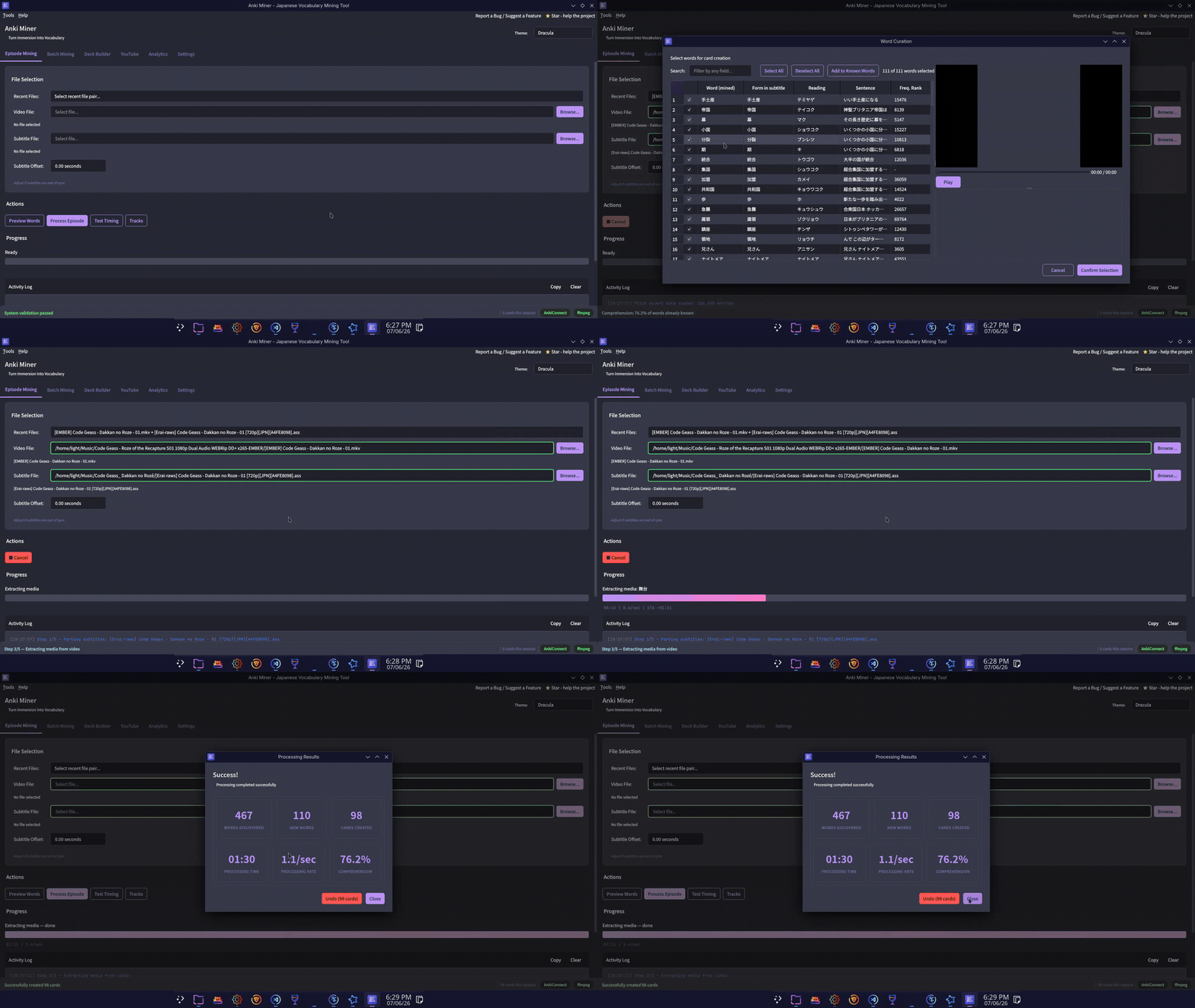
Example cards
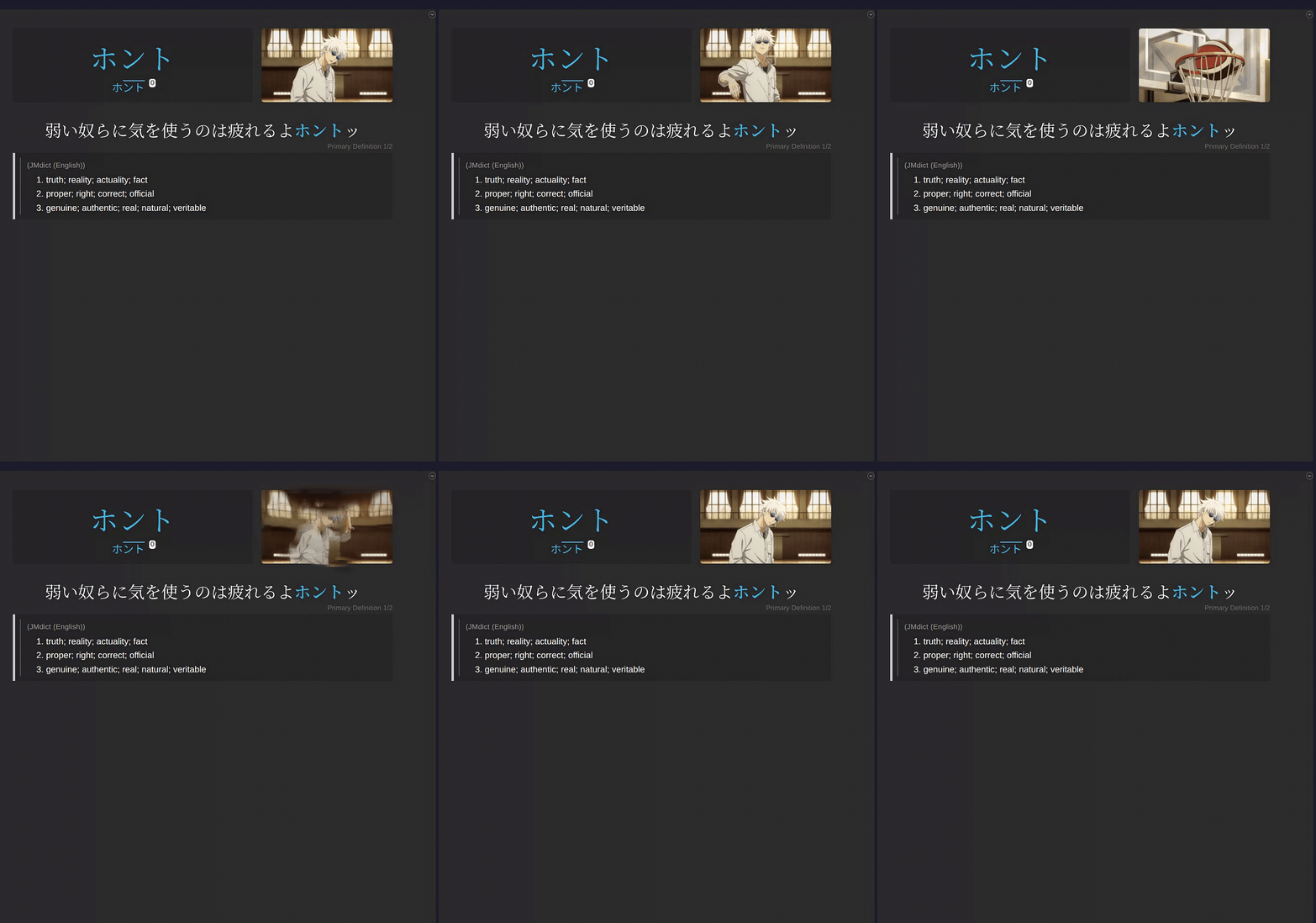 |
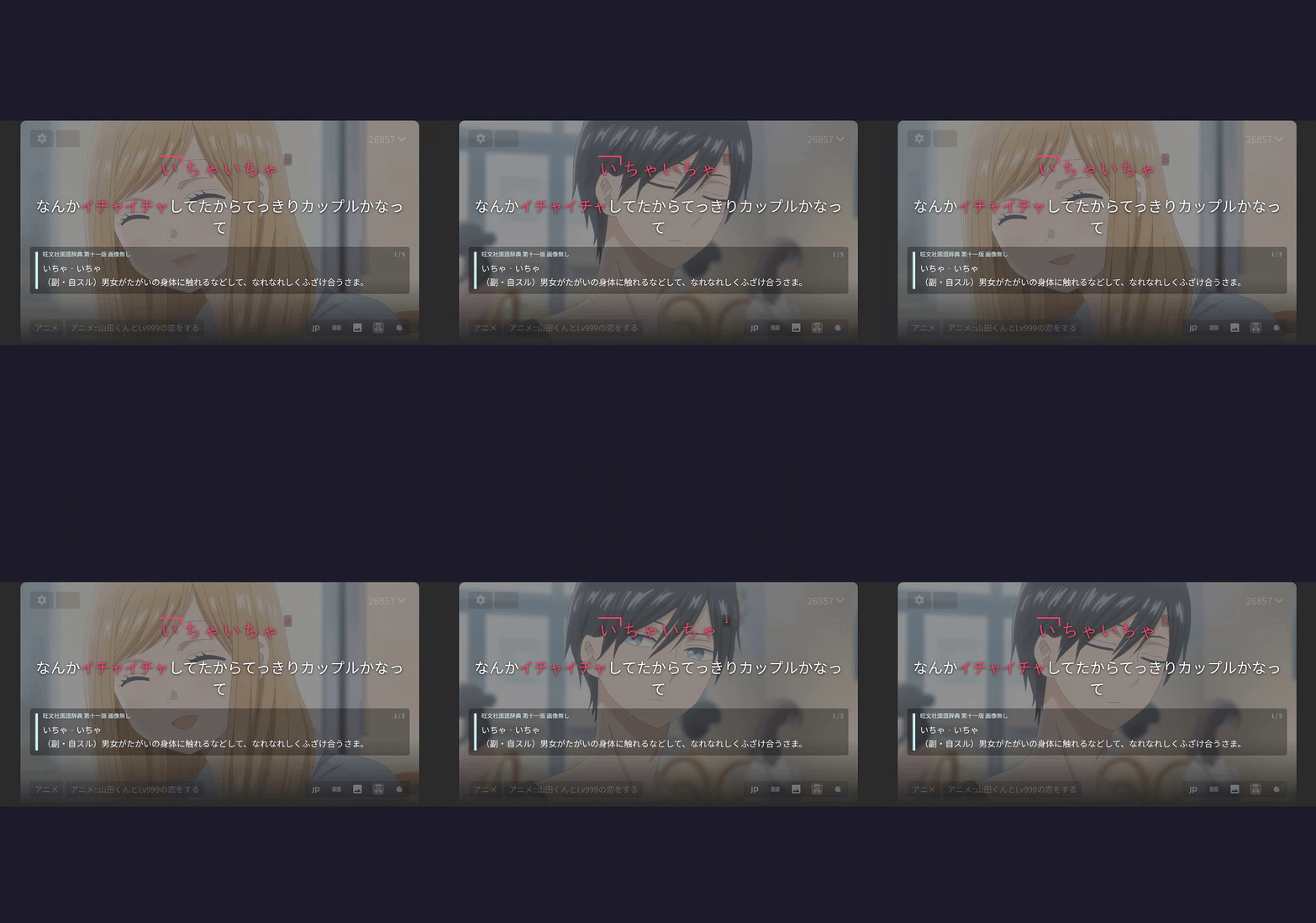 |
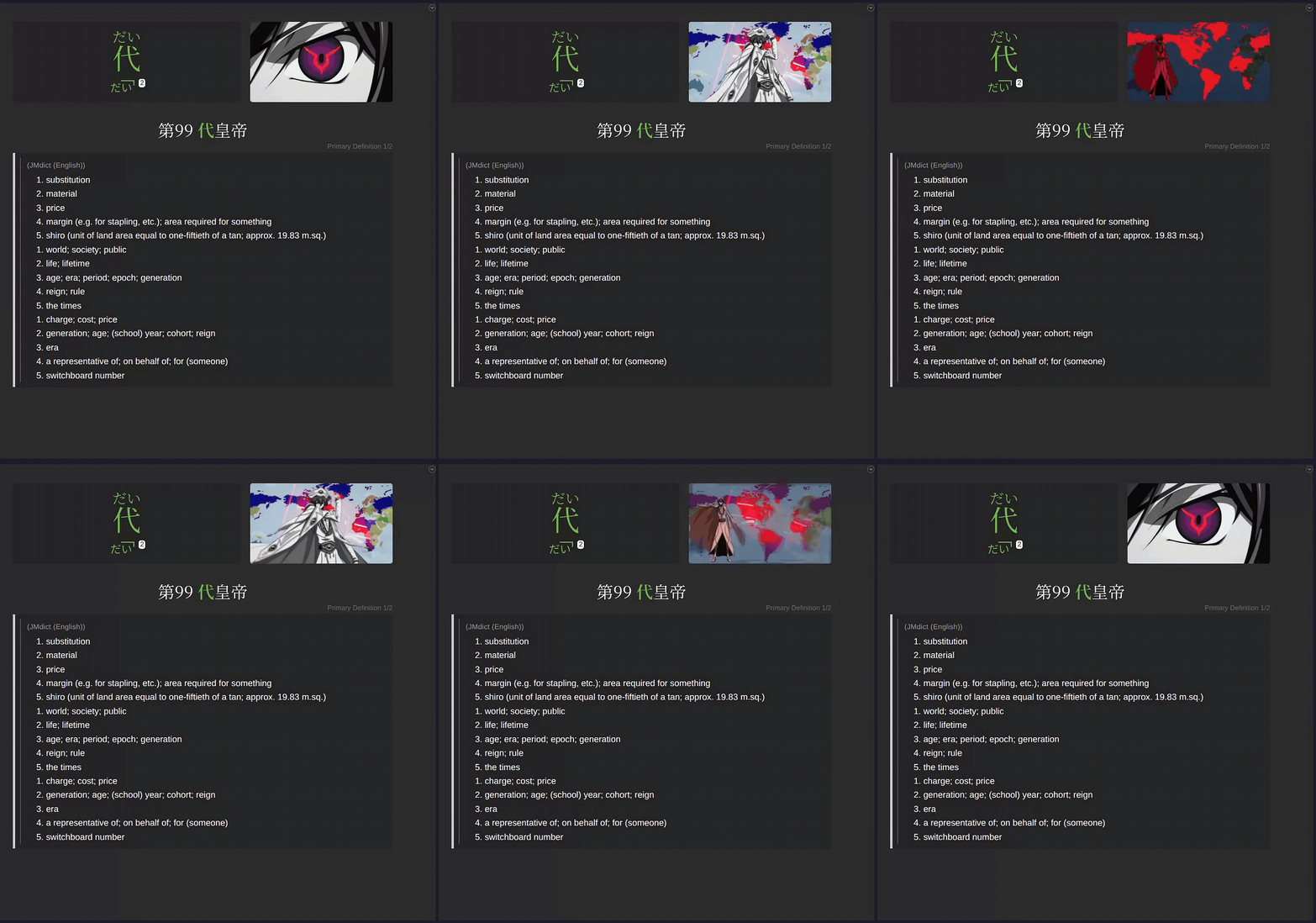 |
|---|---|---|
| ⬇️ MP4 (sound) | ⬇️ MP4 (sound) | ⬇️ MP4 (sound) |
Installation
Requirements
- Anki with the AnkiConnect add-on (code
2055492159) - ffmpeg + libmpv (video preview only) - needed only when installing via pip/pipx or source.
Grab the download for your platform from the latest release:
| Platform | Download |
|---|---|
| Windows | AnkiMiner-*-Setup.exe |
| macOS (Apple Silicon) | AnkiMiner-*-macOS-arm64.dmg |
| macOS (Intel) | AnkiMiner-*-macOS-x86_64.dmg ¹ |
| Linux (Debian/Ubuntu) | anki-miner_*_amd64.deb |
| Linux (other) | AnkiMiner-*-Linux-x86_64.AppImage |
¹ Excludes AVIF screenshots and silence removal for generated subtitles.
First-run notes (unsigned builds)
- macOS: open the
.dmg, drag AnkiMiner onto Applications, then launch it. The first launch is blocked because the app is not notarized: dismiss the dialog, open the app again, and choose Open Anyway (also under System Settings -> Privacy & Security). Once only. - Linux AppImage: make it executable before running it -
chmod +x AnkiMiner-*.AppImage, or Properties -> Allow executing in your file manager. - Windows SmartScreen: More info -> Run anyway.
- Windows Defender false positive: restore from Protection history or report to Microsoft.
Install from PyPI (Python 3.11+)
pipx install anki-miner   # or: pip install anki-miner
anki_miner_gui
Japanese, Indonesian and Hebrew need nothing extra. For another mining language, add its engine:
pipx install "anki-miner[languages]" # all; or one of [zh], [ko], [yue], [en], [ca], [de], [pt], [fr], [es], [it], [nl], [nb], [ro], [el], [fi], [hu], [hr], [sv], [pl], [lt], [da], [ru], [uk], [sl], [tr], [th], [vi]
Arabic and Persian have no extra. Their data, and the spaCy models of the European languages, download in-app from Settings -> Mining Language, where the downloads above fetch everything.
Install from source
git clone https://github.com/0xzerolight/anki_miner.git
cd anki_miner
pip install -e .
anki_miner_gui
For full development setup, see CONTRIBUTING.md.
Tabs
- Video - mine a single video/subtitle pair, a batch folder, YouTube URLs, or a whole series into one frequency-ranked deck.
- Audiobooks - mine audiobooks, podcasts, radio, songs (audio + subtitle/transcript pairs).
- Reading - mine manga (mokuro), novels (
.epub,.txt; single book or a whole folder), standalone subtitle files, or pasted text. - Analytics - mining history, difficulty rankings, milestones.
- Utilities - generate subtitles (local Whisper), retime subtitles (ffsubsync/alass), condense media to dialogue-only audio, download video/audio/subtitles from any site yt-dlp supports, copy the worth-learning part of a premade deck into a new one, backfill fields on existing cards, OCR manga page images into .mokuro files (mokuro), and time an audiobook to its book's text (Audiobook Sync).
- Settings - everything configurable.
Other Features
- Mining languages - Japanese, Chinese, Korean, English, Catalan, German, Portuguese, French, Spanish, Italian, Dutch, Norwegian Bokmål, Romanian, Greek, Finnish, Hungarian, Croatian, Swedish, Polish, Lithuanian, Danish, Turkish, Indonesian, Russian, Arabic, Thai, Persian, Slovenian, Ukrainian, Vietnamese, Cantonese, and Hebrew, switched in Settings. Languages other than Japanese download their engine in-app; Indonesian and Hebrew need none.
- Word Curator - review every candidate word before cards are made, with its scene, manga page, and dictionary entry side by side.
- Undo a run - delete the notes a run just created, straight from its results dialog.
- Extensive filtering: i+1, frequency rank range, blacklist, regex, wordsets, and more.
- Offline Yomitan dictionary import - definitions, pitch accent, frequency - chained by priority.
- Multiple frequency lists chained by priority.
- Word audio on cards from local audio packs, JapanesePod101, Google TTS, or Microsoft Edge TTS.
- Sentence audio on Reading cards from Google Translate TTS, or Naver Papago for Japanese and Korean (off by default).
- Per-dictionary glossary styling, Yomitan-style.
- Embedded libmpv video preview - play a word's scene while curating, or nudge subtitle timing with live playback.
- Animated screenshots (see example cards above).
- Settings profiles - save named configurations and switch between them from the header.
- Restyle Mined Cards - re-apply your current card styling to cards you already made (Utilities → Card Backfill).
Built-in themes (29)
- Ayu - Light, Mirage, Dark
- Catppuccin - Latte (light); Frappé, Macchiato, Mocha (dark)
- Dracula - Dracula, Alucard
- Everforest - Light, Dark
- GitHub - Light; Dark, Dark Dimmed
- Gruvbox - Light Medium, Dark Medium
- Kanagawa - Lotus (light), Wave (dark)
- Rosé Pine - Dawn (light); Main, Moon (dark)
- Solarized - Light, Dark
- Standalone - Light, Dark, Sakura, Nord, One Dark, Tokyo Night
Theme licenses: LICENSE-THEMES.md. Want another theme added? Suggest in a GitHub Issue.
How It Works
- Read the subtitles and split the text into individual words.
- Filter to content words you don't already know - optionally reviewing the list yourself in the Word Curator.
- Grab a screenshot and audio clip from the video for each line.
- Look up definitions in your configured offline dictionaries, optionally falling back to Jisho online for Japanese (slower, rate-limited).
- Send the finished cards to Anki.
Recommended Resources
Dictionaries and frequency lists for every mining language, with download links: RESOURCES.md. The Setup Wizard offers the right set for your mining language.
JMnedict License
Uses bundled name wordsets derived from JMnedict (JMdict/EDICT project, EDRDG, CC BY-SA 4.0).
Troubleshooting
| Issue | Solution |
|---|---|
| "Cannot connect to Anki" | Start Anki and ensure AnkiConnect is installed. |
| "Deck not found" | Pick an existing deck in Settings -> Cards & Anki. Decks are not created for you; make it in Anki first if you need a new one. |
| "Note type not found" | Configure your note type's field names in Settings -> Cards & Anki. |
| "ffmpeg not found" | Install ffmpeg and add it to PATH. |
| No definitions found | Add a Yomitan dictionary in Settings -> Dictionaries -> Add dictionary… (recommended), or, for Japanese, enable the Jisho fallback (slower, rate-limited). |
| Windows installer will not open / SmartScreen warning | See First-run notes: select More info -> Run anyway; restore Defender false positives from Protection history. |
| Fresh install has no definitions | Run Tools -> Setup Wizard or Tools -> Download Recommended Resources. For manual import, keep the Yomitan ZIP intact (do not unzip it). |
| Add Dictionary stalls or fails | Note the last visible stage and attach logs (see "Where are the logs?" below). Include the dictionary ZIP name, source, and size in the report. |
| Where are the logs? | Use Help -> Open Log Folder, or open %USERPROFILE%\.anki_miner\anki_miner.log on Windows or ~/.anki_miner/anki_miner.log on macOS/Linux. Rotated logs use the .1 through .5 suffixes. Send anki_miner.crash too if it is there (a crash that took the app down writes its stack to that file, not to the log), and anki_miner.child.log, which holds a helper process's output. |
| Reporting a bug | Help -> Export Diagnostics… writes a ZIP to a location you choose, holding the logs (anki_miner.log and its rotations, anki_miner.crash, anki_miner.child.log), your settings.json, your config and UI-state files, queue snapshots and download manifests, and generated reports of the machine and app state (environment.txt, health.txt, resources.txt, stores.txt, disk.txt, screens.txt). Review it before uploading because it contains file paths and file names from your computer. Nothing is uploaded automatically. |
| More diagnostic logging | Set ANKI_MINER_LOG_LEVEL=DEBUG before starting Anki Miner to capture third-party yt-dlp, urllib3, and fugashi details. The default is WARNING; Anki Miner logs remain at DEBUG. |
| Audio is wrong language | The tool picks the mining language's audio track, else the first one. Choose it yourself with Tracks (Video -> Single). |
| Subtitles out of sync | Use the subtitle offset control in the GUI (range ±300 seconds). |
Roadmap
List of ideas for future versions of Anki Miner. Not in priority order. Feature requests take precedence.
-
Suggest a feature - Open an issue.
-
Discuss the roadmap - Discussions.
-
Features:
- UI language selection.
- Local subtitle creation tab: Opt-in tab to locally generate subtitles.
- Reading tab: Mine manga and books.
- Backfill tool.
- Media library: Expand Analytics tab to display local media library across all media forms.
- Automatic subtitle downloading.
-
Long-term:
- Android port - https://github.com/0xzerolight/anki_miner_android
- Beyond Japanese: thirty-one more mining languages.
- Anki Miner browser extension.
Contributing
Contributions of any kind are welcome. If you want to support the project, please share it with others who may benefit from it.
- New here? Start with CONTRIBUTING.md.
- Architecture overview: ARCHITECTURE.md.
- Code of Conduct: CODE_OF_CONDUCT.md.
- Security: SECURITY.md.
Bug reports and feature requests -> Issues. General questions and discussion -> Discussions or Discord.
Special Thanks
Sincere thanks to people who made exceptional contributions to the project:
- ★ StyraxBenzoin - Brilliant feature suggestions, new release testing, community building.
- ★ rob-olvr - Excellent feature suggestions, community building and moderation on Discord.
See CONTRIBUTORS.md for everyone who has made any kind of contribution to the project.
License
GNU General Public License v3.0. See LICENSE.
1 maintainer

Metadata
1 maintainer
Release files for anki-miner 3.5.0
For a detailed explanation of source distributions (sdists) and built distributions (wheels), please see the package formats documentation.
Source distribution (sdist)
| File | Size | Uploaded | |
|---|---|---|---|
| anki_miner-3.5.0.tar.gz | 11.0 MB | Details |
Built distribution (wheel)
| File | Interpreter | ABI | Platform | Reset |
|---|---|---|---|---|
| anki_miner-3.5.0-py3-none-any.whl | Python 3 | none | any | Details |
Total release size: 22.5 MB
Release files / anki_miner-3.5.0.tar.gz
| Download URL | anki_miner-3.5.0.tar.gz |
|---|---|
| Size | 11.0 MB |
| Tags | Source |
|
SHA-256 checksum How to use checksums |
61407f3dbe77e6f2865d7c32a7db7314ab4240a6c41d73e0a9b93f7f37610f2c
|
|
BLAKE2b-256 checksum How to use checksums |
c505e7e19df2356c979e91077dcb07bedc82f4e9765ea4a3fe9ce04d642a43c0
|
| Upload date | |
|
Uploaded using Trusted Publishing? What is trusted publishing? |
Yes |
| Uploaded via |
twine/7.0.0 CPython/3.13.14
|
Provenance
Provenance describes where a file came from. On PyPI, provenance is shared via attestations, which provide a verifiable record of the build or publishing details. View details, limitations and caveats.


PyPI Publish Attestation
PyPI verified that this artifact, at this checksum, originated from the publisher listed below.
Signed by GitHub Actions, verified by PyPI on Sep 28, 2026.
Transparency logRelease files / anki_miner-3.5.0-py3-none-any.whl
| Download URL | anki_miner-3.5.0-py3-none-any.whl |
|---|---|
| Size | 11.5 MB |
| Tags | Python 3 |
|
SHA-256 checksum How to use checksums |
49e3c770414d7c714c746d9c3cf1f1c2099b61e8aee76811960d99c795051508
|
|
BLAKE2b-256 checksum How to use checksums |
8f441e1731d3b955549b1fc0d6a854e2e5d1834e8f41fbf6621cacc6185065b9
|
| Upload date | |
|
Uploaded using Trusted Publishing? What is trusted publishing? |
Yes |
| Uploaded via |
twine/7.0.0 CPython/3.13.14
|
Provenance
Provenance describes where a file came from. On PyPI, provenance is shared via attestations, which provide a verifiable record of the build or publishing details. View details, limitations and caveats.
PyPI Publish Attestation
PyPI verified that this artifact, at this checksum, originated from the publisher listed below.
Signed by GitHub Actions, verified by PyPI on Sep 28, 2026.
Transparency log













