
Converts .py to .exe using a simple graphical interface.

Project description
Auto PY to EXE
A .py to .exe converter using a simple graphical interface and PyInstaller in Python.






阅读中文版的README ,点击 这里
Suomenkieliset käyttöohjeet löydät täältä
Türkçe Talimatları burada bulabilirsiniz.
دستور العمل های فارسی
한국어로 된 설명은 여기를 참고하세요.
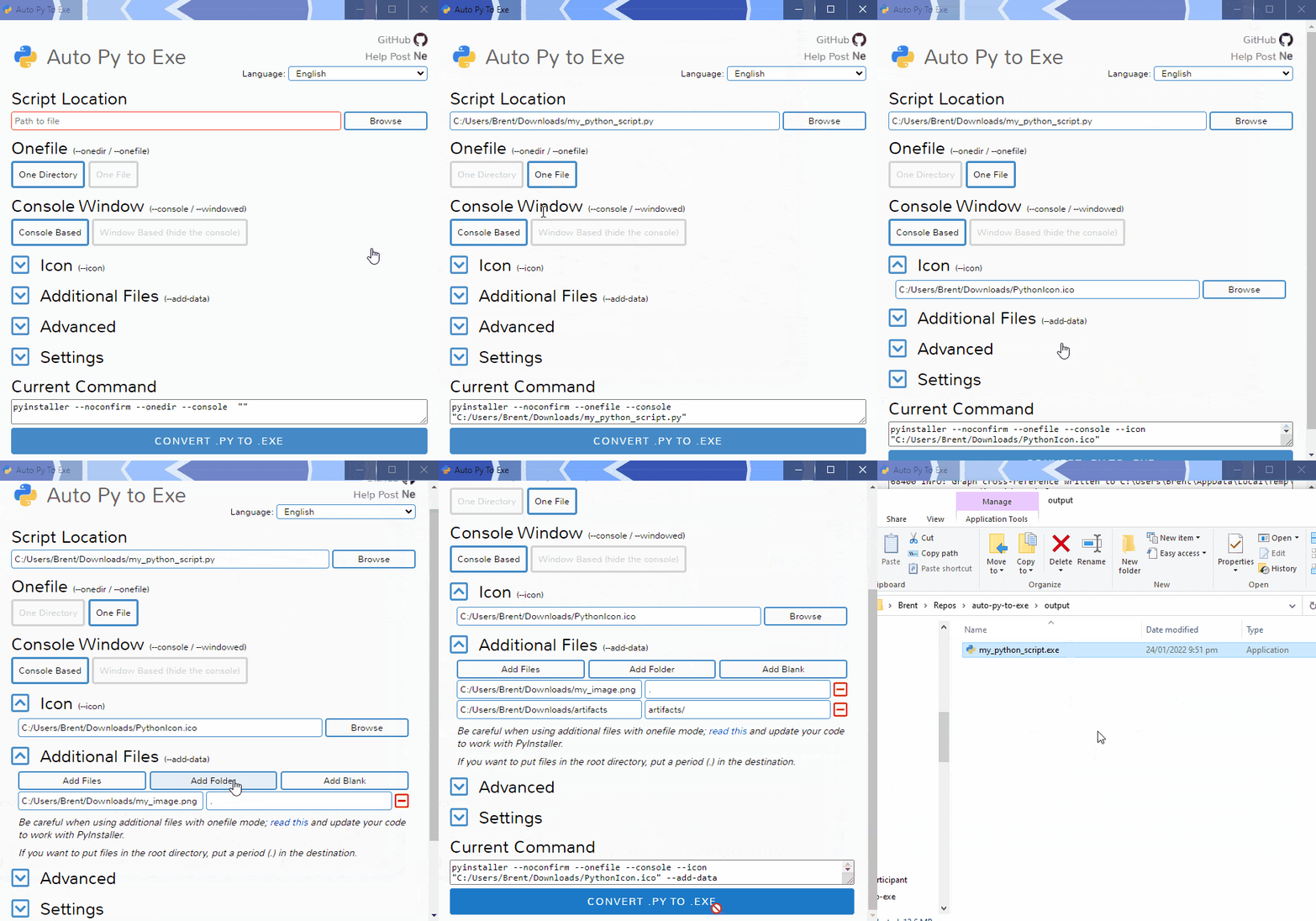
Demo
Getting Started
Prerequisites
- Python : 3.6-3.12
To have the interface displayed in the images, you will need chrome. If chrome is not installed or --no-chrome is supplied, the default browser will be used.
As of PyInstaller 4.0, Python 2.7 is no longer supported. Read "Python 2.7 Support" below for steps on how to use this tool with Python 2.7.
Installation and Usage
Installing Via PyPI
You can install this project using PyPI:
$ pip install auto-py-to-exe
Then to run it, execute the following in the terminal:
$ auto-py-to-exe
If you have more than one version of Python installed, you can use
python -m auto_py_to_exeinstead ofauto-py-to-exe.
Installing Via GitHub
$ git clone https://github.com/brentvollebregt/auto-py-to-exe.git
$ cd auto-py-to-exe
$ python setup.py install
Then to run it, execute the following in the terminal:
$ auto-py-to-exe
Running Locally Via Github (no install)
You can run this project locally by following these steps:
- Clone/download the repo
- Open cmd/terminal and cd into the project
- Execute
python -m pip install -r requirements.txt
Now to run the application, execute python -m auto_py_to_exe. A Chrome window in app mode will open with the project running inside.
Make sure you are in the directory below auto_py_to_exe (you will be after step 3) when calling
python -m auto_py_to_exeor you will need to reference the folder auto_py_to_exe absolutely/relatively to where you currently are.
Using the Application
- Select your script location (paste in or use a file explorer)
- Outline will become blue when file exists
- Select other options and add things like an icon or other files
- Click the big blue button at the bottom to convert
- Find your converted files in /output when completed
Easy.
Arguments
Usage: auto-py-to-exe [-nc] [-c [CONFIG]] [-o [PATH]] [filename]
| Argument | Type | Description |
|---|---|---|
| filename | positional/optional | Pre-fill the "Script Location" field in the UI. |
| -nc, --no-chrome | optional | Open the UI using the default browser (which may be Chrome). Will not try to find Chrome. |
| -nu, --no-ui | optional | Don't try to open the UI in a browser and simply print out the address that the application can be accessed at. |
| -c [CONFIG], --config [CONFIG] | optional | Provide a configuration file (json) to pre-fill the UI. These can be generated in the settings tab. |
| -o [PATH], --output-dir [PATH] | optional | Set the default output directory. This can still be changed in the ui. |
| -bdo [FOLDER_PATH], --build-directory-override [FOLDER_PATH] | optional | Override the default build directory. Useful if you need to whitelist a folder to stop your antivirus from removing files. |
| -lang [LANGUAGE_CODE], --language [LANGUAGE_CODE] | optional | Hint the UI what language it should default to when opening. Language codes can be found in the table under "Translations" below. |
If you are running this package locally, you will need to call
python -m auto_py_to_exeinstead ofauto-py-to-exe
JSON Configuration
Instead of inserting the same data into the UI over and over again, you can export the current state by going to the "Configuration" section within the settings tab and exporting the config to a JSON file. This can then be imported into the UI again to re-populate all fields.
This JSON config export action does not save the output directory automatically as moving hosts could mean different directory structures. If you want to have the output directory in the JSON config, add the directory under nonPyinstallerOptions.outputDirectory in the JSON file (will need to create a new key).
Video
If you need something visual to help you get started, I made a video for the original release of this project; some things may be different but the same concepts still apply.
Issues Using the Tool
If you're having issues with the packaged executable or using this tool in general, I recommend you read my blog post on common issues when using auto-py-to-exe. This post covers things you should know about packaging Python scripts and fixes for things that commonly go wrong.
If you believe you've found an issue with this tool, please create an issue (click "Get started") and fill out the template provided by the "Bug report" option. If your issue is only associated with your application, please do not create an issue in this repository - instead, comment on the help post, video or create a new discussion.
When filling out the template, be sure to clearly explain what's happening, give reproduction steps and a minimal reproducible example and explain what you believe should have happened. Without these, it's going to take longer to identify the issue.
Translations
| Language | Translator | Translated |
|---|---|---|
| Arabic (العربية) | Tayeb-Ali | UI |
| Brazilian Portuguese (Português Brasileiro) | marleyas, reneoliveirajr | UI |
| Chinese Simplified (简体中文) | jiangzhe11 | UI and README |
| Chinese Traditional (繁體中文) | startgo | UI |
| Czech | Matto58 | UI |
| English | - | UI and README |
| Finnish (Suomen kieli) | ZapX5 | UI and README |
| French (Français) | flaviedesp | UI |
| German (Deutsch) | hebens, ackhh | UI |
| Greek (Ελληνικά) | sofronas | UI |
| Indonesian (Bahasa Indonesia) | MarvinZhong | UI |
| Italian (Italiano) | itsEmax64 | UI |
| Japanese (日本語) | NattyanTV | UI |
| Korean (한국어) | jhk1090 | UI and README |
| Persian (فارسی) | DrunkLeen, Ar.dst | UI and README |
| Russian (Русский) | Oleg | UI |
| Spanish (Español) | enriiquee | UI |
| Spanish Latam (Español Latam) | Matyrela | UI |
| Serbian | rina | UI |
| Thai (ภาษาไทย) | teerut26 | UI (partial) |
| Turkish (Türkçe) | mcagriaksoy | UI and README |
| Ukrainian (Українська) | AndrejGorodnij | UI |
| Vietnamese (Tiếng Việt) | 7777Hecker | UI |
Want to add a translation for another language? Update i18n.js and submit a PR or attach it in an issue.
Python 2.7 Support
As of PyInstaller v4.0 released on Aug 9 2020, Python 2.7 is no longer supported; although you can still use this tool with Python 2.7 by installing an older version of PyInstaller. PyInstaller v3.6 was the last version that supported Python 2.7; to install this, first uninstall any existing versions of PyInstaller and then execute python -m pip install pyinstaller==3.6.
Testing
Tests are located in tests/ and are run using pytest:
$ pip install pytest
$ pip install -e .
$ pytest
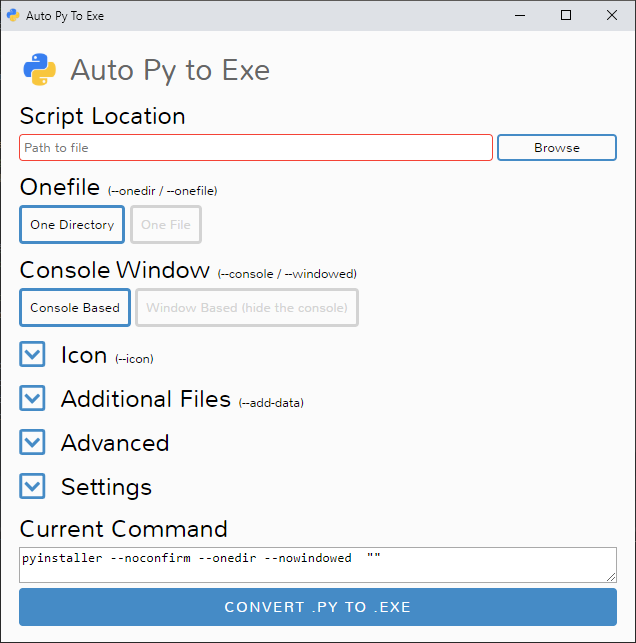
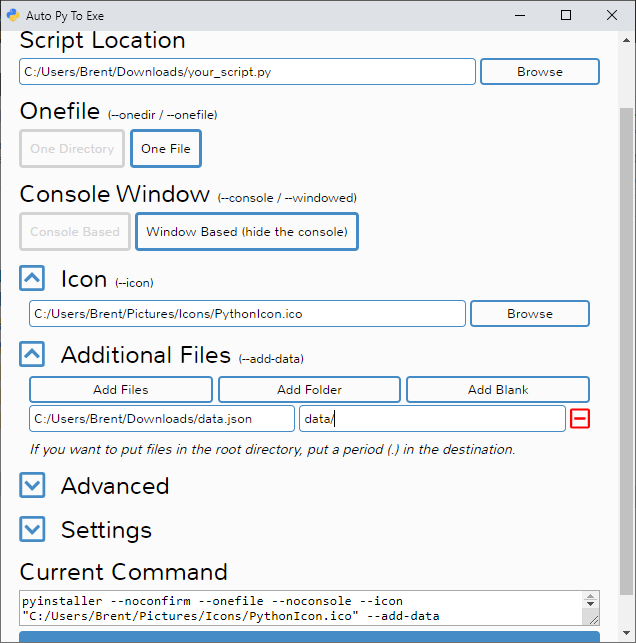
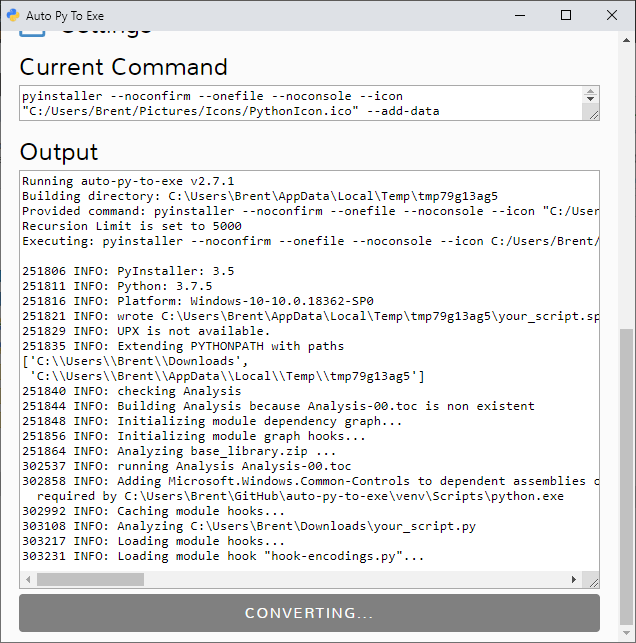
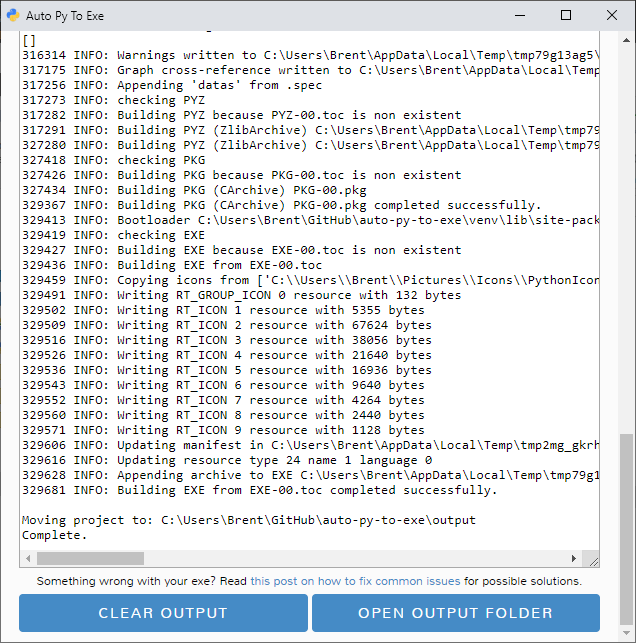
Screenshots
 |
 |
 |
 |
Release history Release notifications | RSS feed


Download files
Download the file for your platform. If you're not sure which to choose, learn more about installing packages.
Source Distribution
Built Distribution
Filter files by name, interpreter, ABI, and platform.
If you're not sure about the file name format, learn more about wheel file names.
Copy a direct link to the current filters
File details
Details for the file auto-py-to-exe-2.41.0.tar.gz.
File metadata
- Download URL: auto-py-to-exe-2.41.0.tar.gz
- Upload date:
- Size: 182.1 kB
- Tags: Source
- Uploaded using Trusted Publishing? No
- Uploaded via: twine/4.0.1 CPython/3.11.6
File hashes
| Algorithm | Hash digest | |
|---|---|---|
| SHA256 |
bedafaca2af9f6693ea56594db364435c9acd2b007612b323161d0ba66b1e513
|
|
| MD5 |
e59a900eb361e9e9124a1966ba97a0d9
|
|
| BLAKE2b-256 |
6cf448e252cd00b1846cab74c04afea6fb6c4ae9ece7c397f1c36526441807b5
|
File details
Details for the file auto_py_to_exe-2.41.0-py2.py3-none-any.whl.
File metadata
- Download URL: auto_py_to_exe-2.41.0-py2.py3-none-any.whl
- Upload date:
- Size: 185.5 kB
- Tags: Python 2, Python 3
- Uploaded using Trusted Publishing? No
- Uploaded via: twine/4.0.1 CPython/3.11.6
File hashes
| Algorithm | Hash digest | |
|---|---|---|
| SHA256 |
36087b2556022325db8c2437b732307aa50115f20df9a558704e263ef845e820
|
|
| MD5 |
7174843c3595918b2e9391ca90261aef
|
|
| BLAKE2b-256 |
c01d6c328329edd9b1bec7952eae3e1033087a591e848b74ea510df620d5d821
|






