
Converts .py to .exe using a simple graphical interface.

Project description
Auto PY to EXE
A .py to .exe converter using a simple graphical interface built using Eel and PyInstaller in Python.




Getting Started
Prerequisites
- Python : Python >= 2.7 ( including 3.7 🎉 )
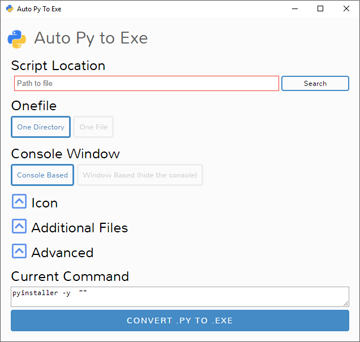
To have the interface displayed in the images, you will need chrome. If chrome is not installed or --no-chrome is supplied, the default browser will be used.
Installation and Usage
Installing Via PyPI
You can install this project using PyPI:
$ pip install auto-py-to-exe
Then to run it, execute the following in the terminal:
$ auto-py-to-exe
Installing Via GitHub
$ git clone https://github.com/brentvollebregt/auto-py-to-exe.git
$ cd auto-py-to-exe
$ python setup.py install
Then to run it, execute the following in the terminal:
$ auto-py-to-exe
Running Locally Via Github (no install)
You can run this project locally by following these steps:
- Clone/download the repo
- Open cmd/terminal and cd into the project
- Execute
python -m pip install -r requirements.txt
Now to run the application, execute python -m auto_py_to_exe. A Chrome window in app mode will open with the project running inside.
Make sure you are in the directory below auto_py_to_exe (you will be after step 3) when calling
python -m auto_py_to_exeor you will need to reference the folder auto_py_to_exe absolutely/relatively to where you currently are.
Using the Application
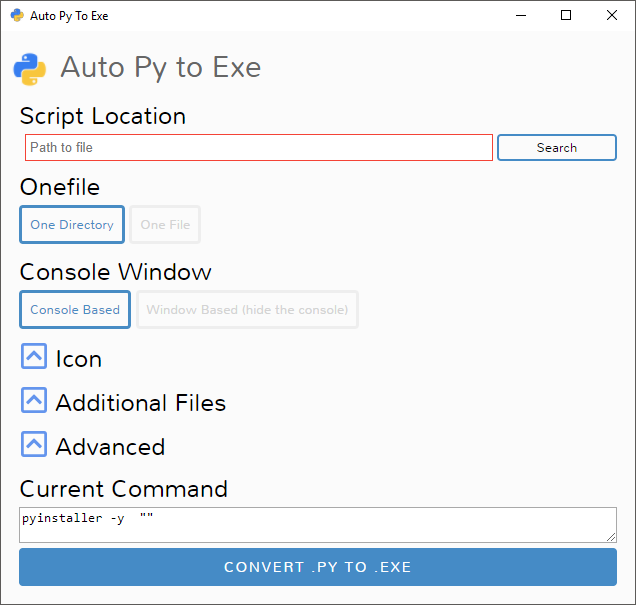
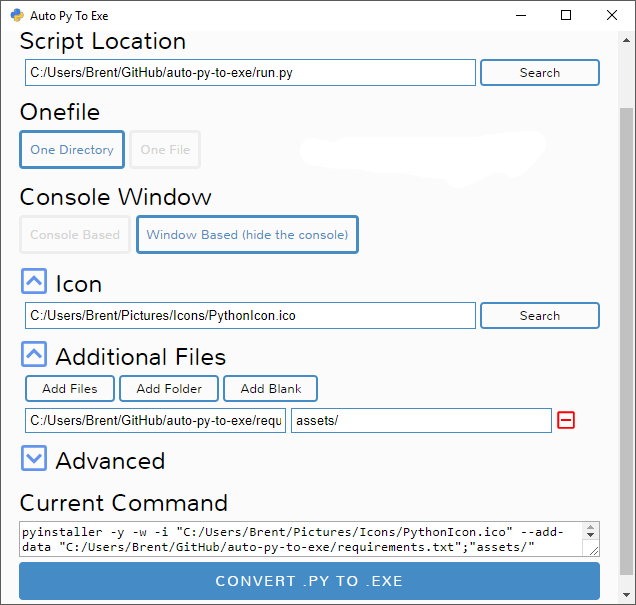
- Select your script location (paste in or use a file explorer)
- Outline will become blue when file exists
- Select other options and add things like an icon or other files
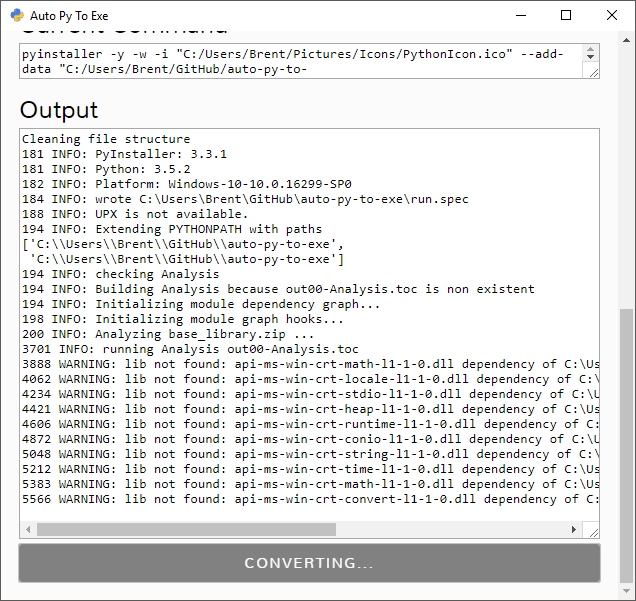
- Click the big blue button at the bottom to convert
- Find your converted files in /output when completed
Easy.
Arguments
Usage: auto-py-to-exe [-nc] [-c [CONFIG]] [filename]
| Argument | Type | Description |
|---|---|---|
| filename | positional | Pre-fill the "Script Location" field in the UI. |
| -nc, --no-chrome | optional | Open the UI using the default browser (which may be Chrome). Will not try to find Chrome |
| -c [CONFIG], --config [CONFIG] | optional | Provide a configuration file (json) to pre-fill the UI. These can be generated from the bottom of the advanced tab when you have setup your options. |
If you are running this package locally, you will need to call
python -m auto_py_to_exeinstead ofauto-py-to-exe
Configurations
Instead of inserting the same data into the UI over and over again, you can export the current state of the UI by going to the section "Configuration Import and Export" at the bottom of the advanced tab and exporting a JSON string to the clipboard or a file. This can then be imported into the UI again to re-populate all fields.
Video
If you need something visual to help you get started, I made a video for the original release of this project; some things may be different but the same concepts still apply.
Issues Using the Tool
If you're having issues with the packaged executable or using this tool in general, I recommend you read my blog post on common issues when using auto-py-to-exe. This post covers things you should know about packaging Python scripts and fixes for things that commonly go wrong.
Screenshots
Release history Release notifications | RSS feed


Download files
Download the file for your platform. If you're not sure which to choose, learn more about installing packages.
Source Distribution
Built Distribution
Filter files by name, interpreter, ABI, and platform.
If you're not sure about the file name format, learn more about wheel file names.
Copy a direct link to the current filters
File details
Details for the file auto-py-to-exe-2.6.0.tar.gz.
File metadata
- Download URL: auto-py-to-exe-2.6.0.tar.gz
- Upload date:
- Size: 63.8 kB
- Tags: Source
- Uploaded using Trusted Publishing? No
- Uploaded via: twine/1.11.0 pkginfo/1.4.2 requests/2.21.0 setuptools/41.0.1 requests-toolbelt/0.9.1 tqdm/4.31.1 CPython/3.6.6
File hashes
| Algorithm | Hash digest | |
|---|---|---|
| SHA256 |
f50a193c38e302a44cf10f3c2024702b73036c12181d20057fa7c430c829e0d2
|
|
| MD5 |
cd01bbf94840f688bbf9e785c37f0718
|
|
| BLAKE2b-256 |
7ea79c490275b34d49395bfb70d4501e246dbc77ff8ff1ef5a244227305ea572
|
File details
Details for the file auto_py_to_exe-2.6.0-py2.py3-none-any.whl.
File metadata
- Download URL: auto_py_to_exe-2.6.0-py2.py3-none-any.whl
- Upload date:
- Size: 64.6 kB
- Tags: Python 2, Python 3
- Uploaded using Trusted Publishing? No
- Uploaded via: twine/1.11.0 pkginfo/1.4.2 requests/2.21.0 setuptools/41.0.1 requests-toolbelt/0.9.1 tqdm/4.31.1 CPython/3.6.6
File hashes
| Algorithm | Hash digest | |
|---|---|---|
| SHA256 |
3fc2d365dbc26ca427b910de41775173fe2983b4f6a8dc7c79bb3b2237ee2236
|
|
| MD5 |
6369971d0e8a8727d187580cad9fe0ab
|
|
| BLAKE2b-256 |
f22f52adbe6732a26d2135140a4ca55135e1214ceb69688d1f02d4f4645100eb
|






