
AI-powered expense analysis and RAG system with CockroachDB vector search and multi-provider AI support (OpenAI, AWS Bedrock, IBM Watsonx, Google Gemini)

Project description






🤖 Banko AI Assistant - RAG and Agentic-AI Demo
An AI-powered expense analysis application demonstrating Retrieval-Augmented Generation (RAG) and agentic-AI workflows with CockroachDB vector search and multiple AI provider support.
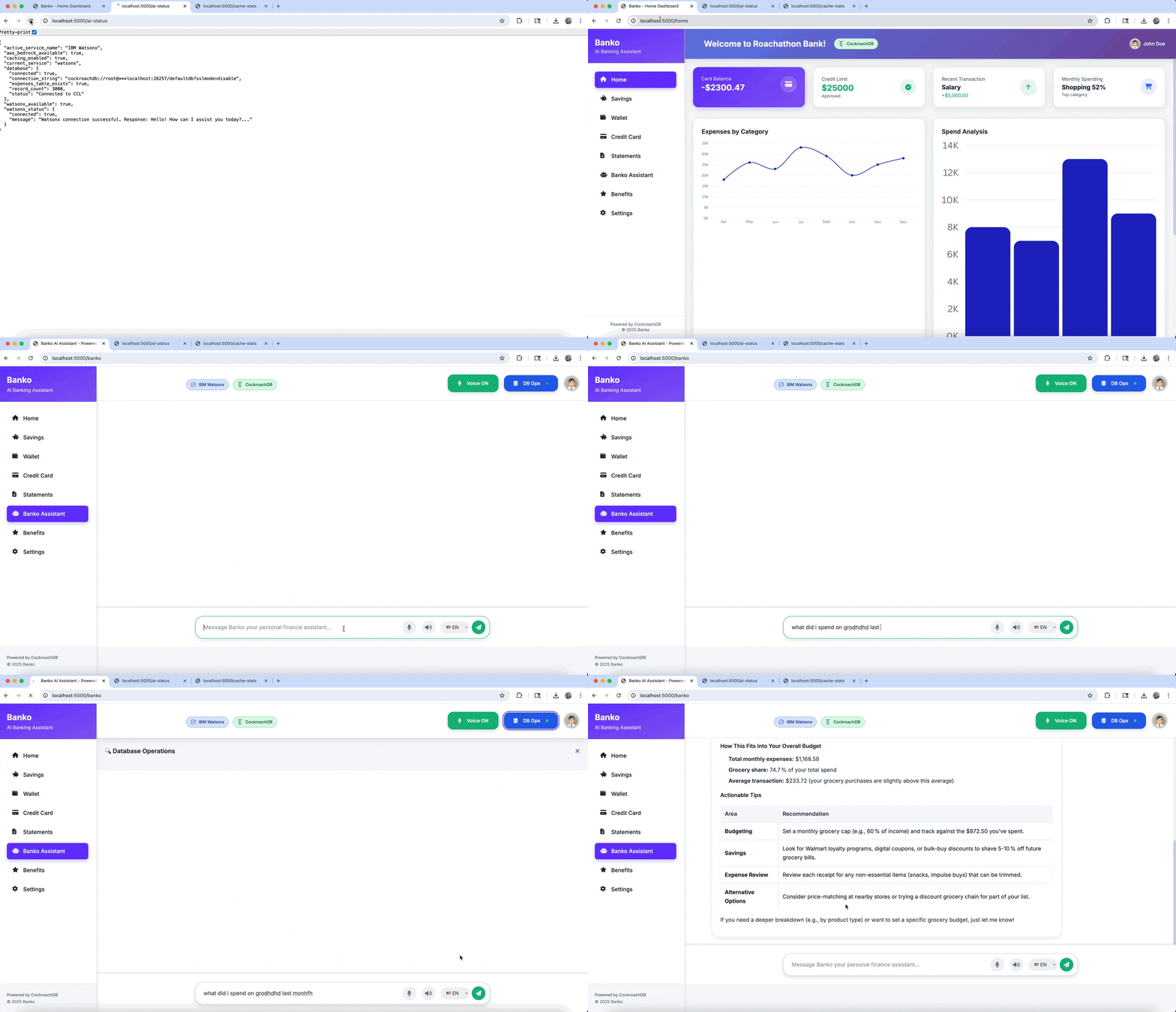
Architecture

The application uses a five-layer architecture designed for scalability, flexibility, and intelligent data processing:
1. Presentation Layer (The Front Door)
Role: Handles all interactions with the outside world (users or other systems).
Components:
- Flask Routes: API endpoints that the application responds to
- Templates: HTML files for the user interface
- WebSocket Events: Real-time, two-way communication for live chat and status updates
Location: banko_ai/web/app.py and templates/*.html
2. Agent Orchestration (The Brain)
Role: Core logic tier that decides what needs to be done with a user's request.
Components:
- Multi-Agent System: Specialized agents designed for specific tasks instead of one monolithic AI
- Receipt Agent: OCR and data extraction from uploaded receipts
- Fraud Agent: Transaction analysis for suspicious patterns
- Budget Agent: Categorization and spending analysis
Function: Receives input from the presentation layer and routes it to the correct specialized agent.
Location: banko_ai/agents/*.py
3. AI Provider Layer (The Translator)
Role: Abstraction layer providing a standardized interface to external Large Language Models (LLMs).
Components:
- LangChain: Framework for managing LLM interactions, chaining commands, and handling context
- Provider Adapters: Support for multiple backend providers (OpenAI, AWS Bedrock, Google Gemini, IBM Watsonx)
Function: Ensures agent orchestration code doesn't change when switching AI model providers.
Location: banko_ai/ai_providers/*.py
4. Vector Search Engine (The Semantic Memory)
Role: Enables semantic search based on meaning rather than keyword matching, critical for RAG.
Components:
- Embeddings: Converts text data into numerical vectors representing semantic meaning
- Semantic Search: Finds relevant information by comparing vector similarity
- Cache: Stores frequent search results for faster responses
Location: banko_ai/vector_search/*.py
5. Data Persistence (The Foundation)
Role: Ultimate storage location for all application data.
Components:
- CockroachDB: Distributed SQL database used as a hybrid database storing three distinct data types:
- SQL Data: Structured financial data (expenses table)
- Vector Data: Embeddings for semantic search directly in the database
- Agent State: Short-term memory of AI agents (agent_state, agent_memory, agent_tasks), allowing ongoing conversations and multi-step tasks to persist across restarts
Location: banko_ai/utils/database.py, banko_ai/utils/agent_schema.py
This architecture enables:
- Semantic expense matching using CockroachDB vector search with cosine similarity
- Context-aware responses through retrieval-augmented generation
- Flexible AI provider switching without code changes
- Persistent agent memory for multi-turn conversations
- Specialized task handling through domain-specific agents
Features
- Vector Search: Semantic expense search using CockroachDB vector indexes
- Multi-AI Provider: OpenAI, AWS Bedrock, IBM Watsonx, Google Gemini
- Dynamic Model Switching: Change models without restarting
- User-Specific Indexing: Optimized vector indexes per user
- Data Enrichment: Contextual expense descriptions for better accuracy
- Multi-Layer Caching: Query, embedding, and result caching
- Modern Web Interface: Responsive UI with real-time chat
- Analytics Dashboard: Comprehensive expense analysis
- PyPI Package:
pip install banko-ai-assistant - Agentic AI: Budget planning, fraud detection, receipt processing
Quick Start
Installation Options
Docker (No Python required)
docker-compose up -d
PyPI
pip install banko-ai-assistant
banko-ai run
Prerequisites
- Python 3.10+ (if not using Docker)
- CockroachDB v25.4.0+ (with vector index support)
- AI Provider API Key (OpenAI, AWS, IBM Watsonx, or Google Gemini)
CockroachDB Setup
-
Download and Install:
# Download CockroachDB v25.4.0 or later
# Visit: https://www.cockroachlabs.com/docs/releases/

# Or via package manager
brew install cockroachdb/tap/cockroach  # macOS
-
Start Single Node:
cockroach start-single-node \
  --insecure \
  --store=./cockroach-data \
  --listen-addr=localhost:26257 \
  --http-addr=localhost:8080 \
  --background
-
Verify Setup:
cockroach sql --insecure --execute "SELECT version();"
Installation
Docker
# Pull from Docker Hub
docker pull virag/banko-ai-assistant:latest

# Or use docker-compose
docker-compose up -d
PyPI
pip install banko-ai-assistant

# Set up environment variables
export AI_SERVICE="openai"
export OPENAI_API_KEY="your_key_here"
export OPENAI_MODEL="gpt-4o-mini"
export DATABASE_URL="cockroachdb://root@localhost:26257/defaultdb?sslmode=disable"

# Run
banko-ai run
Development
git clone https://github.com/cockroachlabs-field/banko-ai-assistant-rag-demo
cd banko-ai-assistant-rag-demo
pip install -e .
banko-ai run
Configuration
Core Settings (Required)
| Variable | Description | Example |
|---|---|---|
DATABASE_URL |
CockroachDB connection string | cockroachdb://root@localhost:26257/banko_ai |
AI_SERVICE |
AI provider | watsonx, openai, aws, gemini |
AI Provider Configuration
IBM Watsonx
export WATSONX_API_KEY="your_api_key"
export WATSONX_PROJECT_ID="your_project_id"
export WATSONX_MODEL_ID="meta-llama/llama-2-70b-chat"  # Default: openai/gpt-oss-120b
Optional:
| Variable | Description | Default |
|---|---|---|
WATSONX_API_URL |
API endpoint URL | US South region |
WATSONX_TOKEN_URL |
IAM endpoint | IBM Cloud IAM |
WATSONX_TIMEOUT |
Timeout (sec) | 30 |
OpenAI
export OPENAI_API_KEY="your_key"
export OPENAI_MODEL="gpt-4o-mini"  # Default
Options: gpt-4o-mini, gpt-4o, gpt-4-turbo, gpt-4, gpt-3.5-turbo
AWS Bedrock
export AWS_ACCESS_KEY_ID="your_access_key"
export AWS_SECRET_ACCESS_KEY="your_secret_key"
export AWS_REGION="us-east-1"  # Default
export AWS_MODEL_ID="us.anthropic.claude-3-5-sonnet-20241022-v2:0"  # Default
Options: claude-3-5-sonnet, claude-3-5-haiku, claude-3-opus, claude-3-sonnet
Google Gemini
export GOOGLE_APPLICATION_CREDENTIALS="path/to/service-account.json"
export GOOGLE_PROJECT_ID="your-project-id"
export GOOGLE_MODEL="gemini-1.5-pro"  # Default: gemini-2.0-flash-001
export GOOGLE_LOCATION="us-central1"  # Default
Options: gemini-1.5-pro, gemini-1.5-flash, gemini-1.0-pro, gemini-2.0-flash-001
Alternative (Generative AI API):
export GOOGLE_API_KEY="your-gemini-api-key"
Response Caching
Configure caching to balance performance and accuracy:
export CACHE_SIMILARITY_THRESHOLD="0.75"  # Default (0.0-1.0)
export CACHE_TTL_HOURS="24"               # Default
export CACHE_STRICT_MODE="true"           # Default
Presets:
- Demo:
THRESHOLD=0.75 STRICT_MODE=false(80-90% hit rate) - Balanced:
THRESHOLD=0.75 STRICT_MODE=true(60-70% hit rate) ← Recommended - Conservative:
THRESHOLD=0.85 STRICT_MODE=true(50-60% hit rate)
Caching Strategy:
- High confidence (≥0.90): Exact semantic match - use cache
- Medium confidence (0.70-0.89): Similar match - use cache if data matches (strict mode)
- Low confidence (<0.70): Different query - generate fresh response
Example:
| Threshold | Query 1 | Query 2 | Similarity | Cache Hit? |
|---|---|---|---|---|
| 0.75 | "coffee" | "coffee spending" | 0.69 | ❌ No |
| 0.75 | "coffee expenses" | "my coffee spending" | 0.88 | ✅ Yes |
| 0.85 | "coffee expenses" | "my coffee spending" | 0.88 | ✅ Yes |
| 0.90 | "coffee expenses" | "my coffee spending" | 0.88 | ❌ No |
Database Connection Pool
export DB_POOL_SIZE="100"          # Base pool size
export DB_MAX_OVERFLOW="100"       # Max overflow connections
export DB_POOL_TIMEOUT="30"        # Connection timeout (sec)
export DB_POOL_RECYCLE="3600"      # Recycle after (sec)
export DB_POOL_PRE_PING="true"     # Test before use
export DB_CONNECT_TIMEOUT="10"     # DB connection timeout (sec)
Recommendations:
- Low traffic (<10 QPS): 10-50 connections
- Medium traffic (10-100 QPS): 100-500 connections
- High traffic (100+ QPS): 500-1000+ connections
Additional Settings
export EMBEDDING_MODEL="all-MiniLM-L6-v2"  # Default
export FLASK_ENV="development"             # Options: development, production
export SECRET_KEY="random-secret-key"      # Generate with: python -c "import secrets; print(secrets.token_hex(32))"
Regional Configuration
Watsonx - EU:
export WATSONX_API_URL="https://eu-de.ml.cloud.ibm.com/ml/v1/text/chat?version=2023-05-29"
Watsonx - Tokyo:
export WATSONX_API_URL="https://jp-tok.ml.cloud.ibm.com/ml/v1/text/chat?version=2023-05-29"
AWS - Europe:
export AWS_REGION="eu-west-1"
Google - Europe:
export GOOGLE_LOCATION="europe-west1"
Multi-Region Database
For multi-region deployments, use a load balancer (HAProxy, AWS NLB) in front of CockroachDB:
# Development (local)
export DATABASE_URL="cockroachdb://root@localhost:26257/banko_ai?sslmode=disable"

# With load balancer
export DATABASE_URL="cockroachdb://root@haproxy-lb:26257/banko_ai?sslmode=verify-full"
Failover Handling:
- Application connects to load balancer
- Load balancer routes to healthy nodes
- On failure, load balancer detects via health checks
- Routes to healthy regions automatically
- Application retry logic handles
StatementCompletionUnknown - Retry succeeds via healthy region
Running the Application
# Start with default settings (5000 sample records)
banko-ai run

# Custom data amount
banko-ai run --generate-data 10000

# Without generating data
banko-ai run --no-data

# Debug mode
banko-ai run --debug
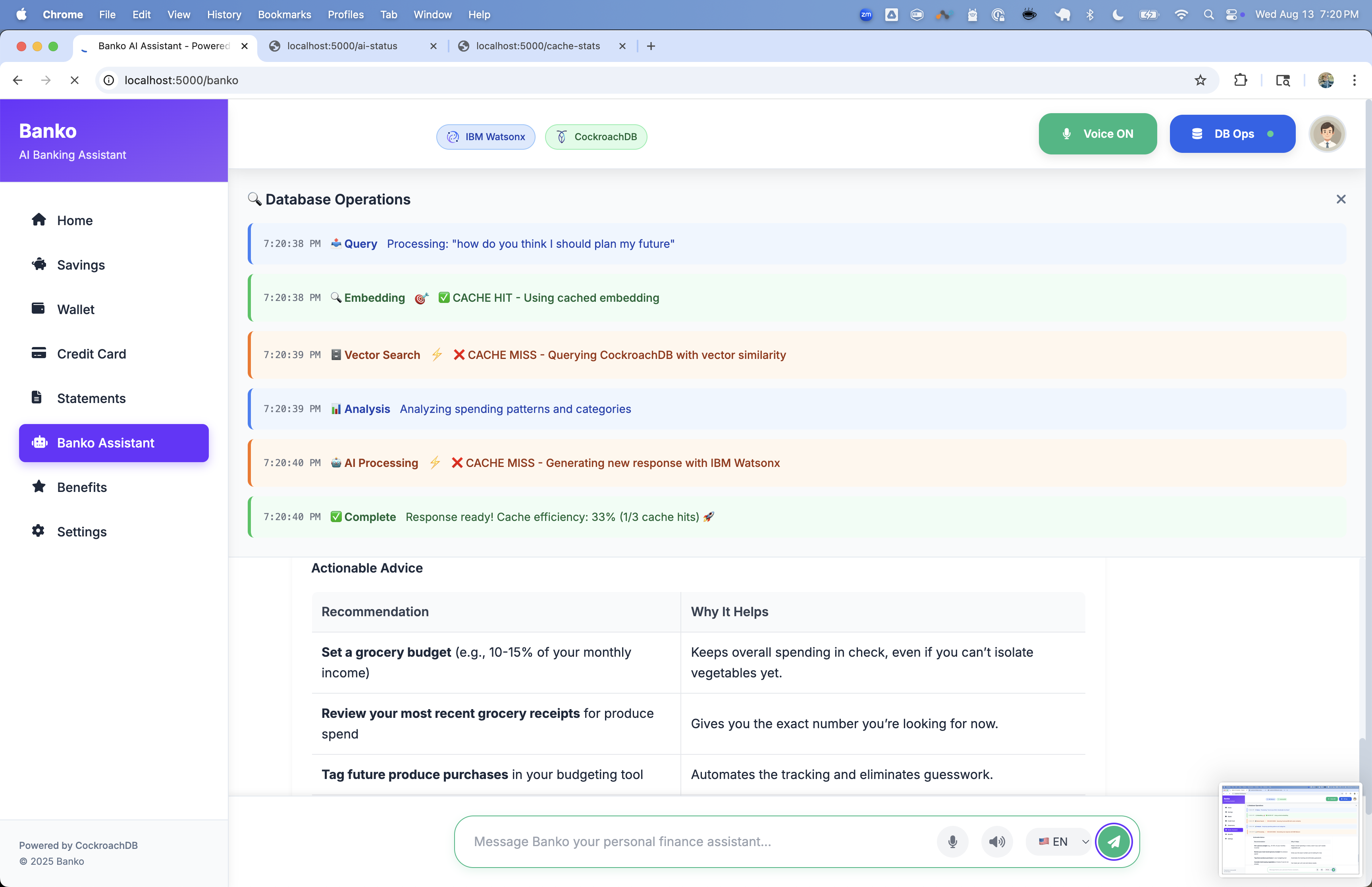
What Happens on Startup
- Database Connection: Connects to CockroachDB and creates tables
- Table Creation: Creates
expensestable with vector indexes and cache tables - Data Generation: Generates 5000 sample expense records with enriched descriptions
- AI Provider Setup: Initializes selected provider and loads available models
- Web Server: Starts Flask application on http://localhost:5000
Sample Data
Generated data includes:
- Rich Descriptions: "Bought food delivery at McDonald's for $56.68 fast significant purchase restaurant and service paid with debit card this month"
- Merchant Information: Realistic merchant names and categories
- Amount Context: Expense amounts with contextual descriptions
- Temporal Context: Recent, this week, this month
- Payment Methods: Bank Transfer, Debit Card, Credit Card, Cash, Check
- Multi-User: Multiple user IDs for testing user-specific search
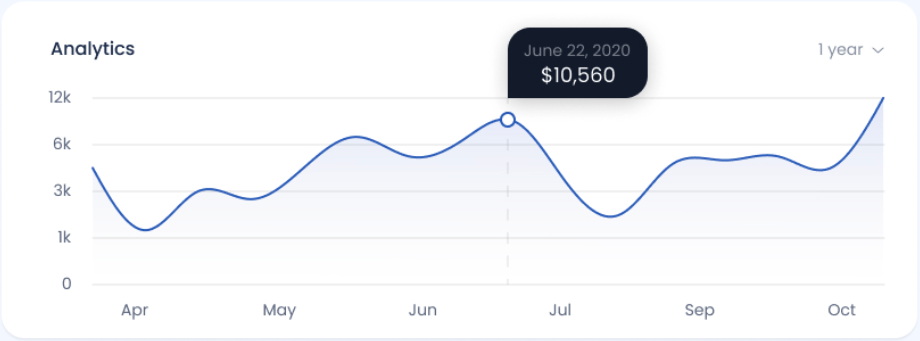
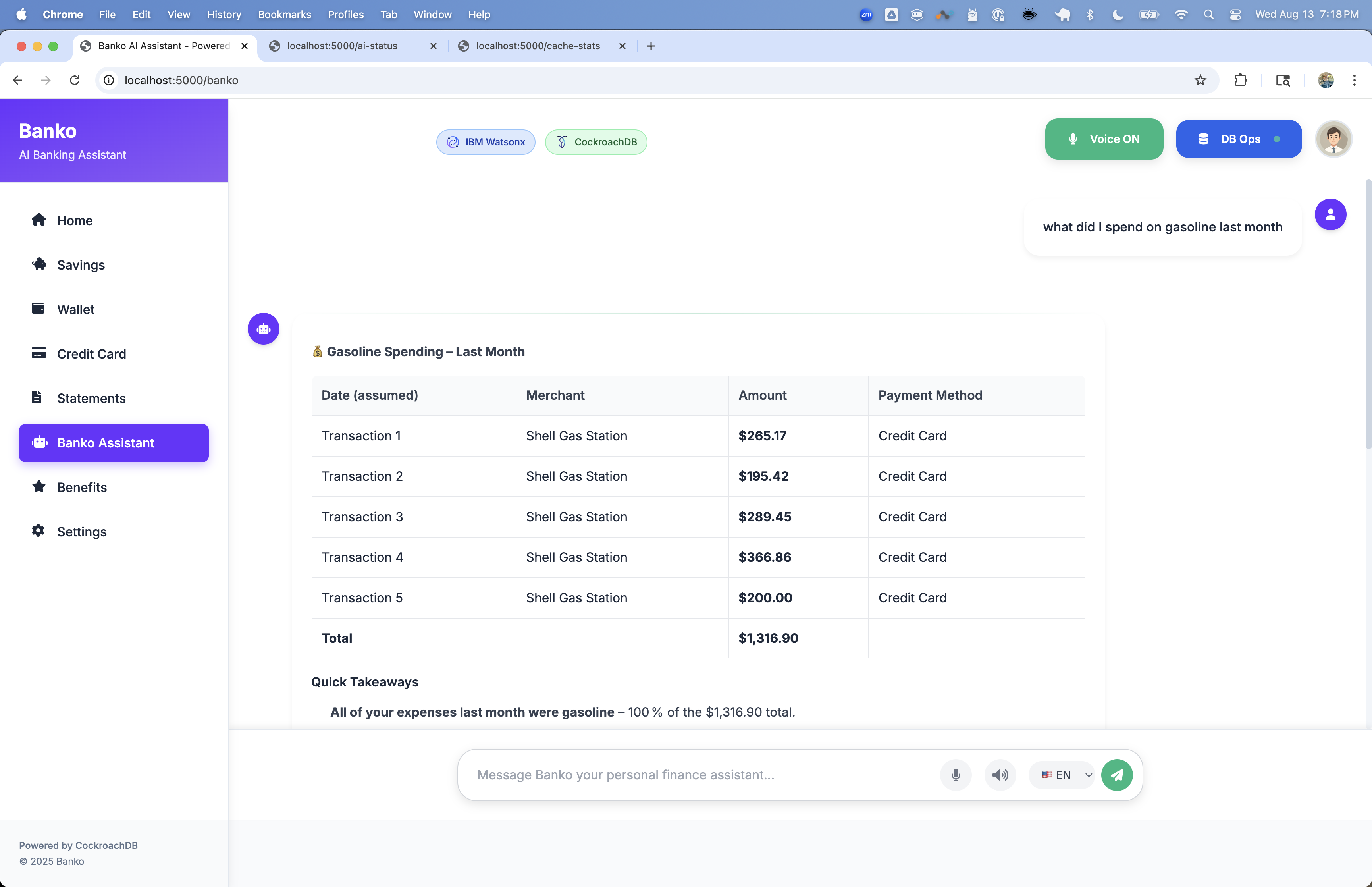
Web Interface
Access at http://localhost:5000
- Home: Overview dashboard with expense statistics
- Chat: AI-powered expense analysis and Q&A
- Search: Vector-based expense search
- Settings: AI provider and model configuration
- Analytics: Detailed expense analysis and insights
CLI Commands
# Run application
banko-ai run [OPTIONS]

# Generate sample data
banko-ai generate-data --count 20000

# Clear all data
banko-ai clear-data

# Check status
banko-ai status

# Search expenses
banko-ai search "food delivery" --limit 10

# Help
banko-ai help
API Endpoints
| Endpoint | Method | Description |
|---|---|---|
/ |
GET | Web interface |
/api/health |
GET | Health check |
/api/ai-providers |
GET | Available AI providers |
/api/models |
GET | Available models for current provider |
/api/search |
POST | Vector search expenses |
/api/rag |
POST | RAG-based Q&A |
Examples
# Health check
curl http://localhost:5000/api/health

# Search expenses
curl -X POST http://localhost:5000/api/search \
  -H "Content-Type: application/json" \
  -d '{"query": "food delivery", "limit": 5}'

# RAG query
curl -X POST http://localhost:5000/api/rag \
  -H "Content-Type: application/json" \
  -d '{"query": "What are my biggest expenses this month?", "limit": 5}'
Database Schema
Tables
- expenses: Expense records with vector embeddings
- query_cache: Cached search results
- embedding_cache: Cached embeddings
- vector_search_cache: Cached vector search results
- cache_stats: Cache performance statistics
- agent_state: Agent state management
- agent_memory: Agent memory and context
- agent_tasks: Agent task queue
- conversations: Chat conversation history
- documents: Receipt and document storage
Vector Indexes
The application uses cosine similarity for semantic search:
-- General vector index (v25.4.0+)
CREATE VECTOR INDEX idx_expenses_embedding
ON expenses (embedding);

-- User-specific vector index
CREATE INDEX idx_expenses_user_embedding
ON expenses (user_id, embedding)
USING ivfflat (embedding vector_cosine_ops);

-- Agent memory index
CREATE INDEX idx_agent_memory_embedding
ON agent_memory
USING cspann (user_id, embedding vector_cosine_ops);

-- Conversation index
CREATE INDEX idx_conversations_embedding
ON conversations
USING cspann (user_id, message_embedding vector_cosine_ops);

-- Document index
CREATE INDEX idx_documents_embedding
ON documents
USING cspann (user_id, embedding vector_cosine_ops);
Benefits:
- User-specific queries for faster search
- Contextual results with merchant and amount information
- Scalable performance for large datasets
- Multi-tenant support with isolated user data
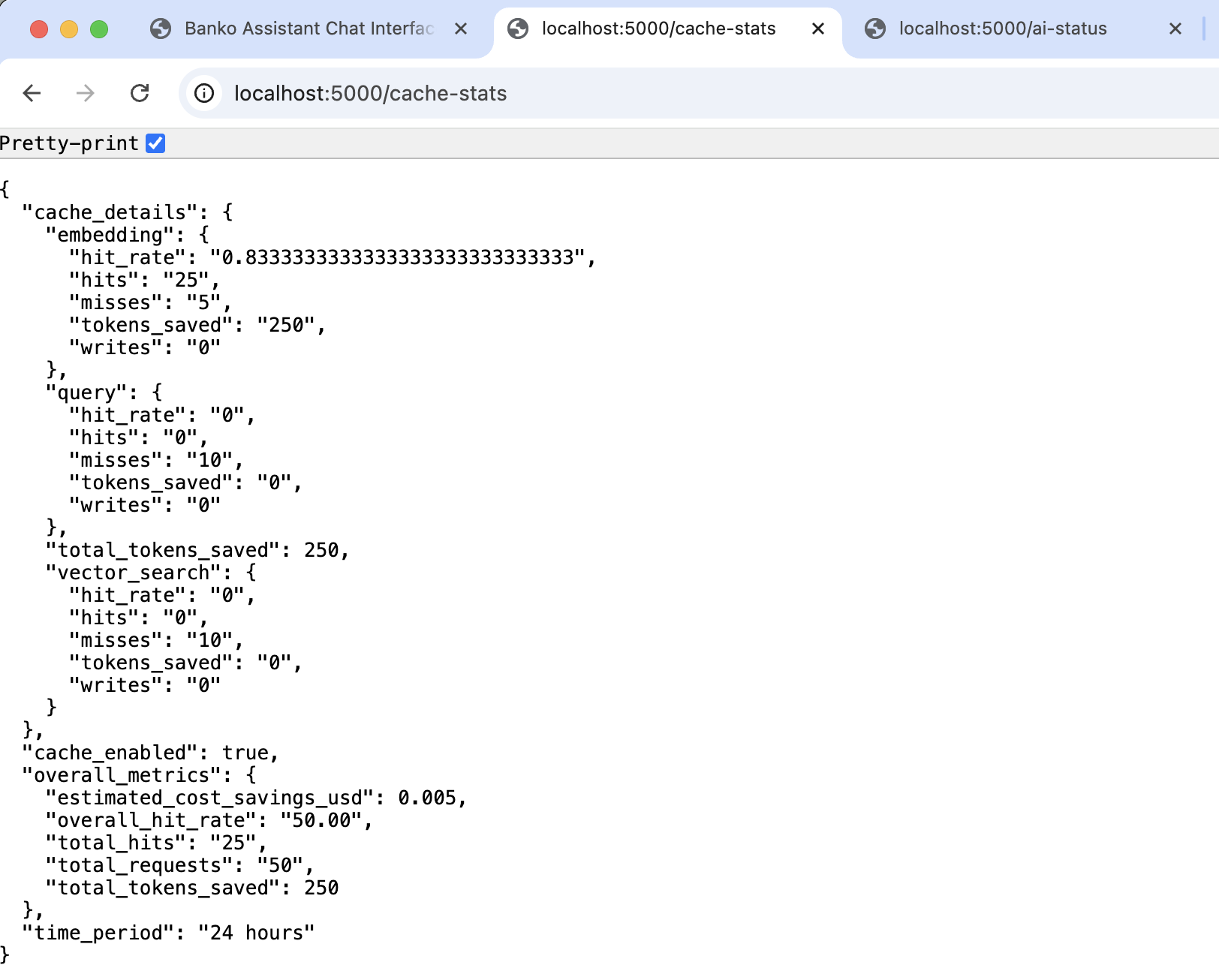
AI Provider Switching
Switch providers and models dynamically:
- Go to Settings in web interface
- Select preferred AI provider
- Choose from available models
- Changes take effect immediately
Supported Providers
- OpenAI: GPT-4o-mini, GPT-4o, GPT-4 Turbo, GPT-4, GPT-3.5 Turbo
- AWS Bedrock: Claude 3.5 Sonnet, Claude 3.5 Haiku, Claude 3 Opus, Claude 3 Sonnet
- IBM Watsonx: GPT-OSS-120B, Llama 2 (70B, 13B, 7B), Granite models
- Google Gemini: Gemini 1.5 Pro, Gemini 1.5 Flash, Gemini 1.0 Pro, Gemini 2.0 Flash
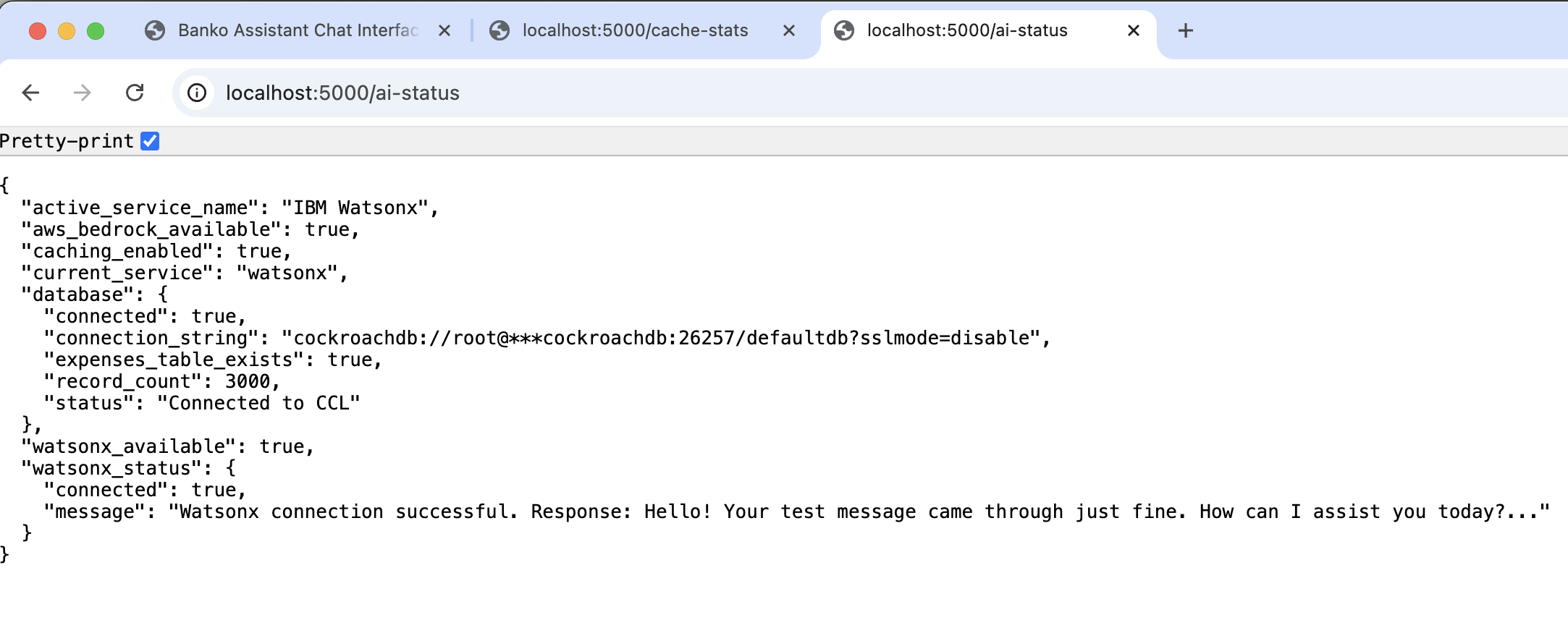
Performance Features
Caching System
- Query Caching: Search results for faster responses
- Embedding Caching: Vector embeddings to avoid recomputation
- Insights Caching: AI-generated insights
- Multi-layer Optimization: Intelligent cache invalidation
Vector Search Optimization
- User-Specific Indexes: Faster search per user
- Cosine Similarity: Industry-standard distance metric for text embeddings
- Data Enrichment: Enhanced descriptions improve accuracy
- Batch Processing: Efficient data loading
Troubleshooting
CockroachDB Version
# Check version (must be v25.4.0+)
cockroach version

# Download latest:
# https://www.cockroachlabs.com/docs/releases/
Database Connection Error
# Start CockroachDB
cockroach start-single-node \
  --insecure \
  --store=./cockroach-data \
  --listen-addr=localhost:26257 \
  --http-addr=localhost:8080 \
  --background

# Verify
cockroach sql --insecure --execute "SHOW TABLES;"
AI Provider Issues
- Verify API keys are correct
- Check network connectivity
- Ensure selected model is available
No Search Results
- Load sample data:
banko-ai generate-data --count 1000 - Verify vector indexes created
Cache Issues
# Clear all caches
banko-ai clear-cache

# Check cache statistics
curl http://localhost:5000/api/cache/stats
Testing Vector Search
Run the comprehensive test suite to verify vector search is working:
# Run all tests
python tests/test_vector_index.py

# With pytest
python -m pytest tests/test_vector_index.py -v
The test proves:
- Vector indexes are created and used
- Cosine similarity operator works correctly
- Query execution plan shows index usage
- No CAST required (v25.4.0+ compatible)
License
Apache License 2.0
Contributing
Contributions welcome! Please open an issue or submit a pull request.
Support
Release history Release notifications | RSS feed


Download files
Download the file for your platform. If you're not sure which to choose, learn more about installing packages.
Source Distribution
Built Distribution
Filter files by name, interpreter, ABI, and platform.
If you're not sure about the file name format, learn more about wheel file names.
Copy a direct link to the current filters
File details
Details for the file banko_ai_assistant-1.0.35.tar.gz.
File metadata
- Download URL: banko_ai_assistant-1.0.35.tar.gz
- Upload date:
- Size: 14.7 MB
- Tags: Source
- Uploaded using Trusted Publishing? No
- Uploaded via: twine/6.2.0 CPython/3.12.8
File hashes
| Algorithm | Hash digest | |
|---|---|---|
| SHA256 |
9a55b66d0fbbeb4c8cd30122be533e047207df1b33acc4007d6d6571abf247e1
|
|
| MD5 |
d46fd65035421a74b8d2ffd13079355f
|
|
| BLAKE2b-256 |
12f1b48f2b14da23362da0ac6b1eea712fa73f38d307e3db1234fb2a00c2c835
|
File details
Details for the file banko_ai_assistant-1.0.35-py3-none-any.whl.
File metadata
- Download URL: banko_ai_assistant-1.0.35-py3-none-any.whl
- Upload date:
- Size: 14.7 MB
- Tags: Python 3
- Uploaded using Trusted Publishing? No
- Uploaded via: twine/6.2.0 CPython/3.12.8
File hashes
| Algorithm | Hash digest | |
|---|---|---|
| SHA256 |
69aae9c44c9898eda94679f5d6833cee4fb619f325dc58c3949f05d76f6a62af
|
|
| MD5 |
d3b7cbd84fe64e99c888d16cc4902899
|
|
| BLAKE2b-256 |
8a82c8521793d21618ea7a7510cd028c7d91c0c4aa26555d1c02b2ffa7a9cf87
|






