
brillouin-imaging Napari plugin
What is it?
brillouin-imaging is a napari plugin to work with brim (Brillouin imaging) files, containing spectral data and metadata from Brillouin microscopy.
More information about the scope and definition of the brim file format can be found here.
The brillouin-imaging plugin implements three contributions:
-
reader
Allows to open brim files by implementing the reader contribution. -
sample_data
Provides some sample Brillouin data through the sample data contribution. Data are hosted on a S3 bucket. -
Spectra Analysis Tools widget
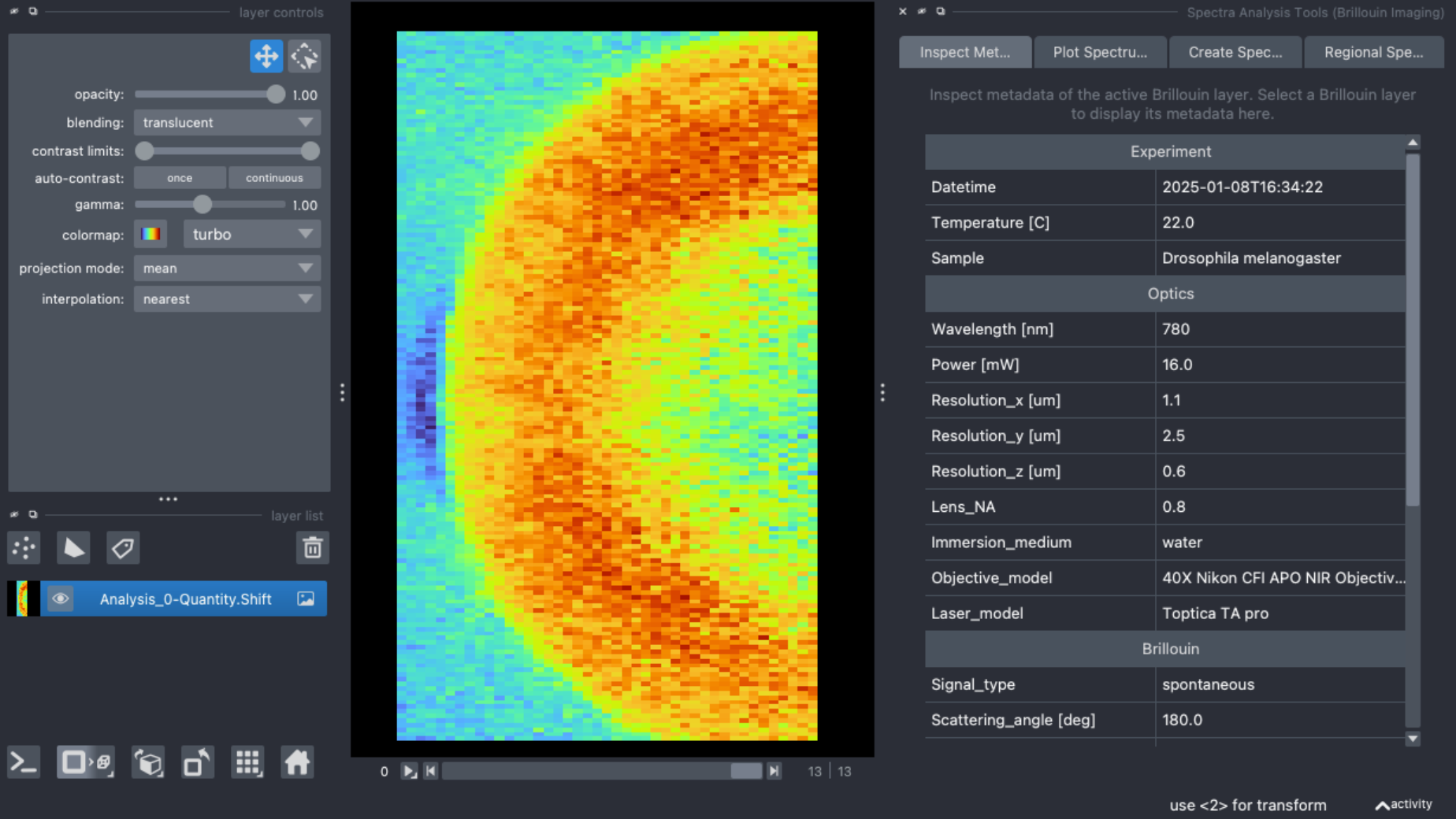
Inspetion and analysis tools by adding the widget contribution. One can view metadata, inspect individual spectra, create images based on the AUC of the PSD, and use a labels layer to calculate average Brillouin spectra and statistics for annotated or segmented regions.
Example Screenshot of the Spectra Analysis Tools widget displaying the metadata of the opened drosophila_LSBM sample data:
How to install it
brillouin-imaging can be installed from the napari plugin manager, as any standard napari plugin. More info can be found here.
1 maintainer

Metadata
1 maintainer
Release files for brillouin-imaging 0.4.0
For a detailed explanation of source distributions (sdists) and built distributions (wheels), please see the package formats documentation.
Source distribution (sdist)
| File | Size | Uploaded | |
|---|---|---|---|
| brillouin_imaging-0.4.0.tar.gz | 404.0 kB | Details |
Built distribution (wheel)
| File | Interpreter | ABI | Platform | Reset |
|---|---|---|---|---|
| brillouin_imaging-0.4.0-py3-none-any.whl | Python 3 | none | any | Details |
Total release size: 427.0 kB
Release files / brillouin_imaging-0.4.0.tar.gz
| Download URL | brillouin_imaging-0.4.0.tar.gz |
|---|---|
| Size | 404.0 kB |
| Tags | Source |
|
SHA-256 checksum How to use checksums |
38a62bb924f45059a45633df5e0a59a865f9652ad4b77cb7a5d5b58f641e8972
|
|
BLAKE2b-256 checksum How to use checksums |
5c0929020cd34b1ab1381b3991ca108283acb49210e0499b15c7754be85914f0
|
| Upload date | |
|
Uploaded using Trusted Publishing? What is trusted publishing? |
Yes |
| Uploaded via |
twine/6.1.0 CPython/3.13.12
|
Provenance
Provenance describes where a file came from. On PyPI, provenance is shared via attestations, which provide a verifiable record of the build or publishing details. View details, limitations and caveats.


PyPI Publish Attestation
PyPI verified that this artifact, at this checksum, originated from the publisher listed below.
Signed by GitHub Actions, verified by PyPI on Jul 16, 2026.
Transparency logRelease files / brillouin_imaging-0.4.0-py3-none-any.whl
| Download URL | brillouin_imaging-0.4.0-py3-none-any.whl |
|---|---|
| Size | 23.0 kB |
| Tags | Python 3 |
|
SHA-256 checksum How to use checksums |
bd1c743bbaabc27edbb65eee12c3ec82fef42bd6944eec0bc10b116358cddec0
|
|
BLAKE2b-256 checksum How to use checksums |
896c1873eb258e9e89e7e272c47d81f3024b0787c4fef26d2fb4b31564c26994
|
| Upload date | |
|
Uploaded using Trusted Publishing? What is trusted publishing? |
Yes |
| Uploaded via |
twine/6.1.0 CPython/3.13.12
|
Provenance
Provenance describes where a file came from. On PyPI, provenance is shared via attestations, which provide a verifiable record of the build or publishing details. View details, limitations and caveats.
PyPI Publish Attestation
PyPI verified that this artifact, at this checksum, originated from the publisher listed below.
Signed by GitHub Actions, verified by PyPI on Jul 16, 2026.
Transparency log













