
bruhanimate



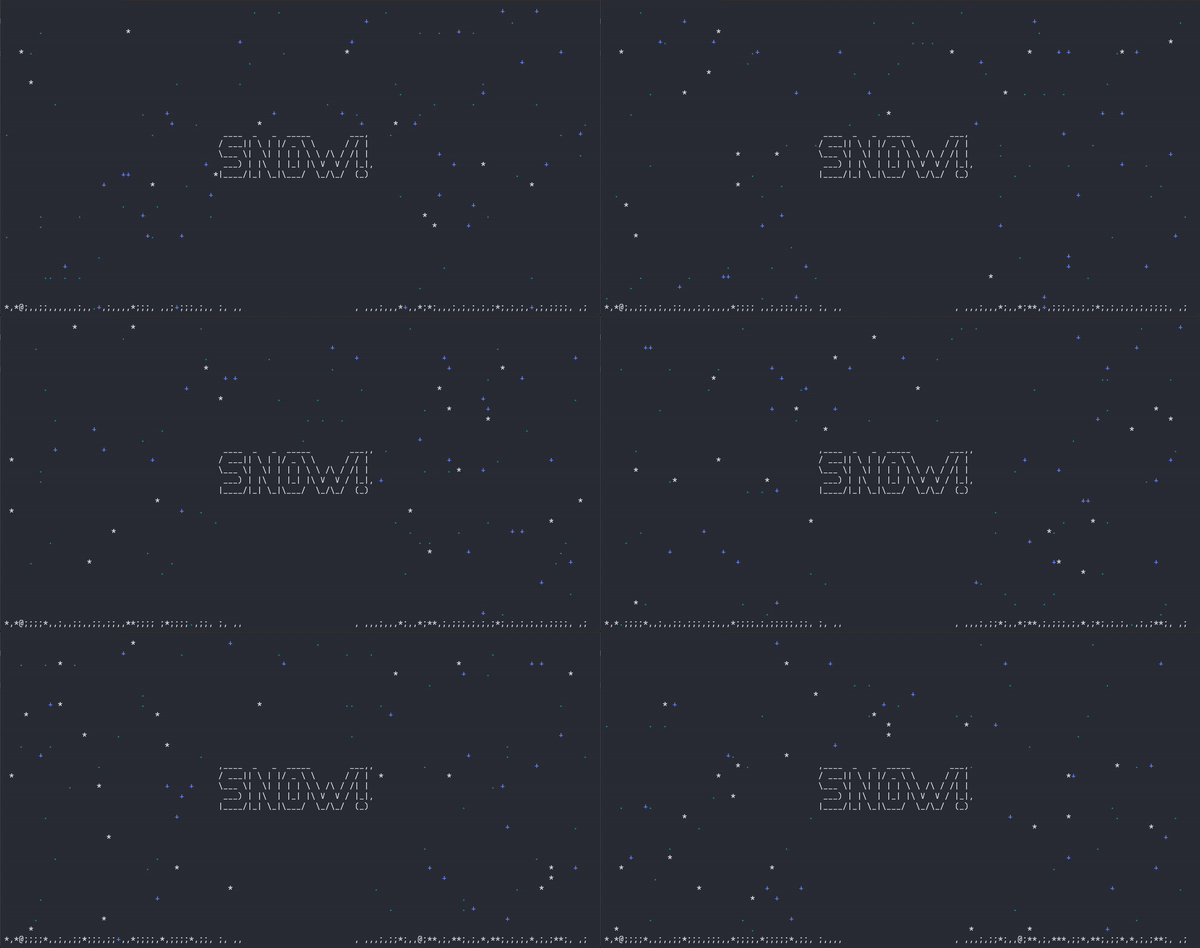
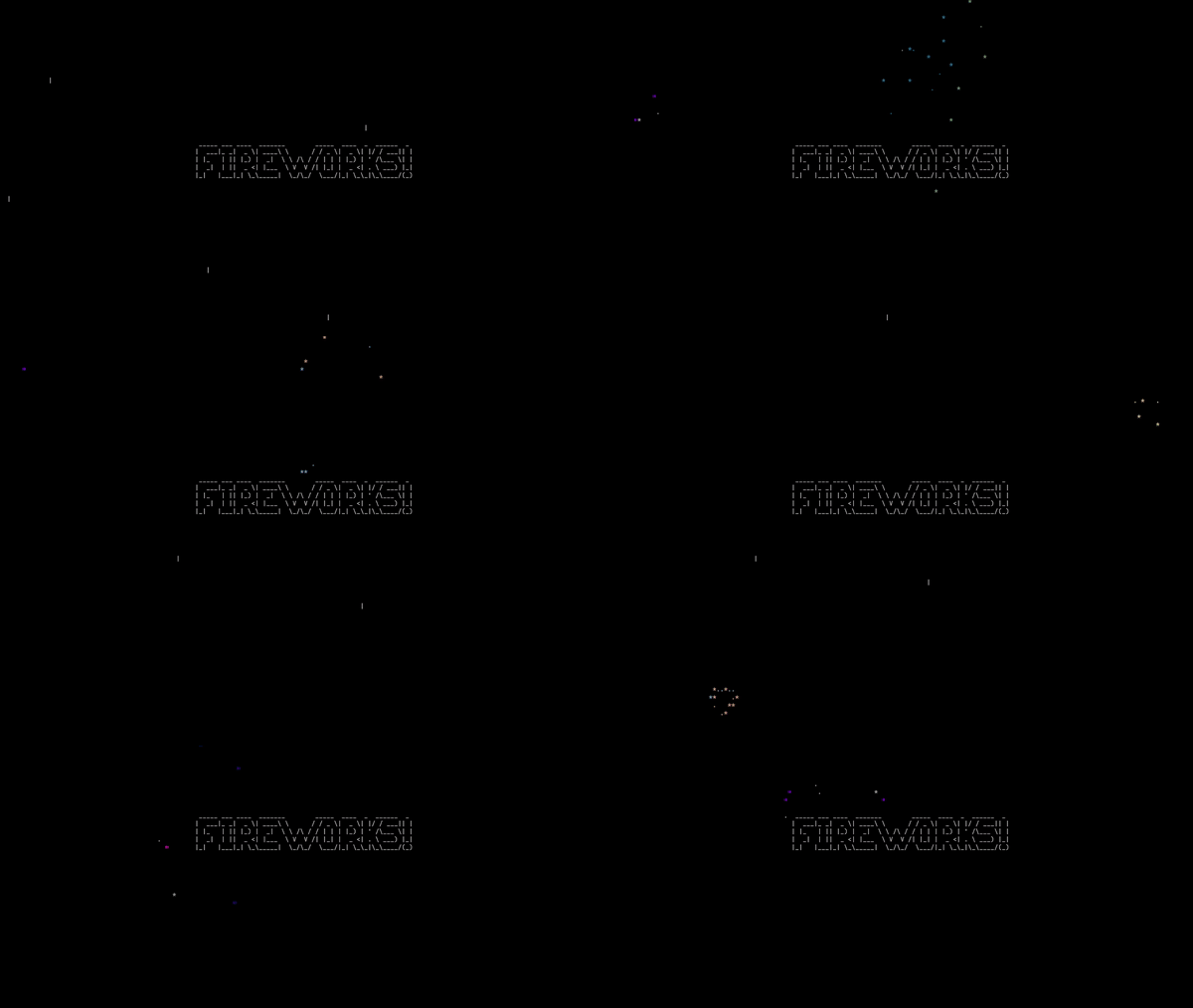

bruhanimate provides a set of tools for creating and rendering animations directly in the terminal. Designed for ease of use, this package enables developers to incorporate dynamic animations into command-line applications. While drawing inspiration from existing terminal animation libraries, bruhanimate brings a fresh approach and offers a unique set of features tailored for flexibility and creativity in terminal-based projects.
Inspired by the Asciimatics package.
Installation
From PyPI
pip install --upgrade bruhanimate
From source
git clone https://github.com/FNBBDevs/bruhanimate
cd bruhanimate
python -m pip install .
Quick Start
Use the built-in demos to explore each effect. Each demo can be run two ways:
From Python:
from bruhanimate import plasma_demo
plasma_demo.run()
From the command line:
python -m bruhanimate.demos.plasma_demo
Available demos: static_demo, offset_demo, noise_demo, stars_demo, snow_demo, rain_demo, plasma_demo, gol_demo, matrix_demo, twinkle_demo, firework_demo, fire_demo, julia_demo, line_demo, audio_demo, boids_demo, sand_demo, diffusion_demo, automaton_demo, voronoi_demo, perlin_demo, holiday.
Effects
Every effect is configured through a settings object — one dataclass per effect, all fields optional with sensible defaults. Pass it to the effect at construction time, or leave it out to get the defaults.
| Effect | Settings class | Key options |
|---|---|---|
StaticEffect |
— | none |
OffsetEffect |
OffsetSettings |
direction |
NoiseEffect |
NoiseSettings |
intensity, color |
StarEffect |
StarSettings |
color_type |
SnowEffect |
SnowSettings |
intensity, wind, show_info, collision |
RainEffect |
RainSettings |
intensity, wind_direction, swells, collision |
PlasmaEffect |
PlasmaSettings |
color, characters, random_colors, show_info |
MatrixEffect |
MatrixSettings |
character_halt_range, color_halt_range, randomness, gradient_length |
GameOfLifeEffect |
GameOfLifeSettings |
decay, color, color_type, scale |
TwinkleEffect |
TwinkleSettings |
twinkle_chars, density |
FireEffect |
FireSettings |
intensity, wind_direction, wind_strength, use_char_color, swell, turbulence |
FireworkEffect |
FireworkSettings |
firework_type, color_enabled, color_type, rate |
JuliaEffect |
— | none |
DrawLinesEffect |
DrawLinesSettings |
char, thin |
BoidsEffect |
BoidsSettings |
num_boids, color, char, max_speed, perception |
SandEffect |
SandSettings |
color, char, spawn_rate |
DiffusionEffect |
DiffusionSettings |
color, char, f, k, steps_per_frame |
AutomatonEffect |
AutomatonSettings |
color, char, rule |
VoronoiEffect |
VoronoiSettings |
color, char, num_seeds, seed_speed |
PerlinEffect |
PerlinSettings |
color, char, octaves, speed, threshold |
Usage
Basic — defaults
from bruhanimate import Screen, EffectRenderer

def demo(screen: Screen):
    renderer = EffectRenderer(
        screen=screen,
        frames=float("inf"),
        frame_time=0.05,
        effect_type="snow",
        background=" ",
        transparent=False,
    )
    renderer.run()

if __name__ == "__main__":
    Screen.show(demo)
With settings
from bruhanimate import Screen, EffectRenderer, SnowSettings, SnowEffect

def demo(screen: Screen):
    renderer = EffectRenderer(
        screen=screen,
        frames=float("inf"),
        frame_time=0.05,
        effect_type="snow",
        background=" ",
        transparent=False,
    )
    # configure via settings at construction
    renderer.effect = SnowEffect(
        renderer.effect.buffer,
        " ",
        settings=SnowSettings(intensity=0.01, wind=0.6),
    )
    renderer.run()

if __name__ == "__main__":
    Screen.show(demo)
Runtime setters
Settings configure the effect at construction. All effects also expose set_* methods for changes mid-animation:
renderer.effect.set_wind(0.8)          # SnowEffect
renderer.effect.set_intensity(0.4)     # FireEffect
renderer.effect.set_wind_direction("east")  # RainEffect
renderer.effect.set_color_properties(color=True, random_colors=True)  # PlasmaEffect
renderer.effect.shuffle_plasma_values()
Effect Registry
Every built-in effect is registered in effect_registry — a discoverable, extensible registry that maps effect names to their class, settings class, description, and named presets.
from bruhanimate import effect_registry

# List all registered effects
for name, entry in effect_registry.entries().items():
    print(name, "—", entry.description)

# List presets for an effect
print(effect_registry.presets("snow"))
# {'light': SnowSettings(...), 'moderate': SnowSettings(...), 'blizzard': SnowSettings(...), 'windy': SnowSettings(...)}

# Create an effect by name with a preset
effect = effect_registry.create("snow", buffer, " ", preset="blizzard")

# Create an effect with a custom settings object
from bruhanimate import SnowSettings
effect = effect_registry.create("snow", buffer, " ", settings=SnowSettings(wind=0.8))

# Register your own effect
from bruhanimate import EffectRegistry
effect_registry.register(
    "myeffect",
    MyEffect,
    settings_cls=MySettings,
    description="Does something cool",
    presets={"fast": MySettings(speed=10)},
)
Available built-in presets:
| Effect | Presets |
|---|---|
offset |
right, left, up, down |
noise |
sparse, dense, color |
stars |
greyscale, color |
plasma |
greyscale, color, blocks, random |
gol |
plain, decay, color |
rain |
drizzle, storm, monsoon |
matrix |
default, fast |
drawlines |
thin, thick |
snow |
light, moderate, blizzard, windy |
twinkle |
sparse, dense |
firework |
plain, color, random |
fire |
campfire, inferno, windy |
audio |
bars, mirror, waveform, minimal |
Renderers
| Renderer | Description |
|---|---|
EffectRenderer |
Full-screen effect |
CenterRenderer |
Effect with a centered image overlay |
PanRenderer |
Effect with a panning image |
FocusRenderer |
Effect with a focused/zooming image |
BackgroundColorRenderer |
Solid background color |
from bruhanimate import Screen, CenterRenderer, bruhimage

def demo(screen: Screen):
    renderer = CenterRenderer(
        screen=screen,
        frames=300,
        frame_time=1/30,
        img=bruhimage.text_to_image("RAIN!", padding_top_bottom=1, padding_left_right=2),
        effect_type="rain",
        background=" ",
        transparent=False,
    )
    renderer.update_collision(True)
    renderer.effect.set_swells(True)
    renderer.effect.set_wind_direction("east")
    renderer.run()

if __name__ == "__main__":
    Screen.show(demo)
1 maintainer

Metadata
1 maintainer
Release files for bruhanimate 0.2.106
For a detailed explanation of source distributions (sdists) and built distributions (wheels), please see the package formats documentation.
Source distribution (sdist)
| File | Size | Uploaded | |
|---|---|---|---|
| bruhanimate-0.2.106.tar.gz | 86.8 kB | Details |
Built distribution (wheel)
| File | Interpreter | ABI | Platform | Reset |
|---|---|---|---|---|
| bruhanimate-0.2.106-py3-none-any.whl | Python 3 | none | any | Details |
Total release size: 224.4 kB
Release files / bruhanimate-0.2.106.tar.gz
| Download URL | bruhanimate-0.2.106.tar.gz |
|---|---|
| Size | 86.8 kB |
| Tags | Source |
|
SHA-256 checksum How to use checksums |
d7dd562e361f8c4909d58dc30b6b39cba63e4df6fb41dc0138055d984d67fac2
|
|
BLAKE2b-256 checksum How to use checksums |
8cf8e235488f5c6bd0e80a83a82905c64eb75b923ce448b399f31d0825e73322
|
| Upload date | |
|
Uploaded using Trusted Publishing? What is trusted publishing? |
No |
| Uploaded via |
twine/6.1.0 CPython/3.13.12
|
Release files / bruhanimate-0.2.106-py3-none-any.whl
| Download URL | bruhanimate-0.2.106-py3-none-any.whl |
|---|---|
| Size | 137.6 kB |
| Tags | Python 3 |
|
SHA-256 checksum How to use checksums |
3336edc79994d0c684dda06c7dee7181da11e5cf62c6eeadf53e7e25fc718ed6
|
|
BLAKE2b-256 checksum How to use checksums |
57cc7e2b67eb0c036b3d3e0faafa4f145e8342767c4ec5452f1c92d1c7c592bb
|
| Upload date | |
|
Uploaded using Trusted Publishing? What is trusted publishing? |
No |
| Uploaded via |
twine/6.1.0 CPython/3.13.12
|














