
ASCII Termnial Animation Package

Project description
bruhanimate



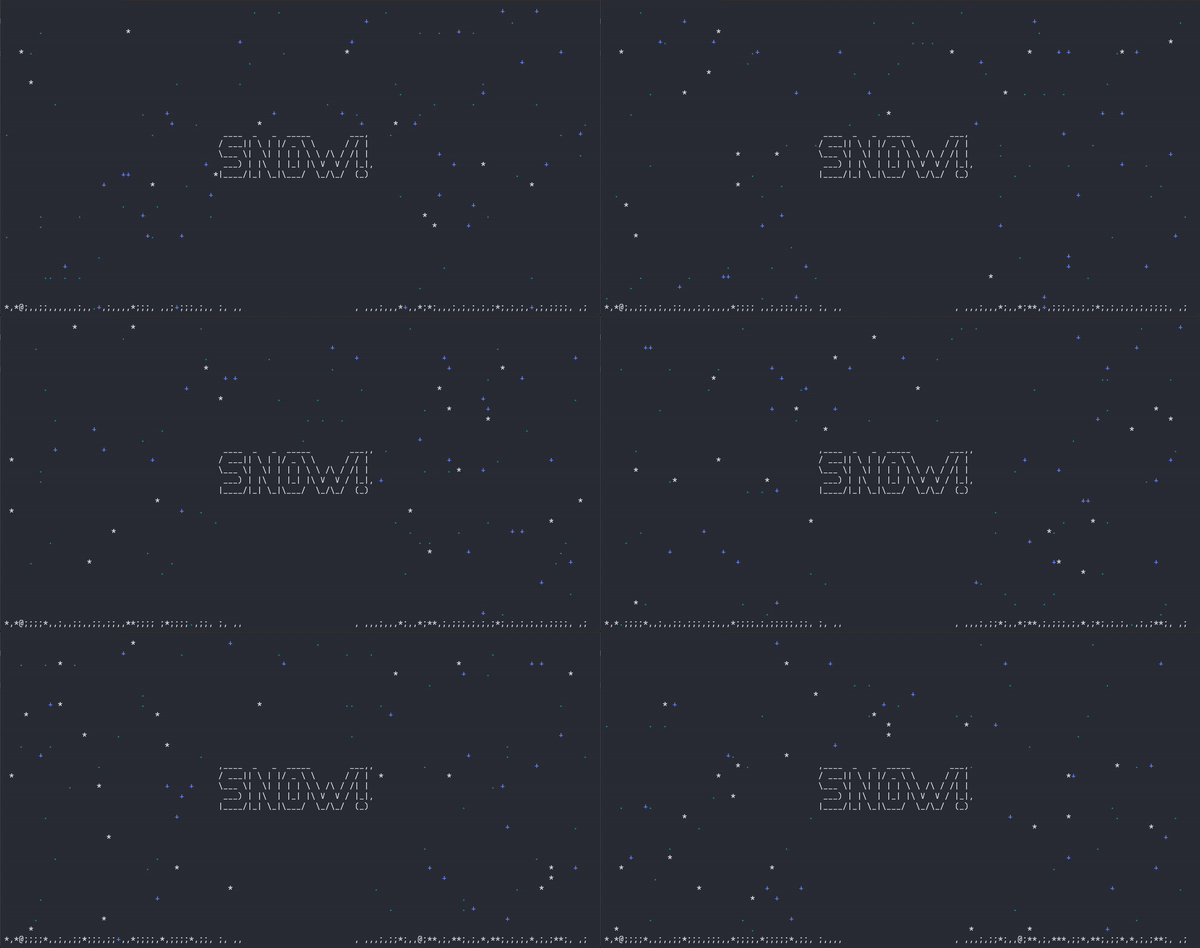
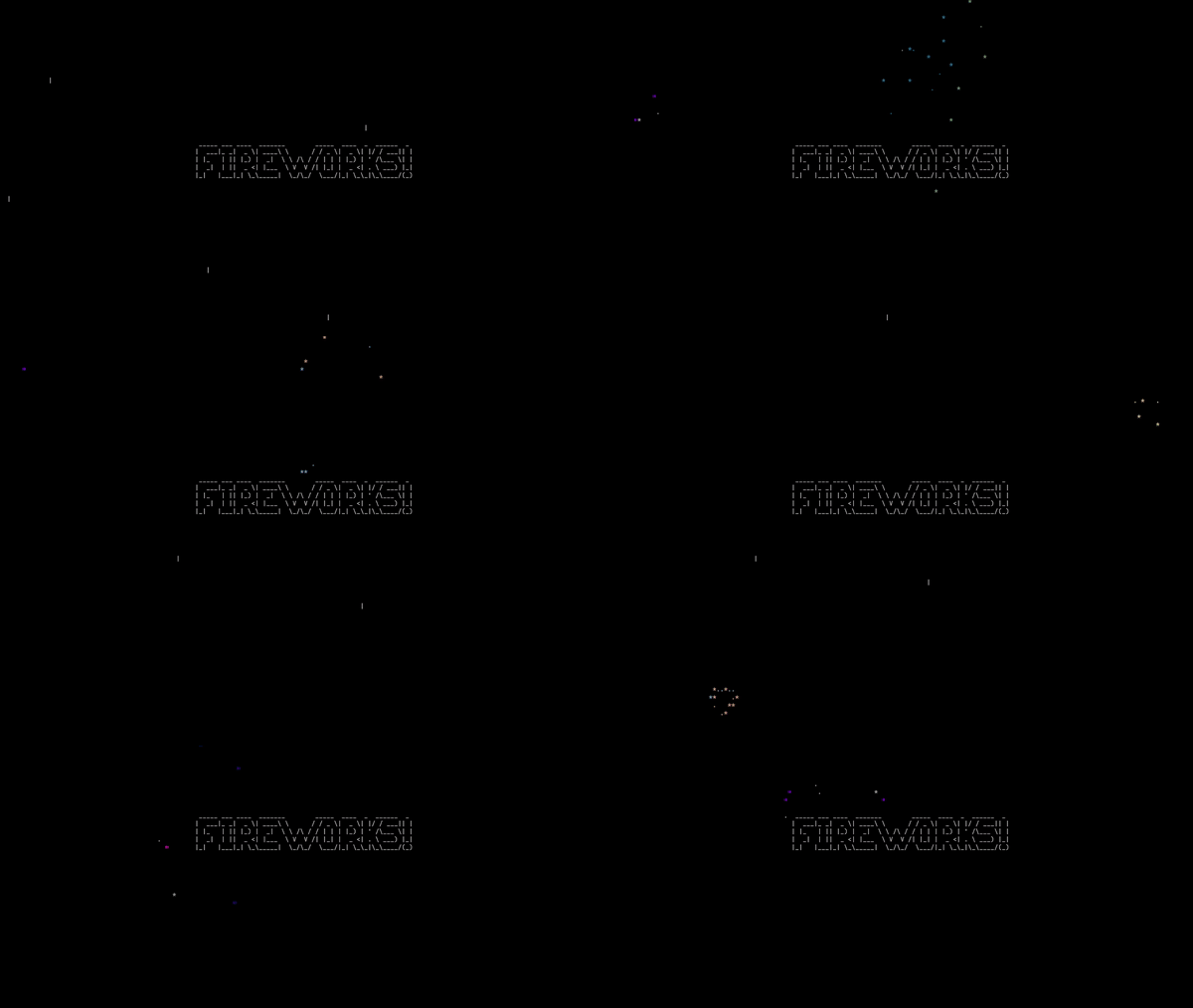

bruhanimate provides a set of tools for creating and rendering animations directly in the terminal. Designed for ease of use, this package enables developers to incorporate dynamic animations into command-line applications. While drawing inspiration from existing terminal animation libraries, bruhanimate brings a fresh approach and offers a unique set of features tailored for flexibility and creativity in terminal-based projects.
Inspired by the Asciimatics package.
Installation
From PyPI
pip install --upgrade bruhanimate
From source
git clone https://github.com/FNBBDevs/bruhanimate
cd bruhanimate
python -m pip install .
Quick Start
Use the built-in demos to explore each effect. Import any <effect>_demo from bruhanimate and call .run().
from bruhanimate import plasma_demo
plasma_demo.run()
Available demos: static_demo, offset_demo, noise_demo, stars_demo, snow_demo, rain_demo, plasma_demo, gol_demo, matrix_demo, twinkle_demo, firework_demo, fire_demo, julia_demo, line_demo, holiday.
Effects
Every effect is configured through a settings object — one dataclass per effect, all fields optional with sensible defaults. Pass it to the effect at construction time, or leave it out to get the defaults.
| Effect | Settings class | Key options |
|---|---|---|
StaticEffect |
— | none |
OffsetEffect |
OffsetSettings |
direction |
NoiseEffect |
NoiseSettings |
intensity, color |
StarEffect |
StarSettings |
color_type |
SnowEffect |
SnowSettings |
intensity, wind, show_info, collision |
RainEffect |
RainSettings |
intensity, wind_direction, swells, collision |
PlasmaEffect |
PlasmaSettings |
color, characters, random_colors, show_info |
MatrixEffect |
MatrixSettings |
character_halt_range, color_halt_range, randomness, gradient_length |
GameOfLifeEffect |
GameOfLifeSettings |
decay, color, color_type, scale |
TwinkleEffect |
TwinkleSettings |
twinkle_chars, density |
FireEffect |
FireSettings |
intensity, wind_direction, wind_strength, use_char_color, swell, turbulence |
FireworkEffect |
FireworkSettings |
firework_type, color_enabled, color_type, rate |
JuliaEffect |
— | none |
DrawLinesEffect |
DrawLinesSettings |
char, thin |
Usage
Basic — defaults
from bruhanimate import Screen, EffectRenderer

def demo(screen: Screen):
    renderer = EffectRenderer(
        screen=screen,
        frames=float("inf"),
        frame_time=0.05,
        effect_type="snow",
        background=" ",
        transparent=False,
    )
    renderer.run()

if __name__ == "__main__":
    Screen.show(demo)
With settings
from bruhanimate import Screen, EffectRenderer, SnowSettings, SnowEffect

def demo(screen: Screen):
    renderer = EffectRenderer(
        screen=screen,
        frames=float("inf"),
        frame_time=0.05,
        effect_type="snow",
        background=" ",
        transparent=False,
    )
    # configure via settings at construction
    renderer.effect = SnowEffect(
        renderer.effect.buffer,
        " ",
        settings=SnowSettings(intensity=0.01, wind=0.6),
    )
    renderer.run()

if __name__ == "__main__":
    Screen.show(demo)
Runtime setters
Settings configure the effect at construction. All effects also expose set_* methods for changes mid-animation:
renderer.effect.set_wind(0.8)          # SnowEffect
renderer.effect.set_intensity(0.4)     # FireEffect
renderer.effect.set_wind_direction("east")  # RainEffect
renderer.effect.set_color_properties(color=True, random_colors=True)  # PlasmaEffect
renderer.effect.shuffle_plasma_values()
Effect Registry
Every built-in effect is registered in effect_registry — a discoverable, extensible registry that maps effect names to their class, settings class, description, and named presets.
from bruhanimate import effect_registry

# List all registered effects
for name, entry in effect_registry.entries().items():
    print(name, "—", entry.description)

# List presets for an effect
print(effect_registry.presets("snow"))
# {'light': SnowSettings(...), 'moderate': SnowSettings(...), 'blizzard': SnowSettings(...), 'windy': SnowSettings(...)}

# Create an effect by name with a preset
effect = effect_registry.create("snow", buffer, " ", preset="blizzard")

# Create an effect with a custom settings object
from bruhanimate import SnowSettings
effect = effect_registry.create("snow", buffer, " ", settings=SnowSettings(wind=0.8))

# Register your own effect
from bruhanimate import EffectRegistry
effect_registry.register(
    "myeffect",
    MyEffect,
    settings_cls=MySettings,
    description="Does something cool",
    presets={"fast": MySettings(speed=10)},
)
Available built-in presets:
| Effect | Presets |
|---|---|
offset |
right, left, up, down |
noise |
sparse, dense, color |
stars |
greyscale, color |
plasma |
greyscale, color, blocks, random |
gol |
plain, decay, color |
rain |
drizzle, storm, monsoon |
matrix |
default, fast |
drawlines |
thin, thick |
snow |
light, moderate, blizzard, windy |
twinkle |
sparse, dense |
firework |
plain, color, random |
fire |
campfire, inferno, windy |
audio |
bars, mirror, waveform, minimal |
Renderers
| Renderer | Description |
|---|---|
EffectRenderer |
Full-screen effect |
CenterRenderer |
Effect with a centered image overlay |
PanRenderer |
Effect with a panning image |
FocusRenderer |
Effect with a focused/zooming image |
BackgroundColorRenderer |
Solid background color |
from bruhanimate import Screen, CenterRenderer, bruhimage

def demo(screen: Screen):
    renderer = CenterRenderer(
        screen=screen,
        frames=300,
        frame_time=1/30,
        img=bruhimage.text_to_image("RAIN!", padding_top_bottom=1, padding_left_right=2),
        effect_type="rain",
        background=" ",
        transparent=False,
    )
    renderer.update_collision(True)
    renderer.effect.set_swells(True)
    renderer.effect.set_wind_direction("east")
    renderer.run()

if __name__ == "__main__":
    Screen.show(demo)
Release history Release notifications | RSS feed


Download files
Download the file for your platform. If you're not sure which to choose, learn more about installing packages.
Source Distribution
Built Distribution
Filter files by name, interpreter, ABI, and platform.
If you're not sure about the file name format, learn more about wheel file names.
Copy a direct link to the current filters
File details
Details for the file bruhanimate-0.2.100.tar.gz.
File metadata
- Download URL: bruhanimate-0.2.100.tar.gz
- Upload date:
- Size: 66.8 kB
- Tags: Source
- Uploaded using Trusted Publishing? No
- Uploaded via: twine/6.1.0 CPython/3.13.12
File hashes
| Algorithm | Hash digest | |
|---|---|---|
| SHA256 |
1115e828d6e96d29a6d316c48581fd62e3f48e236c98504d5b8b5cd3cbd4e694
|
|
| MD5 |
f23a202e3f6ac60bb40c87df8173d7c9
|
|
| BLAKE2b-256 |
408aa3fa3178e77af54515e44899450514846057c81f89706b0845e3a0fe3666
|
File details
Details for the file bruhanimate-0.2.100-py3-none-any.whl.
File metadata
- Download URL: bruhanimate-0.2.100-py3-none-any.whl
- Upload date:
- Size: 106.8 kB
- Tags: Python 3
- Uploaded using Trusted Publishing? No
- Uploaded via: twine/6.1.0 CPython/3.13.12
File hashes
| Algorithm | Hash digest | |
|---|---|---|
| SHA256 |
7bd54730d41ed710c2778c950412f23e9d30ebedf7839610ed3ffee9d1dff9d6
|
|
| MD5 |
d963fbb555b89a1073bafe5662b4d226
|
|
| BLAKE2b-256 |
86a431a4d3052d55e51f9407b330f48fab0daf9656fe3d2bfa1c134a9a2b8999
|






