
Lightweight status bar monitor for Claude AI token usage

Project description
Claude Status Bar
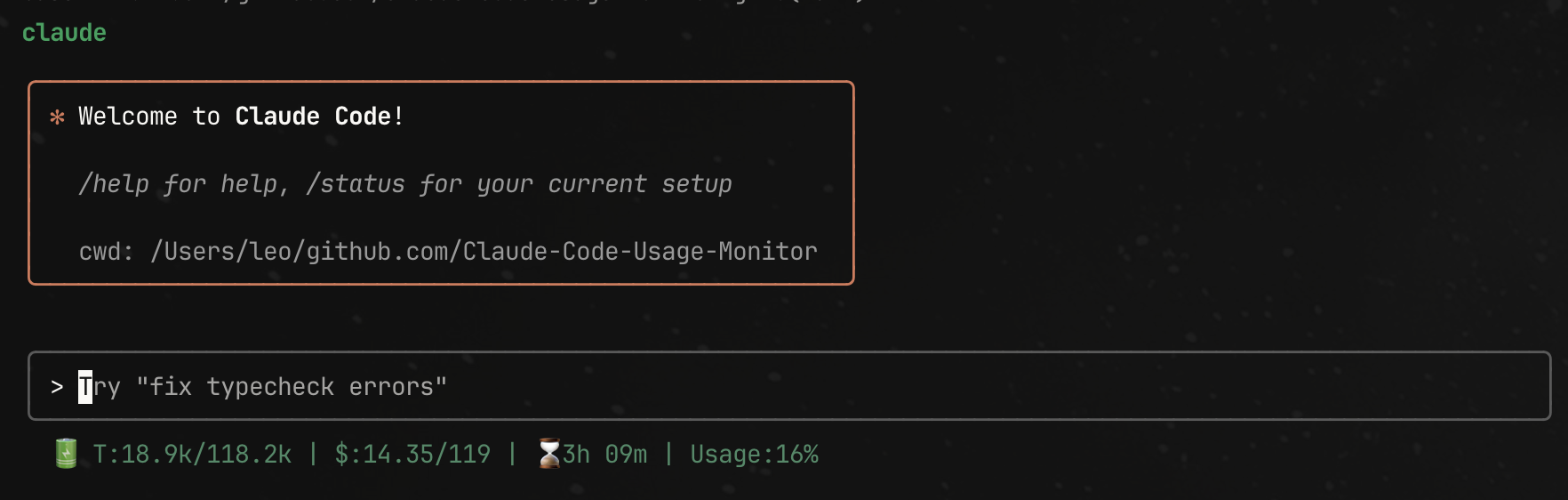
🔋 Lightweight status bar for Claude AI token usage in your terminal.
✨ One-Line Install
curl -fsSL "https://raw.githubusercontent.com/leeguooooo/claude-code-usage-bar/main/web-install.sh?v=$(date +%s)" | bash
💡 The
?v=$(date +%s)parameter ensures you get the latest version without CDN caching issues.
If you still see old version, try with additional cache-busting:
curl -fsSL -H "Cache-Control: no-cache" "https://raw.githubusercontent.com/leeguooooo/claude-code-usage-bar/main/web-install.sh?v=$(date +%s)&r=$RANDOM" | bash
This automatically:
- ✅ Installs the package
- ✅ Configures Claude Code status bar
- ✅ Sets up shell aliases
- ✅ Just restart Claude Code and you're done!
💡 After installation: Restart Claude Code and say something to see your usage!
📦 Alternative Install Methods
# PyPI
pip install claude-statusbar

# uv (fast)
uv tool install claude-statusbar

# pipx (isolated)
pipx install claude-statusbar
🚀 Usage
claude-statusbar # or cs for short
Output: 🔋 T:48.0k/133.3k | $:59.28/90.26 | 🤖opusplan | ⏱️31m | Usage:16.5%
- T: Token usage (current/limit)
- $: Cost in USD (dynamic P90 limits)
- 🤖: Current Claude model
- ⏱️: Time until reset
- Usage %: Cost-based percentage, color-coded (🟢 <30% | 🟡 30-70% | 🔴 >70%)
🔧 Integrations
tmux status bar:
set -g status-right '#(claude-statusbar)'
zsh prompt:
RPROMPT='$(claude-statusbar)'
🔄 Upgrading
Automatic Updates (Recommended)
The tool automatically checks for updates once per day and upgrades itself. No action needed! 🎉
When an update is available, you'll see: 🔄 Upgraded from v1.0.0 to v1.1.0
Manual Upgrade
If automatic upgrade fails, you can manually update:
# Re-run the installer (recommended - always gets latest)
curl -fsSL "https://raw.githubusercontent.com/leeguooooo/claude-code-usage-bar/main/web-install.sh?v=$(date +%s)" | bash

# Or upgrade via package manager:
# If installed with pip
pip install --upgrade claude-statusbar

# If installed with pipx
pipx upgrade claude-statusbar

# If installed with uv
uv tool upgrade claude-statusbar
Note: After upgrading, restart Claude Code to use the new version.
💖 Support
If you find this tool helpful, consider:
- ⭐ Star this repo
- 💖 Sponsor via GitHub
- 🐛 Report issues
📄 License
MIT
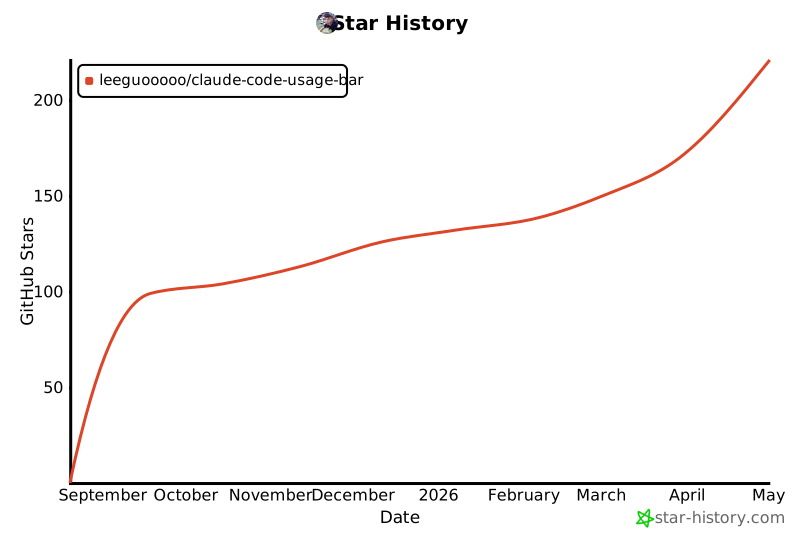
⭐ Star History
Built on Claude Monitor by @Maciek-roboblog
Release history Release notifications | RSS feed


Download files
Download the file for your platform. If you're not sure which to choose, learn more about installing packages.
Source Distribution
Built Distribution
Filter files by name, interpreter, ABI, and platform.
If you're not sure about the file name format, learn more about wheel file names.
Copy a direct link to the current filters
File details
Details for the file claude_statusbar-2.1.1.tar.gz.
File metadata
- Download URL: claude_statusbar-2.1.1.tar.gz
- Upload date:
- Size: 21.6 kB
- Tags: Source
- Uploaded using Trusted Publishing? No
- Uploaded via: twine/6.2.0 CPython/3.13.5
File hashes
| Algorithm | Hash digest | |
|---|---|---|
| SHA256 |
0ad16490878694039ac4a4c45825787d182c2b7519c650ac0f2f1904369cfc13
|
|
| MD5 |
87bef2ab8309ab904bbef80c234012d5
|
|
| BLAKE2b-256 |
036cc1bfc4aabf6f6878acea6aa2e7420bb758a9aa5db25d637ffd3620f314ee
|
File details
Details for the file claude_statusbar-2.1.1-py3-none-any.whl.
File metadata
- Download URL: claude_statusbar-2.1.1-py3-none-any.whl
- Upload date:
- Size: 20.9 kB
- Tags: Python 3
- Uploaded using Trusted Publishing? No
- Uploaded via: twine/6.2.0 CPython/3.13.5
File hashes
| Algorithm | Hash digest | |
|---|---|---|
| SHA256 |
6c7b3844ba1516394e54d5df279b4ad1ca784747b04524a8c542a7637f5f86e8
|
|
| MD5 |
55178d5051f41313c6da571fee08fafb
|
|
| BLAKE2b-256 |
1b18945d367ae427d53da372740e64ca6db2310142549685265c6510161aadc3
|






