
Lightweight status bar monitor for Claude AI token usage

Project description
Claude Status Bar
Lightweight Claude Code status bar monitor for the built-in statusLine hook.
It shows your current Claude.ai rate-limit usage, reset timers, and context window usage in a compact single-line format.
What it shows
5h[███38%░░░░]⏰2h14m | 7d[███87%███░]⏰3d05h | Opus 4.6(90.0k/1.0M)
| Segment | Meaning |
|---|---|
5h[███38%░░░░] |
5-hour rate-limit usage |
⏰2h14m |
Time until the 5-hour window resets |
7d[███87%███░] |
7-day rate-limit usage |
⏰3d05h |
Time until the 7-day window resets |
Opus 4.6(90.0k/1.0M) |
Model name plus current context usage |
📚 EN:6.0↑ JA:5.0→ |
IELTS band progress (requires prompt-language-coach) |
Colors default to green / yellow / red at 30% and 70%, and can be customized.
Styles & themes (v2.7+)
The default style (classic) stays the same forever. Two new styles, plus a palette of seven themes, are opt-in.
cs --style capsule  --theme graphite   # try once
cs --style hairline --theme twilight   # try once
cs config set style capsule            # persist
cs config set theme twilight
cs styles                              # list available styles
cs themes                              # list available themes
cs preview                             # render every style × theme together
Styles
| Style | Look |
|---|---|
classic |
Original [bar] | pipe engineering layout. Default. |
capsule |
Each metric is a colored pill — type badge (◷ 5H / ☷ 7D / ◆ / 📚) on the left, value, severity dot on the right. Subway-signage feel. |
hairline |
One-character mini-bar (▁▃▆█) per metric, dashed ┊ separators, tight typography. Maximally calm. |
Capsule — graphite · twilight · nord · dracula · sakura · linen · mono


Hairline — same theme set, different layout


Classic — kept identical to the pre-v2.7 look

Themes
| Theme | Vibe |
|---|---|
graphite |
Cool dark graphite — default, fits most dark terminals |
twilight |
Soft purples/roses — warm dark |
linen |
Cream/beige — for light terminal themes |
nord |
Nord palette — familiar Arctic blue |
dracula |
Dracula palette — high-contrast purple/black |
sakura |
Pink/cream — soft, light backgrounds |
mono |
Pure grayscale — no chromatic distraction |
Style and theme are independent: any of the 3 styles × 7 themes = 21 combinations.
Slash commands inside Claude Code
After running cs --setup (or cs install-commands), the following slash commands work inside Claude Code:
| Slash command | What it does |
|---|---|
/statusbar |
Show current config + lists styles/themes |
/statusbar-preview |
Render every style × theme combination using your real data |
/statusbar-style <name> |
Switch style (classic / capsule / hairline) |
/statusbar-theme <name> |
Switch theme (graphite / twilight / linen / nord / dracula / sakura / mono) |
/statusbar-doctor |
Self-diagnostic — paste output in bug reports |
/statusbar-reset |
Wipe config back to defaults |
Configuration file
Persisted to ~/.claude/claude-statusbar.json:
{
  "style": "capsule",
  "theme": "twilight",
  "density": "regular",
  "auto_compact_width": 100,
  "show_weekly": true,
  "show_language": true,
  "show_cost": false
}
| Key | Values | What it does |
|---|---|---|
style |
classic / capsule / hairline |
Layout |
theme |
graphite / twilight / linen / nord / dracula / sakura / mono |
Colors |
density |
compact / regular / cozy |
Padding around segments (capsule + hairline only) |
auto_compact_width |
integer (e.g. 100) |
Force hairline when terminal narrower than this. 0 = disabled |
show_weekly, show_language |
bool | Hide individual segments |
show_cost |
bool, default false |
Append a $ X.XX segment with the current session's cost (from Claude Code's stdin payload). Opt-in because the "session" boundary is what Claude Code reports — not necessarily what you intuitively call one |
Set via cs config set <key> <value>. Wipe everything back to defaults with cs config reset.
Override per-invocation via --style / --theme flags or CLAUDE_STATUSBAR_STYLE / CLAUDE_STATUSBAR_THEME env vars.
cs doctor — self-diagnostic
If the status bar isn't behaving the way you expect, run:
cs doctor
It prints (with red ✗ for anything off):
- Which
csbinary the OS will resolve, plus its version + Python interpreter - Whether
~/.claude/settings.jsonhas our statusLine entry (vs missing / vs another tool's) - How fresh
~/.cache/claude-statusbar/last_stdin.jsonis (so you can tell if Claude Code is actually pushing data) - Terminal size and
TERM - Current resolved
style/theme/ allshow_*toggles - Slash commands installed under
~/.claude/commands/
Paste the output verbatim in any bug report — it's almost always enough to diagnose remotely.
Install as a Claude Code plugin
The repo ships a .claude-plugin/plugin.json, distributed via the leeguooooo/plugins marketplace. Inside Claude Code:
/plugin marketplace add leeguooooo/plugins
/plugin install claude-statusbar@leeguooooo-plugins
You still need the cs CLI (pip install claude-statusbar or uv tool install claude-statusbar) — the plugin only carries the slash commands; the heavy lifting is the Python package.
Install
One-line install (recommended)
curl -fsSL "https://raw.githubusercontent.com/leeguooooo/claude-code-usage-bar/main/web-install.sh?v=$(date +%s)" | bash
This installs the package, configures Claude Code statusLine, and sets up aliases. Restart Claude Code to see it.
Package managers
pip install claude-statusbar     # pip
uv tool install claude-statusbar # uv
pipx install claude-statusbar    # pipx
Then add to ~/.claude/settings.json:
{
  "statusLine": {
    "type": "command",
    "command": "cs"
  }
}
Usage
cs                            # show status bar (shortest alias)
cs --style capsule            # render with capsule style for one run
cs --theme twilight           # override theme
cs config show                # show persistent config
cs config set style hairline  # save style to ~/.claude/claude-statusbar.json
cs config set theme linen     # save theme
cs config set show_cost true  # show this session's $ cost on the bar
cs config reset               # wipe config back to defaults
cs styles                     # list available styles
cs themes                     # list available themes
cs preview                    # render every style × theme using your real data
cs doctor                     # self-diagnostic — paste this in any bug report
cs --json-output              # machine-readable JSON
cs --no-color                 # disable ANSI colors
cs --warning-threshold 40 --critical-threshold 85
cs --no-auto-update           # disable auto-update checks
--plan still exists for older scripts, but it is deprecated and no longer changes the status line output.
Environment variables
| Variable | Effect |
|---|---|
CLAUDE_STATUSBAR_STYLE=capsule |
Render with this style (overrides config file) |
CLAUDE_STATUSBAR_THEME=twilight |
Render with this theme (overrides config file) |
CLAUDE_STATUSBAR_NO_UPDATE=1 |
Disable automatic update checks |
CLAUDE_STATUSBAR_WARNING_THRESHOLD=40 |
Switch from green to yellow at 40% |
CLAUDE_STATUSBAR_CRITICAL_THRESHOLD=85 |
Switch from yellow to red at 85% |
NO_COLOR=1 |
Disable ANSI colors |
CLAUDE_PLAN is still accepted for legacy compatibility, but it no longer changes the rendered status line.
JSON output
Use --json-output if you want a machine-readable payload instead of the formatted status line:
cs --json-output
Data source
Rate-limit data comes directly from Anthropic's official API headers exposed to Claude Code status-line commands through stdin.
Context-window usage comes from the same stdin payload that Claude Code sends to custom statusLine commands.
Requires Claude Code v2.1.80+.
Upgrading
Auto-updates once per day. To upgrade manually:
pip install --upgrade claude-statusbar
To disable auto-updates: export CLAUDE_STATUSBAR_NO_UPDATE=1
Integrations
prompt-language-coach
Install the prompt-language-coach Claude Code plugin to get IELTS band progress tracking. After setup, the status bar automatically shows your current writing level and trend:
... | Opus 4.6(90k/1M) | 📚 EN:6.0↑ JA:5.0→
↑improved from last session ·↓dropped ·→no change- No configuration needed — the segment appears automatically when
~/.claude/language-progress.jsonexists.
License
MIT
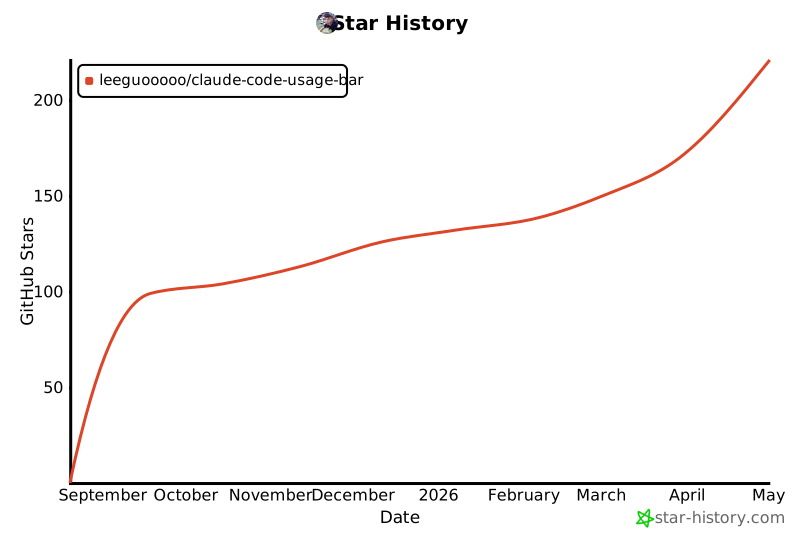
Star History
Release history Release notifications | RSS feed


Download files
Download the file for your platform. If you're not sure which to choose, learn more about installing packages.
Source Distribution
Built Distribution
Filter files by name, interpreter, ABI, and platform.
If you're not sure about the file name format, learn more about wheel file names.
Copy a direct link to the current filters
File details
Details for the file claude_statusbar-3.1.3.tar.gz.
File metadata
- Download URL: claude_statusbar-3.1.3.tar.gz
- Upload date:
- Size: 57.4 kB
- Tags: Source
- Uploaded using Trusted Publishing? No
- Uploaded via: twine/6.2.0 CPython/3.13.5
File hashes
| Algorithm | Hash digest | |
|---|---|---|
| SHA256 |
b784580e1b21d9d2ae21a837fffd8438b265e928066c5bd11f8ebe01e9925d0d
|
|
| MD5 |
f373dec6aa9f64e9a90dfb792f8c8faa
|
|
| BLAKE2b-256 |
47ed360cdce79883083f19ef03efb1eb3eb71228f06049ec9e302ab8c4e7df88
|
File details
Details for the file claude_statusbar-3.1.3-py3-none-any.whl.
File metadata
- Download URL: claude_statusbar-3.1.3-py3-none-any.whl
- Upload date:
- Size: 47.1 kB
- Tags: Python 3
- Uploaded using Trusted Publishing? No
- Uploaded via: twine/6.2.0 CPython/3.13.5
File hashes
| Algorithm | Hash digest | |
|---|---|---|
| SHA256 |
97f1e3773f2f650c16fd07c4c2dfc3f0b4c13e7363b7aef0f81663f22d567889
|
|
| MD5 |
76759f1e7072092653ceab7ea41846cb
|
|
| BLAKE2b-256 |
faf267a6743b0985df69f8060691964f4197b04ab74dbd8ba46f48b7113ced6e
|






