
Lightweight status bar monitor for Claude AI token usage

Project description
Claude Status Bar
Lightweight Claude Code status bar monitor — see your rate limits, context window, and promo status at a glance.
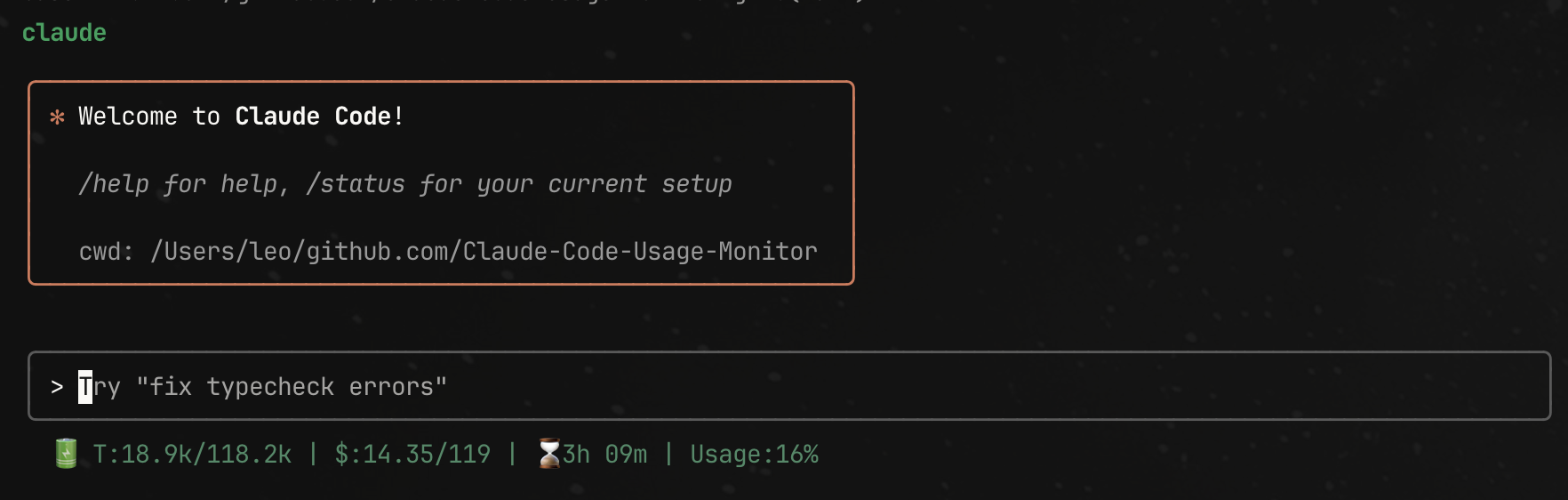
What it shows
[███████░░░] 5h 68% | [█░░░░░░░░░] 7d 5% | ⏰0h21m | max5 🔥x2[03:00~21:00] | Opus 4.6(13.4k/1.0M)
| Segment | Meaning |
|---|---|
5h 68% |
5-hour rate limit usage (official Anthropic data) |
7d 5% |
7-day rate limit usage (official Anthropic data) |
⏰0h21m |
Time until 5h window resets |
max5 |
Your plan tier |
🔥x2[03:00~21:00] |
2x promo active, showing local time window |
Opus 4.6(13.4k/1.0M) |
Model + context window usage (used/total) |
Colors: green (<30%) | yellow (30-70%) | red (>70%)
Install
One-line install (recommended)
curl -fsSL "https://raw.githubusercontent.com/leeguooooo/claude-code-usage-bar/main/web-install.sh?v=$(date +%s)" | bash
This installs the package, configures Claude Code statusLine, and sets up aliases. Restart Claude Code to see it.
Package managers
pip install claude-statusbar     # pip
uv tool install claude-statusbar # uv
pipx install claude-statusbar    # pipx
Then add to ~/.claude/settings.json:
{
  "statusLine": {
    "type": "command",
    "command": "cs"
  }
}
Usage
cs                  # show status bar (shortest alias)
cs --json-output    # machine-readable JSON
cs --plan max5      # set your plan (pro / max5 / max20)
cs --no-color       # disable ANSI colors
cs --no-auto-update # disable auto-update checks
Plan tiers
Set once, saved automatically:
cs --plan pro     # Pro $20/mo
cs --plan max5    # Max $100/mo
cs --plan max20   # Max $200/mo
Environment variables
| Variable | Effect |
|---|---|
CLAUDE_STATUSBAR_NO_UPDATE=1 |
Disable automatic update checks |
CLAUDE_PLAN=max5 |
Set plan tier |
NO_COLOR=1 |
Disable ANSI colors |
2x Promo Time Window
During Anthropic's 2x usage promotion, the status bar shows the bonus window in your local timezone:
| Time | Status |
|---|---|
| Weekday off-peak | 🔥x2[03:00~21:00] (example in JST) |
| Weekday peak | 1x[21:00~03:00] |
| Weekend | 🔥x2[all day] |
| Promo expired | (hidden) |
Peak hours: 8AM-2PM ET (weekdays only). Weekends are always 2x.
Data source
All rate limit data comes directly from Anthropic's official API headers via Claude Code's statusLine stdin injection (requires Claude Code >= v2.1.80). No estimation or guessing.
Upgrading
Auto-updates once per day. To upgrade manually:
pip install --upgrade claude-statusbar
To disable auto-updates: export CLAUDE_STATUSBAR_NO_UPDATE=1
License
MIT
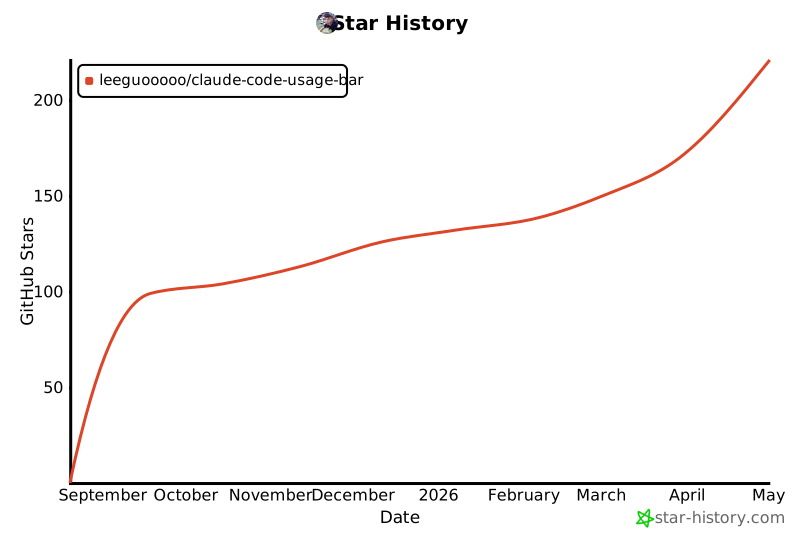
Star History
Release history Release notifications | RSS feed


Download files
Download the file for your platform. If you're not sure which to choose, learn more about installing packages.
Source Distribution
Built Distribution
Filter files by name, interpreter, ABI, and platform.
If you're not sure about the file name format, learn more about wheel file names.
Copy a direct link to the current filters
File details
Details for the file claude_statusbar-2.4.1.tar.gz.
File metadata
- Download URL: claude_statusbar-2.4.1.tar.gz
- Upload date:
- Size: 22.9 kB
- Tags: Source
- Uploaded using Trusted Publishing? No
- Uploaded via: twine/6.2.0 CPython/3.13.5
File hashes
| Algorithm | Hash digest | |
|---|---|---|
| SHA256 |
b6890ae58bd50948c9767faedccacfb884723d38a6de95ca02a39e2f7d6319f8
|
|
| MD5 |
d494e421167c38a1d92a54280e49e9c6
|
|
| BLAKE2b-256 |
1a901e16dfa74f6fa83b9816d57bfa422467a73e01f5556c1b7a35af29442b5f
|
File details
Details for the file claude_statusbar-2.4.1-py3-none-any.whl.
File metadata
- Download URL: claude_statusbar-2.4.1-py3-none-any.whl
- Upload date:
- Size: 22.2 kB
- Tags: Python 3
- Uploaded using Trusted Publishing? No
- Uploaded via: twine/6.2.0 CPython/3.13.5
File hashes
| Algorithm | Hash digest | |
|---|---|---|
| SHA256 |
5a93269f5893afcb2df9c9aa6ee2badd31e539eff88dbf569f81727ad10987ff
|
|
| MD5 |
aba117284304287c7d88a335079e3da6
|
|
| BLAKE2b-256 |
2ccecb9de5351f9324ef1e530e59746f6c3c54d11ffedddabeff624dfee3351c
|






