








ClickHouse Migrations
Simple, file-based schema migrations for ClickHouse — the most actively maintained ClickHouse migration tool for Python. Write plain .sql files, apply them from the CLI, your code, CI, or Docker. Cluster-aware, with support for both the native clickhouse-driver and the official clickhouse-connect driver.
Quick start
pip install clickhouse-migrations

# create a migration file (./migrations/001_init.sql), then write your SQL into it:
clickhouse-migrations new "init" --dir ./migrations

# apply every pending migration:
clickhouse-migrations --db-host localhost --db-name mydb --migrations-dir ./migrations
📖 Background: Managing ClickHouse migrations in production — why this tool exists, cluster support, and multi-statement migration files.
Commands
| Command | What it does | Talks to ClickHouse |
|---|---|---|
migrate (default) |
Apply pending migrations; --to VERSION, --dry-run, --fake |
yes |
status |
Applied / pending / changed / unknown migrations; --strict, --format json for CI |
read-only |
down |
Run hand-written .down.sql rollbacks |
yes |
new |
Create the next numbered migration file | no |
validate |
Check the migrations directory offline; also a pre-commit hook | no |
dump |
Print the live schema as portable SQL; --check for drift |
read-only |
diff |
Generate a migration from a target schema.sql |
uses a scratch database |
baseline |
Adopt an existing database: mark migrations as applied | yes |
repair |
Fix the stored checksums of edited applied migrations | yes |
unlock |
Force-release a migration lock left by a dead run | yes |
version |
Print the version | no |
Features
- Multi-statement migrations — more than one query per
.sqlfile - Cluster-aware — keeps migration state consistent across all cluster nodes
- Zero-config file format —
{VERSION}_{name}.sql, applied in order - Run anywhere — CLI, Python API, GitHub Action, or Docker image
- Two drivers — native
clickhouse-driver(TCP) or officialclickhouse-connect(HTTP) - Inspect before you apply —
statusand--dry-runshow applied vs pending migrations without touching data - Scaffolding —
newcreates the next migration file for you, offline - Offline validation —
validatecatches bad file names, duplicate versions, unterminated strings and risky statements without a database, also as a pre-commit hook - Configurable bookkeeping — rename the migrations table or set its engine (
--migrations-table/--migrations-table-engine) - Schema dump —
dumpprints the live schema as normalised, dependency-ordered SQL, with--checkfor drift detection in CI - Declarative diff —
diffcompares the database with a targetschema.sqland writes the migration for you to review, refusing loudly what ClickHouse cannot do in place - Safe concurrent runs — an opt-in migration lock (
--lock) so several replicas of a KubernetesJobcannot interleave - Per-environment SQL — opt-in
${NAME}substitution (--var/--substitute-env) for cluster names, dictionary sources and the like, with checksums taken from the raw file - Naive rollbacks — optional paired
{VERSION}_{name}.down.sqlfiles and adownsubcommand to reverse applied migrations - Staged rollouts —
migrate --to VERSIONstops at a target version - Operational escapes —
baselineadopts a database that already has a schema,repairfixes checksums after a deliberate edit - TLS and transport options — CA / client certificates, timeouts and ClickHouse settings for both drivers, and a single
--db-urlfor ClickHouse Cloud
Known alternatives
This package originally forked from clickhouse-migrator.
| Tool | Language | Notes |
|---|---|---|
| golang-migrate | Go | General-purpose migration runner with a ClickHouse driver (configurable migrations table and engine, ON CLUSTER via x-cluster-name); up/down files, no schema dump or diff |
| goose, dbmate | Go | General-purpose runners that support ClickHouse among many databases |
| Atlas | Go | Declarative schema management; ClickHouse support is part of the paid plan |
| houseplant | Python | YAML-based migrations for ClickHouse |
| clickhouse-migrator | Python | Doesn't support multistatement in a single file, too heavy because of pandas, looks like abandoned |
| django-clickhouse | Python | Needs Django |
| clickhouse-migrate | Python | Doesn't support multistatement |
| clickhouse-migrations (Node) | Node.js | SQL file migrations with ${VAR} substitution and TLS options |
This tool stays SQL-file based and Python-native, and adds ClickHouse-specific tooling on top: cluster-aware bookkeeping, dump/diff, an opt-in Keeper-backed lock, offline validate.
Installation
You can install from pypi using pip install clickhouse-migrations.
By default it uses the native clickhouse-driver (TCP, port 9000). To use the official HTTP clickhouse-connect driver instead, install the extra and pass --driver clickhouse-connect:
pip install 'clickhouse-migrations[connect]'
With clickhouse-connect the default port is 8123 (HTTP). --db-url works with both drivers (see URL schemes).
Migration files
Migration files follow the naming convention {VERSION}_{name}.sql, e.g. 001_init.sql, 002_add_users.sql. Versions are plain integers applied in ascending order; new picks the next one for you.
Each file contains one or more SQL statements separated by semicolons:
-- migrations/001_init.sql
CREATE TABLE mydb.events (
    id     UInt32,
    name   String
) ENGINE = MergeTree()
ORDER BY id;

ALTER TABLE mydb.events ADD COLUMN created_at DateTime DEFAULT now();
Optionally, add a paired rollback file {VERSION}_{name}.down.sql next to a migration
(e.g. 001_init.down.sql) to make it reversible — see Rollbacks.
clickhouse-migrations new "<name>" --down creates both files at once.
Usage
In command line
clickhouse-migrations --db-host localhost \
    --db-port 9000 \
    --db-user default \
    --db-password secret \
    --db-name test \
    --migrations-dir ./migrations
Alternatively, connect via URL:
clickhouse-migrations --db-url clickhouse://default:secret@localhost:9000/test \
    --migrations-dir ./migrations
All options can also be set via environment variables:
| CLI flag | Environment variable | Default |
|---|---|---|
--db-host |
DB_HOST |
localhost |
--db-port |
DB_PORT |
9000 |
--db-user |
DB_USER |
default |
--db-password |
DB_PASSWORD |
(empty) |
--db-name |
DB_NAME |
— |
--db-url |
DB_URL |
— |
--migrations-dir |
MIGRATIONS_DIR |
./migrations |
--cluster-name |
CLUSTER_NAME |
— |
--migrations-table |
MIGRATIONS_TABLE |
schema_versions |
--migrations-table-engine |
MIGRATIONS_TABLE_ENGINE |
— |
--multi-statement |
MULTI_STATEMENT |
true |
--create-db-if-not-exists |
CREATE_DB_IF_NOT_EXISTS |
true |
--dry-run |
DRY_RUN |
false |
--fake |
FAKE |
false |
--to |
— | — |
--lock / --no-lock |
LOCK |
false |
--lock-timeout |
LOCK_TIMEOUT |
300 |
--lock-ttl |
LOCK_TTL |
3600 |
--var NAME=VALUE (repeatable, migrate / down) |
MIGRATION_VARS (A=1,B=2) |
— |
--substitute-env / --no-substitute-env (migrate / down) |
SUBSTITUTE_ENV |
false |
--secure |
SECURE |
false |
--ca-cert, --cert, --key, --verify, --connect-timeout, --query-timeout, --setting |
CLICKHOUSE_* |
see Transport and TLS |
--log-level |
LOG_LEVEL |
WARNING |
--migration-log-format |
MIGRATION_LOG_FORMAT |
full |
--driver |
DRIVER |
clickhouse-driver |
URL schemes
--db-url / DB_URL accepts a single URL such as https://user:pass@host:8443/db, which is how ClickHouse Cloud hands out credentials. The URL wins over --db-host/--db-port/--db-user/--db-password. The scheme is normalised per driver:
| Scheme | clickhouse-driver |
clickhouse-connect |
|---|---|---|
clickhouse:// |
native TCP, default port 9000 | mapped to http://, default port 8123 |
clickhouses:// |
native TCP over TLS, default port 9440 | mapped to https://, default port 8443 |
http://, https:// |
rejected | used as is |
Note that with clickhouse-connect the clickhouse:// mapping changes the port from 9000 to 8123: an explicit port in the URL is always kept, so clickhouse://host:9000 would talk HTTP to port 9000. The resolved scheme, host and port (never the password) are logged at INFO level. --secure upgrades http/clickhouse URLs to TLS and never downgrades https:///clickhouses:// ones.
Transport and TLS
These options work the same with both drivers, with --db-host/--db-port and with --db-url, on every subcommand that connects (migrate, status, down, dump, unlock). Their variables carry a CLICKHOUSE_ prefix because names like KEY or SETTINGS are too likely to be set for something else.
| CLI flag | Environment variable | clickhouse-driver parameter |
clickhouse-connect parameter |
|---|---|---|---|
--ca-cert PATH |
CLICKHOUSE_CA_CERT |
ca_certs |
ca_cert |
--cert PATH |
CLICKHOUSE_CERT |
certfile |
client_cert |
--key PATH |
CLICKHOUSE_KEY |
keyfile |
client_cert_key |
--verify / --no-verify (default on) |
CLICKHOUSE_VERIFY |
verify |
verify |
--connect-timeout SECONDS |
CLICKHOUSE_CONNECT_TIMEOUT |
connect_timeout |
connect_timeout |
--query-timeout SECONDS |
CLICKHOUSE_QUERY_TIMEOUT |
send_receive_timeout |
send_receive_timeout |
--setting NAME=VALUE (repeatable) |
CLICKHOUSE_SETTINGS="a=1,b=2" |
settings |
settings |
clickhouse-migrations migrate --db-url "clickhouses://user:pass@ch.internal:9440/app" \
  --ca-cert /tls/ca.pem --cert /tls/client.pem --key /tls/client.key \
  --query-timeout 1800 --setting allow_experimental_json_type=1
- TLS itself is still turned on by
--secureor aclickhouses:///https://URL; the certificate options only configure it, and a warning is logged when they are given for a plain connection.--keyneeds--cert.--no-verifydisables certificate (and host name) verification and logs a warning. - Unset options keep the driver defaults (both: 10 s to connect, 300 s query timeout).
--query-timeoutis the socket read timeout: over HTTP it bounds the wait for a statement's response; over the native protocol it bounds the silence between two packets, and the server sends progress packets while a query runs, so there it is an inactivity timeout rather than a limit on the total duration. Raise it for longALTER ... MATERIALIZEorCREATE TABLE ... AS SELECTmigrations. --settingvalues go to the client itself, so they reach every statement the tool sends: the migrations, the bookkeeping queries, the lock andstatus/dumpqueries. Values are passed to the server as text and it converts them. An unknown setting fails the run on both drivers (forclickhouse-driverthe settings are sent as "important").--settingflags win overCLICKHOUSE_SETTINGS, which cannot hold a value containing a comma (use the flag). An explicit option also wins over the same parameter in the--db-urlquery string.
SET inside a multi-statement file. Over the native protocol a file's statements share one session, so SET x = 1; at the top applies to the rest of the file. Over HTTP (clickhouse-connect) every statement is a separate request: the SET only carries over while the HTTP session does, and sessions live on one server, so behind a load balancer or a multi-replica endpoint (ClickHouse Cloud) statement 2 fails with no hint why. Pass the setting with --setting (or settings= in Python) instead.
Migrating up to a version
By default migrate applies every pending migration. Pass --to VERSION to stop at a target version, e.g. for a staged rollout or to reproduce a bug at a specific production version:
clickhouse-migrations migrate --to 2 ...   # apply pending migrations with version <= 2, then stop
clickhouse-migrations migrate --to 3 ...   # later: continue up to 3
clickhouse-migrations migrate ...          # finally: everything that is left
Python: cluster.migrate(db_name="test", migration_path="./migrations", to_version=2).
- The version must exist among the local migrations, otherwise the run fails.
- If
VERSIONequals the highest applied version there is nothing to do and the run succeeds. If it is below it, the run fails and points you atdown-migratenever rolls anything back. - The md5, missing-migration and unknown-migration checks still cover the whole local set, so a problem above the target is still reported.
- Works with
--dry-runand--fake; cannot be combined with--migrations.--tohas no environment variable, and is unrelated todown --to.
Creating a migration
Create the next migration file with the new subcommand instead of counting file names by eye:
clickhouse-migrations new "add events"
# Created migrations/004_add_events.sql

clickhouse-migrations new "add events" --down
# Created migrations/004_add_events.sql
# Created migrations/004_add_events.down.sql
The version is the highest existing one plus one, zero-padded to the width of the widest existing file (003 when the directory is empty), and the name is slugified (lowercase, non-alphanumerics collapsed into _). Each file gets a two-line header comment and nothing else.
clickhouse-migrations new "add events" --dir ./db/migrations   # defaults to --migrations-dir / MIGRATIONS_DIR
clickhouse-migrations new "add events" --version 42            # force a version; fails if it is taken
| CLI flag | Environment variable | Default |
|---|---|---|
--dir (alias --migrations-dir) |
MIGRATIONS_DIR |
./migrations |
--down |
— | false |
--version |
— | (next available) |
This subcommand is purely local: it never connects to ClickHouse and therefore takes none of the --db-* options. The migrations directory is created if it does not exist. A version is considered taken if either the migration or its .down.sql file already uses it.
Validating migrations
Catch mistakes in the migrations directory before they reach a database, e.g. in CI or a pre-commit hook:
clickhouse-migrations validate --migrations-dir ./migrations
FILE                     LEVEL    CHECK         MESSAGE
003_add_users.sql:4      error    unterminated  string literal is never closed: the statement splitter reaches the end of the file inside it
005_drop_legacy.sql:1    warning  destructive   destructive statement (DROP TABLE)
005_drop_legacy.sql      warning  version-gap   version 4 is missing before this file

1 error(s), 2 warning(s) in 5 migration file(s) in migrations.
Like new, it is purely local: it never connects to ClickHouse and takes none of the --db-* options. Statements are split with the same tokenizer migrate uses (in the default --multi-statement mode), so keywords inside strings, quoted identifiers and comments never count. Only *.sql files are checked; anything else in the directory (README.md, …) is ignored. Files are checked raw, before any ${NAME} substitution: a placeholder has no quotes or ; of its own, so it never changes how a file is split (ON CLUSTER ${CLUSTER_NAME} counts as ON CLUSTER), but validate cannot see what a substituted value adds; placeholders themselves are checked by migrate/down. A missing directory is an error (exit code 1).
| Check | Level | What it catches |
|---|---|---|
bad-filename |
error | a *.sql file not named {VERSION}_{name}.sql / {VERSION}_{name}.down.sql (integer version, non-empty name) |
duplicate-version |
error | two migrations (or two .down.sql files) with the same version, e.g. 001_a.sql and 1_b.sql |
orphan-down |
error | a .down.sql without a matching up-migration |
empty-file |
error | a file with only whitespace and/or comments (e.g. a scaffold from new nobody filled in). migrate would record it as applied without running anything. Comments after the last ; in a file that has statements are fine: migrate skips comment-only chunks |
unterminated |
error | a string literal, quoted identifier or block comment that is never closed |
encoding |
error | a file that is not valid UTF-8 |
version-gap |
warning | missing versions between existing ones (e.g. 002 → 005) |
destructive |
warning | DROP TABLE/DATABASE/DICTIONARY/VIEW, TRUNCATE, ALTER … DELETE, ALTER … UPDATE, DROP COLUMN, DELETE FROM — not wrong, worth a second look in review. Never reported for .down.sql files, which are expected to be destructive |
missing-down |
warning (error with --require-down) |
a migration without a paired .down.sql; without --require-down only reported once the directory uses .down.sql files at all |
standalone-set |
warning | a SET … statement in a multi-statement file: it does not carry over to the next statement with clickhouse-connect, use a SETTINGS clause instead |
on-cluster-mismatch |
warning | ON CLUSTER used by some DDL migrations but not by others; the minority is reported (files without DDL, e.g. only INSERTs, are not counted) |
| Option | Default | Meaning |
|---|---|---|
--dir (alias --migrations-dir) |
MIGRATIONS_DIR or ./migrations |
directory to check |
--strict |
false |
exit with code 1 on warnings too |
--require-down |
false |
report a missing .down.sql as an error |
--format {table,json} |
table |
json prints only a JSON document to stdout |
Exit code: 1 if there is any error (or any warning with --strict), otherwise 0. migrate does not run these checks itself. The JSON document has stable keys, line is null for findings about a whole file:
{
  "migrations_dir": "migrations",
  "files": 5,
  "errors": 1,
  "warnings": 0,
  "findings": [
    {"file": "003_add_users.sql", "line": 4, "level": "error", "check": "unterminated", "message": "string literal is never closed: ..."}
  ]
}
As a pre-commit hook
- repo: https://github.com/zifter/clickhouse-migrations
  rev: v0.14.0
  hooks:
    - id: clickhouse-migrations-validate
The hook runs whenever a .sql file changes and always validates the whole directory (duplicates, gaps and down pairs need all files). It checks migrations/ by default; point it elsewhere or add flags with args, which replaces the default:
    - id: clickhouse-migrations-validate
      args: [--migrations-dir, db/migrations, --strict]
Migration status
Show which migrations are applied vs pending, without applying anything, using the status subcommand:
clickhouse-migrations status --db-name test --migrations-dir ./migrations
VERSION  STATUS   MD5                               APPLIED AT           HAS DOWN
1        applied  6172991b15b0852bc895e09b3e91ade4  2024-01-01 12:00:00  yes
2        pending  1a79a4d60de6718e8e5b326e338ae533                       no
States: applied, pending, md5-mismatch (a file changed after being applied), and unknown (applied but no longer present locally). HAS DOWN shows whether a paired {VERSION}_{name}.down.sql exists locally (always no for unknown). It is read-only and never creates the database.
Options specific to status:
| Option | Env variable | Default |
|---|---|---|
--strict |
STRICT |
false |
--exit-code-pending |
EXIT_CODE_PENDING |
false |
--format {table,json} |
STATUS_FORMAT |
table |
--strictexits with code1if any migration ismd5-mismatchorunknown(an applied migration was edited or deleted, so the next deploy would fail).pendingis not a failure.--exit-code-pendingexits with code1if any migration ispending, e.g. as a post-deploy smoke-test gate. It composes with--strict: either condition gives exit code1.- Without these flags the exit code is
0, as before. --format jsonprints only a JSON document to stdout (logs go to stderr), with ISO-8601 timestamps andnullfor unapplied migrations:
{
  "database": "test",
  "migrations": [
    {"version": 1, "state": "applied", "md5": "6172991b15b0852bc895e09b3e91ade4", "applied_at": "2024-01-01T12:00:00", "has_down": true},
    {"version": 2, "state": "pending", "md5": "1a79a4d60de6718e8e5b326e338ae533", "applied_at": null, "has_down": false}
  ]
}
CI example: fail the job on drift and list the offending versions:
clickhouse-migrations status --strict --format json | jq -r '.migrations[] | select(.state != "applied" and .state != "pending") | "\(.version) \(.state)"'
Rollbacks (down migrations)
Rollbacks are explicit and hand-written. For any migration you want to be reversible, add a paired file {VERSION}_{name}.down.sql next to it:
-- migrations/001_init.sql
CREATE TABLE mydb.events (id UInt32, name String) ENGINE = MergeTree() ORDER BY id;

-- migrations/001_init.down.sql
DROP TABLE mydb.events;
Roll back with the down subcommand. By default it reverses the single most recent applied migration:
clickhouse-migrations down --db-name test --migrations-dir ./migrations
clickhouse-migrations down --steps 3 ...        # the 3 most recent, newest first
clickhouse-migrations down --to 5 ...           # everything with a version > 5
clickhouse-migrations down --dry-run ...        # print what would run, change nothing
For each migration in range (newest first) it runs the statements from the .down.sql file and then removes the row from schema_versions, so status reports the migration as pending again. If a .down.sql file is missing for any migration in the range, down fails without changing anything.
This is deliberately naive. ClickHouse has no transactional DDL, so there is no automatic rollback and no all-or-nothing guarantee across statements. Reversible changes (
CREATE TABLE↔DROP TABLE,ADD COLUMN↔DROP COLUMN) roll back cleanly; destructive operations (data-losing drops,ALTER … DELETE/UPDATEmutations) are your responsibility — nothing can bring dropped data back. For a failed migration you usually don't needdownat all: a migration is recorded only after its statements succeed, so a failed one stayspending— just fix the SQL and re-run.
--steps (default 1), --to, --dry-run and --multi-statement apply to the down subcommand, as do --var / --substitute-env for templated .down.sql files and --lock.
Variable substitution
Some SQL cannot be committed literally because it differs per environment: the cluster name of
ON CLUSTER, the host and credentials of a dictionary source, … For these, migration files
(and .down.sql files) may contain ${NAME} placeholders:
-- migrations/003_events.sql
CREATE TABLE events ON CLUSTER ${CLUSTER_NAME} (id UInt64)
ENGINE = ReplicatedMergeTree('/clickhouse/tables/{database}/{table}', '{replica}')
ORDER BY id;

CREATE DICTIONARY users_dict ON CLUSTER ${CLUSTER_NAME} (id UInt64, name String)
PRIMARY KEY id
SOURCE(POSTGRESQL(HOST '${PG_HOST}' PORT 5432 USER 'reader' PASSWORD '${PG_PASSWORD}' DB 'app' TABLE 'users'))
LAYOUT(HASHED()) LIFETIME(300);
Substitution is off by default — without the options below files are executed byte for byte,
so existing migrations that happen to contain ${...} text keep working. It is enabled by:
--var NAME=VALUE(repeatable; envMIGRATION_VARS=A=1,B=2, ignored when--varis given) — on its own it substitutes only the given variables;--substitute-env(envSUBSTITUTE_ENV=true) — additionally takes values from the process environment.--varwins over the environment.
clickhouse-migrations migrate --db-name test --cluster-name company_cluster \
    --var CLUSTER_NAME=company_cluster --substitute-env   # PG_HOST, PG_PASSWORD from the env
clickhouse-migrations down --var CLUSTER_NAME=company_cluster ...
In Python: cluster.migrate(..., variables={"CLUSTER_NAME": "company_cluster"}, substitute_env=False)
(the same two parameters exist on rollback). Only migrate and down substitute; status and
dump never read variables.
Rules:
${NAME}is replaced with the value ofNAME; a valid name matches[A-Za-z_][A-Za-z0-9_]*.- An unset
NAMEfails the run. Every pending migration (or every down script in range) is substituted before the first one executes, so an unset variable fails before any migration SQL runs. $${NAME}is an escape and becomes a literal${NAME}. Any other$is left alone.- A malformed (
${PG-HOST},${}) or unterminated (${PG_HOST— no}on the same line) placeholder fails too. Errors name the file, the line and the placeholder, never a value. --fakeexecutes nothing, so it substitutes nothing and needs no variables.--dry-runsubstitutes (so it fails on unset variables exactly like a real run) but logs the statements with their placeholders, not the substituted SQL.
Quoting is your responsibility. Substitution is textual (
envsubst-style): SQL is not parsed and values are not escaped. A value inside'...'must not contain'or\; a value used as an identifier must be a valid identifier. A value can even add statements (1; DROP ...), so only pass values you trust.
The checksum is taken from the raw file, before substitution, and schema_versions.script
stores the raw text too. A migration therefore has the same md5 in every environment and values
(possibly secrets) never land in schema_versions. The consequences:
- an applied migration is not re-run when a variable changes — ship a new migration instead;
- changing a variable never makes
statusreportmd5-mismatch.
Where values can still show up. Our own log messages never contain substituted values (the
full migration log format shows the raw script, statements are logged raw). But the substituted
SQL is what the server receives, so:
- it is recorded by the server, e.g. in
system.query_log, and may appear in server-side error messages (a failing statement's error text can quote it); - with
--log-level DEBUGthe driver's own debug log (clickhouse-driverlogs every query it sends) prints it — the CLI warns when DEBUG is combined with substitution.
Keep that in mind before putting passwords into variables; for dictionary sources consider named collections instead.
Adopting an existing database
Most databases already have a schema before the tool shows up. Write migrations that describe the existing schema (clickhouse-migrations dump gives you a starting point), then mark them as applied without executing them using baseline:
clickhouse-migrations baseline --to 3 --db-name prod --migrations-dir ./migrations --dry-run   # show what would be recorded
clickhouse-migrations baseline --to 3 --db-name prod --migrations-dir ./migrations
VERSION  STATUS   MD5                               APPLIED AT           HAS DOWN
1        applied  6172991b15b0852bc895e09b3e91ade4  2024-01-01 12:00:00  no
2        applied  1a79a4d60de6718e8e5b326e338ae533  2024-01-01 12:00:00  no
3        applied  0b8a2e3c52b3f6a0b9d0d0a2c1f1a4e7  2024-01-01 12:00:00  no
4        pending  9c1185a5c5e9fc54612808977ee8f548                       no
- Every local migration with a version
<= --tois recorded (md5 and script, exactly like--fake), nothing is executed.--tomust be a local migration. A latermigrateapplies only the newer ones. - It refuses to run unless the migrations table is absent or empty — baselining a database that already has history is always a mistake (use
repairbelow instead). - It creates the database (unless
--no-create-db-if-not-exists) and the migrations table the same waymigratedoes, honouring--cluster-name,--migrations-tableand--migrations-table-engine. --dry-runprints the status the database would have afterwards and writes nothing at all — not even the database or the table.--format jsonprints the same JSON document asstatus;--lockworks as formigrate(never taken with--dry-run).
Recovering from a changed migration
Editing an applied migration (a typo in a comment, reformatting, merging migrations) makes every later run fail with "Migrations md5 is not equal" and status show md5-mismatch. repair updates the stored md5 and script of exactly those migrations:
clickhouse-migrations repair --db-name prod --migrations-dir ./migrations            # report only, exit code 1 if out of sync
clickhouse-migrations repair --write --db-name prod --migrations-dir ./migrations    # fix every md5-mismatch
clickhouse-migrations repair --write --version 7 ...                                  # fix only version 7 (repeatable)
clickhouse-migrations repair --write --prune ...                                      # also delete "unknown" rows
VERSION  STATUS        MD5                               APPLIED AT           HAS DOWN
7        md5-mismatch  6172991b15b0852bc895e09b3e91ade4  2024-01-01 12:00:00  no
9        unknown       1a79a4d60de6718e8e5b326e338ae533  2024-01-02 12:00:00  no
- Without
--writenothing changes: it lists themd5-mismatchandunknown(applied, but no local file) migrations and exits with1if there are any,0otherwise — handy in CI. There is no interactive prompt. - With
--writethe listed rows are fixed and the table shows their state afterwards (applied,pruned, orunknownfor a row left alone); the exit code is0. The fresh row is inserted first and the stale ones are then deleted withALTER TABLE … DELETE … SETTINGS mutations_sync = 2, which waits for every replica of aReplicatedMergeTreetable, sostatusreportsappliedright away.APPLIED ATbecomes the time of the repair. unknownrows are only reported; they are deleted only with--prune, which requires--write.--version Nnarrows the repair to the given versions; naming a version that is notmd5-mismatchorunknown(in sync, pending or absent) is an error and nothing is changed.--write,--pruneand--versiondeliberately have no environment variables. Bothbaselineandrepairalways look at the whole migrations directory, so they do not accept--migrations.repairnever executes a migration. With--lockthe lock is taken only with--write.--format jsonprints the same JSON document asstatus.
repair or --fake? migrate --fake re-records every migration in the list, including those that did not change, and cannot remove unknown rows. Use repair when an applied file changed on purpose; use baseline to adopt an existing database; keep --fake for marking specific pending migrations as applied (e.g. with --migrations).
Dumping the schema
dump prints the definition of every table, view, materialized view and dictionary of a database as portable, diffable SQL. It is strictly read-only (it never creates a database or a table) and works with both drivers and --db-url.
clickhouse-migrations dump --db-name test > schema.sql             # stdout carries only the SQL
clickhouse-migrations dump --db-name test --out schema.sql         # atomic write, short confirmation on stderr
clickhouse-migrations dump --db-name test --check schema.sql       # exit 1 + unified diff on drift (for CI)
clickhouse-migrations dump --db-name test --tables events v_events # only these objects
Statements come in dependency order (a view, materialized view or dictionary always after the tables it reads from or writes to, based on the server's dependency columns plus the references found in the definitions; ties are broken by name, so the output is deterministic) and each one ends with ;, separated by a blank line, with a trailing newline. A dependency cycle fails with a message naming it. The file replays into an empty database: clickhouse-client --database other_db --multiquery < schema.sql.
| Flag | Env | Meaning |
|---|---|---|
--db-url, --db-host, --db-port, --db-user, --db-password, --db-name, --driver, --secure, --log-level |
same as the other subcommands | Connection (the migrate-only flags such as --dry-run or --migrations-dir are not accepted) |
--migrations-table |
MIGRATIONS_TABLE |
Bookkeeping table to exclude (default schema_versions) |
--tables NAME [NAME ...] |
DUMP_TABLES (comma separated) |
Dump only these objects. Dependencies are not pulled in: a warning on stderr names each listed object that depends on an unlisted one. An unknown or excluded name is an error |
--keep-replicated-paths |
KEEP_REPLICATED_PATHS |
Keep the ZooKeeper path and replica arguments of Replicated*MergeTree |
--include-migrations-table |
INCLUDE_MIGRATIONS_TABLE |
Also dump the migrations table and the lock tables |
--out FILE |
Write to FILE (temp file + rename) instead of stdout | |
--check FILE |
Compare with FILE instead of printing |
--out and --check are mutually exclusive. Exit codes: 0 success (with --check: no drift); 1 drift with --check (unified diff, file to database, on stderr), or any error (missing database, unreadable --check file, dependency cycle, unknown --tables name, ...); 2 invalid arguments. Only whitespace at line ends and line endings are ignored when comparing. Logs, warnings and diffs go to stderr, so stdout is only ever the SQL.
What is normalised (token based, never a blind text replace: string literals, comments and quoted identifiers are recognised):
UUID '...'(andTO INNER UUID '...') is removed.- The database qualifier is removed from references to objects of the dumped database:
CREATE TABLE db.eventsbecomesCREATE TABLE events, and so dodb.eventsinsideAS SELECTbodies,TO db.totalsof a materialized view, anddb.eventswritten with quotes. Onlydb.namewherenameis an existing object of that database is rewritten; other databases,db.name(...)calls, longer paths such asx.db.nameand everything inside string literals or comments are left alone. Replicated*MergeTree('<zookeeper path>', '<replica>', ...)(andShared*MergeTree) loses its first two arguments unless--keep-replicated-paths; the remaining engine arguments stay (ReplicatedReplacingMergeTree('/p', '{replica}', ver)becomesReplicatedReplacingMergeTree(ver)). The server fills indefault_replica_path/default_replica_name(with{shard}/{replica}macros) when such a table is created, so the definition is portable across clusters. The table's own path (for the default it contains{uuid}) is not part of the dump; replaying an argument-less Replicated table needsON CLUSTERor aReplicateddatabase, exactly as if you had written it yourself. With--keep-replicated-pathsthe arguments are kept as the server shows them (with macros like{shard},{replica}and{uuid}unexpanded).- The database argument of
Distributed('cluster', 'db', 'table'),Merge('db', ...)andBuffer('db', ...), when it names the dumped database, becomescurrentDatabase()(the server evaluates it when the table is created, so replaying into another database points at that database). DB '<dumped db>'is dropped from a localSOURCE(CLICKHOUSE(... TABLE '...'))dictionary source (one withoutHOST/PORT), which then reads from the dictionary's own database.- Trailing whitespace is removed. The text is otherwise what
SHOW CREATE TABLEreturns, so it is as stable as the server's own formatting.
Excluded: the migrations table (--migrations-table), the lock tables (schema_lock and <migrations table>_lock) unless --include-migrations-table; materialized view storage (.inner.* / .inner_id.*, the view's own CREATE covers it) and temporary tables.
Known limitations
- Replay expects the target database to be the connection's default database (
--database/USE): after normalisation references have no database prefix. - Database names inside string literals are never rewritten:
dictGet('db.dict', ...),SOURCE(CLICKHOUSE(HOST ... DB 'db'))(remote source),Distributedarguments given as anything but a plain string, dictionaryQUERY '...'text, column comments. Such definitions still point at the original database after a replay into another one. - Secrets are masked by the server in
SHOW CREATE([HIDDEN]), so dictionaries or engines with passwords / keys will not replay as is. - The output follows the server's formatting, which differs between ClickHouse versions: compare dumps taken from the same server version (
--checkin CI against a fixed version). Tested on ClickHouse 25.7. - Only tables, views, materialized views and dictionaries are dumped (no users, roles, grants, functions or databases). Dependencies are per-object, so a dependency on an object of another database is not followed.
- To turn a (hand-edited) schema file back into a migration, use
diff.
Drift detection in CI (fails the job when the live schema no longer matches the committed schema.sql):
name: schema-drift
on: [pull_request]
jobs:
  schema:
    runs-on: ubuntu-latest
    steps:
      - uses: actions/checkout@v4
      - uses: actions/setup-python@v5
        with: { python-version: "3.12" }
      - run: pip install clickhouse-migrations
      - run: clickhouse-migrations dump --db-name mydb --check schema.sql
        env:
          DB_HOST: ${{ secrets.CLICKHOUSE_HOST }}
          DB_PASSWORD: ${{ secrets.CLICKHOUSE_PASSWORD }}
From Python: ClickhouseCluster(...).dump(db_name="mydb", tables=None, keep_replicated_paths=False, include_migrations_table=False) returns the SQL text.
Generating a migration from a schema file (diff)
diff compares the live database with a target schema file and writes the next numbered migration for a human to review. It never applies anything: you read the file, edit it if needed, and run migrate as usual.
clickhouse-migrations dump --db-name mydb --out schema.sql     # once: commit the current schema
$EDITOR schema.sql                                             # describe the schema you want
clickhouse-migrations diff --db-name mydb --to schema.sql --migrations-dir migrations/
# Created migrations/007_diff.sql
clickhouse-migrations migrate --db-name mydb --migrations-dir migrations/
How it works. diff does not parse ClickHouse DDL. It creates a throwaway scratch database (_chm_diff_<random>, ENGINE = Atomic, on the connected server only), replays the schema file into it, reads both databases back from system.tables, system.columns, system.data_skipping_indices and SHOW CREATE, and compares the models. The scratch database is always dropped, also when the file is invalid or on Ctrl-C. So diff needs the CREATE DATABASE and DROP DATABASE privileges (and CREATE TABLE / VIEW / DICTIONARY inside it) besides read access to the system tables; the target database itself is only read.
The schema file is dump output or its hand-written equivalent: only CREATE [OR REPLACE] TABLE / VIEW / MATERIALIZED VIEW / DICTIONARY statements with database-less names are accepted (anything else, or a db.name, is an error before anything is created). ON CLUSTER is ignored. Replicated*MergeTree / Shared*MergeTree tables are created as their local *MergeTree family in the scratch database (an argument-less replicated table cannot be created locally), which is enough because engines are compared by family and a switch to or from Replicated is refused anyway.
| Change | Generated |
|---|---|
| New table, view, materialized view, dictionary | the target's CREATE (dump-normalised), in dependency order |
| New column | ALTER TABLE t ADD COLUMN ... FIRST / AFTER prev (keeps the position) |
Column type, default (DEFAULT / MATERIALIZED / ALIAS / EPHEMERAL), codec, comment |
MODIFY COLUMN / MODIFY COLUMN ... REMOVE DEFAULT|CODEC|... / COMMENT COLUMN |
| Column order | MODIFY COLUMN c <type> FIRST / AFTER prev |
| New data skipping index | ADD INDEX ... FIRST / AFTER prev (existing parts are indexed only after MATERIALIZE INDEX) |
Table TTL, table comment |
MODIFY TTL / REMOVE TTL, MODIFY COMMENT |
| Changed view / dictionary | CREATE OR REPLACE VIEW / CREATE OR REPLACE DICTIONARY |
Changed materialized view SELECT |
ALTER TABLE mv MODIFY QUERY ..., only when nothing else changes (same TO table; for a view with an inner table also the same columns and engine) |
| Destructive: object / column / index gone from the file, changed index | DROP TABLE / VIEW / DICTIONARY, DROP COLUMN, DROP INDEX (+ re-ADD INDEX) — commented out unless --allow-destructive |
Refused (no SQL is generated; each one is listed in the output, as a warning on stderr and in the header comment of the file, with the reason and what to do instead): a changed engine or engine arguments, ORDER BY, PARTITION BY, PRIMARY KEY, SAMPLE BY (these need a table rebuild: new table, INSERT ... SELECT, EXCHANGE TABLES), a switch to or from Replicated, changed SETTINGS, projections or constraints, a reordering of indices, an object that changes kind (table ↔ view), a materialized view whose target, engine or columns change, and column changes diff does not model (e.g. a column TTL). A table with any refused change gets no partial ALTERs at all; the rest of the schema is still diffed. Renames cannot be told apart from drop + add: they come out as a (commented-out) DROP plus an ADD/CREATE, and the header adds a note suggesting RENAME COLUMN / RENAME TABLE.
| Flag | Env | Meaning |
|---|---|---|
--to FILE |
Target schema file (required) | |
--migrations-dir DIR |
MIGRATIONS_DIR |
Where the file is written; the version is the next free one, as with new |
--name NAME |
DIFF_NAME |
File name slug: NNN_<name>.sql (default diff) |
--allow-destructive |
ALLOW_DESTRUCTIVE |
Emit the destructive statements for real instead of commented out |
--dry-run |
DRY_RUN |
Print the migration to stdout (only the SQL; messages go to stderr) and write nothing |
--db-url, --db-host, --db-port, --db-user, --db-password, --db-name, --driver, --secure, --log-level, --migrations-table |
same as dump |
Connection; the migrations table and its lock tables are ignored on both sides |
The file starts like any new migration (-- <name> and -- created: <date>), followed by a header comment listing every change, the refusals and notes, then one ;-terminated statement per change with database-less names, so migrate applies it to whatever database it targets (it needs the default --multi-statement). Commented-out statements and comment-only files are skipped by migrate (a file with nothing but commented-out DROPs applies as a no-op).
Exit codes: 0 — the migration was written (or printed), or there was nothing to change (No changes on stderr, no file is created); 1 — at least one change was refused (the file, if any supported change exists, holds only the supported part; if every change was refused no file is created), or any error (unreadable or invalid schema file, missing database, ...); 2 — invalid arguments.
From Python: ClickhouseCluster(...).diff(schema_sql, db_name="mydb", allow_destructive=False) returns the migration SQL ("" when nothing changes); diff_plan(schema_sql, db_name) returns the structured result (changes, refusals, notes, render()), and clickhouse_migrations.schema_diff.write_diff_migration(migrations_dir, sql, name="diff") writes it as the next migration.
Known limitations: the file is really created on the server for a moment, so engines with side effects (Kafka, RabbitMQ, URL, remote dictionaries, ...) are instantiated in the scratch database; diff compares the connected server only (run ON CLUSTER changes yourself: the generated statements have no ON CLUSTER, and a new argument-less Replicated* table needs ON CLUSTER or a Replicated database); a column TTL change combined with another change of the same column is not detected; references to other databases are compared as written. Tested on ClickHouse 25.7.
In code
from clickhouse_migrations.clickhouse_cluster import ClickhouseCluster

cluster = ClickhouseCluster(
    db_host="localhost",
    db_port=9000,
    db_user="default",
    db_password="secret",
)
cluster.migrate(
    db_name="test",
    migration_path="./migrations",
    cluster_name=None,
    create_db_if_no_exists=True,
    multi_statement=True,
    dryrun=False,
    fake=False,
    migration_log_format="full",
)
Alternatively, connect via URL:
cluster = ClickhouseCluster(db_url="clickhouse://default:secret@localhost:9000/test")
cluster.migrate(db_name="test", migration_path="./migrations")
| Parameter | Description | Default |
|---|---|---|
db_host |
ClickHouse database hostname | localhost |
db_port |
ClickHouse database port | 9000 |
db_user |
ClickHouse user | default |
db_password |
ClickHouse password | (empty) |
db_url |
ClickHouse connection URL (alternative to individual params) | — |
db_name |
ClickHouse database name | — |
migration_path |
Path to directory with migration files | ./migrations |
explicit_migrations |
Explicit list of migrations to apply | [] |
cluster_name |
Name of ClickHouse topology cluster from <remote_servers> |
— |
migrations_table |
Table recording applied migrations; accepts database.table |
schema_versions |
migrations_table_engine |
Full engine clause for that table, used verbatim | — |
create_db_if_no_exists |
Create the database if it does not exist | True |
multi_statement |
Allow multiple statements per migration file | True |
dryrun |
Print migrations without executing them | False |
fake |
Mark migrations as applied without executing SQL | False |
to_version |
Apply pending migrations only up to and including this version; mutually exclusive with explicit_migrations |
None |
lock |
Take the migration lock for the run (opt-in; fails if the server cannot provide it) | False |
lock_timeout |
Seconds to wait for a lock held by another run (0 fails immediately) |
300 |
lock_ttl |
Seconds after which a lock is considered stale and may be taken over | 3600 |
variables |
{"NAME": "value"} for ${NAME} substitution; enables it on its own (also on rollback) |
None |
substitute_env |
Also substitute from the process environment; variables win (also on rollback) |
False |
secure |
Use secure (TLS) connection | False |
ca_cert, cert, key, verify, connect_timeout, query_timeout, settings |
Constructor parameters of ClickhouseCluster, same meaning as the transport options (settings is a dict); None keeps the driver default. Other keyword arguments still go to clickhouse_driver.Client as is (now also with db_url), and an explicit parameter wins over a keyword argument for the same driver parameter |
None |
migration_log_format |
Migration log format full logs the full Migration object, compact logs only version and md5 |
full |
The table lists the ClickhouseCluster constructor and migrate() parameters. Every subcommand has a Python counterpart:
from clickhouse_migrations.schema_diff import write_diff_migration
from clickhouse_migrations.validate import validate_migrations

rows = cluster.status("test", "./migrations")           # [StatusRow(version, state, md5, applied_at, has_down)]
cluster.rollback("test", "./migrations", steps=1)       # versions rolled back, newest first
cluster.baseline("test", "./migrations", to_version=3)  # record 1..3 as applied, execute nothing
cluster.repair("test", "./migrations", write=True)      # fix the md5 of edited applied migrations
schema = cluster.dump("test")                           # the live schema as portable SQL
sql = cluster.diff(open("schema.sql").read(), db_name="test")
if sql:
    write_diff_migration("./migrations", sql)           # written as the next numbered migration
cluster.force_unlock("test")                            # release a lock left by a dead run
report = validate_migrations("./migrations")            # offline; report.findings
The migrations table
Applied migrations are recorded in a bookkeeping table, by default schema_versions in the migrated database, with ENGINE = MergeTree (or ReplicatedMergeTree('/clickhouse/tables/{database}/{table}', '{replica}') when --cluster-name is set).
Both the name and the engine are configurable:
# rename it, or keep it in a dedicated database (that database is NOT created for you)
clickhouse-migrations --migrations-table meta.my_versions ...

# take full control of the engine clause, e.g. a different ZooKeeper layout
clickhouse-migrations --cluster-name company_cluster \
    --migrations-table-engine "ReplicatedMergeTree('/ch/{shard}/tables/{database}/{table}', '{replica}')" ...
| CLI flag | Environment variable | Default |
|---|---|---|
--migrations-table |
MIGRATIONS_TABLE |
schema_versions |
--migrations-table-engine |
MIGRATIONS_TABLE_ENGINE |
(MergeTree / ReplicatedMergeTree) |
--migrations-table accepts a database.table form so the table can live outside the migrated database; a bare name means the migrated database. Both parts are quoted, so names with dots work when you quote them yourself ("my.db".versions). The database is never created implicitly — create it first, otherwise the run fails with an explicit error.
--migrations-table-engine is a full engine clause passed to the CREATE TABLE verbatim, with no validation, and it wins over the engine derived from --cluster-name. {database}, {table}, {shard} and {replica} in it are ClickHouse macros, expanded by the server.
Replicateddatabase engine caveat: a database created withENGINE = Replicated(...)injects its own ZooKeeper path and replica arguments into everyReplicatedMergeTreetable, and conflicts with an explicit path. There, set--migrations-table-engine "ReplicatedMergeTree"(no arguments) and leave--cluster-nameunset — the database engine replicates the DDL itself.
Concurrent runs and locking
ClickHouse has no transactional DDL, so two migration runs started at the same time (say a Kubernetes Job with several replicas, or CI and a deploy hook racing each other) both read schema_versions, both compute the same pending list and both execute it — interleaving statements and writing duplicate bookkeeping rows.
Without --lock, concurrent runs are unsafe — run migrations from one place at a time. Pass --lock (or LOCK=true) and migrate / down take a lock per migrated database for the duration of the run:
clickhouse-migrations --lock --db-name mydb --migrations-dir ./migrations
CREATE TABLE IF NOT EXISTS schema_versions_lock (name String, owner String, acquired_at DateTime)
ENGINE = KeeperMap('/clickhouse-migrations/<database>') PRIMARY KEY name
- The lock is a single row inserted with
keeper_map_strict_mode = 1.KeeperMapis backed by Keeper/ZooKeeper and that setting turns the insert into a compare-and-set, so the second run fails instead of overwriting the row. owneris<hostname>:<pid>:<uuid>, so the error message names the run that is holding the lock:Could not take the migration lock on "mydb"."schema_versions_lock" within 300s: it is held by migrator-abc:1:…, which has held it for 42s.- The lock is released in a
finally, deleting only rows whoseownermatches — a run never drops somebody else's lock, even after a failure or aCtrl-C. - A lock older than
--lock-ttlis stale and is taken over with a warning. The takeover is a compare-and-delete on(owner, acquired_at)followed by the normal strict insert, so of two runs seeing the same stale lock only one can win. - The lock table (
<migrations table>_lock, next to the bookkeeping table) is created on demand, only when--lockis used. A run without--lockdoes no lock-related work at all and is not blocked by a lock somebody else holds. statusis read-only and never locks,--dry-runnever locks, andnewnever touches the database at all.
| CLI flag | Environment variable | Default | Meaning |
|---|---|---|---|
--lock / --no-lock |
LOCK |
false |
Take the migration lock for this run; the run fails if the server cannot provide it (see below) |
--lock-timeout |
LOCK_TIMEOUT |
300 |
Seconds to wait for a lock held by another run; 0 fails immediately |
--lock-ttl |
LOCK_TTL |
3600 |
Seconds after which a lock counts as stale and may be taken over |
If a run dies while holding the lock
A pod that is OOM-killed mid-migration leaves the row behind. Either wait for --lock-ttl to expire, or force-release it:
clickhouse-migrations unlock --db-name mydb
# Released the migration lock held by migrator-abc:1:… for 42s.
unlock never rolls anything back — check what the dead run managed to apply with clickhouse-migrations status first.
Server requirements
KeeperMap needs ClickHouse 22.9+, a Keeper/ZooKeeper ensemble and <keeper_map_path_prefix> in the server configuration:
<clickhouse>
    <keeper_map_path_prefix>/keeper_map_tables</keeper_map_path_prefix>
</clickhouse>
Without it the engine is disabled, and a run started with --lock fails with an explicit message instead of silently migrating unprotected. Drop --lock to run as before, knowing that concurrent runs are then unsafe.
In CI (GitHub Action)
Apply migrations from a GitHub workflow with the composite action:
- uses: zifter/clickhouse-migrations@v1
  with:
    migrations-dir: ./migrations
    db-host: localhost
    db-user: default
    db-password: ${{ secrets.CLICKHOUSE_PASSWORD }}
    db-name: mydb
    # driver: clickhouse-connect   # optional; official HTTP driver (both are bundled). Defaults to native clickhouse-driver.
    # db-port: "9000"              # optional; defaults to 9000 (clickhouse-driver) / 8123 (clickhouse-connect)
    # or connect via a single URL instead of the db-* inputs (works with both drivers):
    # db-url: ${{ secrets.CLICKHOUSE_URL }}
    # any extra raw CLI flags:
    # extra-args: --secure --create-db-if-not-exists
Both drivers are bundled, so driver: clickhouse-connect works without extra setup. Inputs: migrations-dir, db-url, db-host, db-port, db-user, db-password, db-name, cluster-name, driver, extra-args, version (pin the package version), python-version. You can also pin an exact release, e.g. zifter/clickhouse-migrations@v0.12.0.
With Docker
An image is published to the GitHub Container Registry. Mount your migrations directory at /migrations:
docker run --rm \
    -v "$PWD/migrations:/migrations" \
    ghcr.io/zifter/clickhouse-migrations:latest \
    --db-url clickhouse://default:secret@clickhouse:9000/mydb
The image bundles both drivers. It uses the native clickhouse-driver by default; to use the official HTTP clickhouse-connect driver, pass --driver clickhouse-connect (default port 8123; --db-url works with both drivers, see URL schemes):
docker run --rm \
    -v "$PWD/migrations:/migrations" \
    ghcr.io/zifter/clickhouse-migrations:latest \
    --driver clickhouse-connect --db-host clickhouse --db-name mydb
Run migrations as a Kubernetes Job, e.g. before rolling out a deployment:
apiVersion: batch/v1
kind: Job
metadata:
  name: clickhouse-migrations
spec:
  backoffLimit: 3
  # Retries and several replicas are safe only with the migration lock enabled
  # below, see "Concurrent runs and locking".
  template:
    spec:
      restartPolicy: Never
      containers:
        - name: migrations
          image: ghcr.io/zifter/clickhouse-migrations:latest
          args: ["--create-db-if-not-exists"]
          env:
            - name: DB_URL
              valueFrom:
                secretKeyRef:
                  name: clickhouse
                  key: url
            # Serialise concurrent replicas/retries on the migration lock
            # (needs Keeper + <keeper_map_path_prefix> on the server).
            - name: LOCK
              value: "true"
            # Wait up to 10 minutes for a migration started by another replica.
            - name: LOCK_TIMEOUT
              value: "600"
          volumeMounts:
            - name: migrations
              mountPath: /migrations
      volumes:
        - name: migrations
          configMap:
            name: clickhouse-migrations
With LOCK: "true" a retried or parallel Job replica waits for the running one and then finds nothing left to apply. Without the lock (the default, or a server without Keeper) keep the Job to a single replica at a time — concurrent runs can interleave.
Migrations are provided here via a ConfigMap; alternatively bake them into your own image with FROM ghcr.io/zifter/clickhouse-migrations.
Notes
The ClickHouse driver does not natively support executing multiple statements in a single query.
To allow for multiple statements in a single migration, you can use the multi_statement param.
This mode splits the migration text into separately-executed statements on the semicolon ;. Semicolons inside string literals ('...'), quoted identifiers (`...` and "...") and SQL comments (-- ... and /* ... */) are recognised and do not split a statement.
One important caveat:
- The queries are not executed in any sort of transaction/batch, meaning you are responsible for fixing partial migrations.
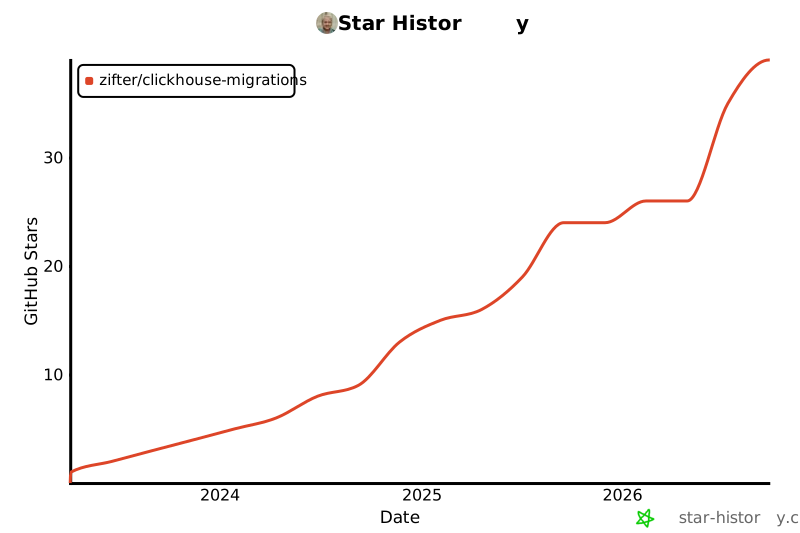
Star History
1 maintainer

Release files for clickhouse-migrations 0.14.0
For a detailed explanation of source distributions (sdists) and built distributions (wheels), please see the package formats documentation.
Source distribution (sdist)
| File | Size | Uploaded | |
|---|---|---|---|
| clickhouse_migrations-0.14.0.tar.gz | 449.3 kB | Details |
Built distribution (wheel)
| File | Interpreter | ABI | Platform | Reset |
|---|---|---|---|---|
| clickhouse_migrations-0.14.0-py3-none-any.whl | Python 3 | none | any | Details |
Total release size: 533.3 kB
Release files / clickhouse_migrations-0.14.0.tar.gz
| Download URL | clickhouse_migrations-0.14.0.tar.gz |
|---|---|
| Size | 449.3 kB |
| Tags | Source |
|
SHA-256 checksum How to use checksums |
b1cd6b876cfc2a8c2981b8553c9f9d95bf9bab61bb932ab03da28f74038eee94
|
|
BLAKE2b-256 checksum How to use checksums |
7163028e01be4a26ece077626f6040bb7dc067f06d13756d5fc5089eca97533b
|
| Upload date | |
|
Uploaded using Trusted Publishing? What is trusted publishing? |
No |
| Uploaded via |
twine/7.0.0 CPython/3.13.15
|
Release files / clickhouse_migrations-0.14.0-py3-none-any.whl
| Download URL | clickhouse_migrations-0.14.0-py3-none-any.whl |
|---|---|
| Size | 84.0 kB |
| Tags | Python 3 |
|
SHA-256 checksum How to use checksums |
007c655f2879191b16625b97fd108d917adbcf278a85ea5b0fcbad1aa3032298
|
|
BLAKE2b-256 checksum How to use checksums |
027946e3458f6fb80719f438500e35c1d4fe0a18ef6afec215253b3aefd49543
|
| Upload date | |
|
Uploaded using Trusted Publishing? What is trusted publishing? |
No |
| Uploaded via |
twine/7.0.0 CPython/3.13.15
|














