
You pick your colors, we make it readable

Project description
CM-Colors 🎨✨





Color contrast that works for everyone
CM-Colors automatically finds colors that look good and read well, so your website works for all visitors. Use it to fix your CSS files or as a Python tool to adjust colors in your code.
The percentage shows how much easier the text is to read:
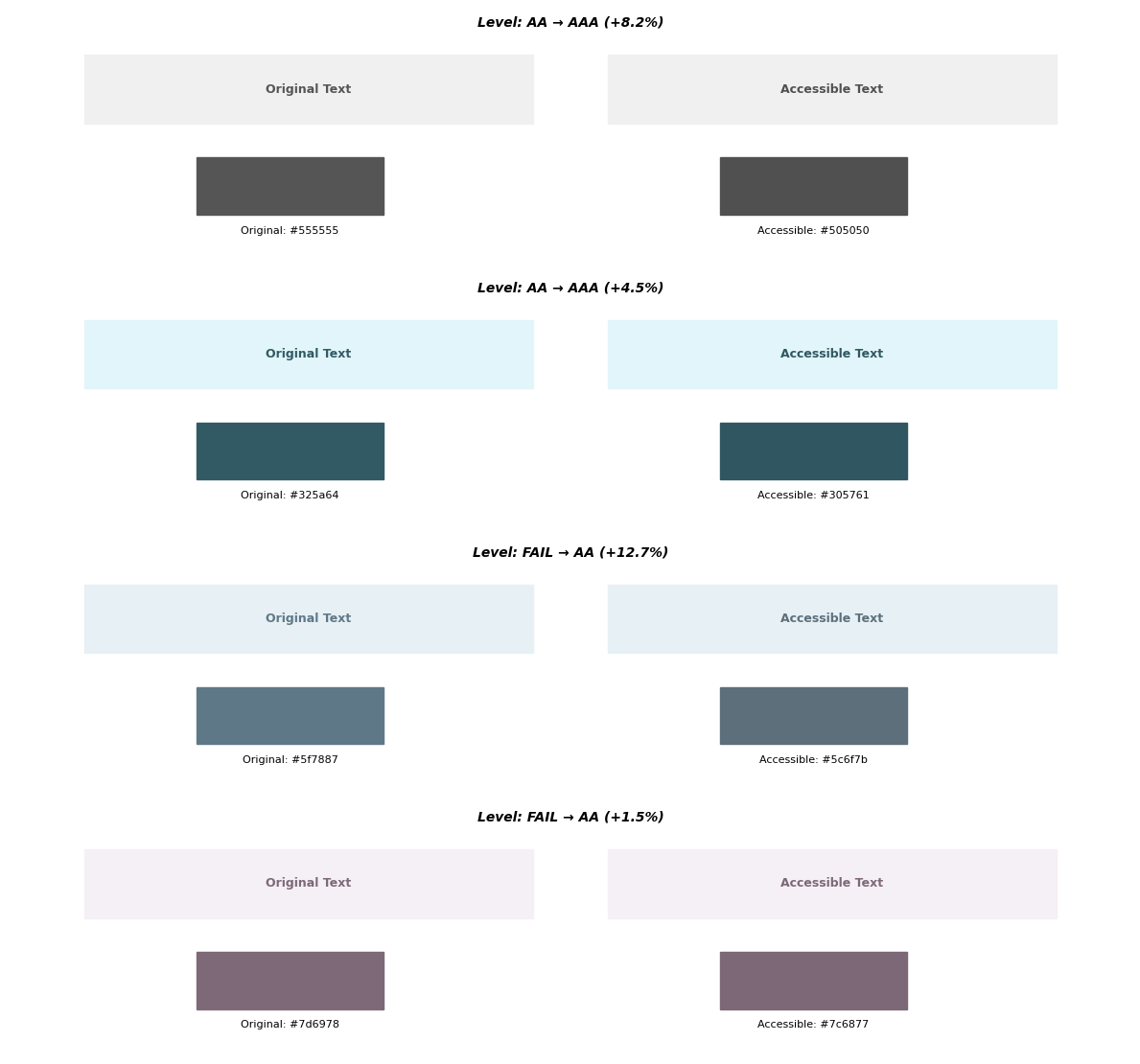
Overview
Tired of guessing which colors work together? CM-Colors fixes color contrast automatically. It finds similar colors that are easy to read, so you can get back to building features instead of adjusting colors.
What it does:
- Automatically makes your colors readable for everyone
- Fixes all your CSS files in one go
- Works with any color format you use (hex, RGB, named colors)
- Keeps your design looking great while making it accessible
Installation
pip install cm-colors
CLI Usage
The cm-colors command checks your CSS files and fixes colors that are hard to read.
Basic commands
Fix a single CSS file:
cm-colors style.css
Fix all CSS files in a folder:
cm-colors path/to/styles/
Fix files in the current folder:
cm-colors .
Options
--default-bg COLOR
Sets the background color to use if one isn't specified.
Default: white
Example:
cm-colors styles.css --default-bg "#f5f5f5"
Output
Updated CSS files:
We create new files with _cm added to the name, so your original files stay safe.
- Input:
style.css - Output:
style_cm.css
HTML report:
If we change any colors, we'll create a cm_colors_report.html file showing you exactly what changed and why.
Console output:
Processing 3 files...

Results:
✓ 12 colors already readable
✓ 5 colors adjusted for better readability
✗ 2 colors need your attention

Could not tune 2 pairs:
  style.css -> .warning-badge
    Reason: Couldn't find a similar color that's easy to read
  layout.css -> .subtle-text
    Reason: Try starting with different colors

Report generated: /path/to/cm_colors_report.html
Python API
ColorPair class
Check and fix colors in your Python code:
from cm_colors import ColorPair

# Create a color pair
pair = ColorPair("#5f7887", "rgb(230, 240, 245)")

# Check if it's readable
print(f"Readable: {pair.is_readable}")  # False

# Fix colors automatically
tuned_text, success = pair.tune_colors()
print(f"New color: {tuned_text}")       # rgb(83, 107, 122)
print(f"Fixed: {success}")              # True
Advanced Options
You can control how we fix your colors:
# Use 'premium' mode to aim for the highest readability standard (AAA)
tuned_text, success = pair.tune_colors(premium=True)

# Choose how strict we should be about changing the color shade
# mode=0: Ultra Strict (changes color very little)
# mode=1: Default (best balance of readability and style)
# mode=2: Relaxed (allows more change to ensure readability)
tuned_text, success = pair.tune_colors(mode=2)
Color class
Work with individual colors easily:
from cm_colors import Color

# Create colors from any format
color = Color("#c7483b")

# Convert to other formats
if color.is_valid:
    print(color.to_rgb_string())  # 'rgb(199, 72, 59)'
    print(color.to_hex())         # #c7483b
Documentation
For more details, see the full documentation.
License
GNU General Public License v3.0
Support
Found a problem? Let us know.
Stop guessing, start building.
Project details
Release history Release notifications | RSS feed


Download files
Download the file for your platform. If you're not sure which to choose, learn more about installing packages.
Source Distribution
Built Distribution
Filter files by name, interpreter, ABI, and platform.
If you're not sure about the file name format, learn more about wheel file names.
Copy a direct link to the current filters
File details
Details for the file cm_colors-0.4.1.tar.gz.
File metadata
- Download URL: cm_colors-0.4.1.tar.gz
- Upload date:
- Size: 42.0 kB
- Tags: Source
- Uploaded using Trusted Publishing? No
- Uploaded via: twine/6.2.0 CPython/3.14.0
File hashes
| Algorithm | Hash digest | |
|---|---|---|
| SHA256 |
164e9e23cfea26f59491ef8eba15699e5cba27565ac38f925c7df7e95a723903
|
|
| MD5 |
94107d7f1399783ba80620da4d93fe66
|
|
| BLAKE2b-256 |
8fc454dba0ca816495b5980d758b6cc18780f85231a2454c086d16fd9ca7c328
|
File details
Details for the file cm_colors-0.4.1-py3-none-any.whl.
File metadata
- Download URL: cm_colors-0.4.1-py3-none-any.whl
- Upload date:
- Size: 48.9 kB
- Tags: Python 3
- Uploaded using Trusted Publishing? No
- Uploaded via: twine/6.2.0 CPython/3.14.0
File hashes
| Algorithm | Hash digest | |
|---|---|---|
| SHA256 |
b715289d1af1b89aec4f7b29019912f59cb7a4278244935f4c4993f4c4d76441
|
|
| MD5 |
c304af57b9f8cc04dfc9dcdf02fe54dd
|
|
| BLAKE2b-256 |
0d5736b8167f8cd54ce50b66c180bf7e3ae4ce19ff24060ee4a201f60bb5afab
|






