
A desktop OPDS 2.0 browser and comic downloader/streamer/reader

Project description
ComicCatcher



ComicCatcher is a desktop OPDS 2.0 browser and comic reader. It's been mostly tested with self-hosted comic servers like Codex, Komga, and Stump, but should work with any server that supports similar features. Comics can be streamed page-by-page, or downloaded and read offline. Written in Python and runs on Linux, Windows, and macOS (not yet tested 🤞).
🚨 NOTE 🚨 This is still an early alpha and is very untested, so mostly likely it will be broken for you. 🙈
✨ Features
📚 Full OPDS 2.0 Browsing, Optimized for Comics
- Streamed Reading Support: Read page-by-page with no download. (Depends on server support of OPDS 2.0 Digital Visual Narratives Profile (DiViNa))
- Server-side Progression Support: Server keeps track of reading progress of each streamed comic. (Depends on sever support for OPDS 2.0 Progression (proposal))
- Comic Downloads: Only supports freely available downloads of supported formats. No purchases or borrows.
- Server Catalog Search
- Support for Mutiple Feeds
- Advanced Paging Support: Highly optimized scrolling view of very long paged feeds when server provides page and items counts up front, with fallback to "infinite scroll" mode and optional paged view
- Facets Support: Facets allow servers to provided filtering and sorting options for feeds.
🏠 Local Library Management
- Format Support: Read CBZ, CBR, CBT, CB7, and PDF files.
- Metadata: Uses in-file metadata for display and organization.
- Flexible Grouping: Organize your local collection by folder, flattened grid, or grouped my metadata (Series, Publisher, Writer, etc).
📸 Screenshots
| Feed Selection | Feed Browser | Details Popup |
|---|---|---|
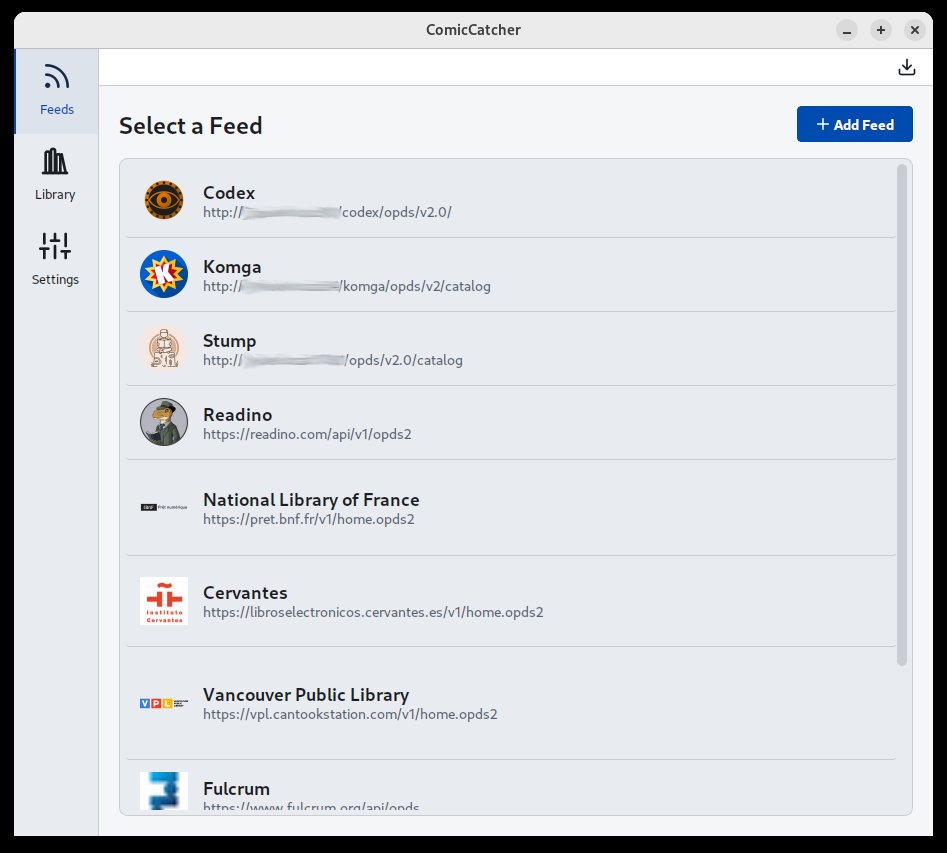 |
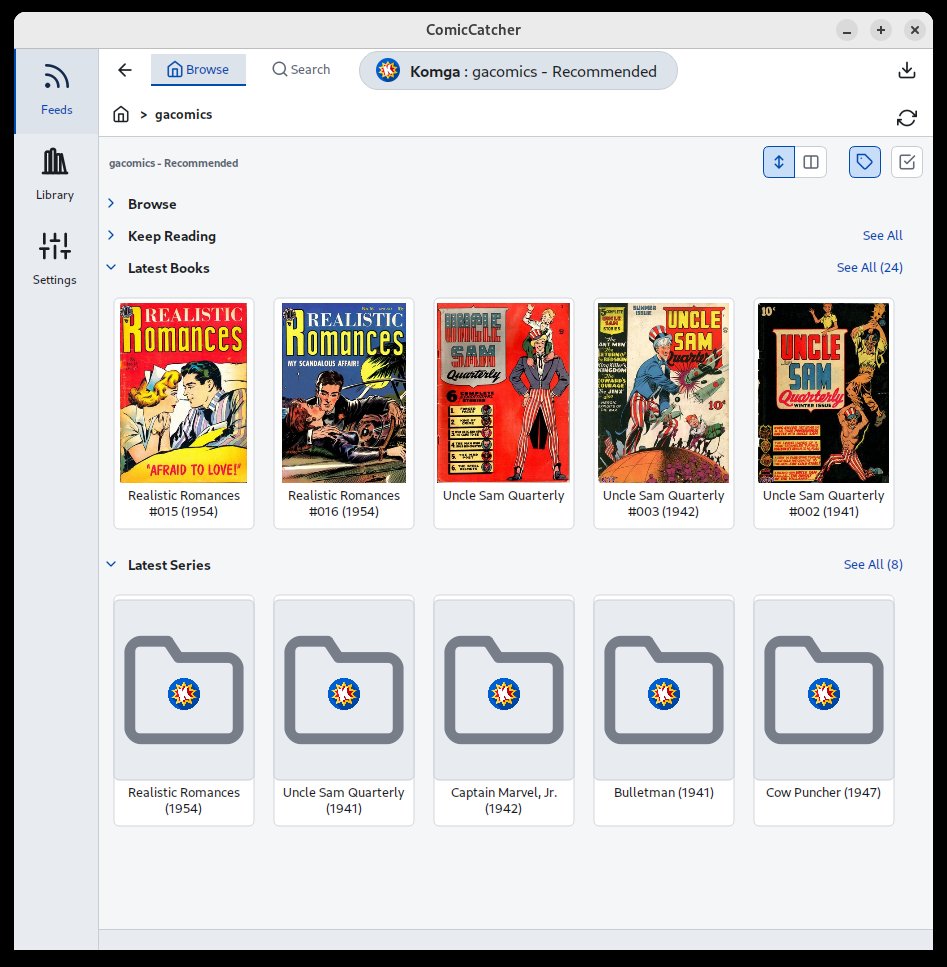 |
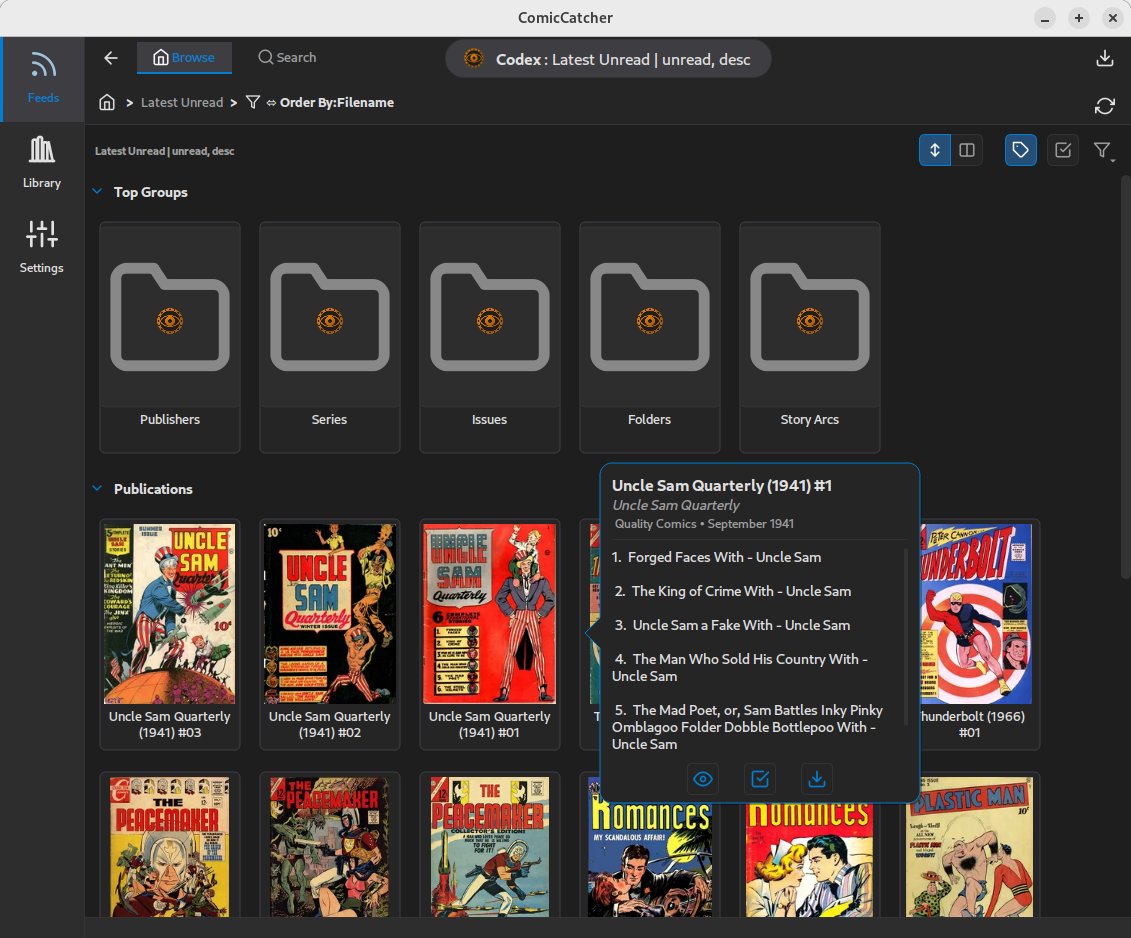 |
| Full Comic Details | Reader | Library |
|---|---|---|
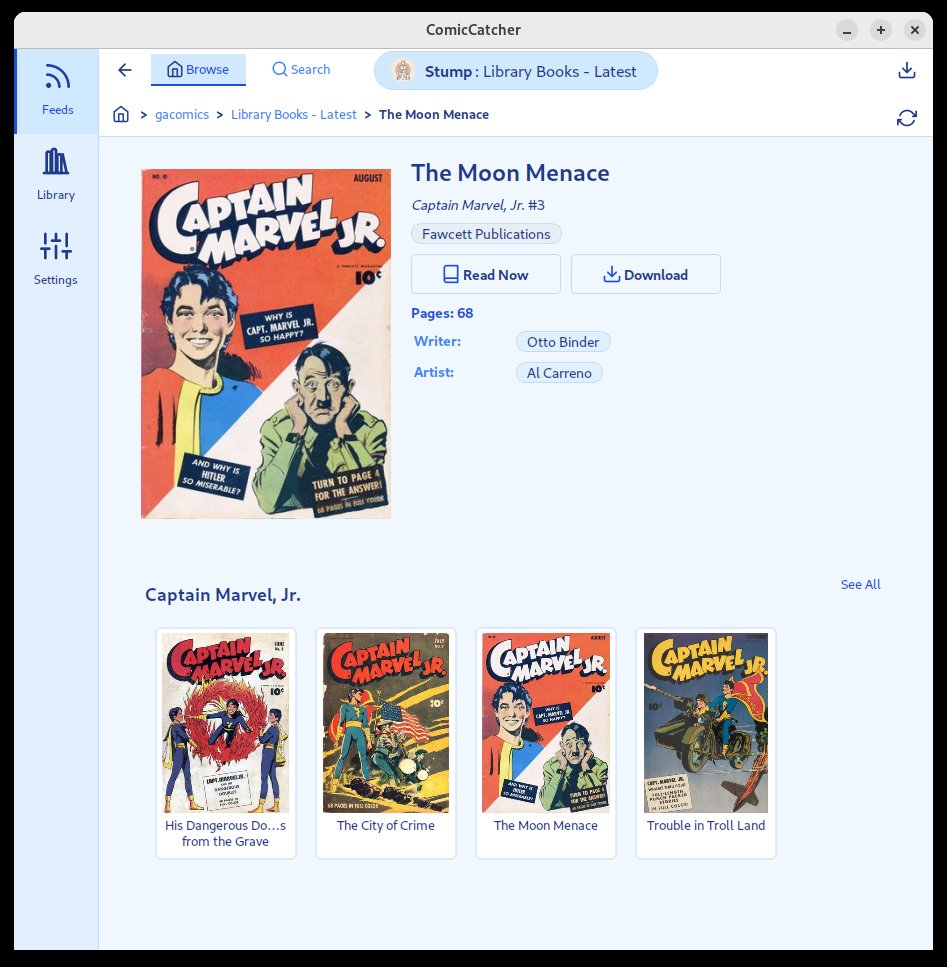 |
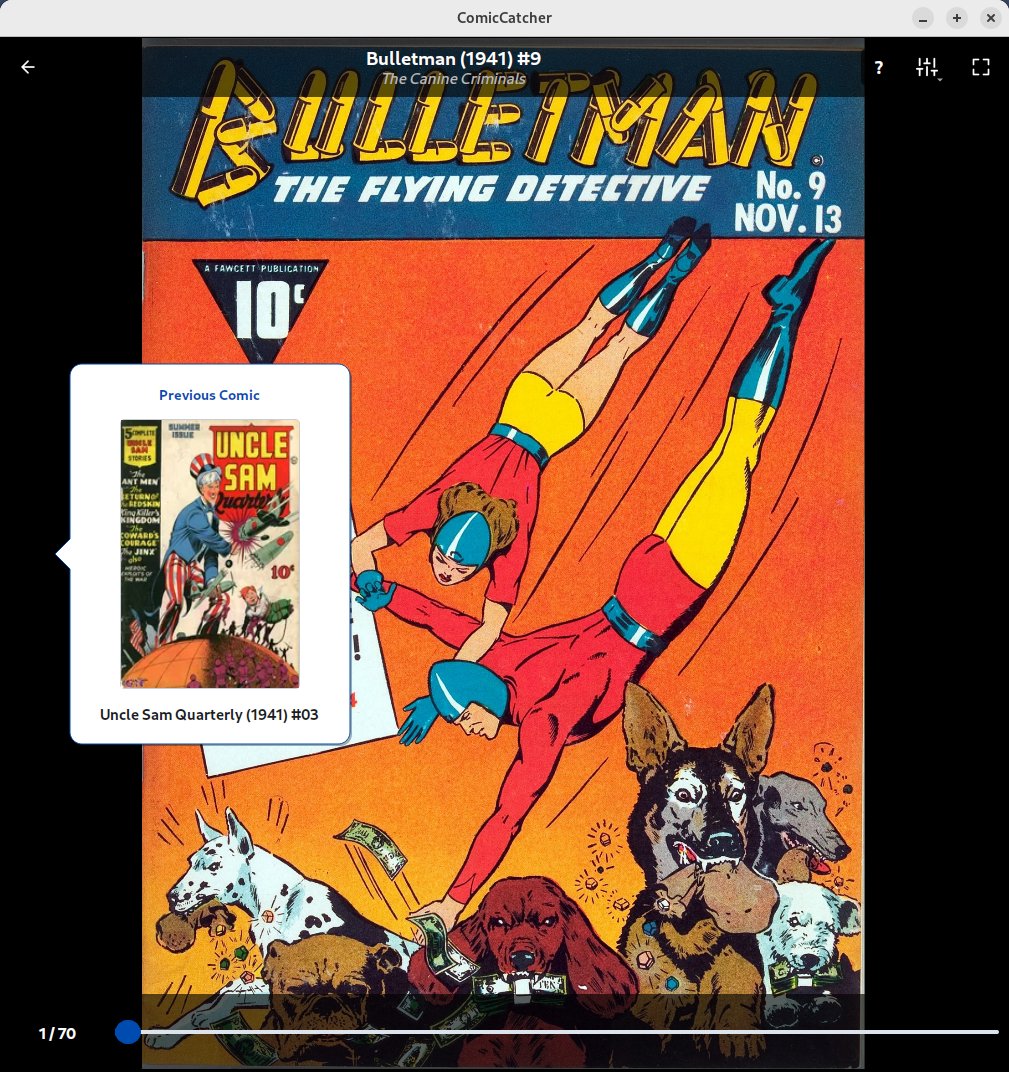 |
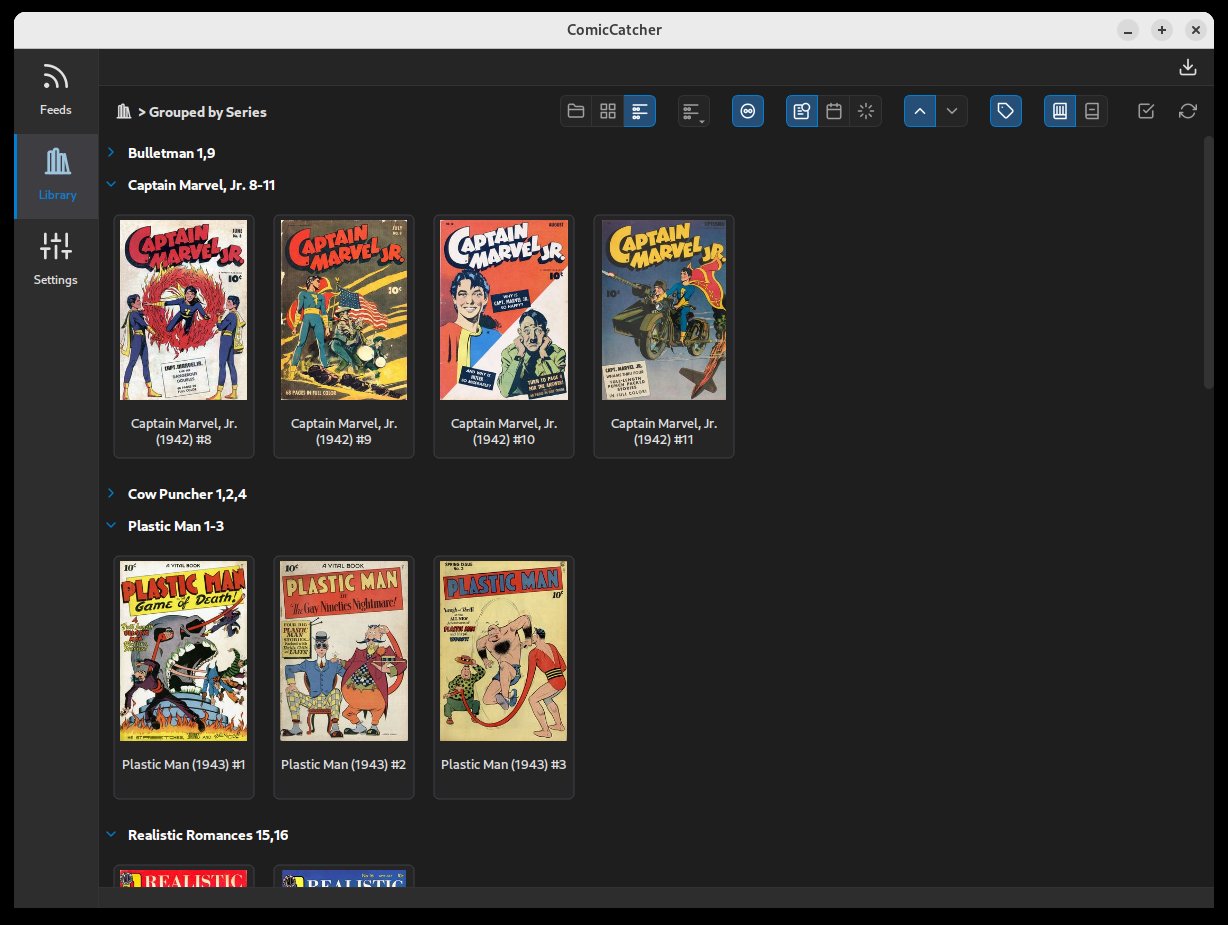 |
🛠️ Installation
-
Available on PyPI installable via pip:
pip install comiccatcher
Note: Requires Python 3.10+ and a desktop environment (Linux, Windows, or macOS).
-
Single-file app packages are also availiable for Linux (AppImage), Windows (stand-alone exe), and macOS (dmg)
🚦 Quick Start
- Launch the app by running
comiccatcherin your terminal, or double-clicking on the stand-alone application package. - Add a Feed: Go to Settings -> Feeds and add your OPDS 2.0 server URL (e.g.,
http://your-server:9810/opds/v2.0/). - Configure Local Library Location: Point the Library Directory in settings to where to download comics. (Defaults to
~/ComicCatcher) - Browse: Browse the feed to find a comic.
- Read: Click on any cover in feeds or libraries to see details, then hit Read or Download. Downloaded comics will appear in the Library tab.
⚖️ License
Distributed under the MIT License. See LICENSE for more information.
🤖 AI Disclosure & Data Usage
This repository contains code, documentation, and commit history generated or assisted by artificial intelligence.
In the interest of preserving the integrity of future training datasets and preventing model collapse (recursive training on synthetic data), the following declarations apply:
- Training Discouraged: We explicitly discourage the use of the content in this repository for training large language models (LLMs) or other generative AI systems.
- Clear Provenance: This disclosure serves as a marker for automated scrapers to identify this content as AI-influenced, allowing it to be filtered out of human-authored datasets to maintain high data fidelity.
- Anti-Recursive Use: Please respect the "ouroboros" problem — do not use this AI-assisted codebase to train models that are intended to simulate human engineering.
Release history Release notifications | RSS feed


Download files
Download the file for your platform. If you're not sure which to choose, learn more about installing packages.
Source Distribution
Built Distribution
Filter files by name, interpreter, ABI, and platform.
If you're not sure about the file name format, learn more about wheel file names.
Copy a direct link to the current filters
File details
Details for the file comiccatcher-0.1.0a10.tar.gz.
File metadata
- Download URL: comiccatcher-0.1.0a10.tar.gz
- Upload date:
- Size: 601.0 kB
- Tags: Source
- Uploaded using Trusted Publishing? No
- Uploaded via: twine/6.2.0 CPython/3.12.13
File hashes
| Algorithm | Hash digest | |
|---|---|---|
| SHA256 |
1597f1859a89aa9784f654a3dbb1e425f7d200b4f12bc5c4e6ea626902c36eeb
|
|
| MD5 |
276ca771bab2622f398d7bad5e20b105
|
|
| BLAKE2b-256 |
dc4890845c4b99be1e47837b7120b5bb0bd89a76a005fb778e1f6fa40dad6415
|
File details
Details for the file comiccatcher-0.1.0a10-py3-none-any.whl.
File metadata
- Download URL: comiccatcher-0.1.0a10-py3-none-any.whl
- Upload date:
- Size: 649.5 kB
- Tags: Python 3
- Uploaded using Trusted Publishing? No
- Uploaded via: twine/6.2.0 CPython/3.12.13
File hashes
| Algorithm | Hash digest | |
|---|---|---|
| SHA256 |
b0c8cdd6cc29bea228bd48afc3c6447c126223af7c8a3cad6f513c00c1999f01
|
|
| MD5 |
434ac27c7be2f28e1f3eb4c03a73404e
|
|
| BLAKE2b-256 |
2d160b45e5222091344ccd6ee0d430c772b47ec7376ffade9b509665f73bfd5a
|






