
cwtwb

Tableau workbook engineering for reproducible
.twb/.twbxgeneration, validation, and migration.
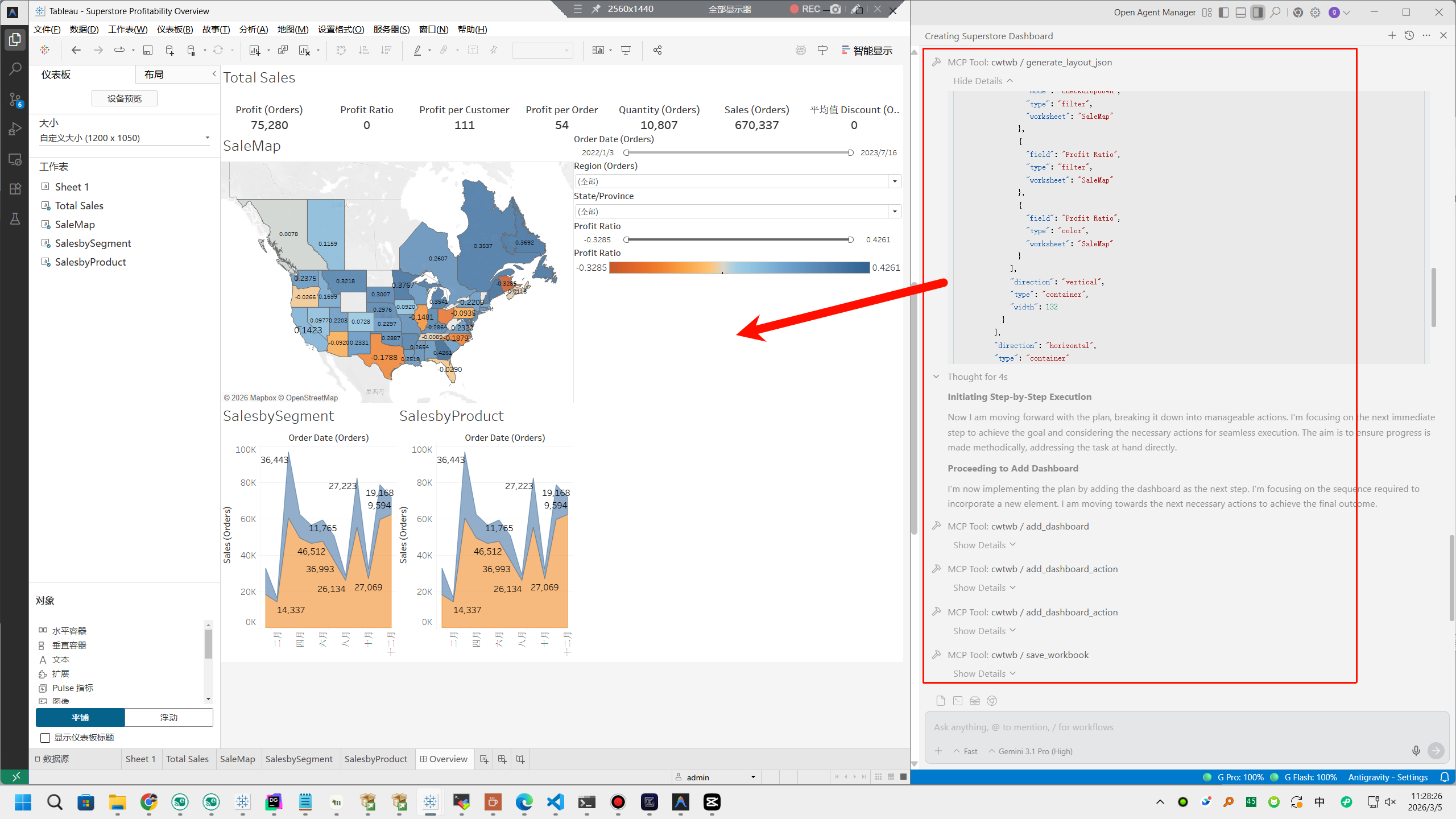
cwtwb is a Python toolkit and Model Context Protocol (MCP) server for building Tableau Desktop workbooks from code or agent tool calls.
It is meant to be a workbook engineering layer, not a conversational analytics agent. The focus is reproducibility, inspectability, and safe automation in local workflows, scripts, and CI.
The cw in cwtwb comes from Cooper Wenhua.
Author: Cooper Wenhua <imgwho@gmail.com>





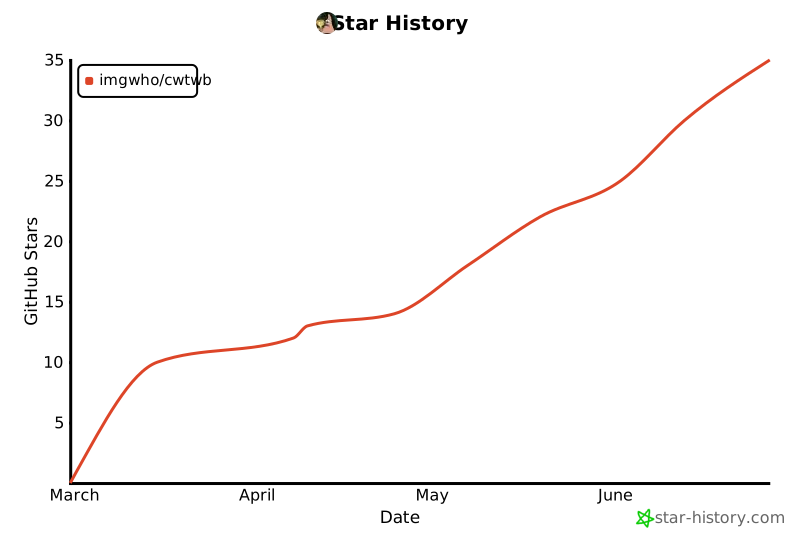
Try the example workflow · Read the guide
Quick Start
Install
pip install cwtwb
If you want the bundled Hyper-backed example too:
pip install "cwtwb[examples]"
If you want cloud validation (upload to Tableau Cloud/Server):
pip install "cwtwb[validate]"
Run As An MCP Server
uvx cwtwb
The short form above remains the simplest option and is the default config shown in this repository.
Add the server to your MCP client with the same command. For example:
{
  "mcpServers": {
    "cwtwb": {
      "command": "uvx",
      "args": ["cwtwb"]
    }
  }
}
For Claude Code:
claude mcp add cwtwb -- uvx cwtwb
For VSCode, add cwtwb to your workspace or user mcp.json and use uvx cwtwb as the command.
If you prefer an explicit script name, these equivalent launch styles also work:
uvx --from cwtwb cwtwb-mcp
python -m cwtwb.mcp_server
MCP Client Stability
When cwtwb is connected as an MCP server, agents should call the exposed MCP tools directly through their client. They should not run shell commands such as mcp call cwtwb ..., mcp list-tools cwtwb, or gh api .../mcp/...; those commands are not part of cwtwb and are usually unavailable in normal Claude, Codex, Cursor, or VSCode environments.
If an agent cannot see tools such as create_workbook, add_worksheet, or save_workbook, restart or reconnect the MCP client and verify the server config. Clearing the uv cache only refreshes installed packages; it does not fix a stale client tool surface.
Useful resources for agents:
cwtwb://tool-surface
cwtwb://skills/index
cwtwb://skills/dashboard_designer
file://docs/tableau_all_functions.json
Compatibility aliases are also available for common guessed URIs such as cwtwb://docs/manual-editing, but new prompts should prefer cwtwb://tool-surface and cwtwb://skills/index.
For client-specific details and the full reference, see https://github.com/imgwho/cwtwb/blob/main/docs/guide.md.
Dashboard Layout Files
Custom dashboard layouts can now be authored as either JSON or YAML using the same declarative DSL. For agent workflows, generate a layout file first, then pass that file path into add_dashboard(layout=...).
generate_layout_json("output/layout.json", layout_tree, ascii_preview)
generate_layout_yaml("output/layout.yaml", layout_tree, ascii_preview)
Both formats support the same wrapper structure:
layout_schema: canonical dashboard layout tree_ascii_layout_preview: optional human/agent review aid
Highlights
| Area | What you get |
|---|---|
| Workbook authoring | Generate .twb / .twbx files from templates or from scratch |
| Chart building | Build bar, line, pie, map, KPI, and dual-axis workbooks |
| Safety | Validate structure, Tableau XSD (2026.1/2026.2), and REST API semantic validation before publishing |
| Cloud validation | REST API syntactic/semantic validation + upload to Tableau Cloud/Server with optional screenshot |
| Migration | Repoint existing workbooks to new data sources with explicit steps |
| MCP support | Drive workbook workflows from Claude, Cursor, VSCode, or other MCP clients |
See It In Action
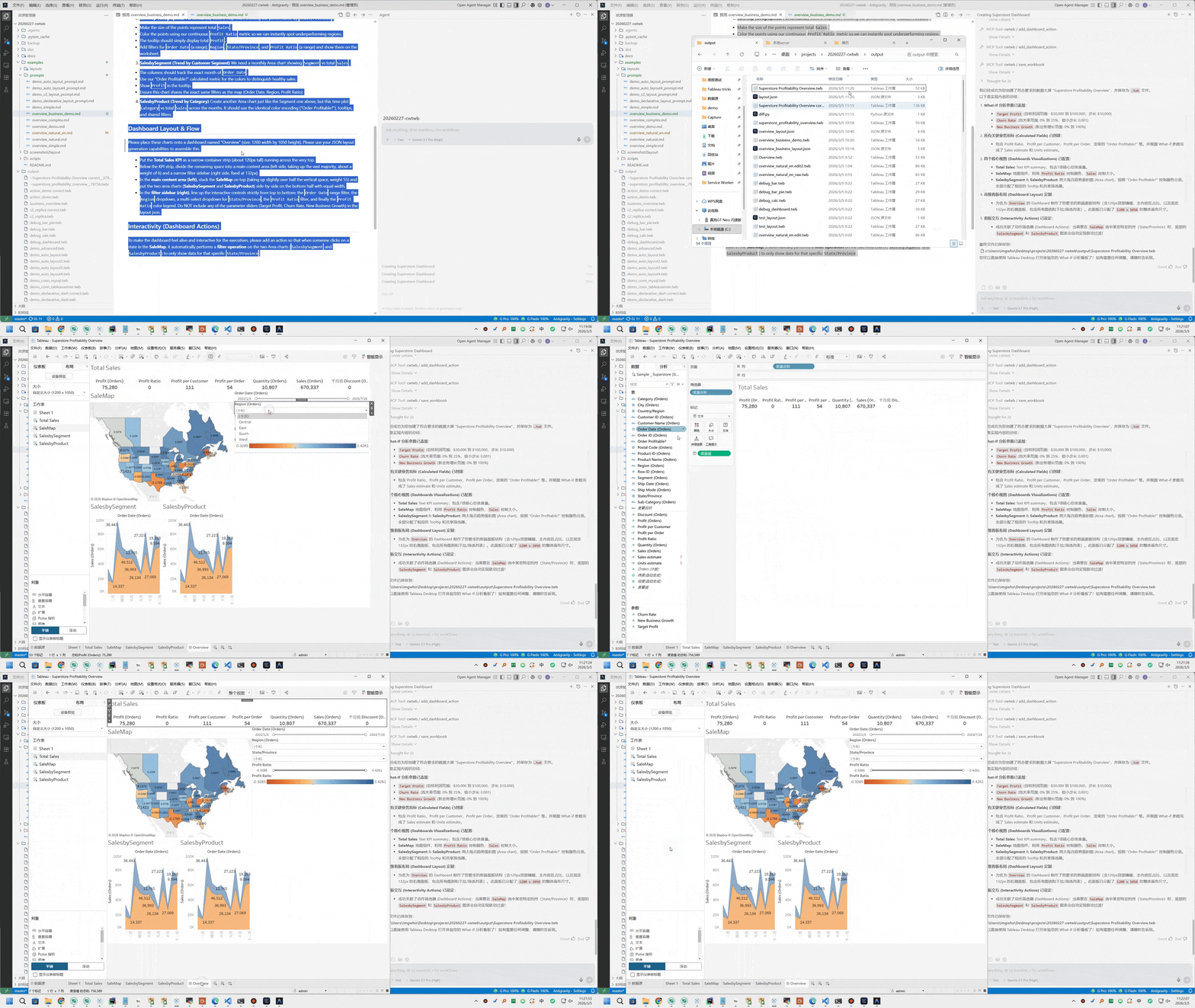
This GIF shows the MCP tool flow that builds a dashboard step by step.
Architecture
                            Interfaces
  ┌───────────────────────────────────────────────────────────────┐
  │  ┌──────────────────────────┐  ┌───────────────────────────┐  │
  │  │        MCP Server        │  │      Python Library       │  │
  │  │  tools_workbook          │  │  from cwtwb.twb_editor    │  │
  │  │  tools_validate          │  │  import TWBEditor         │  │
  │  │                          │  │                           │  │
  │  │                          │  │  editor.add_...()         │  │
  │  │                          │  │  editor.configure_...()   │  │
  │  │                          │  │  editor.validate_schema() │  │
  │  │  (Claude / Cursor /      │  │  editor.save(...)         │  │
  │  │   VSCode / Claude Code)  │  │                           │  │
  │  └─────────────┬────────────┘  └──────────────┬────────────┘  │
  │                └──────────────┬────────────────┘               │
  └─────────────────────────────  ┼  ─────────────────────────────┘
                                  ▼
  ┌───────────────────────────────────────────────────────────────┐
  │                          TWBEditor                            │
  │       ParametersMixin  ·  ConnectionsMixin                    │
  │       ChartsMixin      ·  DashboardsMixin                     │
  │       validate_schema()  ·  save()                            │
  └──────────┬──────────────────┬──────────────────┬─────────────┘
             ▼                  ▼                  ▼
  ┌──────────────────┐  ┌──────────────┐  ┌──────────────────────┐
  │  Chart Builders  │  │  Dashboard   │  │  Analysis &          │
  │                  │  │  System      │  │  Migration           │
  │  Basic  DualAxis │  │              │  │                      │
  │  Pie    Text     │  │  layouts     │  │  migration.py        │
  │  Map    Recipes  │  │  actions     │  │  twb_analyzer.py     │
  │                  │  │  dependencies│  │  capability_registry │
  └────────┬─────────┘  └──────┬───────┘  └──────────┬───────────┘
           └───────────────────┼──────────────────────┘
                               ▼
  ┌───────────────────────────────────────────────────────────────┐
  │                    Packaged References                        │
  │    empty_template.twb  ·  Superstore XLS/Hyper                │
  │    tableau_all_functions.json  ·  dataset profiles            │
  │    vendored Tableau TWB XSD schemas (2026.1 / 2026.2)         │
  └───────────────────────────────┬───────────────────────────────┘
                                  ▼
  ┌───────────────────────────────────────────────────────────────┐
  │                     XML Engine  (lxml)                        │
  │    template.twb/.twbx  →  patch  →  validate  →  save        │
  └───────────────────────────────┬───────────────────────────────┘
                                  ▼
                      output.twb  /  output.twbx
                                  ▼
  ┌───────────────────────────────────────────────────────────────┐
  │               Cloud Validation (optional)                    │
  │    validate_workbook_api → REST API semantic validation      │
  │    upload_workbook       → Tableau Cloud/Server publish      │
  │    screenshot_workbook   → capture view for visual check     │
  └───────────────────────────────────────────────────────────────┘
Mermaid view:
flowchart TD
    subgraph Interfaces
        MCP["MCP Server<br/>tools_workbook<br/>tools_validate"]
        PY["Python Library<br/>TWBEditor API"]
    end

    subgraph Editor["Core Editor"]
        TWB["TWBEditor<br/>parameters · connections<br/>charts · dashboards<br/>validate_schema · save"]
    end

    subgraph Builders["Workbook Systems"]
        CHARTS["Chart Builders<br/>basic · dual-axis<br/>pie · text · map · recipes"]
        DASH["Dashboard System<br/>layouts · actions<br/>dependencies"]
        ANALYSIS["Analysis & Migration<br/>migration.py<br/>twb_analyzer.py<br/>capability_registry"]
    end

    subgraph References["Packaged References"]
        REFS["empty_template.twb<br/>Superstore XLS/Hyper<br/>Tableau functions<br/>TWB XSD schemas"]
    end

    subgraph Engine["XML Engine"]
        XML["lxml patch pipeline<br/>template.twb/.twbx → patch → validate → save"]
    end

    subgraph Outputs
        OUT["output.twb / output.twbx"]
        CLOUD["Cloud Validation<br/>REST semantic validation<br/>upload · screenshot"]
    end

    MCP --> TWB
    PY --> TWB
    TWB --> CHARTS
    TWB --> DASH
    TWB --> ANALYSIS
    CHARTS --> XML
    DASH --> XML
    ANALYSIS --> XML
    REFS --> TWB
    REFS --> XML
    XML --> OUT
    OUT --> CLOUD
The reference layer is packaged with the library so agents and scripts can start from known-good workbook assets, resolve Tableau calculation syntax, run Hyper-backed examples, and validate against local XSD schemas without relying on a checked-out repository.
Agent Architecture
cwtwb is designed for tool-using agents, not just direct Python calls. The MCP server gives agents a small, stateful workbook editing surface; skill resources give phase-specific Tableau guidance before each set of tool calls.
Human or agent prompt
        |
        v
MCP server instructions
        |
        v
Skill resources
calculation_builder -> chart_builder -> dashboard_designer -> formatting -> validation
        |
        v
Workbook tools
create/open -> list_fields -> add/configure -> layout -> save -> validate/upload
        |
        v
TWB/TWBX artifact + validation evidence
Prompts explain what to build. Skills explain how to build it well. Tools make the workbook changes inspectable and repeatable.
Capability Boundary
cwtwb keeps its public surface intentionally small:
| Level | Meaning |
|---|---|
| Core | Stable primitives for normal SDK docs, examples, and MCP workflows |
| Advanced | Supported compositions and interaction patterns with more moving parts |
| Recipe | Showcase patterns exposed through configure_chart_recipe, not one tool per chart |
Use list_capabilities or describe_capability when an agent needs to check
whether a requested chart or workbook feature belongs in the stable surface.
Design Decisions
- The MCP server uses a stateful session model: open or create a workbook, mutate it through explicit tools, then call
save_workbook. - Skills are phase-specific operating guides, not generic prompt stuffing.
save_workbook,validate_workbook,validate_workbook_api, andupload_workbookhave separate responsibilities so agents do not confuse writing, local checks, semantic validation, and publishing.- The capability registry keeps the product boundary explicit instead of letting showcase examples become accidental API promises.
Validation
cwtwb provides four levels of workbook validation:
| Level | Description | Requires |
|---|---|---|
| 1. Local XSD | Validate against the official Tableau TWB XSD schema (version-aware: 2026.1 or 2026.2) | None (built-in) |
| 2. REST API Syntactic | Validate XML syntax via Tableau Cloud REST API | .env + Tableau Cloud 2026.2+ |
| 3. REST API Semantic | Full semantic validation — guarantees the workbook opens in Tableau | .env + Tableau Cloud 2026.2+ |
| 4. Upload + Screenshot | Publish to Tableau Cloud/Server and capture a view image | .env + pip install "cwtwb[validate]" |
# Level 1 — Local XSD (in-memory, no save required)
result = editor.validate_schema()
print(result.to_text())

# Level 3 — REST API semantic validation
from cwtwb.validate.uploader import TableauUploader
uploader = TableauUploader()
result = uploader.validate("output.twb", validation_level="semantic")

# Save with local XSD validation; REST API semantic validation also runs when .env is configured
editor.save("output.twb")
# MCP tools
validate_workbook(file_path="output.twb")                                       # Local XSD validation
validate_workbook_api(twb_path="output.twb", validation_level="semantic")        # REST API validation
upload_workbook(twb_path="output.twb")                                          # Cloud upload
screenshot_workbook(workbook_id="...", view_name="Sheet 1")                     # Visual check
FAQ
What is the difference between .twb and .twbx?
.twb is the workbook XML. .twbx is the packaged version that bundles the workbook together with extracts and images.
Does validate_workbook save files?
No. validate_workbook() performs local XSD validation on the active in-memory workbook or an existing .twb / .twbx file. It does not write output. save_workbook() is the tool that writes files.
What validation does save() perform?
save() runs local XSD validation automatically before replacing the final output file. For .twb output, REST API semantic validation also runs when .env Tableau credentials are configured and the server supports it. Use validate_workbook_api(..., validation_level="semantic") when you want to request the Tableau Cloud/Server validation step directly.
What is upload_workbook for?
upload_workbook uploads a .twb to Tableau Cloud/Server to verify it is structurally valid. Upload success means Tableau Cloud/Server can parse the workbook. Requires pip install "cwtwb[validate]" and a .env file with Tableau credentials (see .env.example).
How do I set up Tableau Cloud/Server validation?
- Install:
pip install "cwtwb[validate]" - Copy
.env.exampleto.env - Fill in your Tableau Cloud/Server PAT credentials
- Call
save_workbookto write the.twbor.twbx - Call
validate_workbook_apifor REST API semantic validation, orupload_workbookwhen you also want publish/openability evidence
When should I use uvx cwtwb versus python -m cwtwb.mcp_server?
Use uvx cwtwb for the normal MCP workflow. Use python -m cwtwb.mcp_server for local testing without uvx.
For backward compatibility, uvx --from cwtwb cwtwb-mcp, python -m cwtwb.server, and python -m cwtwb.mcp continue to work.
Where is the full guide?
See the online guide.
Documentation
1 maintainer

Download files
Download the file for your platform. If you're not sure which to choose, learn more about installing packages.
Source Distribution
Built Distribution
Filter files by name, interpreter, ABI, and platform.
If you're not sure about the file name format, learn more about wheel file names.
Copy a direct link to the current filters
File details
Details for the file cwtwb-0.22.3.tar.gz.
File metadata
- Download URL: cwtwb-0.22.3.tar.gz
- Upload date:
- Size: 19.2 MB
- Tags: Source
- Uploaded using Trusted Publishing? No
- Uploaded via: twine/6.2.0 CPython/3.13.1
File hashes
| Algorithm | Hash digest | |
|---|---|---|
| SHA256 |
3db2dca7d72dbbe3aa7a0f2c28f273e5c748313f86fbb1702681ad05b40ef116
|
|
| MD5 |
2acfd7cdaf89da32e20027ef6737b921
|
|
| BLAKE2b-256 |
e9871a2b524173541c25eda440f5babebd85f8290810454c43bf613563a1ef1b
|
File details
Details for the file cwtwb-0.22.3-py3-none-any.whl.
File metadata
- Download URL: cwtwb-0.22.3-py3-none-any.whl
- Upload date:
- Size: 1.2 MB
- Tags: Python 3
- Uploaded using Trusted Publishing? No
- Uploaded via: twine/6.2.0 CPython/3.13.1
File hashes
| Algorithm | Hash digest | |
|---|---|---|
| SHA256 |
9ad6b6b0d0c469a1bcf2e4332756b3bbafb49a585d86600907936c52779033f2
|
|
| MD5 |
7f66d5a7dcbf3716d17b2efe531d3a72
|
|
| BLAKE2b-256 |
2f31a8fd8706547eb042f8eeadb5dbbcc69befbac0cb8ff562b9e63227004511
|







