
czitools






This repository provides tools for reading CZI (Carl Zeiss Image) pixel data and metadata in Python, interpreting CZI well plates as an HCS Plate → Well → Field model, and converting CZI data to OME-Zarr. It is available as a Python package on PyPI.
For full documentation see sebi06.github.io/czitools.
Installation
Basic Installation
Install the core package from PyPI:
pip install czitools
Optional Features
Install with additional functionality using optional extras:
# OME-Zarr export (conversion + validation)
pip install "czitools[omezarr]"

# OME-Zarr export with GUI converter application
pip install "czitools[omezarr-gui]"

# HCS plate analysis and visualization
pip install "czitools[analysis]"

# Everything (all optional dependencies)
pip install "czitools[all]"
Development Installation
For development or to get the latest unreleased features:
# Clone the repository
git clone https://github.com/sebi06/czitools.git
cd czitools

# Install in editable mode with all extras
pip install -e ".[all]"
Conda/Pixi Development Environment
The cloned repository includes both a conda environment file and a Pixi workspace:
# Create the provided conda environment
conda env create -f env_czitools.yml
conda activate czitools
python -m pip install -e ".[all]"

# Or install the locked Pixi workspace (Windows and Linux)
pixi install
For more details see the Installation docs.
Quick Start
from czitools.metadata_tools import CziMetadata
from czitools.read_tools import read_6darray, read_stacks_list

# Read metadata without loading pixels.
mdata = CziMetadata("path/to/file.czi")
print(mdata.image_required.SizeC)
print(mdata.scale_required.X)

# Read regular, equal-sized scenes eagerly as a labelled STCZYX(A) array.
array6d, mdata = read_6darray("path/to/file.czi", use_xarray=True)

# For true on-demand Dask reads, keep scenes as a list.
scenes, dims, scene_count, mdata = read_stacks_list(
    "path/to/file.czi",
    use_dask=True,
    use_xarray=True,
)
first_plane = scenes[0].isel(T=0, C=0, Z=0).compute()
read_6darray(..., use_dask=True) produces a Dask-backed result but still
reads the CZI eagerly. Use read_stacks(..., use_dask=True) or
read_stacks_list(..., use_dask=True) for genuinely lazy pixel access.
For detailed usage examples see the Usage docs.
Features
CZI Well Plates and OME-Zarr HCS
from czitools.export_tools import convert_czi2hcs_ngff, validate_ome_zarr
from czitools.metadata_tools import CziMetadata
from czitools.read_tools import read_field

filepath = "path/to/plate.czi"
mdata = CziMetadata(filepath)

if mdata.hcs is None:
    raise ValueError(mdata.hcs_status.reason)

well = mdata.hcs.get_well("B04")
field, _ = read_field(filepath, well="B04", field=0)

# Requires: pip install "czitools[omezarr]"
output = convert_czi2hcs_ngff(filepath, overwrite=True)
assert validate_ome_zarr(output)
Well names accept forms such as B4, b04, and B/4. Field indices are
zero-based within a well. The OME-Zarr converter writes the HCS hierarchy
plate → well → field image → multiscale level.
Analysis Tools
The analysis_tools package provides image processing and HCS plate analysis utilities:
from czitools.analysis_tools import ArrayProcessor, process_hcs_omezarr, create_well_plate_heatmap

# Process 2D images with filters and object detection
proc = ArrayProcessor(image_2d)
filtered = proc.apply_gaussian_filter(sigma=2)
binary = ArrayProcessor(filtered).apply_threshold(value=100)
labelled, count, props = ArrayProcessor(binary).label_objects(
    min_size=50,
    measure_params=True,
)

# Analyze HCS OME-Zarr plates
results = process_hcs_omezarr("plate.ome.zarr", channel2analyze=0)

# Visualize results as heatmap
fig = create_well_plate_heatmap(results, num_rows=8, num_cols=12)
Requires: pip install "czitools[analysis]"
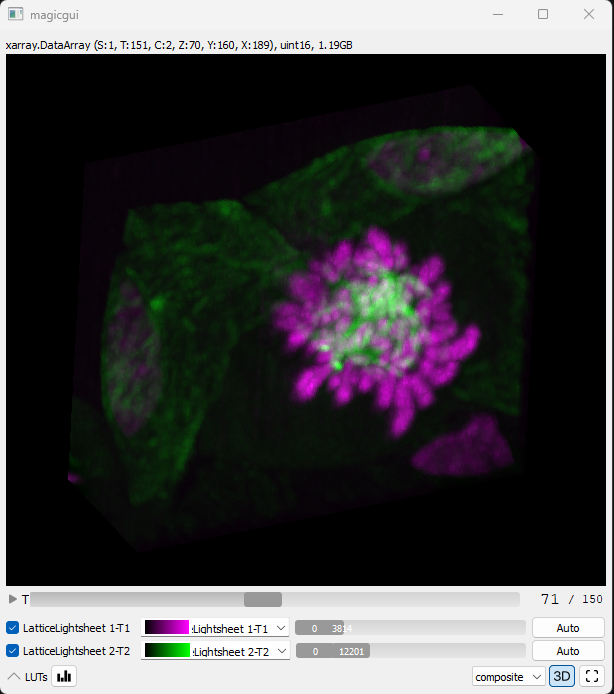
CZI inside NDV
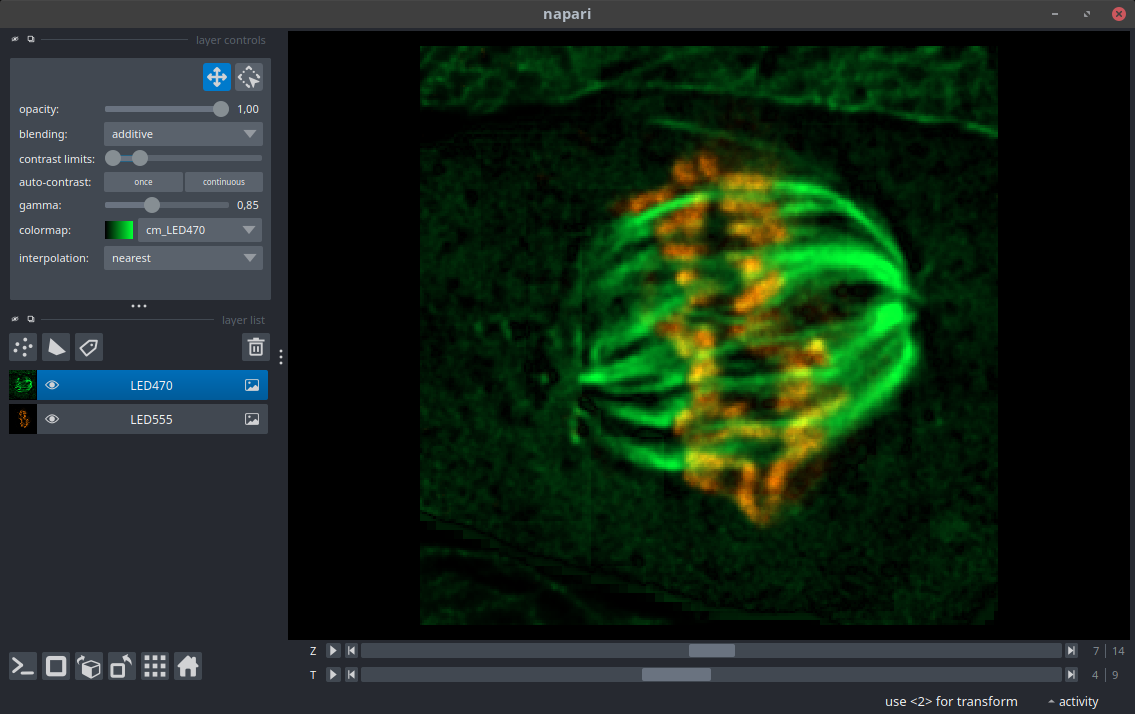
CZI inside Napari
Colab Notebooks
| Topic | Link |
|---|---|
| General usage czitools |  |
| Read CZI metadata | |
| Read CZI pixel data | |
| Read CZI well-plate data | |
| Process OME-Zarr HCS plate | |
| Show planetable as surface | |
| Segment with Voronoi-Otsu | |
Contributing
The Pixi workspace is the recommended development setup on Windows and Linux. After cloning the repository, install the locked environment and run the local quality checks:
pixi install
pixi run lint
pixi run test-no-net
Please keep changes focused, add or update tests for behavioral changes, and open an issue before starting a large API or dependency change.
1 maintainer

Download files
Download the file for your platform. If you're not sure which to choose, learn more about installing packages.
Source Distribution
Built Distribution
Filter files by name, interpreter, ABI, and platform.
If you're not sure about the file name format, learn more about wheel file names.
Copy a direct link to the current filters
File details
Details for the file czitools-0.20.1.tar.gz.
File metadata
- Download URL: czitools-0.20.1.tar.gz
- Upload date:
- Size: 121.5 kB
- Tags: Source
- Uploaded using Trusted Publishing? No
- Uploaded via:
twine/7.0.0 CPython/3.13.14
File hashes
| Algorithm | Hash digest | |
|---|---|---|
| SHA256 |
fea42ec5a1532a4328b37d8067cc337fffb09754029db4d3c191126f1bc67249
|
|
| MD5 |
4ff7a013948e4a5c5b5090899a366d52
|
|
| BLAKE2b-256 |
c98cc2811a0f7a91a0719fab51a80bf2fd0e1cc59519d2a7ded57d8bc97ce29a
|
File details
Details for the file czitools-0.20.1-py3-none-any.whl.
File metadata
- Download URL: czitools-0.20.1-py3-none-any.whl
- Upload date:
- Size: 137.7 kB
- Tags: Python 3
- Uploaded using Trusted Publishing? No
- Uploaded via:
twine/7.0.0 CPython/3.13.14
File hashes
| Algorithm | Hash digest | |
|---|---|---|
| SHA256 |
deceedc33b52a581e45ea368dc272fd80483b2f0079db71873aedc4303b8fdf3
|
|
| MD5 |
ebf31f1f52897407265a7c2c53cc45f8
|
|
| BLAKE2b-256 |
9b8da39f22a1e856df77ca3f0e01dadcadf6423f9c084992d4522c415af80b6b
|







