
Scan, redact, and manage PII in your documents before they get uploaded to a Retrieval Augmented Generation (RAG) system.

Project description

Open-source DevSecOps for Generative AI Systems.








Overview
What is DataFog?
DataFog is an open-source DevSecOps platform that lets you scan and redact Personally Identifiable Information (PII) out of your Generative AI applications.
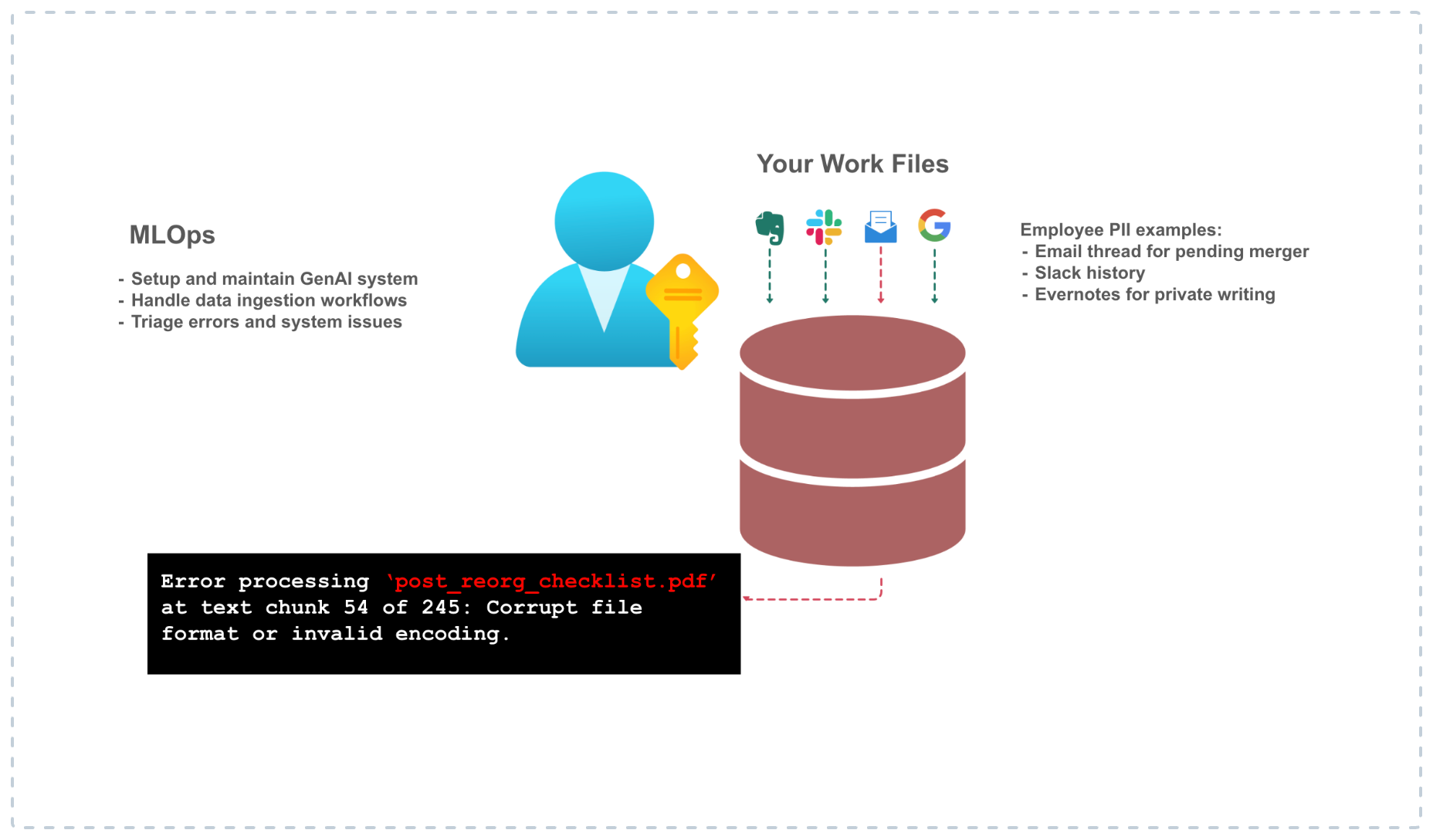
Core Problem
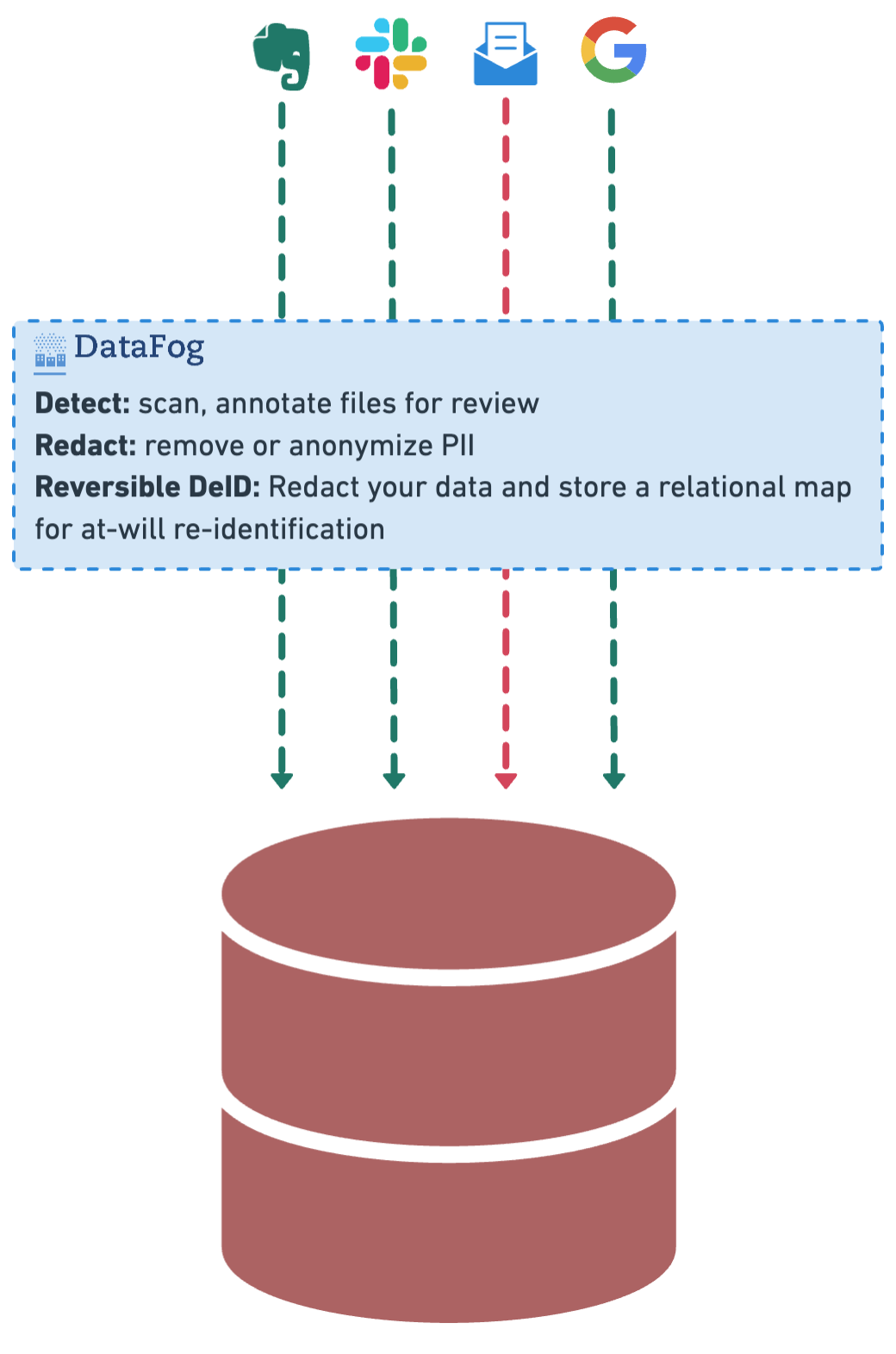
How it works
Installation
DataFog can be installed via pip:
pip install datafog
Examples - Updated for v3.1
Base case: PII annotation of text-files
from datafog import OCRPIIAnnotator, TextPIIAnnotator
import json
import requests

response = requests.get('https://gist.githubusercontent.com/sidmohan0/1aa3ec38b4e6594d3c34b113f2e0962d/raw/42e57146197be0f85a5901cd1dcdd9ad15b31bab/sotu_2023.txt')
response.raise_for_status()  # Ensure the request was successful
text = response.text
# print(text)
text_annotator = TextPIIAnnotator()
annotated_text = text_annotator.run(text, output_path=f"sotu_2023_output.json")
print("Annotated Text:", annotated_text)
OCR Reference Set (Images)
image_set = {
    "medical_invoice": "https://s3.amazonaws.com/thumbnails.venngage.com/template/dc377004-1c2d-49f2-8ddf-d63f11c8d9c2.png",
    "sales_receipt": "https://templates.invoicehome.com/sales-receipt-template-us-classic-white-750px.png",
    "press_release": "https://newsroom.cisco.com/c/dam/r/newsroom/en/us/assets/a/y2023/m09/cisco_splunk_1200x675_v3.png",
    "insurance_claim_scanned_form": "https://www.pdffiller.com/preview/101/35/101035394.png",
    "scanned_internal_record": "https://www.pdffiller.com/preview/435/972/435972694.png",
    "executive_email": "https://pbs.twimg.com/media/GM3-wpeWkAAP-cX.jpg"
}
OCR text extraction from images + PII annotation
with this, you can then run the following steps:
from datafog import OCRPIIAnnotator, TextPIIAnnotator
import json

image_url = image_set["executive_email"]

annotator = OCRPIIAnnotator()
annotated_text = annotator.run(image_url, output_path=f"executive_email_output.json")
print("Annotated Text:", annotated_text)
and the output should look like this:
Annotated Text: {'DATE_TIME': ['Wednesday', 'June 12, 2019'], 'LOC': [], 'NRP': [], 'ORG': [], 'PER': ['Kevin Scott Sent', 'Satya Nadella', 'Bill Gates Subject', 'Thoughts']}
With PySpark
Note: as of 3.1.0, you'll need to start the Spark session by instancing the DataFog class as shown below
from datafog import DataFog
from datafog.pii_annotation import ImageProcessor
datafog = DataFog()

# let's process the images that we shared above
processed_images = [(name, ImageProcessor().download_image(url=image_url)) for name, image_url in image_set.items()]

from datafog.pii_annotation import SparkService
parsed_images = [(name, ImageProcessor().parse_image(img)) for name, img in processed_images]

df = SparkService().spark.createDataFrame(parsed_images, ["image_name", "parsed_data"])

# Display DataFrame
df.show(truncate=False)
Contributing
DataFog is a community-driven open-source platform and we've been fortunate to have a small and growing contributor base. We'd love to hear ideas, feedback, suggestions for improvement - anything on your mind about what you think can be done to make DataFog better! Join our Discord and join our growing community.
Dev Notes
- Justfile commands:
just formatto apply formatting.just lintto check formatting and style.
Testing
To run the datafog unit tests, check out this repository and do
tox
License
This software is published under the MIT license.
Release history Release notifications | RSS feed


Download files
Download the file for your platform. If you're not sure which to choose, learn more about installing packages.
Source Distribution
File details
Details for the file datafog-3.2.0b12.tar.gz.
File metadata
- Download URL: datafog-3.2.0b12.tar.gz
- Upload date:
- Size: 13.1 kB
- Tags: Source
- Uploaded using Trusted Publishing? No
- Uploaded via: twine/5.0.0 CPython/3.11.7
File hashes
| Algorithm | Hash digest | |
|---|---|---|
| SHA256 |
01bfd09a5f9f95c13a867ced84b58763211536feddf4bf617139cdcd61c4587e
|
|
| MD5 |
e9e885f3ece54ba62c96d84f45a21271
|
|
| BLAKE2b-256 |
87ae6d2dd854dc49120914061fde7f438e54f13f78ce7e605f736afd42da9c03
|






