
DatView
(Dat)a (View)er software

Python GUI software for folder browsing and viewing text, image, Cine, and HDF files
Motivation
For synchrotron-based tomography, users need convenient tools to view their data, typically in text, TIF, HDF, or CINE format during experiments, along with basic assessment tools such as contrast adjustment, zooming, line-profile viewing, histograms, image statistics, or percentile density. However, at synchrotron facilities, where Linux OS and open-source software are the primary tools, users often need to switch between multiple GUI applications for these tasks such as Nautilus for folder browsing, NeXpy or HDFView for HDF files, Gedit for text files, and ImageJ for image viewing.
This separation of tools is inconvenient, especially since many users are not familiar with the Linux OS. DatView provides a unified GUI for all these tasks, improving efficiency and user experience. DatView runs across operating systems.
Design
For distributing the software through Pip and Conda, the software is structured based on the RUI (Rendering-Utilities-Interactions) concept, which is a user-friendly adaptation of the MVC design pattern.
For the easiest usage, a monolithic codebase (datview.py) is provided, allowing users to simply copy the file and run it without needing to install the software through Pip or Conda, provided that their Python environment includes libraries in the requirements.txt.
Starting from version 2.0, PySide6 and pyqtgraph are used instead of Tkinter and Matplotlib to improve responsiveness and performance.
Features
-
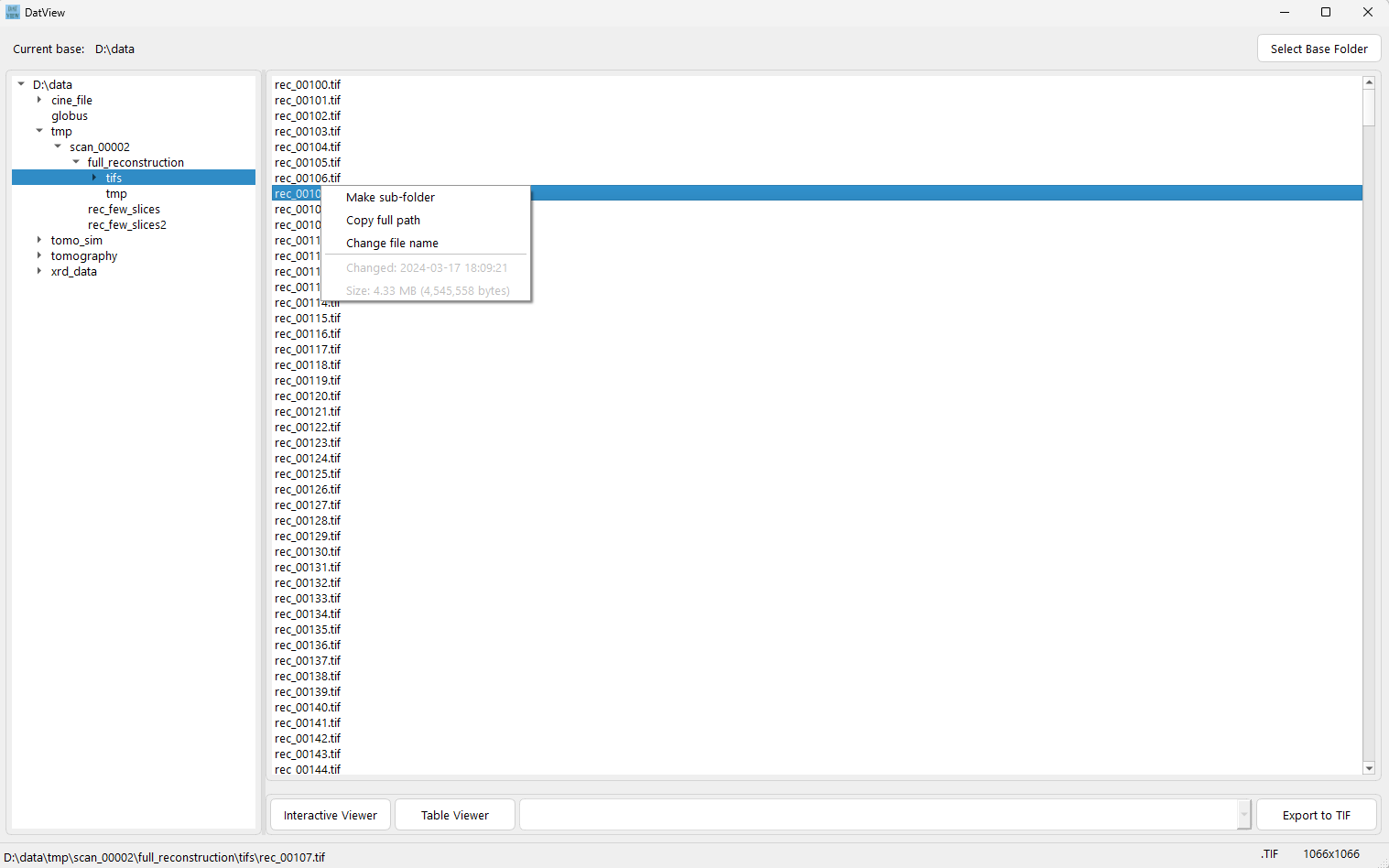
Fast folder browsing and file listing.
-
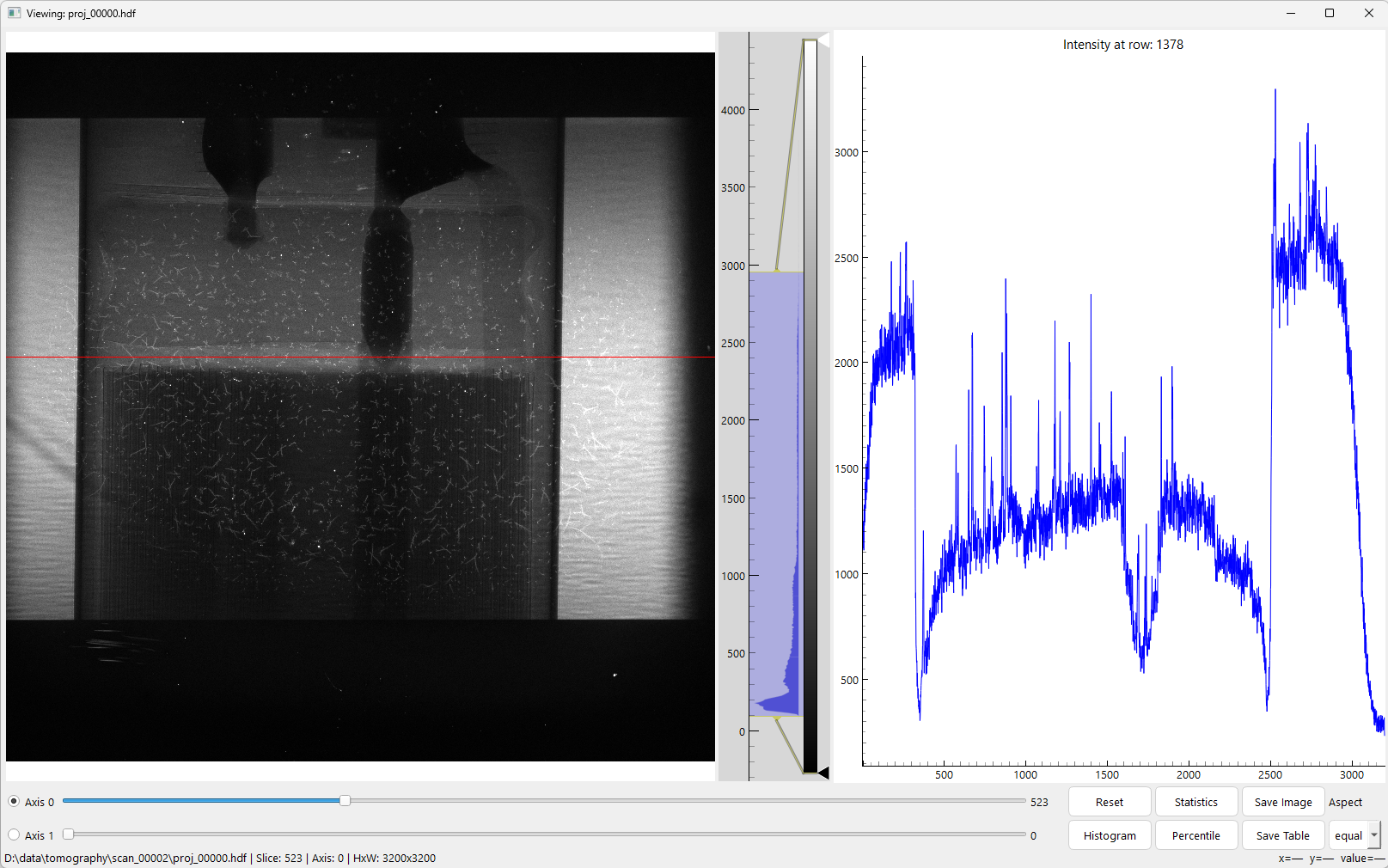
Interactive viewing 1D, 2D, or 3D datasets in an HDF file. Supports ROI zooming, horizontal/vertical line-profile selection, contrast adjustment, and slicing along axis 0 and 1.
-
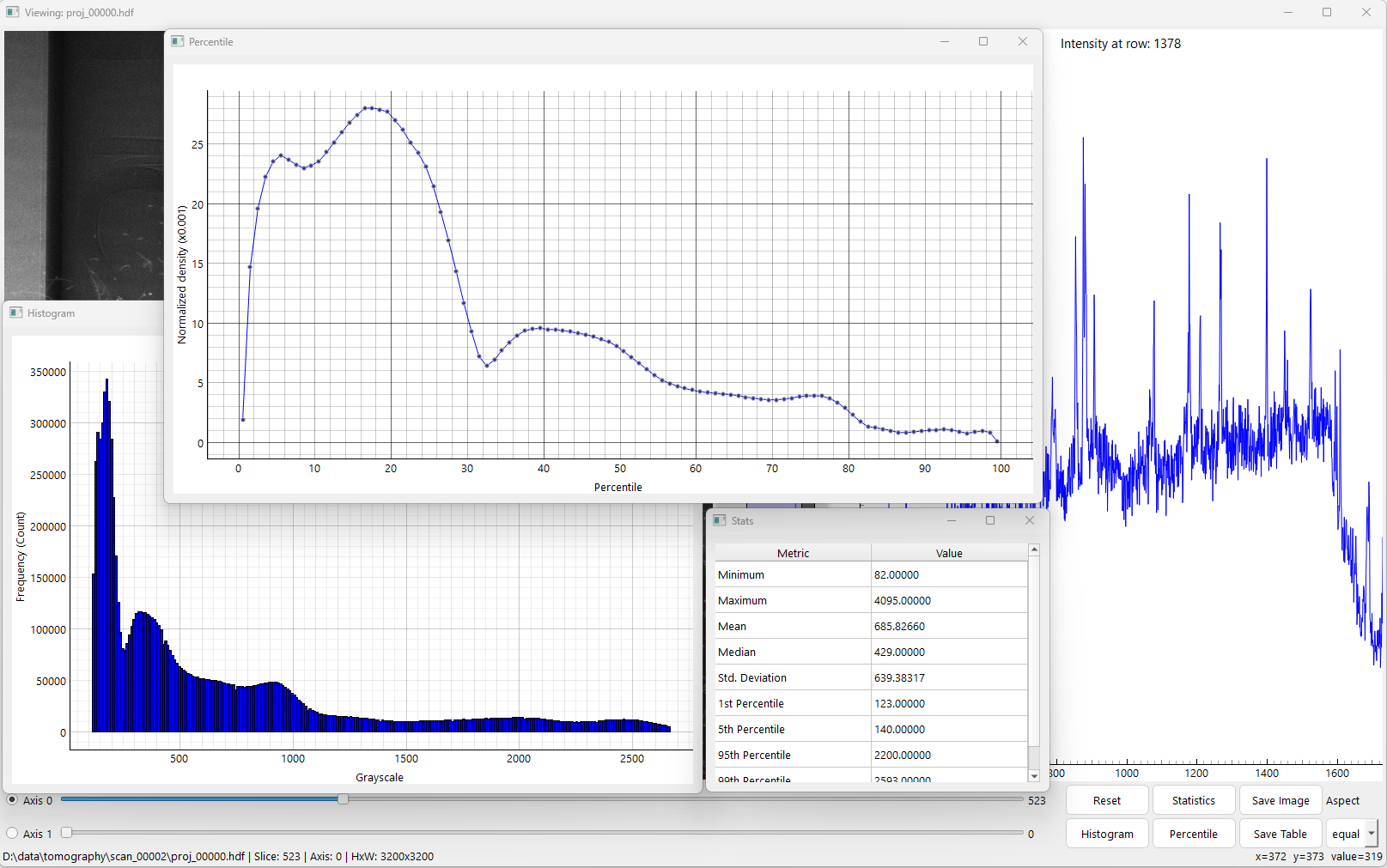
Options to display histogram, percentile density, image statistics.
-
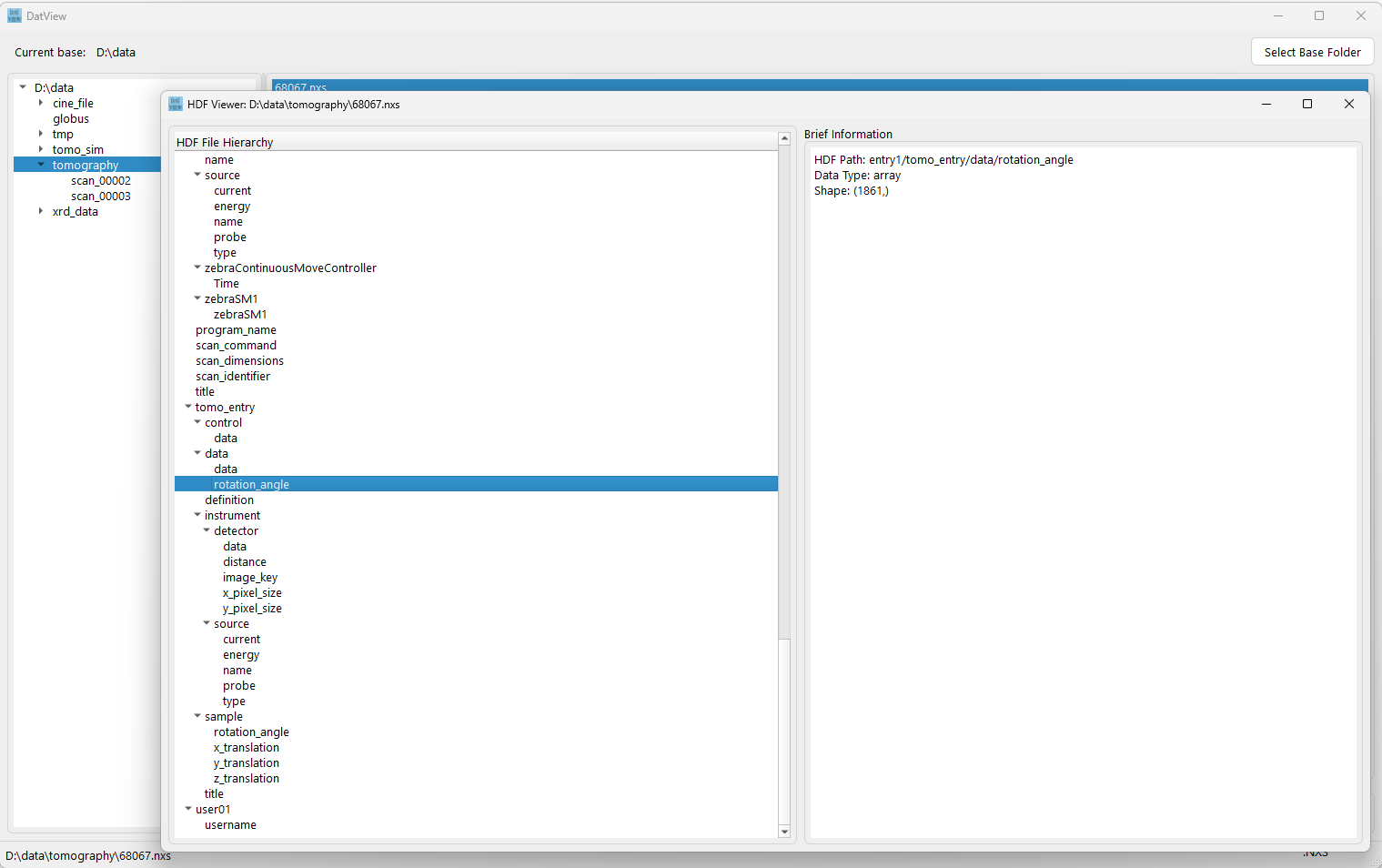
View metadata in HDF or CINE files, and display text-file contents.
-
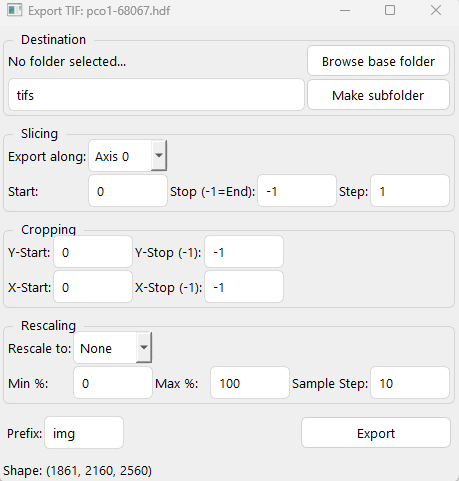
Export to TIF files from HDF or CINE files.
-
Interactive viewing of TIF files in a folder or frames of a CINE file.
-
Interactive viewing of common image formats (JPG, PNG, TIF, ...).
-
Viewing 1D or 2D datasets of an HDF file in table format.
-
Opening multiple interactive viewers simultaneously.
-
Saving a 2D array in a 3D dataset (HDF or CINE) as an image.
-
Saving the current line profile as a CSV file.
Installation
Install Miniconda, Anaconda or Miniforge, then open a Linux terminal or the Miniconda/Anaconda PowerShell prompt and use the following commands for installation.
Using pip:
pip install datview
Using conda:
conda install -c conda-forge datview
Once installed, launching Datview with
datview
Using -h for option usage
datview -h
Installing from source:
- If using a single file:
- Copy the file datview.py. Install python, h5py, pillow, and matplotlib
- Run:
python datview.py
- If using setup.py
- Create conda environment
conda create -n datview python=3.11
conda activate datview
- Clone the source (git needs to be installed)
git clone https://github.com/algotom/datview.git
- Navigate to the cloned directory (having setup.py file)
pip install .
- Create conda environment
Generating the executable application
-
Install the required Python packages in your environment: PyInstaller, H5py, Hdf5plugin, Pillow, Matplotlib
-
Use the build_exe_app.py script and run the following command:
python build_exe_app.py
1 maintainer

Metadata
1 maintainer
Release files for datview 2.1.0
For a detailed explanation of source distributions (sdists) and built distributions (wheels), please see the package formats documentation.
Source distribution (sdist)
| File | Size | Uploaded | |
|---|---|---|---|
| datview-2.1.0.tar.gz | 81.5 kB | Details |
Built distribution (wheel)
| File | Interpreter | ABI | Platform | Reset |
|---|---|---|---|---|
| datview-2.1.0-py3-none-any.whl | Python 3 | none | any | Details |
Total release size: 158.2 kB
Release files / datview-2.1.0.tar.gz
| Download URL | datview-2.1.0.tar.gz |
|---|---|
| Size | 81.5 kB |
| Tags | Source |
|
SHA-256 checksum How to use checksums |
016e5e4757beeab6bc41368bdfcc6cfb83978f36e207fa3b2ba06b39002235ea
|
|
BLAKE2b-256 checksum How to use checksums |
68fc74c5a3e8847fce1666d5612f67d675d203115c6b193335efeedd2685917e
|
| Upload date | |
|
Uploaded using Trusted Publishing? What is trusted publishing? |
No |
| Uploaded via |
twine/6.2.0 CPython/3.11.15
|
Release files / datview-2.1.0-py3-none-any.whl
| Download URL | datview-2.1.0-py3-none-any.whl |
|---|---|
| Size | 76.8 kB |
| Tags | Python 3 |
|
SHA-256 checksum How to use checksums |
089b08898378f3972cc5684fa56db467cc597607c2345d94162f0a45ea2e9eee
|
|
BLAKE2b-256 checksum How to use checksums |
4c5d61af9bff98971a901a9f44edcf9d9277430b0e998e3f2f381975f0e7b480
|
| Upload date | |
|
Uploaded using Trusted Publishing? What is trusted publishing? |
No |
| Uploaded via |
twine/6.2.0 CPython/3.11.15
|














