
GUI software for viewing images, text, cine, and HDF files.

Project description
DatView
(Dat)a (View)er software

Python GUI software for folder browsing and viewing text, image, Cine, and HDF files
Motivation
In synchrotron facilities, where Linux OS and open-source software are the primary tools, users often need to switch between multiple GUI applications for different tasks such as Nautilus for folder browsing, NeXpy or HDFView for viewing HDF files, Gedit for text files, and ImageJ for image viewing.
This separation of tools is inconvenient, especially since many users are not familiar with the Linux OS. DatView provides a unified GUI for all these tasks, improving efficiency and user experience. DatView runs across multiple operating systems.
Design Philosophy
DatView has been developed following a few key guidelines:
- Minimize dependencies and the codebase.
- Maximize functionality and maintainability.
With these principles in mind, DatView was built using only a few dependencies:
- H5py, Hdf5Plugin, Pillow, and Matplotlib.
- The GUI components are built with Tkinter, a built-in Python library.
For distributing the software through Pip and Conda, the software is structured based on the RUI (Rendering-Utilities-Interactions) concept, which is a user-friendly adaptation of the MVC design pattern.
For the easiest usage, a monolithic codebase (datview.py, approximately 1,850 lines) is provided, allowing users to simply copy the file and run it without needing to install the software through Pip or Conda, provided that their Python environment includes H5py, Pillow, and Matplotlib.
Features
-
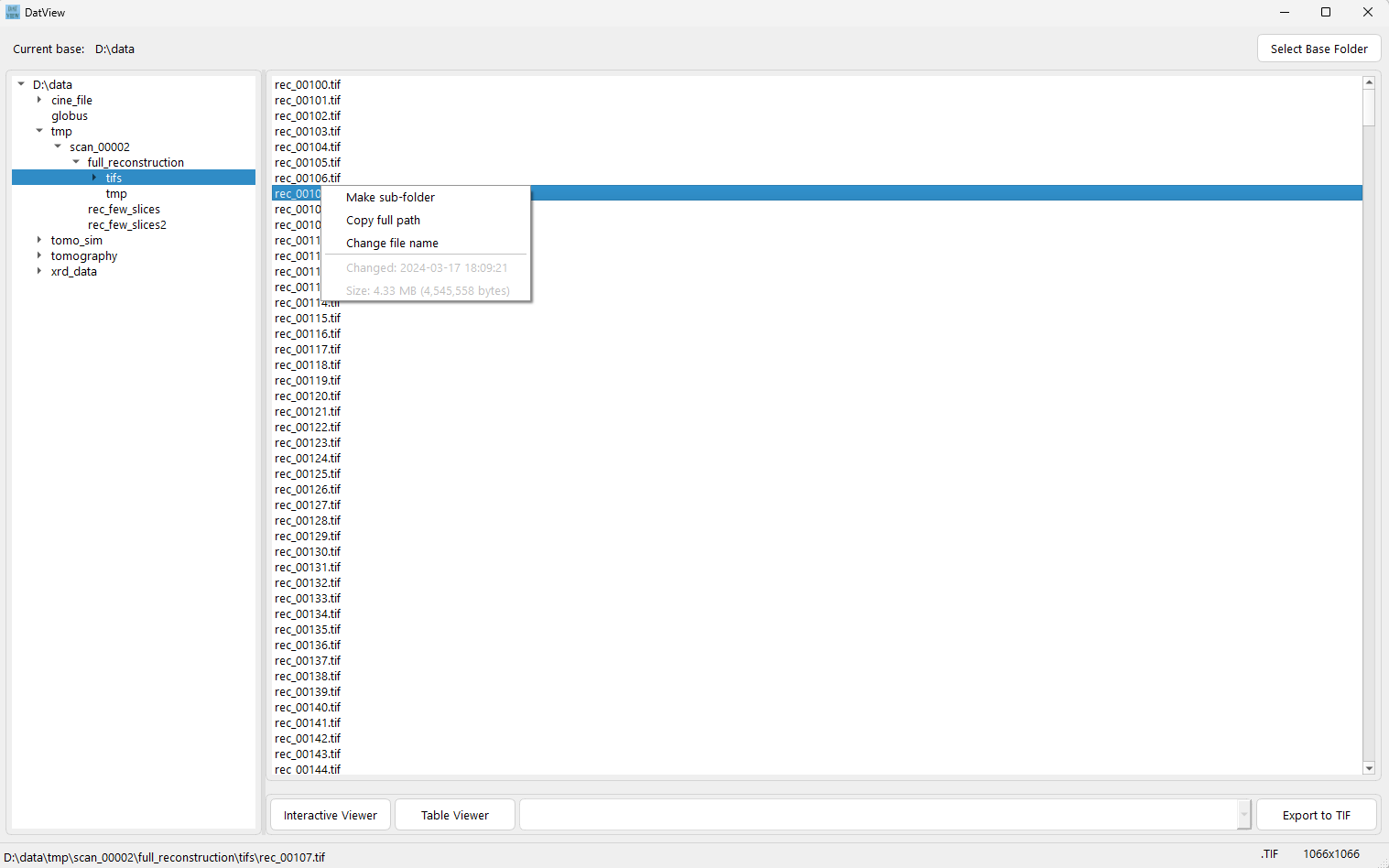
Fast folder browsing and file listing. Note that the GUI appears more visually refined on Windows OS compared to the demonstration below, which was captured on Red Hat Linux.
-
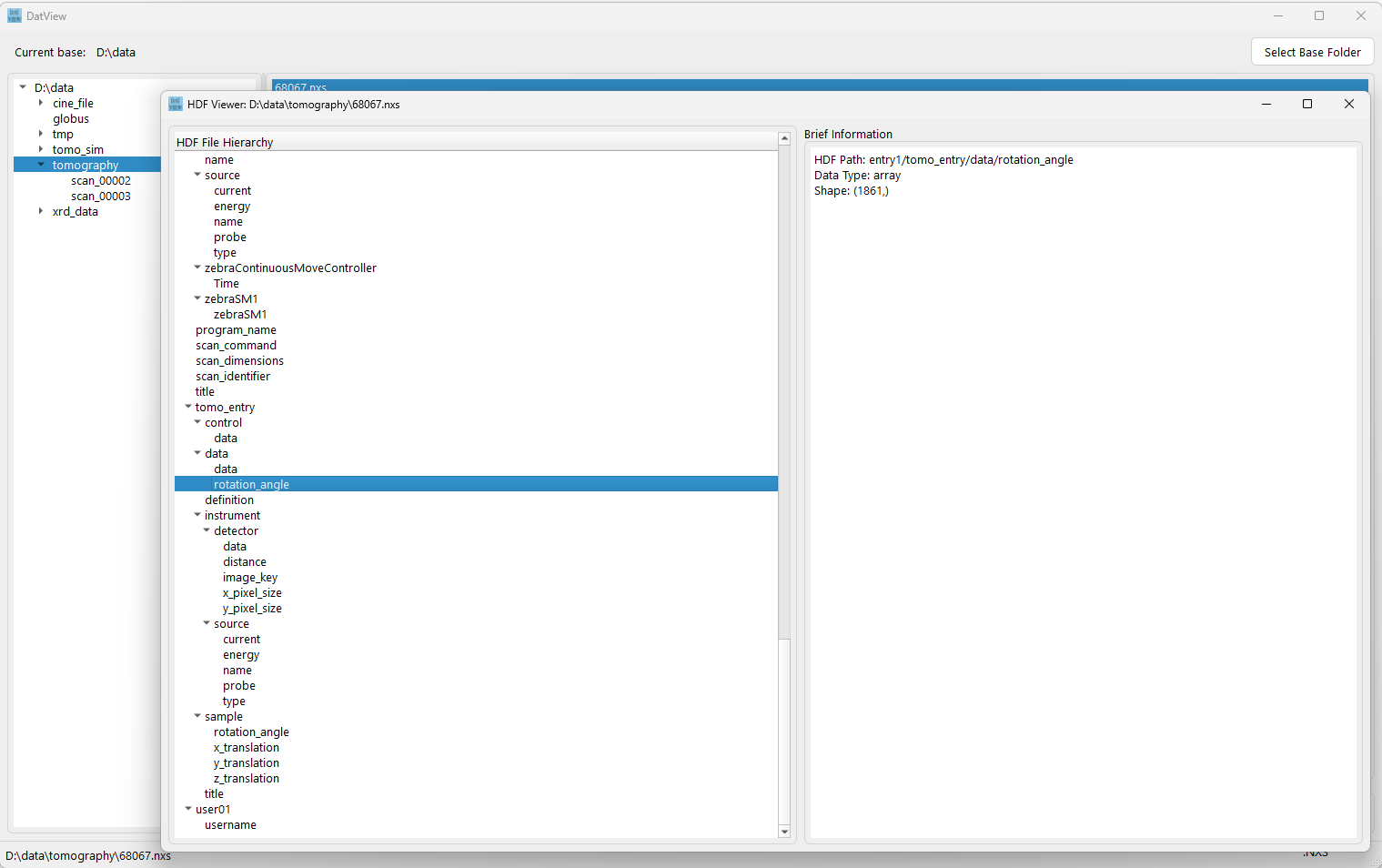
Viewing metadata in an HDF file or Cine file. Displaying the contents of a text file.
-
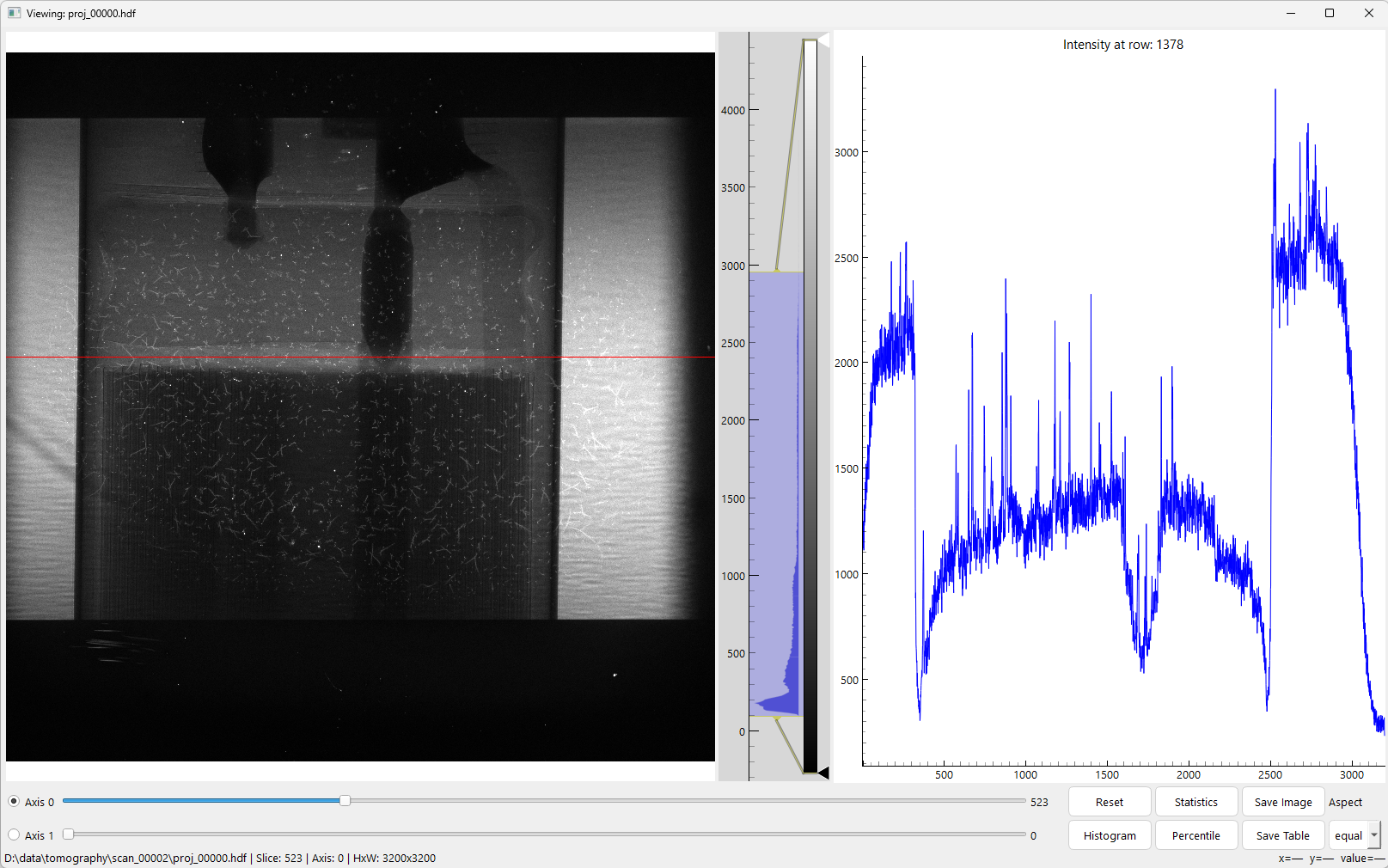
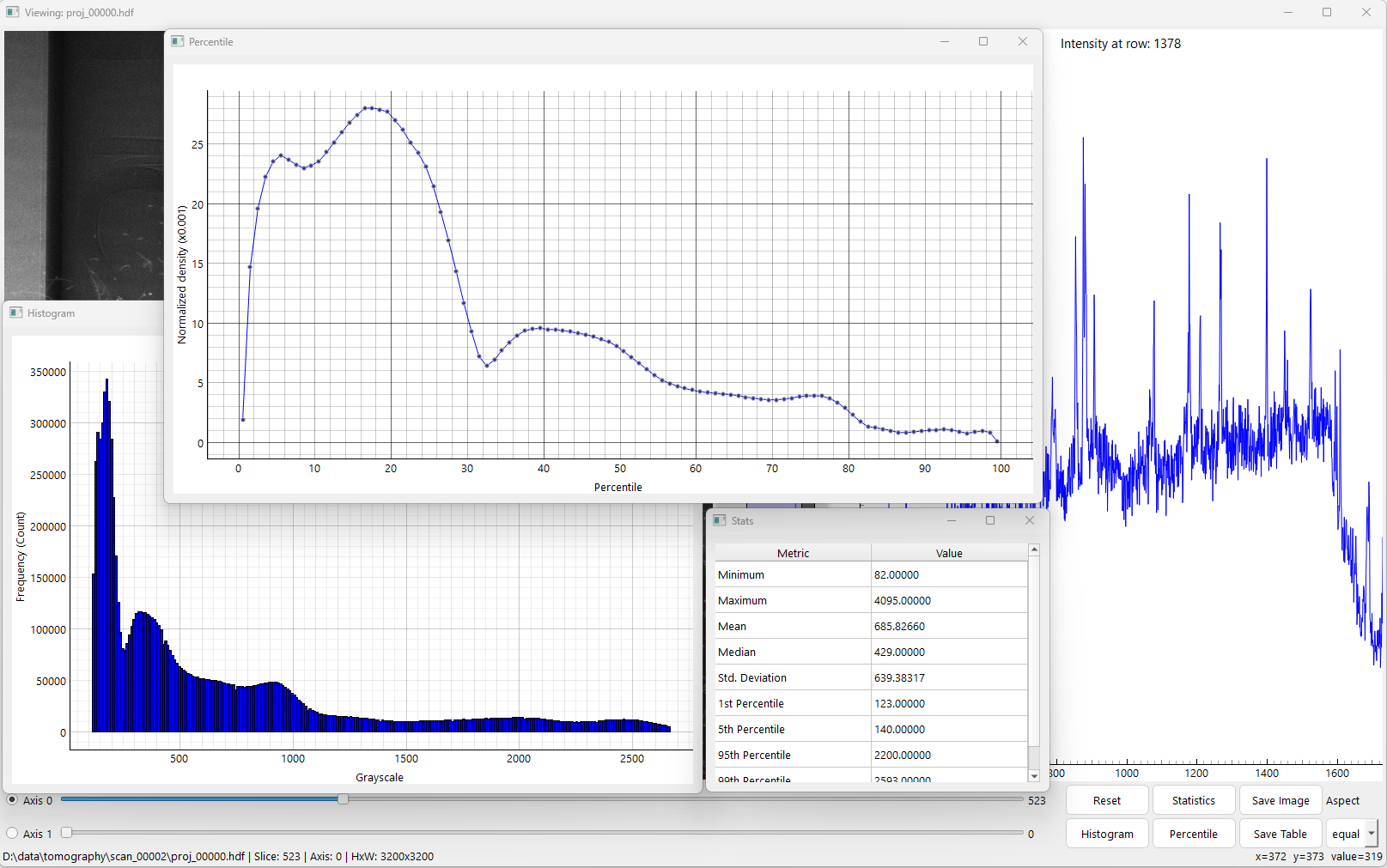
Interactive viewing 1D, 2D, or 3D datasets in an HDF file. Supports ROI zooming, line profile selection, contrast adjustment, and slicing along axis 0 and 1
-
Interactive viewing of TIF files in a folder or frames of a Cine file.
-
Interactive viewing of an image (JPG, PNG, TIF,...)
-
Viewing 1D or 2D datasets of an HDF file in table format.
-
Opening multiple interactive viewers simultaneously.
-
Saving a 2D array in a 3D dataset of an HDF file or Cine file as an image.
-
Saving a 1D or 2D dataset of an HDF file or the current line profile as a CSV file.
Installation
Install Miniconda, Anaconda or Miniforge, then open a Linux terminal or the Miniconda/Anaconda PowerShell prompt and use the following commands for installation.
Using pip:
pip install datview
Using conda:
conda install -c conda-forge datview
Once installed, launching Datview with
datview
Using -h for option usage
datview -h
Installing from source:
- If using a single file:
- Copy the file datview.py. Install python, h5py, pillow, and matplotlib
- Run:
python datview.py
- If using setup.py
- Create conda environment
conda create -n datview python=3.11
conda activate datview
- Clone the source (git needs to be installed)
git clone https://github.com/algotom/datview.git
- Navigate to the cloned directory (having setup.py file)
pip install .
- Create conda environment


Download files
Download the file for your platform. If you're not sure which to choose, learn more about installing packages.
Source Distribution
Built Distribution
Filter files by name, interpreter, ABI, and platform.
If you're not sure about the file name format, learn more about wheel file names.
Copy a direct link to the current filters
File details
Details for the file datview-1.2.0.tar.gz.
File metadata
- Download URL: datview-1.2.0.tar.gz
- Upload date:
- Size: 60.0 kB
- Tags: Source
- Uploaded using Trusted Publishing? No
- Uploaded via: twine/6.2.0 CPython/3.11.14
File hashes
| Algorithm | Hash digest | |
|---|---|---|
| SHA256 |
1b54adc3ff96427e1dc6a1817dfb4b5f413564962d3904cb6d9336b19398ded9
|
|
| MD5 |
21eb256a140a6444a402abf38c64e854
|
|
| BLAKE2b-256 |
478976eec4522b2442c80948913d5e38d26d9dd5a23794f24a3cdb439545d100
|
File details
Details for the file datview-1.2.0-py3-none-any.whl.
File metadata
- Download URL: datview-1.2.0-py3-none-any.whl
- Upload date:
- Size: 58.5 kB
- Tags: Python 3
- Uploaded using Trusted Publishing? No
- Uploaded via: twine/6.2.0 CPython/3.11.14
File hashes
| Algorithm | Hash digest | |
|---|---|---|
| SHA256 |
b4a0eb62e39f8ed54b0f9e67e14b9b1deb3776972f12df36b1dcd10d50a08337
|
|
| MD5 |
0e3a70b66619e2ff51057dc27aebb818
|
|
| BLAKE2b-256 |
0f1c6de6d68df9743eb648e8d1ee503e1a1a29e7e1c2db440f3865a7f6c1f5fe
|






