
DjangoMOO
"LambdaMOO on Django"





DjangoMOO is a MOO server built on Python and Django. A MOO is a persistent online text world where objects — rooms, things, players — have properties and verbs (methods) that define how they behave. Those verbs are written in Python and run in a sandboxed execution environment, so the world itself is programmable by its inhabitants.
The design follows the LambdaMOO model where it makes sense: a parsed command line, verb dispatch through the caller's inventory and location, object inheritance, and a permission system. The implementation is independent — no MOO bytecode, no C — just Python and Django.
Documentation | GitLab | GitHub mirror | PyPI
What's included
- A LambdaMOO-inspired parser with full dobj/iobj preposition support
- Objects, Properties, Verbs, and a ManyToMany inheritance hierarchy backed by PostgreSQL
- A RestrictedPython verb sandbox with and integrated permissions system and extensive testing
- A default bootstrap world: rooms, exits, containers, players, a lighting system, in-world mail, and an object placement system
- Browser playable with no client required, or via plain SSH client
- Full support for MUDlet and other MUD clients using sshelnet helper
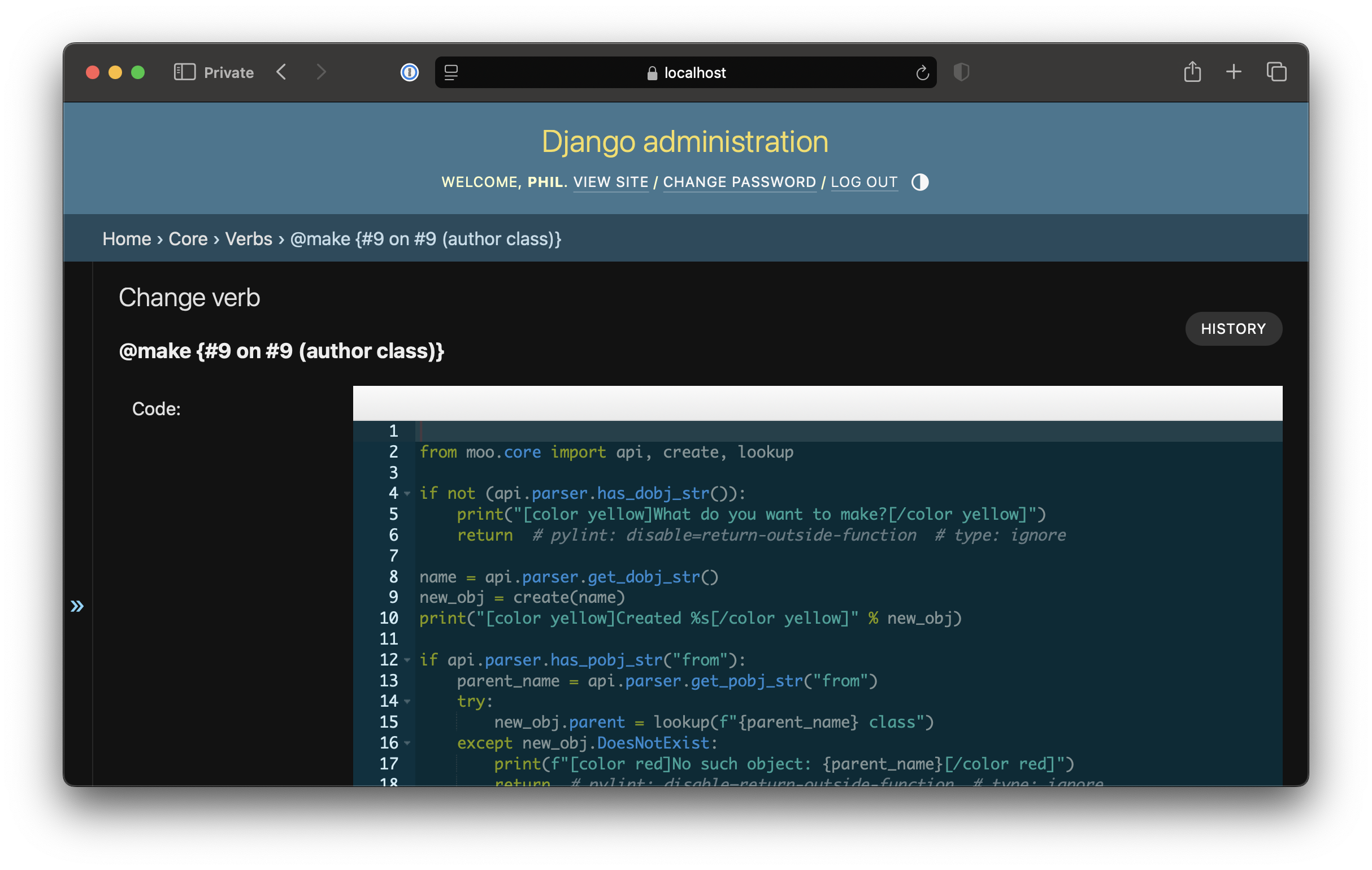
- Django admin for browsing and editing the world's objects, properties, and verb source
- Docker for self-hosting with
docker compose up
Quick Start
git clone https://gitlab.com/bubblehouse/django-moo
cd django-moo
docker compose up
Bootstrap the database and create your first wizard:
docker compose run webapp manage.py migrate
docker compose run webapp manage.py collectstatic
docker compose run webapp manage.py moo_init
docker compose run webapp manage.py createsuperuser --username wizard
docker compose run webapp manage.py moo_enableuser --wizard wizard Wizard
Connect at https://localhost/ and log in with the account you just created.
Interfaces
MUD Clients
A Mudlet package in extras/mudlet/ provides one-click
setup for MUD-client users. Mudlet has no native SSH support, so the package
bundles a managed sshelnet launcher
that bridges Mudlet's plain-TCP connection to the server's SSH port. It also
ships a setup wizard (dmsetup) and a generic-mapper bridge that subscribes
to GMCP Room.Info events and feeds them into Mudlet's bundled mapper.
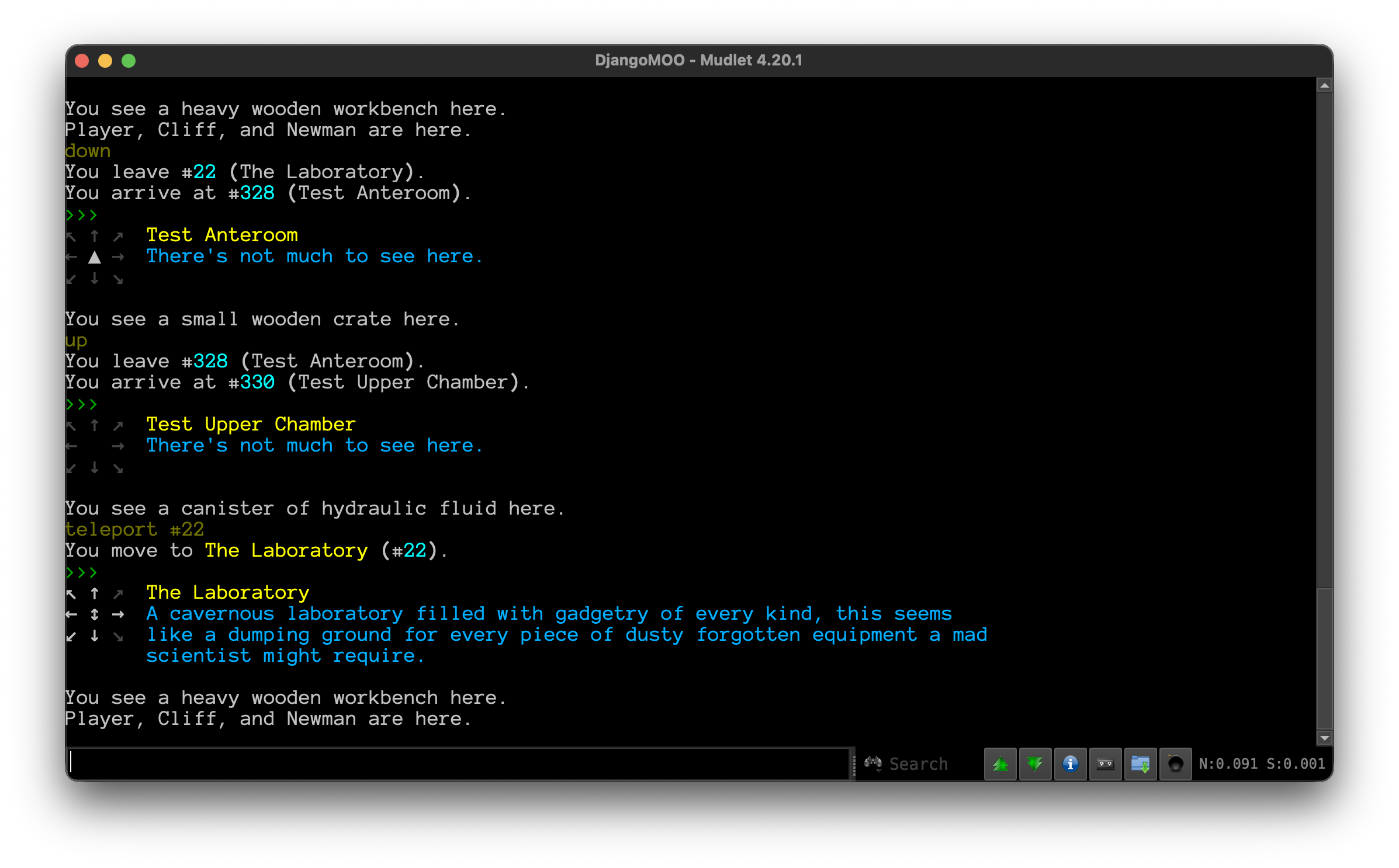
The server speaks GMCP, MSSP, MSP, EOR, and CHARSET, so other clients (TinTin++, MUSHclient, Blightmud) work too, though without the bundled mapper integration, or automatic sshelnet setup. MXP is not implemented.
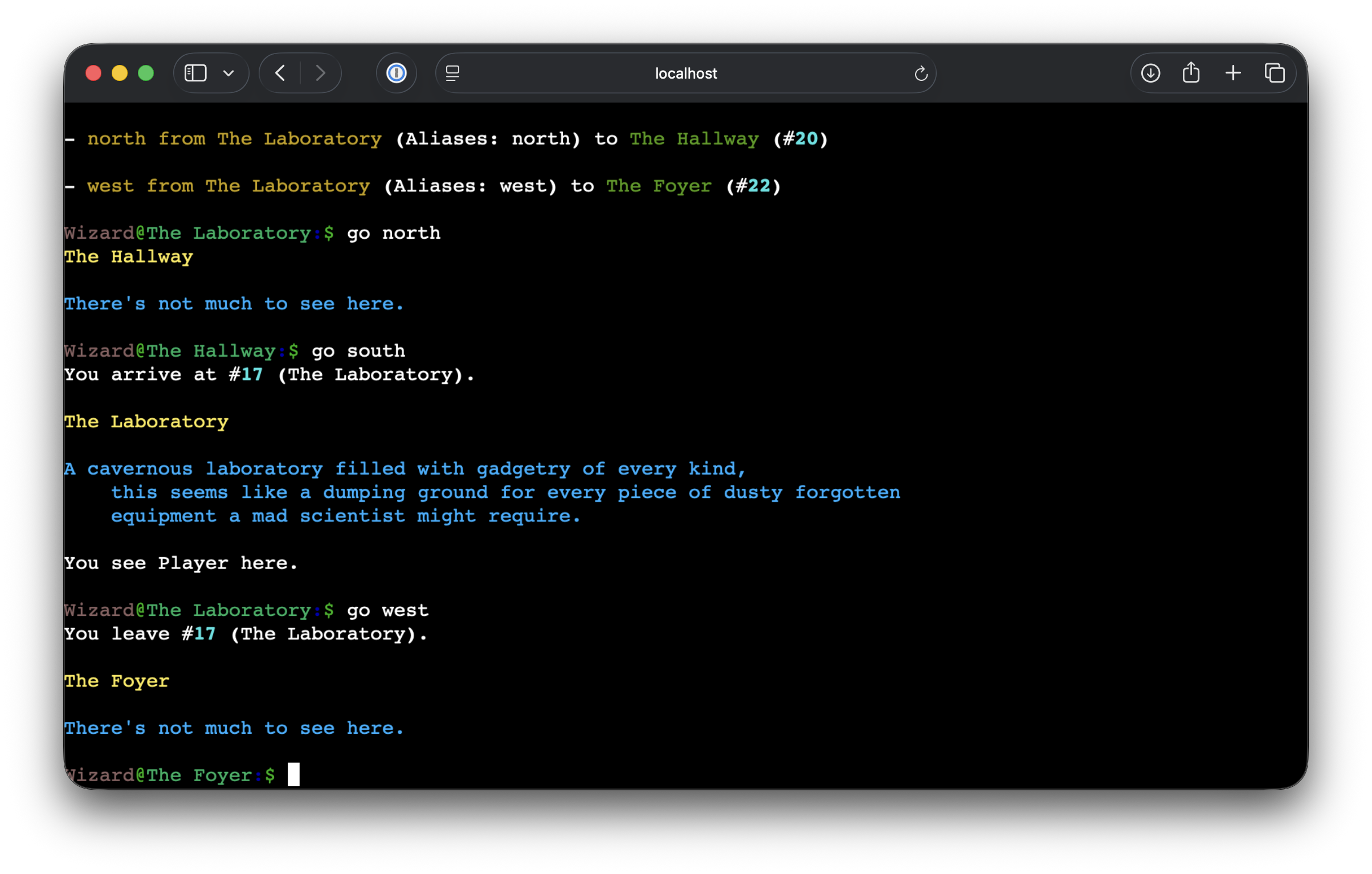
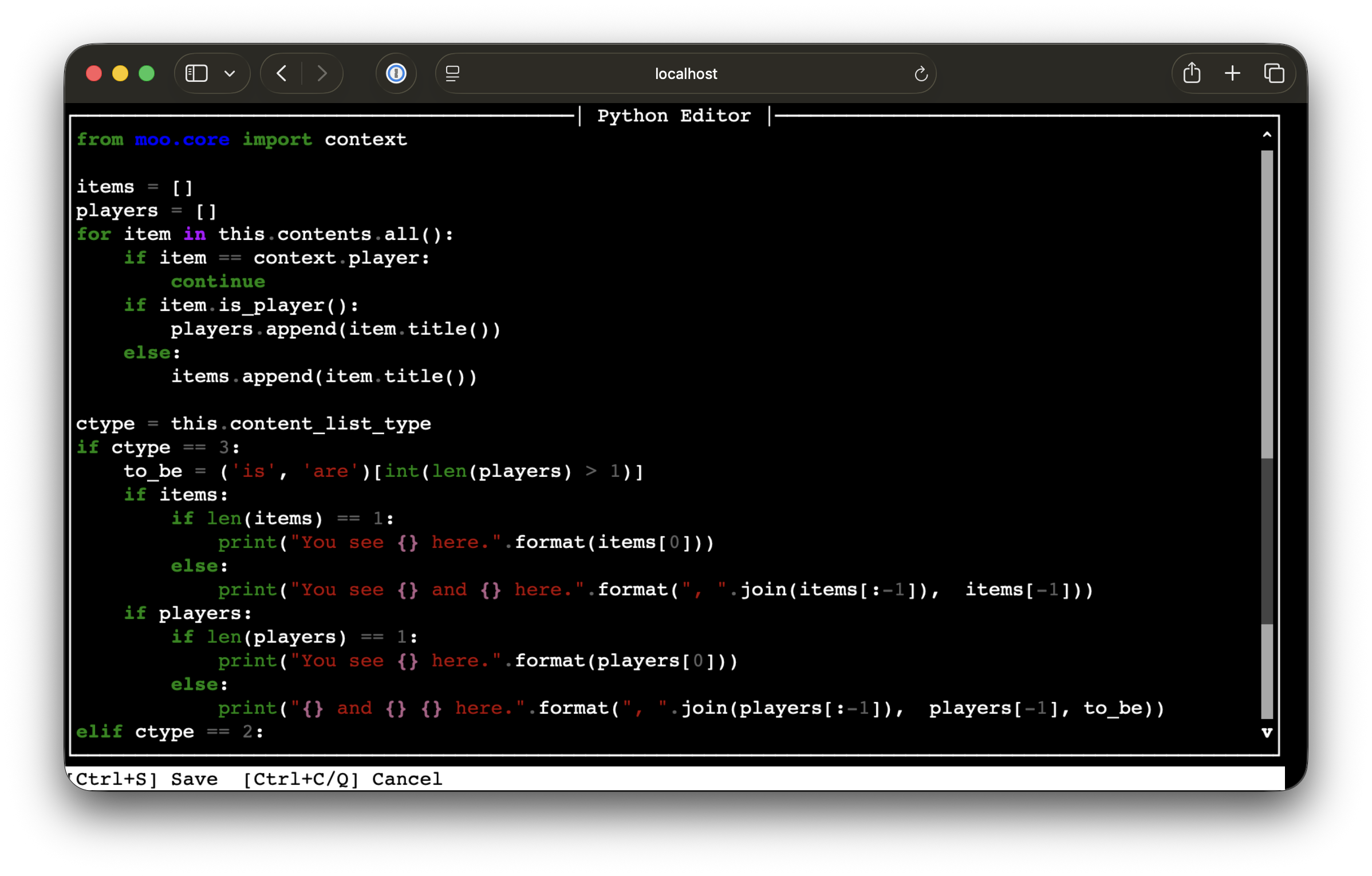
Web (WebSocket SSH)
The server is accessible through a browser-based SSH client at /. No SSH client needed.
SSH
Direct SSH access is also available.
ssh -p 8022 yourname@localhost
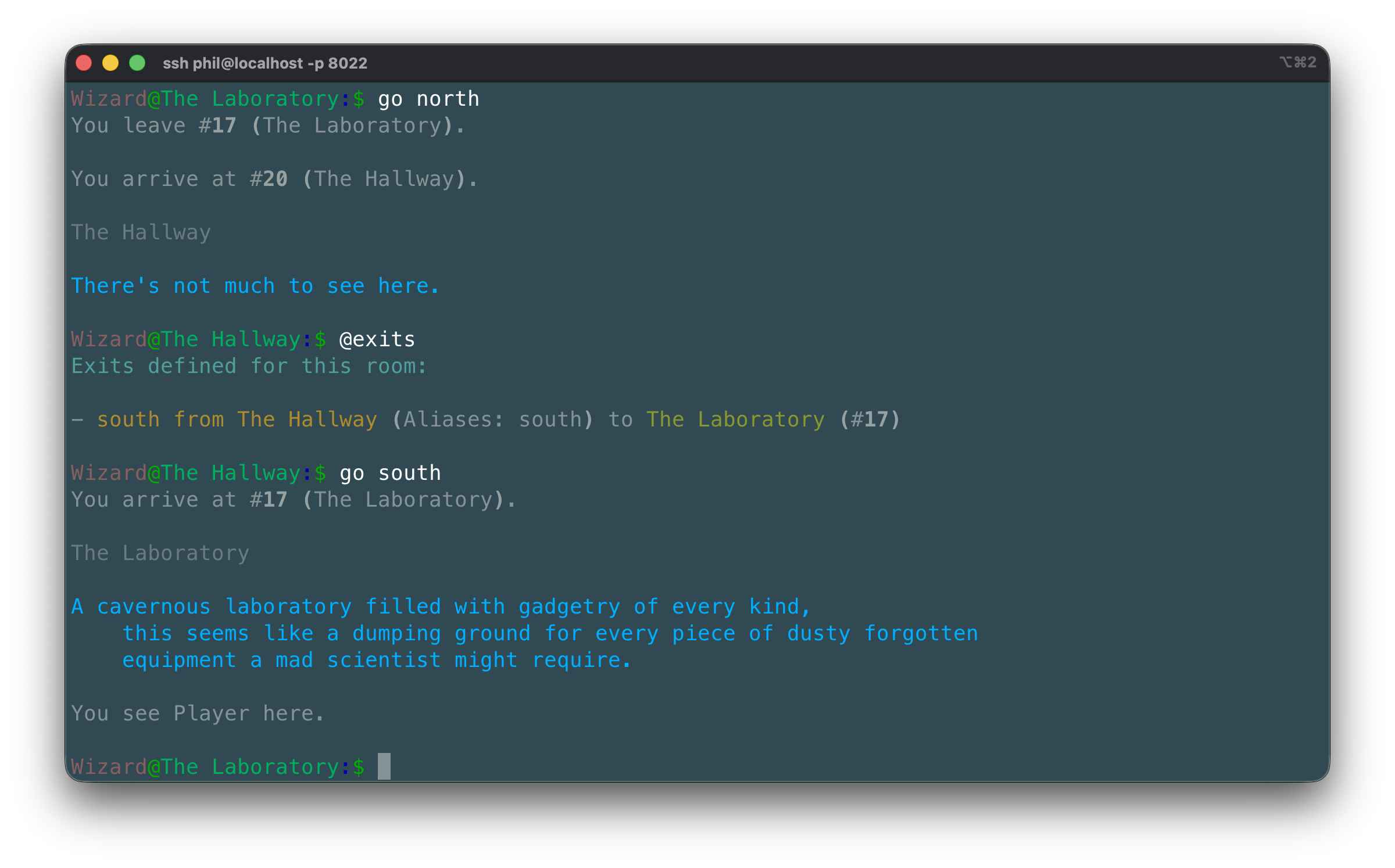
Hit Ctrl-D to disconnect.
Changing your password and managing SSH keys
Credentials are managed from inside the world with in-game verbs rather than the Django admin:
@password— interactively changes your password. Prompts for the old password, then the new one twice for confirmation. Wizards may leave the old password blank to perform an administrative reset.@keys— lists your currently registered SSH public keys.@add-key <public-key>— registers a new SSH public key. The key name is taken from the comment field automatically.@remove-key <index>— removes a key by its index from@keys.
Once a key is registered, reconnecting with ssh -p 8022 yourname@localhost
skips the password prompt.
Django Admin
A full Django admin interface is available at /admin for managing objects, properties,
verbs, and users.
Attributions
LambdaCore
This package is derived from the LambdaMOO and LambdaCore documentation, including the LambdaCore Programmer's Manual and the LambdaMOO Programmer's Manual. The code was written without reading the original LambdaCore source; it is an independent reimplementation based on documented behavior and conventions.
Various verbs have been modified from their LambdaCore equivalents to better fit a Pythonic
codebase: output uses print() rather than return values, property access follows Django ORM
patterns, and permission idioms have been updated to account for differences in how this
server dispatches verbs compared to LambdaMOO.
DjangoMOO could not have happened without the work of the following authors:
-
LambdaCore Database User's Manual (LambdaMOO 1.3, April 1991) Mike Prudence (blip), Simon Hunt (Ezeke), Floyd Moore (Phantom), Kelly Larson (Zaphod), Al Harrington (geezer)
-
LambdaCore Programmer's Manual (LambdaMOO 1.8.0p6, Copyright 1991) Mike Prudence (blip), Simon Hunt (Ezeke), Floyd Moore (Phantom), Kelly Larson (Zaphod), Al Harrington (geezer)
-
LambdaMOO Programmer's Manual (LambdaMOO 1.8.0p6, March 1997) Pavel Curtis (Haakon / Lambda)
1 maintainer

Metadata
1 maintainer
Release files for django-moo 1.19.1
For a detailed explanation of source distributions (sdists) and built distributions (wheels), please see the package formats documentation.
Source distribution (sdist)
| File | Size | Uploaded | Provenance | |
|---|---|---|---|---|
| django_moo-1.19.1.tar.gz | 737.5 kB | Without provenance | Details |
Built distribution (wheel)
| File | Interpreter | ABI | Platform | Reset |
|---|---|---|---|---|
| django_moo-1.19.1-py3-none-any.whl | Python 3 | none | any | Details |
Total release size: 1.4 MB
Release files / django_moo-1.19.1.tar.gz
| Download URL | django_moo-1.19.1.tar.gz |
|---|---|
| Size | 737.5 kB |
| Tags | Source |
|
SHA-256 checksum How to use checksums |
f6f968915f9367662d3ca7108e250a536436c53a4b2da0a9fa096a474f3a27cc
|
|
BLAKE2b-256 checksum How to use checksums |
f27b00fb89da2e68e14beab1cb66aa4b860a8712b08db747e9f0108f78e33c4a
|
| Upload date | |
|
Uploaded using Trusted Publishing? What is trusted publishing? |
No |
| Uploaded via |
twine/6.2.0 CPython/3.11.15
|
Release files / django_moo-1.19.1-py3-none-any.whl
| Download URL | django_moo-1.19.1-py3-none-any.whl |
|---|---|
| Size | 663.3 kB |
| Tags | Python 3 |
|
SHA-256 checksum How to use checksums |
5a1e2918993e5187632b521d4d6eeb015103a658a375afcb707328bd5410478f
|
|
BLAKE2b-256 checksum How to use checksums |
67f2d02c26e9dfe81cb7560b7b63b78e39cbc598739e743bb125ed9c93997c04
|
| Upload date | |
|
Uploaded using Trusted Publishing? What is trusted publishing? |
No |
| Uploaded via |
twine/6.2.0 CPython/3.11.15
|
Security for django-moo 1.19.1
Provenance
Provenance describes where a file came from. On PyPI, provenance is shared via attestations, which provide a verifiable record of the build or publishing details. View details, limitations and caveats.
No provenance found
None of the files in this release were uploaded with provenance metadata.
A note on package security
PyPI is a repository for distributing packages, not a service for auditing them. While third-party security researchers and our staff do their best to detect and remove malicious packages, PyPI cannot guarantee the quality, security or suitability of any given package.














