
DocsForge
A drop-in replacement for MkDocs + Material for MkDocs. One package. One command. Beautiful docs. Zero CDN calls in the browser.




DocsForge is a self-contained, actively-maintained documentation engine — a vendored ProperDocs/MkDocs engine plus the Material theme, plugins, search, math, diagrams, and offline support in a single Python package. If your docs are on MkDocs + Material for MkDocs today, DocsForge is a candidate drop-in replacement.
Documentation | PyPI | GitHub | Migrate from MkDocs
Why DocsForge?
Material for MkDocs is in maintenance mode through its 2027 end-of-life. If your documentation is built on MkDocs + Material today, you need somewhere to go that keeps working. DocsForge is a candidate for that: a drop-in replacement for MkDocs + Material for MkDocs.
We say candidate deliberately. It is not a promise that every site migrates in an afternoon — it is a commitment that we will make yours work:
If migration breaks anything, we fix it for free.
Run the migration script. If your site doesn't build, or renders differently than it did under MkDocs + Material, send us your config and we will fix DocsForge (or your config) until it does — at no cost. That offer does not expire.
Open an issue · or email qingquanshi65@gmail.com with
[MIGRATION]in the subject — whichever is easier, including if your docs are private and you'd rather not post the config publicly.
What that continuity buys you, compared to staying on MkDocs + Material:
- Everything already works. Same Markdown, same
theme:block, same Material look and feel. Your content does not get rewritten. - It is still maintained. Upstream is frozen and winding down; DocsForge is developed in the open, Apache-2.0, with fixes landing as you read this.
- One install, not a dozen. The engine, the theme, and the plugins ship together instead of as a dozen packages you have to keep in sync.
- No CDN dependencies. Fonts, KaTeX, Mermaid, icons and search are vendored at build time, so your docs load without third-party requests.
- Built-in intelligence. Link and anchor validation on every build, plus a VS Code extension that surfaces broken links as you type.
Migrating from MkDocs
To migrate an existing MkDocs project automatically, run the one-liner — it
converts mkdocs.yml / properdocs.yml / zensical.toml to docsforge.yml:
macOS / Linux:
curl -fsSL https://qqshi13.github.io/docsforge/migrate.sh | bash
Windows (PowerShell):
irm https://qqshi13.github.io/docsforge/migrate.ps1 | iex
The script converts navigation, theme, plugins, and extensions, warns about anything it can't migrate, and prints a report. See the migration guide for the manual, key-by-key walkthrough (also fine for a small site):
- Rename
mkdocs.ymltodocsforge.yml. - Keep the
theme:block as-is (DocsForge uses the built-in Material theme). - Remove built-in plugins and extensions from explicit lists — they are loaded by default.
- Remove KaTeX, Mermaid, font, and icon CDN references — these are vendored.
Then build and preview:
pip install docsforge
docsforge build          # builds your site
docsforge serve          # live preview
What Makes DocsForge Different
Zero CDN Calls in the Browser
To be precise about what "zero CDN calls" means:
- Readers make none. Every asset a page needs — fonts, KaTeX, Mermaid, icons, emoji, search index — is served from your own domain. Nothing in the built site points at a third party, so pages load fast, work offline, and don't leak visitor IPs to a CDN.
- The build may fetch some. By default the
privacyplugin downloads external assets (Google Fonts, the Mermaid fallback) at build time and vendors them into your output. That's a build-machine request, not a reader request. - You can turn the build-time fetching off too. Set
theme.font: falseandplugins: {privacy: {assets_fetch: false}}and the build makes no network requests at all — the built HTML then contains no external URLs, which is what you want for air-gapped or firewalled CI.
One Package = Everything
No pip install mkdocs-material + pip install mkdocs-awesome-pages-plugin + pip install .... Just:
pip install docsforge
You get:
- Engine — ProperDocs/MkDocs fork, vendored and maintained (no longer tracks upstream, so it can evolve independently)
- Theme — Material for MkDocs, fully included
- Plugins — 8 built-in: search, tags, blog, info, meta, minify, privacy, i18n
- Markdown — 39 extensions pre-configured (36 default + 3 built-in, pymdownx + python-markdown)
- Math — KaTeX vendored (
$$...$$works out of the box, offline) - Highlighting — Pygments at build time
- Diagrams — TikZ auto-compiled to SVG (requires a LaTeX toolchain), Mermaid built-in
- Search — Marz engine (Rust core, CJK-aware) with offline WASM retrieval
- Dark mode — Light/dark toggle with auto system detection
- Offline — Service worker caches all assets for PWA support
- Fonts — Self-hosted (the privacy plugin downloads Google Fonts at build time and vendors them; set
theme.font: falseto skip fonts entirely) - Bilingual docs — English/Chinese twin pages with per-locale navigation, search indexes, and translation diagnostics
Sensible Defaults
Most behavior works out of the box; a two-line docsforge.yml is a complete site (see below). Add configuration only when you need customization.
Requirements
- Python 3.10+ and
pip— the only hard requirements. - LaTeX toolchain — only for TikZ diagrams (
texlive+dvisvgm). - Playwright + Chromium — only for PDF export (
pip install "docsforge[pdf]"). - pillow + cairosvg — only for social cards (
pip install "docsforge[social]"). - Node.js / pnpm — only for contributors rebuilding the frontend theme.
Known Limitations
Honest accounting of where DocsForge is weaker:
- Smaller plugin universe. MkDocs has hundreds of community plugins; DocsForge vendors 8 core ones. Anything outside that needs a custom plugin or stays behind.
- Diverged theme. The Material fork no longer tracks upstream, so upstream features and fixes don't flow in automatically — everything is maintained in-tree.
- Build speed is Python speed. Parallel incremental builds keep iteration fast, but cold full-site builds can't match Rust-based engines on very large sites.
- Editor support is VS Code (+ forks like Cursor) only. Studio is built directly on the VS Code extension API with no language server, so Zed, JetBrains IDEs, and Neovim are out of reach by design.
- Search index ships the corpus. The full-text index downloads to every reader; very large sites should watch its size (per-locale indexes and position stripping help).
- TikZ and PDF are heavyweight. Both shell out to large external toolchains rather than working out of the box like the rest.
Installation
pip install docsforge
Requires Python 3.10+.
Quick Start
# Create a new project interactively
docsforge
# Follow the prompts, then:
cd my-docs

# Start the dev server
docsforge serve
# → http://localhost:8000

# Build for production
docsforge build
# → site/
Config File
DocsForge looks for config in this priority:
docsforge.yml/docsforge.yaml← preferredmkdocs.yml/mkdocs.yaml← legacy fallback (shows migration hint)
Minimal docsforge.yml
site_name: My Documentation
site_url: https://example.com/
That's it. All plugins, extensions, and theme settings use sensible defaults.
Full example
site_name: My Docs
site_url: https://example.com/
site_author: Your Name

repo_url: https://github.com/username/repo

nav:
  - title: Home
    path: index.md
  - title: Getting started
    path: getting-started.md
  - title: Blog
    children:
      - path: blog/index.md

theme:
  name: material
  palette:
    - media: "(prefers-color-scheme: light)"
      scheme: default
      primary: indigo
      accent: indigo
      toggle:
        icon: material/brightness-7
        name: Switch to dark mode
    - media: "(prefers-color-scheme: dark)"
      scheme: slate
      primary: indigo
      accent: indigo
      toggle:
        icon: material/brightness-4
        name: Switch to light mode
CLI Reference
| Command | Description |
|---|---|
docsforge |
Interactive project setup (when no config exists) |
docsforge serve |
Live-reload dev server (-n skips auto-open, --lan serves on all interfaces) |
docsforge build |
Static site build |
docsforge --version |
Show version |
docsforge --help |
Show help |
PWA / Offline Support
Every built site includes a service worker that:
- Caches HTML pages (cache-first, refreshed in background)
- Caches assets (CSS, JS, fonts, images — cache-first for speed)
- Versioned updates — Each build generates a unique SW hash, forcing browser refresh
- Auto cleanup — Old caches purged when new version activates
No configuration needed. Works offline after the first visit.
Keywords
DocsForge is a drop-in replacement for: MkDocs, Material for MkDocs.
Use DocsForge for: Python project documentation, API docs, technical documentation, knowledge bases, blogs, product docs, internal wikis, open-source project sites, bilingual English/Chinese documentation, offline documentation.
Features: static site generator, markdown documentation, material design theme, dark mode, offline support, PWA, KaTeX math, Mermaid diagrams, TikZ diagrams, built-in search, tags, blogging, privacy-focused, no CDN calls in the browser, self-hosted fonts, vendored dependencies, bilingual documentation.
Changelog
See the full changelog in the documentation.
License
Apache-2.0
DocsForge is built by QQ and Nova ☄️ — because documentation tools should just work.
Install VSCode Extension
Install DocsForge Studio from the .vsix attached to the
latest release:
code --install-extension docsforge-vscode-<version>.vsix
or install it via the VS Code UI: Extensions view → ... → Install from VSIX.
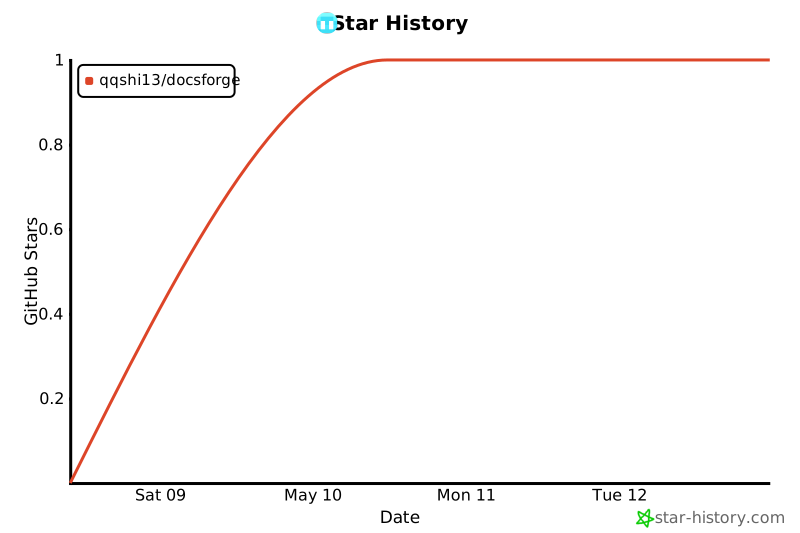
Star History
1 maintainer

Metadata
1 maintainer
Release files for docsforge 13.0.4
For a detailed explanation of source distributions (sdists) and built distributions (wheels), please see the package formats documentation.
Source distribution (sdist)
| File | Size | Uploaded | Provenance | |
|---|---|---|---|---|
| docsforge-13.0.4.tar.gz | 8.7 MB | With provenance | Details |
Built distribution (wheel)
| File | Interpreter | ABI | Platform | Reset |
|---|---|---|---|---|
| docsforge-13.0.4-py3-none-any.whl | Python 3 | none | any | Details |
Total release size: 26.9 MB
Release files / docsforge-13.0.4.tar.gz
| Download URL | docsforge-13.0.4.tar.gz |
|---|---|
| Size | 8.7 MB |
| Tags | Source |
|
SHA-256 checksum How to use checksums |
a0217759562dd5abf3942d3a348d68a483a356ac5d248405f143e980e40e37f2
|
|
BLAKE2b-256 checksum How to use checksums |
5105a768f8d9728e13659b716cbac6d139104ff306657cc3b762b7bbb95a7cc5
|
| Upload date | |
|
Uploaded using Trusted Publishing? What is trusted publishing? |
Yes |
| Uploaded via |
twine/7.0.0 CPython/3.13.16
|
Provenance
Provenance describes where a file came from. On PyPI, provenance is shared via attestations, which provide a verifiable record of the build or publishing details. View details, limitations and caveats.


PyPI Publish Attestation
PyPI verified that this artifact, at this checksum, originated from the publisher listed below.
Signed by GitHub Actions, verified by PyPI on Oct 23, 2026.
Transparency logRelease files / docsforge-13.0.4-py3-none-any.whl
| Download URL | docsforge-13.0.4-py3-none-any.whl |
|---|---|
| Size | 18.2 MB |
| Tags | Python 3 |
|
SHA-256 checksum How to use checksums |
6279f96b4e03f12d16dac56ed14de0f8ea23f26350e058d54ffa87d3c5e06c46
|
|
BLAKE2b-256 checksum How to use checksums |
86036b370624dcfdfe312039f513e874682c722906efc0413490bc6ee893b707
|
| Upload date | |
|
Uploaded using Trusted Publishing? What is trusted publishing? |
Yes |
| Uploaded via |
twine/7.0.0 CPython/3.13.16
|
Provenance
Provenance describes where a file came from. On PyPI, provenance is shared via attestations, which provide a verifiable record of the build or publishing details. View details, limitations and caveats.
PyPI Publish Attestation
PyPI verified that this artifact, at this checksum, originated from the publisher listed below.
Signed by GitHub Actions, verified by PyPI on Oct 23, 2026.
Transparency logSecurity for docsforge 13.0.4
Provenance
Provenance describes where a file came from. On PyPI, provenance is shared via attestations, which provide a verifiable record of the build or publishing details. View details, limitations and caveats.
Full provenance
All 2 files in this release have been uploaded with provenance metadata.
Attestation for docsforge-13.0.4.tar.gz
PyPI Publish Attestation
PyPI verified that this artifact, at this checksum, originated from the publisher listed below.
Signed by GitHub Actions, verified by PyPI on Oct 23, 2026.
Transparency logA note on package security
PyPI is a repository for distributing packages, not a service for auditing them. While third-party security researchers and our staff do their best to detect and remove malicious packages, PyPI cannot guarantee the quality, security or suitability of any given package.
To learn more about protecting yourself from malicious actors, visit our package security documentation.














